


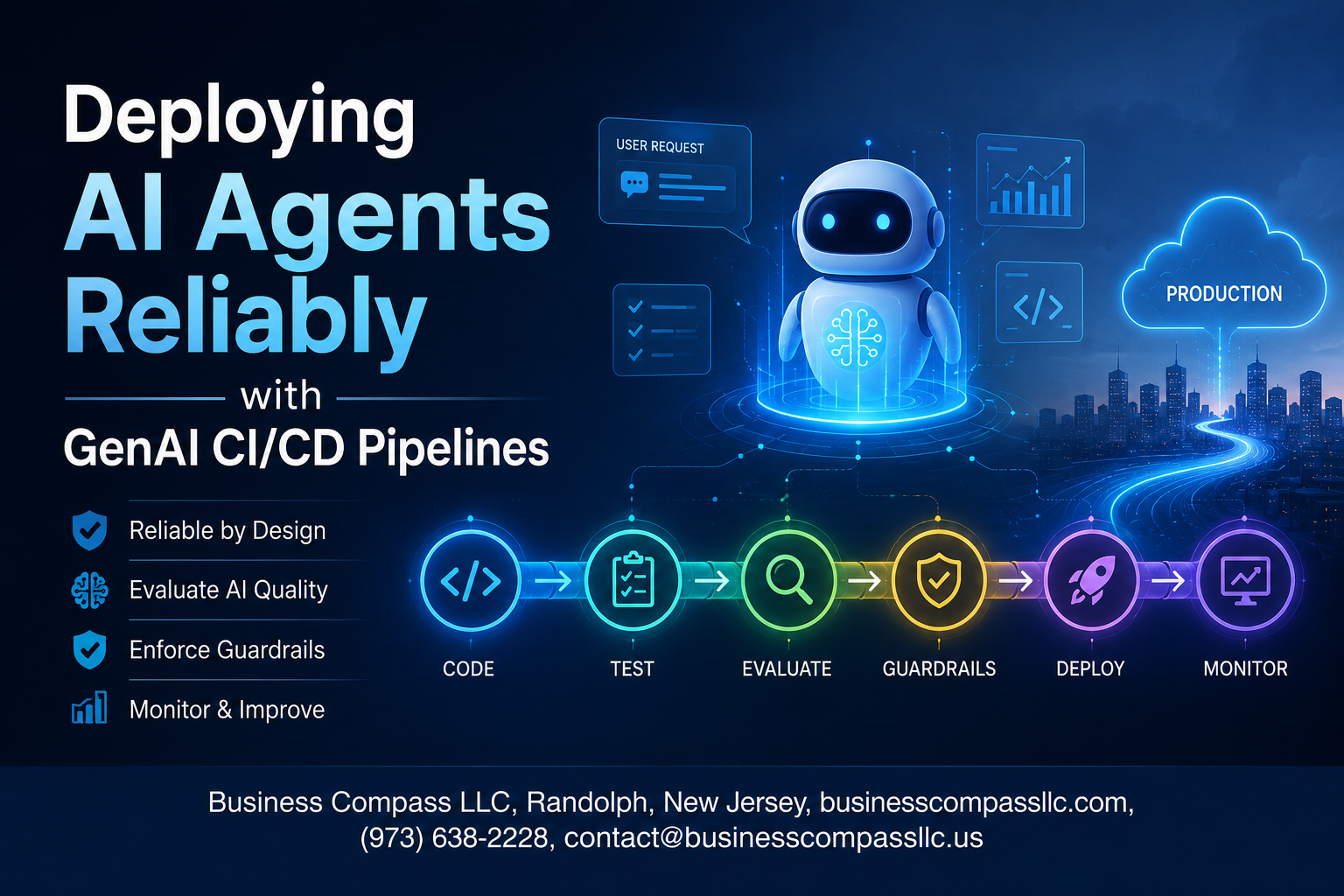
Stop Shipping Broken AI Agents: Here’s How GenAI CI/CD Pipelines Fix That
If you’ve ever pushed an AI agent to production and watched it hallucinate, drift, or quietly fail in ways your old testing never caught — you already know the problem. Deploying AI agents reliably is a completely different challenge from shipping traditional software, and most teams are still stitching together pipelines that weren’t built for it.
This guide is for ML engineers, DevOps teams, and AI platform builders who are moving AI agents from prototype to production and need a repeatable, trustworthy process to get there.
Here’s what we’ll walk through:
- Why standard CI/CD thinking breaks down with AI agents — and what a GenAI CI/CD pipeline actually needs to look different
- How to build testing strategies that catch real AI failures — not just syntax errors, but behavioral drift, prompt regressions, and output quality issues
- What observability and governance look like in practice — so you can monitor, audit, and scale your pipeline without flying blind
No fluff, no theory for theory’s sake. Just a straight look at what it actually takes to ship AI agents you can trust.
Understanding the Role of CI/CD in AI Agent Deployments
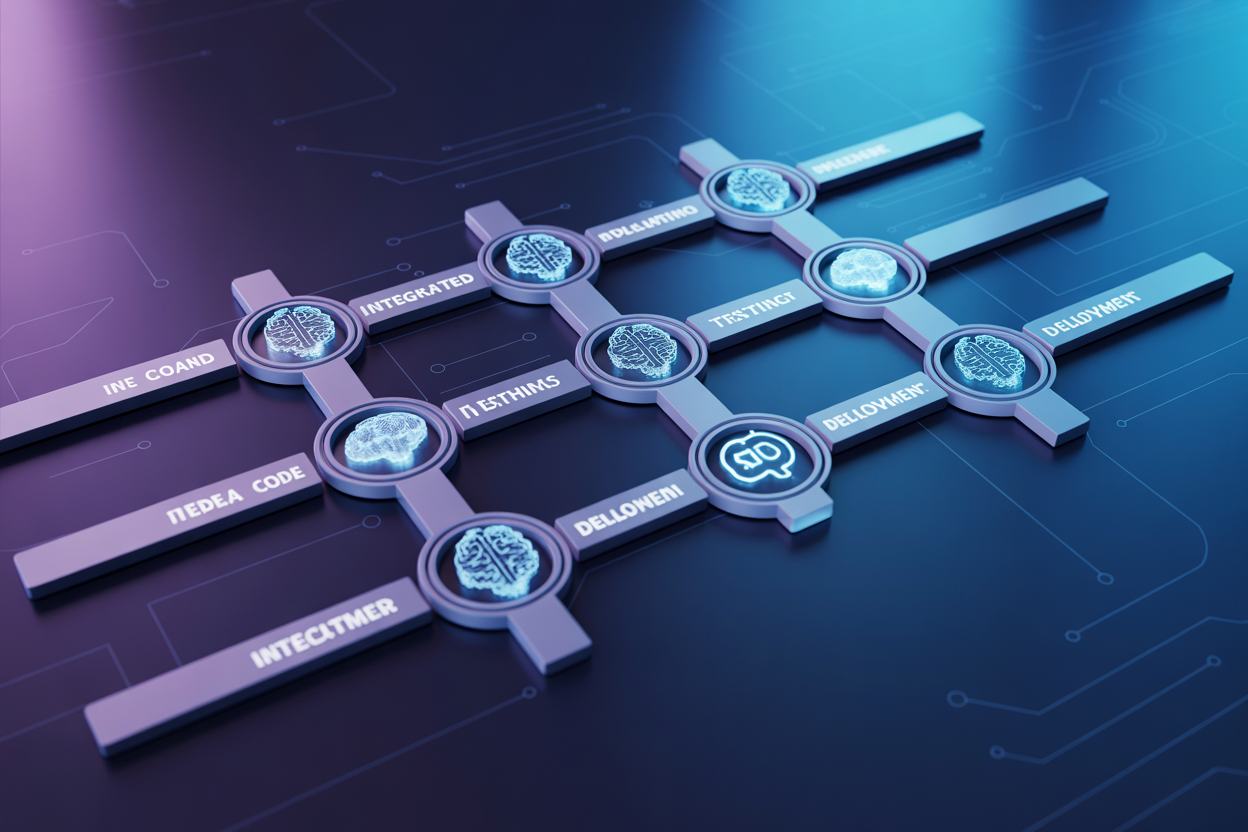
Why Traditional CI/CD Falls Short for AI Agents
Standard CI/CD pipelines were built for deterministic software — code that does the same thing every time. AI agents don’t work that way. They rely on probabilistic outputs, external model APIs, dynamic tool calls, and context-sensitive reasoning, which means a passing unit test tells you almost nothing about whether the agent will behave correctly in production.
- Traditional pipelines check if code runs, not if the agent reasons well
- There’s no built-in way to evaluate prompt regressions or model drift
- LLM responses vary between runs, making assertion-based tests unreliable
- Agent workflows often span multiple tools, APIs, and memory systems that need coordinated validation
Key Benefits of GenAI-Specific CI/CD Pipelines
A pipeline designed for AI agents treats model behavior as a first-class citizen alongside code quality.
- Automated eval runs catch prompt regressions before they hit users
- Model version pinning and swap testing let teams safely upgrade foundation models
- Tool and integration checks validate that every external dependency the agent relies on still works as expected
- Behavioral benchmarks track agent quality over time, not just deployment success
How CI/CD Reduces Risk in AI Agent Releases
Shipping an AI agent without a structured pipeline is essentially deploying blindly. A GenAI CI/CD pipeline creates checkpoints that catch failures early — bad tool outputs, degraded reasoning quality, or broken retrieval pipelines — long before real users encounter them, dramatically shrinking the blast radius of any release.
Core Components of a GenAI CI/CD Pipeline

Model Versioning and Artifact Management
Tracking every model version, prompt template, and configuration file is non-negotiable when deploying AI agents at scale. Tools like DVC, MLflow, or custom artifact registries let teams tag specific model checkpoints alongside the code that triggered them, so you always know exactly what’s running in production and can trace any weird behavior back to its source.
- Store model weights, embeddings, and prompt configs as first-class artifacts alongside your code commits
- Use semantic versioning to distinguish between minor prompt tweaks and full model swaps
- Link each artifact to its training data snapshot for full reproducibility
Automated Testing Frameworks for AI Agents
AI agents need more than just unit tests — you need eval suites that check response quality, tool-calling accuracy, and edge-case handling across diverse inputs.
- Run golden-set evaluations comparing outputs against known-good responses
- Test agent reasoning chains, not just final answers
- Include adversarial prompts to catch jailbreaks or unexpected behavior early
Continuous Monitoring and Feedback Loops
Post-deployment monitoring closes the gap between what you tested and what users actually throw at your agent. Logging latency, token usage, and user feedback signals helps you catch drift before it becomes a real problem.
- Set up automated alerts for response quality degradation
- Feed real-world failure cases back into your eval suite regularly
Rollback and Recovery Mechanisms
When something breaks, fast recovery beats perfect prevention. Blue-green deployments and canary releases let you shift traffic back to a stable version within minutes, minimizing user impact while your team investigates.
- Maintain at least two stable previous versions ready to redeploy instantly
- Automate rollback triggers based on error rate or quality score thresholds
Building Reliable Testing Strategies for AI Agents

Functional Testing for Agent Behavior and Outputs
Testing AI agents isn’t like testing traditional software where you check if a function returns the right value. You’re dealing with probabilistic outputs, so your test suite needs to validate behavior patterns, not just exact responses. Set up golden datasets with curated input-output pairs that represent expected agent behavior, and run regression checks on every pipeline trigger.
- Behavioral assertions: Check that the agent follows instructions, stays on topic, and respects constraints like response length or tone.
- Tool-use validation: Confirm the agent calls the right tools in the right sequence with correct parameters.
- Output schema checks: Make sure structured outputs match expected formats before they hit downstream systems.
Adversarial and Edge Case Testing
Your agent will encounter weird, malicious, or unexpected inputs in production — so test for those before they cause real damage. Build a library of adversarial prompts that probe for jailbreaks, prompt injections, and boundary violations. Include edge cases like empty inputs, extremely long queries, and ambiguous instructions.
- Run red-team scenarios automatically as part of every CI pipeline run
- Test multilingual inputs if your agent serves global users
- Simulate tool failures and check how the agent handles degraded states gracefully
Evaluating Model Drift and Performance Degradation
Even without changing a single line of code, your agent’s performance can quietly slip when the underlying model gets updated by the provider. Track key metrics like task completion rate, latency, and output quality scores over time using an evaluation framework like RAGAS or a custom LLM-as-judge setup.
- Compare new model versions against a baseline using the same held-out evaluation set
- Set threshold alerts that flag when metric scores drop below acceptable levels
- Log every evaluation run so you have a clear audit trail showing when and why performance changed
Automating Deployment Workflows for AI Agents

Choosing the Right Orchestration Tools
Picking the wrong orchestration tool early on can create massive headaches down the road. For AI agent deployments, you want something that handles complex dependency graphs, supports dynamic scaling, and plays nicely with your existing MLOps stack.
Popular choices include:
- Kubeflow Pipelines – Great for Kubernetes-native environments with heavy ML workloads
- Apache Airflow – Solid for scheduling and DAG-based workflow management
- Prefect or Dagster – Modern alternatives with better observability built in
- Argo Workflows – Lightweight and container-first, works beautifully with GitOps patterns
Match the tool to your team’s skill set and your infrastructure reality, not just what’s trending on Twitter.
Implementing Staged Rollouts and Canary Deployments
Pushing a new AI agent version straight to 100% of production traffic is a recipe for disaster. Staged rollouts give you a safety net.
A practical canary deployment flow looks like this:
- Deploy the new agent version to 5-10% of traffic
- Monitor key metrics — latency, error rates, response quality scores
- Gradually shift traffic in increments (25%, 50%, 75%)
- Automate rollback triggers if any metric crosses a predefined threshold
This approach catches regressions before they affect most users, and it builds team confidence in shipping changes faster.
Integrating Guardrails and Safety Checks
AI agents can behave unexpectedly in ways traditional software simply doesn’t. Baking safety checks directly into the deployment pipeline — not just at runtime — catches problems early.
Key guardrails to wire into your pipeline:
- Content policy validators that flag toxic, harmful, or off-brand outputs before deployment
- Prompt injection scanners that test for known adversarial inputs
- Output schema validators ensuring the agent returns structured data correctly
- Behavioral regression tests comparing new model responses against a golden dataset baseline
Treat these checks exactly like unit tests — they should block a bad deployment automatically, without anyone needing to manually review logs.
Managing Secrets, Credentials, and API Dependencies
AI agents typically touch a lot of external services — LLM APIs, vector databases, third-party tools. Managing those credentials poorly is one of the fastest ways to create security vulnerabilities.
Best practices that actually work in production:
- Store all secrets in a dedicated vault (HashiCorp Vault, AWS Secrets Manager, or GCP Secret Manager)
- Rotate API keys on a scheduled cadence and automate the rotation process
- Use short-lived tokens wherever possible instead of long-lived static credentials
- Track every external API dependency in a service catalog so you always know what breaks if a third-party changes their contract
Never hardcode credentials in pipeline configs or environment variable files that end up in version control.
Enabling Zero-Downtime Deployments
Downtime during an AI agent deployment isn’t just annoying — it can break automated workflows, disappoint users mid-conversation, and erode trust fast. Zero-downtime deployment patterns solve this cleanly.
Techniques that work well for AI agents:
- Blue-green deployments — run two identical environments, flip traffic instantly, keep the old version warm for quick rollback
- Rolling updates — replace agent instances one by one, keeping the majority of the fleet serving traffic throughout
- Connection draining — allow in-flight requests to finish before terminating old instances, avoiding mid-session failures
- Health check gates — new instances only receive traffic after passing a liveness and readiness probe
Pair these patterns with automated rollback policies and your deployments become something the team looks forward to rather than dreads.
Ensuring Observability and Governance Across the Pipeline

Setting Up Real-Time Logging and Tracing for Agent Actions
Real-time logging and tracing give you a window into exactly what your AI agents are doing at every step. Without this visibility, debugging unexpected behavior feels like searching in the dark.
- Structured logging captures agent inputs, outputs, tool calls, and decision points in a consistent, queryable format
- Distributed tracing (using tools like OpenTelemetry or LangSmith) links every action across multi-step agent workflows so you can follow the full execution path
- Log aggregation platforms like Datadog, Grafana Loki, or AWS CloudWatch centralize logs from all pipeline stages into one place
Defining Key Metrics to Measure Agent Reliability
Tracking the right numbers tells you whether your agents are actually performing well in production, not just passing tests.
- Latency per agent step — how long each tool call or reasoning step takes
- Task completion rate — the percentage of runs that reach a successful end state
- Hallucination or error rate — how often the agent produces invalid, off-topic, or failed outputs
- Token consumption — important for cost control and detecting runaway loops
- Retry and fallback frequency — signals instability in tool integrations or prompt reliability
Enforcing Compliance and Audit Trails
Every agent action touching sensitive data or business-critical decisions needs a clear, tamper-proof record.
- Store immutable logs of all agent decisions, including the prompts sent and responses received
- Use role-based access controls to limit who can view or modify pipeline configurations
- Integrate automated compliance checks that flag outputs violating defined policies before they reach end users
- Keep versioned records of model snapshots, prompt templates, and deployment configs tied to specific pipeline runs
Scaling GenAI CI/CD Pipelines for Production Environments

Handling Multi-Agent and Multi-Model Architectures
Running multiple agents and models together gets complicated fast. A solid GenAI CI/CD pipeline needs to treat each agent as an independent deployable unit while still managing how they talk to each other.
- Tag each agent with versioned APIs so swapping one model doesn’t break the whole system
- Run integration tests that simulate real agent-to-agent communication under load
- Keep a shared model registry where every team pulls approved, tested model versions
Optimizing Pipeline Speed Without Sacrificing Quality
Slow pipelines kill developer momentum. The trick is running the right tests at the right time, not every test every time.
- Use parallel test execution to cut down wait times dramatically
- Gate expensive LLM eval tests behind a fast, cheap smoke test layer
- Cache model artifacts and embeddings between runs wherever possible
Cost Management Strategies for Large-Scale Deployments
LLM API calls add up shockingly fast at scale. A few smart habits keep your bill from spiraling.
- Set hard token budgets per pipeline run and alert when approaching limits
- Use smaller, cheaper models for low-stakes testing stages and reserve flagship models for final validation
- Track cost-per-deployment as a first-class pipeline metric alongside quality scores
Future-Proofing Your Pipeline as AI Models Evolve
Models change constantly, and your pipeline should absorb those changes without falling apart.
- Abstract model calls behind a provider-agnostic interface so switching vendors takes hours, not weeks
- Store golden datasets and benchmark baselines so you can immediately spot regression when a new model drops
- Treat prompt templates as versioned artifacts with full change history

Getting AI agents into production reliably isn’t just about writing good code — it’s about building the right system around that code. From setting up solid CI/CD foundations to automating deployments, running meaningful tests, and keeping a close eye on how your agents behave in the real world, every piece of the pipeline plays a role in keeping things running smoothly.
As you start scaling these workflows, the teams that win are the ones treating AI deployments with the same discipline they’d bring to any production software — with governance, observability, and repeatability baked in from the start. If you’re building or refining your GenAI pipeline, start small, automate what you can, and keep iterating. The goal isn’t perfection on day one — it’s a system that gets better over time.









