Stop Guessing, Start Shipping: Your Complete DevOps Pipeline Guide
If you’ve ever pushed code and held your breath wondering what breaks next, this guide is for you.
DevOps engineers, platform teams, and developers moving from manual deployments to automated workflows will find this DevOps pipeline tutorial genuinely useful — no fluff, no hand-waving, just real steps you can apply.
Here’s what we’ll walk through together:
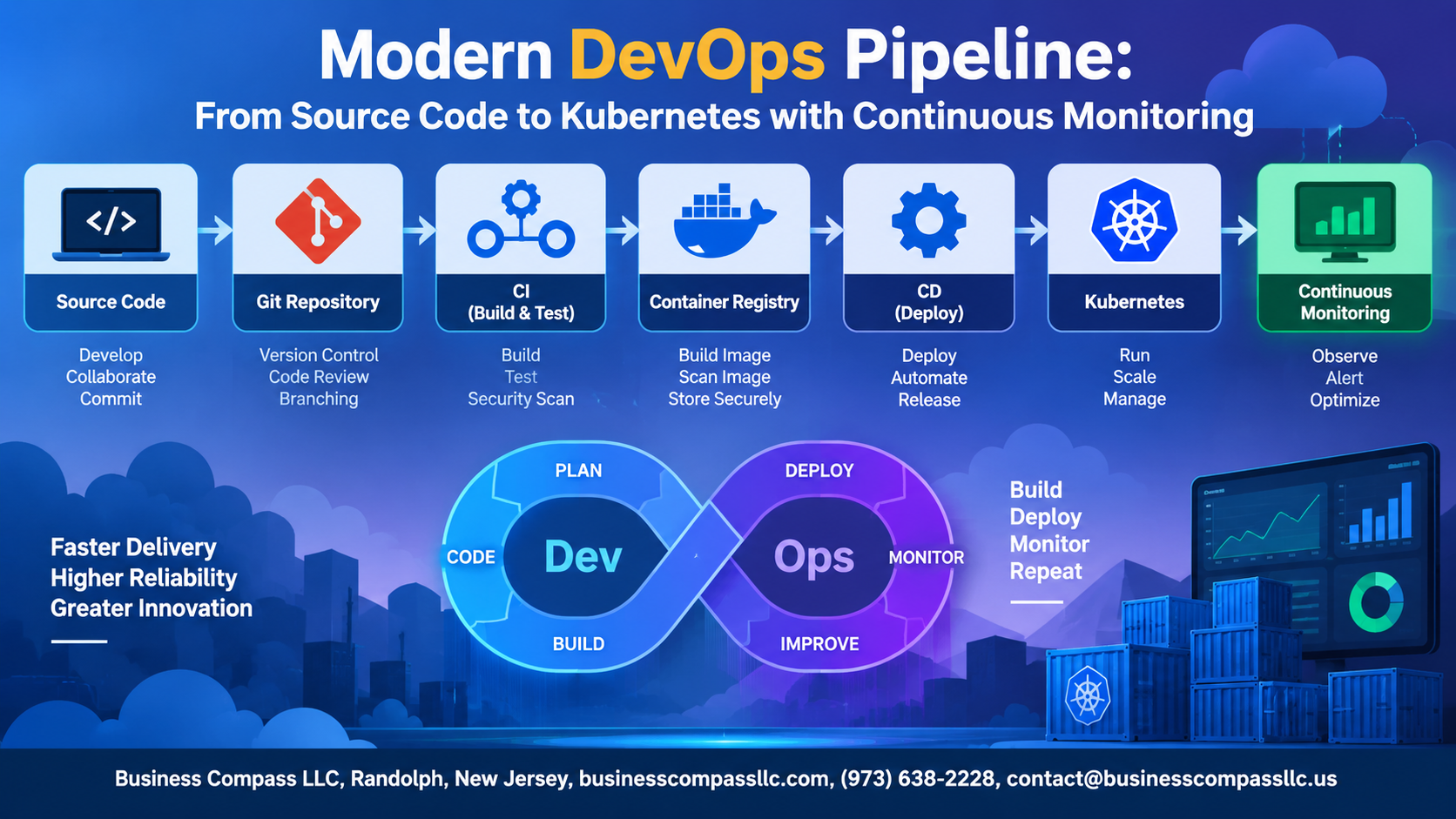
- CI/CD pipeline automation — how to set up automated build and test pipelines that catch problems before they reach production
- Docker and Kubernetes integration — containerization best practices that make your apps consistent across every environment, plus a practical Kubernetes deployment guide that removes the guesswork
- Continuous monitoring DevOps — keeping eyes on your pipeline after deployment so you’re never the last person to know something went wrong
By the end, you’ll have a clear picture of the full source code to Kubernetes workflow — from the moment a developer commits code to the point where your app is running, scaling, and being actively watched in production.
Let’s dig in.
Building a Solid DevOps Foundation

Key Principles That Drive Modern DevOps Success
- Automation, collaboration, and fast feedback loops are the backbone of any strong DevOps pipeline tutorial.
How DevOps Accelerates Software Delivery and Team Collaboration
- Teams ship faster by breaking silos between dev and ops.
Choosing the Right Tools to Power Your Pipeline
- Pick tools that support CI/CD pipeline automation and Kubernetes deployment naturally.
Structuring Your Source Code for Pipeline Readiness

A. Organizing Repositories to Support Automated Workflows
Structure repos around monorepo or polyrepo patterns based on team size and service boundaries.
B. Enforcing Branching Strategies
Use trunk-based development or Gitflow to avoid CI/CD pipeline automation bottlenecks.
C. Integrating Code Quality Checks
Run linters and tests on every commit.
D. Automated Security Scanning
Shift security left—scan dependencies from day one.
Automating Builds and Tests for Faster Releases

A. Designing a CI Pipeline That Catches Errors Early
Automate every commit check — linting, unit tests, security scans — so broken code never reaches staging.
B. Running Parallel Test Suites
Split tests across multiple agents to slash build times dramatically within your CI/CD pipeline automation.
C. Generating Deployment-Ready Build Artifacts
Tag versioned artifacts automatically, ensuring your automated build and test pipeline ships consistent, production-ready outputs every time.
Containerizing Applications for Consistency and Portability

Writing Efficient Dockerfiles
- Use multi-stage builds and minimal base images like
alpineto cut image size dramatically.
Managing Images Securely
- Push to a private registry with role-based access controls.
Environment Parity
- Mirror dev, staging, and production configs using environment variables.
Scanning for Vulnerabilities
- Run Trivy or Snyk early in your CI/CD pipeline automation to catch issues before deployment.
Deploying to Kubernetes with Confidence
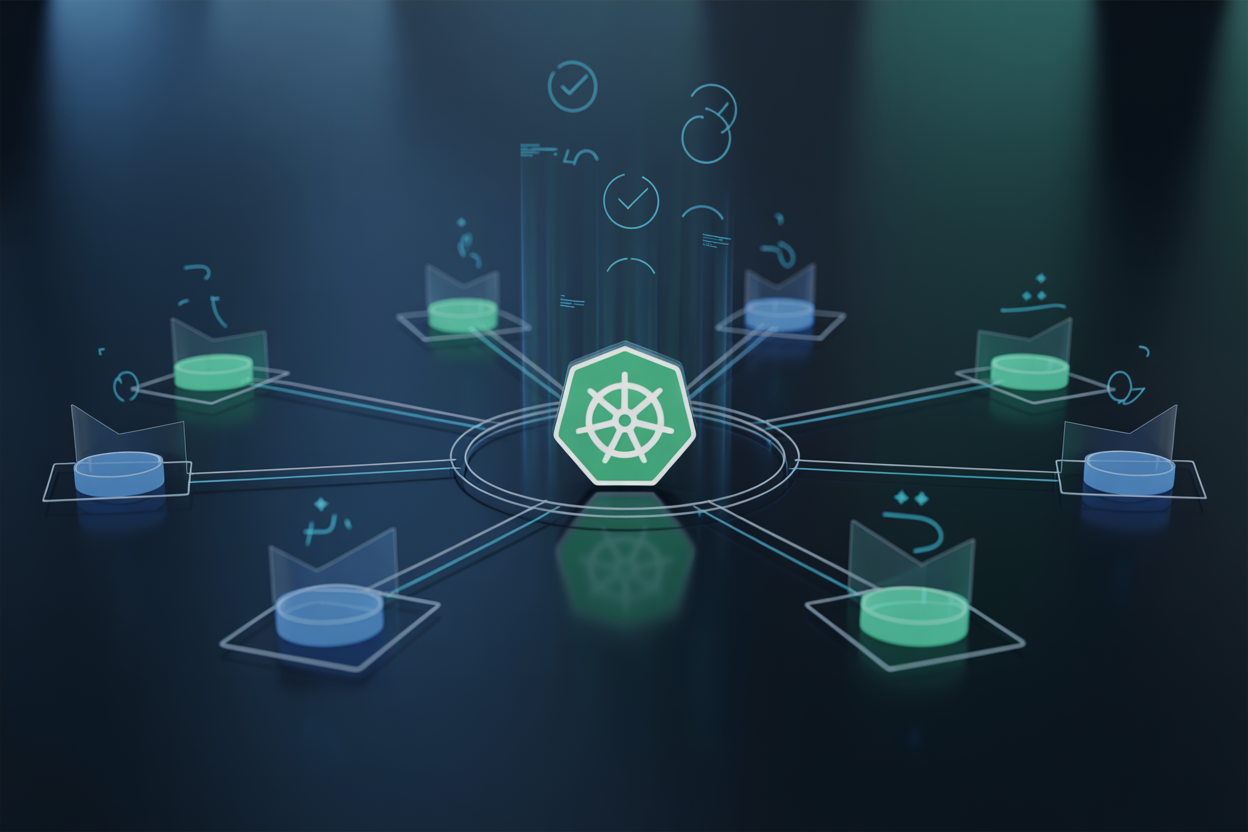
A. Structuring Kubernetes Manifests for Maintainability and Reuse
Keep manifests modular—separate Deployments, Services, and ConfigMaps into individual files.
B. Rolling Updates and Rollbacks
Use maxSurge and maxUnavailable to control rollout speed, enabling instant rollbacks via kubectl rollout undo.
C. Helm Charts
Package complex apps into reusable Helm charts with environment-specific values files.
D. Namespace Strategies
Isolate dev, staging, and production using namespaces with RBAC policies.
E. GitOps Automation
Tools like ArgoCD sync your Kubernetes deployment guide directly from Git, giving full auditability across your CI/CD pipeline automation workflow.
Enabling Continuous Monitoring Across Your Pipeline

A. Collecting Metrics That Reveal Real Performance Bottlenecks
Track CPU, memory, and request latency using Prometheus to catch slowdowns early.
B. Centralizing Logs to Accelerate Incident Investigation
Ship logs to an ELK stack for fast searching during outages.
C. Setting Up Intelligent Alerts That Reduce Noise
Use alert thresholds with burn-rate rules to cut false positives.
D. Visualizing Pipeline Health With Actionable Dashboards
Build Grafana dashboards showing deployment frequency, error rates, and Kubernetes pod health clearly.
Scaling and Optimizing Your Pipeline Over Time

Identifying and Eliminating Slow Stages That Delay Releases
Audit your CI/CD pipeline automation regularly—pinpoint bottlenecks like redundant test runs or slow Docker builds.
Auto-Scaling Kubernetes Workloads to Match Real Demand
Use HPA and cluster autoscaler for smart Kubernetes scaling strategies.
Measuring Pipeline Efficiency With Meaningful DevOps Metrics
Track deployment frequency, lead time, and failure rates to drive real DevOps pipeline optimization.

Getting your DevOps pipeline right isn’t something that happens overnight, but the payoff is absolutely worth the effort. From structuring your source code the right way to automating builds, containerizing your apps, and deploying confidently to Kubernetes, every piece of this puzzle plays a role in helping your team ship faster and smarter. Tying it all together with continuous monitoring means you’re not just deploying code — you’re keeping a close eye on how everything performs in the real world, catching issues before they snowball.
The good news is that you don’t have to tackle all of this at once. Start with the fundamentals, get your automation and containers in place, and build from there. As your pipeline matures, scaling and optimizing becomes a natural next step rather than an overwhelming task. Pick one area where your current setup feels the most painful, make that improvement, and keep moving forward — that’s how great DevOps cultures are built, one solid step at a time.