AWS Storage Architecture: How to Choose Between S3, EBS, and EFS
Picking the wrong AWS storage option can quietly wreck your app’s performance or bloat your monthly bill. If you’re a cloud architect, developer, or DevOps engineer trying to figure out when to use S3, EBS, or EFS, you’re in the right place.
This guide breaks down exactly how each service works, where it shines, and where it falls flat. You’ll walk away knowing the real differences between Amazon S3 object storage, Amazon EBS block storage, and Amazon EFS file storage — not just the textbook definitions, but the practical ones that actually matter when you’re building something.
Here’s what we’ll cover:
- How each storage type works and the specific problems each one is built to solve
- A straight-up AWS storage comparison of S3, EBS, and EFS across performance, cost, and use cases
- A practical decision framework so you can confidently pick the right AWS storage service for your next project without second-guessing yourself
No fluff, no unnecessary jargon — just a clear AWS cloud storage guide you can actually use.
Understanding the AWS Storage Landscape

Why Choosing the Right Storage Service Saves Time and Money
Picking the wrong AWS storage option can quietly drain your budget and slow down your apps. S3, EBS, and EFS each solve different problems — matching workloads to the right service cuts costs dramatically and boosts performance without unnecessary complexity.
Amazon S3: Scalable Object Storage for Every Use Case

What S3 Does Best and When to Use It
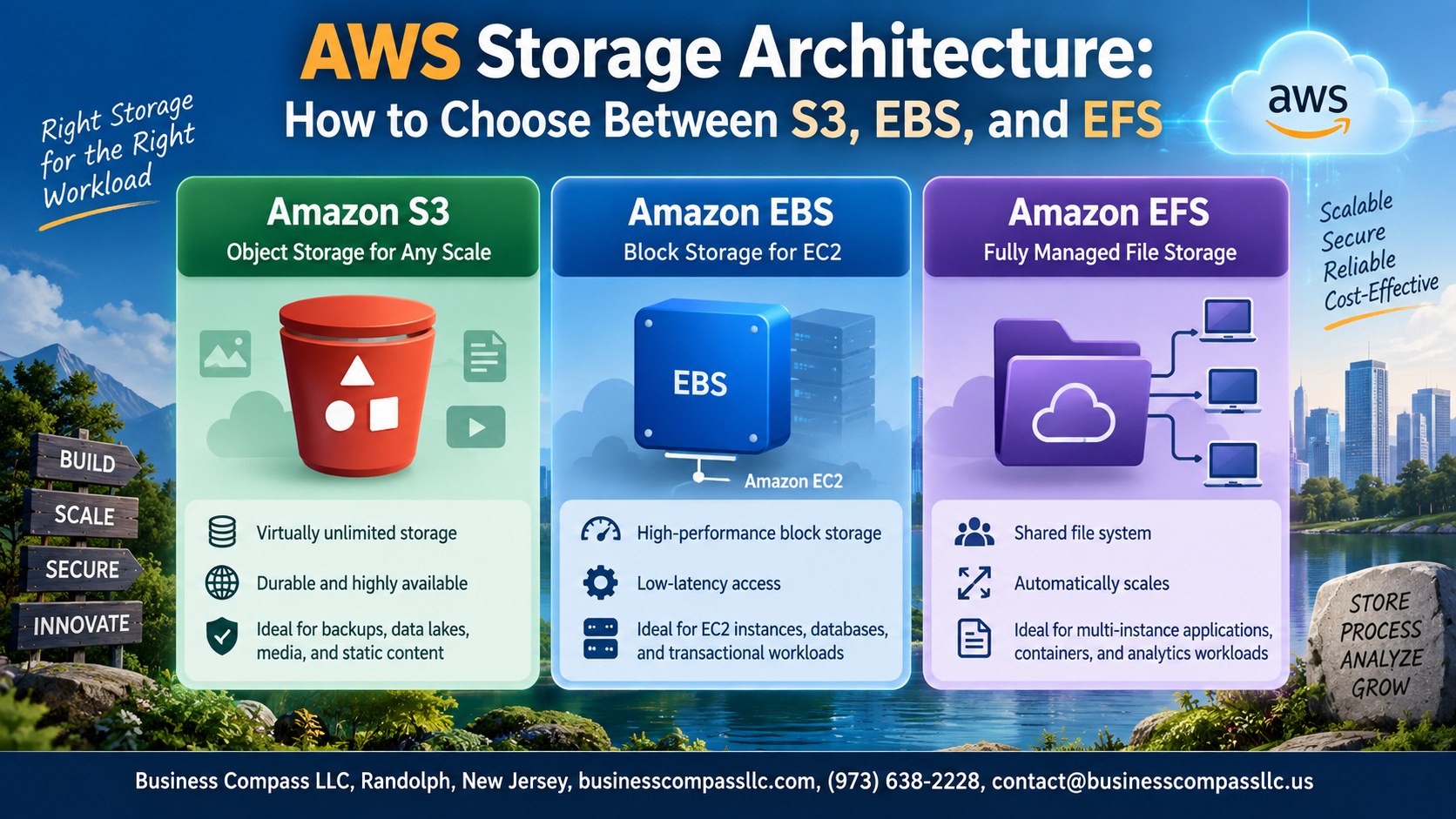
Amazon S3 shines for storing unstructured data — think images, videos, backups, and logs — at massive scale without managing servers. It’s ideal when your app needs globally accessible, durable object storage rather than low-latency disk I/O.
Amazon EBS: High-Performance Block Storage for EC2

How EBS Works With EC2 Instances
Amazon EBS block storage attaches directly to EC2 instances like a physical hard drive, delivering low-latency performance for databases and applications needing persistent storage.
Key volume types:
- gp3 – General workloads
- io2 – High-performance databases
- st1 – Throughput-heavy workloads
- Snapshots enable reliable backup/disaster recovery
Amazon EFS: Shared File Storage for Scalable Workloads

How EFS Enables Concurrent Access Across Multiple Instances
Amazon EFS is a fully managed NFS file system that lets multiple EC2 instances read and write simultaneously — perfect for shared workloads.
EFS Performance Modes
- General Purpose – low latency, everyday workloads
- Max I/O – high throughput, big data jobs
Ideal EFS Use Cases
- Content management systems
- DevOps shared environments
Comparing S3, EBS, and EFS Side by Side

Performance, Durability, and Availability Compared
- S3: 99.999999999% durability, multi-AZ redundancy, millisecond latency for object retrieval
- EBS: Single-AZ, sub-millisecond latency, ideal for high-IOPS workloads
- EFS: Multi-AZ, shared access, slightly higher latency than EBS
Practical Decision Framework for Choosing the Right Service

Key Questions to Ask Before Selecting a Storage Solution
- Do multiple instances need simultaneous access?
- Is your data structured as objects, blocks, or files?
Decision Tree: Mapping Your Needs to the Right AWS Service
- S3 → unstructured data, backups
- EBS → single EC2, low latency
- EFS → shared, scalable workloads
Combining S3, EBS, and EFS for Optimal Architecture Design
Use EBS for databases, EFS for shared app files, and S3 for archiving outputs.

Picking the right AWS storage service doesn’t have to feel overwhelming. S3 is your go-to for storing files, backups, and static assets at scale. EBS is the right call when your EC2 instances need fast, reliable block storage for databases or high-performance workloads. And EFS steps in when multiple instances need to read and write to the same file system at the same time. Each service has a clear sweet spot, and knowing where they differ makes all the difference.
The best way to nail your decision is to start with your workload. Ask yourself how your data will be accessed, how often, and by what. From there, layer in your performance needs and cost expectations. Use the side-by-side comparison and decision framework covered in this post as your starting point, and don’t be afraid to mix and match services when your architecture calls for it. The right storage setup can seriously boost your application’s performance and keep your AWS bill in check.