Stop Losing Sleep Over Broken Deployments
Pushing code to production shouldn’t feel like defusing a bomb. If your team has ever taken down a live app during a release — or spent a frantic hour rolling back a bad update — you already know why a zero-downtime deployment AWS strategy isn’t just a nice-to-have. It’s the difference between a smooth Friday release and a very bad weekend.
This guide is for backend developers, DevOps engineers, and cloud architects who want a reliable, repeatable way to ship code without ever knocking their users offline. If you’re already running apps on AWS or exploring AWS Elastic Beanstalk blue-green deployment for the first time, you’re in the right place.
Here’s what we’ll walk through together:
- How blue-green deployments actually work — and why they’ve become a go-to release strategy for teams that care about uptime
- Setting up and connecting two Elastic Beanstalk environments — blue for live traffic, green for your new release — then executing a clean traffic swap blue-green deployment with zero user impact
- Building rollback protection into your pipeline — so when something goes wrong (and eventually it will), recovery takes minutes, not hours
By the end, you’ll have a working Elastic Beanstalk CI/CD pipeline built around real-world blue-green deployment best practices — and a release process your whole team can trust.
Let’s get into it.
Understanding Blue-Green Deployments and Why They Matter

What Blue-Green Deployment Means for Your Applications
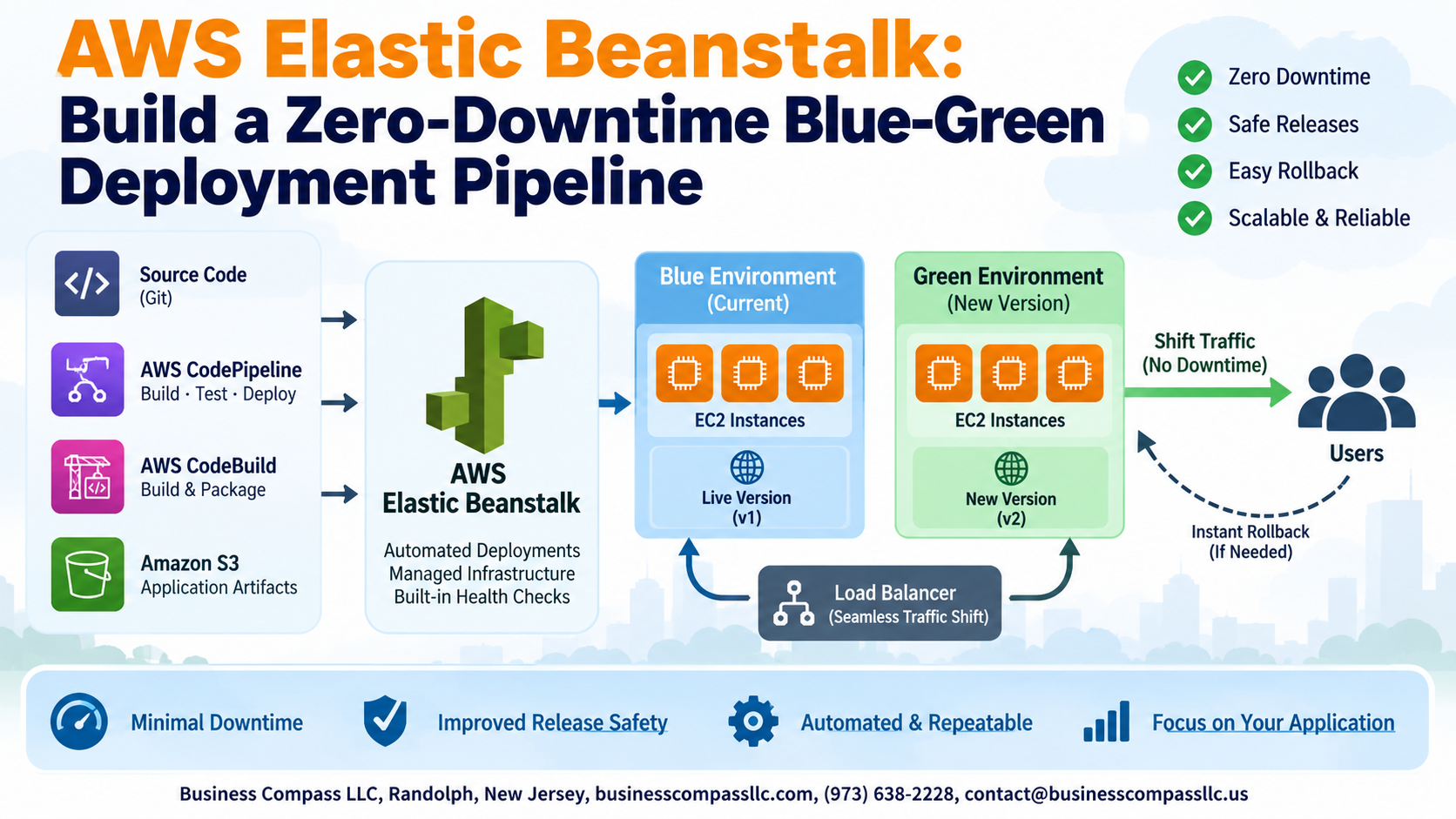
Run two identical production environments — Blue (live) and Green (new version) — switching traffic only after Green passes testing.
Key Benefits
- Zero downtime during releases
- Instant rollback capability
- Risk-free AWS zero-downtime deployment strategy
How AWS Elastic Beanstalk Helps
Beanstalk’s built-in environment cloning and DNS-based traffic swap makes AWS Elastic Beanstalk blue-green deployment surprisingly straightforward.
Setting Up Your AWS Elastic Beanstalk Environment for Success

Choosing the Right Environment Tier and Platform
Pick Web Server tier for customer-facing apps. Match your runtime (Node.js, Python, Java) to your codebase.
Configuring Environment Variables and Resource Settings
Store secrets in environment properties, never hardcoded.
Establishing Separate Blue and Green Environments
Clone your production environment to create an identical green copy.
Connecting Your Application to a Load Balancer
Use an Application Load Balancer for smooth traffic swap blue-green deployment routing.
Building the Deployment Pipeline from Scratch

Integrating AWS CodePipeline for Automated Deployments
Wire CodePipeline to your GitHub repo, triggering builds automatically on every push. CodeBuild packages and tests your app, dropping verified artifacts into S3. Separate pipeline stages deploy to blue and green Elastic Beanstalk environments, while automated health checks confirm environment stability before any traffic shifts happen.
Executing a Safe Traffic Swap Between Environments

Using Elastic Beanstalk Environment URL Swapping
Swap CNAMEs between blue and green environments instantly via the Elastic Beanstalk console or CLI.
Gradually Shifting Traffic with Weighted Routing Policies
Use Route 53 weighted routing to split traffic—start 10% green, scale up carefully.
Monitoring Key Metrics During the Cutover Process
- Watch error rates, latency, CPU
Handling Rollbacks and Recovering from Failed Deployments
Detecting Failures Early with CloudWatch Alarms
Set CloudWatch alarms targeting error rates and latency thresholds before swapping traffic.
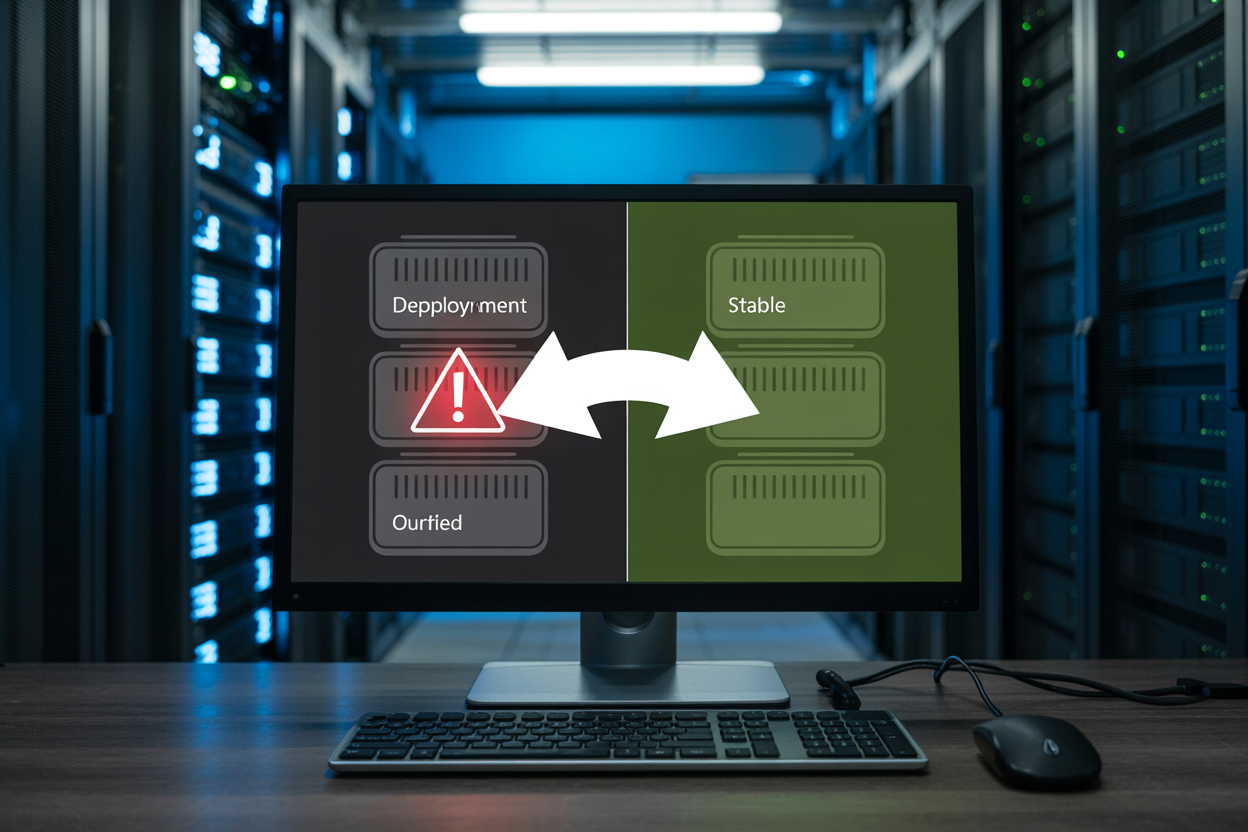
Instantly Reverting Traffic to the Stable Environment
Your AWS deployment rollback strategy is just a DNS swap back — Route 53 flips traffic to blue instantly.
Diagnosing Root Causes Using Elastic Beanstalk Logs
Pull logs directly from the console to pinpoint crashes fast.
Optimizing Costs and Performance in Your Pipeline

Scaling Down Idle Environments
Keep your idle blue or green environment at minimum capacity—drop it to one t3.micro instance between deployments.
Rightsizing Instances
Match instance types to actual workload; production gets bigger instances, standby gets smaller.
Scheduling Shutdowns
Use Lambda to auto-terminate standby environments overnight.
Spot Instances
Run non-production environments on Spot to cut costs 70%.

Blue-green deployments on AWS Elastic Beanstalk take the stress out of shipping new code. By keeping two environments running side by side, you get the freedom to test changes thoroughly before any real users see them, swap traffic with a single click, and roll back instantly if something goes sideways. From setting up your environments correctly to building a solid pipeline, managing traffic swaps, and keeping costs in check, every piece of this process works together to keep your app running smoothly without interruption.
If you haven’t already started experimenting with this setup, now is a great time to give it a shot. Start small, get comfortable with the workflow, and build your confidence before rolling it out across bigger projects. The peace of mind that comes with knowing you can recover from a bad deployment in seconds is absolutely worth the upfront effort.