Stop Flying Blind: How to Centralize AWS Security Logs with CloudTrail SIEM Integration
If you’re running workloads in AWS and your security logs are scattered across accounts, regions, and services, you’re not alone — and you’re not in a great spot. When something goes wrong, the last thing you want is to dig through raw S3 buckets trying to piece together what happened.
This guide is for security engineers, cloud architects, and DevSecOps teams who need a reliable, scalable AWS logging architecture that actually supports real threat detection — not just compliance checkboxes.
Here’s what we’ll walk through:
- How CloudTrail fits into your AWS security logging strategy and why it’s the foundation everything else builds on
- How to design and automate an AWS log ingestion pipeline that gets your CloudTrail data into a SIEM like Splunk without you babysitting it
- How to tune log quality and build detection rules so your team catches real threats faster instead of drowning in noise
By the end, you’ll have a clear picture of what a production-ready CloudTrail to SIEM architecture looks like — and how to keep it running as your AWS environment grows.
Let’s get into it.
Understanding CloudTrail and Its Role in AWS Security Logging

What CloudTrail Captures and Why It Matters for Security
CloudTrail records every API call across your AWS environment — who did what, when, and from where. For CloudTrail SIEM integration, this data is gold for spotting unauthorized access, privilege escalation, and misconfigurations before they become breaches.
Key Log Types Generated Across AWS Services
- Management events — control plane actions like IAM changes
- Data events — S3 object access, Lambda invocations
- Insights events — unusual API activity patterns
Limitations of Relying Solely on Native CloudTrail Storage
Native storage offers no real-time alerting, limited querying, and short retention — making AWS security log centralization via a SIEM non-negotiable for serious threat detection.
Choosing the Right SIEM for AWS Log Ingestion

Key Features to Look for in a Cloud-Compatible SIEM
Pick a SIEM with native AWS integrations, real-time CloudTrail log ingestion, and auto-scaling ingest pipelines.
Comparing Popular SIEM Solutions for AWS Environments
- Splunk: Deep CloudTrail to Splunk support, rich dashboards
- Sentinel: Native cloud-first design
- Elastic: Cost-friendly, open-source flexibility
Cost and Scalability Considerations
Balance ingestion volume against per-GB pricing.
Compliance Alignment
Match your SIEM to PCI-DSS or SOC2 mandates.
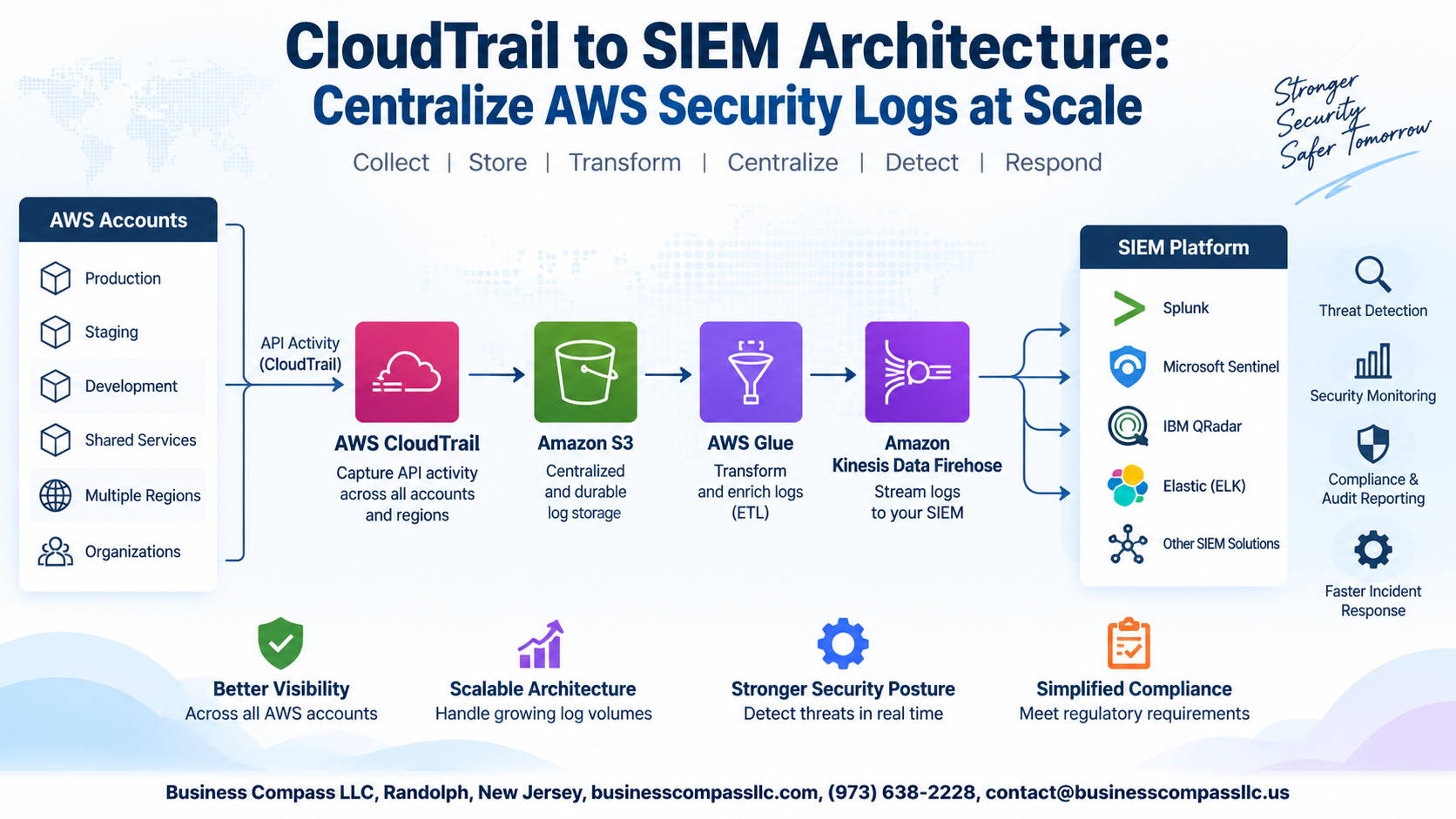
Designing a Scalable CloudTrail to SIEM Architecture

A. Centralized Multi-Account Log Collection Using AWS Organizations
Route all CloudTrail logs into a dedicated security account using AWS Organizations, keeping logs separate from workload accounts.
B. S3 and CloudWatch as Staging Layers
- S3 stores raw logs long-term
- CloudWatch enables near-real-time streaming
C. Kinesis Data Firehose
Streams logs directly into your SIEM, supporting scalable AWS log ingestion pipelines like CloudTrail to Splunk.
D. IAM Roles
Use least-privilege cross-account roles for secure log access.
E. High-Volume Ingestion
Partition S3 prefixes and tune Firehose buffer sizes to avoid bottlenecks.
Automating Log Forwarding from AWS to Your SIEM
Deploying Lambda Functions to Trigger Log Forwarding
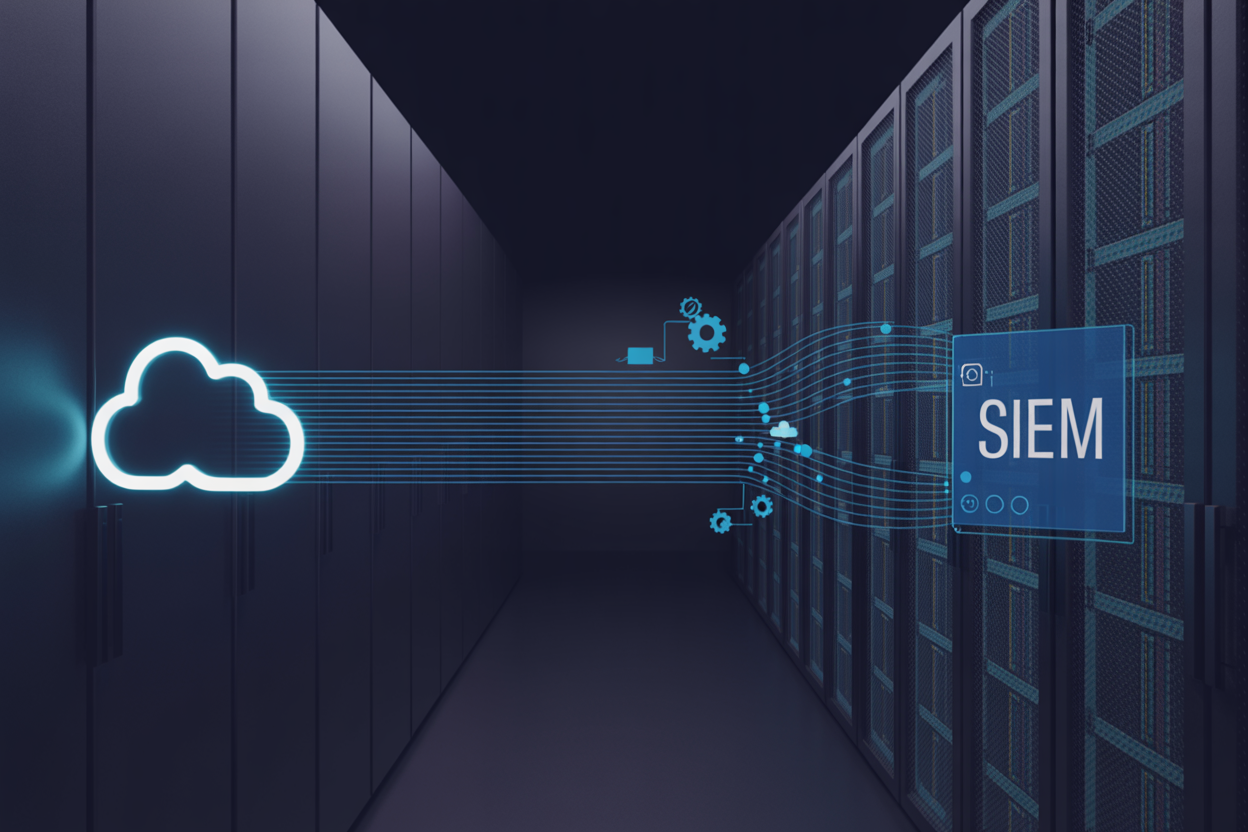
Set up Lambda to watch your S3 bucket for new CloudTrail logs and push them straight to your SIEM automatically.
Using AWS EventBridge to Route Security Events Efficiently
EventBridge filters and routes only high-priority events, cutting noise before ingestion.
Configuring SIEM Connectors and API Integrations
CloudTrail to Splunk works via HEC endpoints for real-time AWS log ingestion pipeline delivery.
Optimizing Log Quality for Faster Threat Detection

Filtering Out Noise to Reduce Irrelevant Log Volume
Drop read-only S3 GetObject calls and health-check events before they hit your CloudTrail SIEM integration pipeline. Normalizing and enriching events with account IDs, regions, and resource tags makes AWS threat detection faster. Set tiered retention—hot storage for 90 days, cold for compliance—keeping costs manageable without sacrificing visibility.
Building Detection Rules and Alerts on Ingested CloudTrail Data

Identifying High-Value Security Events Worth Alerting On
Focus on root account logins, IAM policy changes, and S3 bucket ACL modifications.
Creating Correlation Rules to Surface Multi-Step Attack Patterns
Chain failed logins with privilege escalation attempts across your AWS threat detection SIEM.
Tuning Alert Thresholds to Minimize False Positives
Baseline normal behavior first, then adjust sensitivity.
Maintaining and Scaling the Architecture Over Time

Monitoring Pipeline Health to Prevent Log Gaps
Set CloudWatch alarms on Kinesis iterator age and Lambda errors to catch delivery failures fast.
Adapting the Architecture as AWS Account Footprint Grows
Add new accounts to your AWS Organizations CloudTrail trail automatically — no manual setup needed.
Conducting Regular Log Integrity Audits
Run monthly SHA-256 validation checks against CloudTrail log file digests to satisfy compliance requirements.

Getting CloudTrail logs into your SIEM is one of the smartest moves you can make for your AWS security posture. From picking the right SIEM and designing a scalable architecture to automating log forwarding and tuning detection rules, each step builds on the last to give you a cleaner, faster, and more reliable threat detection setup.
The real payoff comes when everything works together — quality logs flowing automatically into well-structured detection rules that actually fire when something suspicious happens. Start small if you need to, but keep scalability in mind from day one. As your AWS environment grows, your logging architecture should grow with it, not hold you back. Take what you’ve learned here and start building — your future self (and your security team) will thank you.