


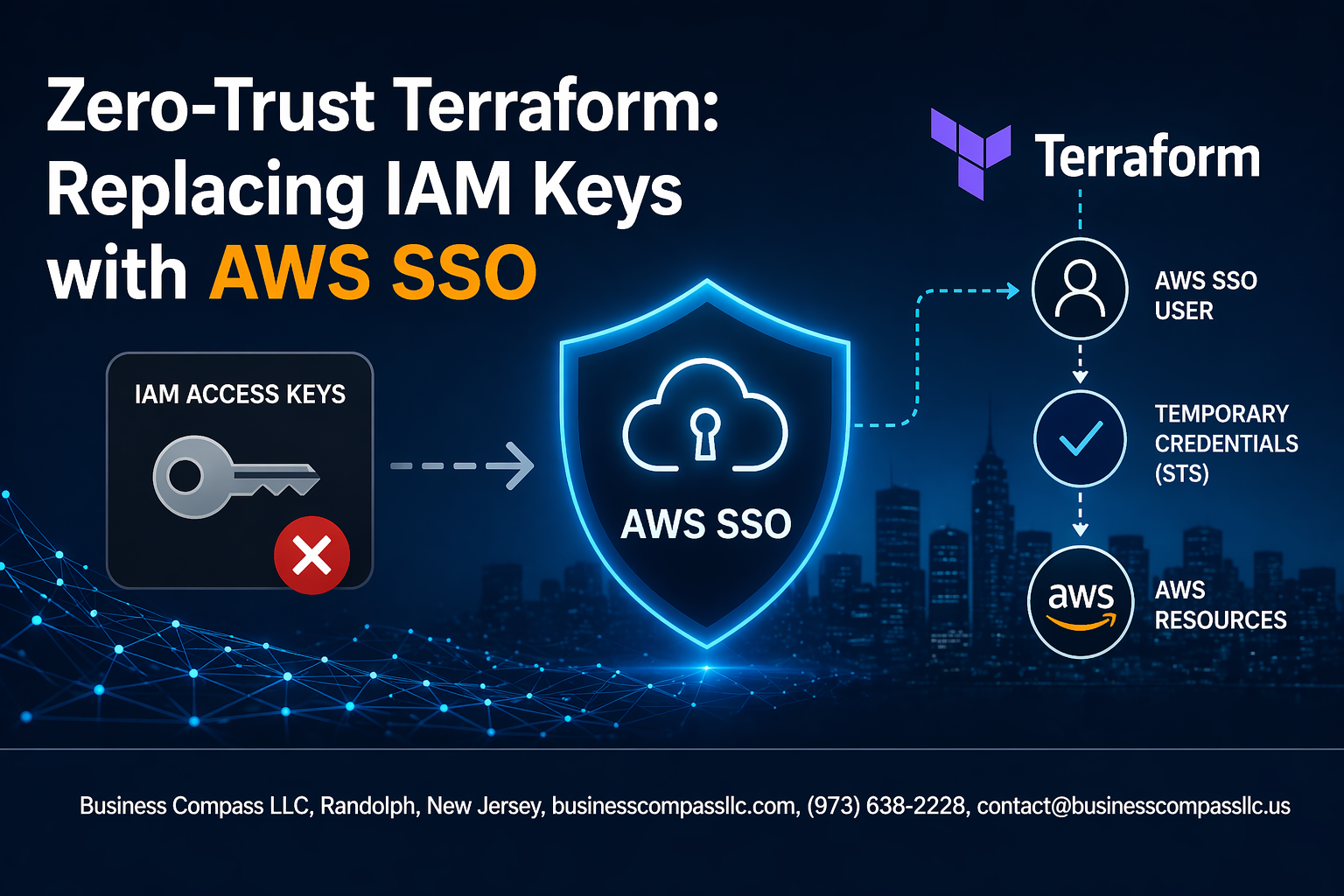
Traditional Terraform workflows rely heavily on long-lived IAM keys, creating security vulnerabilities that expose your cloud infrastructure to credential theft and unauthorized access. Zero-trust terraform principles demand a better approach—one that eliminates these static credentials and implements continuous verification at every step.
This guide is designed for DevOps engineers, cloud security professionals, and infrastructure teams who want to strengthen their Terraform deployments by replacing IAM keys with AWS SSO. You’ll learn practical strategies to reduce security risks while maintaining seamless automation in your infrastructure workflows.
We’ll walk through AWS SSO terraform integration to set up secure, short-lived credentials that automatically rotate. You’ll also discover how to implement terraform security best practices for CI/CD pipeline zero-trust, ensuring your automated deployments meet modern security standards. Finally, we’ll cover terraform state file security techniques that protect your infrastructure’s most sensitive data from unauthorized access.
Understanding Zero-Trust Security Principles in Cloud Infrastructure
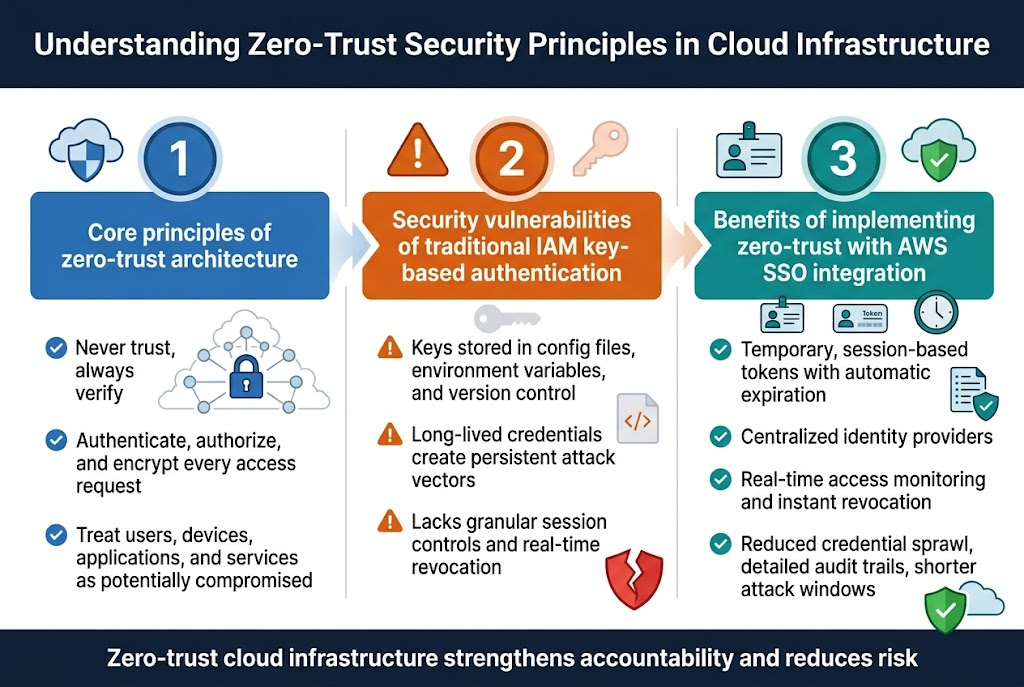
Core principles of zero-trust architecture for cloud environments
Zero-trust architecture operates on the fundamental principle of “never trust, always verify.” Every access request gets authenticated, authorized, and encrypted regardless of location or user credentials. In cloud infrastructure, this means treating every component—users, devices, applications, and services—as potentially compromised. Network perimeters become irrelevant as security controls shift to individual resources and data flows.
Security vulnerabilities of traditional IAM key-based authentication
IAM keys security risks multiply when stored in configuration files, environment variables, or version control systems. These long-lived credentials create persistent attack vectors that bad actors can exploit for months or years. Traditional key-based authentication lacks granular session controls and real-time revocation capabilities, making credential rotation cumbersome and error-prone.
Benefits of implementing zero-trust with AWS SSO integration
AWS SSO integration eliminates static credentials by providing temporary, session-based tokens with automatic expiration. Users authenticate through centralized identity providers, enabling real-time access monitoring and instant revocation. This approach reduces credential sprawl while maintaining detailed audit trails for compliance requirements. Zero-trust cloud infrastructure with AWS SSO creates shorter attack windows and stronger accountability through enhanced logging capabilities.
Identifying IAM Key Security Risks in Terraform Workflows
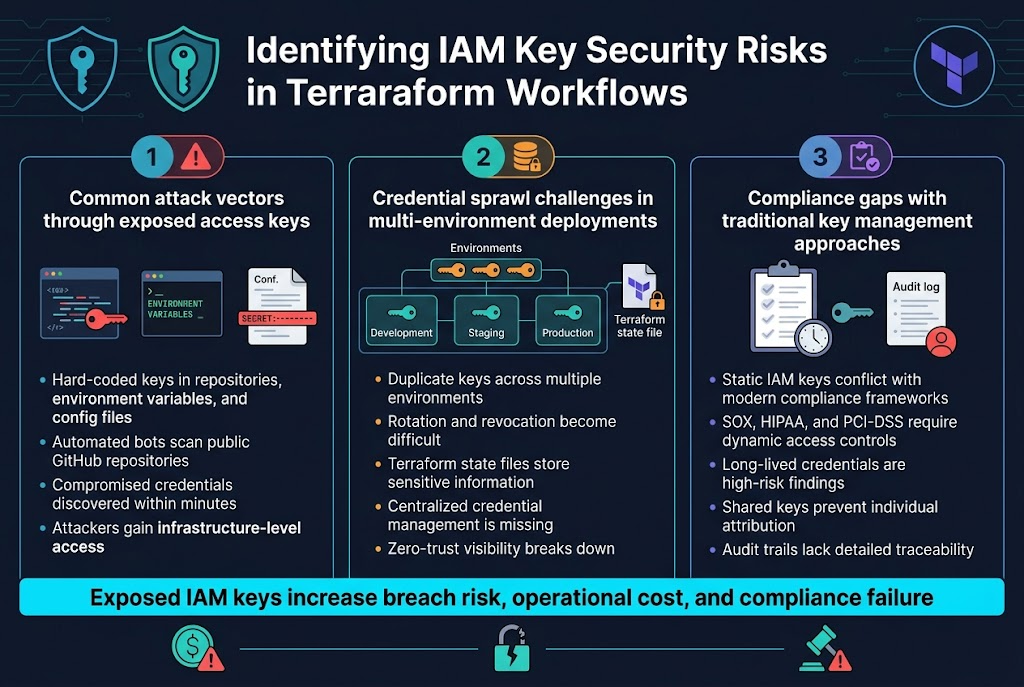
Common attack vectors through exposed access keys
Traditional IAM keys in terraform workflows create dangerous attack surfaces that hackers exploit regularly. Hard-coded access keys in version control repositories, environment variables, and configuration files become goldmines for cybercriminals scanning GitHub and other platforms. When developers accidentally commit AWS credentials to public repositories, automated bots can discover and abuse these keys within minutes.
The impact extends beyond simple data breaches. Exposed terraform IAM keys provide attackers with infrastructure-level access, allowing them to provision expensive resources, modify security groups, or even destroy entire environments. These credential-based attacks represent some of the costliest security incidents in cloud computing today.
Credential sprawl challenges in multi-environment deployments
Managing IAM keys across development, staging, and production environments creates an administrative nightmare that compromises security. Teams often duplicate keys across multiple environments, making rotation and revocation nearly impossible. Each environment requires separate credential management, leading to inconsistent security policies and forgotten access keys lingering in old systems.
Terraform state files compound this problem by storing sensitive information across distributed teams and environments. Without centralized credential management, organizations lose visibility into who has access to what resources, creating blind spots that violate zero-trust cloud infrastructure principles.
Compliance gaps with traditional key management approaches
Static IAM keys fundamentally conflict with modern compliance frameworks that demand dynamic access controls and detailed audit trails. Traditional key management approaches fail to provide the granular logging and time-bound access that regulations like SOX, HIPAA, and PCI-DSS require. Compliance auditors increasingly flag long-lived credentials as high-risk findings.
Organizations struggle to demonstrate proper access governance when using shared IAM keys across teams. The lack of individual attribution in audit logs makes it impossible to track who performed specific terraform operations, creating gaps that can result in failed audits and regulatory penalties.
AWS SSO Configuration for Terraform Integration
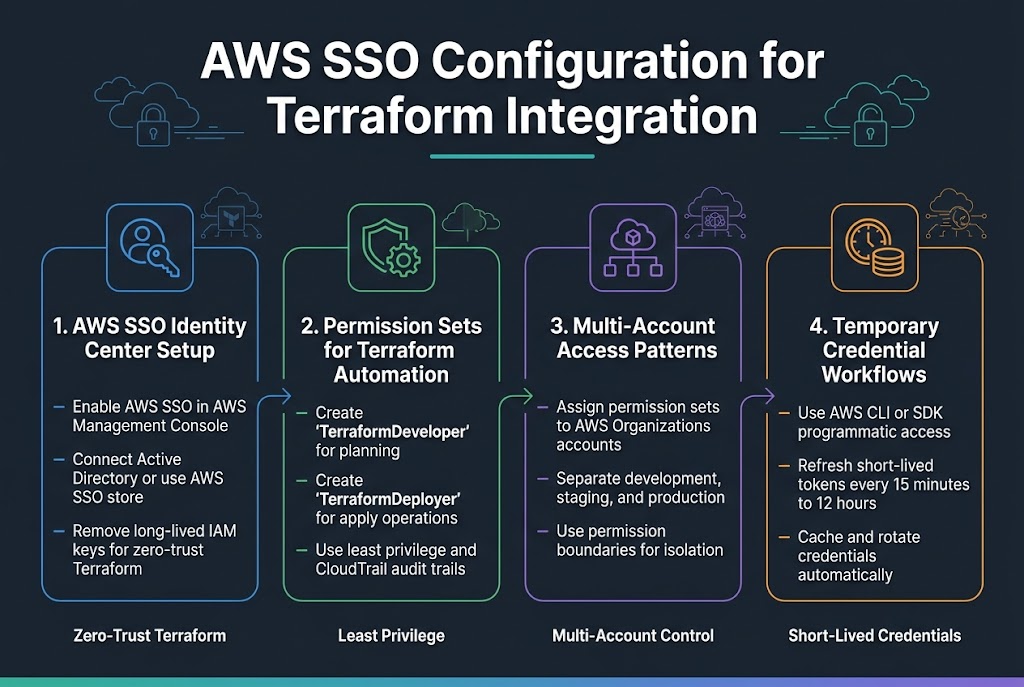
Setting up AWS SSO identity center for your organization
Start by enabling AWS SSO through your AWS management console, which becomes your centralized identity provider for zero-trust terraform operations. Configure your identity source by connecting to external directories like Active Directory or using the built-in AWS SSO store for user management. This foundation eliminates the need for long-lived IAM keys while enabling AWS SSO terraform integration across your organization’s accounts.
Creating permission sets for Terraform automation roles
Design granular permission sets that follow least-privilege principles for your Terraform workflows. Create dedicated permission sets like “TerraformDeveloper” with read-only access for planning operations and “TerraformDeployer” with managed policies for apply operations. These terraform security best practices ensure each automation role receives only necessary permissions while maintaining audit trails through AWS CloudTrail integration.
Configuring multi-account access patterns
Establish cross-account access by assigning permission sets to specific AWS accounts within your organization. Configure account-specific permission boundaries that align with your zero-trust cloud infrastructure strategy, allowing Terraform to manage resources across development, staging, and production environments. Use AWS Organizations to centrally manage these assignments while maintaining isolation between different environments and teams.
Establishing temporary credential workflows
Implement short-lived credential patterns using AWS SSO’s programmatic access capabilities through the AWS CLI or SDK. Configure credential refresh mechanisms that automatically rotate tokens every 15 minutes to 12 hours based on your security requirements. This AWS SSO configuration terraform approach ensures credentials never persist beyond their intended session while maintaining seamless automation workflows through proper credential caching and refresh strategies.
Migrating Terraform from IAM Keys to AWS SSO
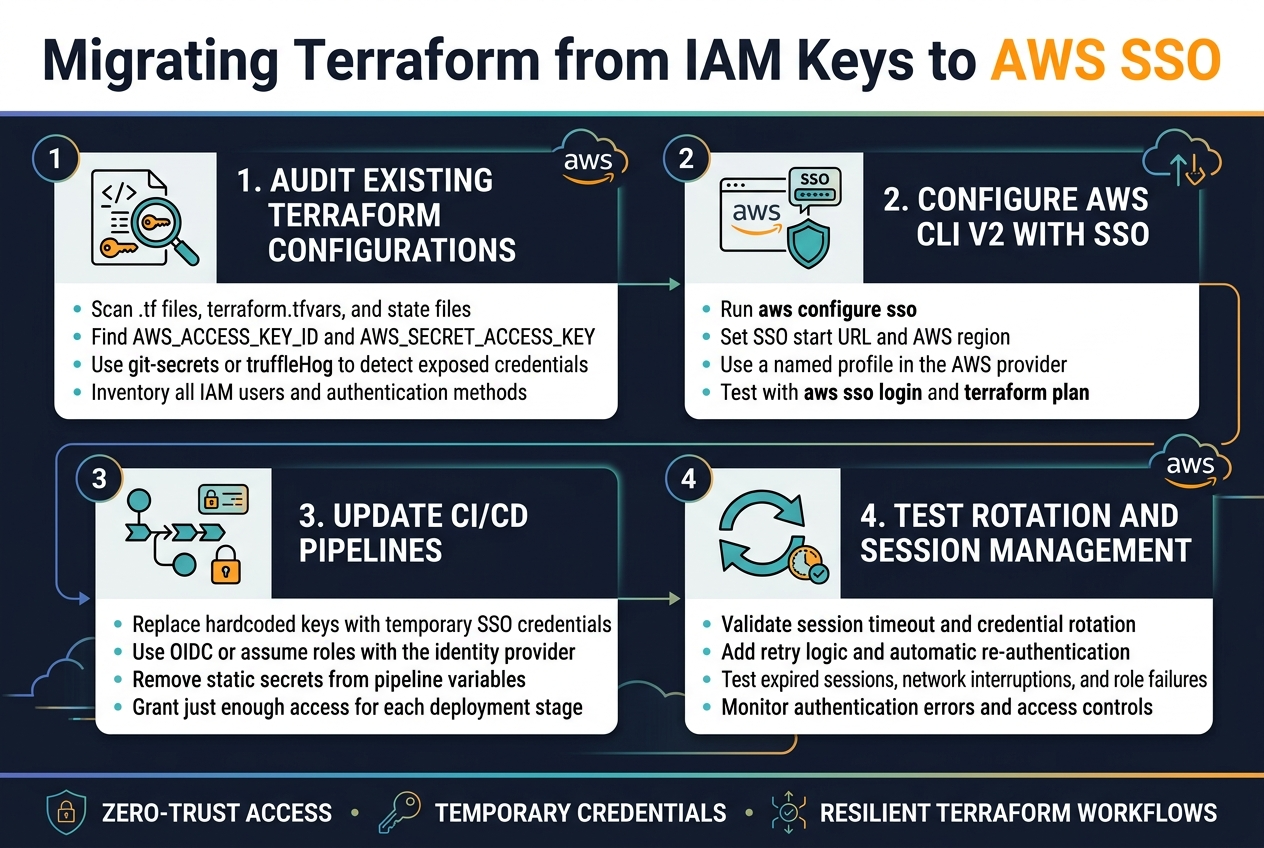
Auditing Existing Terraform Configurations for Hardcoded Credentials
Start by scanning your Terraform codebase for exposed AWS access keys and secret keys. Look for hardcoded credentials in provider blocks, variable files, and state files using tools like git-secrets or truffleHog. Check for AWS_ACCESS_KEY_ID and AWS_SECRET_ACCESS_KEY references in your .tf files, terraform.tfvars, and environment variable configurations.
Create an inventory of all authentication methods currently in use across your infrastructure. Document which resources depend on specific IAM users and their associated keys to plan your zero-trust terraform migration strategy effectively.
Implementing AWS CLI v2 with SSO Profile Configuration
Configure AWS CLI v2 with SSO profiles to replace traditional IAM key-based authentication. Run aws configure sso to set up your SSO profile, specifying your organization’s SSO start URL and AWS region. This creates a named profile that Terraform can reference without storing long-term credentials.
Update your Terraform provider configuration to use the SSO profile by setting the profile parameter in your AWS provider block. Test the SSO integration by running aws sso login followed by terraform plan to verify successful authentication through your configured profile.
Updating CI/CD Pipelines for SSO-Based Authentication
Replace hardcoded IAM keys in your CI/CD pipelines with temporary credentials obtained through AWS SSO. Configure your pipeline to use OIDC providers or assume roles that integrate with your SSO identity provider. This eliminates the need to store static credentials in your pipeline secrets or environment variables.
Set up automated credential refresh mechanisms in your pipeline scripts to handle SSO session expiration. Configure your CI/CD tools to assume roles with just enough permissions for terraform operations, following zero-trust principles by granting minimal required access for each deployment stage.
Testing Credential Rotation and Session Management
Validate your SSO integration by testing credential rotation scenarios and session timeouts. Verify that your terraform workflows handle SSO session expiration gracefully by implementing retry logic and automatic re-authentication. Test your setup with different user roles and permission levels to confirm proper access controls.
Monitor your terraform AWS SSO integration for authentication failures and session management issues. Create test scenarios that simulate expired sessions, network interruptions, and role assumption failures to verify your infrastructure remains resilient during authentication challenges.
Securing Terraform State Files with Zero-Trust Principles
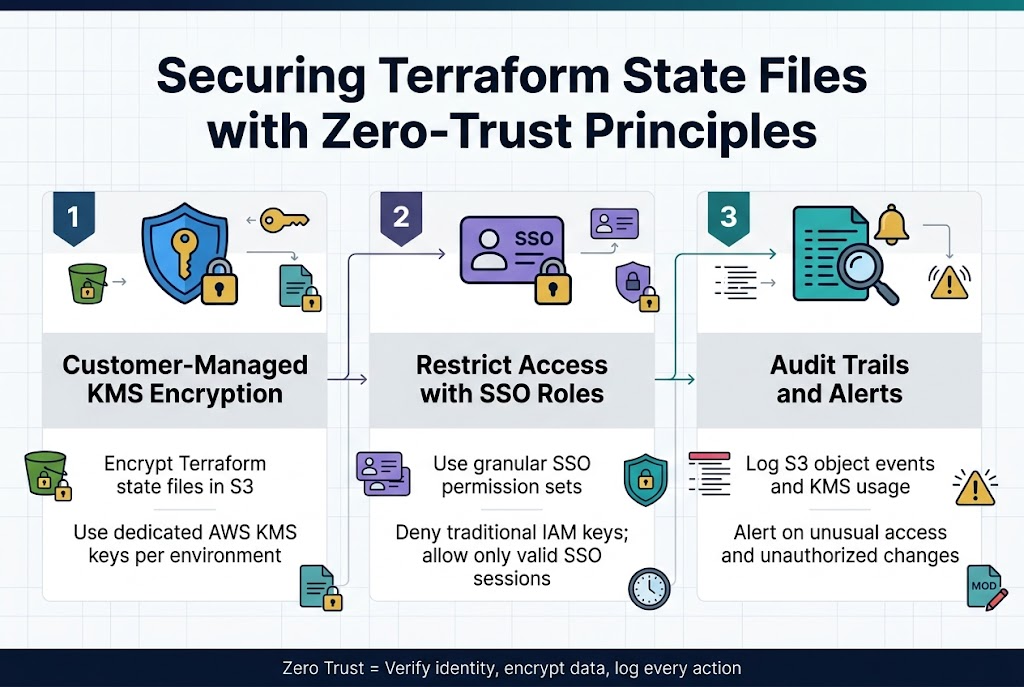
Implementing state file encryption with customer-managed keys
Terraform state files contain sensitive infrastructure data that requires robust encryption using AWS Key Management Service (KMS) customer-managed keys. Configure your S3 backend with server-side encryption and create dedicated KMS keys for each environment or project. Set up key policies that integrate with AWS SSO roles, ensuring only authorized personnel can access encrypted state files through proper identity verification.
Restricting access to remote state backends using SSO roles
Design granular access controls for your terraform state file security by creating specific SSO permission sets that align with team responsibilities. Backend S3 buckets should enforce strict bucket policies that validate SSO-authenticated requests and deny access from traditional IAM keys. Configure resource-based policies that require valid SSO session tokens and implement time-bound access windows.
Establishing audit trails for state file modifications
CloudTrail logging captures every state file operation when properly configured with your zero-trust terraform infrastructure. Enable detailed logging for S3 object-level events and KMS key usage to track who modified state files and when. Set up automated alerts for unusual access patterns or unauthorized modification attempts, creating comprehensive visibility into your terraform security best practices implementation.
Automating Zero-Trust Terraform in CI/CD Pipelines
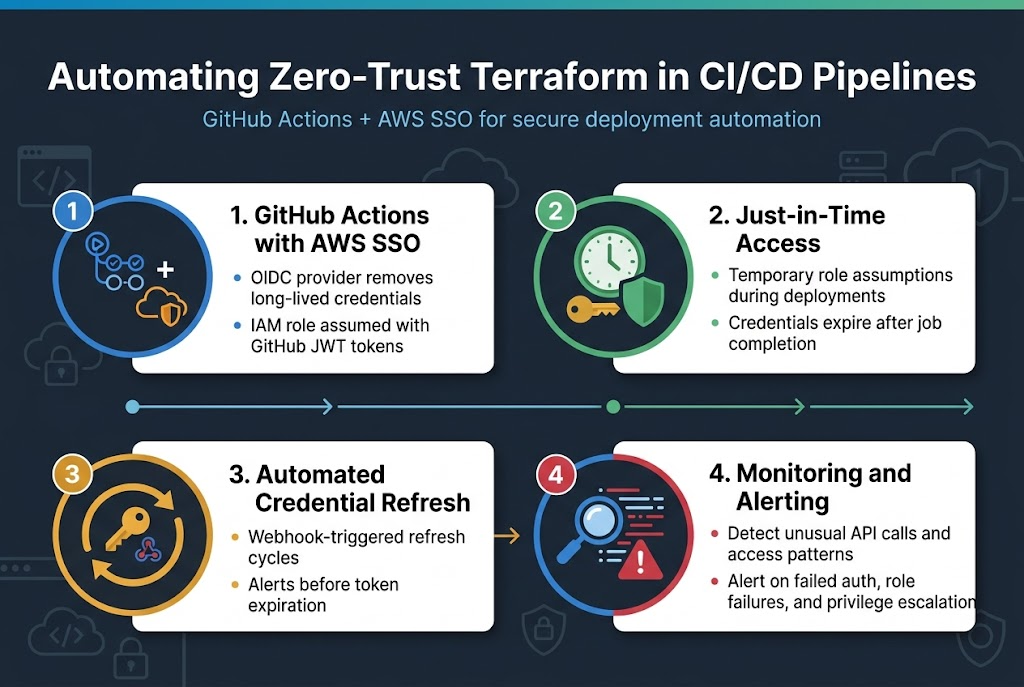
Configuring GitHub Actions with AWS SSO integration
Setting up GitHub Actions with AWS SSO creates a secure foundation for your zero-trust terraform workflows. The OIDC provider configuration eliminates long-lived credentials by establishing trust relationships between GitHub and AWS. Create an IAM role with terraform deployment permissions, then configure your workflow to assume this role using GitHub’s JWT tokens.
Implementing just-in-time access for deployment workflows
Just-in-time access ensures credentials exist only during active deployments, reducing attack windows significantly. Configure your CI/CD pipeline zero-trust approach by implementing temporary role assumptions that expire after job completion. This terraform security best practice prevents credential sprawl while maintaining deployment automation capabilities.
Setting up automated credential refresh mechanisms
Automated credential rotation prevents stale tokens from becoming security vulnerabilities in your AWS SSO terraform integration. Implement webhook-triggered refresh cycles that update credentials before expiration, ensuring continuous deployment availability. Monitor token lifespans and configure alerting when refresh mechanisms fail to maintain operational security.
Monitoring and alerting on authentication anomalies
Comprehensive monitoring detects unusual access patterns that could indicate security breaches in your zero-trust cloud infrastructure. Set up CloudTrail analysis to identify unexpected API calls, geographical anomalies, or time-based access violations. Configure real-time alerts for failed authentication attempts, role assumption failures, and privilege escalation attempts to maintain security posture.
Best Practices for Maintaining Zero-Trust Terraform Operations
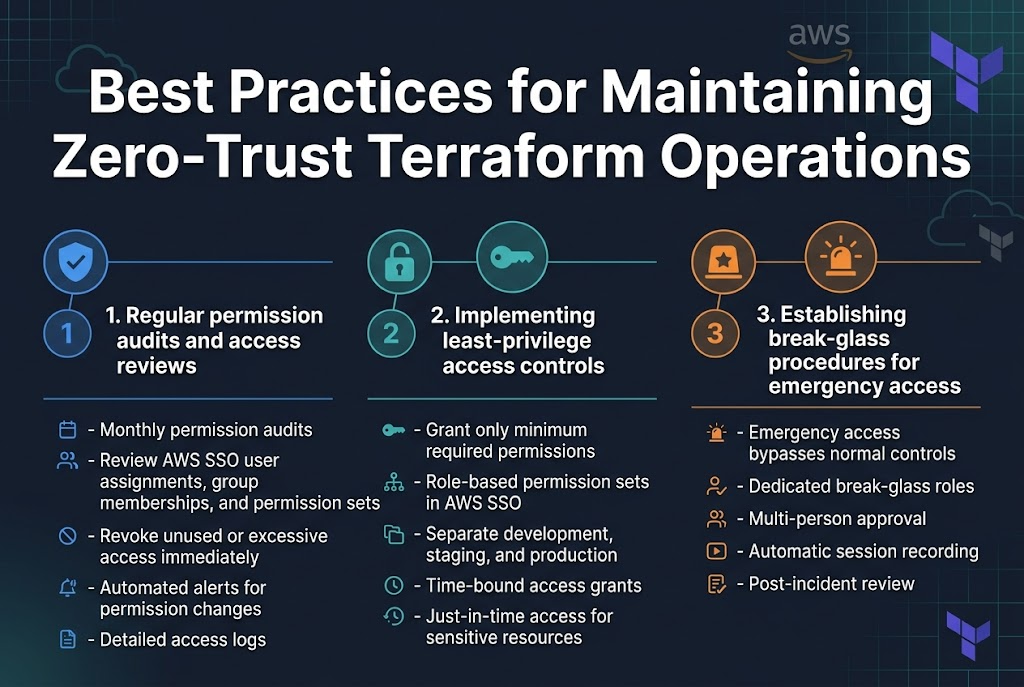
Regular permission audits and access reviews
Conducting monthly permission audits ensures your zero-trust terraform operations remain secure. Review AWS SSO user assignments, group memberships, and permission sets to identify unused or excessive access rights. Document all findings and immediately revoke unnecessary permissions. Set up automated alerts for permission changes and maintain detailed access logs.
Implementing least-privilege access controls
Grant only the minimum permissions required for specific terraform operations. Create role-based permission sets in AWS SSO that align with job functions, separating development, staging, and production environments. Use time-bound access grants for temporary projects and implement just-in-time access for sensitive resources.
Establishing break-glass procedures for emergency access
Design emergency access procedures that bypass normal terraform security best practices while maintaining audit trails. Create dedicated break-glass roles with elevated permissions, requiring multi-person approval and automatic session recording. Define clear criteria for emergency situations and establish post-incident review processes to prevent misuse.
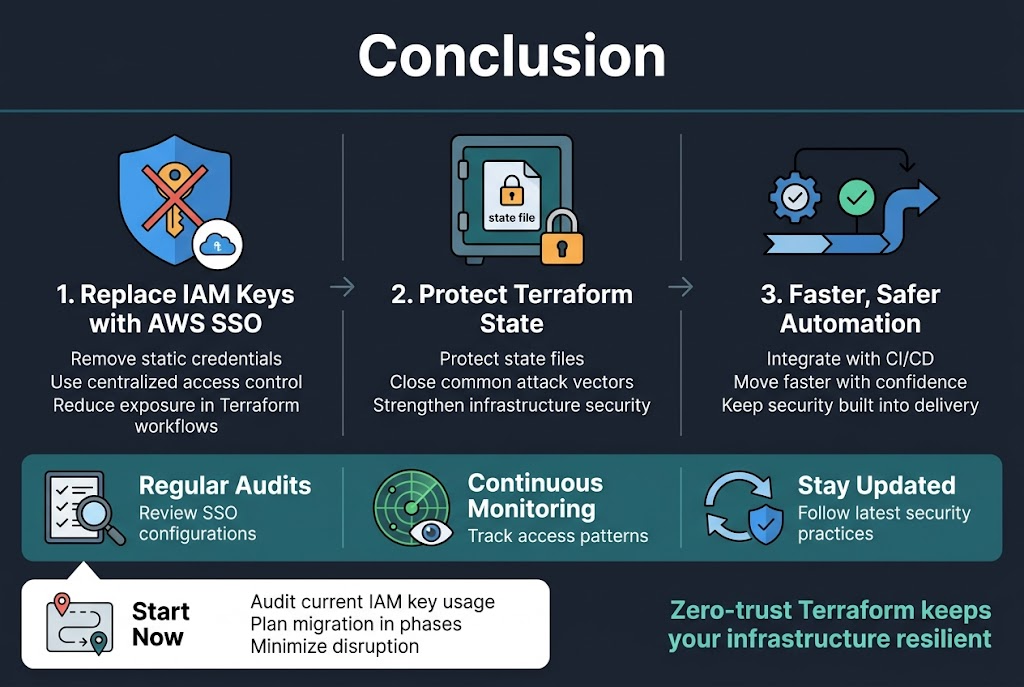
Making the switch from IAM keys to AWS SSO in your Terraform workflows isn’t just a security upgrade—it’s a complete transformation of how you approach cloud infrastructure management. By removing static credentials from your environment and implementing proper state file protection, you’re closing off the most common attack vectors that cybercriminals target. The automation capabilities you gain through CI/CD integration mean your team can move faster while staying more secure than ever before.
The zero-trust approach to Terraform doesn’t end with the initial setup. Regular audits of your SSO configurations, continuous monitoring of access patterns, and staying updated with the latest security practices will keep your infrastructure resilient against evolving threats. Start by auditing your current IAM key usage, then plan your migration in phases to minimize disruption. Your future self will thank you for taking these steps today.









