


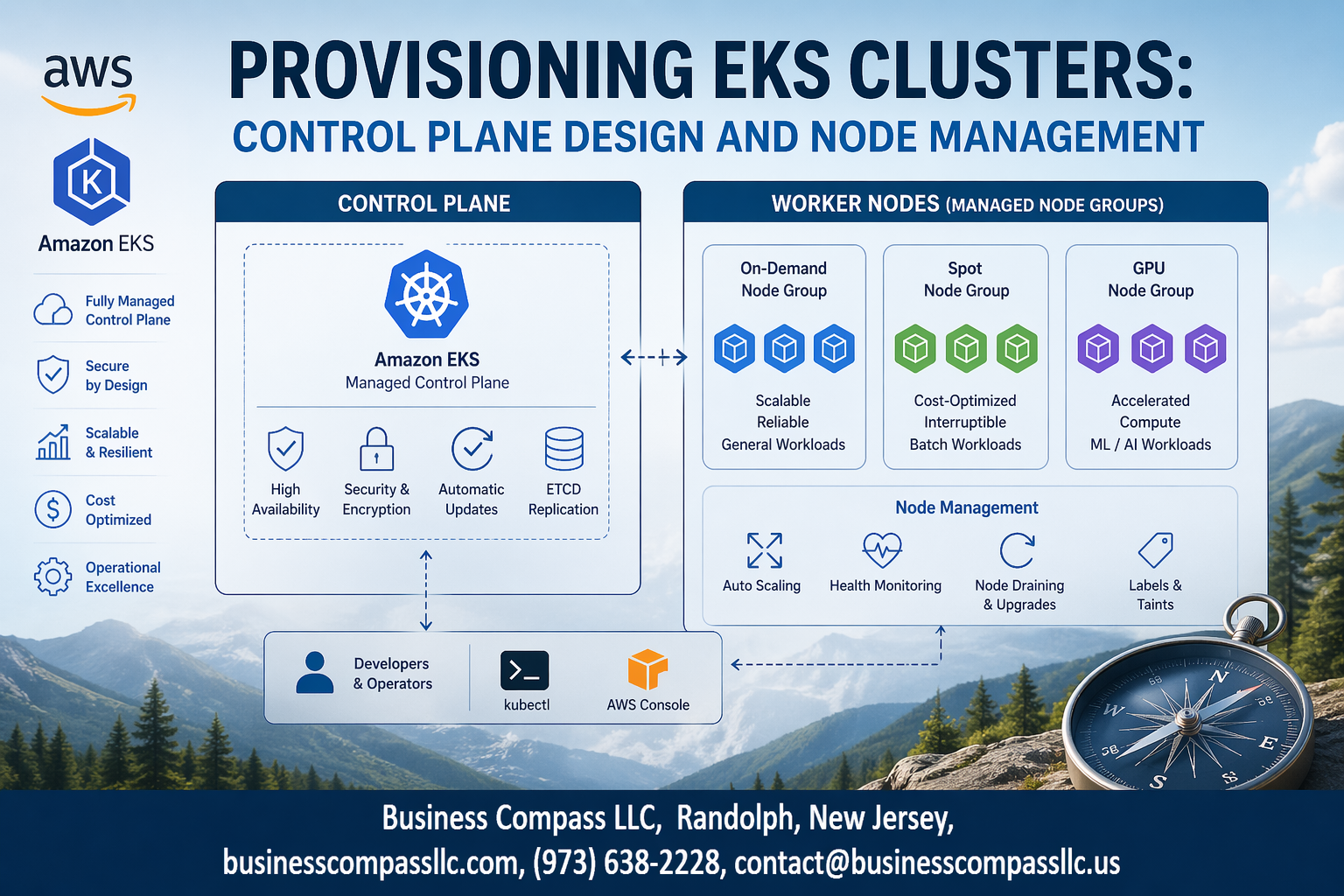
Amazon EKS cluster provisioning can make or break your Kubernetes deployment success. Getting your Amazon EKS control plane and EKS node group management right from the start saves countless hours of troubleshooting later.
This guide walks DevOps engineers, cloud architects, and platform teams through the essential steps for building production-ready EKS clusters. You’ll learn practical approaches to Kubernetes cluster design that actually work in real environments.
We’ll cover EKS architecture best practices that form the foundation of reliable clusters, including how to configure your control plane for high availability and performance. You’ll also discover proven Kubernetes node management strategies for scaling workloads efficiently while keeping costs under control.
Finally, we’ll dive into EKS networking configuration essentials that protect your applications while maintaining the connectivity your teams need for seamless operations.
Understanding EKS Architecture Fundamentals
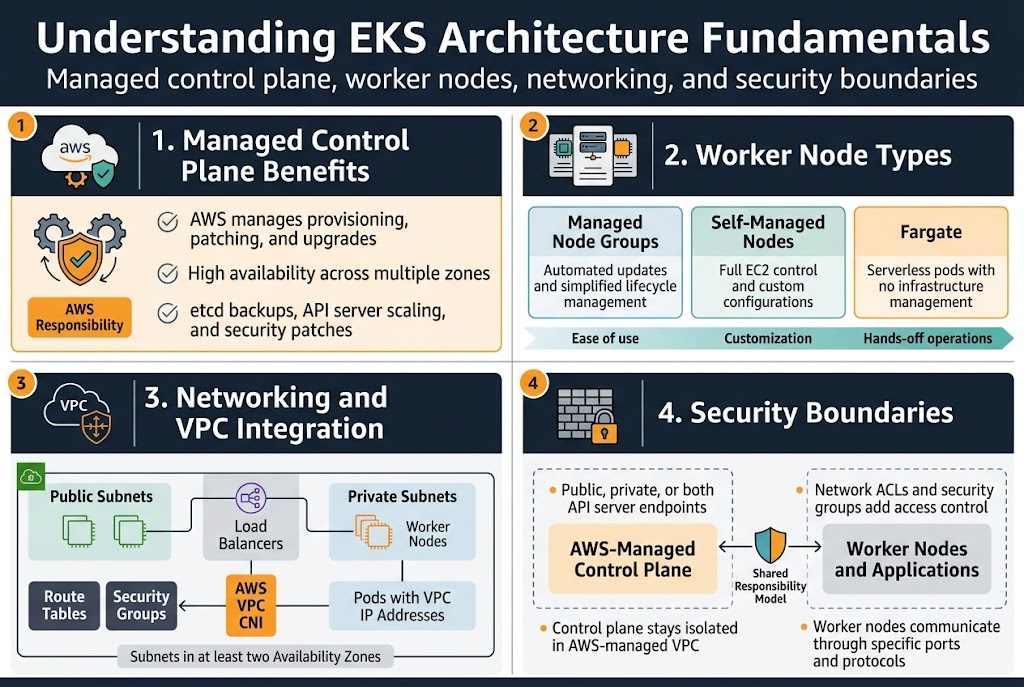
Managed Control Plane Benefits and AWS Responsibility Model
AWS handles all the heavy lifting for your EKS cluster provisioning by managing the control plane infrastructure automatically. The managed service takes care of master node patching, upgrades, and high availability across multiple zones without any downtime. You get enterprise-grade reliability while AWS manages etcd backups, API server scaling, and security patches behind the scenes.
The shared responsibility model means AWS secures the control plane while you focus on securing your workloads and worker nodes. This division lets you concentrate on application deployment rather than Kubernetes infrastructure management, making EKS architecture best practices easier to implement.
Worker Node Types and Their Performance Characteristics
EKS node group management offers three distinct worker node options to match your workload requirements. Managed node groups provide automated updates and simplified lifecycle management, while self-managed nodes give you complete control over the underlying EC2 instances and their configurations.
Fargate nodes eliminate infrastructure management entirely by running pods in a serverless environment. Each option delivers different performance characteristics – managed nodes balance ease and control, self-managed nodes maximize customization, and Fargate optimizes for hands-off operations.
Networking Components and VPC Integration Requirements
Your EKS networking configuration builds on standard VPC components with specific requirements for cluster communication. The cluster needs subnets in at least two availability zones, with public subnets for load balancers and private subnets for worker nodes to maintain security boundaries.
Pod networking relies on the VPC CNI plugin, which assigns VPC IP addresses directly to pods for native AWS networking integration. Security groups control traffic between the control plane and worker nodes, while route tables ensure proper connectivity across your cluster infrastructure.
Security Boundaries Between Control Plane and Data Plane
The EKS control plane operates in an AWS-managed VPC that’s completely isolated from your worker nodes and applications. API server endpoints can be configured as public, private, or both, with network ACLs and security groups providing additional access controls for your Kubernetes cluster design.
Worker nodes communicate with the control plane through specific ports and protocols that AWS manages automatically. This separation ensures that even if worker nodes are compromised, the cluster’s core Kubernetes components remain protected in the AWS-managed environment.
Designing Your EKS Control Plane Configuration
Choosing the Right Kubernetes Version and Upgrade Strategy
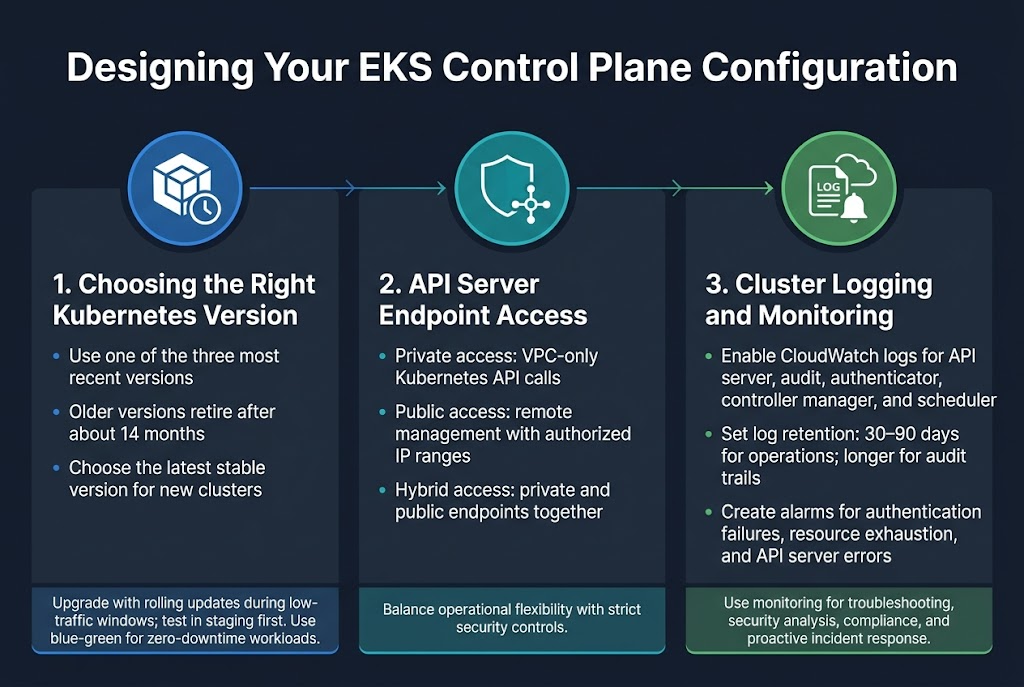
Selecting the appropriate Kubernetes version for your Amazon EKS control plane directly impacts cluster security, feature availability, and long-term maintenance overhead. EKS typically supports the three most recent Kubernetes versions, with automatic retirement of older versions after approximately 14 months. Choose the latest stable version for new deployments to maximize feature access and security patches. Plan rolling upgrades during low-traffic windows, testing thoroughly in staging environments first. Consider blue-green deployment strategies for mission-critical workloads where zero downtime is essential.
Configuring API Server Endpoint Access for Maximum Security
EKS cluster provisioning requires careful consideration of API server endpoint accessibility to balance operational needs with security requirements. Private endpoint access restricts Kubernetes API calls to your VPC, preventing external internet exposure while maintaining full functionality for internal tools and CI/CD pipelines. Public endpoint access with authorized networks allows remote management while limiting exposure to specific IP ranges. Hybrid configurations enable both private and public access, giving you flexibility for different operational scenarios while maintaining strict security controls.
Setting Up Cluster Logging for Operational Visibility
Enable comprehensive EKS monitoring setup through CloudWatch logging to capture API server, audit, authenticator, controller manager, and scheduler logs. This visibility proves crucial for troubleshooting cluster issues, security analysis, and compliance requirements. Configure log retention policies based on your organization’s needs, typically 30-90 days for operational logs and longer periods for audit trails. Set up CloudWatch alarms for critical events like authentication failures, resource exhaustion, or API server errors to ensure proactive incident response and maintain cluster health.
Implementing Robust Node Group Strategies
Self-Managed vs Managed Node Groups Trade-offs
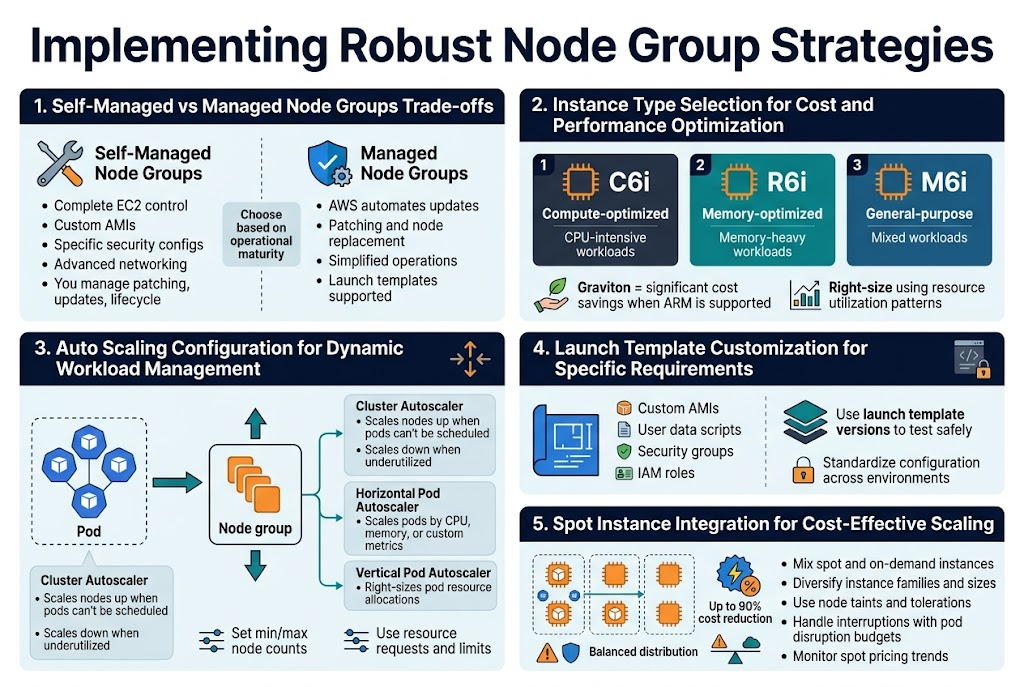
Self-managed node groups give you complete control over the underlying EC2 instances, allowing custom AMIs, specific security configurations, and advanced networking setups. You handle patching, updates, and lifecycle management yourself. Managed node groups simplify operations by automating updates, patching, and node replacement while still supporting launch templates for customization.
The choice depends on your operational maturity and specific requirements. Managed node groups work well for teams wanting AWS to handle infrastructure maintenance, while self-managed groups suit organizations needing granular control over the underlying compute layer.
Instance Type Selection for Cost and Performance Optimization
Selecting the right instance types for your EKS node group management requires balancing workload requirements with cost efficiency. CPU-intensive applications benefit from compute-optimized instances like C6i, while memory-heavy workloads perform better on R6i instances. General-purpose M6i instances work well for mixed workloads.
Consider graviton-based instances for significant cost savings when your applications support ARM architecture. Analyze your resource utilization patterns and right-size instances to avoid over-provisioning. Use diverse instance types within node groups to optimize for different workload characteristics.
Auto Scaling Configuration for Dynamic Workload Management
Cluster Autoscaler automatically adjusts node count based on pod scheduling demands, scaling up when pods can’t be scheduled and scaling down when nodes are underutilized. Configure appropriate scaling policies with minimum and maximum node counts to prevent runaway scaling costs while ensuring adequate capacity.
Horizontal Pod Autoscaler works alongside Cluster Autoscaler to scale pods based on CPU, memory, or custom metrics. Set proper resource requests and limits on pods to enable effective scaling decisions. Consider using Vertical Pod Autoscaler for right-sizing pod resource allocations.
Launch Template Customization for Specific Requirements
Launch templates provide granular control over node configuration including custom AMIs, user data scripts, security groups, and IAM roles. Create templates that standardize your node configuration while allowing environment-specific variations through versioning.
Custom user data scripts can install monitoring agents, configure logging, or apply security hardening. Use launch template versions to test configuration changes safely before applying them to production node groups. This approach enables consistent node provisioning across different environments.
Spot Instance Integration for Cost-Effective Scaling
Spot instances can reduce compute costs by up to 90% for fault-tolerant workloads in your Kubernetes cluster design. Mix spot and on-demand instances using multiple instance types across different availability zones to minimize interruption impact. Configure appropriate node taints and tolerations to control workload placement.
Use spot fleet diversification strategies with different instance families and sizes to reduce interruption correlation. Implement graceful handling of spot interruptions through pod disruption budgets and proper application design. Monitor spot pricing trends and adjust your instance type selection for optimal savings.
Optimizing Network Design for Performance and Security
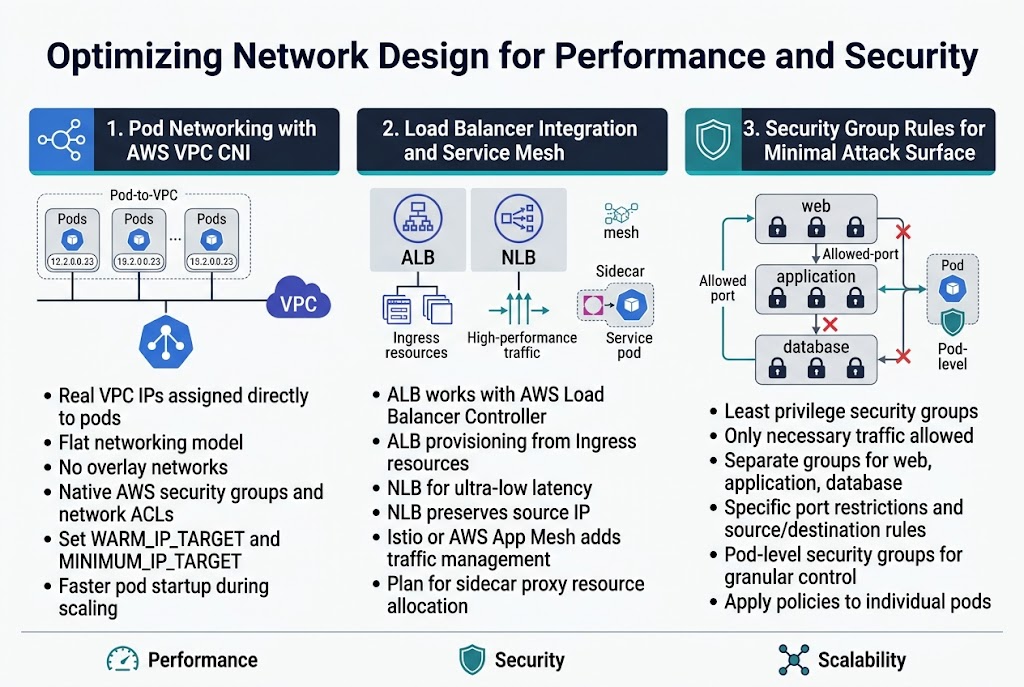
Pod Networking with AWS VPC CNI Plugin Configuration
The AWS VPC CNI plugin assigns real VPC IP addresses directly to pods, creating a flat networking model that simplifies communication and security policies. This approach eliminates the need for overlay networks while providing native AWS networking features like security groups and network ACLs. Configure the plugin’s WARM_IP_TARGET and MINIMUM_IP_TARGET parameters to optimize IP address allocation and reduce pod startup times during scaling events.
Load Balancer Integration and Service Mesh Considerations
Application Load Balancers work seamlessly with EKS through the AWS Load Balancer Controller, automatically provisioning ALBs based on Ingress resources. Network Load Balancers provide ultra-low latency for high-performance applications while maintaining source IP preservation. Service meshes like Istio or AWS App Mesh add traffic management capabilities but introduce additional complexity in EKS networking configuration that requires careful planning for sidecar proxy resource allocation.
Security Group Rules for Minimal Attack Surface
Design security groups with the principle of least privilege, allowing only necessary traffic between node groups and external services. Create separate security groups for different workload tiers – web, application, and database – with specific port restrictions and source/destination rules. Pod-level security groups through the VPC CNI plugin provide granular control, enabling you to apply different networking policies to individual pods rather than relying solely on node-level restrictions.
Establishing Monitoring and Maintenance Best Practices
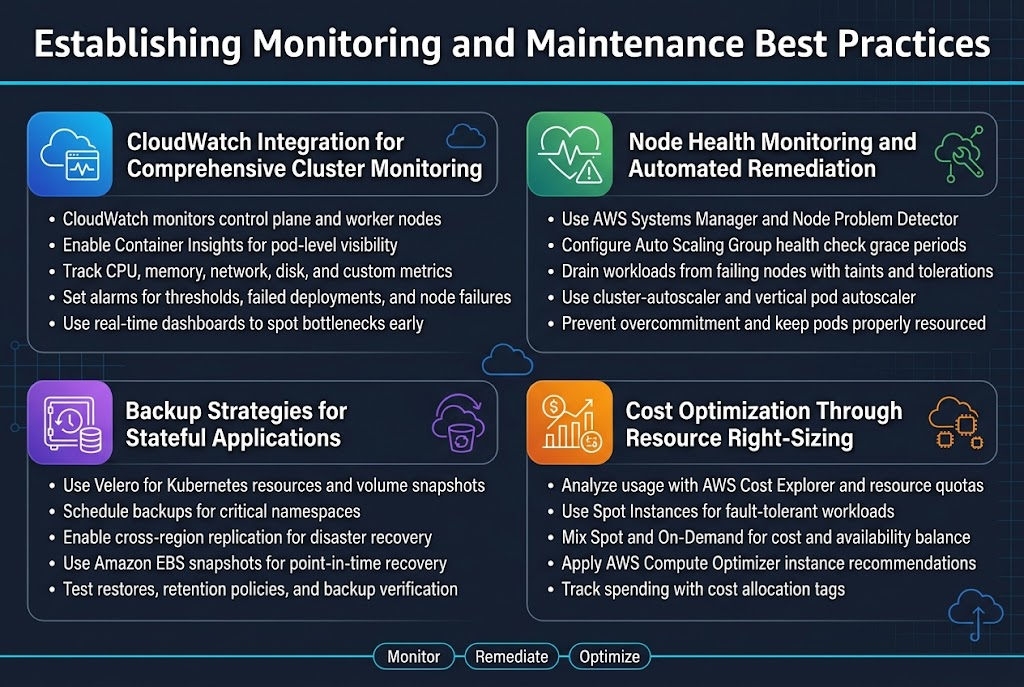
CloudWatch Integration for Comprehensive Cluster Monitoring
Amazon CloudWatch serves as your primary observability platform for EKS monitoring setup, collecting metrics from both the control plane and worker nodes. Enable Container Insights to gain deep visibility into pod-level performance, resource utilization, and application health across your Kubernetes cluster design. CloudWatch automatically aggregates critical metrics like CPU, memory, network, and disk usage, while custom metrics can track application-specific KPIs.
Set up CloudWatch alarms for proactive alerting on resource thresholds, failed deployments, and node failures. The platform integrates seamlessly with AWS EKS deployment workflows, providing real-time dashboards that help identify bottlenecks before they impact your applications.
Node Health Monitoring and Automated Remediation
Implement automated health checks using AWS Systems Manager and Node Problem Detector to identify failing nodes before they affect workload availability. Configure Auto Scaling Groups with health check grace periods that allow sufficient time for node initialization while quickly replacing unhealthy instances. Use Kubernetes node taints and tolerations to automatically drain workloads from problematic nodes.
Deploy cluster-autoscaler and vertical pod autoscaler to maintain optimal resource allocation across your EKS node group management strategy. These tools work together to ensure pods receive adequate resources while preventing node overcommitment that could lead to performance degradation.
Backup Strategies for Stateful Applications
Velero provides comprehensive backup solutions for stateful workloads, capturing both Kubernetes resources and persistent volume snapshots. Schedule regular backups of critical namespaces and configure cross-region replication for disaster recovery scenarios. Amazon EBS snapshots offer point-in-time recovery for persistent volumes, while application-consistent backups ensure data integrity during restoration.
Test backup restoration procedures regularly to validate recovery time objectives and data consistency. Document backup retention policies that balance storage costs with compliance requirements, and automate backup verification to catch corruption early.
Cost Optimization Through Resource Right-Sizing
Analyze resource utilization patterns using AWS Cost Explorer and Kubernetes resource quotas to identify oversized instances and underutilized capacity. Implement Spot Instances for fault-tolerant workloads, mixing them with On-Demand instances to balance cost savings with availability requirements. Use AWS Compute Optimizer recommendations to select optimal instance types based on actual workload patterns.
Regular EKS cluster optimization reviews should include evaluating node group configurations, identifying unused resources, and adjusting cluster autoscaler settings. Set up cost allocation tags to track spending by team, environment, or application, enabling data-driven decisions about resource allocation and helping teams understand their true infrastructure costs.
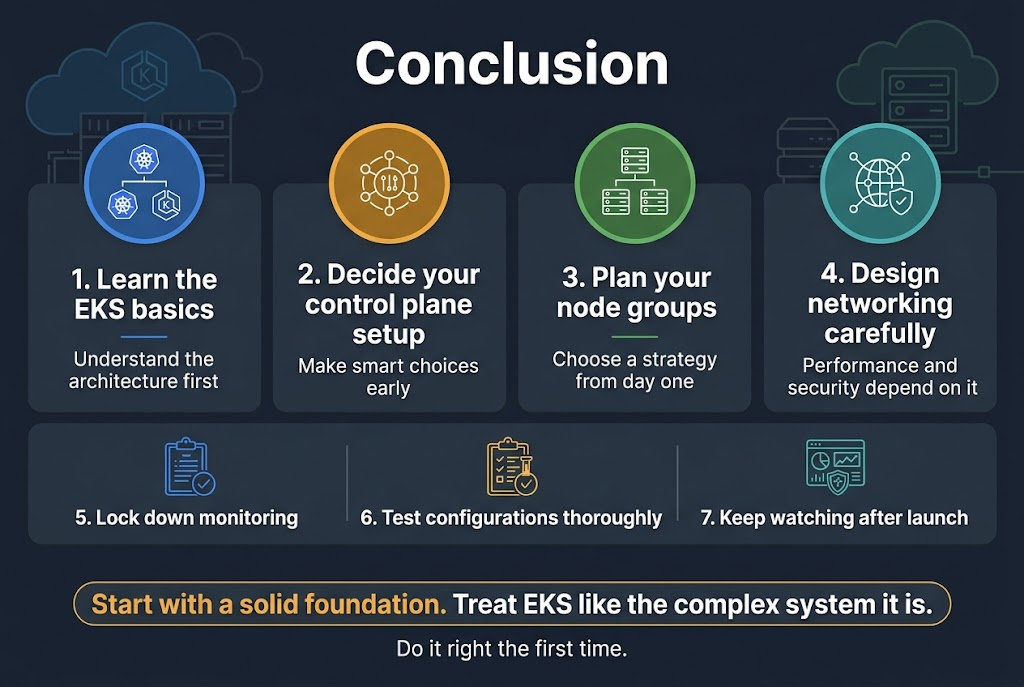
Setting up EKS clusters the right way means getting familiar with the architecture basics, making smart decisions about your control plane setup, and thinking through your node group strategy from day one. The network design you choose will directly impact both how well your cluster performs and how secure it stays, so don’t rush through those decisions. Getting your monitoring and maintenance practices locked down early saves you from headaches down the road.
The real key to success with EKS is treating it like the complex system it is – every piece needs to work well with the others. Start with a solid foundation, test your configurations thoroughly, and keep an eye on what’s happening in your cluster once it’s running. Your future self will thank you for taking the time to do it right the first time.









