


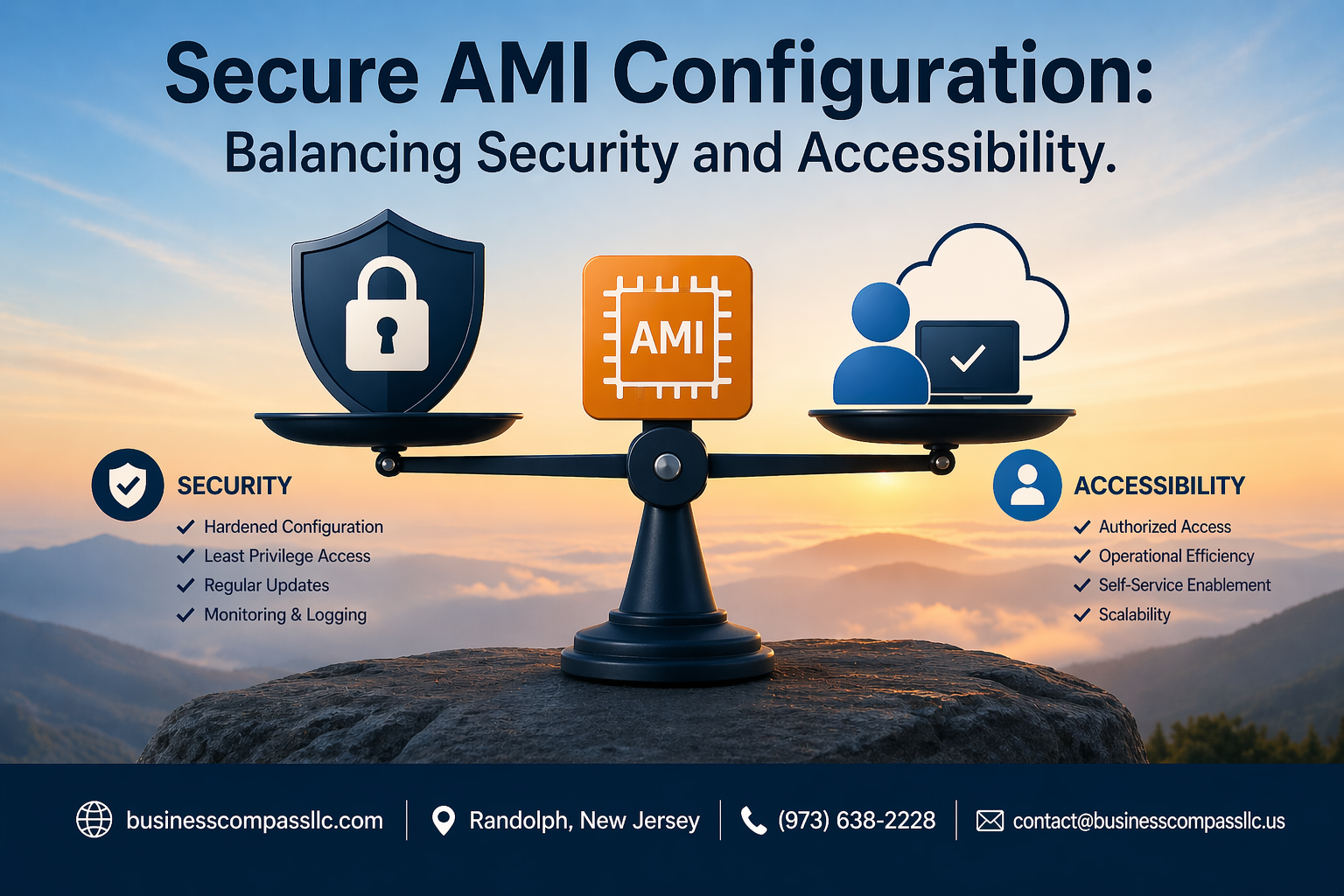
Secure AMI Configuration: Balancing Security and Accessibility
Setting up secure AMI configuration can feel like walking a tightrope between locking down your cloud infrastructure and keeping it usable for your team. This guide is designed for DevOps engineers, cloud architects, and security professionals who need to implement Amazon Machine Image security without creating roadblocks for daily operations.
Getting your AWS AMI hardening right means your instances start with strong security from day one, but it also means your developers can still do their jobs efficiently. We’ll walk through the essential security fundamentals that form your baseline protection, then dive into best practices for AMI hardening that actually work in real-world environments.
You’ll also discover how to streamline user access without compromising security – because the most secure system is useless if nobody can work with it. We’ll cover automated security testing and compliance strategies that catch issues before they become problems, plus performance optimization techniques that keep your secure cloud infrastructure running smoothly.
Essential AMI Security Fundamentals
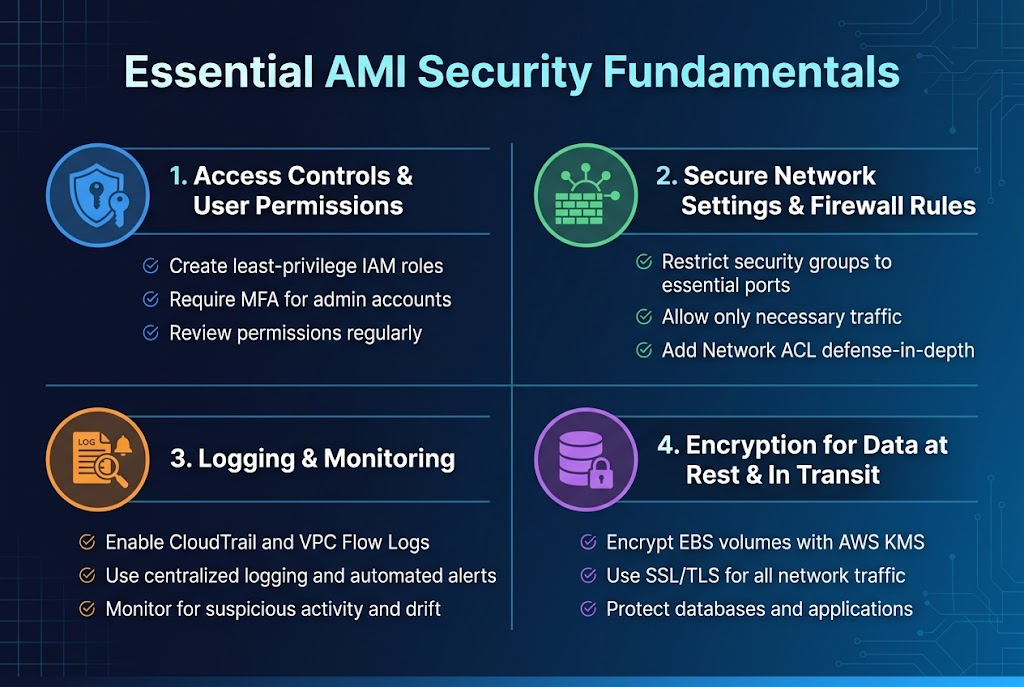
Implement robust access controls and user permissions
Setting up proper access controls forms the backbone of AMI security configuration. Create dedicated IAM roles with least-privilege principles, ensuring users only access resources they actually need. Multi-factor authentication should be mandatory for all administrative accounts, while regular access reviews help identify and remove unnecessary permissions.
Configure secure network settings and firewall rules
Your AWS AMI hardening strategy must include restrictive security groups that block unnecessary ports and protocols. Default configurations often leave systems vulnerable, so customize firewall rules to allow only essential traffic. Network ACLs provide an additional security layer, creating defense-in-depth protection for your cloud infrastructure.
Enable comprehensive logging and monitoring capabilities
CloudTrail and VPC Flow Logs capture critical security events across your Amazon Machine Image deployments. Configure centralized logging to detect suspicious activities early, while automated alerts notify teams of potential breaches. Real-time monitoring helps maintain secure cloud infrastructure by identifying configuration drift and unauthorized changes.
Apply encryption for data at rest and in transit
Encrypt EBS volumes using AWS KMS keys to protect sensitive data stored on your instances. SSL/TLS certificates secure all network communications, preventing data interception during transmission. Database encryption and application-level security controls complete your comprehensive data protection strategy for AWS instance security configuration.
Best Practices for AMI Hardening
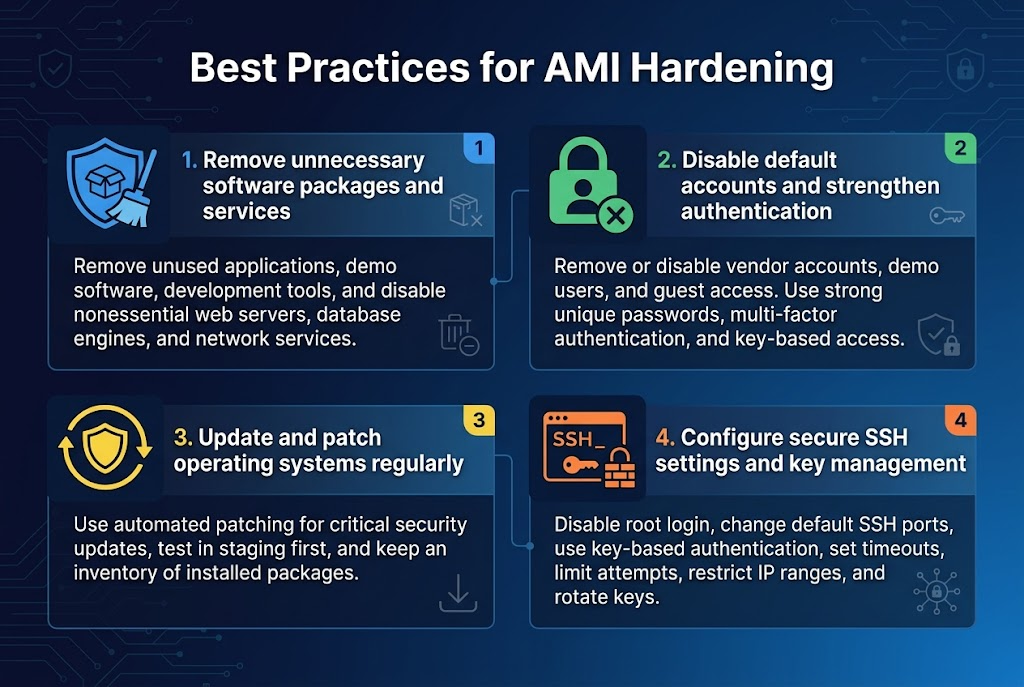
Remove unnecessary software packages and services
Bloated AMI configurations create attack vectors and performance bottlenecks. Strip down your Amazon Machine Image by removing unused applications, demo software, and development tools that shipped with the base image. Focus on AWS AMI hardening by conducting a thorough audit of running services and packages. Disable web servers, database engines, and network services that aren’t essential for your specific workload to minimize the attack surface.
Disable default accounts and strengthen authentication
Default user accounts represent major security risks in any AMI security configuration. Remove or disable vendor-provided accounts, demo users, and guest access immediately after deployment. Implement strong password policies and enforce multi-factor authentication where possible. Replace default passwords with complex, unique credentials and consider disabling password authentication entirely in favor of key-based access for enhanced secure AMI best practices.
Update and patch operating systems regularly
Outdated systems expose your infrastructure to known vulnerabilities that attackers actively exploit. Establish automated patching schedules for critical security updates while testing patches in staging environments first. Keep your AWS instance security configuration current by subscribing to security bulletins and maintaining an inventory of installed packages. Regular updates form the backbone of effective cloud server security hardening strategies.
Configure secure SSH settings and key management
SSH misconfigurations provide easy entry points for unauthorized access. Disable root login, change default SSH ports, and implement key-based authentication exclusively. Configure SSH timeouts, limit login attempts, and restrict access to specific IP ranges when possible. Proper key rotation and centralized key management ensure your AMI access control remains robust and maintains compliance with security standards.
Streamlining User Access Without Compromising Security
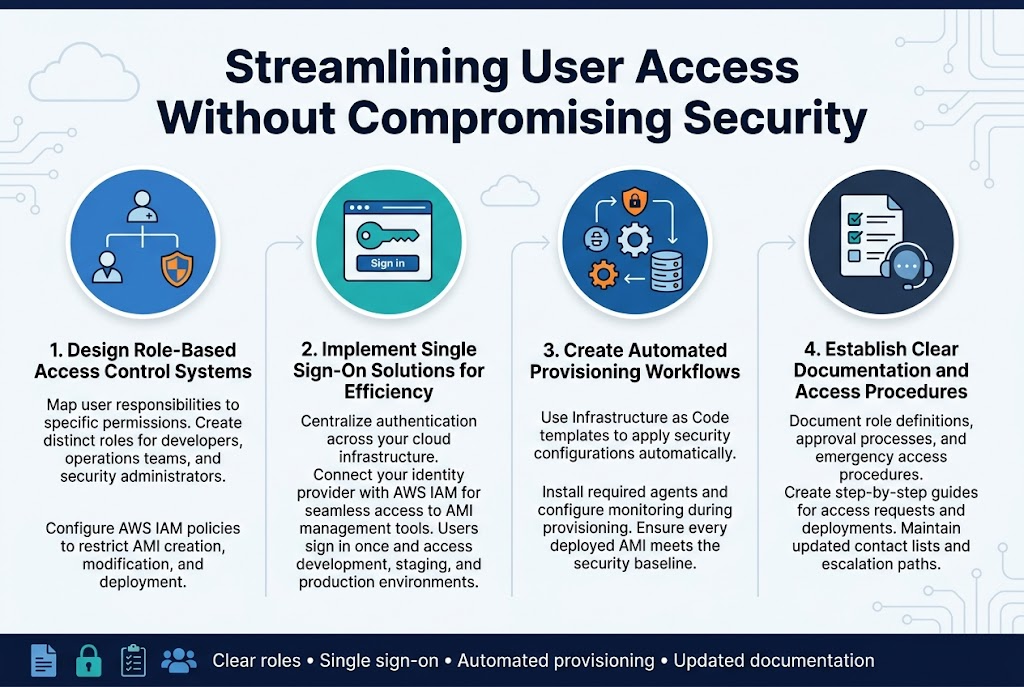
Design Role-Based Access Control Systems
Building effective AMI access control starts with mapping user responsibilities to specific permissions. Create distinct roles for developers, operations teams, and security administrators, each with precisely defined access levels to AMI resources. Configure AWS IAM policies that restrict AMI creation, modification, and deployment based on team functions. This granular approach prevents unauthorized changes while enabling teams to work efficiently within their designated boundaries.
Implement Single Sign-On Solutions for Efficiency
SSO integration streamlines AWS AMI security configuration by centralizing authentication across your cloud infrastructure. Connect your identity provider with AWS IAM to enable seamless access to AMI management tools while maintaining strict security controls. Users authenticate once and gain appropriate access to development, staging, and production environments without repeated login prompts, reducing password fatigue and security risks.
Create Automated Provisioning Workflows
Automated workflows eliminate manual errors in secure AMI deployment while maintaining consistent security standards. Design Infrastructure as Code templates that automatically apply security configurations, install required agents, and configure monitoring during instance provisioning. These workflows ensure every deployed AMI meets your organization’s security baseline without requiring manual intervention from operations teams.
Establish Clear Documentation and Access Procedures
Document every aspect of your AMI access control systems, including role definitions, approval processes, and emergency access procedures. Create step-by-step guides for common tasks like requesting AMI access or deploying new instances. Maintain updated contact lists for security incidents and establish clear escalation paths. Regular documentation reviews keep procedures current as your AWS security automation evolves and team structures change.
Automated Security Testing and Compliance
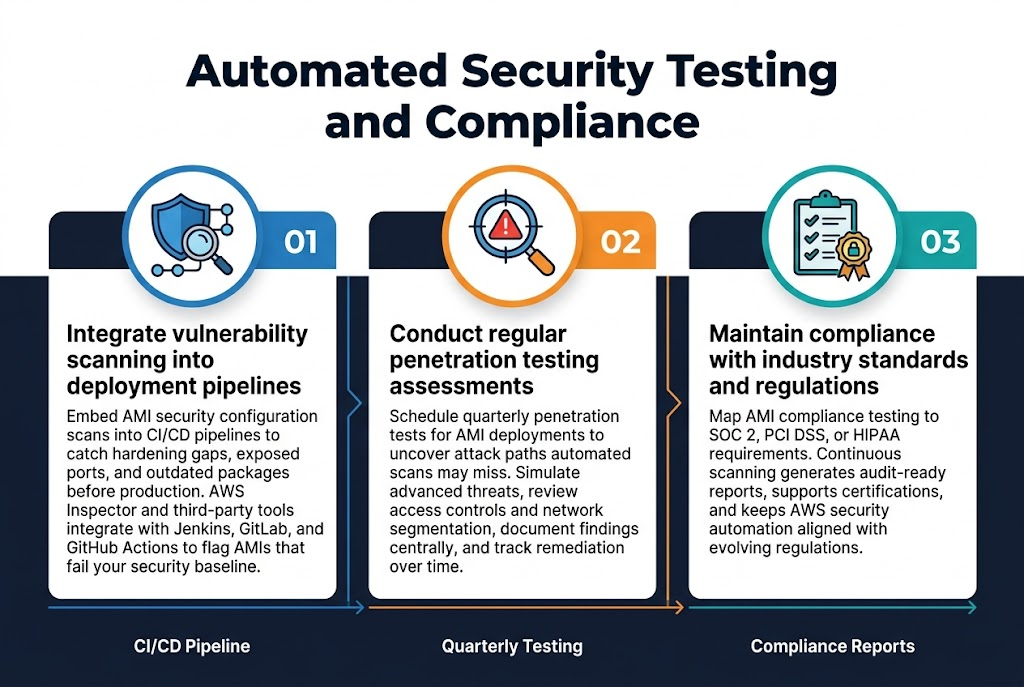
Integrate vulnerability scanning into deployment pipelines
Embedding AMI security configuration scans directly into your CI/CD pipeline creates an automated safety net that catches security issues before they reach production. Modern vulnerability scanners can analyze Amazon Machine Image configurations for hardening gaps, exposed ports, and outdated packages within minutes. Tools like AWS Inspector and third-party solutions integrate seamlessly with Jenkins, GitLab, or GitHub Actions, automatically flagging AMIs that don’t meet your security baseline before deployment approval.
Conduct regular penetration testing assessments
Schedule quarterly penetration tests specifically targeting your AMI deployments to identify real-world attack vectors that automated scans might miss. Professional security teams can simulate advanced persistent threats against your AWS instance security configuration, revealing weaknesses in access controls and network segmentation. Document findings in a centralized system and track remediation efforts to demonstrate continuous improvement in your secure cloud infrastructure posture.
Maintain compliance with industry standards and regulations
Map your AMI compliance testing processes to frameworks like SOC 2, PCI DSS, or HIPAA requirements based on your industry needs. Automated compliance scanning tools can continuously monitor your Amazon Machine Image security against these standards, generating audit-ready reports that demonstrate adherence to regulatory requirements. Regular compliance assessments help maintain certifications while ensuring your AWS security automation practices align with evolving regulatory landscapes.
Performance Optimization Strategies
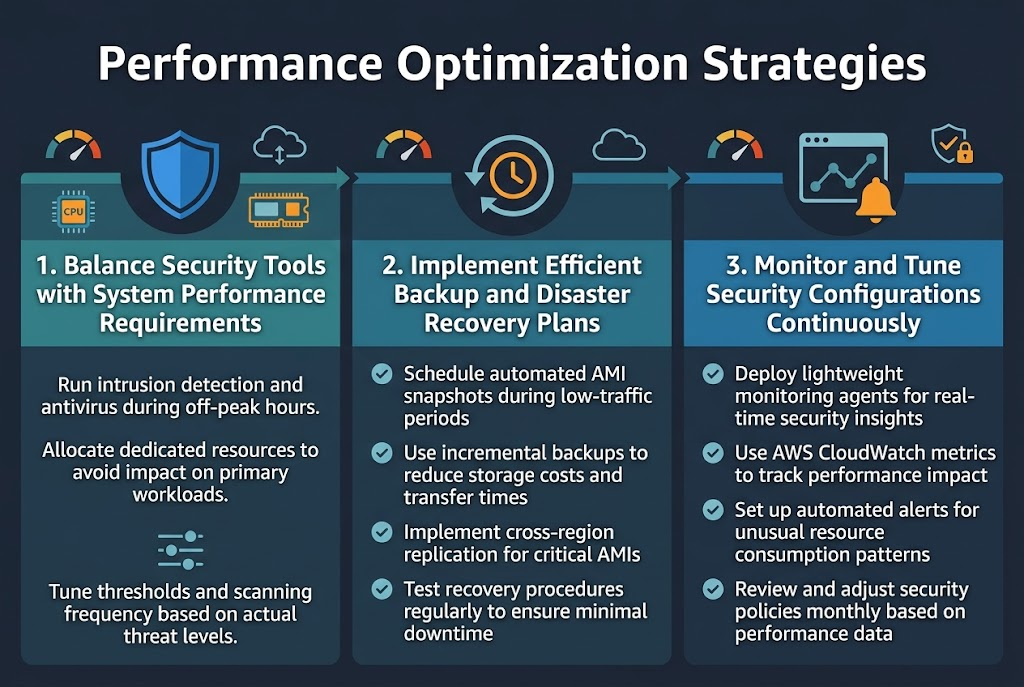
Balance Security Tools with System Performance Requirements
Smart AMI security configuration requires finding the sweet spot between robust protection and optimal performance. Security tools like intrusion detection systems and antivirus scanners can consume significant CPU and memory resources. Configure these tools to run during off-peak hours or allocate dedicated resources to prevent impact on primary workloads.
Resource allocation becomes critical when deploying multiple security layers. Set appropriate thresholds for security monitoring tools and tune scanning frequencies based on actual threat levels rather than default aggressive settings. This approach maintains strong AWS AMI hardening while preserving system responsiveness for end users.
Optimize Resource Allocation for Security Services
Implement Efficient Backup and Disaster Recovery Plans
- Schedule automated AMI snapshots during low-traffic periods
- Use incremental backup strategies to reduce storage costs and transfer times
- Implement cross-region replication for critical AMIs
- Test recovery procedures regularly to ensure minimal downtime
Monitor and Tune Security Configurations Continuously
- Deploy lightweight monitoring agents that provide real-time security insights
- Use AWS CloudWatch metrics to track security service performance impact
- Set up automated alerts for unusual resource consumption patterns
- Review and adjust security policies monthly based on performance data
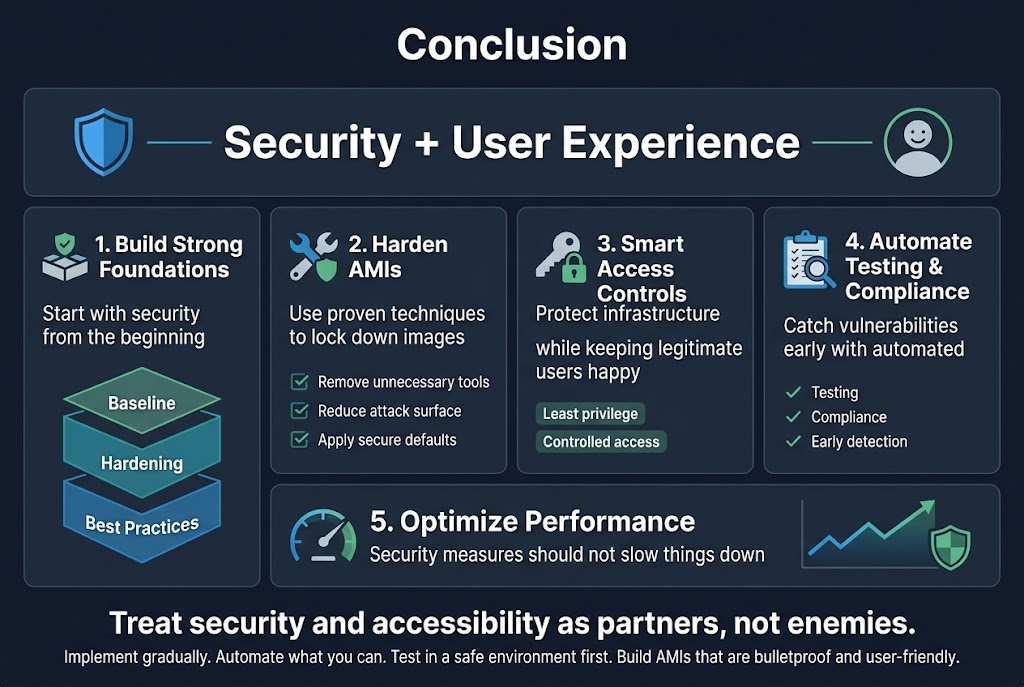
Setting up secure AMI configurations doesn’t have to mean choosing between rock-solid security and smooth user experience. The key lies in building strong security foundations from the start, hardening your AMIs with proven techniques, and implementing smart access controls that protect your infrastructure while keeping legitimate users happy. Regular automated testing and compliance checks help you catch vulnerabilities early, while performance optimization ensures your security measures don’t slow things down.
The real win comes from treating security and accessibility as partners, not enemies. Start implementing these practices gradually, automate what you can, and always test your changes in a safe environment first. Your future self will thank you when you have AMIs that are both bulletproof and user-friendly, giving you the confidence to scale without constantly worrying about security gaps.









