Building reliable Infrastructure as Code with AWS CDK Java requires solid testing practices to catch issues before deployment. This guide is designed for Java developers and DevOps engineers who want to implement comprehensive AWS CDK Java testing strategies that ensure their cloud infrastructure works correctly.
You’ll learn how to set up a proper testing environment and write effective unit tests for your CDK constructs and stacks. We’ll dive into CDK snapshot testing to track infrastructure changes over time and explore integration testing techniques that validate your code against real AWS services. Finally, you’ll discover advanced testing patterns and best practices that help you build more reliable cloud applications with confidence.
Setting Up AWS CDK Java Testing Environment

Configure Maven or Gradle dependencies for testing frameworks
Add JUnit 5 and AWS CDK testing libraries to your build configuration. For Maven, include junit-jupiter-engine, aws-cdk-lib, and aws-cdk-assertions in your pom.xml. Gradle users should add these dependencies to their build.gradle file with testImplementation scope.
Install AWS CDK testing libraries and assertion tools
The AWS CDK assertions library provides powerful tools for Java CDK validation and CDK construct testing. Install aws-cdk-assertions which offers Template.fromStack() for snapshot testing and Match.objectLike() for specific resource validation. These tools streamline AWS CDK unit testing workflows.
Set up local testing infrastructure with LocalStack
LocalStack creates a local AWS environment perfect for AWS CDK integration testing without real AWS costs. Configure your test environment to point CDK deployments to LocalStack endpoints. This approach enables comprehensive Infrastructure as Code testing Java scenarios while maintaining isolation from production resources.
Create project structure for separating unit and integration tests
Organize your AWS CDK Java testing project with distinct directories: src/test/unit for fast CDK construct tests and src/test/integration for full stack deployments. Use Maven profiles or Gradle tasks to run test suites separately. This structure supports AWS CDK testing best practices and enables efficient CI/CD pipelines that can run unit tests quickly while scheduling longer integration tests appropriately.
Unit Testing CDK Constructs and Stacks

Write tests for individual construct properties and configurations
Testing individual AWS CDK Java constructs requires focusing on property validation and configuration accuracy. You can verify that constructs generate the expected CloudFormation resources by examining their properties, tags, and dependencies. Unit tests should validate construct parameters like instance types, security group rules, and environment variables without requiring actual AWS deployment.
Validate resource creation without AWS deployment
CDK unit testing enables developers to verify infrastructure code locally using the CDK testing framework. The Template.fromStack() method allows you to inspect generated CloudFormation templates and assert specific resource configurations. This approach catches configuration errors early in the development cycle, ensuring your Java CDK validation processes identify issues before deployment.
Test construct composition and nested stack relationships
Complex CDK applications often involve multiple constructs and nested stacks that must work together seamlessly. Testing these relationships involves validating cross-stack references, parameter passing between constructs, and proper resource dependencies. You can verify that parent stacks correctly reference child stack outputs and that construct composition maintains expected resource hierarchies and connectivity patterns.
Snapshot Testing for Infrastructure as Code
Generate and maintain CloudFormation template snapshots
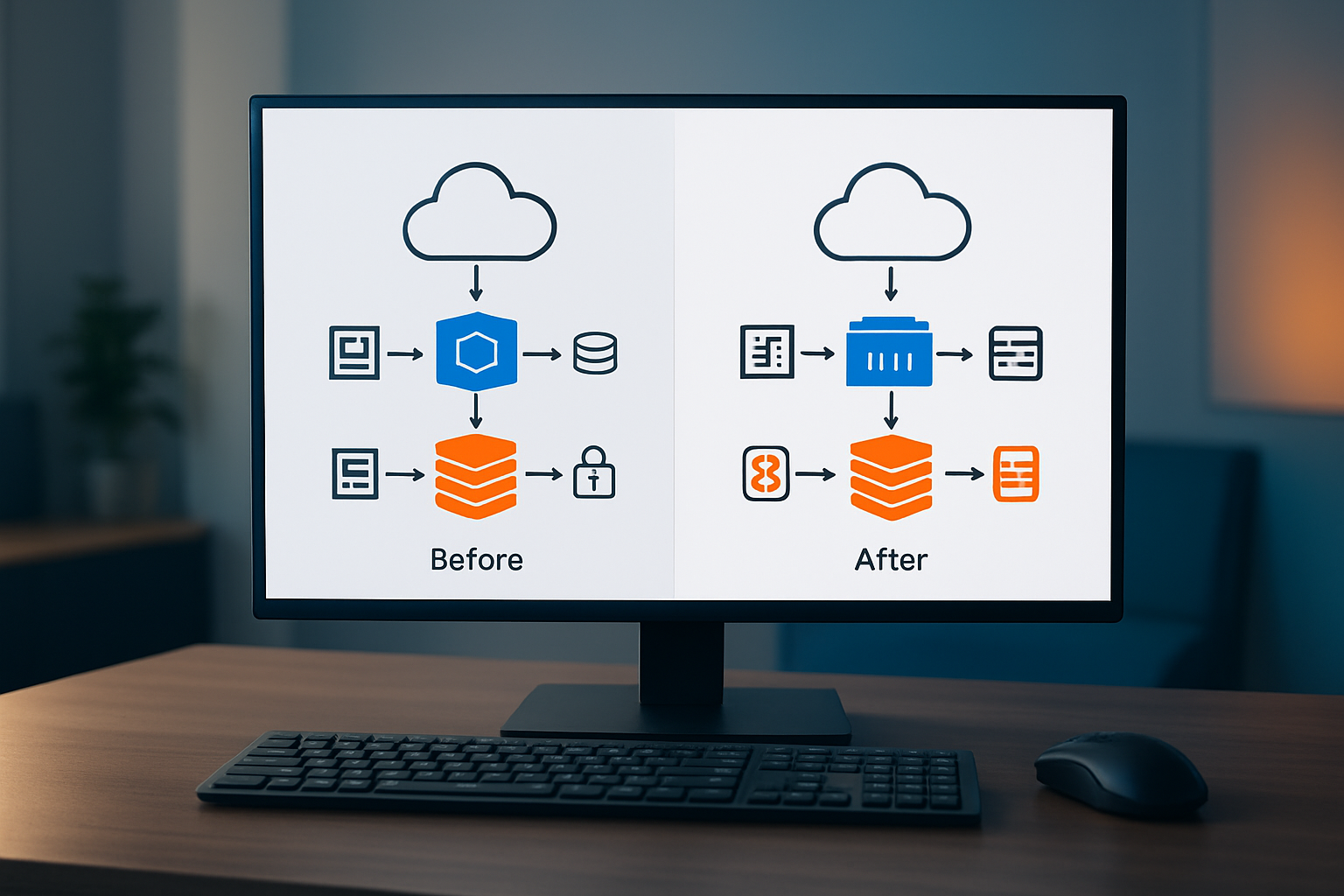
AWS CDK Java testing relies heavily on snapshot testing to capture the exact CloudFormation templates your CDK code generates. The Template.fromStack() method creates snapshots that preserve every resource, property, and dependency defined in your infrastructure. These snapshots act as a baseline, automatically detecting when your CDK constructs produce different CloudFormation output than expected.
Detect unintended changes in infrastructure definitions
CDK snapshot testing excels at catching unexpected modifications to your infrastructure definitions. When you run tests, the framework compares current template output against stored snapshots, flagging any differences immediately. This approach prevents accidental changes to security groups, IAM policies, or resource configurations that could compromise your AWS environment.
Update snapshots when making intentional modifications
Compare actual vs expected resource configurations
Fine-Grained Assertions and Resource Validation

Verify specific resource properties and attributes
AWS CDK Java testing requires precise validation of resource properties using the Template class. You can assert specific attributes like EC2 instance types, S3 bucket encryption settings, or Lambda function memory configurations. The hasResourceProperties method enables deep inspection of CloudFormation template resources, ensuring your infrastructure matches exact specifications.
Testing resource attributes becomes crucial when validating complex configurations. Use the Template.fromStack() method to extract your CDK stack’s CloudFormation template, then apply targeted assertions on resource properties. This approach catches configuration drift and validates that your CDK construct testing produces the expected infrastructure components with correct attribute values.
Test IAM policies and security configurations
Security validation in Java CDK validation involves testing IAM policies, security groups, and access permissions. Assert that IAM roles contain specific policy statements, verify resource-based policies allow correct principals, and validate security group rules match your security requirements. The Template class provides comprehensive methods to inspect IAM policy documents and security configurations within your infrastructure code.
Validate resource naming conventions and tagging strategies
Resource naming and tagging validation ensures consistent infrastructure management across your AWS environment. Test that resources follow organizational naming patterns using assertion methods to verify prefixes, suffixes, and naming schemes. Additionally, validate that all resources include mandatory tags like environment, project, or cost center identifiers through systematic template property inspection.
Assert cross-stack references and dependencies
Cross-stack dependencies require careful validation to ensure proper resource referencing between CDK stacks. Test that stack outputs correctly expose values and that dependent stacks properly consume these references through CloudFormation parameters or direct imports. Verify that cross-stack references maintain proper dependency chains and that resource ARNs or identifiers flow correctly between related infrastructure components in your AWS CDK testing framework.
Integration Testing with Real AWS Services

Deploy test stacks to isolated AWS environments
Creating dedicated testing environments lets you run AWS CDK integration testing without affecting production systems. Use separate AWS accounts or distinct regions with unique naming conventions to isolate test resources. Configure environment-specific deployment parameters and ensure proper IAM permissions for automated testing workflows.
Verify end-to-end functionality across multiple services
Integration tests should validate complete workflows spanning multiple AWS services. Test data flow between Lambda functions, DynamoDB tables, and API Gateway endpoints to confirm your CDK construct testing works correctly. Mock external dependencies while maintaining realistic service interactions to catch configuration issues that unit tests miss.
Test resource cleanup and rollback scenarios
Implement automated cleanup procedures to prevent resource accumulation and unexpected costs. Test stack deletion processes and verify all resources are properly removed. Create rollback scenarios that simulate deployment failures and validate your Infrastructure as Code testing Java implementations can handle partial deployments gracefully.
Advanced Testing Patterns and Best Practices

Implement parameterized tests for multiple environment configurations
Parameterized tests streamline AWS CDK Java validation across development, staging, and production environments. Use JUnit 5’s @ParameterizedTest annotation with @ValueSource or @CsvSource to test different configuration scenarios like VPC settings, instance types, or security group rules. This approach reduces code duplication while ensuring your CDK constructs work correctly across all deployment targets.
Create environment-specific test data using configuration files or test builders that generate Stack properties dynamically. Mock AWS service responses for different regions or account configurations to validate your infrastructure behaves correctly regardless of the deployment context.
Create reusable test utilities and custom matchers
Building custom test utilities enhances AWS CDK testing best practices by providing specialized assertion methods for common infrastructure patterns. Create matcher classes that validate specific AWS resource configurations like S3 bucket policies, Lambda function properties, or IAM role permissions. These utilities make tests more readable and maintainable while standardizing validation logic across your test suite.
Develop helper methods for common setup tasks like creating test stacks, mocking AWS services, or generating test data. Custom matchers can verify complex relationships between resources, such as ensuring security groups properly reference each other or confirming that auto-scaling groups use the correct launch templates.
Establish continuous integration pipelines for automated testing
Automated testing pipelines ensure CDK stack validation runs consistently across all code changes. Configure GitHub Actions, Jenkins, or AWS CodePipeline to execute your Java CDK test framework on every pull request. Set up parallel test execution to run unit tests, snapshot testing, and integration tests simultaneously, reducing overall pipeline duration.
Implement test result caching and artifact storage to speed up subsequent runs. Use matrix builds to test against multiple Java versions or AWS SDK versions, ensuring compatibility across different environments and catching breaking changes early in the development cycle.
Monitor test performance and optimize execution time
Performance monitoring identifies bottlenecks in your CDK construct testing workflow. Profile test execution times using JUnit’s built-in timing extensions or tools like JProfiler to find slow-running tests. Mock external dependencies and AWS service calls to eliminate network latency from unit tests while preserving integration test coverage for critical paths.
Implement test categorization using JUnit tags to run fast unit tests separately from slower integration tests. Use parallel test execution frameworks and optimize resource cleanup between tests to minimize execution time without sacrificing test reliability or coverage quality.

Testing your AWS CDK Java code doesn’t have to be complicated, but it’s absolutely essential for building reliable cloud infrastructure. From setting up your testing environment to writing unit tests for constructs, using snapshot testing to catch unintended changes, and creating fine-grained assertions that validate specific resource properties – each approach serves a unique purpose in your testing strategy. Integration testing with real AWS services adds another layer of confidence, while advanced patterns help you scale your testing efforts across larger projects.
The key is starting simple and building up your testing practices gradually. Begin with basic unit tests for your constructs, add snapshot testing to catch infrastructure drift, and expand into integration testing as your application grows. Your future self will thank you when you can deploy changes confidently, knowing your tests have your back. Start implementing these testing strategies today – even a few basic tests are better than none at all.