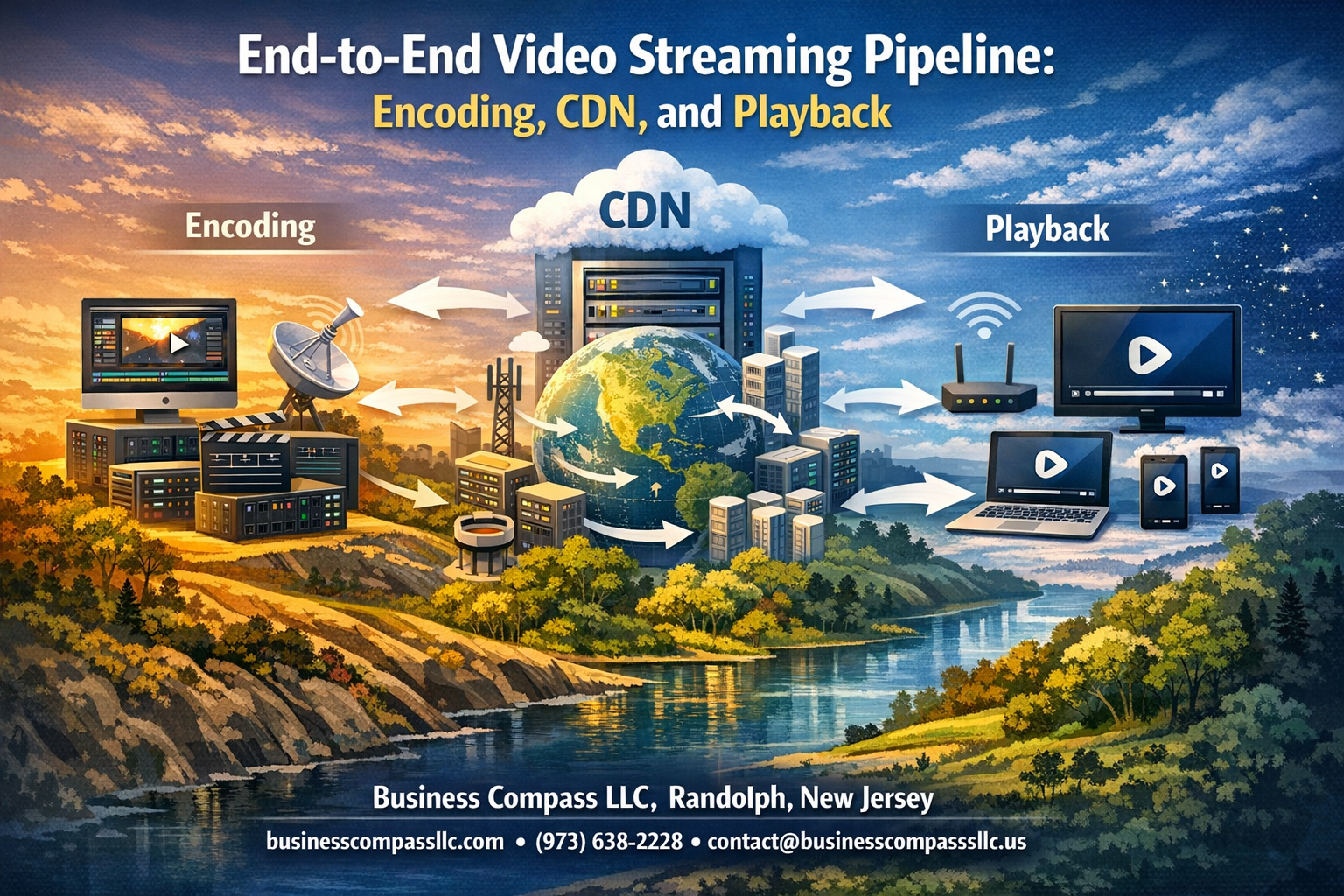
Building a rock-solid end-to-end video streaming pipeline requires mastering three critical components: smart encoding, efficient content delivery, and seamless playback. This guide walks developers, streaming engineers, and technical teams through the essential building blocks that power modern video platforms like Netflix, YouTube, and Twitch.
We’ll break down how video encoding optimization transforms raw footage into multiple quality streams, explore CDN architecture that delivers content globally without buffering, and dive into video playback optimization techniques that keep viewers engaged. You’ll also discover proven streaming performance monitoring strategies and scalability solutions that handle traffic spikes without breaking your infrastructure.
Video Source Preparation and Input Processing
Capture High-Quality Raw Video Content
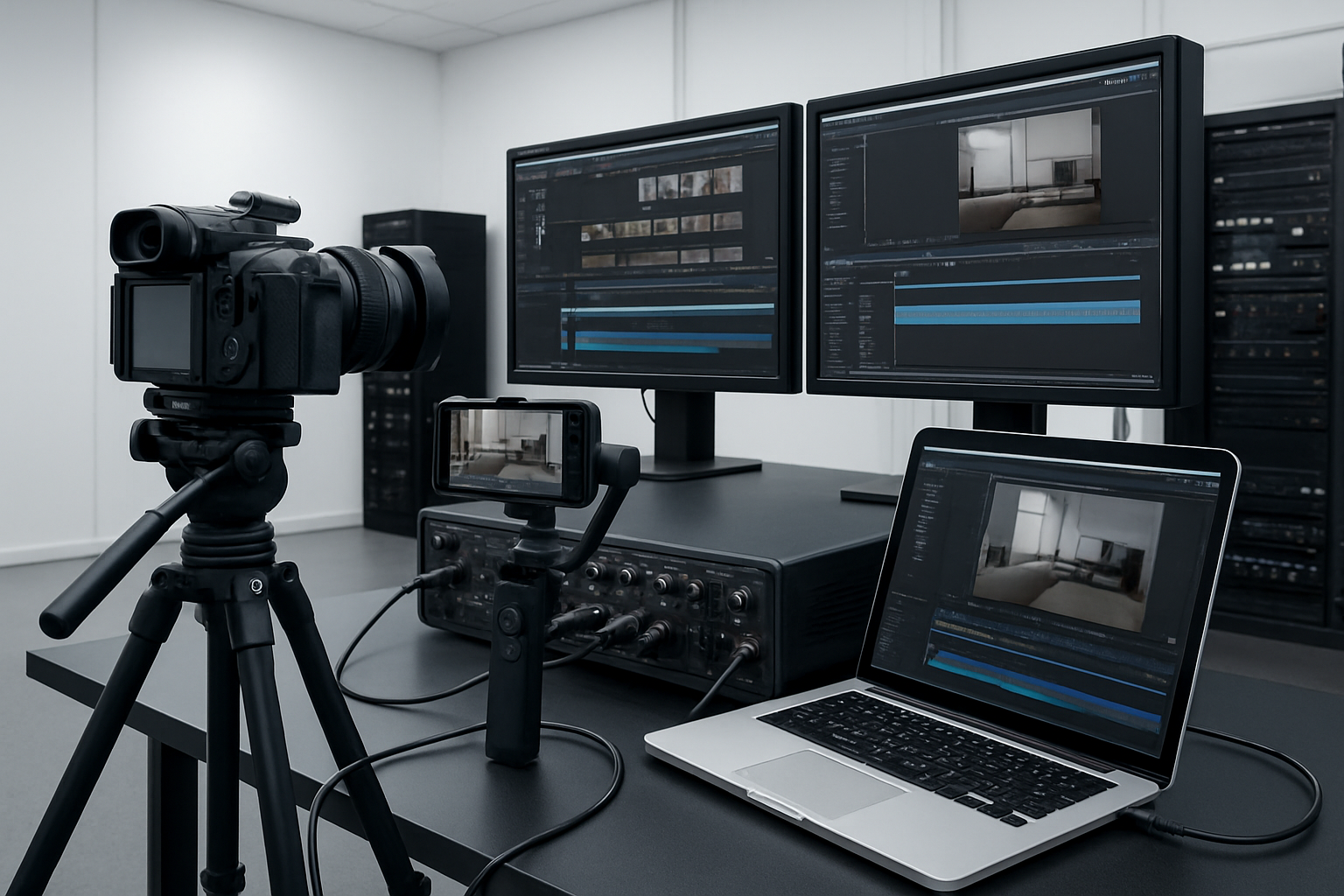
Professional video capture starts with understanding your source material and recording environment. Modern cameras and capture devices offer 4K resolution at 60fps, but your streaming infrastructure needs to handle this massive data throughput. Raw video files can easily reach gigabytes per minute, requiring robust storage solutions and fast processing pipelines. Camera settings like ISO, aperture, and shutter speed directly impact the final streaming quality, so establish consistent recording parameters across all capture devices.
Optimize Video Resolution and Frame Rates
Your video streaming pipeline performance depends heavily on intelligent resolution and frame rate optimization from the source. Native 4K content should be captured at 24-30fps for most streaming applications, while sports or gaming content benefits from 60fps capture. Smart resolution scaling preserves visual quality while reducing bandwidth requirements – downscaling from 4K to 1080p produces sharper results than native 1080p capture. Frame rate conversion algorithms help maintain smooth playback across different target devices and network conditions.
Implement Audio Synchronization Techniques
Audio sync issues destroy viewer experience faster than any video quality problem. Professional streaming setups use timecode synchronization between audio and video sources, ensuring perfect alignment throughout the entire video streaming pipeline. Digital audio workstations provide precise millisecond-level timing control, while hardware sync generators maintain consistency across multiple input sources. Buffer management prevents audio drift during encoding and delivery processes.
Establish Multiple Input Format Support
Modern streaming platforms receive content from diverse sources – mobile phones, professional cameras, screen recordings, and live broadcasts. Your input processing system must handle formats like MP4, MOV, AVI, and streaming protocols such as RTMP and WebRTC. Container format conversion happens seamlessly in the background, while codec detection automatically identifies H.264, H.265, VP9, and AV1 sources. Flexible input handling reduces content creation barriers and expands your potential source base significantly.
Advanced Video Encoding Strategies

Choose Optimal Codecs for Different Use Cases
Modern video streaming requires smart codec selection based on your specific scenario. H.264 remains the gold standard for broad compatibility across devices, while H.265 (HEVC) delivers superior compression for high-resolution content despite licensing complexities. AV1 emerges as the royalty-free future-proof option, perfect for platforms prioritizing long-term cost savings.
For live streaming, prioritize low-latency codecs like H.264 with hardware acceleration. On-demand content benefits from H.265’s efficiency, reducing bandwidth costs significantly. Gaming streams demand ultra-low latency configurations, while educational content can leverage higher compression ratios without sacrificing viewer experience.
Configure Adaptive Bitrate Encoding Settings
Adaptive bitrate streaming creates multiple quality versions of your content, allowing seamless switching based on network conditions. Set up encoding ladders with strategic bitrate jumps – typically 200-300% increases between tiers. Start with 240p at 400kbps for mobile users, scaling up to 4K at 15-25Mbps for premium experiences.
Configure your encoding profiles with consistent GOP sizes (2-4 seconds) to enable smooth quality transitions. Audio should complement video quality levels, ranging from 64kbps AAC for lower tiers to 256kbps for high-definition streams. Smart bitrate allocation prevents quality cliffs that frustrate viewers during network fluctuations.
Implement Hardware vs Software Encoding Solutions
Hardware encoders like Intel Quick Sync, NVIDIA NVENC, and dedicated chips deliver real-time performance with lower CPU usage, making them ideal for live broadcasts and high-volume scenarios. Software solutions offer superior quality control and flexibility but consume more computational resources, perfect for premium on-demand content where encoding time isn’t critical.
Choose hardware acceleration for streams requiring sub-second latency or when processing multiple concurrent feeds. Software encoding shines when you need precise quality control, custom parameters, or working with newer codecs not yet supported by hardware. Hybrid approaches combine both methods, using hardware for speed and software for quality-critical segments.
Optimize Compression Without Quality Loss
Achieve optimal compression through careful parameter tuning rather than simply lowering bitrates. Use constant quality (CRF) encoding with values between 18-23 for visually lossless results. Two-pass encoding analyzes content complexity first, then applies optimal bitrate allocation across scenes, dramatically improving quality-to-size ratios.
Implement content-aware encoding that adjusts parameters based on scene complexity. Static talking-head videos compress efficiently with higher quantization, while action sequences need more bits to maintain clarity. Preprocessing techniques like noise reduction and proper color space conversion boost compression efficiency without visible quality degradation.
Create Multiple Resolution Variants
Build comprehensive resolution ladders that serve every device and connection type effectively. Standard configurations include 240p, 360p, 480p, 720p, 1080p, and 4K variants, each optimized for specific viewing scenarios. Mobile-first approaches prioritize 360p and 720p quality, while desktop experiences emphasize 1080p and higher resolutions.
Match aspect ratios carefully across variants to prevent letterboxing issues on different screen sizes. Vertical video content needs specialized encoding profiles for mobile consumption, while traditional 16:9 content works best for desktop and TV playback. Smart resolution selection algorithms can automatically serve the best variant based on device capabilities and network conditions.
Content Delivery Network Architecture

Select Strategic CDN Provider and Edge Locations
Choosing the right CDN provider directly impacts your video streaming pipeline performance. Major providers like Cloudflare, AWS CloudFront, and Fastly offer extensive edge networks spanning continents. Geographic coverage matters most – select providers with edge locations close to your target audience. Consider factors like bandwidth costs, latency metrics, and integration capabilities with your existing video encoding infrastructure.
Implement Intelligent Caching Mechanisms
Smart caching strategies reduce origin server load while improving viewer experience. Configure cache headers based on content type – popular videos should cache longer at edge locations, while live streams need shorter TTLs. Implement cache warming for anticipated viral content and use origin shielding to minimize bandwidth costs. Video content delivery network efficiency depends on proper cache invalidation policies and selective purging during content updates.
Configure Load Balancing for Peak Traffic
Traffic spikes can overwhelm your streaming infrastructure without proper load distribution. Deploy geographic load balancing to route viewers to nearest edge servers automatically. Set up health checks and failover mechanisms to redirect traffic when servers become unavailable. Implement adaptive bitrate streaming alongside load balancing to maintain quality during high-demand periods. Monitor real-time metrics to trigger auto-scaling when concurrent viewer counts surge.
Establish Global Content Distribution Points
Strategic placement of content distribution points ensures consistent streaming performance worldwide. Deploy origin servers across multiple regions with automated content synchronization. Use pull-through cache configurations to minimize storage costs while maintaining global availability. Consider regulatory requirements and data sovereignty laws when establishing distribution points in different countries. Optimize your end-to-end video streaming architecture by placing popular content closer to major population centers.
Player Integration and Playback Optimization

Develop Cross-Platform Compatible Video Players
Building video players that work seamlessly across different devices and browsers requires careful consideration of codec support, HTML5 compatibility, and fallback mechanisms. Modern video player integration should leverage adaptive bitrate streaming capabilities while maintaining consistent performance across iOS, Android, desktop browsers, and smart TV platforms.
Enable Seamless Adaptive Streaming Experience
Adaptive bitrate streaming automatically adjusts video quality based on network conditions and device capabilities. Your streaming media delivery system should implement smooth quality transitions without buffering interruptions. Players must intelligently switch between bitrate levels, ensuring optimal viewing experiences whether users are on cellular networks or high-speed broadband connections.
Implement Buffer Management for Smooth Playback
Effective buffer management prevents playback interruptions by pre-loading content segments while monitoring bandwidth fluctuations. Smart buffering strategies balance memory usage with playback stability, maintaining adequate forward buffers without consuming excessive device resources. Proper buffer thresholds ensure continuous video streaming pipeline performance even during network congestion or temporary connectivity issues.
Performance Monitoring and Analytics

Track Real-Time Streaming Quality Metrics
Modern streaming platforms rely on continuous quality monitoring to deliver optimal viewer experiences. Key metrics include buffer ratio, rebuffering events, startup time, and bitrate adaptation frequency. These measurements provide immediate insights into streaming performance across different devices and network conditions. Quality of Service (QoS) metrics like peak signal-to-noise ratio and structural similarity index help identify encoding issues before they impact users.
Advanced monitoring systems collect data points every few seconds, creating comprehensive dashboards that show quality trends across geographic regions and device types. This real-time visibility enables quick response to degradation issues and helps optimize the video streaming pipeline for better performance.
Monitor CDN Performance and User Experience
CDN monitoring focuses on edge server performance, cache hit ratios, and origin server load distribution. Performance tracking includes measuring response times, bandwidth utilization, and geographic latency patterns. User experience metrics encompass video start failures, playback interruptions, and quality switching events that directly affect viewer satisfaction.
Smart monitoring tools analyze CDN performance data alongside user behavior patterns to identify bottlenecks in content delivery. This approach helps streaming providers optimize cache strategies, adjust server configurations, and improve overall streaming media delivery efficiency across their network infrastructure.
Implement Error Detection and Recovery Systems
Robust error detection systems monitor for common streaming failures including network timeouts, decoder errors, and manifest parsing issues. Automated recovery mechanisms include retry logic, fallback bitrate selection, and alternative CDN endpoint switching. These systems work silently in the background to maintain uninterrupted playback when technical issues arise.
Recovery systems prioritize user experience by implementing smart fallback strategies that maintain video quality while resolving underlying problems. Advanced implementations use machine learning to predict potential failures and proactively adjust streaming parameters before users notice any degradation.
Analyze Viewer Engagement and Drop-off Rates
Engagement analytics reveal critical insights about content performance and viewer behavior patterns. Drop-off analysis identifies specific moments where viewers abandon streams, helping content creators optimize their material. Heat maps show which video segments generate the most engagement, while completion rates indicate overall content quality effectiveness.
Streaming performance monitoring tools correlate technical metrics with engagement data to understand how quality issues affect viewer retention. This analysis helps prioritize infrastructure improvements and guides content optimization strategies that keep audiences engaged throughout entire viewing sessions.
Scalability and Infrastructure Management

Design Auto-Scaling Solutions for Traffic Spikes
Modern video streaming pipeline infrastructure needs elastic scaling to handle unpredictable traffic surges. Auto-scaling groups monitor key metrics like CPU usage, bandwidth consumption, and connection counts to trigger horizontal scaling events. Cloud orchestration tools automatically provision additional encoding servers, CDN edge locations, and streaming endpoints during peak demand periods.
Container-based architectures using Kubernetes enable rapid deployment of streaming services across multiple availability zones. Load balancers distribute incoming requests intelligently, preventing bottlenecks while maintaining optimal video encoding optimization performance during traffic spikes.
Implement Cost-Effective Storage Solutions
Tiered storage strategies optimize costs by automatically moving video content based on access patterns and popularity. Hot storage maintains frequently requested content on high-performance SSDs, while cold storage archives older videos to cheaper object storage solutions. Intelligent caching algorithms predict content demand, pre-positioning popular videos closer to viewers.
Compression techniques and deduplication reduce storage overhead without compromising quality. Multi-region replication ensures content availability while leveraging geographic pricing differences for cost optimization across your end-to-end video streaming infrastructure.
Establish Redundancy and Failover Mechanisms
Geographic redundancy protects your streaming media delivery against regional outages through active-active data center configurations. Health monitoring systems continuously check encoding servers, CDN architecture components, and streaming endpoints, automatically routing traffic away from failed nodes.
Database clustering with real-time synchronization ensures metadata consistency across regions. Circuit breakers prevent cascade failures by isolating problematic services, while automated backup systems create point-in-time recovery snapshots. Multi-CDN strategies distribute load across providers, eliminating single points of failure in your video streaming pipeline.

Building a robust video streaming pipeline requires careful attention to each component, from initial video preparation through final playback. The journey involves optimizing your source content, implementing smart encoding strategies that balance quality with bandwidth efficiency, and leveraging CDN architecture to deliver content seamlessly across different regions. Your streaming success depends heavily on how well these pieces work together.
The real magic happens when you combine effective player integration with continuous performance monitoring. By tracking key metrics and maintaining scalable infrastructure, you can ensure viewers enjoy smooth, high-quality experiences regardless of their device or location. Start by focusing on one component at a time, test thoroughly, and remember that the best streaming pipeline is one that adapts to your specific audience needs and technical requirements.