


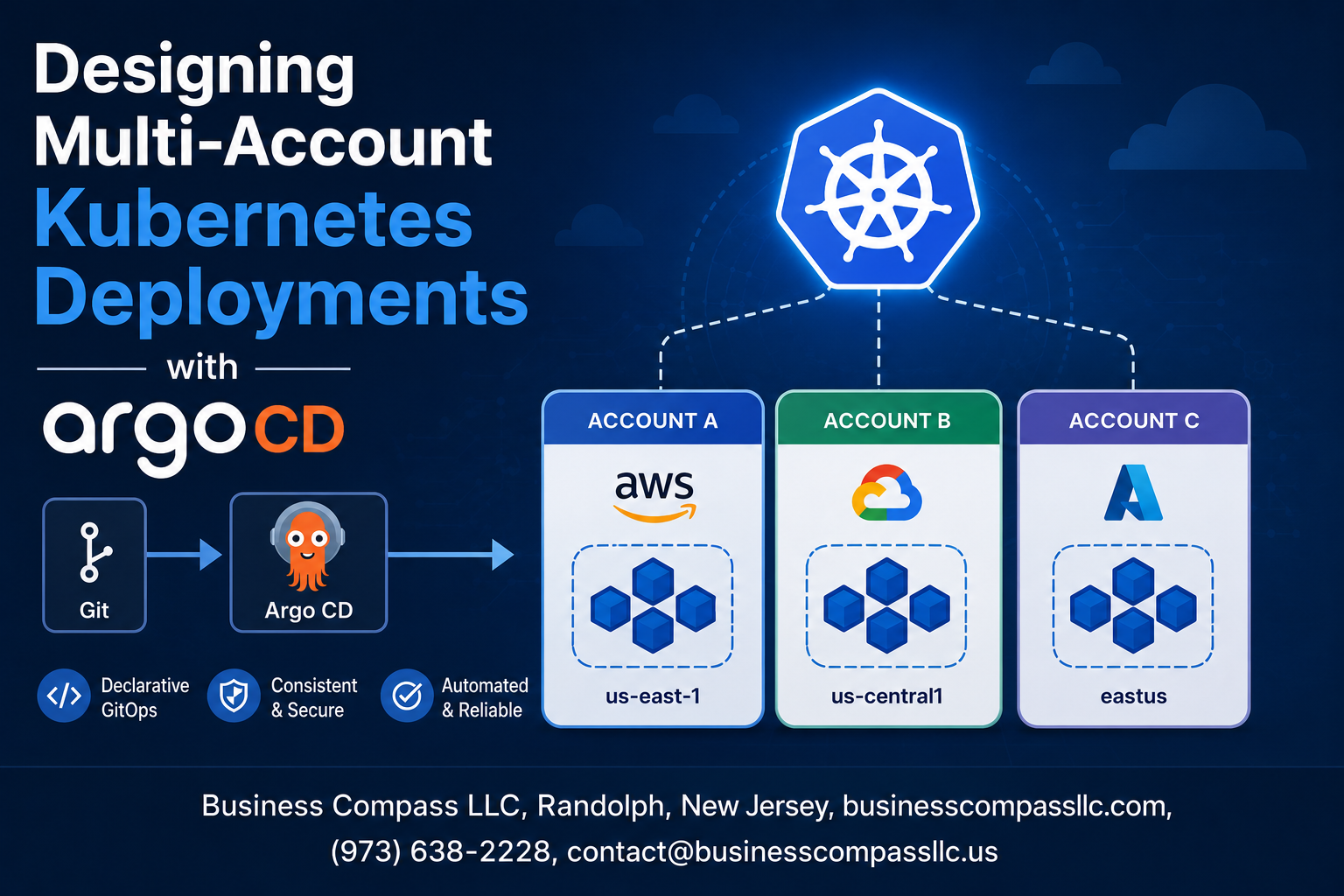
Managing applications across multiple AWS accounts or cloud environments becomes complex when you’re dealing with Kubernetes at scale. Designing Multi-Account Kubernetes Deployments with ArgoCD solves this challenge by combining GitOps automation with robust cross-account deployment strategies.
This guide is for DevOps engineers, platform architects, and Kubernetes administrators who need to deploy and manage applications across multiple cloud accounts while maintaining security, compliance, and operational efficiency.
We’ll walk through the multi-account Kubernetes architecture benefits and why this approach beats single-account deployments for enterprise environments. You’ll learn how to set up ArgoCD for multi-account management, including the essential configuration patterns that make GitOps multi-environment deployment seamless and secure.
Finally, we’ll cover implementing cross-account application deployment strategies that balance automation with governance, plus the security best practices that keep your ArgoCD cross-account deployment locked down without slowing down your development teams.
Understanding Multi-Account Kubernetes Architecture Benefits
Isolate environments for enhanced security and compliance
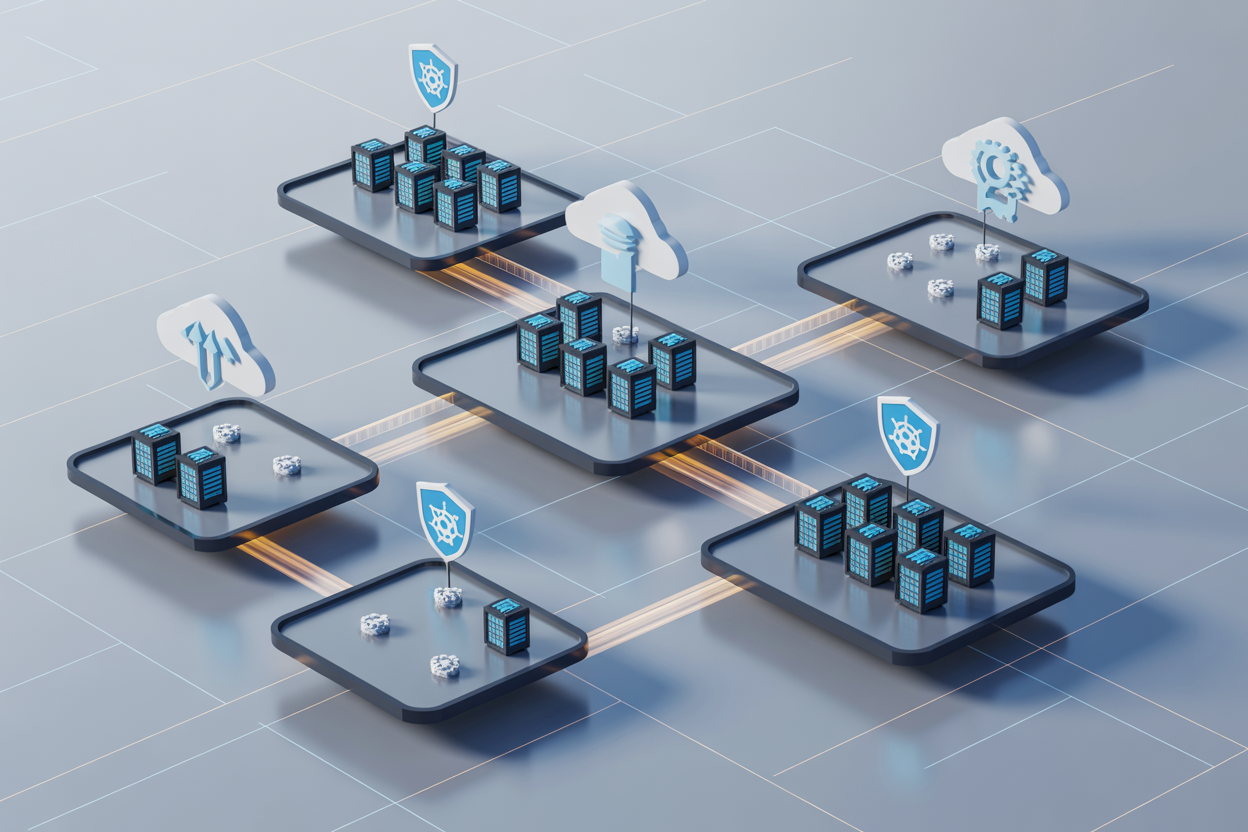
Multi-account Kubernetes architecture creates natural security boundaries that prevent cross-environment contamination. Each account operates as an isolated fortress, protecting production workloads from development experiments and ensuring sensitive data remains compartmentalized. This separation makes compliance audits straightforward, as regulatory requirements can be applied granularly to specific accounts without affecting others.
Enable independent resource scaling across business units
Different teams have unique scaling requirements that don’t align with shared infrastructure constraints. Marketing campaigns might demand sudden compute spikes while backend services need steady-state resources. Multi-account deployment gives each business unit complete control over their Kubernetes cluster sizing, eliminating resource conflicts and allowing teams to scale based on actual demand patterns rather than shared capacity limitations.
Implement granular cost tracking and budget management
Financial transparency becomes crystal clear when each account maps directly to cost centers and budget allocations. Teams can monitor their exact Kubernetes spending without wading through complex shared resource calculations. This visibility drives better decision-making around resource optimization and helps finance teams allocate cloud costs accurately. ArgoCD GitOps workflows can even integrate cost guardrails that prevent deployments exceeding budget thresholds.
Facilitate team autonomy while maintaining governance
Multi-account Kubernetes architecture strikes the perfect balance between developer freedom and organizational control. Teams can experiment with new technologies, deploy at their own pace, and customize their environments without waiting for central approval. Meanwhile, platform teams maintain governance through standardized ArgoCD application deployment strategies and consistent security policies across all accounts. This approach accelerates innovation while keeping risk management intact.
Setting Up ArgoCD for Multi-Account Management
Configure ArgoCD with cross-account cluster registration
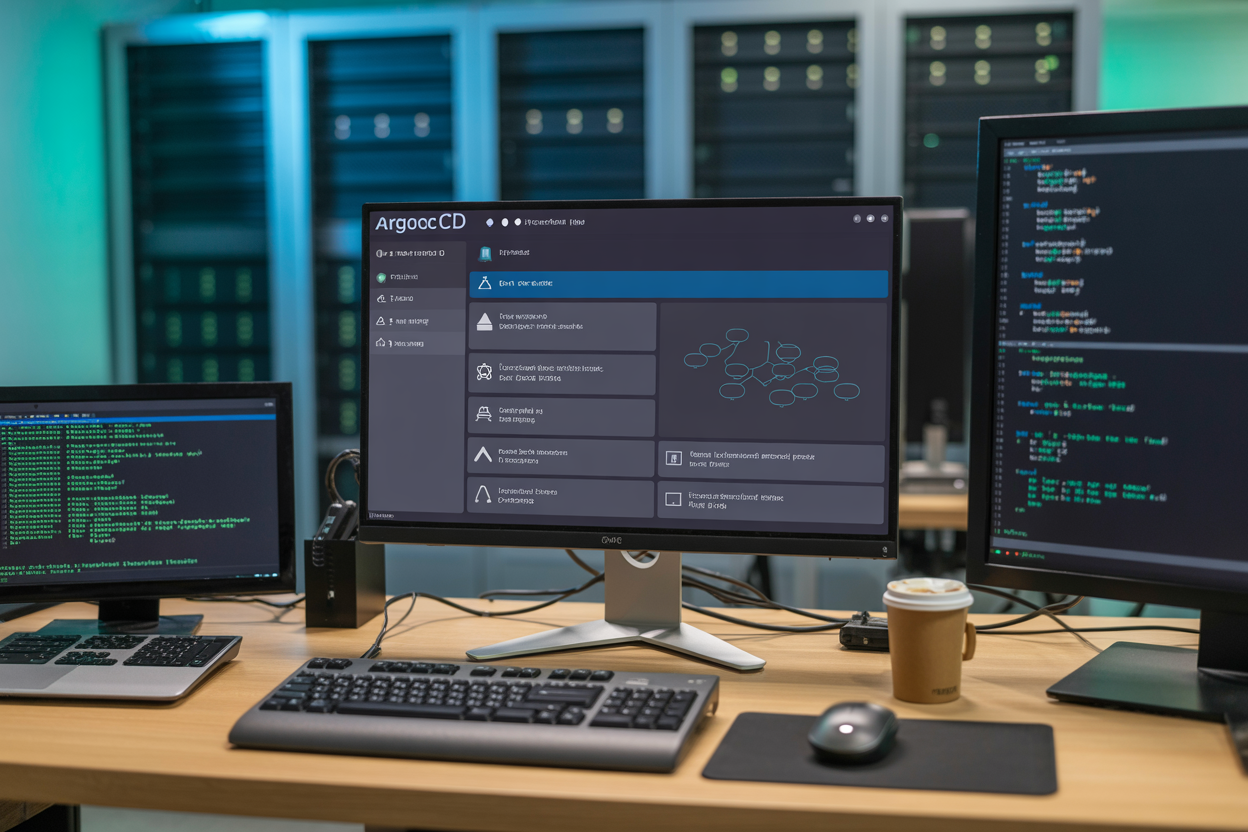
Multi-account Kubernetes architecture requires registering clusters across different AWS accounts or cloud providers with your central ArgoCD instance. Start by creating service accounts with appropriate RBAC permissions in each target cluster, then use ArgoCD CLI or UI to add these clusters using their respective kubeconfig contexts. Configure cluster credentials securely using Kubernetes secrets or external secret management systems like AWS Secrets Manager. Verify connectivity by testing basic cluster operations and ensure ArgoCD can reach all registered clusters through proper network routing and security group configurations.
Establish secure authentication mechanisms across accounts
Authentication across multiple accounts demands robust identity federation and cross-account trust relationships. Implement IAM roles for service accounts (IRSA) or similar cloud-native identity solutions to avoid storing long-lived credentials. Configure OpenID Connect (OIDC) integration with your identity provider to enable single sign-on across all clusters. Set up cross-account IAM roles with minimal required permissions following the principle of least privilege. Use ArgoCD’s built-in RBAC system to map external groups to appropriate permissions within each account’s clusters, ensuring developers can only access resources they’re authorized to manage.
Create centralized GitOps repositories for deployment manifests
Centralized GitOps repositories serve as the single source of truth for your multi-account Kubernetes deployments. Structure your repositories using environment-based branching or directory patterns that clearly separate account-specific configurations. Implement Helm charts or Kustomize overlays to manage environment-specific variations while maintaining consistent base configurations. Use ArgoCD Applications and ApplicationSets to automate deployment patterns across multiple accounts and environments. Configure webhook integration with your Git provider to trigger immediate synchronization when manifest changes are pushed, enabling rapid deployment cycles across your entire multi-account infrastructure.
Implementing Cross-Account Application Deployment Strategies

Design Application Promotion Pipelines Across Environments
Building effective application promotion pipelines for ArgoCD cross-account deployment requires establishing clear environment progression paths. Create separate Git repositories for each environment tier – development, staging, and production – with dedicated branches that trigger automated promotions. Configure ArgoCD applications to monitor specific branches and automatically sync changes as they move through the pipeline. Set up approval gates between environments using GitOps workflows that require manual review before promoting to production accounts. This approach ensures Kubernetes multi-account deployment follows consistent promotion patterns while maintaining security boundaries between different account tiers.
Configure Automated Sync Policies for Different Account Tiers
Different account tiers require distinct sync policies to balance automation with control. Development accounts should use aggressive auto-sync settings with immediate deployment of code changes to accelerate developer feedback loops. Staging environments benefit from scheduled sync windows during off-peak hours to avoid disrupting testing activities. Production accounts need conservative sync policies with manual approval requirements and maintenance windows. Configure ArgoCD sync policies using annotations in application manifests to define tier-specific behaviors. Enable automated pruning for development environments while disabling it for production to prevent accidental resource deletion during GitOps multi-environment deployment operations.
Set Up Rollback Mechanisms for Failed Cross-Account Deployments
Robust rollback mechanisms protect against deployment failures across multiple accounts. Configure ArgoCD to automatically revert to previous application states when health checks fail or when sync operations encounter errors. Create rollback automation using ArgoCD’s revision history features combined with custom health checks that monitor application metrics and dependencies. Set up notification systems that alert teams immediately when rollbacks occur, including detailed information about failure reasons and affected components. Implement canary deployment patterns that automatically rollback when error rates exceed defined thresholds. Store rollback procedures in Git repositories alongside application configurations to ensure ArgoCD GitOps practices extend to disaster recovery scenarios.
Establish Dependency Management Between Multi-Account Applications
Managing dependencies across multiple accounts requires careful orchestration of deployment sequences and resource sharing. Use ArgoCD’s application-of-applications pattern to create parent applications that coordinate deployment order across account boundaries. Define explicit dependencies using ArgoCD sync waves and pre-sync hooks that ensure prerequisite services deploy before dependent applications. Create shared configuration repositories that multiple accounts can reference for common settings like service discovery endpoints and shared secrets. Implement cross-account service mesh configurations that enable secure communication between applications deployed in different Kubernetes clusters. Monitor dependency health using custom resource definitions that track inter-account service relationships and automatically trigger redeployments when upstream dependencies change.
Managing Security and Access Control Across Accounts

Implement role-based access control for multi-account operations
Setting up proper RBAC for ArgoCD multi-account deployments requires creating distinct service accounts with granular permissions for each cluster environment. Define namespace-specific roles that limit deployment access to development, staging, and production accounts separately. Create cluster role bindings that map ArgoCD service accounts to specific Kubernetes clusters, ensuring developers can only deploy to authorized environments. Use ArgoCD’s built-in RBAC policies to restrict application management based on user groups, preventing cross-account privilege escalation while maintaining GitOps automation workflows.
Configure network policies for secure inter-account communication
Network segmentation between Kubernetes clusters requires implementing strict ingress and egress policies that control traffic flow across account boundaries. Deploy Calico or Cilium network policies that whitelist specific service-to-service communication patterns between clusters. Configure VPC peering or transit gateways for secure cross-account connectivity while blocking unauthorized traffic. Establish network security groups that enforce encryption in transit for all inter-cluster communication. Monitor network traffic patterns using tools like Falco to detect anomalous cross-account access attempts and potential security breaches.
Establish secret management strategies across account boundaries
Managing secrets across multiple Kubernetes accounts demands centralized secret stores like AWS Secrets Manager, HashiCorp Vault, or Azure Key Vault integrated with External Secrets Operator. Configure sealed secrets or SOPS encryption for GitOps workflows, ensuring sensitive data remains encrypted in Git repositories. Implement cross-account IAM roles that allow ArgoCD to fetch secrets from centralized stores without storing credentials in clusters. Use namespace-specific secret scoping to prevent secret leakage between environments. Rotate secrets automatically across all accounts using tools like cert-manager for TLS certificates and external secret rotation policies.
Monitoring and Observability for Multi-Account Deployments

Set up centralized logging aggregation across all accounts
Centralized logging becomes critical when managing ArgoCD GitOps deployments across multiple Kubernetes clusters. Deploy a unified logging stack using tools like Fluentd or Fluent Bit to forward logs from each account to a central Elasticsearch or Splunk instance. Configure log forwarding agents on every cluster to capture application logs, ArgoCD sync events, and Kubernetes system logs. Create standardized log formats and tagging strategies that identify the source account, cluster, and namespace. This approach enables cross-account troubleshooting and provides complete visibility into your multi-account Kubernetes architecture without requiring individual cluster access.
Configure metrics collection and alerting for cross-account visibility
Build a comprehensive metrics collection system that spans all accounts in your multi-account deployment strategy. Install Prometheus agents in each cluster and configure federation to pull metrics into a central Prometheus instance. Set up custom metrics for ArgoCD sync status, application health scores, and deployment success rates across accounts. Create alerting rules that trigger on cross-account failures, resource exhaustion, or sync drift issues. Configure alert routing to notify the right teams based on account ownership and severity levels. This monitoring foundation supports effective incident response and ensures your ArgoCD cross-account deployment maintains optimal performance.
Implement distributed tracing for multi-account application flows
Distributed tracing reveals how requests flow through applications deployed across multiple accounts and clusters. Install tracing agents like Jaeger or Zipkin across all environments to capture trace data from microservices spanning different accounts. Configure ArgoCD applications to include tracing headers and ensure proper trace propagation between services. Create trace sampling strategies that balance observability needs with performance impact. Set up cross-account service maps that visualize dependencies and identify bottlenecks in your multi-tenant Kubernetes deployment. This visibility helps debug complex issues that span multiple clusters and accounts in your GitOps multi-environment deployment.
Create unified dashboards for operational oversight
Design comprehensive dashboards that provide real-time visibility into your entire multi-account Kubernetes environment. Build Grafana dashboards that aggregate data from all accounts, showing cluster health, ArgoCD sync status, application performance metrics, and resource utilization. Create role-based dashboard access that allows teams to view relevant account data while maintaining security boundaries. Include cost metrics and resource allocation views to support effective Kubernetes cluster management decisions. Set up automated dashboard provisioning using GitOps principles so dashboard configurations stay consistent across environments. These unified views enable proactive management of your ArgoCD application deployment strategies.
Establish incident response procedures for multi-account failures
Develop structured incident response workflows that account for the complexity of multi-account environments. Create runbooks that guide responders through cross-account troubleshooting procedures, including how to identify which accounts are affected and escalation paths for different failure scenarios. Implement automated incident detection that correlates alerts across accounts and creates unified incident tickets. Set up communication channels that connect the right teams based on account ownership and service dependencies. Establish post-incident review processes that capture lessons learned from multi-account failures and update Kubernetes DevOps automation accordingly. Regular tabletop exercises help teams practice coordinated responses to complex multi-account scenarios.
Optimizing Performance and Cost Management

Implement resource quotas and limits across account boundaries
Resource quotas and limits form the backbone of efficient multi-account Kubernetes architecture, preventing resource starvation and ensuring fair allocation across different environments. Set namespace-level quotas for CPU, memory, and persistent storage to control resource consumption within each account. Define LimitRanges to establish default and maximum resource constraints for pods and containers, preventing runaway applications from consuming excessive cluster resources. Configure ResourceQuotas at the account level to establish hard boundaries for total resource usage across all namespaces within an account. Use ArgoCD application manifests to automatically deploy consistent quota configurations across development, staging, and production accounts. Monitor quota utilization through Kubernetes metrics and establish alerting when accounts approach their limits. Implement graduated quota increases based on account maturity and workload requirements, allowing development accounts smaller allocations while production environments receive priority resource access. This approach ensures predictable performance while maintaining cost control across your multi-account Kubernetes deployment strategy.
Configure automated scaling policies for multi-account workloads
Automated scaling across multiple accounts requires careful orchestration of Horizontal Pod Autoscaler (HPA) and Vertical Pod Autoscaler (VPA) configurations tailored to each environment’s characteristics. Deploy Cluster Autoscaler in each account with account-specific node group configurations, enabling dynamic infrastructure scaling based on workload demands. Configure HPA policies with different scaling thresholds for development versus production accounts – development environments can tolerate higher CPU utilization (80-90%) while production should scale more aggressively at lower thresholds (60-70%). Implement custom metrics scaling using KEDA for specialized workloads like queue-based applications, ensuring consistent scaling behavior across account boundaries. Set up cross-account scaling policies that consider regional capacity constraints and cost optimization targets. Use ArgoCD to deploy standardized scaling configurations while allowing environment-specific customizations through Helm value overrides. Establish scaling boundaries with minimum and maximum replica counts appropriate for each account’s SLA requirements. Monitor scaling events across all accounts to identify patterns and optimize scaling parameters, ensuring your GitOps multi-environment deployment maintains optimal performance without unnecessary costs.
Establish cost optimization strategies through intelligent resource allocation
Intelligent resource allocation across multiple accounts requires strategic placement of workloads based on cost efficiency and performance requirements. Implement node affinity and anti-affinity rules to optimize pod placement, directing compute-intensive workloads to spot instances in development accounts while ensuring production workloads run on reliable on-demand instances. Configure cluster-level resource allocation policies that automatically schedule non-critical applications during off-peak hours, reducing overall infrastructure costs. Use vertical pod autoscaling to right-size container resource requests, preventing over-provisioning that leads to wasted capacity across account boundaries. Establish cost allocation tags and labels that track resource usage by team, application, and environment, enabling detailed cost analysis through your multi-account Kubernetes architecture. Implement automated cleanup policies for unused resources, including orphaned persistent volumes and idle load balancers that accumulate costs over time. Configure ArgoCD with cost-aware deployment strategies that consider resource pricing across availability zones and instance types. Set up budget alerts and automated responses that can scale down non-essential workloads when cost thresholds are exceeded. This comprehensive approach to Kubernetes DevOps automation ensures optimal resource allocation while maintaining operational excellence across all account environments.

Multi-account Kubernetes deployments with ArgoCD offer a powerful way to scale your infrastructure while keeping different environments and teams properly separated. By setting up ArgoCD to manage applications across multiple accounts, you gain better security isolation, clearer cost tracking, and the ability to apply different compliance requirements where needed. The key is getting your cross-account deployment strategies right from the start and making sure your security controls are solid across all environments.
Don’t overlook the monitoring and observability piece – it’s what will save you when things go wrong. Set up centralized logging and metrics collection early, and make sure your teams can easily see what’s happening across all their accounts. Start small with a pilot project to test your setup, then gradually expand as you get comfortable with the workflow. The initial setup might feel complex, but the long-term benefits of organized, scalable infrastructure make it worth the effort.









