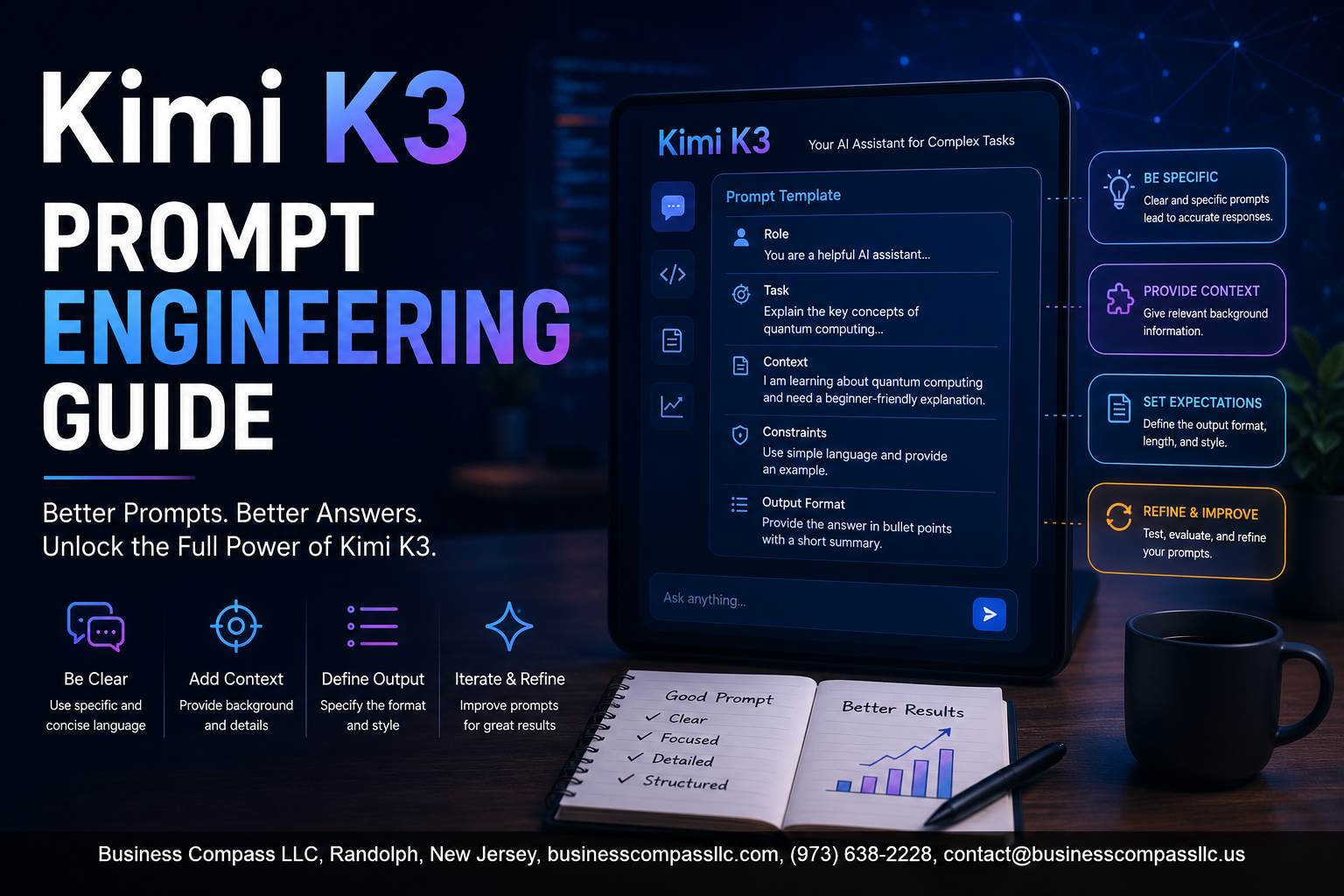
Kimi K3 Prompt Engineering Guide: Get Better Outputs Every Time
Kimi K3 is a powerful AI model, but most people barely scratch the surface of what it can do — not because the model falls short, but because their prompts do. This guide is for developers, content creators, and AI power users who want to stop guessing and start getting consistently strong results from Kimi K3.
Here’s what we’ll walk through together: the core prompt engineering principles that make Kimi K3 tick, advanced prompting techniques that noticeably sharpen output quality, and the most common prompting mistakes people make (plus exactly how to fix them).
No fluff, no vague advice — just practical Kimi K3 prompting tips you can plug in and use today.
Understanding Kimi K3 and Its Unique Capabilities

What Sets Kimi K3 Apart from Other AI Models
Kimi K3 is Moonshot AI’s flagship reasoning model built to handle complex, multi-step tasks with a level of depth that most models simply struggle to match. What makes it genuinely different is its hybrid thinking architecture — it can switch between fast, intuitive responses and slower, more deliberate reasoning depending on what the task actually needs.
Key differentiators include:
- Extended context window — Kimi K3 handles massive amounts of text without losing track of earlier details, making it ideal for long documents, research threads, and layered conversations
- Strong multilingual fluency — particularly between English and Chinese, which opens up cross-language use cases that other models handle awkwardly
- Deep reasoning chains — the model naturally breaks down problems step by step rather than jumping to surface-level answers
Key Strengths to Leverage Through Effective Prompting
When you’re doing Kimi K3 prompt engineering, you want to play to what the model already does well. Fighting against its tendencies wastes potential.
Strengths worth building your prompts around:
- Analytical depth — give it complex problems and ask it to reason through them, not just summarize
- Structured output generation — it follows formatting instructions reliably, so be specific about tables, lists, or step-by-step breakdowns
- Long-form synthesis — feeding it dense source material and asking for synthesis plays directly to its context strengths
- Code and technical reasoning — it handles debugging, explanation, and generation across multiple programming languages with solid accuracy
The biggest mistake people make is writing vague prompts for a model that genuinely rewards specificity. The more context and structure you provide, the better the output gets.
How Kimi K3 Processes and Interprets Prompts
Kimi K3 reads your prompt holistically before generating a response — it weighs instruction weight, context, and implied intent together rather than just reacting to the last sentence you wrote.
What this means for how you write prompts:
- Front-load your most important instructions — the model pays close attention to how a prompt opens, so lead with the core task
- Role and context signals matter — telling the model who it is and what situation it’s operating in shapes the tone and depth of its response significantly
- Explicit constraints get respected — if you say “respond in bullet points only” or “keep this under 200 words,” Kimi K3 generally sticks to those boundaries better than many competing models
- It reads between the lines — implied tone, audience, and purpose get picked up from context clues, so writing naturally actually helps rather than hurts
Core Prompt Engineering Principles for Kimi K3

Writing Clear and Specific Instructions for Better Results
Vague prompts get vague answers — it’s that simple. When working with Kimi K3, the more specific your instructions, the sharper your output. Instead of asking “write about marketing,” try “write a 300-word breakdown of email marketing strategies for SaaS startups targeting small business owners.” Specificity gives the model a clear target to hit.
- Spell out your requirements upfront — word count, tone, audience, and purpose
- Break complex tasks into smaller steps so the model tackles each part with focus
- Avoid ambiguous language like “make it better” — say exactly what “better” means to you
Setting the Right Context to Guide Responses
Context is the backbone of any solid Kimi K3 prompt engineering strategy. Think of it like briefing a smart colleague — the more background you give, the more relevant and useful their response will be.
- Share who the audience is (beginners, experts, executives)
- Mention the purpose of the content (internal report, customer email, social post)
- Add relevant constraints like industry jargon to avoid or specific points to cover
When Kimi K3 understands the “why” behind your request, the output feels tailored rather than generic.
Defining Output Format to Get Exactly What You Need
Telling Kimi K3 how to structure its response saves you a ton of editing time. If you need a bullet list, say so. If you want a table, ask for one. AI prompt optimization often comes down to this one detail people skip.
- Request headers and subheadings for long-form content
- Ask for numbered steps when order matters
- Specify JSON, markdown, or plain text for technical outputs
Using Role Assignment to Unlock Specialized Knowledge
Assigning a role to Kimi K3 is like flipping a switch — the responses become noticeably more focused and expert-level. This is one of the most underused Kimi K3 prompting tips out there.
- Try: “You are a senior cybersecurity analyst reviewing this network policy…”
- Or: “Act as a personal finance coach helping a 30-year-old pay off debt…”
- Roles signal the depth, tone, and vocabulary the model should lean into
Advanced Prompting Techniques That Maximize Output Quality

Chain-of-Thought Prompting for Complex Reasoning Tasks
When you need Kimi K3 to tackle something genuinely tricky — multi-layered analysis, logical deductions, or nuanced problem-solving — chain-of-thought prompting is your best friend. Instead of just asking for an answer, you ask the model to walk through its thinking step by step before landing on a conclusion.
Here’s how to do it effectively:
- Add a simple trigger phrase like “Think through this step by step before answering” or “Walk me through your reasoning first”
- Ask for intermediate checkpoints — for example, “First identify the key variables, then analyze each one, then draw your conclusion”
- Request explicit reasoning labels such as “Step 1: Assumptions, Step 2: Analysis, Step 3: Final Answer”
This technique dramatically cuts down on confident-sounding wrong answers. Kimi K3 performs noticeably better on math, legal reasoning, and technical troubleshooting when you build that reasoning scaffold directly into your prompt.
Few-Shot Examples to Teach Kimi K3 Your Desired Style
Few-shot prompting is basically showing the model exactly what “good” looks like before asking it to do the work. You’re not just describing what you want — you’re demonstrating it.
A solid few-shot structure looks like this:
- Example 1: [Input] → [Your ideal output]
- Example 2: [Input] → [Your ideal output]
- Your actual request: [New input] → ?
This works especially well when you’re after a very specific tone, format, or level of detail. Say you want punchy product descriptions with a dry sense of humor — just drop in two or three examples that nail that vibe, and Kimi K3 picks up the pattern fast. The more consistent your examples are, the more consistent your outputs will be. Aim for at least two to three examples, and make sure they actually represent the quality and style you’re chasing — low-effort examples produce low-effort results.
Breaking Down Multi-Step Tasks for Superior Accuracy
Dumping a massive, complex task into a single prompt and hoping for the best is one of the quickest ways to get mediocre results. Kimi K3 handles multi-step tasks way better when you break the job into smaller, clearly defined chunks.
Think of it like building with LEGO — each brick needs to be solid before you stack the next one. Here’s a practical approach:
- Sequence your requests — complete Phase 1 first, review the output, then move to Phase 2
- Use numbered instructions inside the prompt itself, like “First do X, then do Y, and finally do Z”
- Assign roles per step — “Act as a researcher for this part, then switch to a copywriter for the next section”
- Checkpoint and confirm — after complex steps, ask Kimi K3 to summarize what it just did before moving forward
This method keeps errors from compounding. If something goes sideways in step two, you catch it early instead of discovering it buried inside a 1,500-word output. When you’re working on things like content pipelines, data analysis workflows, or multi-part reports, this structured approach is what separates average AI prompt engineering from genuinely high-quality Kimi K3 prompting tips that actually hold up at scale.
Crafting Prompts for Specific Use Cases

Writing and Content Creation Prompts That Deliver Results
Getting great writing out of Kimi K3 comes down to being specific about tone, audience, and purpose. Instead of asking for “a blog post about productivity,” try something like: “Write a 600-word blog post for remote workers in their 30s who struggle with focus. Use a conversational tone, include three actionable tips, and end with a motivating call to action.”
Prompts that work well for writing tasks:
- “Write a LinkedIn post announcing a product launch. Keep it under 200 words, confident but not salesy, and include a question to drive comments.”
- “Rewrite this paragraph to sound warmer and less corporate: [paste text]”
- “Create five email subject lines for a re-engagement campaign targeting lapsed subscribers. Make them curiosity-driven.”
Coding and Technical Problem-Solving Prompts
Kimi K3 handles code really well, but you get much better results when you include the language, the environment, what you’ve already tried, and what the expected output should be.
Strong coding prompt structure:
- Language + version: “Using Python 3.11…”
- Context: “I’m building a REST API with FastAPI…”
- The actual problem: “…and my JWT token validation keeps throwing a 422 error even when the token is valid.”
- What you want: “Debug this and explain why it’s failing, then give me the fixed code.”
Example prompt:
“I’m using JavaScript (Node.js 18) with Express. Write a middleware function that rate-limits API requests to 100 per hour per IP address. Include comments explaining each step.”
For debugging sessions, paste the error message directly and say: “Here’s the full error. Walk me through what’s causing it and the best way to fix it without breaking existing functionality.”
Research and Summarization Prompts for Faster Insights
When you need Kimi K3 to pull together information quickly, the trick is telling it what you already know, what gaps you’re trying to fill, and what format works best for your workflow.
Prompts that speed up research:
- “Summarize the key arguments for and against [topic] in bullet points. I need this for a quick decision brief, so keep each point under two sentences.”
- “Read this article and pull out the five most important statistics I could quote in a presentation: [paste text]”
- “Compare [Tool A] and [Tool B] across these three criteria: price, ease of use, and scalability. Format it as a simple table.”
Adding phrases like “assume I have no background in this field” or “I’m already familiar with the basics, skip the intro” saves a lot of back-and-forth.
Data Analysis Prompts to Extract Actionable Information
Kimi K3 prompt engineering shines here when you give the model the data structure, your goal, and the decision you’re trying to make. Raw numbers without context produce generic answers.
What to include in a data analysis prompt:
- A description of your dataset (or paste a sample)
- The specific question you’re trying to answer
- What action you’ll take based on the answer
Example prompt:
“Here’s a CSV snippet of monthly sales data across five regions for Q1–Q3. Identify which region is underperforming relative to its historical average and suggest two possible reasons based on the trends you see.”
Other prompt patterns that work:
- “Spot any anomalies in this data and flag them with a short explanation for each.”
- “Turn these numbers into three plain-English insights a non-technical manager would understand.”
Creative and Brainstorming Prompts That Spark Innovation
Creative prompts work best when you give Kimi K3 some constraints. Total creative freedom often produces generic output — boundaries actually push the model toward more interesting ideas.
Techniques that work:
- Set unusual constraints: “Give me 10 startup ideas that combine two unrelated industries: funeral services and gaming.”
- Assign a perspective: “Brainstorm product names as if you were a 1980s sci-fi novelist.”
- Use “yes, and” framing: “Here’s my rough concept: [idea]. Build on it and make it weirder and more memorable.”
- Ask for bad ideas first: “Give me five terrible ideas for this campaign, then flip each one into something genuinely interesting.”
This approach to Kimi K3 prompting tips keeps the outputs fresh and stops you from getting the same safe, predictable suggestions every single time.
Common Prompting Mistakes and How to Fix Them

Avoiding Vague Instructions That Lead to Generic Responses
Vague prompts are the number one reason people get boring, cookie-cutter responses from Kimi K3. Instead of asking “write me something about marketing,” try “write a 300-word LinkedIn post targeting B2B SaaS founders about reducing customer churn using data analytics.” Specificity is everything in Kimi K3 prompt engineering.
- Always name your target audience
- Specify the desired format, tone, and length
- Include the end goal of the content
Preventing Prompt Overload That Confuses the Model
Cramming ten different tasks into a single prompt is a fast track to messy, unfocused output. Kimi K3 performs best when you break complex tasks into smaller, sequential prompts rather than dumping everything at once. Think of it like giving clear directions one step at a time.
- Split multi-part tasks into separate prompts
- Prioritize the most critical instruction first
- Use numbered steps when multiple actions are needed
Correcting Ambiguous Language for More Precise Outputs
Words like “good,” “fast,” “detailed,” or “simple” mean different things to different people — and to Kimi K3. These ambiguous descriptors are common pitfalls in AI prompt optimization. Replace them with measurable, concrete language to get outputs that actually match what you had in your head.
- Replace “detailed” with “include at least five supporting examples”
- Swap “simple” for “written at a 6th-grade reading level”
- Define “professional” by naming a style reference, like “similar to Harvard Business Review tone”
Getting these basics right is what separates mediocre results from genuinely powerful Kimi K3 prompting tips that deliver every single time.
Testing and Refining Your Prompts for Consistent Performance

A. Iterating on Prompts to Continuously Improve Results
Think of prompt iteration like tuning a guitar — small adjustments make a huge difference. When working with Kimi K3 prompt engineering, keep a running log of what you changed and why.
- Tweak one variable at a time (tone, length, format, context)
- Compare outputs side by side before committing to a new version
- Note which phrasing triggered more detailed or accurate responses
- Run the same prompt three times to check for consistency
B. Measuring Output Quality Against Your Goals
Before you can improve anything, you need a clear target. Ask yourself: did Kimi K3 actually solve the problem, or just answer it?
- Score outputs on accuracy, relevance, depth, and format
- Set a simple 1–5 rubric tied to your specific use case
- Use real-world criteria, not vague impressions
C. Building a Personal Prompt Library for Repeated Success
Your best prompts are assets — treat them that way. A personal prompt library saves you from reinventing the wheel every session.
- Organize prompts by task type (research, writing, coding, analysis)
- Tag each prompt with the Kimi K3 prompting tips that made it work
- Version-control your prompts like you would a document
D. Adapting Prompts Based on Kimi K3 Feedback Patterns
Kimi K3 leaves clues in every response. When outputs feel off, the model is usually signaling a gap in your prompt structure.
- Overly generic answers? Add more constraints or examples
- Responses too long? Specify word limits or bullet-point formats
- Missed the point? Reframe with a clearer goal statement upfront

Getting the most out of Kimi K3 really comes down to understanding how it thinks and communicating with it in a way that plays to its strengths. From nailing the core principles of prompt engineering to using advanced techniques, applying use-case-specific strategies, and dodging the common mistakes that trip most people up, every piece of this puzzle works together to help you get sharper, more reliable results.
The real magic happens when you treat prompt crafting as an ongoing process rather than a one-and-done task. Keep testing, keep tweaking, and pay attention to what works. The more you experiment and refine, the better your prompts get, and the more powerful Kimi K3 becomes as a tool in your workflow. Start small, stay curious, and don’t be afraid to push the boundaries of what you ask it to do.