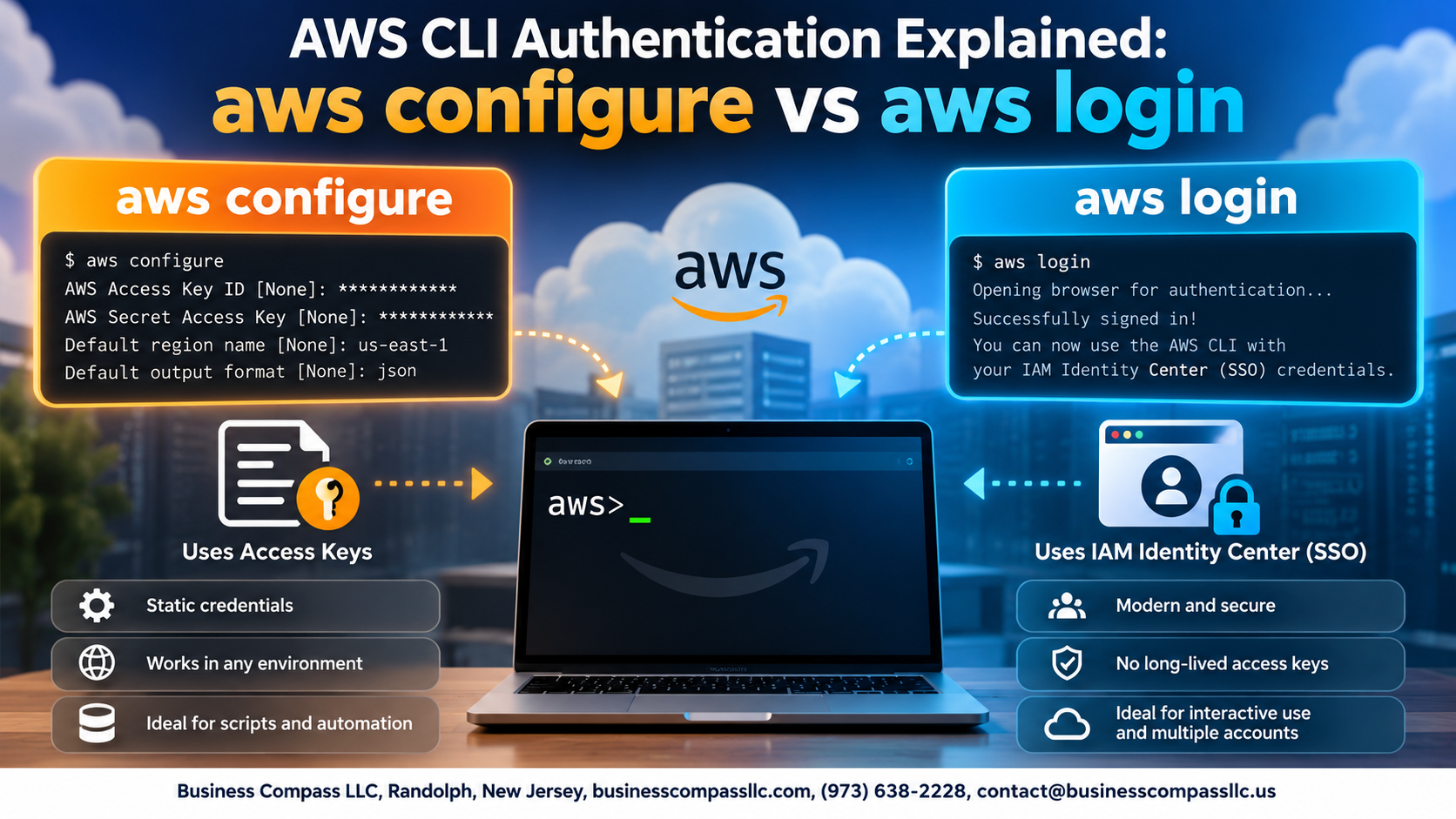
AWS CLI Authentication Explained: aws configure vs aws login
If you’re setting up AWS CLI access and not sure whether to run aws configure or aws login, you’re not alone. These two commands look similar on the surface but work very differently under the hood — and picking the wrong one can create real security headaches down the road.
This guide is for developers, DevOps engineers, and cloud practitioners who want a clear, no-nonsense breakdown of how AWS CLI authentication actually works.
Here’s what we’ll cover:
- How
aws configureworks — the classic setup method that stores long-term credentials locally - What
aws loginbrings to the table — the modern SSO-based approach that generates short-lived tokens - The security tradeoffs between both methods — so you can make a smart call based on your actual workflow
By the end, you’ll know exactly which authentication method fits your setup and why it matters for keeping your AWS environment locked down.
Understanding AWS CLI Authentication Fundamentals

What AWS CLI Authentication Is and Why It Matters
AWS CLI authentication confirms who you are before granting access to cloud resources.
Key Differences Between Short-Term and Long-Term Credentials
- Long-term: Static access keys (never expire, higher risk)
- Short-term: Temporary tokens (auto-expire, safer)
How AWS Validates Your Identity
AWS checks credentials against IAM or Identity Center before allowing any action.
Getting Started with aws configure

What aws configure Does and When to Use It
Run aws configure to store long-term IAM credentials locally. It’s best for personal projects or testing, not production.
Step-by-Step Setup
- Enter Access Key ID, Secret Access Key, default region, and output format.
Credential File Location
- Stored in
~/.aws/credentialsand~/.aws/config.
Common Mistakes
- Hardcoding credentials in code repos.
Exploring the Modern aws login Command

What aws login Offers Over Traditional Configuration
aws login grabs temporary credentials automatically via AWS IAM Identity Center, skipping manual key management entirely.
How AWS IAM Identity Center Powers aws login
It authenticates through your browser, issuing short-lived tokens.
Setting Up SSO Profiles for Seamless Authentication
- Run
aws configure sso - Set
sso_start_url,sso_region, account, and role
Security Tradeoffs Between aws configure and aws login

Why Long-Term Access Keys Create Greater Risk
Static keys stored in ~/.aws/credentials never expire—if leaked, attackers have indefinite access.
How Temporary Credentials Reduce Exposure
aws login generates short-lived tokens, limiting breach windows significantly.
Compliance Benefits
SSO login creates auditable session trails.
When aws configure Still Makes Sense
- CI/CD pipelines without IAM Roles
- Offline environments
Choosing the Right Authentication Method for Your Workflow

Matching Authentication Methods to Your Team Size and Needs
- Solo devs:
aws configureworks fine - Teams:
aws loginwith IAM Identity Center scales better
How to Transition from aws configure to aws login Safely
Run aws configure sso, then test thoroughly before removing old credentials.
Best Practices for Managing Multiple AWS Accounts
Use named profiles consistently.

Picking the right authentication method for your AWS CLI setup really comes down to your specific situation. If you’re working solo on personal projects or need a straightforward, no-fuss setup, aws configure gets the job done quickly. But if you’re operating in a team environment, handling sensitive workloads, or your organization uses IAM Identity Center, aws login is the smarter, more secure path forward. Long-lived credentials sitting in a config file are a real risk, and short-term session tokens go a long way in keeping things locked down.
Take a few minutes to look at how you’re currently authenticating and ask yourself if it still makes sense for where you are today. Security needs change as projects grow, and what worked fine for a weekend experiment might not cut it for a production environment. Start with the method that fits your workflow right now, but keep an eye on shifting to aws login as your setup scales — your future self will thank you for it.