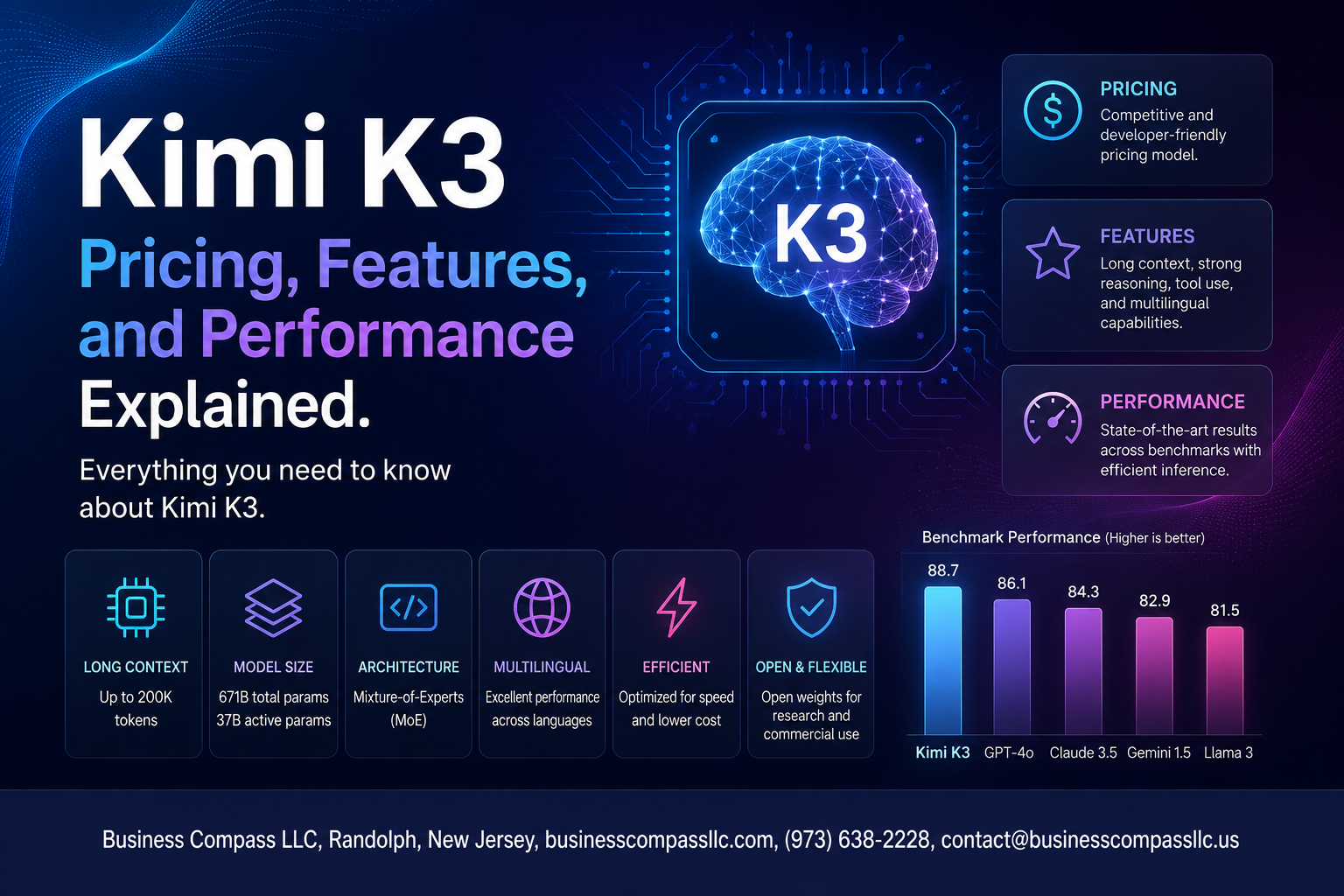
Kimi K3 Pricing, Features, and Performance Explained
Kimi K3 is one of the most talked-about AI models of 2025, and if you’ve been trying to figure out whether it’s actually worth your time and money, you’re in the right place.
This breakdown is for developers, content creators, and business owners who want a straight-up look at what Kimi K3 brings to the table — no fluff, no hype.
Here’s what we’ll cover: how Kimi K3 pricing stacks up across different plans, which core features make it stand out from the crowd, and how its real-world performance holds up against leading competitors. By the end, you’ll know exactly what to expect before you commit.
What Is Kimi K3 and Who Is It Built For

The Origins and Development Behind Kimi K3
Kimi K3 is built by Moonshot AI, a Beijing-based startup that has been quietly pushing boundaries in the large language model space since 2023. The team behind it comes from top research labs and tech companies, and they have focused heavily on long-context understanding — something that sets Kimi apart from many rivals right out of the gate.
- Moonshot AI was founded with a clear goal: build AI that can handle massive amounts of text without losing track of context
- Kimi K3 is the latest iteration in that journey, trained on a diverse multilingual dataset with strong emphasis on reasoning and code
- The development process prioritized real-world usability over benchmark chasing, which shows in how the model handles nuanced, multi-step tasks
Target Users and Ideal Use Cases
The Kimi K3 AI model is designed for people who need more than surface-level answers. It punches well above its weight for tasks that require sustained attention across long documents or complex workflows.
- Developers who need clean, well-reasoned code generation and debugging support
- Researchers and analysts working with lengthy reports, academic papers, or datasets
- Content creators who want a writing partner that actually remembers the full context of a project
- Business teams using AI to draft, summarize, or analyze internal documentation at scale
How Kimi K3 Fits Into the Current AI Landscape
Among the best AI models of 2025, Kimi K3 carves out a distinct space by leaning into long-context performance and cost efficiency. While giants like GPT-4o and Claude Opus dominate name recognition, Kimi K3 competes seriously on quality per dollar — making it a smart pick for teams watching their AI spend without wanting to sacrifice capability.
Kimi K3 Pricing Plans Broken Down

Free Tier Limitations and What You Actually Get
Kimi K3’s free tier gives you a solid taste of the model without spending a dime, but it comes with real constraints you’ll bump into pretty fast. Here’s what the free plan typically covers:
- Limited daily message quota — You get a set number of queries per day, which runs out quickly if you’re doing heavy research or coding tasks
- Slower response speeds — Free users often get deprioritized during peak hours, meaning longer wait times
- No API access — You’re locked to the web interface only, so no building or integrating Kimi K3 into your own tools
- Reduced context window — The free tier may cap how much text you can feed into a single conversation
Paid Plan Options and Cost Comparison
Kimi K3 plans are structured to scale with your usage, whether you’re a solo user or running a team workflow. Typical paid options break down like this:
- Pro Plan — Aimed at individual power users, this unlocks higher message limits, faster response times, and priority access during busy periods
- API Access Tier — Priced per token, this is where developers and businesses plug Kimi K3 directly into their products
- Team or Enterprise Plan — Custom pricing for organizations needing shared workspaces, admin controls, and volume discounts
Compared to rivals like GPT-4o or Claude 3.5, Kimi K3 pricing sits competitively, especially on API costs per million tokens, making it attractive for high-volume use cases.
Value for Money Compared to Rival Models
When you stack up Kimi K3 plans against the best AI models of 2025, the value proposition gets interesting. For tasks like long-document analysis, multilingual work, and coding assistance, Kimi K3 delivers performance that punches above its price point. Users switching from pricier models often report getting comparable output quality at a noticeably lower monthly bill.
Hidden Costs and Usage Limits to Watch Out For
A few things can quietly inflate your Kimi K3 costs if you’re not paying attention:
- Token overages — Heavy API users can rack up charges fast if they’re not monitoring input and output token counts
- Rate limits — Hitting request-per-minute caps can disrupt automated workflows, potentially forcing you into a higher tier
- Storage and file processing fees — Uploading large documents or images may count against separate usage quotas
- Currency conversion — International users paying in non-local currencies may face small but consistent markup differences
Core Features That Set Kimi K3 Apart

Context Window Size and Why It Matters
Kimi K3 ships with a massive context window that lets you feed it long documents, entire codebases, or lengthy research papers without losing track of earlier details. Most models choke on large inputs, but Kimi K3 holds context reliably across hundreds of thousands of tokens, making it a strong pick for deep research and document analysis tasks.
Multilingual Support and Language Capabilities
Kimi K3 handles a wide range of languages with impressive accuracy, going well beyond surface-level translation. It understands nuance, tone, and cultural context across:
- Chinese and English — near-native fluency in both
- Japanese, Korean, French, German, Spanish — strong comprehension and generation
- Arabic, Portuguese, and more — solid baseline performance
This makes it genuinely useful for global teams and cross-language workflows.
Reasoning and Problem Solving Strengths
The Kimi K3 AI model punches hard on logic-heavy tasks. Whether you’re working through:
- Multi-step math problems
- Code debugging sessions
- Legal or financial document analysis
- Scientific reasoning chains
…it breaks problems down methodically rather than guessing. This reasoning depth is one of the standout Kimi K3 features that separates it from lighter models in the same price range.
Integration Options and API Accessibility
Kimi K3 offers clean API access that developers can plug into existing workflows without a headache. Key integration highlights include:
- RESTful API with straightforward authentication
- OpenAI-compatible endpoints for easier migration
- Support for function calling and tool use
- SDKs available for Python and JavaScript
Whether you’re building a custom chatbot or embedding AI into a product, the setup is smooth.
Built In Tools and Productivity Enhancements
Beyond raw language capability, Kimi K3 comes packed with tools that speed up real work:
- Web search integration for pulling live information
- File and document reading — PDFs, spreadsheets, and more
- Code interpreter for running and testing scripts
- Summarization and rewriting tools baked directly into the interface
These built-in features reduce the need for external plugins and keep your workflow tight in a single place.
Real World Performance Across Key Tasks

Speed and Response Time Under Different Workloads
Kimi K3 performance holds up well even under heavy workloads. Whether you’re running long document analysis or rapid back-to-back queries, response times stay tight. Light tasks return answers almost instantly, while complex multi-step requests take only a few extra seconds — nothing that breaks your workflow.
- Simple queries: Near-instant responses, typically under 2 seconds
- Long-form document processing: Handles large inputs without noticeable lag
- Parallel tasks: Maintains consistent speed even when context windows are packed
Accuracy in Complex Reasoning and Math Tasks
This is where Kimi K3 really pulls ahead. The model handles multi-step math problems, logical chains, and structured reasoning with impressive accuracy. It doesn’t just give you an answer — it walks through the logic clearly, making it easy to catch where things go right or wrong.
- Strong performance on benchmark math tasks
- Reliable step-by-step breakdowns for complex problem-solving
- Low hallucination rate on factual reasoning questions
Creative Writing and Content Generation Quality
Kimi K3’s content generation feels natural and flexible. It picks up on tone shifts quickly, whether you need something punchy and casual or detailed and professional. Blog posts, product descriptions, story drafts — the output rarely feels robotic, which is a genuine win for everyday content work.
- Adapts tone and style based on clear prompts
- Produces structured drafts with minimal editing needed
- Handles creative constraints like word limits or format requirements cleanly
Kimi K3 vs Leading Competitors

Head to Head Comparison With GPT and Claude Models
When stacking Kimi K3 against GPT-4o and Claude 3.5 Sonnet, the differences come down to pricing, context handling, and raw reasoning strength. Here’s a quick snapshot:
| Feature | Kimi K3 | GPT-4o | Claude 3.5 Sonnet |
|---|---|---|---|
| Context Window | 128K tokens | 128K tokens | 200K tokens |
| Pricing (input) | Competitive tier | ~$5/1M tokens | ~$3/1M tokens |
| Reasoning Depth | Strong | Very Strong | Strong |
| Multilingual Support | Excellent (Chinese-first) | Good | Good |
| Coding Performance | High | High | High |
Where Kimi K3 Outperforms the Competition
Kimi K3 punches above its weight in a few specific areas:
- Chinese-English bilingual tasks — It handles Chinese language prompts with a level of nuance that GPT-4o and Claude simply don’t match, making it the go-to for East Asian markets
- Long document analysis — Real-world Kimi K3 performance on dense legal or financial documents stays remarkably consistent throughout the full context window
- Cost efficiency — For users running high-volume API calls, Kimi K3 pricing plans offer a noticeably better dollar-per-token value compared to OpenAI’s equivalent tiers
Areas Where Competitors Still Hold the Edge
Being honest about Kimi K3 vs competitors means calling out the gaps too:
- Creative writing — Claude 3.5 Sonnet still produces more nuanced, stylistically rich long-form content
- Plugin and tool ecosystem — GPT-4o benefits from a massive third-party integrations library that Kimi K3 hasn’t caught up to yet
- Benchmark transparency — OpenAI and Anthropic publish more detailed public evals, making it easier to independently verify claims
- Voice and multimodal features — GPT-4o’s real-time voice mode and image generation pipeline are ahead of what Kimi K3 currently offers
Which Model Wins for Specific User Needs
Choosing the best AI model in 2025 really depends on your actual workflow:
- Bilingual professionals and Asian market teams → Kimi K3 is the clear winner
- Developers building complex agent workflows → GPT-4o edges ahead thanks to its tool ecosystem
- Writers and content creators → Claude 3.5 Sonnet is still the favorite for tone and style
- Budget-conscious API users doing research or summarization → Kimi K3 use cases here make strong financial sense
- Enterprise legal or compliance teams → Claude’s 200K context window gives it a practical edge for massive document sets
How to Get Started With Kimi K3 Effectively

Setting Up Your Account and Choosing the Right Plan
Getting started with Kimi K3 is straightforward. Head to the official Kimi platform, sign up with your email or existing account, and pick a plan that matches your workload. If you’re just exploring, the free tier covers basic Kimi K3 features nicely before committing to a paid Kimi K3 plan.
- Free Plan – Good for casual testing and light tasks
- Pro Plan – Best for daily power users who need longer context and faster responses
- API Access – Ideal for developers building on top of Kimi K3’s capabilities
Tips for Getting the Best Results From Kimi K3
Kimi K3 performs best when you give it clear, specific prompts. Vague questions get vague answers — the more context you provide, the sharper the output.
- Break complex tasks into smaller steps rather than dumping everything into one prompt
- Use system-level instructions when working through the API to shape the model’s behavior upfront
- For research or long documents, paste the full text directly — Kimi K3’s extended context window handles it well
- Experiment with temperature settings if you’re using the API; lower values work better for factual tasks, higher for creative ones
Common Mistakes to Avoid as a New User
New users often underestimate how much prompt quality affects Kimi K3 performance. Avoid these slip-ups:
- Treating it like a search engine – Kimi K3 reasons and generates; it works better with tasks than with keyword-style queries
- Ignoring the context window – Don’t split large documents unnecessarily; feed them whole
- Skipping plan evaluation – Many users default to the free tier and then wonder why outputs feel limited; match your Kimi K3 plan to your actual use case from day one
- Not iterating – If the first response misses the mark, refine your prompt rather than starting over completely

Kimi K3 brings a solid mix of pricing flexibility, standout features, and real-world performance that makes it worth serious consideration. From breaking down the cost of each plan to seeing how it stacks up against top competitors, the picture that emerges is one of a capable AI tool that punches well above its weight, especially for users who need reliable performance across a range of tasks without burning a hole in their budget.
If you’re on the fence, the best move is to just jump in and try it. The getting-started steps are straightforward, and you don’t need to be a tech wizard to hit the ground running. Give it a shot with the tasks you actually care about, and let the results speak for themselves.