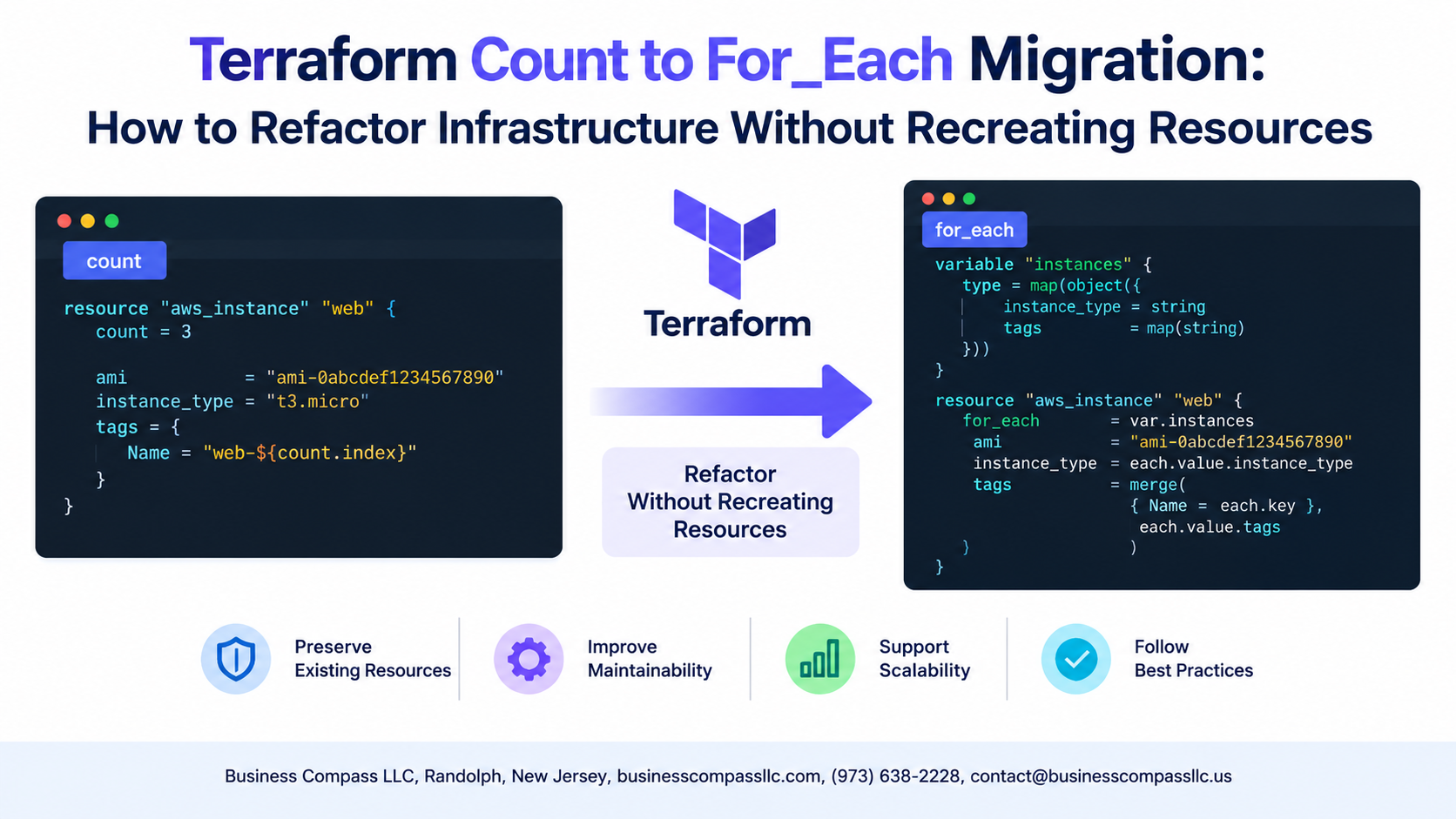
Stop Terraform from Blowing Up Your Infrastructure During a Count to For_Each Migration
If you’ve ever switched a Terraform resource from count to for_each and watched your plan threaten to destroy and recreate everything, you already know the pain. It’s one of the most common refactoring traps in Terraform, and it catches engineers off guard more often than it should.
This guide is for DevOps engineers, platform teams, and infrastructure developers who manage real environments and can’t afford unnecessary downtime or resource recreation just to clean up their Terraform code.
Here’s what we’ll walk through together:
- Why
countandfor_eachcreate fundamentally different state addresses — and why that difference is what causes the destruction problem in the first place - How to use the
terraform state mvcommand to migrate your existing state safely, so Terraform sees the refactor as a rename rather than a replacement - The infrastructure as code best practices that help you avoid getting stuck in this same situation down the road
No scary surprises, no accidental resource recreation. Just a clean, practical path from count to for_each with your infrastructure still standing at the end of it.
Understanding the Core Difference Between Count and For_Each

How Count Creates Indexed Resource Instances and Its Limitations
count assigns numeric indexes (resource[0], resource[1]), making state position-dependent. Remove an item, and everything shifts.
How For_Each Creates Named Resource Instances
for_each uses string keys (resource["name"]), anchoring each instance to a stable identifier.
Why For_Each Produces More Stable State Management
Named keys prevent accidental resource recreation during Terraform count to for_each refactoring.
Recognizing When to Migrate from Count to For_Each

Signs Your Count-Based Resources Are Causing Unnecessary Replacements
When you reorder a list, Terraform count reshuffles indexes, triggering unwanted resource recreation. Migrate to Terraform for_each using string keys instead — resources get stable identities, preventing replacements during Terraform state migration and making your infrastructure as code far more predictable and operationally sound.
The Danger of Naive Migration and Resource Recreation

Why Swapping Count for For_Each Destroys Resources
Terraform tracks resources by address — aws_instance.web[0] versus aws_instance.web["prod"] are completely different identities. Switching from count to for_each changes these addresses, forcing Terraform to destroy and recreate every resource. In production, that means real downtime, data loss risks, and broken infrastructure you didn’t intend to touch.
Preparing Your Terraform State for a Safe Migration

Auditing Your Existing State File
Before touching anything, run terraform state list to see every resource address. This gives you a clear picture of what needs moving.
- Back up your state:
terraform state pull > backup.tfstate - Map old indexed addresses (e.g.,
aws_instance.web[0]) to new For_Each keys (e.g.,aws_instance.web["prod"])
Executing the Migration Using Terraform State Move

Writing the New For_Each Configuration
Switch your resource block to use for_each = toset(var.names), replacing index-based references with each.key.
Running terraform state mv
terraform state mv 'aws_instance.web[0]' 'aws_instance.web["prod"]'
Run this per resource to remap addresses without triggering recreation.
Validate with terraform plan — confirm zero replacements shown.
Adopting Best Practices to Prevent Future Migration Headaches

A. Choose Stable, Meaningful Keys
Pick keys that won’t change — like "us-east-1" over index 0.
B. Use Maps, Not Lists
variable "buckets" { type = map(string) }
C. Document Key Conventions
- Keep a
CONVENTIONS.mdnoting key naming rules - Prevents teammates from breaking Terraform state management accidentally

Migrating from count to for_each in Terraform doesn’t have to be a nerve-wracking experience where you’re crossing your fingers hoping nothing gets destroyed. The key is understanding why the two differ, spotting the right moment to make the switch, and taking the time to prepare your state properly before touching a single line of code. When you skip the preparation and jump straight into refactoring, that’s when things go sideways and resources start getting recreated unnecessarily.
The terraform state mv command is your best friend through this process, and pairing it with solid naming conventions from the start means you’ll spend far less time doing this kind of cleanup down the road. Take it slow, validate at every step, and treat your state file with the care it deserves. A little patience now saves a lot of panic later.