


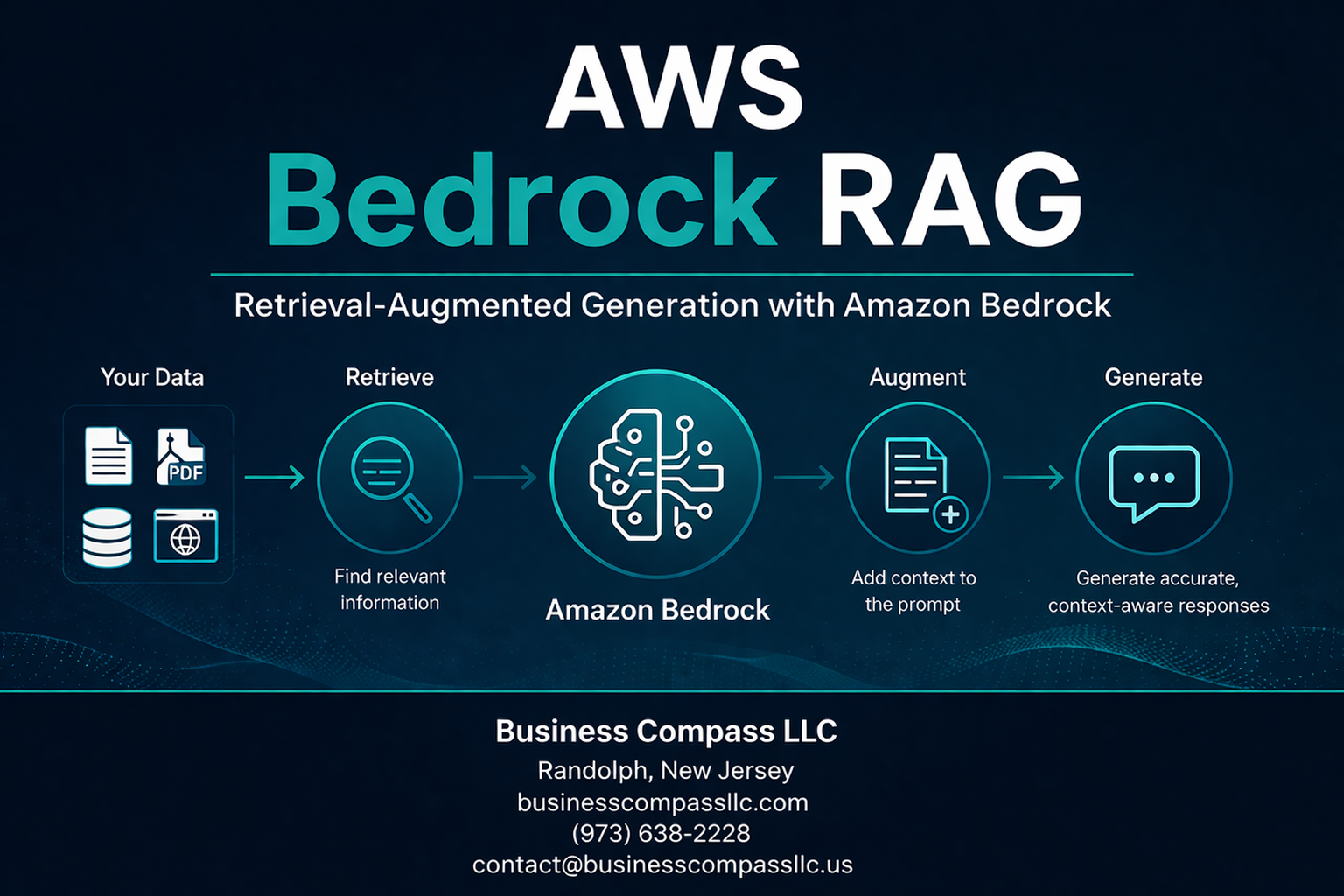
AWS Bedrock RAG transforms how developers build intelligent applications by combining Amazon’s managed foundation models with powerful retrieval-augmented generation capabilities. This guide is designed for cloud architects, AI engineers, and development teams who want to create production-ready RAG applications without managing underlying infrastructure.
Getting started with AWS Bedrock implementation can feel overwhelming, but breaking it down into key components makes the process manageable. We’ll explore how to build robust AWS Bedrock knowledge bases that serve as the foundation for your RAG applications, then walk through implementing effective RAG workflow AWS patterns that deliver accurate, contextual responses.
You’ll also discover proven strategies for AWS Bedrock performance optimization and learn essential security practices that protect your data while maintaining compliance standards. By the end, you’ll have a clear roadmap for deploying scalable retrieval-augmented generation AWS solutions that meet enterprise requirements.
Understanding AWS Bedrock’s Foundation for RAG Applications

Access enterprise-grade large language models without infrastructure overhead
AWS Bedrock RAG transforms how organizations approach artificial intelligence by removing the technical barriers that traditionally bog down AI projects. Instead of wrestling with GPU clusters, model hosting, or complex infrastructure setups, teams can tap into powerful foundation models with just a few API calls. This serverless approach means no more capacity planning headaches or surprise bills from idle compute resources.
The platform handles all the heavy lifting behind the scenes – model serving, scaling, patching, and monitoring. Your development team can focus on building amazing user experiences rather than becoming infrastructure experts overnight. When traffic spikes hit your RAG application, AWS Bedrock automatically scales to meet demand without any manual intervention or pre-provisioning.
This infrastructure-free approach also eliminates the typical AI deployment bottlenecks. Traditional ML projects often stall during the production phase when teams realize they need specialized hardware, container orchestration, and model optimization expertise. Bedrock sidesteps these challenges entirely, letting you move from prototype to production in weeks rather than months.
Leverage pre-trained models from leading AI companies through unified APIs
AWS Bedrock implementation becomes remarkably straightforward when you can access multiple AI providers through a single, consistent interface. The platform brings together foundation models from Anthropic, Stability AI, AI21 Labs, Cohere, and Amazon itself, all accessible through standardized APIs that speak the same language.
This unified approach saves massive amounts of integration work. Instead of learning different authentication methods, rate limiting schemes, and response formats for each provider, you work with one consistent API structure. Your RAG workflow AWS can seamlessly switch between Claude for reasoning tasks, Titan for text embeddings, or Stable Diffusion for image generation without rewriting core application logic.
The model variety gives you tactical advantages too. Different models excel at different tasks – some shine with technical documentation, others with creative content, and some with multilingual support. Having this flexibility at your fingertips means you can optimize for specific use cases within the same application. For complex RAG applications, you might use one model for query understanding, another for retrieval ranking, and a third for response generation.
Scale your RAG solutions with serverless architecture benefits
Serverless architecture brings game-changing advantages to retrieval-augmented generation AWS deployments. Your RAG applications can handle anything from a few dozen queries per day to millions without requiring architectural redesigns or capacity planning sessions. AWS Bedrock automatically manages the underlying compute resources, spinning them up when needed and shutting them down during quiet periods.
This elastic scaling proves especially valuable for RAG applications because usage patterns tend to be unpredictable. Customer support chatbots might see massive spikes during product launches, while internal knowledge systems experience heavy usage during specific business cycles. Traditional infrastructure would require significant over-provisioning to handle peak loads, resulting in wasted resources during normal operations.
Cost efficiency becomes a natural byproduct of this serverless model. You only pay for actual inference requests rather than keeping expensive GPU instances running 24/7. This pay-per-use pricing makes AWS Bedrock knowledge base projects financially viable even for smaller organizations or experimental use cases. The economic model aligns perfectly with actual business value – costs scale directly with usage and success.
Performance optimization happens automatically as well. AWS continuously optimizes the underlying infrastructure, deploys model improvements, and fine-tunes serving performance without any action required from your team. Your RAG applications benefit from these improvements immediately, ensuring consistently fast response times as your user base grows.
Building Knowledge Bases with AWS Bedrock

Create vector databases using Amazon OpenSearch Serverless integration
AWS Bedrock RAG applications rely on robust vector databases to store and query document embeddings effectively. Amazon OpenSearch Serverless provides a managed vector database solution that scales automatically without requiring infrastructure management. When setting up your AWS Bedrock knowledge base, OpenSearch Serverless acts as the backbone for storing document embeddings and enabling fast similarity searches.
The integration process starts with creating an OpenSearch Serverless collection configured for vector workloads. You’ll need to define the vector field mapping with appropriate dimensions matching your chosen embedding model – typically 1536 dimensions for text-embedding-ada-002 or 1024 for Amazon Titan embeddings. The vector configuration should specify the engine type (nmslib or faiss) and distance metric (cosine, euclidean, or dot product) based on your retrieval requirements.
Data access policies play a crucial role in securing your vector database. Configure collection policies to grant AWS Bedrock service permissions while restricting unauthorized access. Network policies should align with your security requirements, whether allowing public access or restricting to VPC endpoints.
Performance optimization involves selecting appropriate instance types and shard configurations. OpenSearch Serverless automatically manages scaling, but understanding your query patterns helps optimize costs. Monitor search latency and adjust vector search parameters like the ef_search value to balance between search accuracy and response time.
Implement automated document chunking and embedding generation
Document preprocessing transforms raw content into searchable vectors through intelligent chunking and embedding generation. AWS Bedrock knowledge base handles this pipeline automatically, but understanding the underlying mechanisms helps optimize results for your specific use case.
Chunking strategies significantly impact retrieval quality. The service supports multiple chunking methods including fixed-size chunking with configurable overlap, semantic chunking based on content structure, and hierarchical chunking for complex documents. For technical documentation, semantic chunking often works best as it preserves context boundaries. Business reports benefit from hierarchical chunking that maintains section relationships.
Chunk size affects both retrieval precision and context completeness. Smaller chunks (200-400 tokens) provide precise matches but may lack sufficient context. Larger chunks (800-1200 tokens) offer more context but might dilute relevant information. Testing different sizes with your specific document types helps find the optimal balance.
Embedding generation leverages foundation models like Amazon Titan or Cohere embeddings. Each model has distinct characteristics – Titan embeddings excel with general business content while Cohere performs better with technical documentation. The choice impacts both retrieval accuracy and costs, as different models have varying pricing structures.
Metadata enrichment during chunking adds valuable search dimensions. Extract document titles, creation dates, authors, and content categories to enable filtered searches. Custom metadata fields specific to your domain can dramatically improve retrieval relevance.
Configure retrieval mechanisms for optimal context matching
Retrieval configuration determines how effectively your RAG application finds relevant context for user queries. AWS Bedrock offers multiple retrieval strategies that can be fine-tuned based on your application requirements and content characteristics.
Vector similarity search forms the foundation of retrieval, but hybrid approaches often deliver superior results. Combining dense vector search with sparse keyword matching captures both semantic similarity and exact term matches. This hybrid approach proves particularly valuable for technical domains where specific terminology matters alongside conceptual understanding.
Query preprocessing enhances retrieval effectiveness. Implement query expansion techniques that add synonyms and related terms to capture documents that might use different vocabulary. Query reformulation can break complex questions into multiple focused searches, improving coverage of multi-faceted queries.
Retrieval parameters require careful tuning for optimal performance. The k parameter determines how many chunks to retrieve – typically between 5-20 depending on your use case. Similarity thresholds filter out irrelevant results, but setting them too high might exclude useful context. A/B testing with real user queries helps identify optimal parameter values.
Re-ranking mechanisms improve the final selection of retrieved chunks. AWS Bedrock supports semantic re-ranking using cross-encoder models that better understand query-document relationships. This second-stage ranking often significantly improves the relevance of the final context set passed to the generation model.
Manage document updates and version control efficiently
Dynamic knowledge bases require robust update mechanisms to maintain accuracy and relevance. AWS Bedrock provides several approaches for managing document lifecycles while minimizing disruption to ongoing operations.
Incremental updates allow adding new documents without reprocessing the entire knowledge base. The service automatically handles embedding generation and index updates for new content. Implement change detection mechanisms using document hashes or modification timestamps to identify when existing documents require reprocessing.
Version control strategies depend on your content update patterns. For frequently changing documents like policy manuals or product specifications, maintain multiple versions with timestamp metadata. This allows retrieving information accurate to specific time periods and provides audit trails for content changes.
Batch processing optimizes costs for large-scale updates. Schedule regular update windows during low-traffic periods to process document additions, modifications, and deletions efficiently. Monitor processing times and adjust batch sizes to balance throughput with resource consumption.
Consistency management ensures users don’t encounter mixed information from different document versions. Implement atomic updates where possible, replacing entire document sets rather than making piecemeal changes. For critical applications, consider blue-green deployment patterns where you maintain parallel knowledge bases and switch traffic after validation.
Performance monitoring during updates helps identify optimization opportunities. Track metrics like indexing latency, storage growth, and query performance changes after updates. This data informs decisions about update frequency, batch sizing, and infrastructure scaling.
Implementing Retrieval-Augmented Generation Workflows

Design Query Processing Pipelines for Enhanced Accuracy
Building effective query processing pipelines in AWS Bedrock RAG applications starts with understanding how user questions flow through your system. Your pipeline should break down complex queries into manageable components, apply semantic understanding, and route requests to the most relevant data sources.
Start by implementing query preprocessing steps that clean and standardize user input. This includes handling typos, expanding abbreviations, and normalizing terminology specific to your domain. AWS Bedrock’s foundation models excel at understanding context, but clean input data significantly improves retrieval accuracy.
Create multiple retrieval strategies within your pipeline. Dense vector search works well for semantic similarity, while sparse retrieval methods like keyword matching can capture exact phrase matches. Hybrid approaches often deliver the best results by combining both techniques and allowing the system to choose the most appropriate method based on query characteristics.
Implement query expansion techniques to capture related concepts. When users ask about “ML models,” your pipeline should also consider “machine learning algorithms,” “AI models,” and “predictive analytics.” This semantic expansion helps retrieve comprehensive context from your knowledge base.
Add query routing logic that directs different question types to specialized retrievers. Technical questions might need code repositories, while business queries require policy documents. This targeted approach prevents irrelevant information from cluttering the context window.
Optimize Context Window Utilization for Better Responses
Context window optimization directly impacts your RAG application’s response quality and cost efficiency. AWS Bedrock models have specific token limits, making strategic context management essential for optimal performance.
Implement intelligent document chunking strategies that preserve semantic meaning while respecting size constraints. Instead of arbitrary character limits, chunk documents at natural boundaries like paragraphs, sections, or logical breaks. This approach maintains coherent context that foundation models can better understand and process.
Use relevance scoring to rank retrieved chunks before including them in your prompt. Not all retrieved information carries equal value for answering specific questions. Score chunks based on semantic similarity, keyword matches, and contextual relevance to ensure the most valuable information gets priority placement within your limited context window.
Create dynamic context allocation strategies that adjust based on query complexity. Simple factual questions might need fewer context chunks, while complex analytical queries require more comprehensive background information. This adaptive approach maximizes the utility of available tokens.
Implement context compression techniques that summarize less critical information while preserving key details. For lengthy documents, create condensed versions that capture essential points without consuming excessive tokens. AWS Bedrock’s summarization capabilities can help automate this process.
Monitor context utilization patterns to identify optimization opportunities. Track which information types contribute most to accurate responses and adjust your retrieval and ranking algorithms accordingly.
Configure Prompt Engineering Templates for Consistent Outputs
Well-structured prompt templates ensure your AWS Bedrock RAG applications deliver consistent, high-quality responses across different use cases and user interactions. Templates provide the framework that guides foundation models to process retrieved context effectively.
Design role-based prompt templates that establish clear expectations for the model’s behavior. Specify whether the model should act as a technical advisor, customer service representative, or analytical assistant. This role definition helps maintain appropriate tone and expertise level throughout interactions.
Structure your prompts with distinct sections for instructions, context, and user questions. Clear separation helps foundation models understand how to process each component. Include explicit instructions about how to handle situations where retrieved context doesn’t fully address the user’s question.
Create domain-specific templates that incorporate industry terminology and expected response formats. Financial applications might need templates that emphasize accuracy and regulatory compliance, while creative applications could encourage more exploratory responses.
Implement few-shot examples within your templates to demonstrate desired response patterns. Show the model examples of excellent answers that use retrieved context effectively while maintaining appropriate structure and tone. This guidance significantly improves output consistency.
Build conditional logic into templates that adapt based on query type or user context. Different question categories often require different response approaches, and smart templates can automatically adjust formatting and emphasis accordingly.
Test template variations systematically to identify the most effective approaches for your specific use cases. Small changes in wording or structure can significantly impact response quality and user satisfaction.
Integrate Real-Time Data Sources with Your Knowledge Base
Real-time data integration transforms static AWS Bedrock knowledge bases into dynamic, current information systems that provide up-to-date responses for time-sensitive queries.
Establish streaming data pipelines that continuously update your vector store with fresh information from APIs, databases, and external services. Use AWS services like Lambda and EventBridge to trigger updates when new data becomes available, ensuring your knowledge base stays current without manual intervention.
Implement change detection mechanisms that identify when existing documents require updates. Monitor source systems for modifications and automatically re-process affected content. This approach prevents outdated information from degrading response quality while minimizing unnecessary computational overhead.
Design hybrid retrieval systems that combine static knowledge base searches with real-time API calls. When users ask about current stock prices or weather conditions, your system should recognize these as real-time queries and fetch fresh data directly from appropriate sources.
Create data freshness indicators that help users understand the currency of provided information. Include timestamps and source attribution in responses, allowing users to assess the reliability and relevance of the information they receive.
Build fallback mechanisms for when real-time sources become unavailable. Your system should gracefully degrade to cached or historical data while clearly communicating any limitations to users.
Optimize real-time integration performance by caching frequently requested dynamic data and implementing intelligent refresh strategies that balance accuracy with response speed. This ensures your RAG workflow AWS implementation remains responsive while delivering current information.
Maximizing Performance and Cost Efficiency

Fine-tune retrieval parameters for faster response times
Getting the most out of your AWS Bedrock RAG implementation starts with tweaking the right retrieval settings. The numberOfResults parameter plays a huge role in response speed – while you might think more results equal better answers, the sweet spot usually sits between 5-10 chunks. Beyond that, you’re just adding processing overhead without meaningful quality gains.
Chunk size optimization makes a massive difference too. Smaller chunks (512-1024 tokens) retrieve faster but might miss context, while larger chunks (2048+ tokens) provide richer context but slow things down. Test different sizes with your specific content type to find what works best.
The similarity threshold deserves special attention in your AWS Bedrock knowledge base configuration. Setting it too low floods your retrieval with irrelevant content, while too high might miss useful information. Start with 0.7 and adjust based on your domain’s specificity.
Consider implementing semantic chunking instead of fixed-size splits. This approach respects document structure and keeps related concepts together, often improving both speed and accuracy in your RAG workflow AWS setup.
Implement caching strategies to reduce API calls
Smart caching can slash your AWS Bedrock costs dramatically while boosting performance. Start with query-level caching using Amazon ElastiCache or DynamoDB. Hash incoming questions and store responses for identical or highly similar queries. This works particularly well for FAQ-style applications where users ask variations of the same questions.
Implement a two-tier caching approach:
| Cache Layer | Storage | TTL | Use Case |
|---|---|---|---|
| L1 (Memory) | Redis | 1-6 hours | Frequent queries |
| L2 (Persistent) | DynamoDB | 1-7 days | Common patterns |
Document embeddings should absolutely be cached. Once you’ve generated embeddings for your knowledge base chunks, store them in a vector database like Amazon OpenSearch Service or Pinecone. This eliminates repeated embedding generation costs.
Query result caching works best with a configurable TTL based on content freshness requirements. News articles might need 1-hour cache expiration, while product documentation could cache for days.
Don’t forget about negative caching – storing “no results found” responses prevents repeated expensive searches for queries that won’t return useful information.
Monitor usage patterns and optimize model selection
AWS Bedrock offers multiple foundation models, and choosing the wrong one wastes money fast. Claude 3 Haiku excels at simple question-answering tasks at a fraction of Claude 3 Opus costs, while GPT-4 might be overkill for basic retrieval tasks.
Set up CloudWatch dashboards tracking key metrics:
- Token consumption per model
- Response time by model type
- Cost per successful query
- Error rates by foundation model
Use AWS Cost Explorer to analyze spending patterns across different models. You might discover that 80% of your queries work perfectly with smaller, cheaper models, reserving premium options for complex reasoning tasks.
Implement model routing based on query complexity. Simple factual questions can route to faster, cheaper models, while complex analytical requests go to more powerful options. This hybrid approach often delivers 40-60% cost savings without sacrificing quality.
A/B testing different models helps identify the cost-quality sweet spot for your specific use case. Track user satisfaction scores alongside cost metrics to make data-driven decisions about your AWS Bedrock implementation.
Set up automated scaling based on demand fluctuations
Your RAG application needs to handle traffic spikes without breaking the bank during quiet periods. AWS Lambda works brilliantly for this since it scales automatically and you only pay for actual compute time.
Configure your AWS Bedrock RAG workflow with these scaling strategies:
Lambda Concurrency Settings:
- Reserved concurrency for critical workloads
- Provisioned concurrency for predictable high-traffic periods
- Burst scaling for unexpected demand spikes
Queue-based Processing:
Use Amazon SQS to buffer requests during traffic surges. This prevents overwhelming your knowledge base retrieval system and provides better user experience through predictable response times.
Database Auto-scaling:
If you’re using DynamoDB for caching or metadata storage, enable auto-scaling with conservative scaling policies. Start with 70% utilization triggers and adjust based on your traffic patterns.
Cost Controls:
Set up billing alerts and AWS Budget controls to prevent runaway costs. Configure alarms when spending exceeds expected thresholds, especially during initial deployment phases when usage patterns aren’t established.
Consider using Spot instances for batch processing tasks like knowledge base updates or embedding generation. This can reduce costs by up to 90% for non-time-sensitive operations in your AWS Bedrock performance optimization strategy.
Security and Compliance Best Practices

Implement data encryption for sensitive knowledge bases
When working with AWS Bedrock RAG applications, protecting sensitive data requires a multi-layered encryption strategy. Amazon S3, which typically stores your knowledge base documents, automatically encrypts data at rest using server-side encryption with Amazon S3-managed keys (SSE-S3). For heightened security requirements, you can configure server-side encryption with AWS Key Management Service (AWS KMS) keys, giving you complete control over encryption keys and access policies.
Data in transit receives equal protection through TLS 1.2 encryption for all API calls between your application and AWS Bedrock services. This encryption extends to vector databases like Amazon OpenSearch Service, which supports encryption both at rest and in transit. When configuring your AWS Bedrock knowledge base, enable field-level encryption for particularly sensitive metadata or document content.
Consider implementing client-side encryption for documents before uploading them to S3. This approach ensures that even AWS personnel cannot access your raw data. Libraries like the AWS Encryption SDK provide seamless integration for encrypting documents at the application level while maintaining compatibility with retrieval workflows.
Configure access controls and user authentication
AWS Identity and Access Management (IAM) serves as the foundation for controlling access to your AWS Bedrock RAG implementation. Create specific IAM roles with least-privilege principles, granting users only the minimum permissions needed for their responsibilities. For example, data scientists might need read-only access to knowledge bases, while administrators require full management capabilities.
Implement resource-based policies to control access at the knowledge base level. These policies work alongside IAM roles to provide granular control over who can query specific datasets or modify retrieval configurations. Use condition keys in IAM policies to restrict access based on IP addresses, time of day, or MFA status.
For applications serving multiple tenants or departments, configure Amazon Cognito user pools to manage authentication and authorization. This service integrates seamlessly with AWS Bedrock security features and provides user management capabilities including multi-factor authentication, password policies, and user session management.
Set up AWS CloudTrail logging to monitor all API calls to your AWS Bedrock resources. This audit trail helps identify unauthorized access attempts and provides detailed logs for compliance reporting.
Ensure compliance with industry regulations and standards
Meeting regulatory requirements like GDPR, HIPAA, or SOX demands careful attention to data handling practices within your AWS Bedrock RAG workflow. Start by implementing data classification strategies that identify and tag sensitive information before it enters your knowledge base. This classification enables automated handling based on regulatory requirements.
For GDPR compliance, establish procedures for handling data subject requests including the right to be forgotten. Design your knowledge base architecture to support document-level deletion and implement versioning strategies that maintain audit trails while enabling data removal. Vector embeddings present unique challenges since they may contain traces of original data even after source documents are deleted.
HIPAA-covered entities must ensure that all data processing occurs within AWS services that offer Business Associate Agreements (BAAs). AWS Bedrock and supporting services like Amazon S3 and OpenSearch Service provide HIPAA-eligible configurations when properly configured with appropriate encryption and access controls.
Maintain detailed documentation of your data processing activities, including data flow diagrams showing how information moves through your RAG pipeline. This documentation proves essential during compliance audits and helps identify potential privacy risks before they become issues.
Regular compliance assessments should include penetration testing of your AWS Bedrock implementation and vulnerability scans of all supporting infrastructure. AWS Config can automate compliance monitoring by checking resource configurations against regulatory requirements and alerting you to any deviations from approved baselines.

AWS Bedrock RAG transforms how businesses build intelligent applications by combining powerful foundation models with your own data sources. The platform’s knowledge base capabilities make it simple to connect your documents and information to AI models, while the streamlined RAG workflows help you create applications that provide accurate, contextual responses. When you focus on performance optimization and cost management, you can scale these solutions without breaking your budget.
Getting started with AWS Bedrock RAG means taking security and compliance seriously from day one. The built-in security features and compliance controls give you peace of mind when handling sensitive data, while the user-friendly interface lets your team focus on building great applications instead of wrestling with complex infrastructure. Start small with a pilot project, learn what works for your use case, and gradually expand your RAG implementations as you gain confidence with the platform.









