


Building a custom AWS VPC architecture isn’t just about connecting resources—it’s about creating a secure, scalable foundation that grows with your business. This guide is designed for DevOps engineers, cloud architects, and IT professionals who need to design robust cloud network architecture solutions that actually work in production.
Getting your AWS networking best practices right from the start saves you from costly redesigns later. We’ll walk through the essential components that make enterprise-grade networks tick, from VPC subnets configuration to AWS security groups setup.
You’ll learn how to plan a VPC routing tables strategy that keeps traffic flowing efficiently while maintaining tight security controls. We’ll also cover VPC performance optimization techniques that help your modern cloud infrastructure handle real-world workloads without breaking a sweat.
By the end, you’ll have a clear roadmap for implementing AWS enterprise networking solutions that scale with your applications and protect your most critical assets.
Understanding VPC Fundamentals for Enterprise Applications

Core VPC Components and Their Strategic Value
AWS VPC architecture forms the foundation of modern cloud infrastructure, providing essential building blocks like subnets, internet gateways, and NAT gateways. These components work together to create isolated network environments that mirror traditional data center setups. Route tables control traffic flow between subnets, while security groups and NACLs provide granular access control. Understanding how these elements interact helps architects design robust, scalable networks that meet enterprise requirements.
Custom VPC design offers complete control over IP addressing schemes and network topology. Organizations can implement multi-tier architectures with dedicated subnets for web, application, and database layers. This strategic approach enables better resource organization and simplifies compliance with industry regulations.
Network Isolation Benefits for Security-Critical Workloads
Network isolation through custom VPCs creates secure boundaries around sensitive applications and data. Each VPC operates as a logically separated network within AWS, preventing unauthorized access from other accounts or services. Security-critical workloads benefit from dedicated IP ranges, private subnets, and controlled internet access through carefully configured gateways.
Advanced isolation techniques include VPC peering for secure cross-network communication and private endpoints for accessing AWS services without internet exposure. These features protect against data breaches while maintaining operational flexibility for enterprise networking requirements.
Scalability Advantages Over Default Network Configurations
Default VPC configurations often limit growth potential with fixed IP ranges and basic routing setups. Custom AWS VPC architecture provides unlimited scalability through thoughtful subnet planning and CIDR block allocation. Organizations can expand their networks across multiple availability zones while maintaining consistent performance and security standards.
Custom configurations support dynamic scaling scenarios, allowing teams to add new application tiers without disrupting existing workloads. This flexibility proves essential for modern cloud infrastructure that needs to adapt quickly to changing business demands and traffic patterns.
Planning Your Custom VPC Architecture Strategy

Assessing Application Requirements and Traffic Patterns
Understanding your application’s specific needs forms the backbone of effective AWS VPC architecture planning. Start by mapping your application components and their communication patterns – whether you’re running microservices that need frequent inter-service communication or traditional three-tier applications with predictable data flows. Consider peak traffic volumes, seasonal variations, and growth projections to size your network infrastructure appropriately.
Document latency requirements between application tiers and external dependencies like databases or third-party APIs. Applications requiring real-time processing need different network configurations than batch processing systems. Identify which components handle sensitive data and require isolation, as this directly impacts your subnet design and security group configuration.
Determining Optimal IP Address Range Allocation
Choose CIDR blocks that provide room for growth while avoiding conflicts with existing networks. The /16 range (65,536 addresses) works well for most enterprise applications, but smaller organizations might opt for /20 or /24 ranges. Reserve larger subnets for application tiers that scale horizontally and smaller ones for management or database layers with predictable sizing.
Plan your IP allocation strategy across multiple availability zones early. Allocate roughly equal CIDR blocks per AZ to maintain flexibility for future scaling. Consider keeping some IP ranges reserved for future expansion or disaster recovery scenarios, especially if you’re planning hybrid cloud connectivity.
Multi-AZ Design for High Availability Requirements
Distribute critical application components across at least two availability zones to achieve enterprise-grade reliability. Design your custom VPC design with primary and secondary AZs, placing load balancers, application servers, and databases in separate zones to eliminate single points of failure. This approach ensures your application stays operational even during AZ-level outages.
Create subnet pairs in each AZ – public subnets for load balancers and NAT gateways, private subnets for application servers, and isolated subnets for databases. This multi-layer approach enhances both security and availability while supporting AWS networking best practices for modern cloud infrastructure.
Compliance and Regulatory Considerations
Regulatory requirements often dictate network segmentation and data flow controls within your VPC architecture. Industries like healthcare (HIPAA) or finance (PCI DSS) need strict network isolation between different data classification levels. Design separate subnets for different compliance zones and implement network access controls that prevent unauthorized data movement between them.
Plan for audit trails and logging requirements from the start. Enable VPC Flow Logs and configure CloudTrail to capture all network-related API calls. Some regulations require data residency controls, so choose your AWS regions carefully and design your network to prevent data from traversing unwanted geographic boundaries.
Implementing Subnets for Maximum Performance and Security

Public Subnet Configuration for Internet-Facing Resources
Configure your public subnets to handle web servers, load balancers, and NAT gateways that need direct internet access. These subnets require an internet gateway attachment and route tables pointing to 0.0.0.0/0 for outbound traffic. Best practices include:
- Deploy Application Load Balancers in multiple Availability Zones
- Use Auto Scaling Groups for web tier redundancy
- Configure security groups to allow only necessary ports (80, 443)
- Implement CloudFront for global content delivery
Private Subnet Design for Backend Application Components
Private subnets house your application servers, microservices, and middleware components that don’t need direct internet exposure. Route traffic through NAT gateways for outbound connectivity while maintaining security. Key considerations include:
- Segregate application tiers using dedicated subnet ranges
- Configure custom route tables for controlled traffic flow
- Use VPC endpoints for AWS service communication
- Implement proper CIDR block sizing for future scaling
Database Subnet Isolation for Enhanced Data Protection
Database subnets provide the highest level of isolation for your data tier, blocking all internet access while enabling application connectivity. Create database subnet groups spanning multiple AZs for RDS deployment. Security measures include:
- Zero internet gateway routes for complete isolation
- Restrictive security groups allowing only application subnet access
- Dedicated NACLs for additional layer protection
- Cross-AZ replication for disaster recovery requirements
Configuring Network Access Control and Routing

Security Group Rules for Granular Traffic Management
Security groups act as virtual firewalls for EC2 instances, providing stateful filtering at the instance level. Create specific rules that allow only necessary traffic – define inbound rules for application ports like HTTP (80) and HTTPS (443) while restricting source IP ranges to known networks. Outbound rules should follow the principle of least privilege, explicitly defining destinations rather than allowing all traffic.
Group related instances with similar security requirements into dedicated security groups. Database servers should have separate groups allowing only application tier access on specific ports. Web servers need different rules than application servers, so avoid the temptation to use catch-all security groups that weaken your AWS VPC architecture’s defense posture.
Network ACLs for Additional Layer Defense
Network ACLs provide subnet-level security as a second layer of defense beyond security groups. Unlike security groups, ACLs are stateless and require explicit rules for both inbound and outbound traffic. Configure ACLs to block known malicious IP ranges and create broad traffic patterns that complement your security group configurations.
Design ACL rules with careful numbering – lower numbers take precedence. Start with deny rules for suspicious traffic patterns, then add allow rules for legitimate business traffic. Remember that default VPC ACLs allow all traffic, so custom configurations strengthen your AWS networking best practices implementation.
Route Table Optimization for Efficient Traffic Flow
Route tables direct traffic between subnets and external networks, making proper configuration critical for performance. Create separate route tables for public and private subnets – public subnets need routes to internet gateways while private subnets route through NAT gateways. Associate each subnet with the appropriate route table to ensure traffic flows correctly.
Implement route prioritization by using more specific routes over general ones. Local VPC traffic automatically uses the most efficient path, but external routing requires careful planning. Consider using VPC endpoints for AWS services to keep traffic within the AWS network, reducing latency and improving security for your custom VPC design.
NAT Gateway Setup for Secure Outbound Connectivity
NAT gateways enable instances in private subnets to access the internet for updates and API calls while preventing inbound connections. Deploy NAT gateways in public subnets within each availability zone for high availability. This setup ensures private subnet instances maintain connectivity even if one AZ experiences issues.
Configure route tables in private subnets to direct internet-bound traffic through the appropriate NAT gateway. Monitor NAT gateway bandwidth and costs since data processing charges apply. For cost optimization, consider NAT instances for development environments, but stick with managed NAT gateways for production workloads requiring enterprise-level reliability and VPC performance optimization.
Advanced VPC Features for Modern Applications
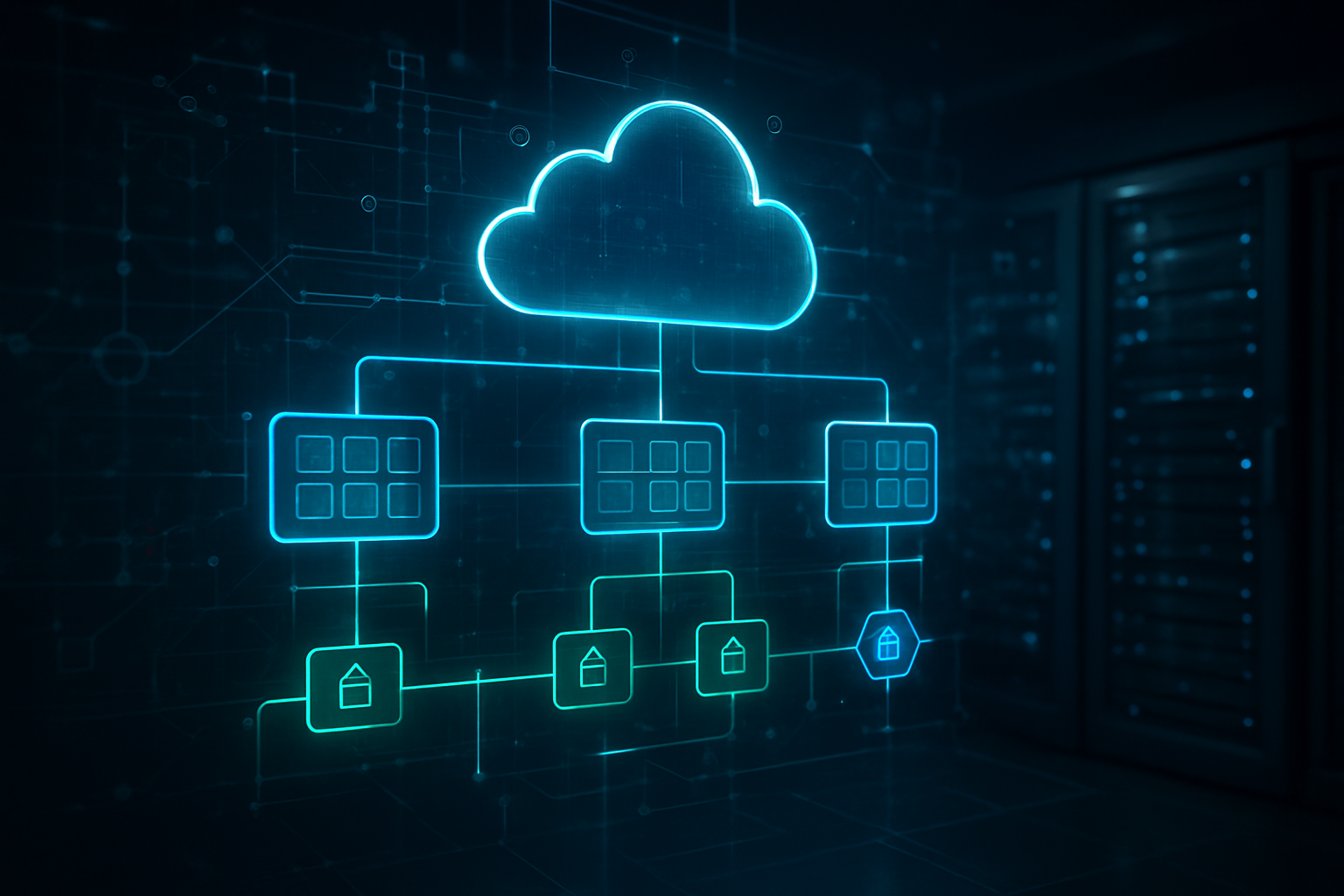
VPC Peering for Multi-Environment Connectivity
VPC peering creates direct network connections between virtual private clouds, enabling seamless resource communication across development, staging, and production environments. This AWS VPC architecture approach eliminates the need for internet gateways or NAT instances when connecting multiple VPCs.
Setting up peering connections requires careful CIDR block planning to avoid IP address conflicts. Route tables must be configured to direct traffic through the peering connection, while security groups control access between peered VPCs for enhanced security.
Transit Gateway Integration for Complex Network Topologies
Transit Gateway acts as a central hub for connecting multiple VPCs, on-premises networks, and VPN connections through a single managed service. This modern cloud infrastructure component simplifies AWS enterprise networking by reducing the complexity of multiple peering relationships and providing centralized routing control.
The service supports route propagation, cross-region peering, and bandwidth scaling up to 50 Gbps per attachment. Organizations can implement hub-and-spoke topologies while maintaining granular security policies and traffic segmentation across their entire network infrastructure.
VPC Endpoints for Cost-Effective AWS Service Access
VPC endpoints enable private connectivity to AWS services without traversing the public internet, reducing data transfer costs and improving security. Gateway endpoints support S3 and DynamoDB, while interface endpoints provide access to numerous AWS services through private IP addresses within your VPC subnets configuration.
These endpoints eliminate the need for NAT gateways when accessing AWS services, significantly reducing monthly charges for data processing and transfer. Security groups and endpoint policies provide fine-grained access control to specific resources and actions.
Flow Logs Implementation for Network Monitoring
VPC Flow Logs capture network traffic metadata for security analysis, troubleshooting, and compliance monitoring within your AWS networking best practices framework. These logs record source and destination IP addresses, ports, protocols, and traffic acceptance or rejection decisions made by security groups and NACLs.
Logs can be published to CloudWatch Logs, S3 buckets, or Kinesis Data Firehose for analysis using tools like CloudWatch Insights or third-party SIEM platforms. Custom log formats allow organizations to capture specific fields relevant to their VPC performance optimization and security monitoring requirements.
Monitoring and Optimizing VPC Performance

CloudWatch Metrics for Network Performance Tracking
Monitor your AWS VPC architecture through CloudWatch metrics that track essential network performance indicators. Key metrics include NetworkPacketsIn/Out, NetworkBytesIn/Out, and NetworkLatencyHigh for EC2 instances. VPC Flow Logs capture detailed traffic patterns, helping identify bottlenecks and unusual activity across your subnets configuration.
Set up custom dashboards displaying real-time network utilization, packet loss rates, and bandwidth consumption. Configure alarms for threshold breaches on critical metrics like high network latency or unexpected traffic spikes. This proactive monitoring approach prevents performance degradation before it impacts your modern cloud infrastructure.
Cost Optimization Strategies for Network Resources
Optimize AWS networking costs by rightsizing your VPC performance optimization strategy. Choose appropriate instance types with sufficient network capacity rather than over-provisioning bandwidth. Use VPC endpoints instead of NAT gateways for S3 and DynamoDB access, eliminating data transfer charges.
Review data transfer patterns between Availability Zones and regions regularly. Consolidate resources within single AZs when possible and leverage AWS enterprise networking features like Direct Connect for consistent high-volume traffic. Monitor unused Elastic IPs and remove unnecessary network interfaces to reduce monthly charges.
Troubleshooting Common Connectivity Issues
Debug VPC routing tables and security groups setup when experiencing connectivity problems. Check route table associations ensure traffic flows correctly between subnets. Verify security group rules allow required protocols and ports for your applications. Network ACLs can also block traffic even when security groups permit it.
Use VPC Flow Logs to trace packet flows and identify where traffic gets dropped. Test connectivity with telnet, ping, or traceroute commands from different network segments. Common issues include misconfigured DNS settings, incorrect subnet associations, and conflicting CIDR blocks in your AWS networking best practices implementation.

Building a custom AWS VPC architecture isn’t just about following best practices—it’s about creating a foundation that grows with your business. From understanding the basics to implementing advanced features like VPC peering and Transit Gateways, each component plays a vital role in delivering secure, scalable cloud applications. The combination of properly configured subnets, smart routing decisions, and robust security controls creates an environment where your applications can thrive without compromising on performance or safety.
The real magic happens when you actively monitor and optimize your VPC setup. Don’t just set it and forget it—regularly review your network performance metrics, adjust your security groups based on actual traffic patterns, and keep your routing tables lean and efficient. Start with a solid architectural plan, implement security from day one, and remember that your VPC should evolve alongside your applications. Take the time to design it right, and you’ll have a network infrastructure that supports whatever comes next.









