


Managing AWS costs shouldn’t feel like solving a puzzle every month. This guide shows you how to build a smart AWS cost management system that combines Amazon Athena’s powerful query capabilities with AWS Bedrock AI integration to create intelligent, automated cost insights.
Who This Is For:
This tutorial is designed for cloud architects, DevOps engineers, and finance teams who want to move beyond basic AWS Cost Explorer reports and create a predictive cost analytics AWS solution that actually saves money.
What You’ll Learn:
We’ll walk through setting up Amazon Athena for cost data analysis to query your billing data like a database, then show you how to integrate Amazon Bedrock for AI-powered cloud cost insights that predict spending patterns and identify optimization opportunities. You’ll also discover how to build smart cost visualization dashboards that turn raw billing data into actionable recommendations your team can actually use.
Stop manually digging through cost reports. Let’s build an intelligent system that works for you.
Understanding AWS Cost Management Challenges

Common cost overruns in cloud environments
Cloud spending spirals out of control when teams provision resources without considering long-term costs. Unused EC2 instances, oversized databases, and forgotten storage buckets create substantial financial drain. Development teams often select high-performance instance types for testing environments that never get scaled down. Data transfer costs between regions catch organizations off-guard, especially when applications aren’t architected with AWS cost optimization principles in mind.
Limitations of basic AWS cost reporting
Standard AWS billing dashboards provide historical spending breakdowns but lack predictive insights for future budget planning. The native Cost Explorer offers basic filtering and grouping capabilities, yet struggles with complex cost attribution across multiple projects and departments. Manual report generation consumes valuable time while missing opportunities for smart AWS cost management automation that could identify spending patterns and anomalies in real-time.
Need for intelligent cost analysis and predictions
Traditional cost reporting reactive approaches leave finance teams scrambling to explain budget overruns after they occur. AI-powered cloud cost insights enable proactive decision-making by identifying spending trends before they impact budgets. Predictive cost analytics AWS solutions can forecast resource needs based on usage patterns, seasonal fluctuations, and business growth metrics. This intelligent approach transforms cost management from a monthly reconciliation exercise into a strategic advantage for resource planning and optimization.
Setting Up Your AWS Foundation

Configuring AWS Cost and Usage Reports
AWS Cost and Usage Reports serve as the foundation for intelligent cost analysis and AWS cost optimization. These detailed reports contain granular billing data including resource usage, costs, and metadata that powers Amazon Athena cost analysis. Configure your reports to include all available dimensions and resources, ensuring comprehensive data collection for your smart AWS cost management system.
Enable hourly granularity and resource IDs in your Cost and Usage Reports to maximize data richness. This detailed information becomes crucial when building AI-powered cloud cost insights with Amazon Bedrock, allowing for precise cost attribution and predictive analytics capabilities.
Establishing Proper IAM Roles and Permissions
Create dedicated IAM roles with specific permissions for Cost Explorer, S3 access, and Athena query execution. Your service roles need s3:GetObject, s3:ListBucket permissions for the cost data bucket, plus athena:StartQueryExecution and glue:GetTable access for seamless data querying. Include bedrock:InvokeModel permissions to enable AI-powered analysis features.
Implement least-privilege access principles by creating separate roles for different components of your cost management pipeline. This security approach protects sensitive billing data while enabling automated cost visualization dashboard functionality and maintaining compliance with AWS cost management best practices.
Preparing S3 Buckets for Data Storage
Design your S3 bucket structure with partitioning that supports efficient Athena queries and cost analysis workflows. Organize cost data using year/month/day partitions to optimize query performance and reduce scanning costs. Apply S3 lifecycle policies to transition older cost reports to cheaper storage classes, balancing accessibility with storage costs.
Configure cross-region replication if disaster recovery is required for your cost data. Enable S3 server access logging and versioning to maintain audit trails and data integrity for your predictive cost analytics AWS infrastructure.
Implementing Amazon Athena for Cost Data Analysis
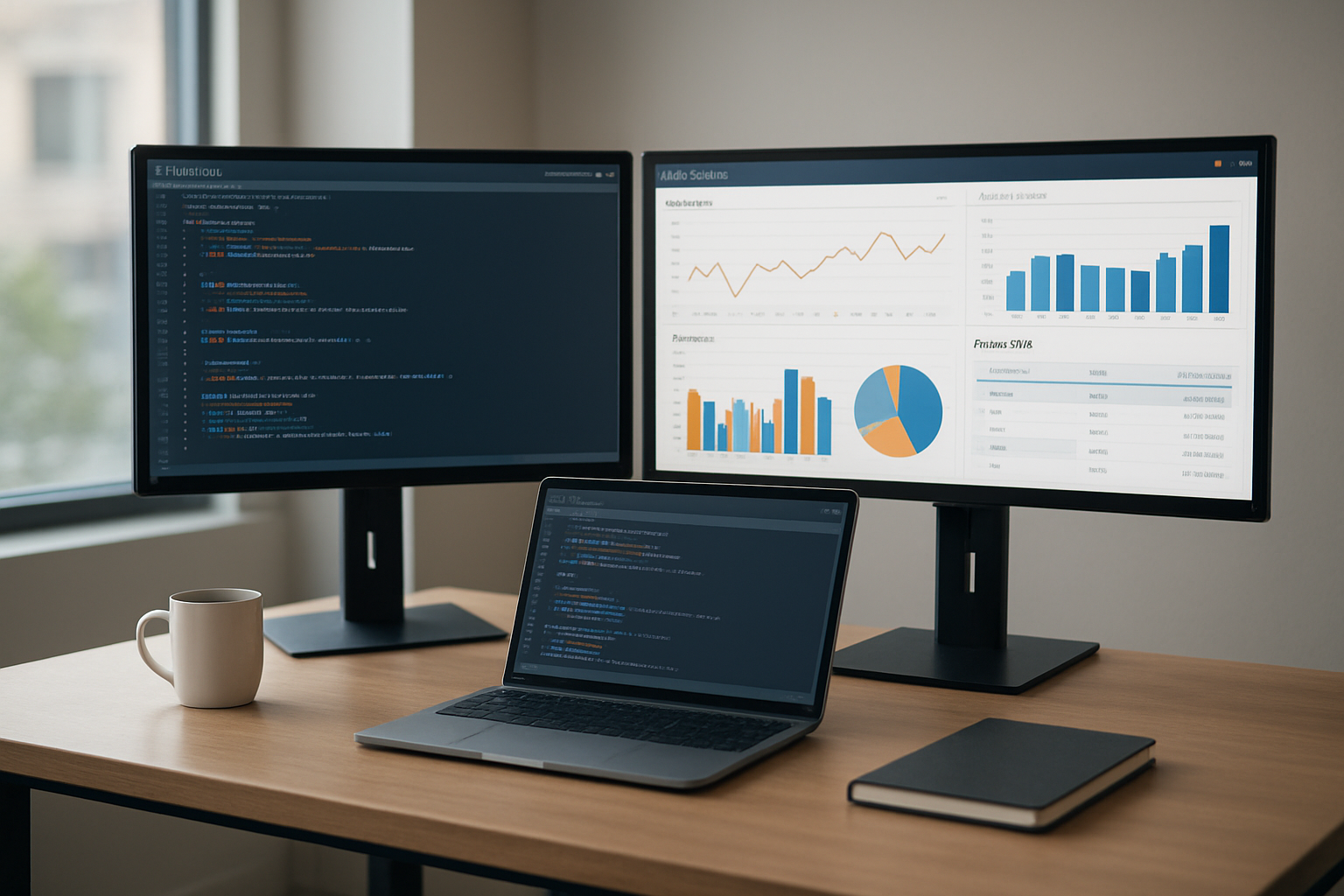
Creating cost data tables in Athena
Setting up your cost data tables in Amazon Athena starts with accessing AWS Cost and Usage Reports. You’ll need to configure these reports in your AWS Billing console first, then create external tables that point to your S3 bucket where the cost data lives. The table schema should include essential columns like service names, usage amounts, costs, and time periods for comprehensive AWS cost analysis.
Writing efficient SQL queries for cost insights
Craft your SQL queries to focus on specific cost patterns and anomalies. Start with basic aggregations by service, region, or time period, then build more complex queries that identify cost spikes or unusual spending patterns. Use window functions to calculate month-over-month growth and WHERE clauses to filter data by specific services or accounts for targeted AWS cost optimization insights.
Optimizing query performance and reducing costs
Query performance in Athena directly impacts your analysis speed and costs. Limit your SELECT statements to only necessary columns and always include date filters to reduce data scanning. Use columnar formats like Parquet for better compression and faster queries. Consider using LIMIT clauses during development and testing to avoid scanning massive datasets unnecessarily.
Setting up automated data partitioning
Partitioning your cost data by year, month, and day dramatically improves query performance and reduces costs. Create partition schemes that match your most common query patterns – typically by date ranges. Set up automated partition discovery using AWS Glue crawlers or Lambda functions to handle new data as it arrives, ensuring your Amazon Athena cost analysis remains current and efficient.
Integrating Amazon Bedrock for AI-Powered Insights

Selecting the right foundation model for cost analysis
Claude from Anthropic excels at financial data interpretation and cost trend analysis, making it ideal for AWS cost optimization projects. Amazon Titan models offer strong performance for structured cost data processing while maintaining cost-effectiveness for high-volume queries. When choosing between models, consider your analysis complexity—Claude handles nuanced cost recommendations and budget variance explanations better, while Titan works well for straightforward pattern recognition and basic anomaly identification.
Creating intelligent prompts for cost optimization
Effective prompts transform raw AWS cost data into actionable insights by structuring queries around specific business contexts. Design prompts that include time periods, service categories, and cost thresholds to generate targeted recommendations. For example, “Analyze EC2 spending patterns over the last 90 days and identify instances running below 20% utilization” produces more valuable results than generic cost queries.
Building automated anomaly detection systems
Smart anomaly detection combines statistical analysis with AI-powered interpretation to catch unusual spending patterns before they impact budgets. Configure alerts for percentage-based cost increases, unexpected service usage spikes, and deviation from historical spending patterns. The system should automatically generate explanations for detected anomalies, helping teams quickly understand whether increases represent legitimate business growth or waste that needs immediate attention.
Building Smart Cost Visualization and Reporting

Designing interactive dashboards with QuickSight
Amazon QuickSight transforms raw cost data into compelling visual stories that drive informed financial decisions. By connecting QuickSight directly to your Athena cost analysis queries, you create dynamic dashboards that automatically refresh with the latest spending patterns. Build drill-down capabilities that allow stakeholders to explore costs by service, department, or time period with just a few clicks.
The visual storytelling power of QuickSight makes complex AWS cost optimization insights accessible to both technical and business users. Create heat maps showing spending hotspots across regions, trend lines revealing seasonal patterns, and comparison charts highlighting budget variances. Interactive filters enable real-time exploration, while embedded analytics can be shared across teams through secure dashboards that update automatically as new cost data flows through your system.
Creating automated cost alerts and notifications
Smart cost monitoring requires proactive alerting systems that catch spending anomalies before they impact your budget. Set up CloudWatch alarms that trigger when costs exceed predetermined thresholds, sending notifications through SNS to relevant team members via email, Slack, or SMS. Configure different alert levels for various cost categories, ensuring the right people receive appropriate notifications at the right time.
Advanced alert configurations can leverage machine learning models to detect unusual spending patterns that traditional threshold-based alerts might miss. Implement predictive alerts that warn about potential budget overruns based on current usage trends, giving teams time to adjust resources before month-end surprises occur.
Generating executive-level cost summary reports
Executive stakeholders need concise, high-level cost summaries that highlight key financial trends without overwhelming detail. Automate the generation of monthly and quarterly cost reports using Lambda functions that query your Athena cost data and format results into professional PDF or PowerPoint presentations. Include year-over-year comparisons, budget variance analysis, and cost optimization recommendations powered by Bedrock AI insights.
Schedule these reports to automatically distribute to leadership teams, ensuring consistent communication about cloud spending performance. Design templates that emphasize visual elements like charts and graphs over raw numbers, making financial trends immediately apparent to busy executives who need quick decision-making insights.
Implementing real-time cost monitoring displays
Real-time cost monitoring displays create transparency and accountability across development and operations teams. Build live dashboards that show current daily spending, projected monthly costs, and budget burn rates updated every hour. Display these monitors prominently in team spaces or on dedicated screens to maintain constant awareness of cloud spending patterns.
Integrate real-time alerts directly into development workflows through tools like Jira or GitHub, automatically creating tickets when services exceed cost thresholds. This immediate feedback loop helps teams understand the financial impact of their architectural decisions and encourages cost-conscious development practices that prevent expensive surprises down the road.
Advanced AI Features for Predictive Cost Management

Forecasting future spending patterns
Machine learning models in Amazon Bedrock analyze historical AWS cost data from Athena to predict spending trends with remarkable accuracy. These predictive cost analytics AWS models identify seasonal patterns, usage spikes, and budget overrun risks before they impact your organization. The AI examines multiple variables including resource utilization, deployment schedules, and business cycles to generate forecasts that help finance teams plan budgets more effectively.
Identifying cost optimization opportunities automatically
Smart AWS cost management systems powered by Bedrock continuously scan your infrastructure for wasteful spending patterns and unused resources. The AI automatically flags idle EC2 instances, oversized databases, and redundant storage volumes that drain budgets. These intelligent alerts prioritize optimization opportunities by potential savings, enabling teams to focus on high-impact changes that deliver immediate cost reductions.
Recommending resource rightsizing strategies
AWS cost optimization becomes effortless when AI analyzes performance metrics alongside spending data to suggest optimal instance sizes and configurations. The system compares current resource allocation against actual usage patterns, recommending downsizing overprovisioned instances or upgrading undersized ones. These AI-powered cloud cost insights include specific migration paths and expected savings, making it simple for teams to implement rightsizing decisions with confidence.

Building a smart cost management system with AWS services transforms how you handle your cloud spending. By combining Athena’s powerful querying capabilities with Bedrock’s AI insights, you create a solution that goes beyond basic cost tracking. This approach gives you real-time visibility into spending patterns, automated anomaly detection, and predictive analytics that help you make smarter financial decisions about your infrastructure.
The best part? You’re not just saving money – you’re building a system that learns and adapts to your usage patterns over time. Start with the foundation we’ve covered, then gradually add more advanced AI features as your needs grow. Your future self will thank you when you’re catching cost spikes before they happen and optimizing resources automatically instead of scrambling to understand surprise bills at month-end.









