

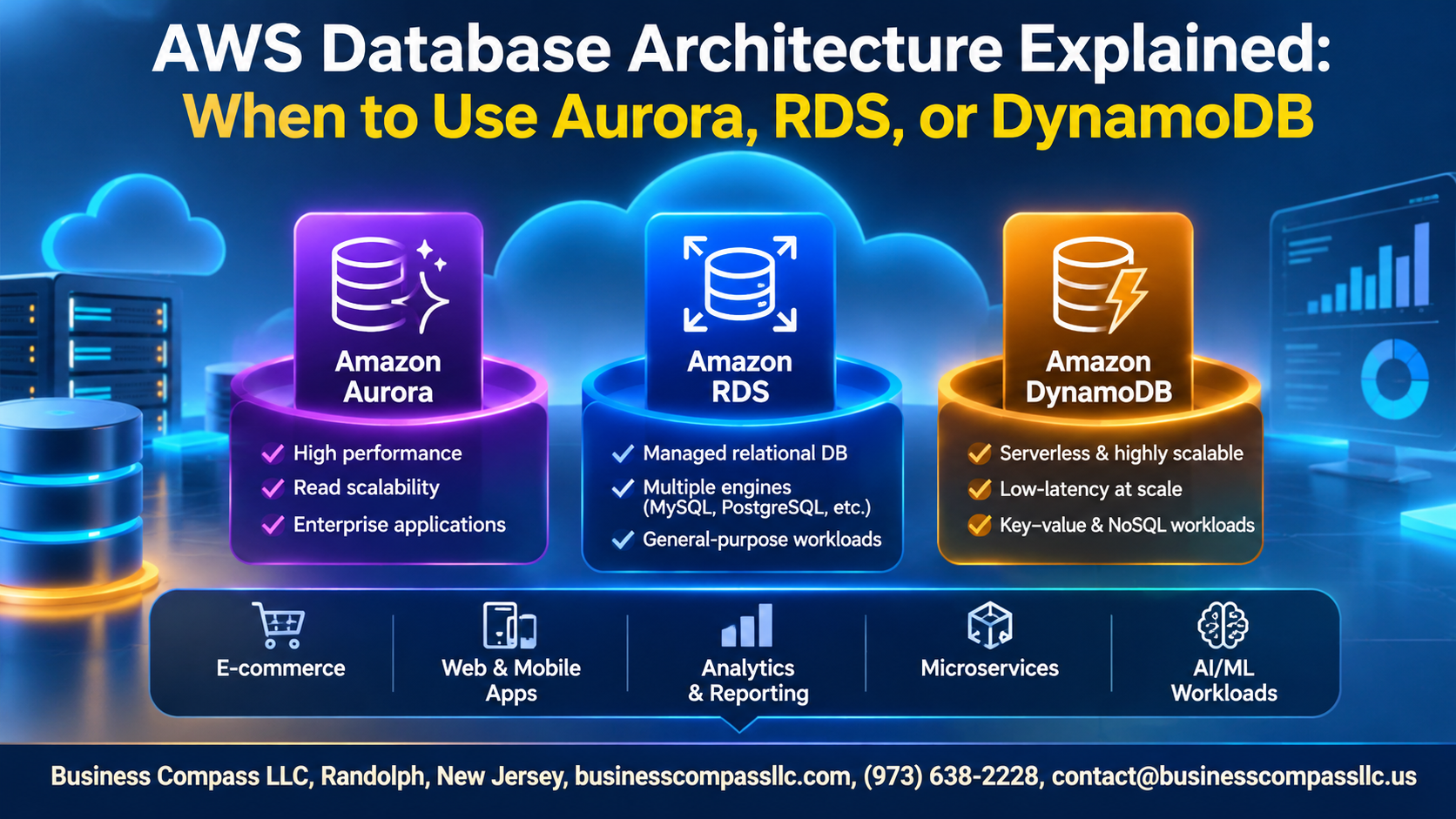
Picking a database on AWS gets confusing fast. You’ve got Aurora, RDS, and DynamoDB, and they all sound like they do the same job. They don’t.
This AWS database architecture guide is for developers, architects, and tech leads who need to choose the right AWS database without wading through docs for a week. It works as a quick AWS database comparison, and it covers Aurora vs RDS vs DynamoDB in plain language.
Here’s what we’ll cover:
- How they differ: Amazon Aurora vs RDS, and where each one fits, plus how SQL vs NoSQL on AWS changes your design.
- Performance, scalability, and cost: what Amazon RDS pricing and performance looks like next to Aurora, and why DynamoDB scalability is a different game.
- Picking and moving: when to use DynamoDB, how to match a database to your use case, and what to know before an AWS database migration.
By the end, you’ll know which one fits your app and why.
Understand the AWS Database Landscape

Match Database Types to Workload Needs
Pick the database for the job. Transactions and reporting fit relational engines like RDS or Aurora, while high-volume, low-latency key lookups suit DynamoDB.
Compare Relational and NoSQL Models at a Glance
- SQL: structured schemas, joins
- NoSQL: flexible, scales horizontally
Identify the Key Factors That Drive Database Choice
Consider access patterns, scale, latency, and budget.
Get Reliable Relational Power with Amazon RDS

Choose from Supported Engines with Ease
Amazon RDS runs MySQL, PostgreSQL, MariaDB, Oracle, SQL Server, and Db2, so you keep familiar tools.
Simplify Operations with Managed Backups and Patching
Automated backups, snapshots, and patching cut routine admin work.
Boost Availability with Multi-AZ and Read Replicas
Multi-AZ gives failover; replicas offload reads.
Recognize RDS Scaling Limits Early
Writes scale vertically, so plan ahead.
Scale Faster with Amazon Aurora

Gain Speed with Aurora’s Cloud-Native Architecture
Compute and storage scale separately.
Strengthen Resilience with Distributed Storage
Six copies across three AZs self-heal.
Handle Variable Demand with Aurora Serverless
Capacity adjusts automatically with demand.
Expand Globally with Aurora Global Database
Cross-region replication with sub-second lag.
Achieve Limitless Scale with Amazon DynamoDB

Design Fast Applications with Key-Value and Document Models
Choose partition keys around your queries; JSON documents deliver single-digit millisecond reads.
Pick the Right Capacity Mode to Control Performance and Cost
On-demand handles spikes; provisioned with auto scaling costs less for steady traffic.
Reduce Latency with DAX and Global Tables
DAX caches reads in microseconds; Global Tables replicate data across Regions.
Avoid Common Data Modeling Pitfalls
Avoid hot partitions and join-style thinking; model around access patterns first.
Compare Performance, Scalability, and Cost

Weigh Throughput and Latency Differences
DynamoDB delivers single-digit-millisecond reads at any scale. Aurora handles up to 5x MySQL throughput. RDS performs well for steady workloads.
Plan for Growth with Scaling Approaches
DynamoDB scales automatically. Aurora adds up to 15 read replicas. RDS mostly scales vertically.
Optimize Spend with Pricing Model Comparisons
RDS and Aurora charge for instances and storage. DynamoDB bills per request or provisioned capacity.
Protect Uptime with Availability and Durability Features
Aurora replicates six copies across three AZs. DynamoDB offers global tables. RDS uses Multi-AZ.
Choose the Right Database for Your Use Case

Pick RDS for Traditional Applications and Predictable Workloads
Steady traffic, familiar engines, simple ops.
Pick Aurora for High-Performance Relational Systems
Need faster failover and read scaling.
Pick DynamoDB for Massive-Scale, Low-Latency Applications
Key-value access, spiky traffic, single-digit millisecond responses.
Combine Services in Polyglot Architectures
Aurora for orders, DynamoDB for sessions.
Migrate and Operate with Confidence

Move Data Smoothly with AWS Database Migration Service
Use AWS DMS with continuous replication to keep downtime near zero.
Strengthen Security with Encryption and Access Controls
Turn on KMS encryption, TLS, and least-privilege IAM.
Monitor Health and Performance Proactively
Track CloudWatch metrics and Performance Insights.
Avoid Costly Mistakes When Switching Databases
Test workloads first, and don’t force SQL schemas into DynamoDB.
Picking an AWS database doesn’t have to feel like guesswork. RDS is your steady, familiar choice when you want a managed relational database without the headaches. Aurora gives you more speed and scale while still speaking SQL. DynamoDB is the go-to when you need huge scale and lightning-fast responses without worrying about servers.
The best choice comes down to your workload, your budget, and how much you expect to grow. Look at your data patterns, think about how you’ll query them, and weigh the cost of each option. If you’re moving an existing database, start small, test early, and keep an eye on performance once you’re live.
So grab one real project, map out what it needs, and try the database that fits best. A small test run will teach you more than any comparison chart, and you can always adjust as your needs change.