


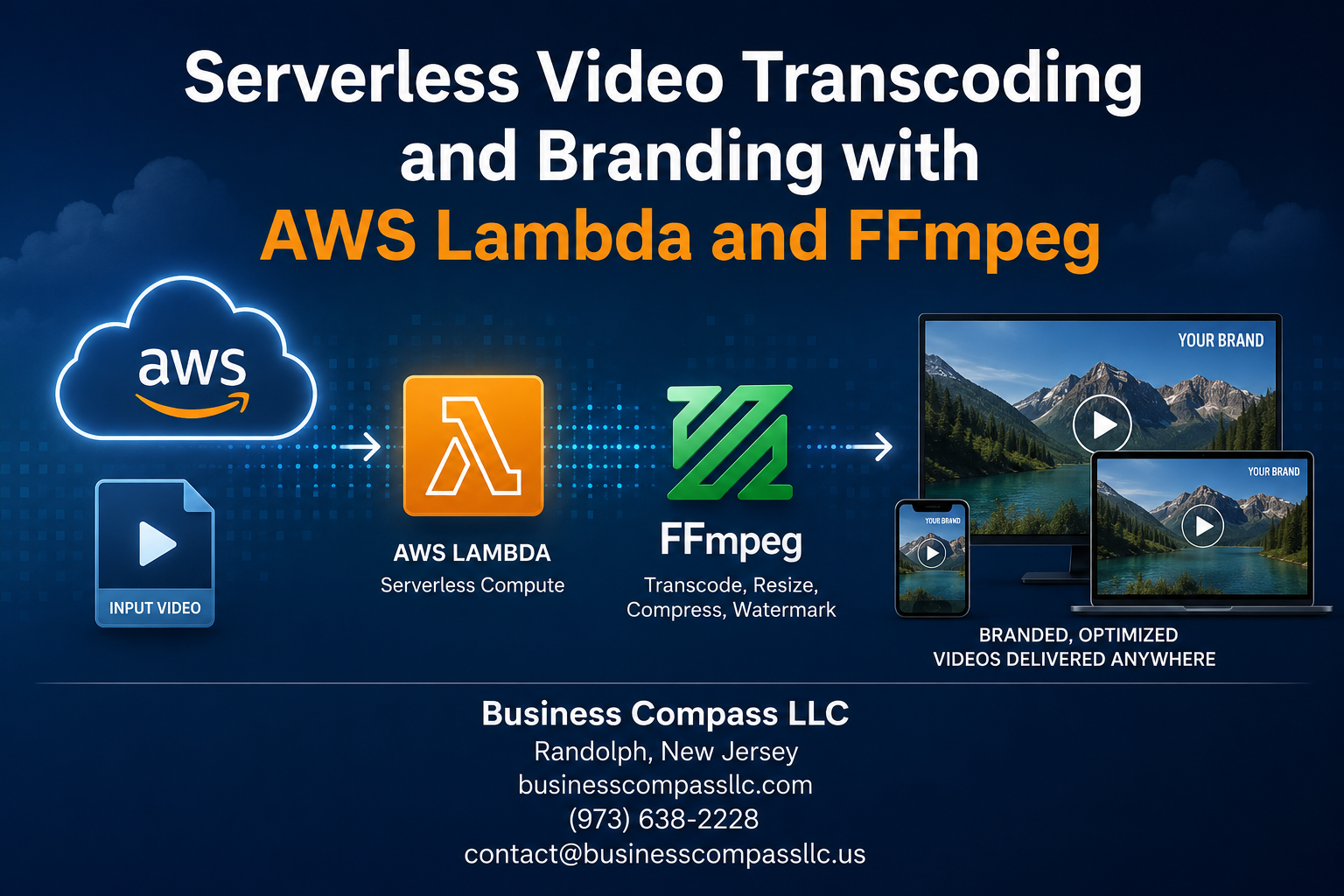
Serverless Video Transcoding and Branding with AWS Lambda and FFmpeg
If you’re processing videos manually or running a dedicated server 24/7 just to handle encoding jobs, you’re leaving money and time on the table. Serverless video transcoding with AWS Lambda and FFmpeg gives you a faster, cheaper way to handle video processing at any scale — without babysitting infrastructure.
This guide is for developers and media engineers who want to build a real, production-ready video workflow on AWS — not just a toy example.
Here’s what we’ll walk through:
- How to package and deploy FFmpeg inside AWS Lambda so it actually runs in a serverless environment
- How to design a scalable AWS video workflow that handles uploads, triggers, and encoding jobs automatically
- How to add video branding automation — think watermarks and overlays — directly inside your transcoding pipeline
By the end, you’ll have a solid blueprint for a cloud video encoding setup that scales on demand, costs next to nothing when idle, and doesn’t need a dedicated ops team to keep it running.
Let’s get into it.
Understanding Serverless Video Processing and Why It Matters
Key Limitations of Traditional Video Transcoding Infrastructure
- Fixed servers sit idle during low traffic, wasting money
- Scaling up requires hardware provisioning, taking days
How Serverless Architecture Solves Scalability and Cost Challenges
- AWS Lambda spins up instantly, handling thousands of concurrent jobs
Real-World Benefits of Using AWS Lambda for Media Workflows
- Serverless video transcoding slashes costs, auto-scales, and eliminates infrastructure headaches completely
Essential Tools and Services You Need to Get Started
AWS Lambda, FFmpeg, and Key AWS Services
To build serverless video transcoding, you need AWS Lambda (up to 10GB memory, 15-minute runtime), FFmpeg for cloud video encoding, S3 for storage, SNS/SQS for triggering workflows, and IAM for permissions. Install AWS CLI, Python or Node.js, and configure your environment before diving in.
Designing an Efficient Serverless Video Transcoding Architecture

A. Mapping Out the End-to-End Video Processing Pipeline
A solid serverless video transcoding pipeline flows like this:
- Upload triggers S3 event
- Lambda pulls the file, runs FFmpeg
- Output lands back in S3
B. Using Amazon S3 as Trigger Source
S3 event notifications kick off your AWS video workflow automatically on upload.
Packaging and Deploying FFmpeg Inside AWS Lambda
Building a Custom Lambda Layer With FFmpeg Binaries
Deploy FFmpeg as a Lambda layer using static binaries from john-van-santen/ffmpeg-builds.
Managing Dependencies and Reducing Deployment Package Size
- Strip unused FFmpeg codecs
- Use Lambda layers to keep packages lean
Configuring Memory and Timeout Settings
- Set memory to 3008MB for faster AWS Lambda FFmpeg transcoding
- Timeout: 15 minutes
Adding Professional Branding to Your Transcoded Videos
Overlaying Watermarks and Logos Using FFmpeg Filters
Use overlay filter: ffmpeg -i input.mp4 -i logo.png -filter_complex "overlay=10:10" output.mp4
Embedding Custom Intro and Outro Sequences Automatically
Concat filter joins clips seamlessly inside your AWS Lambda FFmpeg serverless video transcoding pipeline.
Applying Consistent Color Grading
Use eq filter for brightness/contrast across all outputs.
Automating Subtitle Branding
Burn captions with subtitles=file.srt.
Monitoring, Optimizing, and Scaling Your Workflow

Tracking Performance and Errors With AWS CloudWatch
Set up custom CloudWatch metrics for Lambda duration, memory usage, and FFmpeg exit codes.
Reducing Costs Through Smart Lambda Concurrency Management
Cap reserved concurrency to prevent runaway costs during traffic spikes.
Automating Retries and Handling Failed Transcoding Jobs
Use SQS dead-letter queues to catch and reprocess failed jobs automatically.
Serverless video transcoding with AWS Lambda and FFmpeg is a powerful combination that takes the headache out of managing infrastructure while giving you full control over your video processing pipeline. From setting up the right architecture to packaging FFmpeg inside Lambda, adding your branding, and keeping an eye on performance, every piece of this workflow works together to deliver a scalable, cost-effective solution.
The best part? You don’t need a massive server setup or a big budget to produce professionally branded, high-quality video output. Start small, test your pipeline, and scale as your needs grow. If you’ve been sitting on the fence about going serverless for video processing, now’s a great time to dive in and build something that actually works for you.









