

AWS Connectivity Explained: Client VPN vs Site-to-Site VPN vs Direct Connect vs PrivateLink
Getting traffic in and out of AWS sounds simple until you see the menu. There are four main AWS connectivity options, and their names sound alike. This guide is for cloud engineers, DevOps teams, and IT leads who need to pick one without reading a hundred pages of docs.
Here’s what we’ll cover:
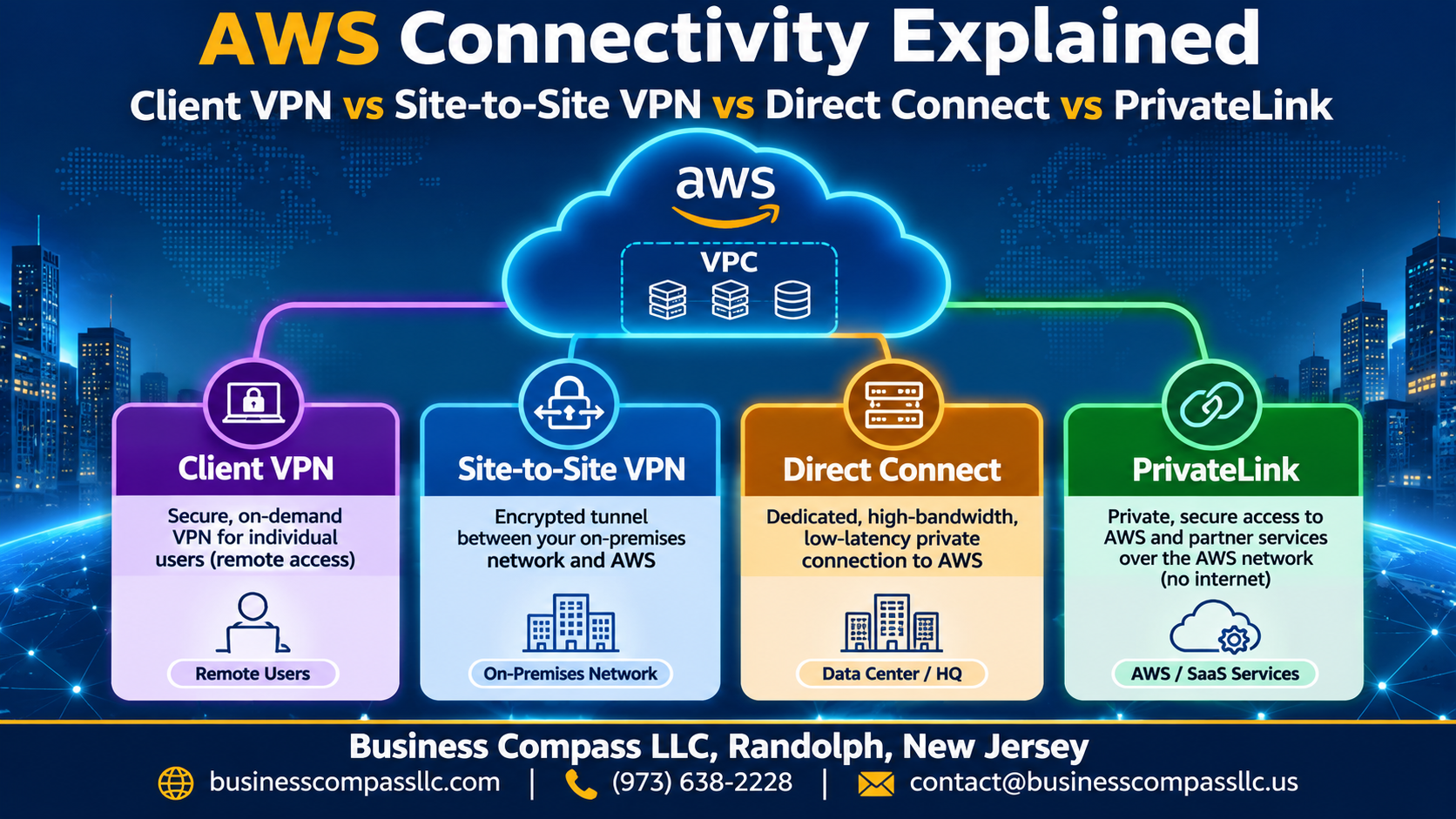
- Who each option is for: AWS Client VPN gives secure remote access to your AWS VPC, while AWS Site-to-Site VPN links your office or data center to the cloud.
- Where performance and privacy differ: AWS Direct Connect gives you a dedicated line, and AWS PrivateLink keeps private connectivity to AWS services off the public internet.
- How to choose: a side-by-side comparison of AWS VPN vs Direct Connect vs PrivateLink, plus tips for your hybrid cloud setup.
By the end, you’ll know which one fits your setup.
Understand Your AWS Connectivity Options at a Glance

Match Each Service to Its Core Purpose
Client VPN: remote users. Site-to-Site: networks. Direct Connect: dedicated bandwidth. PrivateLink: private services.
See How Traffic Flows Across Public and Private Paths
VPNs cross the internet; others stay private.
Know the Key Terms Before You Compare
Know VPC, VGW, TGW, VIF, endpoints.
Give Remote Users Secure Access with Client VPN

Connect Individual Users Without Extra Hardware
AWS Client VPN is a managed, OpenVPN-based service. Users connect from their laptops, with no routers or appliances to maintain.
Control Access with Authentication and Authorization Rules
Use Active Directory, SAML SSO, or certificates, then limit access by group with authorization rules.
Scale Remote Access as Your Team Grows
It scales automatically, and you pay per connection hour.
Recognize When Client VPN Falls Short
It doesn’t link whole networks, and it can’t guarantee consistent performance.
Link Networks Quickly with Site-to-Site VPN
Connect Office and Data Center Networks over the Internet
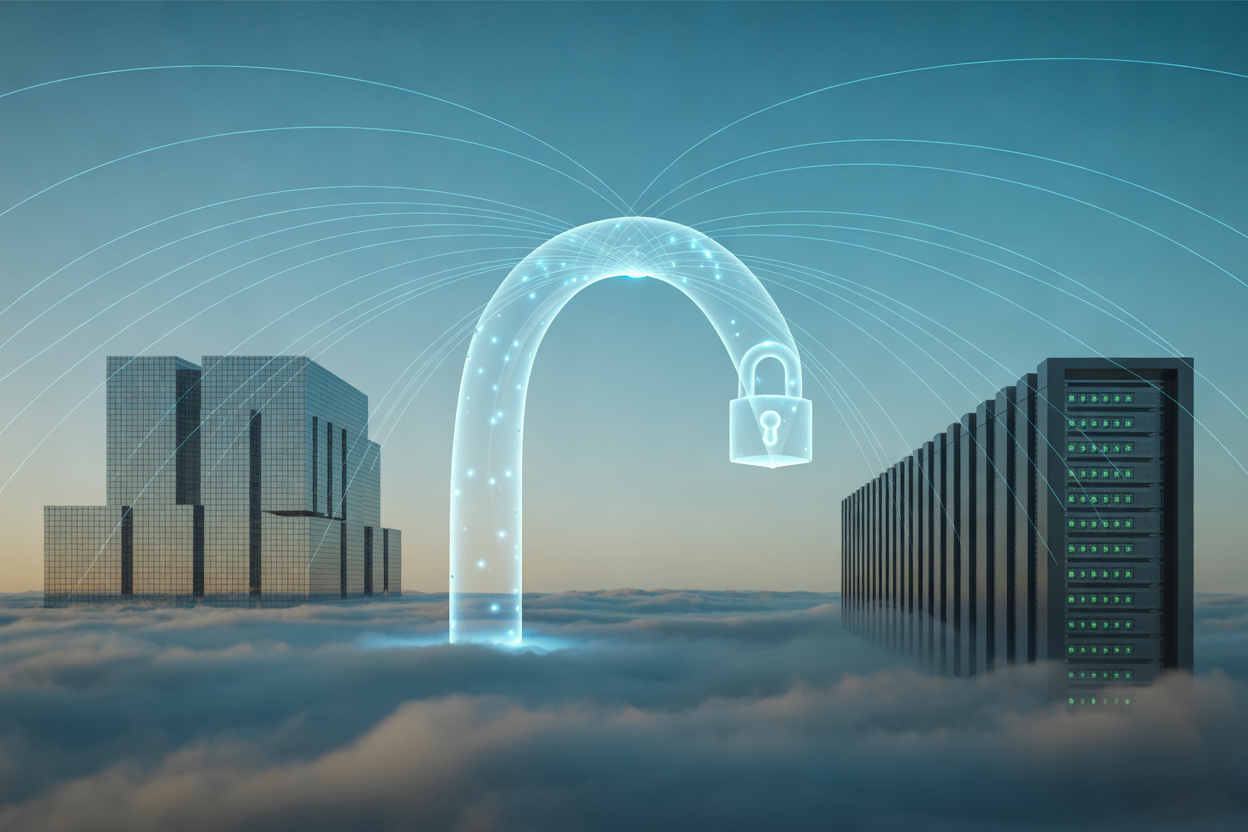
AWS Site-to-Site VPN links your office or data center to your VPC over the public internet.
Gain Resilience with Redundant Encrypted Tunnels
Each connection gives you two IPsec tunnels for failover.
Simplify Routing with Virtual Private Gateway and Transit Gateway
Use a virtual private gateway for one VPC, or Transit Gateway for many.
Launch in Minutes at a Low Cost
Setup takes minutes, with no hardware to buy.
Get Consistent Performance with Direct Connect

A. Enjoy Dedicated Private Bandwidth and Lower Latency
Direct Connect gives you a private line to AWS, skipping the public internet for steadier speeds and lower latency.
B. Choose Between Dedicated and Hosted Connections
Dedicated gives you your own port (1–100 Gbps). Hosted comes through a partner in smaller slices.
C. Reduce Data Transfer Costs for Heavy Workloads
Outbound data costs less than over the internet.
D. Add Encryption and Redundancy for Stronger Protection
Layer on MACsec or a VPN, and use two connections.
E. Plan for Lead Times and Setup Requirements
Expect weeks for setup.
Keep Service Traffic Private with PrivateLink

Access AWS and Third-Party Services Without Internet Exposure
Traffic never touches internet.
Use Interface Endpoints to Shrink Your Attack Surface
Private IPs, security-group controlled.
Share Your Own Services Securely Across VPCs and Accounts
Publish services via endpoint services.
Avoid Overlapping IP and Complex Routing Issues
No CIDR clashes.
Compare the Four Options Side by Side

Weigh Security, Performance, and Reliability
Direct Connect gives steady, low-latency performance, while VPNs ride the public internet but encrypt everything. PrivateLink keeps service traffic off the internet entirely.
Compare Cost, Complexity, and Deployment Speed
VPNs launch in minutes and cost little. Direct Connect takes weeks and costs more.
Match Each Option to Its Best Use Case
Client VPN suits remote users, Site-to-Site VPN suits office links, and PrivateLink suits private service access.
Spot Common Misconceptions That Lead to Wrong Choices
Direct Connect isn’t encrypted by default, and PrivateLink isn’t a VPN.
Choose the Right Solution for Your Scenario

A. Decide Using a Simple Selection Framework
Ask three questions: who connects, how much traffic, and what needs privacy? Users? Client VPN. Offices? Site-to-Site VPN. Steady, heavy traffic? Direct Connect. Private service access? PrivateLink.
B. Support Remote Workforces and Branch Offices
Use Client VPN for people, Site-to-Site VPN for branches.
C. Build Hybrid Cloud and Data Migration Architectures
Direct Connect handles large, steady transfers.
D. Combine Services for a Layered Connectivity Strategy
Pair Direct Connect with VPN backup, and add PrivateLink.
Optimize and Future-Proof Your Connectivity

Monitor Performance and Troubleshoot Faster
Track CloudWatch metrics, VPC Flow Logs, and Direct Connect/VPN tunnel alarms.
Strengthen Security and Compliance Posture
Use least-privilege security groups, MACsec or IPsec encryption, and CloudTrail auditing.
Control Costs as Traffic Grows
Review data transfer fees, right-size Direct Connect ports, and consolidate endpoints.
Prepare for Scale with Transit Gateway and Multi-Region Designs
Use Transit Gateway to centralize routing, add redundant links, and peer regions.

So, which one should you pick? It really comes down to what you’re connecting. Client VPN is your go-to for remote users who need secure access from anywhere. Site-to-Site VPN is the fast, budget-friendly way to link your office or data center to AWS. Direct Connect gives you steady, predictable performance when you’re moving a lot of data. And PrivateLink keeps service traffic off the public internet without any complicated network setup.
Most teams don’t stick with just one. A common setup is Direct Connect for the heavy lifting, Site-to-Site VPN as a backup, Client VPN for the remote crew, and PrivateLink for sharing services safely. Start with your biggest need, keep it simple, and add more as you grow.
Take a few minutes this week to map out who and what needs to connect to your AWS environment. Match each need to the right option, and you’ll save yourself money, headaches, and a few late-night troubleshooting sessions.