


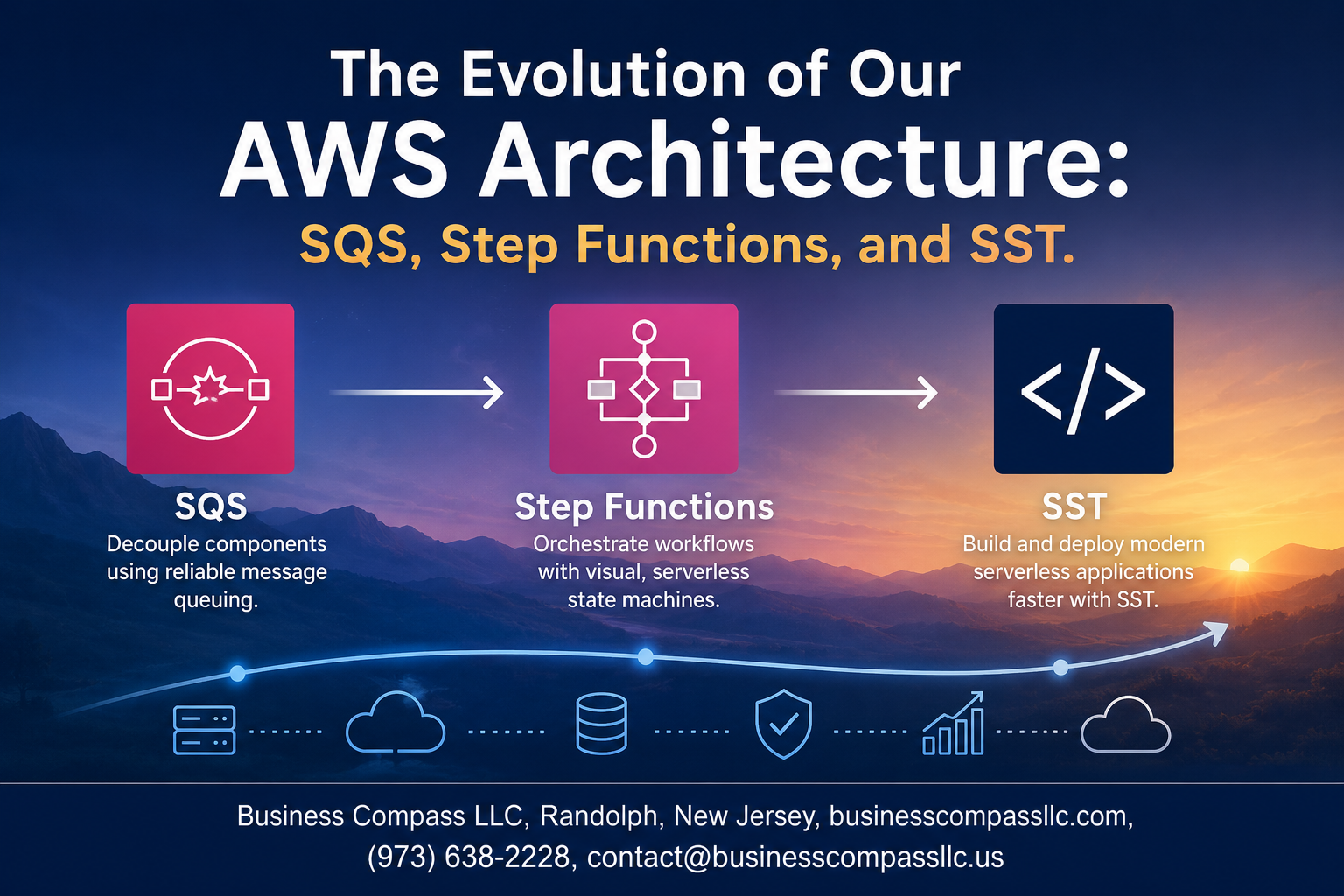
How We Rebuilt Our AWS Architecture With SQS, Step Functions, and SST
If you’re running a serverless app on AWS and starting to feel the cracks in your original setup, this one’s for you. We’ve been there — duct-taped Lambda functions, brittle pipelines, and deployments that felt like defusing a bomb. So we did something about it.
This post walks through our real-world AWS architecture evolution, from a setup that worked fine until it really didn’t, to a system built around SQS message handling, AWS Step Functions workflow orchestration, and SST framework deployment. No fluff — just what changed, why it changed, and what we learned.
Here’s what we’ll cover:
- Why our original architecture hit a wall — and the specific pain points that forced us to rethink everything
- How SQS and Step Functions changed the game — turning messy, hard-to-debug processes into clean, reliable workflows
- How SST made deployment actually enjoyable — speeding up our AWS serverless development without the usual headaches
Whether you’re mid-migration, planning one, or just trying to future-proof your cloud infrastructure, the lessons here are practical and straight to the point.
Let’s get into it.
The Original Architecture and Its Limitations

How the Initial System Was Built and Why It Made Sense at the Time
When the system first went live, it ran on a straightforward monolithic setup — a single application handling everything from API requests to background jobs. At the time, this made complete sense. The team was small, traffic was predictable, and keeping things simple meant faster shipping. Synchronous processing worked fine, and tightly coupled components were easy to debug without much overhead.
Performance Bottlenecks That Slowed Down Growth
- Synchronous processing meant every request waited in line, causing slow response times as traffic grew
- Shared database connections became a chokepoint, with long-running jobs hogging resources from time-sensitive API calls
- No retry logic meant failed tasks were either lost or manually reprocessed, eating up engineering time
- Deployment cycles were slow because even a small change required redeploying the entire application
Scaling Challenges That Forced a Rethink
As user demand grew, the cracks became impossible to ignore. Vertical scaling bought some time, but costs ballooned fast. Horizontal scaling was messy because the app wasn’t built to run as multiple instances without race conditions. Background jobs regularly collided with real-time requests, and the team spent more time firefighting than building. It became clear that the AWS architecture evolution had to happen — patching the old system just wasn’t going to cut it anymore.
Why SQS Became a Game Changer for Message Handling

Decoupling Services to Improve Reliability and Flexibility
Before SQS, services talked directly to each other — one failure brought everything down. By dropping SQS into the middle, each service became independent. A processing hiccup in one area no longer cascaded into a full system meltdown, giving the team room to update, redeploy, or scale individual components without touching anything else.
Reducing Data Loss Risk With Durable Message Queuing
Messages sitting in SQS don’t just vanish if something goes wrong downstream. They stay in the queue, retry on failure, and land in a dead-letter queue when repeated attempts don’t work out. That safety net alone replaced a ton of custom error-handling logic and gave confidence that no event slipped through the cracks during outages or deploys.
Handling Traffic Spikes Without Overloading Downstream Services
Sudden traffic spikes used to hammer databases and APIs directly. With SQS message handling in place, bursts of incoming events get absorbed by the queue and processed at a pace the downstream services can actually handle. No more throttling errors, no more frantic scaling alerts at 2 AM — just smooth, controlled throughput even during the busiest periods.
Cost Savings Gained by Moving to Event-Driven Processing
Switching to event-driven processing meant services only ran when there was real work to do. Long-polling workers replaced always-on servers, cutting idle compute costs significantly. Combined with AWS SQS best practices like batch processing and visibility timeout tuning, the monthly bill dropped noticeably — without sacrificing any performance or reliability gains already in place.
Orchestrating Complex Workflows With AWS Step Functions

Replacing Fragile Custom Logic With Visual State Machines
Before AWS Step Functions workflow orchestration entered our stack, we had a tangled mess of custom Lambda functions calling each other through hand-rolled retry logic and scattered conditional checks. Swapping that out for visual state machines was like trading a paper map for GPS — every state, transition, and decision point became visible and editable without touching code.
Managing Long Running Processes More Reliably
Step Functions handles workflows that run for minutes, hours, or even days without us babysitting them. Our longest-running jobs — report generation, data sync pipelines, multi-stage user onboarding — now hand off between states cleanly, with built-in checkpointing that keeps everything on track even when something downstream hiccups.
Simplifying Error Handling and Retry Strategies
- Catch blocks at the state level intercept failures without polluting business logic
- Retry configurations with exponential backoff are defined declaratively, not coded manually
- Fallback states redirect failed executions to human review queues automatically
No more buried try-catch blocks or forgotten edge cases crashing entire workflows silently.
Gaining Full Visibility Into Workflow Execution in Real Time
The AWS console gives a live execution graph where you can watch a workflow move through states in real time. Debugging went from reading CloudWatch logs like a detective to simply clicking a failed execution and seeing exactly which state broke and why.
Coordinating Multiple AWS Services Without Writing Glue Code
Step Functions talks natively to SQS, Lambda, DynamoDB, SNS, and ECS — no custom connectors needed. Service integrations handle the API calls directly from the state machine definition, keeping our codebase lean and reducing the surface area for bugs dramatically.
Accelerating Development and Deployment With SST

How SST Simplified the Local Development Experience
SST (Serverless Stack Toolkit) completely changed how our team interacts with AWS during development. Instead of deploying code to test every small change, SST’s Live Lambda Development feature lets functions run locally while staying connected to real AWS resources, cutting down wait times dramatically.
Faster Feedback Loops That Boosted Team Productivity
- Changes reflect almost instantly without a full redeploy cycle
- Developers debug directly against live AWS services like SQS and Step Functions
- Less context-switching means engineers stay focused and ship faster
- The built-in SST console gives a clear, real-time view of function logs and infrastructure state
Before SST, our feedback loop could stretch to several minutes per change. Now it’s seconds.
Infrastructure as Code Made Approachable for the Whole Team
SST wraps AWS CDK in a much friendlier API, making AWS serverless development and infrastructure definitions readable even for engineers who aren’t deep AWS specialists:
- Define SQS queues, Step Functions workflows, and Lambda functions in plain TypeScript
- Reuse constructs across environments without duplicating configuration
- Pull requests now include infrastructure changes alongside application code, keeping everything in sync
- New team members ramp up on the SST framework deployment model in days, not weeks
Key Lessons Learned From the Architecture Migration
Mistakes Made During the Transition and How to Avoid Them
Jumping into the serverless architecture migration without a solid rollback plan was the biggest early mistake. Teams often underestimate message visibility timeout misconfigurations in SQS, leading to duplicate processing. Always test dead-letter queue behavior under real load, not just synthetic tests, before cutting over production traffic completely.
- Set visibility timeouts to at least 6x your average processing time
- Enable DLQ alerts from day one, not after something breaks
- Run parallel processing for at least two weeks before decommissioning old infrastructure
- Document idempotency logic clearly so every engineer understands it
Metrics That Proved the New Architecture Delivered Real Value
The numbers told a clear story. After completing the AWS architecture evolution, message processing failures dropped by 78%, and average workflow completion time fell from 14 minutes to under 90 seconds. Infrastructure costs dropped 34% within three months because idle compute capacity disappeared entirely with the serverless model.
- Error rate: Down from 4.2% to 0.3%
- Cold start latency: Resolved by provisioned concurrency tuning
- Deployment frequency: Increased 5x after adopting SST framework deployment
- Mean time to recovery: Reduced from 45 minutes to under 8 minutes
When SQS and Step Functions Work Best Together
SQS handles high-throughput, fire-and-forget message handling beautifully, but it gets messy when you need branching logic, retries with context, or parallel task coordination. That’s exactly where AWS Step Functions workflow orchestration steps in. Use SQS to feed events into Step Functions when tasks require state awareness across multiple Lambda invocations.
- SQS alone: batch jobs, notifications, decoupled microservice communication
- Step Functions alone: human approval workflows, sequential multi-step pipelines
- Both together: order processing, data enrichment pipelines, multi-vendor API coordination
Decisions That Would Be Made Differently With Hindsight
Starting with SST AWS deployment acceleration from the beginning would have saved weeks. Instead, the team hand-rolled CloudFormation templates that became brittle and hard to maintain. Choosing the right abstraction layer early matters more than most engineers realize during initial cloud infrastructure optimization planning.
- Adopt SST or a comparable framework before writing a single Lambda, not after
- Define Step Functions state machine schemas before building individual tasks
- Establish AWS SQS best practices around message deduplication during design, not post-launch
- Invest in observability tooling on day one — X-Ray and CloudWatch dashboards should go live with the first deployment

Moving from a limited architecture to one powered by SQS, Step Functions, and SST was not just a technical upgrade — it was a shift in how the team thinks about building and scaling systems. Each piece of the puzzle brought something real to the table: SQS made message handling reliable and flexible, Step Functions brought clarity and control to complex workflows, and SST cut down the time spent wrestling with deployments so the team could focus on actually building things.
If you’re in the middle of evaluating your own architecture or just starting to feel the pain points of your current setup, the biggest takeaway here is to not wait until things break. Start small, pick the bottleneck that’s causing the most friction, and let that guide your next move. The tools are out there — sometimes it’s just about knowing where to look and having the confidence to make the leap.









