


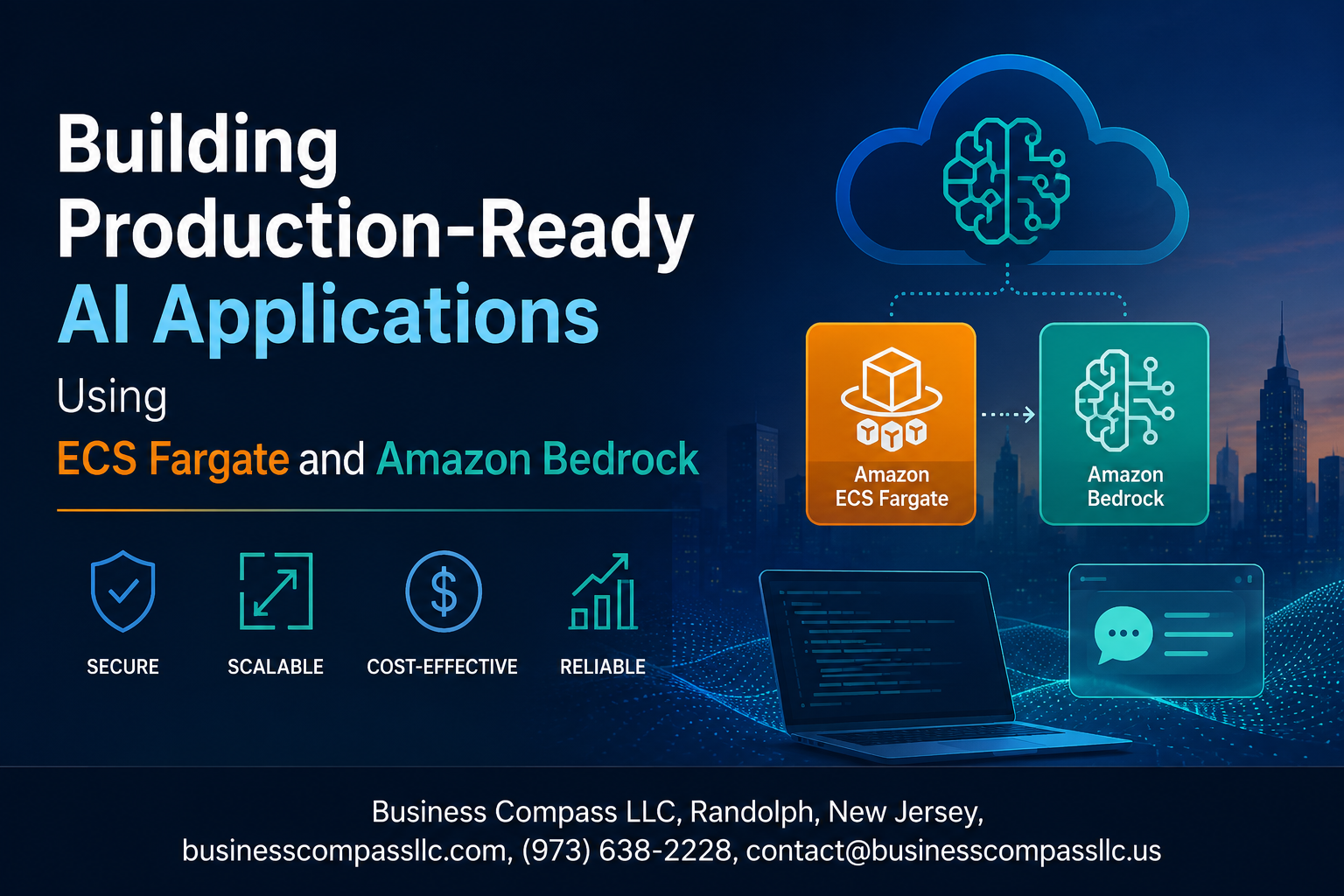
Building Production-Ready AI Applications Using ECS Fargate and Amazon Bedrock
Deploying generative AI in a real production environment is a completely different challenge than getting it to work on your laptop. If you’re a backend engineer, cloud architect, or developer who wants to ship Amazon Bedrock AI applications that actually scale under pressure, this guide is for you.
We’ll walk through the full picture — from spinning up your ECS Fargate containerized AI environment to locking down security and keeping performance sharp in production.
Here’s what you’ll get out of this:
- How scalable AI architecture on AWS actually fits together — the core building blocks and why ECS Fargate is a strong fit for cloud-native AI deployment
- A practical Amazon Bedrock integration tutorial — connecting your containerized app to foundation models without the usual headaches
- Production monitoring and optimization on ECS Fargate — the metrics that matter and how to act on them before small issues become big ones
No hand-waving, no toy examples. Just a straightforward walkthrough of what it takes to go from a working prototype to a production-ready generative AI app on AWS.
Understanding the Core Technologies Behind the Stack

What ECS Fargate Brings to AI Workloads
ECS Fargate removes the headache of managing servers entirely, letting your team focus on shipping features rather than patching EC2 instances. For AI workloads specifically, this matters because inference requests can spike unpredictably — Fargate scales your containers automatically without you babysitting cluster capacity. Key advantages include:
- No infrastructure management — AWS handles the underlying compute, OS patches, and resource allocation
- Per-second billing — you only pay for what your containers actually consume, which keeps costs tight during low-traffic windows
- Task-level isolation — each AI inference container runs in its own sandboxed environment, reducing blast radius if something goes wrong
- Native VPC integration — your containers sit inside your private network from day one, which simplifies security posture significantly
How Amazon Bedrock Simplifies Generative AI Integration
Amazon Bedrock gives you API access to foundation models like Claude, Titan, and Llama 2 without spinning up GPU clusters or negotiating model licensing agreements. Building Amazon Bedrock AI applications skips months of MLOps groundwork. You get:
- Single API surface across multiple model providers
- Managed model versioning so you can switch or upgrade models without redeploying your entire stack
- Built-in guardrails for content filtering and responsible AI controls
- Knowledge base connectors that plug retrieval-augmented generation (RAG) directly into your app logic
Why This Combination Accelerates Production Deployments
Pairing ECS Fargate containerized AI with Bedrock creates a genuinely fast path to production-ready generative AI on AWS. Your application container handles request routing, session management, and business logic — Bedrock handles the heavy model inference. This clean separation means you can iterate on your app layer daily without touching model infrastructure, and scale both dimensions independently based on real traffic patterns.
Designing a Scalable Architecture for AI Applications

Structuring Containerized Services for AI Workloads
When building a scalable AI architecture on AWS, your container design decisions make or break everything downstream. Each service in your ECS Fargate setup should own a single responsibility:
- Inference Service – handles all Amazon Bedrock API calls, prompt construction, and response parsing
- API Gateway Layer – routes incoming requests, manages rate limiting, and handles auth tokens
- Context Management Service – stores conversation history and session data in ElastiCache or DynamoDB
- Async Processing Workers – manage long-running generation tasks via SQS queues
Keep your inference containers stateless. Any state — conversation history, user context, model preferences — lives outside the container in managed AWS services. This makes horizontal scaling painless when traffic spikes.
Size your Fargate tasks based on actual workload patterns. AI inference calls are I/O-bound, not CPU-bound, so you can run more concurrent tasks per vCPU than you might expect. Start with 1 vCPU / 2GB RAM per inference container and benchmark from there.
Connecting ECS Fargate to Amazon Bedrock Securely
Your ECS tasks talk to Amazon Bedrock through the AWS SDK — no special networking setup needed if you’re staying within the same region. But doing this right means locking down exactly how that connection happens.
The right connection pattern looks like this:
- Assign a dedicated IAM Task Role to each ECS service — never use instance roles or hardcoded credentials
- Scope the Task Role policy to only the Bedrock actions your service actually needs (e.g.,
bedrock:InvokeModelfor specific model ARNs) - Route all Bedrock API traffic through a VPC Interface Endpoint for Amazon Bedrock — this keeps traffic off the public internet entirely
- Enable VPC Flow Logs on the endpoint to capture all traffic for auditing
A minimal IAM policy for a Fargate task calling Bedrock looks like:
{
  "Effect": "Allow",
  "Action": ["bedrock:InvokeModel", "bedrock:InvokeModelWithResponseStream"],
  "Resource": "arn:aws:bedrock:us-east-1::foundation-model/anthropic.claude-3-sonnet*"
}
Scoping to specific model ARNs rather than * is a small change that dramatically shrinks your blast radius if credentials are ever compromised.
Planning for High Availability and Fault Tolerance
A production-ready generative AI deployment on ECS Fargate needs to handle Bedrock API throttling, model unavailability, and container failures without taking down your entire application.
Multi-AZ task distribution is your starting point:
- Spread ECS tasks across at least 3 Availability Zones using the
SPREADplacement strategy withattribute:ecs.availability-zone - Set minimum healthy percent to 100% and maximum percent to 200% during deployments to ensure zero-downtime rollouts
- Use an Application Load Balancer with health checks targeting your
/healthendpoint
Handling Bedrock-specific failures:
| Failure Type | Recommended Strategy |
|---|---|
| Throttling (429 errors) | Exponential backoff with jitter, starting at 1s |
| Model timeout | Set client-side timeout at 30s, return graceful error |
| Regional outage | Pre-configure fallback to secondary AWS region |
| Context length exceeded | Truncate history at the service layer before retry |
Build a circuit breaker pattern into your inference service. After 5 consecutive Bedrock failures within 60 seconds, open the circuit and return cached or default responses while the upstream recovers. AWS SDK retry configurations alone are not enough for production traffic.
Choosing the Right Bedrock Foundation Models for Your Use Case
Amazon Bedrock gives you access to models from Anthropic, Meta, Mistral, Amazon, and others — and picking the wrong one kills your latency budget and inflates costs fast.
Match the model to the task:
- Claude 3 Haiku – best for high-volume, latency-sensitive tasks like classification, summarization, or chat where speed matters more than depth
- Claude 3 Sonnet – the sweet spot for most production AI applications; strong reasoning with acceptable latency
- Claude 3 Opus – reserve this for complex reasoning, long-document analysis, or tasks where quality outweighs cost
- Amazon Titan Text Express – solid choice for simpler generation tasks where you want to stay fully within the AWS ecosystem
- Llama 3 (Meta) – good option when you need open-weight flexibility or want to experiment with fine-tuning paths
Key factors to evaluate before committing:
- Tokens per second — benchmark against your p99 latency requirements, not average
- Context window size — if your use case needs long conversation history, this is non-negotiable
- Input/output token pricing — model costs compound fast at scale; run cost projections at 10x your expected traffic
- Streaming support — for conversational AI applications, streaming responses (
InvokeModelWithResponseStream) dramatically improves perceived performance
Test your shortlisted models with real production prompts, not toy examples. A model that ranks well on benchmarks can still underperform on your specific domain vocabulary or output format requirements.
Setting Up Your ECS Fargate Environment

Configuring Task Definitions for AI Workloads
When setting up your ECS Fargate environment for Amazon Bedrock AI applications, your task definition is the foundation everything else builds on. Think of it as the blueprint your containers live by.
Key settings to nail down:
- Container image: Point to your ECR repository holding your AI application image
- Port mappings: Expose the right ports for your API layer (typically 8080 or 443)
- Environment variables: Pass Bedrock endpoint configs, region settings, and feature flags without hardcoding anything
- Log configuration: Wire up CloudWatch Logs from day one using the
awslogsdriver
A solid task definition for an AI workload also includes a health check that actually tests your model inference endpoint, not just a generic ping. This keeps ECS from routing traffic to containers that are running but not actually ready to serve predictions.
Optimizing CPU and Memory Allocation for Model Inference
Getting CPU and memory right for ECS Fargate containerized AI workloads is where a lot of teams leave performance and money on the table. Fargate offers specific CPU and memory combinations, so you can’t just pick arbitrary numbers.
For most Amazon Bedrock integration setups where your app is handling API calls to Bedrock rather than running local models, you’re dealing with I/O-bound workloads more than compute-heavy ones. That changes the math significantly.
Recommended starting points:
- Light inference workloads (few concurrent requests): 1 vCPU / 2GB RAM
- Moderate API throughput: 2 vCPU / 4GB RAM
- High-concurrency production apps: 4 vCPU / 8–16GB RAM
Always set your container-level memory reservation slightly below your task-level limit to give the OS breathing room. Enable CloudWatch Container Insights early so you can see actual memory utilization patterns before you over- or under-provision. Rightsizing here directly cuts your ECS Fargate production deployment costs.
Managing IAM Roles and Permissions for Bedrock Access
Your ECS tasks need a task execution role and a task role — these are two different things and mixing them up causes headaches.
- Task execution role: Used by ECS itself to pull your container image from ECR and send logs to CloudWatch
- Task role: The identity your application code assumes when making calls to Amazon Bedrock
For Bedrock access, attach a policy to your task role that includes:
{
  "Effect": "Allow",
  "Action": [
    "bedrock:InvokeModel",
    "bedrock:InvokeModelWithResponseStream"
  ],
  "Resource": "arn:aws:bedrock:us-east-1::foundation-model/anthropic.claude-3-sonnet*"
}
Scope the Resource to specific model ARNs rather than using wildcards — this follows least-privilege principles and keeps your AWS AI application security posture tight. Never pass static AWS credentials inside your container. Let the task role handle authentication automatically through the ECS metadata endpoint, which rotates credentials behind the scenes without any extra work on your end.
Integrating Amazon Bedrock into Your Application

Making API Calls to Bedrock from Containerized Services
Your ECS Fargate tasks talk to Amazon Bedrock through the AWS SDK, and the cleanest way to set this up is by attaching an IAM task role directly to your Fargate task definition. This gives your container temporary, scoped credentials automatically — no hardcoded keys, no secrets juggling.
Here’s a quick Python example using boto3:
import boto3

client = boto3.client("bedrock-runtime", region_name="us-east-1")

response = client.invoke_model(
    modelId="anthropic.claude-3-sonnet-20240229-v1:0",
    body=json.dumps({
        "messages": [{"role": "user", "content": prompt}],
        "max_tokens": 1024,
        "anthropic_version": "bedrock-2023-05-31"
    }),
    contentType="application/json",
    accept="application/json"
)
Keep your retry logic tight — Bedrock can throw ThrottlingException under heavy load, so wrap calls with exponential backoff using botocore‘s built-in retry config.
Handling Streaming Responses Efficiently
Streaming cuts your time-to-first-byte dramatically, which matters a lot for chat-style AI applications where users expect to see text appearing rather than waiting for a full response dump.
Switch from invoke_model to invoke_model_with_response_stream and process chunks as they arrive:
response = client.invoke_model_with_response_stream(
    modelId="anthropic.claude-3-sonnet-20240229-v1:0",
    body=json.dumps(payload),
    contentType="application/json"
)

stream = response.get("body")
for event in stream:
    chunk = event.get("chunk")
    if chunk:
        data = json.loads(chunk.get("bytes").decode())
        print(data.get("delta", {}).get("text", ""), end="", flush=True)
On the web layer side, pair this with Server-Sent Events (SSE) or WebSockets so your frontend receives tokens in real time. Fargate handles long-lived connections well, but bump your ALB idle timeout to at least 120 seconds to avoid dropped streams mid-response.
Implementing Prompt Engineering Best Practices
Good prompt engineering is the difference between an AI feature that delights users and one that produces garbage 30% of the time. A few patterns that hold up well in production:
- Use system prompts to define behavior — Set tone, constraints, and output format in the system message rather than cramming instructions into every user message.
- Be specific about output format — If you need JSON back, say so explicitly and provide a schema example. Models like Claude follow structured output instructions reliably when the prompt is clear.
- Keep prompts version-controlled — Store prompts as code in your repo. When a model update changes behavior, you want a diff trail.
- Separate instructions from data — Never concatenate user input directly into your instruction block without clear delimiters. This reduces prompt injection risk and keeps your logic clean.
- Test prompts against edge cases — Run your prompts through a suite of tricky inputs before shipping. What happens when a user sends an empty string? What about extremely long inputs?
A simple prompt template structure that works well:
SYSTEM_PROMPT = """You are a helpful assistant for {product_name}.
Always respond in JSON with this structure:
{"answer": "...", "confidence": "high|medium|low"}
Never include personal opinions."""

def build_prompt(user_input: str) -> dict:
    return {
        "system": SYSTEM_PROMPT.format(product_name="Acme App"),
        "messages": [{"role": "user", "content": user_input}]
    }
Managing Model Versioning and Fallback Strategies
Amazon Bedrock rolls out new model versions over time, and a version that worked great last quarter might behave differently after an update. The smart move is to pin your model IDs explicitly rather than relying on aliases that can shift underneath you.
A solid fallback strategy looks like this:
MODEL_PRIORITY = [
    "anthropic.claude-3-5-sonnet-20241022-v2:0",
    "anthropic.claude-3-sonnet-20240229-v1:0",
    "anthropic.claude-instant-v1"
]

def invoke_with_fallback(payload: dict) -> dict:
    for model_id in MODEL_PRIORITY:
        try:
            return invoke_model(model_id, payload)
        except client.exceptions.ModelNotReadyException:
            continue
        except client.exceptions.ThrottlingException:
            time.sleep(2)
            continue
    raise Exception("All models unavailable")
Store your model configuration in AWS Systems Manager Parameter Store or AppConfig so you can swap model IDs without redeploying your container. This gives you a kill switch when a model behaves unexpectedly in production.
Reducing Latency with Response Caching Techniques
Not every Bedrock call needs to hit the model fresh. Lots of AI applications have repetitive or near-identical queries — product descriptions, FAQ answers, classification tasks — where caching the response saves both latency and cost.
Here’s a layered caching approach that works well for ECS Fargate deployments:
- In-memory cache (local) — Use a simple LRU cache inside your container for ultra-hot queries. Python’s
functools.lru_cacheorcachetools.TTLCachehandles this cleanly. - Distributed cache (ElastiCache Redis) — For shared caching across multiple Fargate tasks, push responses to Redis with a TTL that matches your data freshness requirements.
- Semantic caching — For conversational AI, exact-match caching misses a lot. Store embeddings of previous queries and use cosine similarity to retrieve cached answers for semantically similar inputs.
A basic Redis caching wrapper:
import hashlib, json, redis

cache = redis.Redis(host=REDIS_HOST, port=6379, decode_responses=True)

def cached_invoke(prompt: str, ttl: int = 3600) -> str:
    cache_key = hashlib.sha256(prompt.encode()).hexdigest()
    cached = cache.get(cache_key)
    if cached:
        return cached

    result = invoke_bedrock(prompt)
    cache.setex(cache_key, ttl, result)
    return result
Set your TTL carefully — too long and you serve stale AI responses, too short and you lose the latency benefit. For most production Amazon Bedrock AI applications, a TTL between 15 minutes and 2 hours hits the right balance depending on how dynamic your content is.
Securing Your AI Application End to End

Enforcing Least Privilege Access Across Services
When running AWS AI application security for ECS Fargate and Amazon Bedrock, your IAM roles should only grant what each service actually needs — nothing more. Attach task execution roles directly to your Fargate tasks with scoped-down policies targeting specific Bedrock model ARNs, preventing lateral movement if a container gets compromised.
- Create separate IAM roles for each Fargate task
- Restrict
bedrock:InvokeModelpermissions to specific model IDs likeanthropic.claude-3 - Use resource-level conditions to block cross-account access
- Rotate credentials automatically using AWS Secrets Manager
Encrypting Data in Transit and at Rest
All traffic between your ECS containers and Amazon Bedrock travels over TLS by default, but you should lock this down further by enforcing HTTPS-only communication through your Application Load Balancer. For stored data — like conversation history or model outputs sitting in S3 or DynamoDB — turn on AWS KMS encryption with customer-managed keys so you control the rotation schedule.
- Enable
aws:SecureTransportconditions on S3 bucket policies - Use KMS CMKs instead of AWS-managed keys for sensitive AI outputs
- Apply encryption at the ECS task level for ephemeral storage volumes
Auditing API Usage with AWS CloudTrail
CloudTrail captures every InvokeModel call made to Amazon Bedrock, giving you a full picture of who’s calling what model, when, and from which IP. Route these logs into CloudWatch or an S3 bucket, then set up metric filters to catch unusual spikes in API activity that might signal misuse or a runaway agent loop.
- Enable CloudTrail data events specifically for Bedrock service calls
- Forward logs to a centralized, write-protected S3 bucket
- Create CloudWatch alarms for abnormal token usage patterns
- Tag log groups by environment (dev, staging, production) for easier filtering
Monitoring and Optimizing Production Performance

Tracking Key Metrics with Amazon CloudWatch
For ECS Fargate monitoring optimization, CloudWatch is your go-to dashboard. Set up custom metrics to track:
- CPU and memory utilization per Fargate task
- Request latency from your AI inference calls
- Task health and container restart counts
- Bedrock API response times broken down by model
Push application-level logs to CloudWatch Log Groups using the awslogs driver in your task definition. From there, create Metric Filters to extract numeric values — like token counts or model invocation durations — directly from your log streams and turn them into plottable metrics.
Setting Up Alerts for Latency and Error Rate Spikes
CloudWatch Alarms let you catch problems before your users do. A solid alerting setup for Amazon Bedrock AI applications looks like this:
- P99 latency alarm — trigger when inference response time exceeds your SLA threshold (e.g., 3 seconds)
- 5xx error rate alarm — fire when HTTP errors from your ECS service climb above 1% over a 5-minute window
- Throttling alarm — watch for
ThrottlingExceptionerrors from Bedrock, which signal you’re hitting model invocation limits
Route alarms to SNS topics, then fan out to Slack, PagerDuty, or email depending on severity. Use Composite Alarms to reduce noise — only page on-call when both high latency and elevated error rates occur together.
Scaling ECS Tasks Automatically Based on Demand
ECS Fargate’s Application Auto Scaling removes the guesswork from capacity planning. For cloud-native AI deployment on ECS, configure:
- Target Tracking Policies based on average CPU utilization (target around 60–70% to leave headroom)
- Step Scaling Policies for sudden traffic spikes — scale out fast, scale in slowly
- Scheduled Scaling if your AI workload has predictable peak windows (e.g., business hours)
{
  "TargetValue": 65.0,
  "PredefinedMetricSpecification": {
    "PredefinedMetricType": "ECSServiceAverageCPUUtilization"
  },
  "ScaleOutCooldown": 60,
  "ScaleInCooldown": 300
}
Keep scale-in cooldowns longer than scale-out. AI inference workloads often have bursty patterns, and terminating tasks too quickly can cause request drops mid-inference.
Controlling Costs with Bedrock Usage Monitoring
Bedrock bills per token, so unmonitored usage can quietly balloon your AWS bill. Here’s how to keep it in check:
- Tag every Bedrock invocation with cost allocation tags tied to your application feature or user segment
- Set AWS Budgets alerts at 80% and 100% of your monthly Bedrock spend target
- Log input and output token counts per request, then aggregate in CloudWatch or push to a time-series store for trend analysis
- Use model benchmarking — cheaper, smaller models like Claude Haiku handle simpler tasks just as well, cutting costs significantly versus always reaching for the most powerful model
Pair this with AWS Cost Explorer filtered by service and tag to get a clear picture of which features or endpoints are driving your spend on production-ready generative AI on AWS.

Getting a production-ready AI application off the ground takes more than just good code — it takes the right infrastructure working together seamlessly. Throughout this post, we covered the key building blocks, from understanding how ECS Fargate and Amazon Bedrock complement each other, to designing a scalable architecture, locking down security at every layer, and keeping a close eye on performance once things are live.
The good news is that with these tools in your corner, you don’t have to choose between moving fast and building something solid. Start by getting your Fargate environment set up cleanly, plug in Bedrock thoughtfully, and make monitoring a habit from day one — not an afterthought. The more intentional you are about each of these pieces early on, the less firefighting you’ll be doing down the road. Now it’s time to stop reading and start building.









