


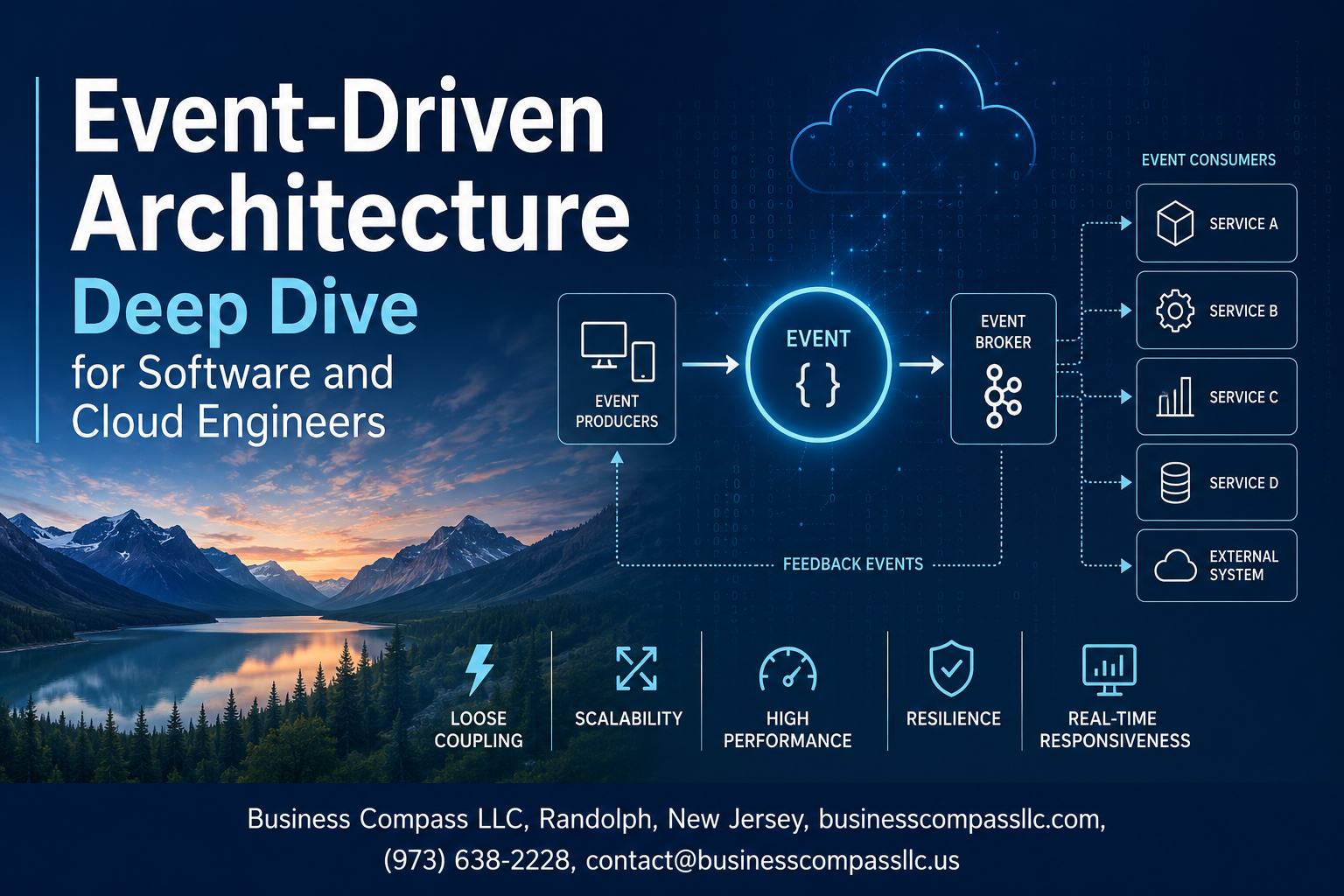
Event-Driven Architecture Deep Dive for Software and Cloud Engineers
If your services are getting tangled in tight coupling, your deployments are slowing each other down, and your system buckles under spiky traffic — event-driven architecture might be exactly what you need to fix that.
This guide is written for software engineers and cloud engineers who already know their way around distributed systems and want a practical, no-fluff look at how EDA actually works at scale. If you’re building microservices, running workloads on AWS, GCP, or Azure, or seriously thinking about migrating a monolith to event-driven architecture, you’re in the right place.
Here’s what we’ll walk through together:
- The building blocks of scalable event-driven systems — events, producers, consumers, brokers, and how they fit together cleanly
- Event streaming vs. event messaging — when to reach for Apache Kafka event streaming versus a traditional message queue, and why the difference matters more than most people think
- Implementing EDA in cloud environments — the real patterns, the failure modes you’ll hit, and how event-driven system observability keeps you from flying blind in production
By the end, you’ll have a clear mental model for designing, deploying, and debugging event-driven systems that actually hold up when things get messy.
Core Concepts of Event-Driven Architecture

What Events, Producers, and Consumers Really Mean
In event-driven architecture, an event is simply a record that something happened — a user clicked a button, an order was placed, a payment failed. It’s not a command telling another service what to do; it’s a fact. Producers are the services that generate and publish these events, while consumers are the services that pick them up and react. The key shift here is that producers don’t care who’s listening — they just broadcast the event and move on. This decoupling is what makes EDA so powerful for building scalable, microservices event-driven designs.
How Event Brokers and Message Queues Differ
People often use these terms interchangeably, but they work pretty differently under the hood:
- Message queues (like RabbitMQ or Amazon SQS) are point-to-point. A message gets sent, a consumer picks it up, and it’s gone. Think of it like handing someone a note — once they read it, it’s done.
- Event brokers (like Apache Kafka or AWS EventBridge) work more like a log or a news feed. Events get published to a topic and can be read by multiple consumers, replayed, or held for a set retention period.
| Feature | Message Queue | Event Broker |
|---|---|---|
| Message retention | Deleted after consumption | Retained for replay |
| Consumer model | Single consumer per message | Multiple consumers |
| Use case | Task distribution | Event streaming, audit logs |
Apache Kafka event streaming is a go-to choice when you need durability, high throughput, and the ability to replay events for debugging or new service onboarding.
Synchronous vs. Asynchronous Communication Tradeoffs
Synchronous communication means the caller waits for a response — like a regular HTTP request. It’s simple and easy to reason about, but it creates tight coupling and can cause cascading failures when downstream services slow down.
Asynchronous communication, the backbone of EDA, lets services talk without waiting. A producer drops an event and keeps going. This brings real advantages:
- Better resilience — a slow consumer doesn’t block the producer
- Natural scalability — consumers can scale independently based on queue depth
- Loose coupling — services don’t need to know about each other directly
The tradeoff? Debugging gets harder, and you need to handle things like out-of-order events, duplicate messages, and eventual consistency. These aren’t dealbreakers — they’re just engineering challenges you plan for upfront.
Key EDA Patterns Every Engineer Should Know
A few patterns show up constantly in scalable event-driven systems:
- Event Notification — a service fires an event to signal something happened, but doesn’t include much data. Consumers fetch the details themselves if needed.
- Event-Carried State Transfer — the event includes all the data consumers need, so they don’t have to call back to the source. Great for reducing inter-service calls.
- Event Sourcing — instead of storing just the current state, you store every event that led to it. This gives you a full audit trail and makes replaying state changes straightforward.
- CQRS (Command Query Responsibility Segregation) — splits read and write operations into separate models, often paired with event sourcing to keep things clean and performant.
- Saga Pattern — manages long-running transactions across multiple services by chaining events, where each step either completes or triggers a compensating action to roll things back.
Knowing when to reach for each pattern is what separates a good EDA implementation from a messy one. Not every system needs event sourcing or CQRS — but understanding the options means you can make the right call when complexity demands it.
Building Blocks of a Scalable EDA System
Choosing the Right Event Broker for Your Use Case
Picking the right event broker can make or break your scalable event-driven system. Your choice depends on throughput needs, latency tolerance, and delivery guarantees.
- Apache Kafka is the go-to for high-throughput event streaming, replay capability, and durable log storage — perfect for microservices event-driven design at scale
- RabbitMQ shines when you need flexible routing, complex message patterns, and lower-latency point-to-point delivery
- AWS EventBridge / Google Pub/Sub / Azure Service Bus are solid picks when implementing EDA in cloud-native environments where managed infrastructure matters
- NATS fits lightweight, low-latency scenarios where speed trumps persistence
Key things to evaluate:
- Message retention and replay support
- Consumer group semantics
- Throughput vs. latency trade-offs
- Operational overhead and managed service availability
Designing Effective Event Schemas and Payloads
Badly designed schemas are silent killers in event-driven architecture — they break consumers without warning and make debugging a nightmare.
- Use schema registries (like Confluent Schema Registry) alongside Avro or Protobuf to enforce contracts between producers and consumers
- Always include metadata fields: event ID, timestamp, source service, event type, and schema version
- Keep payloads self-contained but lean — consumers shouldn’t need extra API calls to process an event
- Adopt semantic versioning for schemas and design for backward compatibility from day one
A solid event payload looks something like:
{
  "eventId": "uuid-123",
  "eventType": "order.placed",
  "schemaVersion": "1.2",
  "timestamp": "2024-01-15T10:30:00Z",
  "source": "order-service",
  "data": { "orderId": "456", "customerId": "789" }
}
Managing Event Routing and Filtering Efficiently
Routing and filtering done right keeps your consumers clean and your system fast — done wrong, it creates a tangled mess nobody wants to debug.
- Content-based routing: route events based on payload attributes, not just topic names — EventBridge rules and Kafka Streams both handle this well
- Topic partitioning: in Apache Kafka event streaming, partition by a meaningful key (like customer ID) to maintain ordering within a consumer group
- Fan-out patterns: one event triggers multiple downstream consumers independently — keep them decoupled using separate subscriptions or consumer groups
- Dead letter queues (DLQs): unroutable or unprocessable events need a safety net so they don’t silently vanish
Practical routing strategies:
- Use topic hierarchies or naming conventions (
domain.entity.action) to make filtering intuitive - Apply server-side filtering (like SNS filter policies or EventBridge patterns) to reduce unnecessary consumer invocations and cut costs
- Avoid building routing logic inside individual consumer services — centralize it at the broker or gateway level
Event Streaming vs. Event Messaging
When to Use Apache Kafka Over Traditional Message Queues
Choosing between Apache Kafka and a traditional message queue comes down to what your system actually needs to do. Kafka shines when you need to handle massive volumes of events, retain them for replay, and have multiple consumers reading the same stream independently. Traditional queues like RabbitMQ work better when you need straightforward point-to-point delivery, complex routing logic, or lower operational overhead for smaller workloads.
Pick Kafka when you need:
- High-throughput event streaming across distributed services
- Long-term event log retention for auditing or replay
- Multiple independent consumer groups reading the same topic
- Exactly-once or at-least-once delivery guarantees at scale
Stick with traditional queues when:
- Your message volume is moderate and predictable
- You need advanced routing patterns like topic exchanges or fanout
- Your team wants simpler setup and maintenance
Understanding Event Logs and Replay Capabilities
One of Kafka’s biggest advantages over classic queues is that it treats events as a durable, ordered log rather than disposable messages. Once consumed, a message in RabbitMQ is gone. In Kafka, events stay in the log for a configurable retention period, meaning any consumer can rewind and reprocess events from any point in time.
This replay capability is a game-changer for:
- Rebuilding state after a service crash or deployment failure
- Onboarding new services that need historical data to bootstrap
- Debugging production issues by replaying the exact sequence of events that caused a bug
- Auditing and compliance where you need a full, immutable record of what happened
The key concept here is the consumer offset — each consumer tracks its own position in the log independently, so services can process events at their own pace without affecting each other.
Real-Time Stream Processing Techniques That Scale
Raw event streaming gets powerful when you layer stream processing on top. Tools like Apache Flink, Kafka Streams, and Apache Spark Structured Streaming let you transform, aggregate, and react to events as they arrive rather than waiting for batch jobs to run.
Common stream processing patterns include:
- Windowing — grouping events by time (sliding, tumbling, or session windows) to calculate metrics like “orders per minute” or “error rate over the last 5 minutes”
- Event joins — combining streams from different topics in real time, such as matching a payment event with its corresponding order event
- Stateful processing — maintaining running totals or user session state across events without hitting a database on every message
- Filtering and routing — stripping out irrelevant events early in the pipeline to reduce downstream load
Scaling stream processing means thinking about partitioning carefully. Kafka partitions are the unit of parallelism — more partitions let you run more consumer instances in parallel, but you need to partition by the right key to keep related events together for stateful operations.
Comparing Popular Tools: Kafka, RabbitMQ, and AWS SNS
Each tool solves a different problem, and picking the wrong one adds unnecessary complexity to your architecture.
| Feature | Apache Kafka | RabbitMQ | AWS SNS/SQS |
|---|---|---|---|
| Primary model | Distributed log / stream | Message queue / broker | Pub/sub + queue combo |
| Message retention | Days to weeks (configurable) | Until consumed | Short-term (SQS up to 14 days) |
| Throughput | Extremely high | Moderate to high | High (managed, scales automatically) |
| Replay | Yes, native | No | No (SNS), Limited (SQS) |
| Operational complexity | High (self-managed) | Medium | Low (fully managed) |
| Best for | Event streaming, audit logs, EDA backbone | Task queues, RPC patterns, complex routing | Cloud-native fan-out, serverless triggers |
RabbitMQ is a solid choice for microservices event-driven design when you need flexible routing and your team doesn’t want to manage Kafka clusters. It supports AMQP natively and handles complex exchange patterns really well.
AWS SNS paired with SQS is the go-to for teams already deep in AWS. SNS fans out messages to multiple SQS queues or Lambda functions instantly, making it perfect for event-driven workflows in serverless and cloud-native environments without any infrastructure to babysit.
Apache Kafka event streaming is the right call when you’re building a scalable event-driven system that needs durability, replay, and high throughput — think financial transaction processing, real-time analytics pipelines, or the central nervous system of a large microservices platform.
Implementing EDA in Cloud Environments
Leveraging Managed Event Services on AWS, Azure, and GCP
Cloud providers have done a lot of the heavy lifting when it comes to implementing EDA at scale. Instead of spinning up your own Kafka clusters from scratch, you can tap into managed services that handle the operational burden for you:
- AWS EventBridge — Great for routing events between AWS services, SaaS apps, and your own applications. It supports schema registries, which makes managing event contracts across teams way easier.
- AWS SNS + SQS — A classic combo for fan-out messaging patterns. SNS broadcasts to multiple SQS queues, letting different microservices consume the same event independently.
- AWS Kinesis Data Streams — Purpose-built for high-throughput event streaming, similar to Apache Kafka event streaming but fully managed within the AWS ecosystem.
- Azure Event Grid — Handles event routing with a push model, ideal for reacting to resource state changes across Azure services.
- Azure Event Hubs — Designed for massive-scale data ingestion, with Kafka protocol compatibility so you can migrate existing Kafka workloads without rewriting your producers and consumers.
- Google Cloud Pub/Sub — A globally distributed messaging backbone that handles billions of messages per day with at-least-once delivery guarantees and automatic scaling.
Picking the right service depends on your throughput requirements, latency tolerances, and how deeply embedded you already are in a specific cloud ecosystem.
Designing Serverless Event-Driven Workflows
Serverless and event-driven architecture are a natural pairing. When an event fires, a function spins up, does its job, and disappears — you only pay for what you actually use, and scaling happens automatically.
Here’s how this typically looks in practice:
- AWS Lambda triggered by EventBridge rules, SQS messages, or Kinesis stream shards
- Azure Functions reacting to Event Grid topics or Service Bus queues
- Google Cloud Functions consuming Pub/Sub messages
A few things to watch out for when designing serverless event-driven workflows:
- Cold starts — If your function hasn’t been invoked recently, the initial startup latency can hurt time-sensitive workflows. Provisioned concurrency on Lambda or pre-warming strategies help here.
- Concurrency limits — Cloud providers cap the number of concurrent function executions. Under heavy event load, you can hit these limits faster than expected, so set reserved concurrency thoughtfully.
- Idempotency — Serverless functions processing events need to handle duplicate messages gracefully. Design your functions so running them twice with the same event produces the same outcome.
- Timeout constraints — Functions have execution time limits. Long-running processing tasks need to be broken into smaller steps, often using state machines like AWS Step Functions or Azure Durable Functions.
Connecting Microservices Through Cloud-Native Event Hubs
In a microservices event-driven design, services should communicate through events rather than direct API calls wherever possible. Cloud-native event hubs act as the central nervous system that connects everything together without creating tight coupling between services.
The pattern works like this:
- A microservice publishes an event to the hub (e.g.,
OrderPlaced,PaymentProcessed) - Any downstream service that cares about that event subscribes and reacts independently
- The publishing service has no idea who’s listening — and that’s the point
AWS EventBridge excels at this with its event bus model, letting you route events to different targets based on content-based filtering rules. You can have an OrderPlaced event trigger an inventory update, a notification email, and an analytics pipeline all at once — without the order service knowing any of that exists.
Azure Service Bus brings in more advanced messaging features like message sessions, dead-letter queues, and duplicate detection, making it a solid choice for microservices that need reliable, ordered message delivery between specific services.
For teams already running Apache Kafka event streaming on-premises, Azure Event Hubs with Kafka protocol support or AWS MSK (Managed Streaming for Apache Kafka) let you lift those workloads into the cloud without rewriting your application code.
Reducing Infrastructure Costs With Event-Driven Scaling
One of the biggest practical wins from implementing EDA in cloud environments is how naturally it aligns with usage-based scaling — you’re not paying for servers that sit idle waiting for work.
Here’s where the cost savings really show up:
- Scale to zero — Serverless functions cost nothing when they’re not running. For workloads with unpredictable or spiky traffic patterns, this is a massive saving compared to keeping EC2 instances or VMs running 24/7.
- Queue-driven autoscaling — Services like SQS integrate directly with EC2 Auto Scaling Groups and ECS services. As the queue depth grows, more compute spins up. When the backlog clears, it scales back down automatically.
- KEDA (Kubernetes Event-Driven Autoscaling) — If you’re running scalable event-driven systems on Kubernetes, KEDA lets you scale pods based on external event sources like Kafka consumer lag, SQS queue depth, or Azure Service Bus message counts. This gives you much finer-grained scaling than traditional CPU or memory metrics.
- Decoupled processing — Because producers and consumers operate independently, you can right-size each component separately. A high-volume event producer doesn’t force you to over-provision your consumers.
The key is making sure your event consumers are stateless and horizontally scalable by design, so adding more instances during peak load is straightforward and safe.
Handling Cross-Region Event Distribution Reliably
Cross-region event distribution is one of the trickier parts of building a globally resilient EDA system. You need events to flow between regions without introducing duplicate processing, inconsistent ordering, or single points of failure.
Replication strategies across cloud providers:
- AWS EventBridge Global Endpoints — Automatically routes events to a secondary region if the primary becomes unhealthy. This gives you active-passive failover with minimal configuration.
- AWS Kinesis Cross-Region Replication — You can use Lambda to replicate Kinesis stream records to a stream in another region, though you need to handle deduplication on the consumer side.
- Azure Event Hubs Geo-Disaster Recovery — Pairs a primary namespace with a secondary one. During failover, the alias endpoint automatically points to the secondary, keeping your consumers connected without reconfiguring them.
- Google Cloud Pub/Sub — Already operates as a global service. A single topic can be published to and consumed from any region, with Google handling the underlying distribution transparently.
Key design principles for cross-region reliability:
- Always include a unique event ID in your event schema and track processed IDs to handle duplicates that arise during replication
- Avoid assuming strict global ordering — cross-region systems typically guarantee at-least-once delivery but not ordered delivery across regions
- Test your failover paths regularly, not just during planned drills — event-driven system observability tools should be set up to alert when replication lag spikes or cross-region event flow drops unexpectedly
- Keep consumers idempotent so that replayed events from a secondary region don’t corrupt your application state
Handling Failures and Ensuring Reliability
Implementing Dead Letter Queues to Catch Failed Events
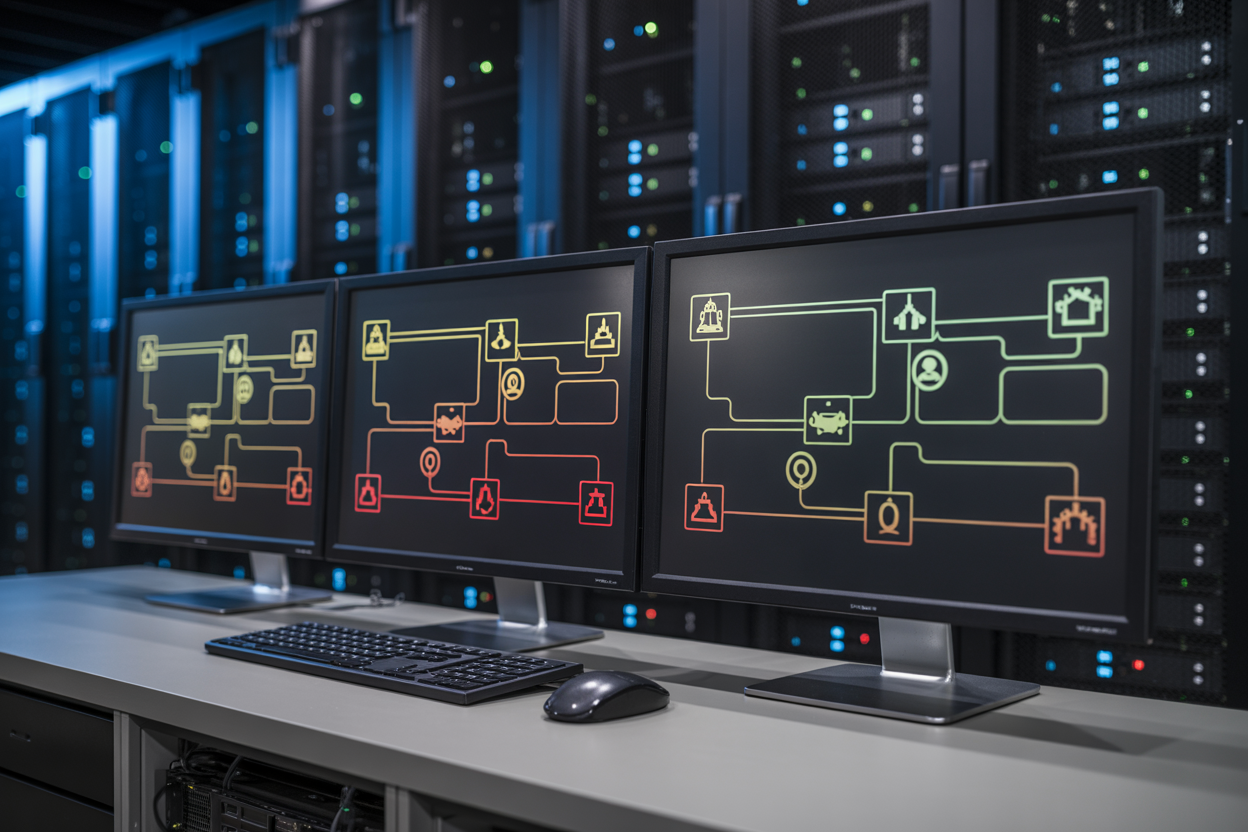
When an event fails to process, you don’t want it disappearing into thin air. Dead Letter Queues (DLQs) act as a safety net, catching events that repeatedly fail so you can inspect, debug, and reprocess them without losing data.
Key things to keep in mind when setting up DLQs:
- Set a retry threshold — define how many times a consumer should attempt processing before routing the event to the DLQ
- Alert on DLQ activity — a spike in dead-lettered events usually signals a bug or downstream service outage
- Store enough metadata — capture the original event payload, error message, timestamp, and retry count so debugging is straightforward
- Build a reprocessing pipeline — once you fix the root cause, you need a clean way to replay DLQ events back into the main stream
In scalable event-driven systems built on tools like Apache Kafka or AWS SQS, DLQs are non-negotiable for production reliability.
Achieving Exactly-Once and At-Least-Once Delivery Guarantees
Delivery semantics directly shape how your system behaves under pressure. Here’s the breakdown:
| Guarantee | What It Means | Best For |
|---|---|---|
| At-most-once | Events may be lost, never duplicated | Low-priority telemetry |
| At-least-once | Events always delivered, duplicates possible | Most production workloads |
| Exactly-once | No loss, no duplicates | Financial transactions, billing |
Apache Kafka’s exactly-once semantics (EOS) rely on idempotent producers and transactional APIs. Getting exactly-once right across distributed microservices event-driven design is hard — you need coordination between producers, brokers, and consumers. For most teams, at-least-once delivery paired with idempotent consumers is the more practical and resilient choice.
Designing Idempotent Consumers to Prevent Duplicate Processing
An idempotent consumer produces the same result whether it processes an event once or ten times. This is your best defense against duplicates in at-least-once delivery scenarios.
Practical ways to build idempotent consumers:
- Track event IDs — store processed event IDs in a database or cache like Redis; before processing, check if the ID already exists
- Use conditional writes — apply database upserts instead of blind inserts to prevent duplicate records
- Leverage natural keys — design your data model around unique business identifiers (order ID, transaction ID) so repeated writes are naturally safe
- Keep operations side-effect-safe — avoid triggering external calls like emails or payments inside retry-prone processing paths without deduplication guards
Building idempotency into your consumers from day one saves enormous pain when implementing EDA in cloud environments where network retries and at-least-once delivery are simply the reality.
Observability and Debugging in Event-Driven Systems

Tracing Event Flows Across Distributed Services
Debugging an event-driven system without proper tracing is like trying to follow a conversation where everyone whispers in separate rooms. Distributed tracing tools like Jaeger, Zipkin, or AWS X-Ray let you stitch together the full journey of an event across every service it touches.
Key practices to get this right:
- Propagate trace context (trace ID + span ID) in every event header so downstream consumers can attach to the same trace
- Use OpenTelemetry as a vendor-neutral instrumentation standard — it works across Kafka, RabbitMQ, and most cloud-native services
- Visualize service dependencies in a trace waterfall to spot where latency spikes or processing bottlenecks actually live
- Record both publish timestamps and consume timestamps per event so you can measure end-to-end lag with precision
Setting Up Meaningful Alerts and Monitoring Dashboards
Generic CPU and memory dashboards won’t save you in an EDA system. You need metrics that speak the language of events.
Build dashboards around these signals:
- Consumer lag — the gap between the latest produced offset and the consumer’s current position (critical in Kafka-based setups)
- Event processing rate — events per second, broken down by topic or queue
- Dead letter queue (DLQ) depth — a rising DLQ count is almost always a sign that something quietly broke
- End-to-end event latency — from publish time to fully processed acknowledgment
For alerting, avoid the trap of alerting on everything. Instead, focus on:
- DLQ depth crossing a threshold (e.g., more than 50 unprocessed messages)
- Consumer lag growing continuously over a 5-minute window
- Event processing error rate exceeding 1–2% of total throughput
Tools like Grafana + Prometheus, Datadog, or AWS CloudWatch with custom metrics work well for this. Pair them with PagerDuty or Opsgenie for on-call routing.
Using Correlation IDs to Simplify Root Cause Analysis
A correlation ID is a unique identifier you attach to an event at the very beginning of a workflow — and it follows that event everywhere. Every service that touches the event logs this ID, which means when something breaks, you can pull all related logs from every service in one shot instead of hunting through isolated log streams.
How to do this cleanly:
- Generate the correlation ID at the entry point (API gateway, webhook receiver, or event producer) using a UUID
- Pass it through every event payload and every downstream HTTP/gRPC call triggered by that event
- Log the correlation ID as a structured field (not just buried in a message string) so you can filter by it in tools like Elasticsearch, Splunk, or CloudWatch Logs Insights
- In Kafka specifically, store it in the message headers to keep the payload schema clean
A simple log query like correlationId = "abc-123" should instantly surface every step of that event’s journey — what was processed, what failed, and exactly where things went sideways.
Common Pitfalls That Silently Break EDA Systems
These are the issues that don’t throw loud errors — they slowly degrade your system until something catastrophic happens.
1. Missing or inconsistent event schema versioning
Producers evolve schemas without telling consumers. A new field gets added, an old one gets renamed, and suddenly downstream consumers silently drop messages or produce bad data. Use a schema registry (like Confluent Schema Registry) with backward/forward compatibility checks enforced at publish time.
2. Unbounded retry loops
A consumer fails, retries, fails again, and keeps retrying forever — blocking processing for everything behind it. Always set a max retry limit and route failed events to a DLQ after exhausting retries.
3. Clock skew causing incorrect event ordering assumptions
Relying on event timestamps from different services to determine order is risky because server clocks drift. Use monotonic sequence numbers or rely on broker-assigned offsets (Kafka does this well) rather than wall-clock time.
4. Silent consumer crashes
A consumer pod dies, the broker keeps accumulating events, and nobody notices until lag explodes. Make sure consumer heartbeat checks and liveness probes are configured and that consumer lag alerting is in place.
5. Lack of idempotency in consumers
Events can be delivered more than once — that’s a reality in any at-least-once delivery system. If your consumer isn’t idempotent, you’ll end up with duplicate records, double charges, or conflicting state updates. Every consumer should check if an event was already processed before acting on it.
Security and Compliance Considerations

Encrypting Events in Transit and at Rest
Security in a scalable event-driven system starts with encryption. Every event payload moving through your Apache Kafka topics or cloud message queues should be protected using TLS in transit and AES-256 at rest:
- Enable TLS/SSL on all broker-to-client connections
- Use envelope encryption with cloud KMS (AWS KMS, GCP Cloud KMS) for stored event data
- Rotate encryption keys on a scheduled basis to reduce exposure risk
Controlling Access to Event Topics and Queues
Access control keeps your EDA for cloud engineers clean and secure. Treat every topic or queue as a sensitive resource:
- Apply role-based access control (RBAC) — producers and consumers get only the permissions they actually need
- Use ACLs in Kafka or IAM policies in AWS SNS/SQS to enforce least-privilege access
- Separate service identities so a compromised microservice can’t read unrelated event streams
Auditing Event Flows to Meet Compliance Requirements
Compliance in event-driven architecture means knowing exactly what happened, when, and who triggered it:
- Log all producer and consumer activity with timestamps
- Use immutable event logs — Kafka’s retention feature naturally supports this
- Feed audit trails into a SIEM tool for real-time compliance monitoring
- Map event flows to regulations like GDPR, HIPAA, or SOC 2 by tagging sensitive data fields within event schemas
Migrating From Monolithic to Event-Driven Architecture
Identifying the Right Services to Decouple First
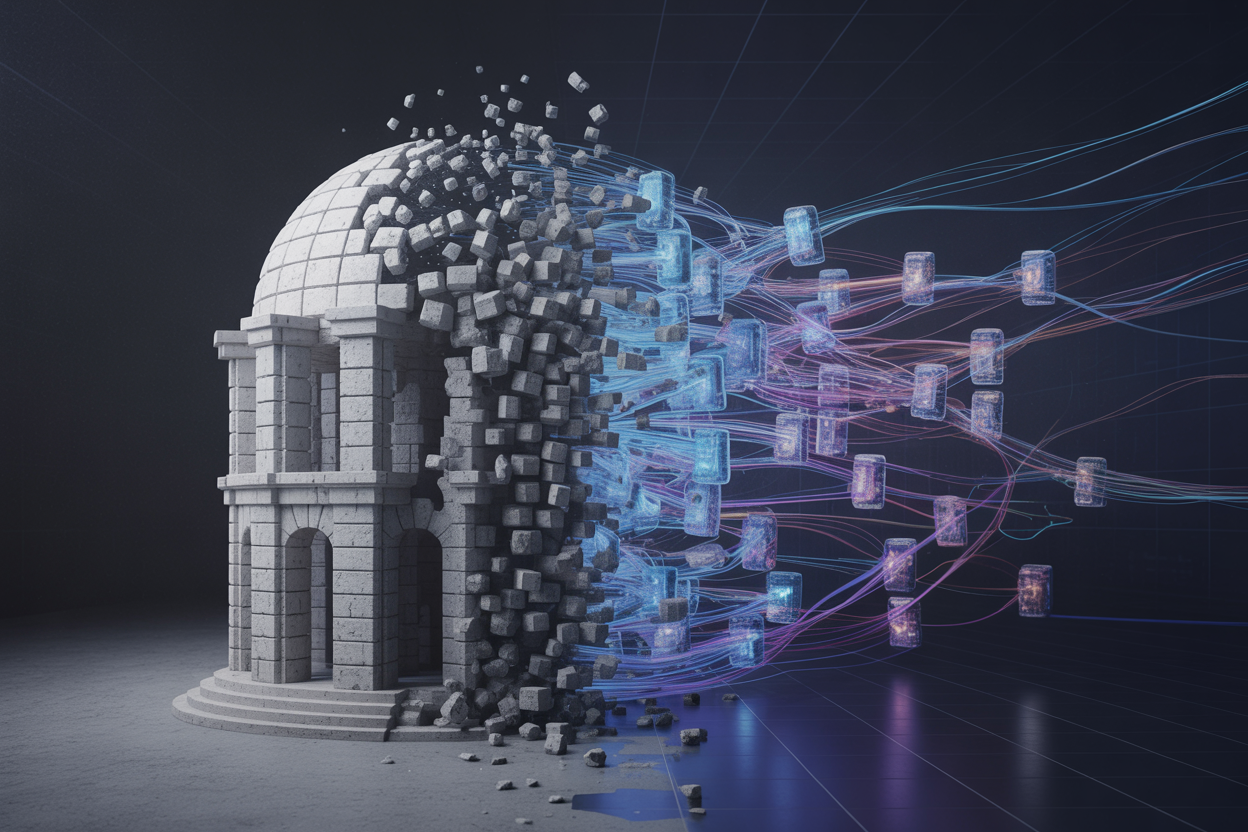
Start with the services that cause the most pain — the ones that slow deployments, create bottlenecks, or fail under load. Good candidates for early decoupling include:
- High-traffic domains like order processing, notifications, or user activity tracking
- Services with clear boundaries that don’t share databases with everything else
- Frequently changing components that force full redeployments of the monolith
Using the Strangler Fig Pattern for Incremental Migration
The Strangler Fig pattern lets you wrap new event-driven functionality around the monolith without a risky big-bang rewrite. You route specific traffic to the new microservices event-driven design while the old system keeps running. Over time, the monolith shrinks as more slices migrate.
- Deploy an API gateway or event router to intercept targeted requests
- Publish domain events using Apache Kafka event streaming as the backbone
- Keep the legacy system as a fallback until the new path is proven stable
Avoiding Common Migration Mistakes That Cause Downtime
- Dual-writing without consistency checks — writing to both old and new systems without verifying data parity leads to silent corruption
- Migrating too many services at once — this destroys your ability to isolate failures
- Skipping consumer group monitoring — untracked consumer lag in Kafka can quietly kill throughput
Measuring Success After Each Migration Milestone
Track these after every phase of migrating your monolith to event-driven architecture:
- Deployment frequency and lead time for the migrated service
- Consumer lag and event processing latency
- Error rates and dead-letter queue volume
- Team confidence — how quickly can engineers debug issues independently

Event-Driven Architecture is a powerful approach that can transform how your systems communicate, scale, and recover from failures. From understanding the core building blocks to setting up event streaming, handling failures gracefully, and keeping your systems observable and secure, EDA gives you the flexibility to build modern, resilient applications — especially when running in the cloud. The shift from monolithic systems to an event-driven model isn’t always easy, but with the right strategy, it’s absolutely worth the effort.
If you’re ready to take the next step, start small. Pick one part of your existing system, break it out into an event-driven flow, and see how it performs. Get comfortable with the tooling, sharpen your observability practices, and build your confidence before going all in. The engineers who get the most out of EDA are the ones who treat it as a journey, not a one-time migration. So roll up your sleeves, experiment, and let your systems do the heavy lifting.









