


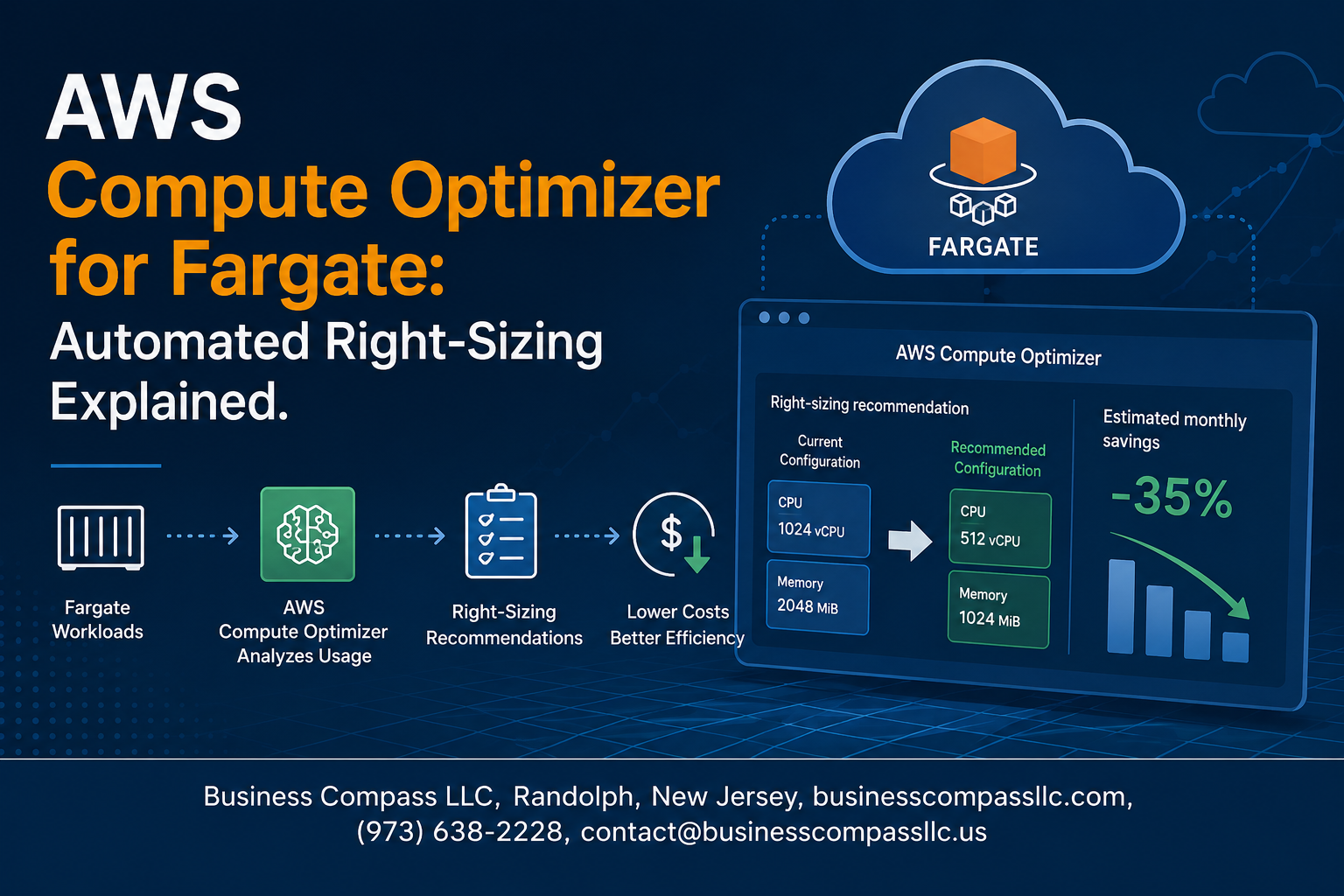
AWS Compute Optimizer for Fargate takes the guesswork out of container resource allocation by automatically analyzing your workloads and suggesting optimal CPU and memory configurations. This automated Fargate sizing tool is designed for DevOps engineers, cloud architects, and development teams who want to optimize their containerized applications without the manual overhead of constant monitoring and adjustment.
Managing Fargate resources manually often leads to over-provisioning expensive compute power or under-provisioning critical applications. AWS Compute Optimizer setup eliminates these pain points by continuously monitoring your ECS tasks and providing data-driven recommendations for better performance and cost efficiency.
In this guide, we’ll explore how automated right-sizing works behind the scenes and walk you through the practical steps of setting up Compute Optimizer for your Fargate workloads. You’ll also learn how to interpret the optimization recommendations and implement changes that can significantly reduce your AWS container optimization costs while maintaining or improving application performance.
Understanding AWS Compute Optimizer for Fargate
What is AWS Compute Optimizer and its core purpose
AWS Compute Optimizer acts as your intelligent resource advisor, analyzing historical performance data to recommend optimal CPU and memory configurations. This machine learning-powered service monitors your workloads continuously, identifying when resources are over-provisioned or under-allocated. The core purpose centers on eliminating guesswork from capacity planning while reducing costs and improving performance across your AWS infrastructure.
How Fargate integration enhances containerized workload optimization
AWS Compute Optimizer Fargate integration brings automated right-sizing directly to containerized environments without requiring infrastructure management. The service analyzes container performance metrics including CPU utilization, memory consumption, and task execution patterns to generate precise recommendations. Fargate right-sizing automation eliminates the complexity of manual resource tuning by providing data-driven insights specific to your container workloads. This integration allows developers to focus on application logic while the optimizer handles resource efficiency, making AWS container optimization seamless and hands-off.
Key differences from traditional EC2 optimization approaches
Fargate resource allocation optimization differs significantly from EC2 approaches because you’re optimizing task-level resources rather than instance-level infrastructure. Traditional EC2 optimization requires considering host capacity, instance families, and underlying hardware characteristics. With Fargate, the focus shifts to right-sizing individual container tasks based on actual application requirements. Automated Fargate sizing recommendations operate at the task definition level, providing granular control over CPU and memory allocation without worrying about host utilization or instance types. This approach delivers more precise optimization since recommendations target specific application needs rather than broad infrastructure patterns.
The Challenge of Manual Fargate Resource Allocation

Common pitfalls of overprovisioning CPU and memory resources
Most teams allocate excessive resources to Fargate containers as a safety net, thinking more is always better. This approach wastes money and can actually hurt performance. When containers have too much CPU allocated, the AWS scheduler might place multiple containers on the same host, creating unexpected resource contention. Memory overprovisioning leads to inflated costs without any performance benefits, since unused memory still gets billed at full rate.
Performance degradation risks from underprovisioned containers
Underprovisioned Fargate tasks create bottlenecks that cascade through your entire application stack. CPU-starved containers experience throttling, causing response times to spike unpredictably. Memory constraints force frequent garbage collection cycles in applications, leading to noticeable latency spikes. When containers hit memory limits, they get terminated by the OOM killer, disrupting user sessions and requiring expensive restart procedures that impact service reliability.
Financial impact of inefficient resource allocation
Poor Fargate resource allocation directly impacts your AWS bill. Overprovisioned containers can inflate costs by 200-400% compared to optimal sizing. A typical production workload running 50 containers with 2vCPU/4GB when only needing 0.5vCPU/1GB wastes approximately $2,000 monthly. Underprovisioned containers create hidden costs through performance penalties, increased support tickets, and engineering time spent firefighting issues instead of building features.
Time-consuming nature of manual monitoring and adjustments
Manual Fargate resource optimization consumes valuable engineering hours that could be spent on product development. Teams typically spend 10-15 hours weekly monitoring CloudWatch metrics, analyzing utilization patterns, and testing different resource configurations. Each adjustment requires careful testing across development, staging, and production environments. The constant cycle of monitoring, analyzing, adjusting, and validating creates an operational burden that scales poorly as your container fleet grows.
How Automated Right-Sizing Works in Practice
Machine learning algorithms analyzing historical utilization patterns
AWS Compute Optimizer Fargate leverages advanced machine learning models to analyze weeks of historical resource usage data from your containers. These algorithms identify patterns in CPU and memory consumption, detecting when tasks consistently underutilize allocated resources or experience performance bottlenecks. The system examines workload behaviors across different time periods, capturing peak usage spikes, idle periods, and steady-state operations to build comprehensive utilization profiles that inform precise right-sizing recommendations.
Real-time performance metrics collection and analysis
The service continuously monitors your Fargate tasks through comprehensive metric collection, gathering data points every minute on CPU utilization, memory usage, and network activity. This real-time analysis enables the system to capture transient workload patterns and identify optimization opportunities as they emerge. The platform processes millions of data points daily, ensuring that recommendations reflect actual container behavior rather than theoretical resource requirements, leading to more accurate Fargate resource allocation decisions.
Intelligent recommendation generation process
Compute Optimizer’s recommendation engine combines historical analysis with predictive modeling to generate tailored sizing suggestions for each Fargate task. The system evaluates multiple configuration scenarios, comparing current resource allocations against optimal settings based on observed usage patterns. Each recommendation includes confidence levels, projected cost savings, and performance impact assessments, helping teams make informed decisions about automated Fargate sizing adjustments while maintaining application reliability and user experience.
Integration with CloudWatch metrics for comprehensive insights
The optimization process deeply integrates with Amazon CloudWatch, pulling detailed metrics from your ECS clusters and Fargate services to create holistic performance views. This integration enables cross-correlation of application-level metrics with infrastructure utilization data, providing context-aware recommendations that consider both resource efficiency and service performance. CloudWatch’s extensive metric history serves as the foundation for long-term trend analysis, ensuring container right-sizing AWS recommendations account for seasonal variations and growth patterns.
Automated threshold detection for optimization opportunities
Smart threshold detection algorithms continuously scan your Fargate workloads for optimization signals, automatically flagging tasks that exceed predefined efficiency criteria. The system identifies containers running with consistently low utilization rates or those approaching resource limits, triggering recommendation generation without manual intervention. These automated triggers ensure that Fargate cost optimization opportunities are captured promptly, preventing resource waste while maintaining optimal application performance across your containerized infrastructure.
Key Benefits of Implementing Compute Optimizer for Fargate
Significant cost reduction through optimized resource allocation
Organizations implementing AWS Compute Optimizer Fargate typically see 20-30% cost reductions by eliminating over-provisioned containers. The automated Fargate right-sizing automation analyzes actual CPU and memory usage patterns, preventing teams from defaulting to oversized instances. Companies running hundreds of containers save thousands monthly through precise container right-sizing AWS recommendations that match workload demands.
Improved application performance and response times
Fargate performance optimization goes beyond cost savings by matching resources to actual application needs. Under-provisioned containers cause slow response times and bottlenecks, while right-sized containers deliver consistent performance. The AWS container optimization engine identifies optimal CPU and memory combinations, ensuring applications run smoothly without resource constraints affecting user experience or processing speeds.
Reduced operational overhead for DevOps teams
Manual Fargate resource allocation consumes countless engineering hours analyzing metrics and adjusting container specifications. Automated Fargate sizing eliminates this tedious work, freeing DevOps teams for strategic initiatives. Teams no longer need to constantly monitor and tweak container configurations, as Fargate cost optimization recommendations provide data-driven insights that reduce guesswork and manual intervention across containerized environments.
Setting Up and Configuring Compute Optimizer for Your Fargate Tasks

Prerequisites and IAM permissions required for implementation
Getting AWS Compute Optimizer Fargate up and running requires specific IAM permissions and account prerequisites. Your AWS account needs the compute-optimizer:GetRecommendationSummaries and compute-optimizer:GetECSServiceRecommendations permissions for accessing Fargate right-sizing automation insights. Create a dedicated IAM role with policies including ComputeOptimizerReadOnlyAccess and ECSTaskExecutionRolePolicy to enable proper AWS container optimization functionality. Your Fargate tasks must run for at least 24 hours with consistent workloads before generating meaningful Fargate resource allocation recommendations.
Enabling Compute Optimizer in your AWS account
Navigate to the AWS Compute Optimizer console and click “Opt in” to activate the service for your account. The setup process automatically begins analyzing your Fargate services within 12 hours of activation. Choose your preferred data retention period (14 days minimum recommended for accurate automated Fargate sizing insights). Regional activation is required – enable Compute Optimizer in each region where your ECS clusters operate. The service starts collecting CloudWatch metrics immediately, building baseline performance data for future AWS ECS optimization recommendations.
Configuring monitoring for Fargate services and tasks
CloudWatch Container Insights must be enabled on your ECS clusters to provide detailed Fargate performance optimization metrics. Configure the awslogs log driver in your task definitions with proper log group settings. Set up custom CloudWatch dashboards to monitor CPU utilization, memory usage, and network performance across your Fargate tasks. Enable detailed monitoring with 1-minute resolution for more granular data collection. Create CloudWatch alarms for key performance thresholds to complement your Fargate cost optimization strategy and ensure optimal container right-sizing AWS recommendations.
Setting up automated notifications for optimization recommendations
Configure Amazon SNS topics to receive automated alerts when new AWS Compute Optimizer setup recommendations become available. Create EventBridge rules that trigger on Compute Optimizer recommendation events, routing notifications to your preferred channels like Slack or email. Set up Lambda functions to process and filter recommendations based on cost savings thresholds or performance impact criteria. Schedule weekly CloudWatch Events to generate summary reports of all pending optimization opportunities, ensuring your team stays informed about available Fargate right-sizing automation improvements without manual monitoring overhead.
Interpreting and Acting on Optimization Recommendations
Understanding recommendation categories and priority levels
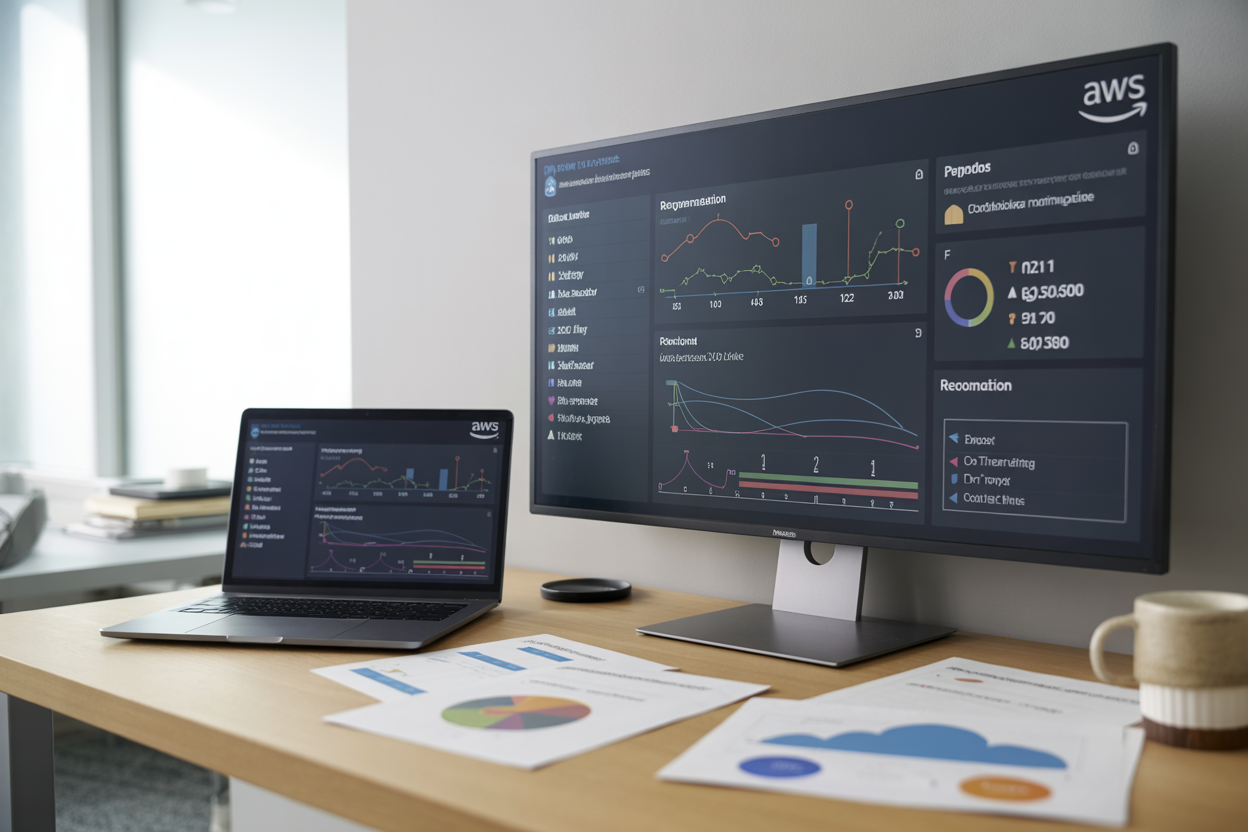
AWS Compute Optimizer for Fargate categorizes recommendations into three levels: under-provisioned, over-provisioned, and optimized. Under-provisioned tasks show high CPU or memory utilization and need resource increases for better performance. Over-provisioned tasks waste money with excessive unused resources and require downsizing. Optimized tasks already run at ideal resource levels. Priority levels range from very high to low based on potential cost savings and performance impact.
Evaluating cost savings projections and performance impact
Each Fargate right-sizing automation recommendation includes detailed cost projections showing monthly savings potential and percentage reductions. Performance impact assessments reveal how changes affect CPU utilization, memory usage, and application response times. AWS Compute Optimizer Fargate analyzes historical data to predict workload behavior under new resource allocations. Review confidence levels for each recommendation – higher confidence scores indicate more reliable predictions based on comprehensive usage patterns.
Best practices for implementing recommended changes safely
Start with non-critical workloads when applying AWS ECS optimization recommendations to minimize business risk. Implement changes during maintenance windows or low-traffic periods to reduce user impact. Use blue-green deployments or canary releases to test new resource configurations gradually. Monitor key performance metrics closely after implementing container right-sizing AWS suggestions. Keep detailed records of changes and their outcomes to refine your Fargate cost optimization strategy. Always maintain rollback procedures and test them before making production changes to ensure quick recovery if issues arise.
AWS Compute Optimizer takes the guesswork out of Fargate resource management by analyzing your actual usage patterns and delivering actionable recommendations. Instead of manually tweaking CPU and memory allocations based on hunches, you get data-driven insights that help you find the sweet spot between performance and cost. The automated right-sizing process continuously monitors your workloads and suggests optimal configurations, making it easier to maintain efficient operations without constant oversight.
Getting started with Compute Optimizer for your Fargate tasks is straightforward, and the potential savings make it worth the setup time. The real value comes from acting on those optimization recommendations rather than just collecting them. Start by enabling Compute Optimizer for a few non-critical workloads, review the suggestions after a week or two, and gradually expand to your production environments. Your AWS bill will thank you, and your applications will run more efficiently with properly sized resources.









