

Deploy a Full-Stack React and Go Application on AWS with ECS, S3, CloudFront, and Terraform
You’ve got a React app and a Go API running on your laptop. Now you need them live, and you don’t want to click through the AWS console to get there.
This guide shows you how to deploy React and Go on AWS using infrastructure as code. It’s for developers and small teams who know the basics of React, Go, and Docker, and want a repeatable full-stack application deployment on AWS.
Here’s what we’ll cover:
- Dockerize your Go application and run it as a Go backend on ECS Fargate.
- Host your React frontend with a React S3 CloudFront deployment that loads fast anywhere.
- Set up everything with Terraform so your AWS infrastructure is versioned, shareable, and easy to rebuild, then add a CI/CD pipeline to ship changes automatically.
By the end, you’ll have a working setup you can push to with a single commit. Grab a coffee and let’s get going.
Plan a Scalable Architecture from Day One

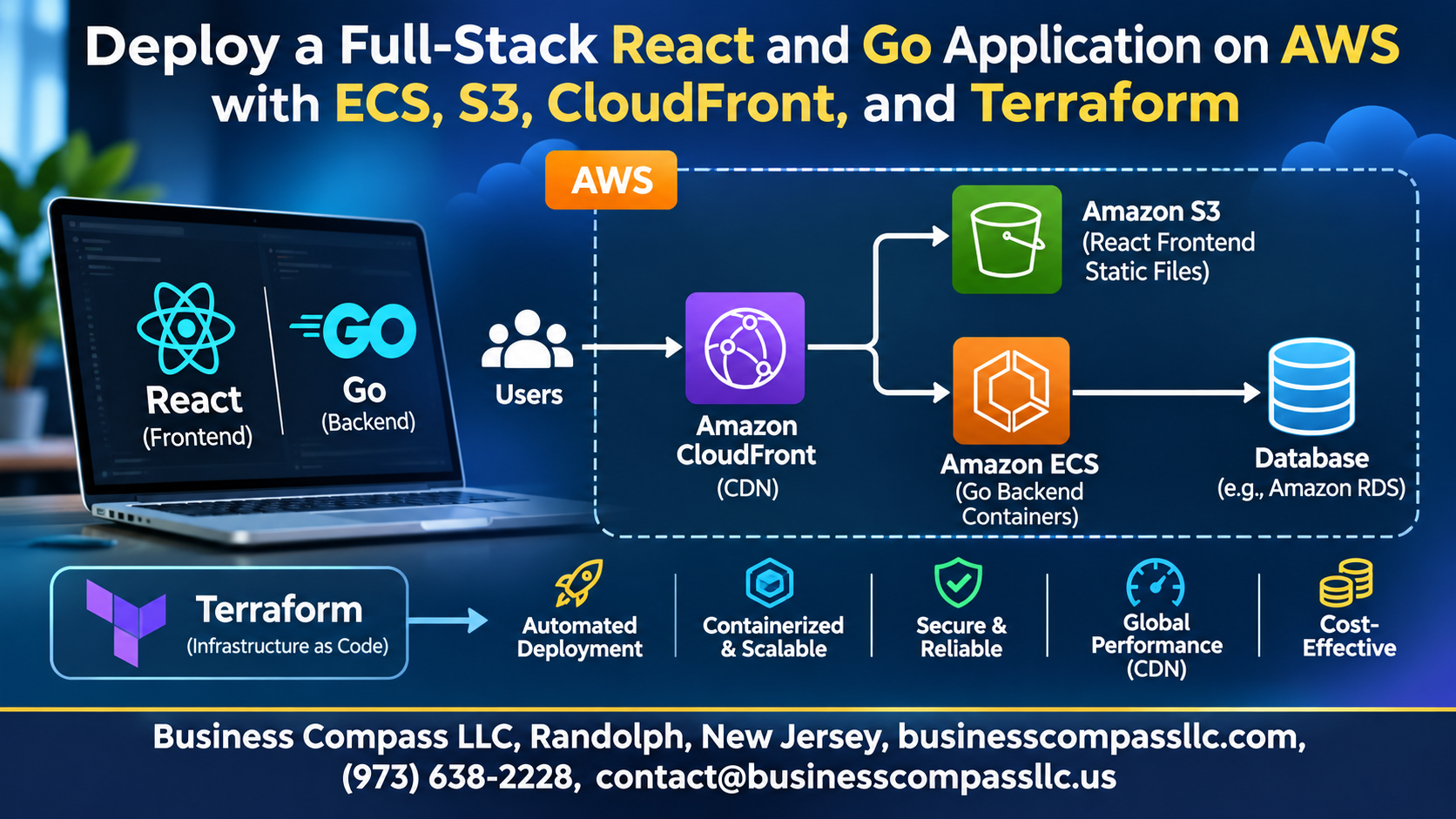
Understand How React, Go, ECS, S3, and CloudFront Fit Together
React builds static files for S3, CloudFront serves them globally, and your Go API runs in Docker on ECS Fargate.
Set Up Prerequisites and Tools for a Smooth Start
Install Go, Node.js, Docker, Terraform, and AWS CLI.
Structure Your Project for Easy Maintenance
Keep /frontend, /backend, and /infra folders separate.
Build a Fast and Reliable Go Backend API

Create Clean REST Endpoints
Use resource-based routes like /api/todos, return JSON, send accurate status codes.
Add Configuration and Health Checks for Production Readiness
Read settings from environment variables and expose /health for ECS checks.
Handle CORS to Connect Seamlessly with the Frontend
Allow only your CloudFront domain and handle preflight.
Create a Responsive React Frontend

Set Up the React App with Environment-Based API URLs
Use VITE_API_URL in .env.development and .env.production so the same code hits localhost locally and your real API in production.
Connect to the Go API with Confidence
Wrap fetch in one helper that handles errors and timeouts.
Generate an Optimized Production Build
Run npm run build to create minified files in dist/.
Test Locally Before Deploying
Run npm run preview against your Dockerized Go API to catch CORS issues early.
Containerize the Go Application for Consistent Deployments

Write a Lightweight Multi-Stage Dockerfile
Build with golang:alpine, compile a static binary, then copy it into scratch or alpine. You get a tiny, secure image to Dockerize your Go application.
Run and Test the Container Locally
Run docker build -t api ., then docker run -p 8080:8080 api. Hit /health with curl.
Push the Image to Amazon ECR
Create a repository, log in with aws ecr get-login-password, tag the image, and docker push it.
Lay the Foundation with Terraform

Configure Providers and Remote State for Team Collaboration
- S3 backend, DynamoDB locking.
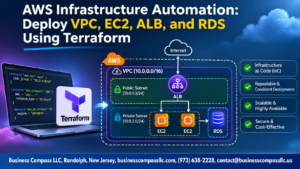
Create a VPC with Public and Private Subnets
- ALB public, Fargate tasks private.
Define Security Groups to Protect Your Resources
- Only the ALB reaches ECS.
Organize Variables and Outputs for Reusability
- Variables and outputs keep modules reusable.
Run Your Backend on AWS ECS

Provision ECS with Fargate
Create the cluster in Terraform; Fargate handles servers.
Task and Service Configurations
Set CPU, memory, image, and desired count.
Application Load Balancer
Route traffic through health-checked target groups.
CloudWatch Logging
Send container logs with awslogs driver.
Auto Scaling
Scale tasks using CPU target tracking.
Host Your Frontend with S3 and CloudFront

Create a Secure S3 Bucket for Static Assets
Block public access; enable versioning.
Set Up CloudFront for Global Speed and HTTPS
Force HTTPS, cache aggressively.
Restrict Bucket Access with Origin Access Control
OAC lets only CloudFront read.
Route API Requests to the Backend Through CloudFront
Forward /api/* to the ALB.
Automate Deployment from Code to Cloud

Apply Terraform to Launch the Full Infrastructure
Run terraform init, plan, then apply to create your VPC, ECS Fargate service, S3 bucket, and CloudFront distribution.
Upload the React Build and Invalidate the CloudFront Cache
Build the app, then aws s3 sync build/ s3://bucket --delete. Next, run aws cloudfront create-invalidation so users see fresh files.
Deploy New Backend Versions to ECS Without Downtime
Push a new image to ECR, then run aws ecs update-service --force-new-deployment. Rolling updates keep old tasks alive until the new ones pass health checks.
Build a CI/CD Pipeline with GitHub Actions
Use a workflow that tests, builds, pushes, deploys, and syncs on every merge to main.
Secure, Monitor, and Optimize Your Deployment

A. Manage Secrets Safely with AWS Services
Store secrets in AWS Secrets Manager, then inject them into ECS task definitions. Never bake them into images.
B. Set Up Monitoring and Alerts to Catch Issues Early
Send logs to CloudWatch and alarm on CPU, memory, and 5xx errors.
C. Reduce AWS Costs Without Sacrificing Performance
Use Fargate Spot for non-critical tasks, and right-size containers.
D. Troubleshoot Common Deployment Issues Quickly
Check task logs, security groups, and health checks first.

Getting a full-stack app live on AWS can feel like a lot, but it’s really just a handful of solid pieces working together. You plan the architecture early, build a quick Go API and a clean React frontend, then wrap the backend in a Docker container so it runs the same everywhere. Terraform ties it all together by turning your infrastructure into code you can track, repeat, and fix when something breaks.
From there, ECS keeps your backend running, while S3 and CloudFront serve your frontend fast to users anywhere. Add automated deployments, and shipping changes goes from a nervous manual routine to a simple push. Layer on good security, monitoring, and cost tuning, and you’ve got a setup that can grow with you.
So here’s my advice: don’t try to build the whole thing in one go. Start small, get one piece working, like a basic Go container on ECS, then add the rest step by step. Open your editor, write that first Terraform file, and get something live. You’ll learn more from one real deployment than from a dozen tutorials.