


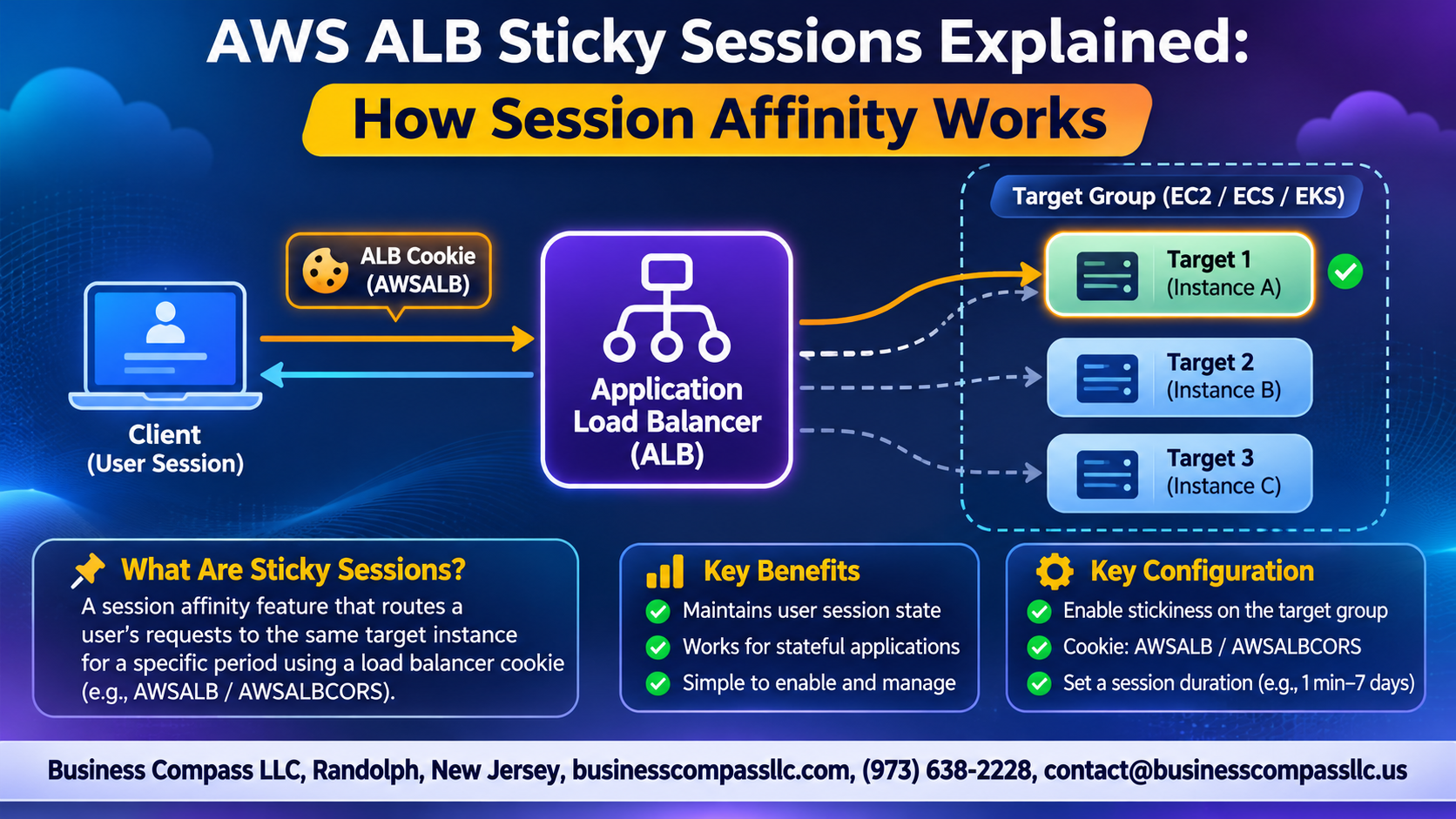
Ever had users get logged out right after a load balancer sent them to a different server? That’s the problem AWS ALB sticky sessions solve. Session affinity tells the Application Load Balancer to keep sending a user to the same target, so their session data stays put.
This guide is for developers, DevOps engineers, and cloud architects running apps behind an ALB who want to know how it works and when to use it.
Here’s what we’ll cover:
- How ALB routes requests to the same target: what happens behind the scenes, and how cookies keep users on one server.
- Choosing the right stickiness type: duration-based vs. application-based cookies, and when each one fits.
- Setup and troubleshooting: how to turn it on, plus the common pitfalls that trip people up.
By the end, you’ll know how to set it up and when to skip it for something more scalable.
Understand What Sticky Sessions Do for Your Application

Define Session Affinity in Plain Terms
The ALB keeps sending one user to the same target.
See Why Stateful Apps Need Consistent Routing
Local session data, like carts, vanishes on another server.
Know When Stickiness Helps and When It Hurts
Great for legacy apps; risky for uneven load.
Learn How ALB Routes Requests to the Same Target

Follow the Request Flow
Client hits ALB, which picks a target and sets a cookie.
How Cookies Bind Users
Later requests carry the cookie, so ALB routes them back.
Target Group Controls
Enable stickiness per target group.
Algorithm Interaction
Sticky requests skip round robin; only new sessions use it.
Choose the Right Stickiness Type

Duration-Based Stickiness
The ALB creates its own AWSALB cookie. It’s the easiest option, with no app changes needed.
Application-Based Stickiness
Your app sets a custom cookie, so you control when sessions stick and expire.
Side-by-Side Comparison
- Duration: ALB-managed, simple.
- Application: app-managed, flexible.
Match to Your Use Case
Pick duration for quick wins, application for custom session logic.
Enable and Configure Sticky Sessions Step by Step

A. Turn On Stickiness in the AWS Console
Open your target group, choose Attributes, then Edit. Turn on stickiness and pick a type.
B. Configure Stickiness with the AWS CLI
Run aws elbv2 modify-target-group-attributes with stickiness.enabled=true.
C. Automate Setup with Infrastructure as Code
Set the same attributes in Terraform or CloudFormation.
D. Set the Ideal Cookie Duration
Match your session timeout.
Avoid Common Pitfalls and Troubleshoot Issues

Fix Uneven Traffic Distribution
Heavy users pinned to one target cause hot spots. Shorten cookie duration and consider scaling out.
Handle Target Failures and Deregistration Gracefully
Failed targets break stickiness. Set deregistration delay so sessions drain.
Resolve Cookie and Browser Compatibility Problems
Clients blocking cookies ignore stickiness. Check cookie settings.
Verify Stickiness Is Working as Expected
Check the AWSALB cookie in browser dev tools, and compare target logs.
Optimize Session Management for Scale and Resilience

Weigh Stickiness Against Externalized Stores
Stickiness is quick to set up, but it ties users to one target.
Use Redis or DynamoDB for Stateless Scaling
Store sessions in Redis or DynamoDB so any target can serve any user.
Combine Stickiness with Auto Scaling Safely
Use connection draining and short durations.
Apply Best Practices for Secure, Reliable Sessions
Use HTTPS, expire sessions, and test failovers.

Sticky sessions are a simple way to keep a user talking to the same target, so their login or cart doesn’t vanish mid-visit. ALB does this with a cookie, either one it generates for you (duration-based) or one your app controls (application-based). Pick the type that fits how your app handles sessions, turn it on in your target group settings, and set a sensible duration. Then test it, because a misconfigured cookie or a client that blocks cookies can break things fast.
Keep in mind that stickiness isn’t a cure-all. It can cause uneven traffic, and if a target goes down, those sessions go with it. For apps that need to scale up and stay resilient, move session data into something like ElastiCache or DynamoDB so any target can pick up where another left off.
So check your current setup this week. If sticky sessions are solving a problem, tune them. If they’re hiding one, it’s a good time to fix the root cause.