


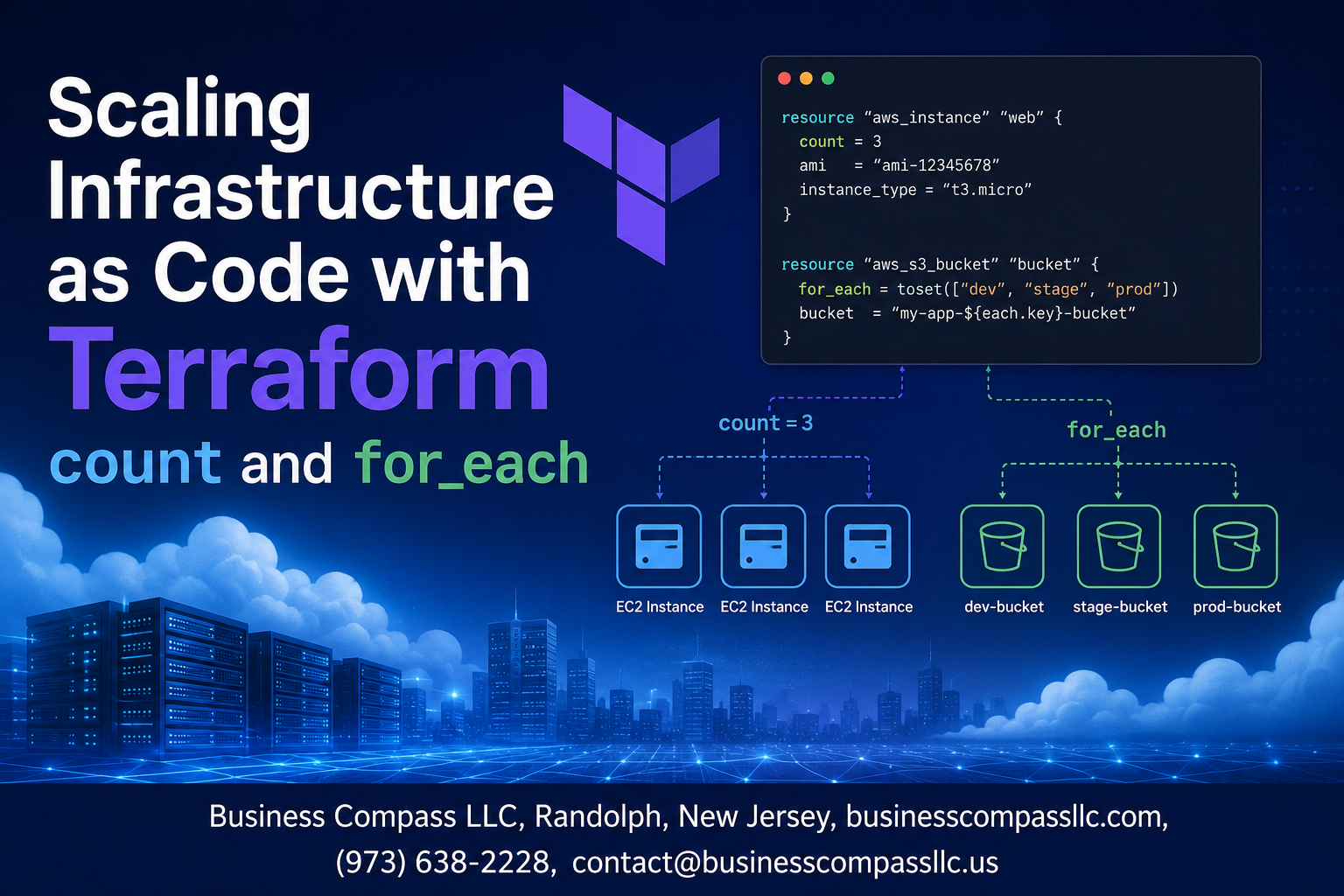
Managing multiple cloud resources manually gets messy fast. Terraform count and for_each solve this problem by letting you create multiple resources with just a few lines of code, making infrastructure as code scaling both efficient and maintainable.
This guide is for DevOps engineers, cloud architects, and infrastructure developers who want to move beyond basic Terraform configurations and start building scalable, production-ready infrastructure.
We’ll walk through terraform meta-arguments that handle resource multiplication, compare when to use count versus for_each for different scenarios, and share terraform performance optimization techniques that keep your deployments running smoothly. You’ll also learn practical terraform debugging techniques to troubleshoot common issues and terraform state management best practices that prevent headaches down the road.
By the end, you’ll have the tools to scale your infrastructure confidently without drowning in repetitive configuration files.
Understanding Terraform Meta-Arguments for Infrastructure Scaling

Benefits of using count and for_each over resource duplication
Traditional infrastructure provisioning often leads to repetitive resource blocks scattered throughout configuration files. Terraform meta-arguments eliminate this redundancy by enabling dynamic resource creation through single declarations. Instead of copying and pasting server configurations, terraform count and terraform for_each generate multiple instances programmatically. This approach reduces configuration sprawl from hundreds of lines to just a few, making infrastructure as code scaling significantly more manageable. Teams can provision entire environments with minimal code changes while maintaining consistency across deployments.
When to choose count versus for_each for optimal results
Terraform count works best when creating identical resources that differ only by index numbers, such as web servers named web-server-1, web-server-2. The count parameter accepts integers and creates resources sequentially. Terraform for_each excels when resources need distinct attributes or names derived from complex data structures like maps or sets. Choose count for simple multiplication scenarios and for_each when each resource requires unique configuration parameters. For_each provides better state management since resources are identified by keys rather than index positions, preventing cascading changes when removing middle elements.
| Scenario | Best Choice | Reason |
|---|---|---|
| Identical resources with numbered names | count | Simple integer-based creation |
| Resources with unique attributes | for_each | Key-based identification |
| Dynamic resource removal | for_each | Prevents index shifting |
| Simple scaling operations | count | Less complex syntax |
Performance improvements through dynamic resource management
Dynamic terraform resource multiplication dramatically reduces plan and apply times compared to static resource blocks. Terraform processes meta-arguments efficiently, calculating dependencies once rather than evaluating each duplicated block separately. Infrastructure scaling strategies using these features minimize API calls during provisioning since Terraform batches similar operations. The engine optimizes resource graphs more effectively when working with programmatically generated resources. Teams report up to 60% faster deployment times when migrating from duplicated resource blocks to meta-argument patterns, especially in large-scale environments with hundreds of similar resources.
Reducing code complexity and maintenance overhead
Meta-arguments transform unwieldy configurations into maintainable infrastructure definitions. A single resource block with for_each replaces dozens of nearly identical declarations, cutting configuration files by 80% or more. Updates apply universally across all generated resources, eliminating the risk of inconsistent manual changes. Terraform advanced resource management through these patterns reduces human error significantly since modifications happen in one location. Version control becomes cleaner with fewer lines to review, and new team members can understand infrastructure layouts much faster when working with concise, programmatic resource definitions.
Mastering Terraform count for Resource Multiplication

Implementing basic count syntax for identical resource creation
Terraform count enables you to create multiple identical resources with a single resource block. By adding count = 3 to a resource definition, Terraform creates three instances of that resource. The count parameter accepts any valid expression that evaluates to a whole number, making it perfect for deploying multiple servers, databases, or network components. You can reference variables like count = var.instance_count to make your configurations dynamic. Each resource instance gets indexed starting from zero, so three resources become resource_name[0], resource_name[1], and resource_name[2]. This approach dramatically reduces code duplication when deploying identical infrastructure components across environments.
Using conditional logic to control resource deployment
Count excels at conditional resource deployment through boolean expressions. Setting count = var.enable_monitoring ? 1 : 0 creates a monitoring resource only when the variable is true, otherwise creates zero instances. This pattern works perfectly for environment-specific resources like development tools or production monitoring systems. You can combine multiple conditions using logical operators: count = var.environment == "production" && var.enable_backup ? 1 : 0. The count meta-argument supports complex expressions, allowing you to control resource creation based on list lengths, map values, or calculated results. This conditional approach keeps your configurations clean and prevents resource creation in unwanted scenarios.
Accessing count.index for unique resource configurations
The count.index attribute provides zero-based indexing for creating unique configurations within counted resources. Use it to assign distinct names like name = "${var.prefix}-${count.index}" or select different availability zones with availability_zone = var.az_list[count.index]. This index becomes crucial when distributing resources across regions or assigning unique IP addresses from CIDR blocks. You can perform mathematical operations on count.index, such as port = 8000 + count.index to assign sequential ports. Remember that count.index starts at zero, so plan your naming and numbering schemes accordingly. This indexing capability transforms simple resource multiplication into sophisticated infrastructure patterns.
Best practices for count variable management
Effective count management starts with clear variable definitions and validation rules. Define count variables with descriptive names and include validation blocks to prevent invalid values: validation { condition = var.instance_count >= 1 && var.instance_count <= 10 }. Use locals to calculate complex count expressions rather than embedding them directly in resources. Document your count logic extensively, especially when using conditional expressions or mathematical operations. Avoid changing count values frequently in production environments, as this triggers resource destruction and recreation. Consider using for_each instead of count when you need to reference resources by name rather than index. Store count variables in terraform.tfvars files to maintain consistency across team members and deployment pipelines.
Leveraging for_each for Advanced Resource Management

Creating resources from maps and sets for better organization
Maps and sets provide powerful data structures for organizing Terraform for_each loops. Using maps allows you to define key-value pairs where keys become resource identifiers and values contain configuration data. Sets work perfectly when you need to create multiple similar resources without additional metadata. Here’s how to structure your resources using maps:
variable "environments" {
  type = map(object({
    instance_type = string
    vpc_cidr      = string
    region        = string
  }))
  default = {
    dev = {
      instance_type = "t3.micro"
      vpc_cidr      = "10.0.0.0/16"
      region        = "us-west-2"
    }
    staging = {
      instance_type = "t3.small"
      vpc_cidr      = "10.1.0.0/16"
      region        = "us-west-2"
    }
  }
}

resource "aws_vpc" "main" {
  for_each   = var.environments
  cidr_block = each.value.vpc_cidr

  tags = {
    Name        = "${each.key}-vpc"
    Environment = each.key
  }
}
Sets work best when you only need to iterate over simple values without complex configuration:
variable "availability_zones" {
  type    = set(string)
  default = ["us-west-2a", "us-west-2b", "us-west-2c"]
}

resource "aws_subnet" "public" {
  for_each          = var.availability_zones
  vpc_id            = aws_vpc.main.id
  availability_zone = each.value
  cidr_block        = cidrsubnet(aws_vpc.main.cidr_block, 8, index(sort(var.availability_zones), each.value))
}
Dynamically generating resource configurations from data sources
Data sources can feed dynamic information into for_each loops, enabling infrastructure that adapts to existing cloud resources. This approach proves especially valuable when working with existing infrastructure or building cross-account deployments:
data "aws_availability_zones" "available" {
  state = "available"
}

resource "aws_subnet" "dynamic" {
  for_each          = toset(data.aws_availability_zones.available.names)
  vpc_id            = aws_vpc.main.id
  availability_zone = each.value
  cidr_block        = cidrsubnet(aws_vpc.main.cidr_block, 8, index(data.aws_availability_zones.available.names, each.value))

  tags = {
    Name = "subnet-${each.value}"
  }
}

data "aws_ami" "latest" {
  for_each    = toset(["ubuntu", "amazon-linux"])
  most_recent = true
  owners      = each.value == "ubuntu" ? ["099720109477"] : ["amazon"]

  filter {
    name   = "name"
    values = each.value == "ubuntu" ? ["ubuntu/images/hvm-ssd/ubuntu-focal-20.04-amd64-server-*"] : ["amzn2-ami-hvm-*-x86_64-gp2"]
  }
}

resource "aws_instance" "multi_os" {
  for_each      = data.aws_ami.latest
  ami           = each.value.id
  instance_type = "t3.micro"

  tags = {
    Name = "instance-${each.key}"
    OS   = each.key
  }
}
Using for_each with complex objects for flexible deployments
Complex objects enable sophisticated infrastructure patterns by combining multiple resource types and configurations within single iterations. This technique shines when deploying application stacks or multi-component services:
variable "applications" {
  type = map(object({
    instance_type     = string
    min_capacity      = number
    max_capacity      = number
    desired_capacity  = number
    health_check_type = string
    subnets          = list(string)
    security_groups  = list(string)
    load_balancer = object({
      enabled     = bool
      scheme      = string
      target_type = string
    })
    database = object({
      enabled       = bool
      engine        = string
      instance_class = string
      storage_size   = number
    })
  }))
}

resource "aws_launch_template" "app" {
  for_each      = var.applications
  name          = "${each.key}-template"
  image_id      = data.aws_ami.latest["amazon-linux"].id
  instance_type = each.value.instance_type

  vpc_security_group_ids = each.value.security_groups

  tag_specifications {
    resource_type = "instance"
    tags = {
      Name        = "${each.key}-instance"
      Application = each.key
    }
  }
}

resource "aws_autoscaling_group" "app" {
  for_each            = var.applications
  name                = "${each.key}-asg"
  vpc_zone_identifier = each.value.subnets
  target_group_arns   = each.value.load_balancer.enabled ? [aws_lb_target_group.app[each.key].arn] : []
  health_check_type   = each.value.health_check_type

  min_size         = each.value.min_capacity
  max_size         = each.value.max_capacity
  desired_capacity = each.value.desired_capacity

  launch_template {
    id      = aws_launch_template.app[each.key].id
    version = "$Latest"
  }
}

resource "aws_lb_target_group" "app" {
  for_each = { for k, v in var.applications : k => v if v.load_balancer.enabled }

  name     = "${each.key}-tg"
  port     = 80
  protocol = "HTTP"
  vpc_id   = aws_vpc.main.id

  target_type = each.value.load_balancer.target_type
}

resource "aws_db_instance" "app" {
  for_each = { for k, v in var.applications : k => v if v.database.enabled }

  identifier     = "${each.key}-db"
  engine         = each.value.database.engine
  instance_class = each.value.database.instance_class
  allocated_storage = each.value.database.storage_size

  db_name  = each.key
  username = "admin"
  password = "changeme123!"

  skip_final_snapshot = true
}
Implementing for_each with local values for code reusability
Local values combined with for_each create reusable configuration patterns that reduce duplication and improve maintainability. This approach works particularly well for generating consistent naming conventions and shared configurations:
locals {
  environments = ["dev", "staging", "prod"]

  environment_configs = {
    for env in local.environments : env => {
      instance_type = env == "prod" ? "t3.large" : "t3.micro"
      min_size      = env == "prod" ? 2 : 1
      max_size      = env == "prod" ? 10 : 3
      vpc_cidr      = env == "dev" ? "10.0.0.0/16" : env == "staging" ? "10.1.0.0/16" : "10.2.0.0/16"

      tags = {
        Environment = env
        Project     = "terraform-scaling"
        Owner       = "infrastructure-team"
        CostCenter  = env == "prod" ? "production" : "development"
      }
    }
  }

  # Generate subnet configurations dynamically
  subnet_configs = merge([
    for env_name, env_config in local.environment_configs : {
      for az_index in range(3) : "${env_name}-${az_index}" => {
        environment     = env_name
        vpc_cidr        = env_config.vpc_cidr
        subnet_cidr     = cidrsubnet(env_config.vpc_cidr, 8, az_index)
        availability_zone = data.aws_availability_zones.available.names[az_index]
        tags            = merge(env_config.tags, {
          Name = "${env_name}-subnet-${az_index}"
          Type = "public"
        })
      }
    }
  ]...)

  # Security group rules matrix
  security_rules = {
    web = [
      { port = 80, protocol = "tcp", source = "0.0.0.0/0" },
      { port = 443, protocol = "tcp", source = "0.0.0.0/0" }
    ]
    app = [
      { port = 8080, protocol = "tcp", source = "10.0.0.0/8" },
      { port = 9090, protocol = "tcp", source = "10.0.0.0/8" }
    ]
    db = [
      { port = 3306, protocol = "tcp", source = "10.0.0.0/8" },
      { port = 5432, protocol = "tcp", source = "10.0.0.0/8" }
    ]
  }

  # Flatten security group rules for iteration
  flattened_rules = merge([
    for tier_name, rules in local.security_rules : {
      for rule_index, rule in rules : "${tier_name}-${rule.port}-${rule.protocol}" => {
        tier        = tier_name
        port        = rule.port
        protocol    = rule.protocol
        source_cidr = rule.source
      }
    }
  ]...)
}

resource "aws_vpc" "env" {
  for_each   = local.environment_configs
  cidr_block = each.value.vpc_cidr

  enable_dns_hostnames = true
  enable_dns_support   = true

  tags = merge(each.value.tags, {
    Name = "${each.key}-vpc"
  })
}

resource "aws_subnet" "env" {
  for_each          = local.subnet_configs
  vpc_id            = aws_vpc.env[each.value.environment].id
  cidr_block        = each.value.subnet_cidr
  availability_zone = each.value.availability_zone

  map_public_ip_on_launch = true

  tags = each.value.tags
}

resource "aws_security_group" "tiers" {
  for_each = local.security_rules
  name     = "${each.key}-sg"
  vpc_id   = aws_vpc.env["dev"].id

  tags = {
    Name = "${each.key}-security-group"
    Tier = each.key
  }
}

resource "aws_security_group_rule" "tier_rules" {
  for_each    = local.flattened_rules
  type        = "ingress"
  from_port   = each.value.port
  to_port     = each.value.port
  protocol    = each.value.protocol
  cidr_blocks = [each.value.source_cidr]

  security_group_id = aws_security_group.tiers[each.value.tier].id
}
Handling nested iterations for multi-tier infrastructure
Nested iterations enable complex infrastructure patterns where resources depend on multiple layers of configuration. This technique proves essential for multi-tier applications, cross-region deployments, and hierarchical infrastructure designs:
variable "regions" {
  type = map(object({
    azs = list(string)
    environments = map(object({
      instance_type = string
      replica_count = number
      database_tier = bool
    }))
  }))

  default = {
    "us-west-2" = {
      azs = ["us-west-2a", "us-west-2b", "us-west-2c"]
      environments = {
        dev = {
          instance_type = "t3.micro"
          replica_count = 1
          database_tier = false
        }
        prod = {
          instance_type = "t3.large"
          replica_count = 3
          database_tier = true
        }
      }
    }
    "us-east-1" = {
      azs = ["us-east-1a", "us-east-1b"]
      environments = {
        staging = {
          instance_type = "t3.small"
          replica_count = 2
          database_tier = false
        }
      }
    }
  }
}

locals {
  # Flatten region-environment combinations
  region_env_combinations = merge([
    for region_name, region_config in var.regions : {
      for env_name, env_config in region_config.environments : "${region_name}-${env_name}" => {
        region      = region_name
        environment = env_name
        azs         = region_config.azs
        config      = env_config
      }
    }
  ]...)

  # Generate subnet configurations for each region-environment-AZ combination
  subnet_combinations = merge([
    for combo_key, combo in local.region_env_combinations : {
      for az_index, az in combo.azs : "${combo_key}-${az}" => {
        region          = combo.region
        environment     = combo.environment
        availability_zone = az
        cidr_block      = cidrsubnet("10.0.0.0/16", 8, (index(keys(var.regions), combo.region) * 10) + (index(keys(combo.azs), az) * 2) + (combo.environment == "dev" ? 0 : combo.environment == "staging" ? 1 : 2))
        combo_key       = combo_key
        config          = combo.config
      }
    }
  ]...)

  # Application tier instances across regions and environments
  app_instances = merge([
    for combo_key, combo in local.region_env_combinations : {
      for replica_index in range(combo.config.replica_count) : "${combo_key}-app-${replica_index}" => {
        region      = combo.region
        environment = combo.environment
        replica_id  = replica_index
        combo_key   = combo_key
        config      = combo.config
        subnet_key  = "${combo_key}-${combo.azs[replica_index % length(combo.azs)]}"
      }
    }
  ]...)

  # Database instances (only where database_tier is true)
  db_instances = {
    for combo_key, combo in local.region_env_combinations : combo_key => combo
    if combo.config.database_tier
  }
}

# Provider configurations for multiple regions
provider "aws" {
  alias  = "us_west_2"
  region = "us-west-2"
}

provider "aws" {
  alias  = "us_east_1"
  region = "us-east-1"
}

# VPCs for each region-environment combination
resource "aws_vpc" "multi_tier" {
  for_each = local.region_env_combinations

  # Use appropriate provider based on region
  provider = each.value.region == "us-west-2" ? aws.us_west_2 : aws.us_east_1

  cidr_block           = "10.0.0.0/16"
  enable_dns_hostnames = true
  enable_dns_support   = true

  tags = {
    Name        = "${each.value.region}-${each.value.environment}-vpc"
    Region      = each.value.region
    Environment = each.value.environment
    Tier        = "network"
  }
}

# Subnets across all region-environment-AZ combinations
resource "aws_subnet" "multi_tier" {
  for_each = local.subnet_combinations

  provider = each.value.region == "us-west-2" ? aws.us_west_2 : aws.us_east_1

  vpc_id            = aws_vpc.multi_tier[each.value.combo_key].id
  cidr_block        = each.value.cidr_block
  availability_zone = each.value.availability_zone

  map_public_ip_on_launch = true

  tags = {
    Name           = "${each.value.region}-${each.value.environment}-subnet-${each.value.availability_zone}"
    Region         = each.value.region
    Environment    = each.value.environment
    AvailabilityZone = each.value.availability_zone
    Tier           = "network"
  }
}

# Application tier instances
resource "aws_instance" "app_tier" {
  for_each = local.app_instances

  provider = each.value.region == "us-west-2" ? aws.us_west_2 : aws.us_east_1

  ami                    = data.aws_ami.latest["amazon-linux"].id
  instance_type          = each.value.config.instance_type
  subnet_id              = aws_subnet.multi_tier[each.value.subnet_key].id
  vpc_security_group_ids = [aws_security_group.app_tier[each.value.combo_key].id]

  user_data = base64encode(templatefile("${path.module}/user_data.sh", {
    environment = each.value.environment
    region      = each.value.region
    replica_id  = each.value.replica_id
  }))

  tags = {
    Name        = "${each.value.region}-${each.value.environment}-app-${each.value.replica_id}"
    Region      = each.value.region
    Environment = each.value.environment
    Tier        = "application"
    ReplicaId   = each.value.replica_id
  }
}

# Security groups for application tier
resource "aws_security_group" "app_tier" {
  for_each = local.region_env_combinations

  provider = each.value.region == "us-west-2" ? aws.us_west_2 : aws.us_east_1

  name   = "${each.value.region}-${each.value.environment}-app-sg"
  vpc_id = aws_vpc.multi_tier[each.key].id

  ingress {
    from_port   = 80
    to_port     = 80
    protocol    = "tcp"
    cidr_blocks = ["0.0.0.0/0"]
  }

  ingress {
    from_port   = 443
    to_port     = 443
    protocol    = "tcp"
    cidr_blocks = ["0.0.0.0/0"]
  }

  egress {
    from_port   = 0
    to_port     = 0
    protocol    = "-1"
    cidr_blocks = ["0.0.0.0/0"]
  }

  tags = {
    Name        = "${each.value.region}-${each.value.environment}-app-sg"
    Region      = each.value.region
    Environment = each.value.environment
    Tier        = "application"
  }
}

# Database tier (only where enabled)
resource "aws_db_subnet_group" "db_tier" {
  for_each = local.db_instances

  name       = "${each.value.region}-${each.value.environment}-db-subnet-group"
  subnet_ids = [for subnet_key, subnet in local.subnet_combinations : aws_subnet.multi_tier[subnet_key].id if subnet.combo_key == each.key]

  tags = {
    Name        = "${each.value.region}-${each.value.environment}-db-subnet-group"
    Region      = each.value.region
    Environment = each.value.environment
    Tier        = "database"
  }
}

resource "aws_db_instance" "db_tier" {
  for_each = local.db_instances

  identifier = "${each.value.region}-${each.value.environment}-db"

  engine              = "mysql"
  engine_version      = "8.0"
  instance_class      = each.value.environment == "prod" ? "db.t3.medium" : "db.t3.micro"
  allocated_storage   = each.value.environment == "prod" ? 100 : 20
  storage_encrypted   = each.value.environment == "prod"

  db_name  = "appdb"
  username = "admin"
  password = "changeme123!"

  db_subnet_group_name   = aws_db_subnet_group.db_tier[each.key].name
  vpc_security_group_ids = [aws_security_group.db_tier[each.key].id]

  backup_retention_period = each.value.environment == "prod" ? 7 : 0
  skip_final_snapshot    = each.value.environment != "prod"

  tags = {
    Name        = "${each.value.region}-${each.value.environment}-db"
    Region      = each.value.region
    Environment = each.value.environment
    Tier        = "database"
  }
}

resource "aws_security_group" "db_tier" {
  for_each = local.db_instances

  provider = each.value.region == "us-west-2" ? aws.us_west_2 : aws.us_east_1

  name   = "${each.value.region}-${each.value.environment}-db-sg"
  vpc_id = aws_vpc.multi_tier[each.key].id

  ingress {
    from_port       = 3306
    to_port         = 3306
    protocol        = "tcp"
    security_groups = [aws_security_group.app_tier[each.key].id]
  }

  tags = {
    Name        = "${each.value.region}-${each.value.environment}-db-sg"
    Region      = each.value.region
    Environment = each.value.environment
    Tier        = "database"
  }
}

# Cross-region peering connections for production environments
locals {
  prod_regions = [for k, v in local.region_env_combinations : v.region if v.environment == "prod"]
  peering_combinations = [
    for i, region1 in local.prod_regions : [
      for j, region2 in local.prod_regions : {
        region1 = region1
        region2 = region2
        key     = "${region1}-${region2}"
      }
      if i < j
    ]
  ]
  flattened_peering = { for combo in flatten(local.peering_combinations) : combo.key => combo }
}

resource "aws_vpc_peering_connection" "cross_region" {
  for_each = local.flattened_peering

  provider = each.value.region1 == "us-west-2" ? aws.us_west_2 : aws.us_east_1

  vpc_id        = aws_vpc.multi_tier["${each.value.region1}-prod"].id
  peer_vpc_id   = aws_vpc.multi_tier["${each.value.region2}-prod"].id
  peer_region   = each.value.region2
  auto_accept   = false

  tags = {
    Name = "peering-${each.value.region1}-to-${each.value.region2}"
    Type = "cross-region-prod"
  }
}
This comprehensive approach to nested iterations demonstrates how terraform for_each enables sophisticated infrastructure patterns while maintaining terraform advanced resource management principles. The combination creates scalable, maintainable infrastructure as code scaling solutions that adapt to complex organizational requirements.
Real-World Implementation Strategies

Scaling EC2 instances across multiple availability zones
Amazon’s availability zones provide built-in redundancy for your infrastructure. Using terraform count with data sources, you can automatically distribute EC2 instances across all available zones in your region. The length(data.aws_availability_zones.available.names) function dynamically calculates instance count while element() cycles through zones, ensuring even distribution without hardcoding zone names.
data "aws_availability_zones" "available" {
  state = "available"
}

resource "aws_instance" "web_servers" {
  count                  = 3
  ami                    = var.ami_id
  instance_type          = var.instance_type
  availability_zone      = element(data.aws_availability_zones.available.names, count.index)
  subnet_id              = element(var.subnet_ids, count.index)

  tags = {
    Name = "web-server-${count.index + 1}"
    AZ   = element(data.aws_availability_zones.available.names, count.index)
  }
}
For more sophisticated scenarios, terraform for_each offers superior control when working with complex availability zone mappings:
locals {
  az_subnets = {
    for idx, az in data.aws_availability_zones.available.names : az => {
      subnet_id = var.subnet_ids[idx]
      zone      = az
    }
  }
}

resource "aws_instance" "distributed_servers" {
  for_each          = local.az_subnets
  ami               = var.ami_id
  instance_type     = var.instance_type
  availability_zone = each.value.zone
  subnet_id         = each.value.subnet_id

  tags = {
    Name = "server-${each.key}"
    AZ   = each.key
  }
}
Creating dynamic security groups with variable rules
Security group rules often follow patterns that repeat across environments. Instead of manually defining each rule, terraform for_each transforms rule maps into infrastructure as code scaling solutions. This approach reduces configuration drift and makes security policies consistent across your infrastructure.
variable "security_rules" {
  type = map(object({
    type        = string
    from_port   = number
    to_port     = number
    protocol    = string
    cidr_blocks = list(string)
    description = string
  }))

  default = {
    http = {
      type        = "ingress"
      from_port   = 80
      to_port     = 80
      protocol    = "tcp"
      cidr_blocks = ["0.0.0.0/0"]
      description = "HTTP access"
    }
    https = {
      type        = "ingress"
      from_port   = 443
      to_port     = 443
      protocol    = "tcp"
      cidr_blocks = ["0.0.0.0/0"]
      description = "HTTPS access"
    }
    ssh = {
      type        = "ingress"
      from_port   = 22
      to_port     = 22
      protocol    = "tcp"
      cidr_blocks = ["10.0.0.0/8"]
      description = "SSH access from internal network"
    }
  }
}

resource "aws_security_group" "dynamic_sg" {
  name_prefix = "dynamic-sg"
  vpc_id      = var.vpc_id

  dynamic "ingress" {
    for_each = { for k, v in var.security_rules : k => v if v.type == "ingress" }
    content {
      from_port   = ingress.value.from_port
      to_port     = ingress.value.to_port
      protocol    = ingress.value.protocol
      cidr_blocks = ingress.value.cidr_blocks
      description = ingress.value.description
    }
  }

  tags = {
    Name = "dynamic-security-group"
  }
}
Advanced implementations can combine terraform meta-arguments with locals for environment-specific rule generation:
locals {
  environment_rules = merge(
    var.security_rules,
    var.environment == "production" ? {
      monitoring = {
        type        = "ingress"
        from_port   = 9090
        to_port     = 9090
        protocol    = "tcp"
        cidr_blocks = var.monitoring_cidrs
        description = "Prometheus monitoring"
      }
    } : {}
  )
}
Deploying microservices infrastructure with consistent patterns
Microservices architectures benefit enormously from terraform resource multiplication patterns. Each service needs similar resources—load balancers, target groups, ECS services—but with service-specific configurations. Using terraform for_each with service definitions creates consistent infrastructure while maintaining service isolation.
variable "microservices" {
  type = map(object({
    image         = string
    port          = number
    cpu           = number
    memory        = number
    desired_count = number
    health_check_path = string
  }))

  default = {
    user-service = {
      image         = "company/user-service:latest"
      port          = 3000
      cpu           = 256
      memory        = 512
      desired_count = 2
      health_check_path = "/health"
    }
    order-service = {
      image         = "company/order-service:latest"
      port          = 3001
      cpu           = 512
      memory        = 1024
      desired_count = 3
      health_check_path = "/api/health"
    }
    payment-service = {
      image         = "company/payment-service:latest"
      port          = 3002
      cpu           = 256
      memory        = 512
      desired_count = 2
      health_check_path = "/status"
    }
  }
}

resource "aws_lb_target_group" "microservice_tg" {
  for_each = var.microservices

  name     = "${each.key}-tg"
  port     = each.value.port
  protocol = "HTTP"
  vpc_id   = var.vpc_id

  health_check {
    path                = each.value.health_check_path
    healthy_threshold   = 2
    unhealthy_threshold = 2
    timeout             = 5
    interval            = 30
    matcher             = "200"
  }

  tags = {
    Name    = "${each.key}-target-group"
    Service = each.key
  }
}

resource "aws_ecs_service" "microservices" {
  for_each = var.microservices

  name            = each.key
  cluster         = aws_ecs_cluster.main.id
  task_definition = aws_ecs_task_definition.microservice_tasks[each.key].arn
  desired_count   = each.value.desired_count

  load_balancer {
    target_group_arn = aws_lb_target_group.microservice_tg[each.key].arn
    container_name   = each.key
    container_port   = each.value.port
  }

  depends_on = [aws_lb_listener.main]
}

resource "aws_ecs_task_definition" "microservice_tasks" {
  for_each = var.microservices

  family                   = each.key
  requires_compatibilities = ["FARGATE"]
  network_mode            = "awsvpc"
  cpu                     = each.value.cpu
  memory                  = each.value.memory
  execution_role_arn      = aws_iam_role.ecs_execution_role.arn

  container_definitions = jsonencode([{
    name  = each.key
    image = each.value.image

    portMappings = [{
      containerPort = each.value.port
      hostPort      = each.value.port
      protocol      = "tcp"
    }]

    logConfiguration = {
      logDriver = "awslogs"
      options = {
        awslogs-group         = aws_cloudwatch_log_group.microservice_logs[each.key].name
        awslogs-region        = var.aws_region
        awslogs-stream-prefix = "ecs"
      }
    }
  }])
}
This pattern scales beautifully with terraform advanced resource management. Adding new microservices requires only updating the variable map, and Terraform handles all the infrastructure provisioning automatically. The approach maintains service isolation while ensuring consistent patterns across your entire microservices ecosystem.
Optimizing Performance and Managing State

Minimizing Terraform plan and apply execution time
Performance optimization becomes critical when managing thousands of resources with terraform count and for_each. Enable parallel execution by increasing the -parallelism flag from the default 10 to match your infrastructure capacity. Use resource targeting with -target flags to isolate changes and reduce planning time. Implement remote state backends like S3 with state locking to prevent conflicts during concurrent operations. Break large configurations into smaller modules to reduce blast radius and improve planning efficiency.
Handling state file growth with large-scale deployments
Large-scale terraform for_each implementations generate massive state files that slow down operations and increase memory consumption. Partition your infrastructure into separate state files using workspaces or different backends for logical separation. Implement state file compression and regular cleanup of unused resources. Consider using Terraform Cloud or Enterprise for automatic state management and backup. Monitor state file size and split configurations when files exceed 10MB to maintain optimal performance.
Implementing targeted updates for specific resources
Target specific resources within terraform count and for_each loops using precise addressing syntax. Use terraform plan -target=module.web_servers["production"] to update only specific instances. Implement resource tagging strategies that align with your targeting approach. Create automation scripts that can identify and target resources based on dynamic criteria like environment or application version. This approach minimizes downtime and reduces the risk of unintended changes across your infrastructure scaling operations.
Troubleshooting common scaling bottlenecks
Common terraform meta-arguments scaling issues include provider API rate limits, resource dependency cycles, and memory exhaustion during large deployments. Monitor provider logs to identify rate limiting patterns and implement exponential backoff strategies. Use terraform graph to visualize complex dependencies and identify circular references. Increase system memory allocation for large state operations and consider splitting configurations when encountering resource limits. Debug performance issues using TF_LOG=DEBUG to identify specific bottlenecks in your terraform performance optimization workflow.
Error Prevention and Debugging Techniques

Avoiding resource naming conflicts in scaled environments
When scaling infrastructure with terraform count and for_each, naming conflicts become a major headache. Each dynamically created resource needs a unique identifier to prevent Terraform state corruption. Using predictable naming patterns like ${var.environment}-server-${count.index} for count-based resources or ${each.key}-database for for_each implementations ensures clean resource identification. Avoid hardcoded names that might clash across environments or regions.
Implementing validation rules for dynamic configurations
Dynamic configurations require robust validation to catch errors before deployment. Terraform’s validation blocks work perfectly with meta-arguments to verify input values. Create custom validation rules that check list lengths for count operations or validate map keys for for_each loops. Variable validation prevents invalid resource configurations that could break your infrastructure scaling patterns.
variable "server_configs" {
  type = map(object({
    instance_type = string
    availability_zone = string
  }))

  validation {
    condition = alltrue([
      for config in values(var.server_configs) :
      contains(["t3.micro", "t3.small", "t3.medium"], config.instance_type)
    ])
    error_message = "Instance type must be t3.micro, t3.small, or t3.medium."
  }
}
Using Terraform console for testing complex expressions
The terraform console becomes your best friend when debugging complex count and for_each expressions. Test your logic interactively before applying changes to production infrastructure. Load your current state and experiment with different iterations, conditionals, and data transformations. This approach saves time and prevents costly mistakes in terraform resource multiplication scenarios.
# Test for_each expressions
> [for k, v in var.environments : "${k}-${v.region}"]

# Validate count conditions
> length(var.server_list) > 0 ? length(var.server_list) : 1
Managing dependencies between dynamically created resources
Dependencies between scaled resources require careful planning to avoid circular references and ensure proper creation order. Use explicit depends_on blocks when Terraform can’t automatically detect relationships between count or for_each resources. Reference other dynamic resources using their indexed or keyed outputs to maintain proper dependency chains across your infrastructure scaling implementation.
| Dependency Pattern | Use Case | Example |
|---|---|---|
| Implicit | Resource attributes | aws_instance.web[count.index].id |
| Explicit | Complex relationships | depends_on = [aws_security_group.web] |
| Data sources | External dependencies | data.aws_ami.latest[each.key] |

Managing infrastructure at scale doesn’t have to be overwhelming when you have the right tools in your toolkit. Terraform’s count and for_each meta-arguments give you the power to create, modify, and manage multiple resources efficiently without writing repetitive code. By understanding when to use count for simple resource multiplication and for_each for more complex scenarios with dynamic values, you can build infrastructure that grows with your needs while staying maintainable and error-free.
The key to success lies in implementing these techniques thoughtfully – planning your state management strategy, optimizing for performance, and building in proper error handling from the start. Start small with your current projects, experiment with these meta-arguments in development environments, and gradually apply these patterns to your production infrastructure. Your future self will thank you when scaling becomes a smooth, predictable process rather than a source of stress.









