


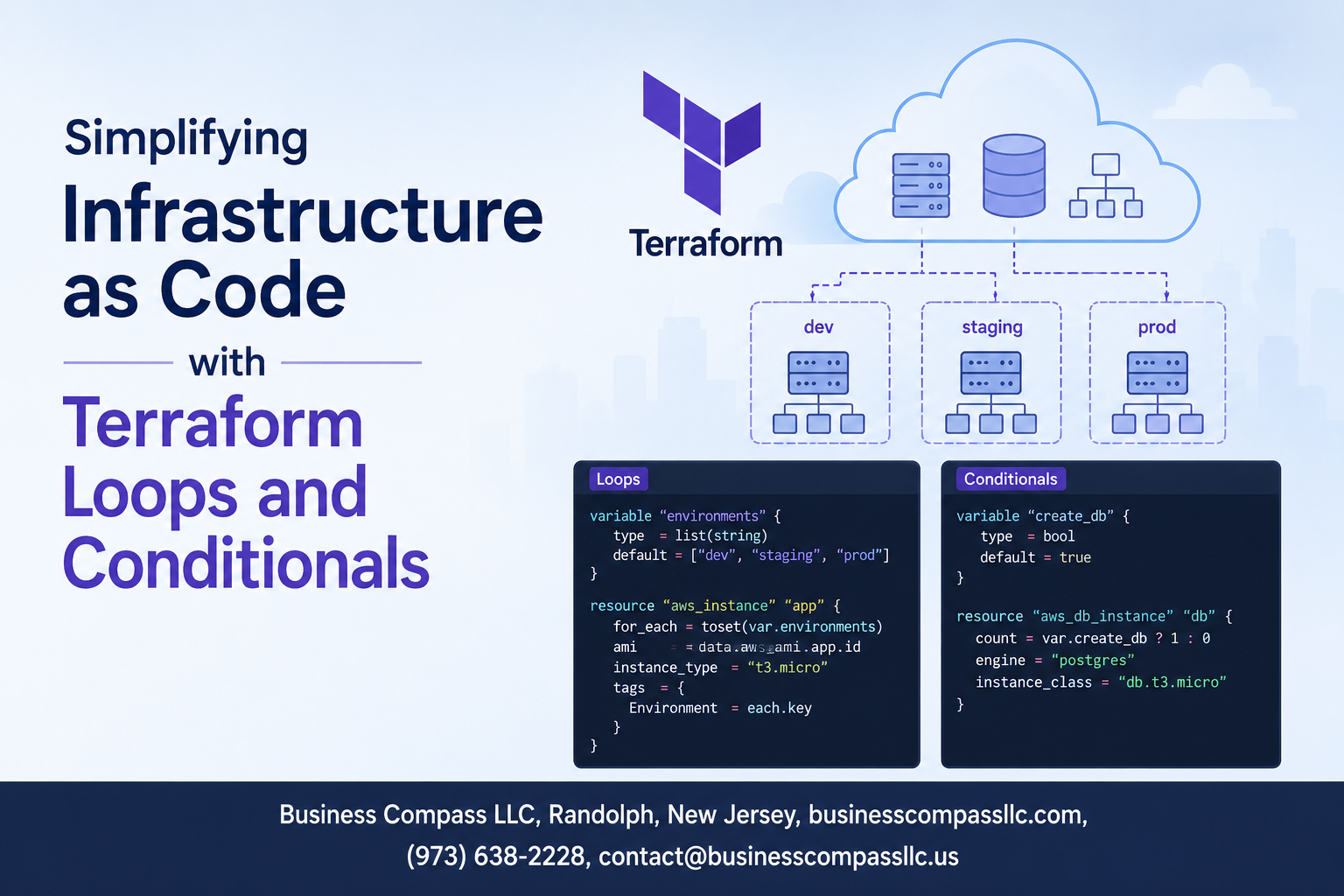
Managing cloud infrastructure manually gets messy fast. Terraform loops and conditionals solve this problem by letting you write smarter, more flexible Infrastructure as Code that adapts to your needs without copying and pasting dozens of resource blocks.
This guide is for DevOps engineers, cloud architects, and infrastructure teams who want to move beyond basic Terraform configurations and build truly scalable infrastructure. You’ll learn how to use the Terraform count parameter and Terraform for_each loop to create multiple resources efficiently, plus master Terraform conditional logic to make your infrastructure respond intelligently to different environments and requirements.
We’ll cover how to implement dynamic resource management Terraform techniques that scale with your applications, explore Terraform best practices loops for clean and maintainable code, and show you how combining these powerful features creates Infrastructure automation Terraform workflows that save time and reduce errors. By the end, you’ll have the skills to build Terraform scalable infrastructure that grows and adapts alongside your business needs.
Understanding Terraform’s Dynamic Resource Management Fundamentals

Core concepts of Infrastructure as Code automation
Infrastructure as Code transforms manual server setup into programmable blueprints. Instead of clicking through dashboards or typing commands, teams write configuration files that describe their entire infrastructure. These files become the single source of truth, capturing everything from virtual machines and networks to databases and load balancers. When you run these configurations, cloud platforms automatically create the exact infrastructure you specified. This approach treats infrastructure like software – you can version control it, review changes, and deploy consistently across environments.
Benefits of programmatic infrastructure provisioning
Automated infrastructure provisioning eliminates human error and dramatically speeds up deployment cycles. Teams can spin up identical environments in minutes rather than hours or days. Version control tracks every change, making rollbacks simple when issues arise. Multiple team members can collaborate on infrastructure changes without stepping on each other’s toes. The biggest win comes from consistency – development, staging, and production environments match perfectly because they’re built from the same code. This consistency prevents those frustrating “it works on my machine” problems that plague traditional manual setups.
Traditional static configuration limitations
Manual infrastructure management creates bottlenecks that slow down entire organizations. System administrators become gatekeepers for every environment change, creating queues and delays. Documentation quickly becomes outdated as people make undocumented tweaks to keep systems running. Different environments drift apart over time, making bug reproduction nearly impossible. Scaling requires repetitive manual work that’s both time-consuming and error-prone. When problems occur, troubleshooting becomes detective work because nobody remembers exactly how the infrastructure was configured. These limitations make traditional approaches unsuitable for modern development practices that demand speed, reliability, and scalability.
Mastering Terraform Count Parameter for Scalable Resource Creation

Implementing basic count loops for multiple resource instances
The Terraform count parameter transforms single resource definitions into scalable infrastructure patterns. When you need multiple EC2 instances, S3 buckets, or security groups, count eliminates repetitive code blocks. Setting count = 3 creates three identical resources instantly. This approach works perfectly for homogeneous resources where each instance shares the same configuration. Count integrates seamlessly with variables, allowing dynamic scaling based on environment requirements or business needs.
Leveraging count.index for unique resource identification
Count.index provides zero-based indexing that differentiates each resource instance within a count loop. You can create unique names by combining static strings with count.index, like web-server-${count.index}. This indexing enables distinct tags, IP addresses, or availability zone assignments across multiple resources. Advanced implementations use count.index with lookup functions or mathematical operations to distribute resources across regions or apply incremental configurations. Smart naming conventions with count.index improve resource organization and troubleshooting.
Managing resource dependencies with count-based configurations
Resource dependencies become complex when using Terraform count parameter across multiple resource types. Explicit dependencies through depends_on ensure proper creation order when count-based resources rely on other infrastructure components. Cross-referencing count resources requires careful attention to index alignment and lifecycle management. Terraform’s dependency graph automatically handles most relationships, but circular dependencies can emerge with poorly designed count configurations. Plan outputs help visualize dependency chains before applying count-based infrastructure changes.
Harnessing For_Each Loops for Advanced Resource Management

Creating Resources from Maps and Sets Efficiently
The Terraform for_each loop transforms Infrastructure as Code by iterating over maps and sets to create multiple resources dynamically. Unlike traditional approaches, for_each enables you to define resource configurations based on complex data structures, making your infrastructure more maintainable and flexible. You can create AWS EC2 instances from a map containing server specifications, where each key represents a unique identifier and values contain configuration details like instance type, availability zone, and tags. This approach eliminates repetitive code blocks and allows you to manage dozens of similar resources through a single resource declaration. Sets work perfectly when you need to create resources based on a list of unique values, such as security groups for different environments or IAM roles for various departments.
Dynamic Resource Naming With For_Each Key References
Resource naming becomes incredibly powerful when leveraging for_each key references in Terraform. The each.key and each.value expressions provide direct access to the current iteration’s key and value, enabling dynamic resource naming that reflects your infrastructure’s logical structure. For instance, when creating multiple S3 buckets from a map, you can use each.key to generate bucket names like “project-${each.key}-bucket” or incorporate environment-specific prefixes. This pattern ensures consistent naming conventions across your infrastructure while maintaining clear relationships between resources. The key reference system also supports complex naming schemes where you combine multiple attributes from your data structure, creating meaningful resource identifiers that simplify troubleshooting and resource management in large-scale deployments.
Comparing For_Each Advantages Over Count Parameter
The for_each loop offers significant advantages over the Terraform count parameter for dynamic resource management. While count works with numeric indices that can cause resource recreation when list order changes, for_each uses stable keys that maintain resource state integrity. When you remove an item from the middle of a count-based list, Terraform recreates all subsequent resources due to index shifting. For_each eliminates this problem by associating each resource with its unique key, allowing you to add, modify, or remove individual resources without affecting others. This stability makes for_each ideal for production environments where resource recreation could cause downtime. Additionally, for_each provides better readability in Terraform state files and plans, showing meaningful resource addresses instead of numeric indices, which simplifies debugging and infrastructure audits.
Implementing Conditional Logic for Smart Infrastructure Decisions

Using conditional expressions to control resource creation
Terraform conditional logic lets you build smart infrastructure that adapts to different scenarios. The ternary operator condition ? true_value : false_value becomes your best friend for controlling resource creation. You can dynamically enable or disable resources based on variables, making your Infrastructure as Code truly flexible. For example, count = var.environment == "production" ? 3 : 1 creates three instances in production but only one elsewhere. This approach eliminates duplicate configuration files and reduces maintenance overhead.
Environment-specific resource deployment strategies
Different environments need different resources, and Terraform conditional logic makes this seamless. You can deploy load balancers only in production, enable monitoring in staging, or provision smaller instances for development. Use variables like var.environment to trigger specific configurations. The locals block combined with conditionals creates reusable logic: locals { is_prod = var.environment == "production" }. This pattern keeps your code clean while ensuring each environment gets exactly what it needs without over-provisioning or under-provisioning resources.
Cost optimization through conditional resource provisioning
Smart conditional resource provisioning directly impacts your cloud bill. Deploy expensive resources like managed databases only when needed using conditionals. For instance, count = var.enable_rds ? 1 : 0 prevents accidental database creation in development environments. Combine this with instance sizing conditionals: instance_type = var.environment == "production" ? "m5.large" : "t3.micro". Time-based conditionals using timestamp() can automatically scale resources during business hours, maximizing performance while minimizing costs through intelligent Terraform resource provisioning strategies.
Combining Loops and Conditionals for Maximum Infrastructure Flexibility

Nested conditional logic within loop structures
Nesting conditionals inside Terraform loops creates powerful infrastructure patterns that respond intelligently to different scenarios. Use conditional expressions within for_each loops to selectively apply configurations based on variable values or resource attributes. This approach enables sophisticated resource creation logic that adapts to changing requirements while maintaining clean, readable Infrastructure as Code.
Dynamic module instantiation based on input variables
Dynamic module instantiation transforms static infrastructure into flexible, environment-aware deployments. Leverage Terraform conditional logic within count parameters and for_each loops to spawn modules based on input variables, enabling different resource configurations across development, staging, and production environments. This pattern reduces code duplication while ensuring consistent resource provisioning across multiple deployment scenarios.
Creating reusable infrastructure patterns with combined techniques
Combining Terraform loops and conditionals produces highly reusable infrastructure components that scale effortlessly across projects. Build template modules that use for_each loops with conditional expressions to create standardized patterns for common infrastructure needs. These patterns enable teams to deploy consistent, scalable infrastructure while accommodating specific requirements through variable-driven customization and dynamic resource management.
Troubleshooting common loop and conditional configuration issues
Debug loop and conditional issues by examining Terraform plan outputs carefully and validating variable types before execution. Common problems include incorrect conditional syntax, mismatched data types in for_each expressions, and circular dependencies between conditional resources. Use terraform console to test expressions interactively and enable detailed logging to identify where dynamic resource management Terraform configurations fail during deployment phases.

Managing infrastructure through code doesn’t have to be a nightmare of repetitive configurations and rigid setups. Terraform’s loops and conditionals give you the power to create smart, flexible infrastructure that adapts to your needs. The count parameter lets you spin up multiple resources without copy-pasting code, while for_each loops give you fine-grained control over complex deployments. When you add conditional logic to the mix, your infrastructure becomes truly intelligent, making decisions based on environments, requirements, and real-world scenarios.
Start small by experimenting with these features in a development environment. Pick one repetitive task in your current infrastructure setup and try replacing it with a loop or conditional. You’ll quickly see how much cleaner and more maintainable your code becomes. The real magic happens when you combine all these tools together, creating infrastructure that scales effortlessly and responds to change without breaking a sweat.









