


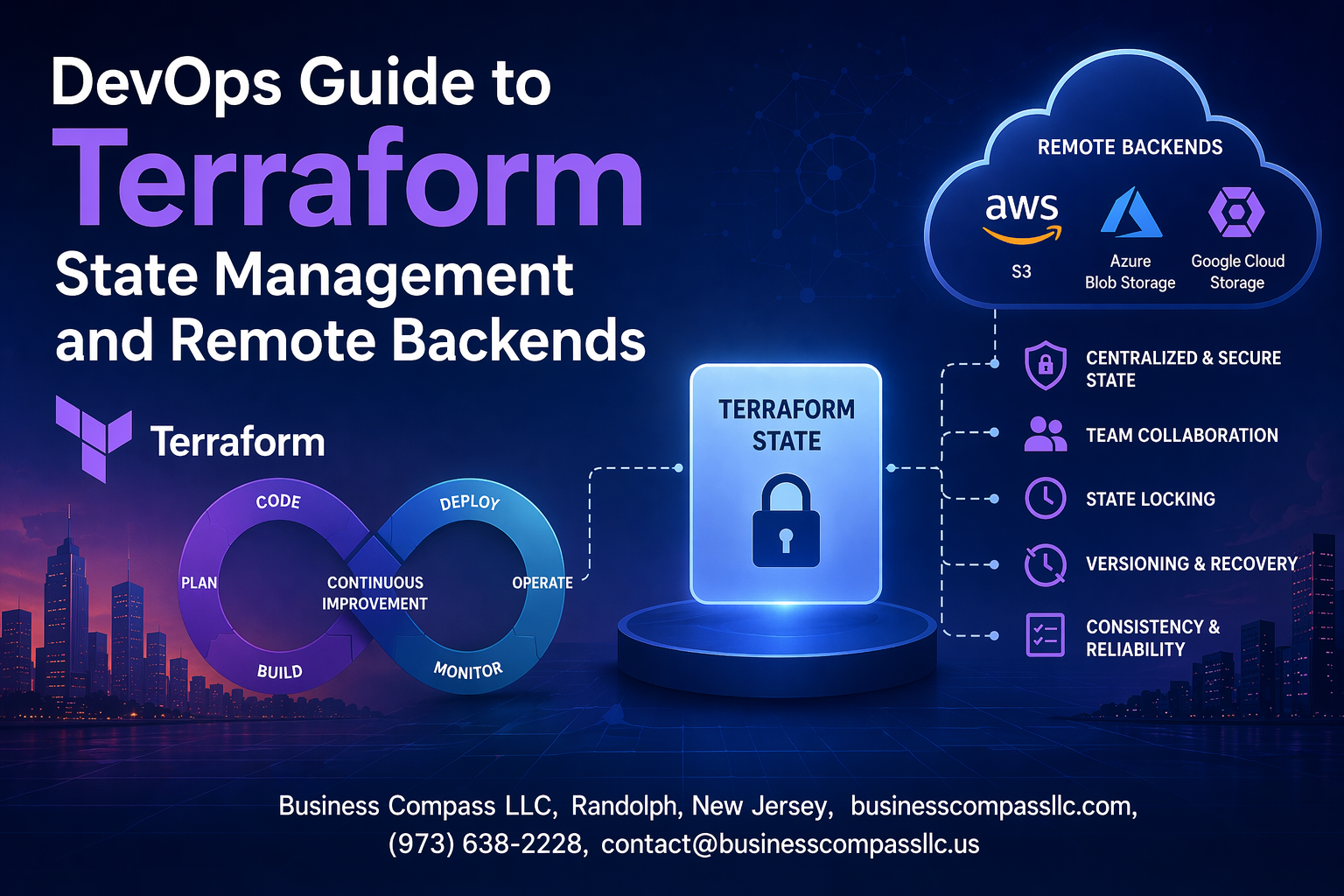
Managing terraform state files can make or break your infrastructure deployments. When your team grows beyond a single developer, local state management quickly becomes a nightmare of conflicts and inconsistencies.
This DevOps terraform guide is for infrastructure engineers, platform teams, and DevOps professionals who need to move beyond basic Terraform usage and implement production-ready state management practices. You’ll learn how to avoid the common pitfalls that lead to corrupted state files and deployment failures.
We’ll walk through setting up terraform remote backend solutions like S3, implementing terraform state locking to prevent team conflicts, and securing your state files with proper access controls. You’ll also discover advanced terraform workspace management techniques and troubleshooting strategies for when things go wrong.
By the end, you’ll have the knowledge to build a robust terraform backend configuration that scales with your team and keeps your infrastructure deployments safe and reliable.
Understanding Terraform State Fundamentals

How Terraform State Tracks Your Infrastructure Changes
Terraform state acts as the single source of truth that maps your infrastructure configuration to real-world resources. When you run terraform apply, Terraform compares your configuration files against the current state to determine which resources need creation, modification, or deletion. This state file contains resource metadata, including unique identifiers, dependencies, and attribute values that enable Terraform to manage infrastructure lifecycle effectively.
The terraform state file serves as a critical bridge between your declarative configuration and actual cloud resources. Every time Terraform provisions resources, it stores essential details like resource IDs, network configurations, and relationship mappings. This tracking mechanism allows Terraform to detect configuration drift, plan accurate changes, and maintain consistency across multiple deployments in your DevOps workflow.
Key Components That Make State Files Critical for Operations
State files contain several crucial elements that make terraform state management indispensable for DevOps teams:
- Resource mappings that link configuration blocks to actual infrastructure
- Metadata attributes including creation timestamps and resource dependencies
- Provider configuration details for authentication and API interactions
- Output values that enable cross-stack resource sharing
Performance optimization relies heavily on state file integrity since Terraform uses this information to avoid unnecessary API calls during planning phases. The state also stores sensitive data like database passwords or API keys, making proper terraform state security practices essential for protecting your infrastructure secrets.
Common State-Related Issues That Break Your Deployments
State corruption represents the most devastating failure mode in Terraform operations, often occurring when multiple team members modify infrastructure simultaneously without proper terraform state locking mechanisms. Manual state file edits or incomplete apply operations can create inconsistencies between your configuration and actual resources, leading to unpredictable deployment behavior.
Resource drift detection becomes impossible when state files fall out of sync with reality, causing Terraform to attempt recreating existing resources or miss critical configuration changes. Teams frequently encounter issues when switching between terraform backend configuration options without proper state migration, resulting in orphaned resources and billing surprises that impact both operational stability and cost management.
Local State Management Best Practices

Securing Your Local State Files from Unauthorized Access
Terraform state files contain sensitive infrastructure details including resource IDs, IP addresses, and sometimes secrets. Store these files outside public repositories and apply strict file permissions (600 or 640) to prevent unauthorized access. Consider encrypting state files at rest using filesystem-level encryption tools like BitLocker or FileVault.
Version Control Strategies That Protect Your State Data
Never commit terraform state files to version control systems like Git. Add *.tfstate and *.tfstate.backup to your .gitignore file immediately. State files change frequently during infrastructure operations and contain sensitive data that shouldn’t be tracked in repositories. Use terraform remote backend solutions instead of relying on local state for production environments.
Team Collaboration Challenges with Local State Storage
Local state storage creates significant collaboration bottlenecks when multiple team members work on the same infrastructure. Without centralized state management, team members can’t see real-time infrastructure changes, leading to conflicts and resource duplication. State file sharing through email or file systems introduces security risks and version inconsistencies that can corrupt your infrastructure deployments.
Backup and Recovery Methods for Local State Files
Implement automated backup strategies for local terraform state files using cron jobs or scheduled tasks. Copy state files to secure, encrypted storage locations regularly and test recovery procedures. Create versioned backups before major infrastructure changes and maintain recovery documentation. Store backup copies in different physical locations to protect against hardware failures or disasters affecting your primary development environment.
Remote Backend Configuration and Setup

Choosing the Right Remote Backend for Your Infrastructure Needs
Selecting the right terraform remote backend depends on your organization’s cloud provider, budget, and compliance requirements. AWS S3 with DynamoDB offers cost-effective state management with built-in locking, while Azure Storage provides seamless integration for Microsoft-centric environments. Google Cloud Storage delivers enterprise-grade reliability with global accessibility, and Terraform Cloud provides managed solutions with advanced features like policy enforcement and team collaboration tools.
When evaluating backend options, consider factors like data sovereignty, encryption capabilities, and disaster recovery features. Multi-cloud organizations often prefer Terraform Cloud for its provider-agnostic approach, while single-cloud deployments benefit from native solutions that integrate directly with existing infrastructure and IAM policies for enhanced security.
Step-by-Step AWS S3 Backend Configuration with DynamoDB Locking
S3 Bucket Setup
terraform {
  backend "s3" {
    bucket         = "my-terraform-state-bucket"
    key            = "terraform.tfstate"
    region         = "us-east-1"
    dynamodb_table = "terraform-locks"
    encrypt        = true
  }
}
Create your S3 bucket with versioning enabled and server-side encryption:
- Enable bucket versioning for state file recovery
- Configure server-side encryption with KMS keys
- Set lifecycle policies to manage state file versions
- Apply bucket policies to restrict access to authorized users only
DynamoDB Lock Table Configuration
The DynamoDB table prevents concurrent state modifications and ensures terraform state locking works properly:
- Create table with primary key named “LockID” (string type)
- Enable point-in-time recovery for data protection
- Set read/write capacity based on team size and deployment frequency
- Configure IAM permissions for Terraform to read/write lock entries
Azure Storage Account Setup for Reliable State Management
Storage Account Configuration
terraform {
  backend "azurerm" {
    resource_group_name  = "terraform-rg"
    storage_account_name = "terraformstate"
    container_name       = "tfstate"
    key                  = "terraform.tfstate"
  }
}
Configure your Azure Storage Account for optimal terraform backend configuration:
- Use Standard_LRS or Standard_GRS for redundancy options
- Enable blob soft delete and versioning features
- Configure access tiers for cost optimization
- Set up private endpoints for enhanced network security
Authentication and Access Control
Azure offers multiple authentication methods for terraform state management:
- Service Principal with client credentials
- Managed Identity for Azure resources
- Azure CLI authentication for development environments
- Storage account access keys (least secure option)
Google Cloud Storage Backend Implementation Guide
GCS Bucket Configuration
terraform {
  backend "gcs" {
    bucket  = "terraform-state-bucket"
    prefix  = "terraform/state"
  }
}
Set up Google Cloud Storage for robust terraform state file management:
- Enable object versioning for state file history
- Configure uniform bucket-level access for simplified permissions
- Set up lifecycle management rules for cost control
- Enable audit logging for compliance tracking
IAM and Security Setup
Proper IAM configuration ensures secure access to your terraform remote backend:
- Create dedicated service account for Terraform operations
- Grant Storage Object Admin role for bucket access
- Enable Cloud KMS encryption for sensitive state data
- Configure VPC Service Controls for additional network isolation
Terraform Cloud Integration for Enterprise-Grade State Storage
Workspace Configuration
Terraform Cloud provides managed terraform backend configuration with advanced features:
- Automatic state locking and version control
- Built-in policy enforcement and compliance scanning
- Team-based access controls and approval workflows
- Integration with popular VCS platforms like GitHub and GitLab
Advanced Enterprise Features
Terraform Cloud offers enterprise-grade capabilities for large organizations:
- Sentinel policy as code for governance
- Cost estimation and resource planning tools
- Private module registry for standardized configurations
- API-driven workflows for CI/CD integration
- Audit trails and detailed logging for compliance requirements
State Locking and Concurrency Control

Preventing Corruption Through Automatic State Locking Mechanisms
Terraform state locking prevents multiple users from making simultaneous changes to your infrastructure, which could corrupt the state file. When someone runs terraform apply, Terraform automatically acquires a lock on the state file. This lock remains active during the entire operation, ensuring only one person can modify infrastructure at a time. Without proper terraform state locking, teams face data corruption, inconsistent infrastructure deployments, and potential resource conflicts that can break production environments.
The locking mechanism works seamlessly with remote backends like AWS S3, automatically handling lock acquisition and release. If another team member tries to run Terraform while a lock is active, they receive an error message showing who holds the lock and when it was acquired. This prevents destructive operations from running simultaneously and maintains state file integrity across your DevOps workflow.
DynamoDB Table Configuration for AWS S3 Backend Locking
Setting up terraform s3 backend with DynamoDB requires creating a dedicated table for state lock management. The DynamoDB table needs a primary key named LockID with string data type to store lock information. Configure your terraform backend configuration with both the S3 bucket for state storage and the DynamoDB table name for locking. The table should have read/write capacity units appropriate for your team size and deployment frequency.
Your backend configuration block should specify the DynamoDB table using the dynamodb_table parameter. Terraform automatically creates and manages lock entries in this table during operations. Each lock entry contains metadata about the operation, including the user, timestamp, and operation ID, providing full visibility into who’s making changes to your infrastructure state.
Handling Lock Timeouts and Failed Operations Gracefully
Lock timeouts occur when Terraform operations take longer than expected or when processes crash unexpectedly. Most terraform remote backend configurations include automatic timeout settings that release stale locks after a predetermined period. When operations fail due to network issues or interrupted connections, Terraform may leave orphaned locks that prevent future operations until manually cleared.
Configure appropriate timeout values based on your infrastructure complexity and deployment patterns. Monitor lock duration and investigate operations that consistently exceed normal timeframes. Implement proper error handling in your CI/CD pipelines to detect lock-related failures and provide clear feedback to your development teams about state management issues.
Manual Lock Management for Emergency Situations
Emergency situations sometimes require manual intervention to clear stuck locks and restore normal operations. The terraform force-unlock command removes specific locks when automatic cleanup fails or when urgent deployments need to proceed. Always verify that no legitimate operations are running before force-unlocking, as this can lead to state corruption if multiple processes access the state simultaneously.
Document your manual lock management procedures and restrict access to authorized DevOps team members only. Create runbooks that outline when manual intervention is appropriate and the steps to safely clear locks without compromising terraform state management integrity. Keep audit trails of manual lock operations for compliance and troubleshooting purposes.
Advanced State Operations and Troubleshooting

Safe State File Migration Between Backends Without Downtime
Migrating terraform state files between backends requires careful planning to prevent infrastructure disruption. Start by creating a backup of your current state, then configure the new backend in your Terraform configuration. Use terraform init -migrate-state to seamlessly transfer state data while maintaining resource tracking integrity.
The migration process involves updating your backend configuration, running the migration command, and verifying state consistency across environments. Always test migrations in non-production environments first, and coordinate with your team to prevent concurrent operations during the transition period.
State Import Techniques for Existing Infrastructure Resources
Importing existing infrastructure into terraform state management allows you to bring unmanaged resources under Terraform control. Use terraform import commands to map real-world resources to your configuration blocks. Start with simple resources before tackling complex dependencies, and always verify imported resources match your intended configuration.
Resource import requires matching your Terraform configuration exactly to the existing infrastructure attributes. Create resource blocks first, then import using the appropriate resource identifiers. This process helps consolidate infrastructure management under a single terraform state file while maintaining operational continuity.
Recovering from Corrupted or Lost State Files
State file corruption or loss can paralyze infrastructure operations, making recovery procedures essential knowledge. When using remote backends like terraform s3 backend, leverage versioning features to restore previous state versions. Local backups and automated state snapshots provide additional recovery options for critical infrastructure.
Recovery strategies include restoring from backups, rebuilding state through careful import operations, or using terraform refresh commands to synchronize state with actual infrastructure. Document your recovery procedures and test them regularly to ensure your team can quickly restore terraform state best practices during emergencies.
State Splitting Strategies for Large Infrastructure Codebases
Large infrastructure codebases benefit from state splitting to improve performance and reduce blast radius during changes. Organize resources by environment, application, or infrastructure layer using separate state files. This approach enables parallel development while maintaining clear boundaries between different infrastructure components.
Implement state splitting by creating separate Terraform configurations for different infrastructure domains. Use terraform workspace management or completely separate directories with distinct backend configurations. This strategy reduces state file size, improves deployment speed, and minimizes the impact of configuration changes across your infrastructure ecosystem.
Security and Compliance for State Management

Encryption at Rest and in Transit for Sensitive State Data
Protecting your terraform state file requires robust encryption strategies both for stored data and data in transit. Most cloud providers like AWS S3, Azure Storage, and Google Cloud Storage offer server-side encryption by default, but you should explicitly enable AES-256 encryption and configure customer-managed keys for sensitive infrastructure. For terraform s3 backend configurations, enable bucket encryption and enforce SSL connections using the encrypt = true parameter in your backend configuration.
Access Control Policies That Limit State File Modifications
Implementing granular access controls prevents unauthorized terraform state management operations. Configure IAM policies that restrict state file access to specific users, roles, and CI/CD pipelines using least-privilege principles. Set up bucket policies that deny public access and require multi-factor authentication for destructive operations. Role-based access control ensures only authorized team members can modify critical infrastructure state files.
Audit Logging for State Changes and Access Patterns
Enable comprehensive logging to track all terraform backend configuration access and modifications. Cloud provider audit logs capture who accessed state files, when changes occurred, and which operations were performed. Configure CloudTrail for AWS, Activity Logs for Azure, or Cloud Audit Logs for GCP to maintain detailed records of state file interactions. Regular log analysis helps identify suspicious access patterns and ensures compliance with security policies.
Compliance Requirements for Infrastructure State Documentation
Many organizations face regulatory requirements that mandate proper documentation and retention of infrastructure changes. Your terraform state security strategy should include automated backup policies, version control integration, and change approval workflows. Implement retention policies that align with industry standards like SOX, HIPAA, or PCI-DSS. Document state file locations, access procedures, and recovery processes to satisfy auditor requirements and maintain compliance certifications.

Managing Terraform state effectively is the backbone of any successful infrastructure deployment. From understanding the basics of state files to setting up secure remote backends, each step builds toward a more reliable and scalable DevOps workflow. Remote backends not only solve collaboration challenges but also provide the foundation for proper state locking, preventing those dreaded conflicts that can derail your deployments.
The journey from local state files to enterprise-grade state management might seem complex, but the payoff is enormous. When you combine remote backends with robust security practices and master advanced state operations, you’re setting your team up for smooth, predictable infrastructure changes. Start with a simple remote backend setup, implement state locking from day one, and gradually build your expertise with more advanced operations. Your future self will thank you when that critical production deployment goes off without a hitch.









