


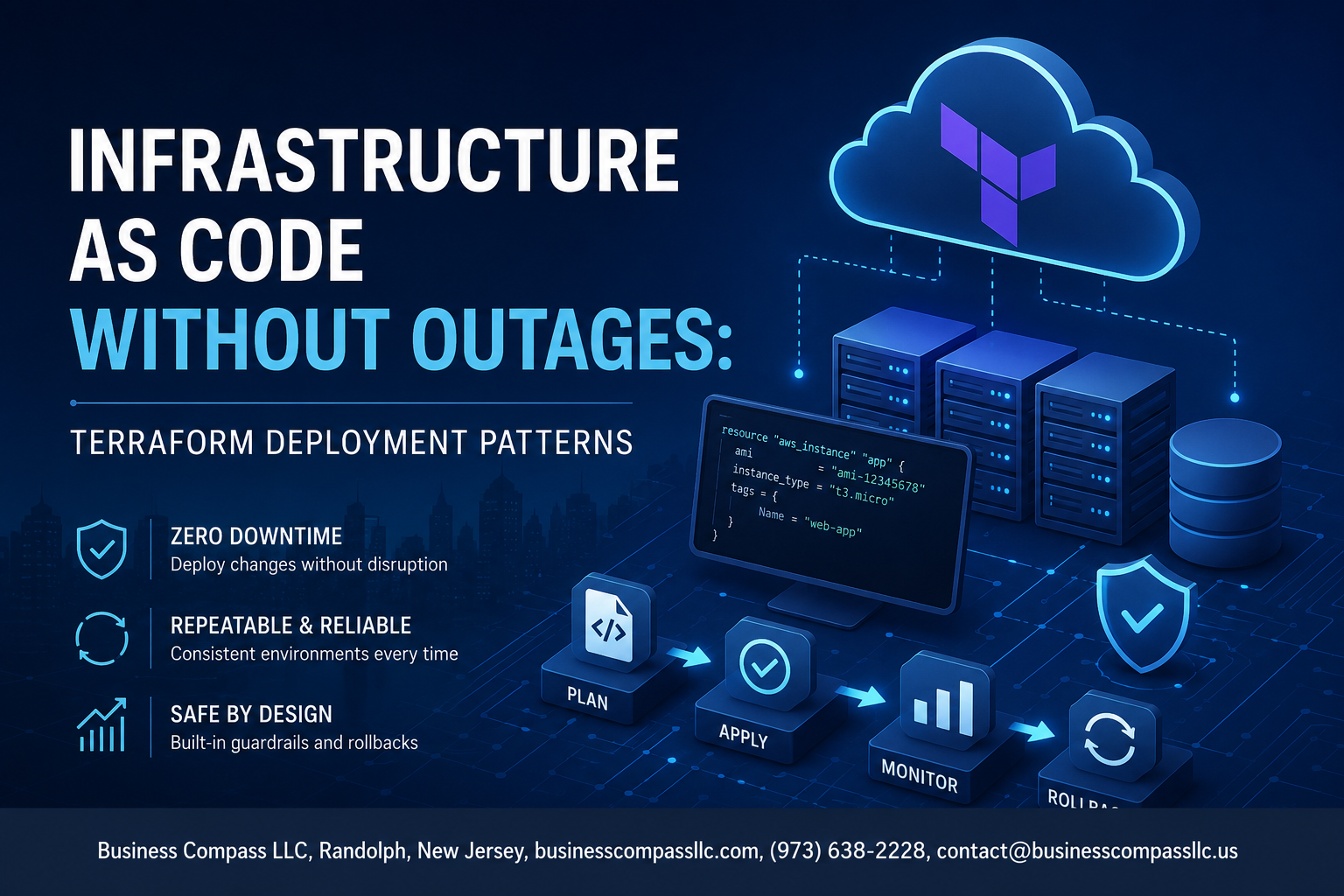
Stop Breaking Production With Your Terraform Deployments
If you’ve ever watched a Terraform apply take down a live service, you know the sinking feeling. One wrong resource replacement, a messy state file, or a skipped plan review — and suddenly your on-call rotation has a very bad night.
This guide is for DevOps engineers, platform engineers, and SREs who are already using Terraform but want tighter control over how changes hit production. No beginner hand-holding here — just practical patterns you can start applying today.
Here’s what we’ll cover:
- The real business cost of Terraform-driven outages — not just downtime minutes, but the ripple effects teams rarely measure
- Core Terraform deployment patterns and Infrastructure as Code best practices that prevent resource destruction surprises and keep zero-downtime Terraform deployment within reach
- Terraform state management strategies that reduce drift, prevent conflicts, and give your team a reliable source of truth before any change goes out
By the end, you’ll have a clearer picture of where your current workflow has gaps — and a concrete set of patterns to close them.
Understanding the Real Cost of Terraform-Driven Outages

Common Deployment Mistakes That Bring Down Production Systems
Terraform deployment patterns exist for a reason — skipping them is how teams accidentally delete load balancers at 2 PM on a Friday. The most damaging mistakes share a pattern:
- Running
terraform applydirectly against production without a reviewed plan - Using a single workspace for multiple environments
- Ignoring resource dependency ordering, causing cascading failures
- Hardcoding values that quietly break when infrastructure scales
How Configuration Drift Silently Creates Failure Points
Configuration drift happens when someone logs into the AWS console and makes a “quick fix” that never makes it back into code. Over time, your Terraform state no longer reflects reality. The next apply reconciles that gap — sometimes by destroying resources that a live application depends on. Infrastructure as Code best practices demand that all changes flow through code, every single time, no exceptions.
Why Traditional Deployment Approaches Fail at Scale
What works for a three-server setup completely falls apart across 50 microservices and six regions. Teams relying on manual runbooks, shared credentials, or a single state file hit the same wall: changes become unpredictable, rollbacks become guesswork, and every deployment carries real outage risk. Preventing outages at scale means adopting zero-downtime Terraform deployment strategies before the pain forces your hand.
Core Terraform Patterns That Prevent Downtime

Blue-Green Deployments to Eliminate Service Interruptions
Blue-green deployments are one of the smartest zero-downtime Terraform deployment moves you can make. You keep two identical environments running — blue handles live traffic while green gets your new changes. Once green is tested and ready, you flip the traffic switch. No scrambling, no crossed fingers.
- Use Terraform
aws_lb_listener_ruleor similar resources to control traffic routing between environments - Keep both environments defined in the same Terraform workspace to make switching clean and auditable
- Tag resources clearly (
env = "blue"orenv = "green") so nothing gets confused during a cutover
Canary Releases for Gradual and Safe Rollouts
Canary releases let you ship changes to a small slice of users first — say, 5% — before rolling them out everywhere. If something breaks, only a handful of users feel it, not everyone.
- Use Terraform alongside a load balancer weighted routing policy to split traffic percentages
- Monitor error rates and latency during the canary phase before expanding the rollout
- Define canary thresholds in your Terraform variables so the logic is repeatable across deployments
Immutable Infrastructure to Reduce Unpredictable Changes
With immutable infrastructure, you stop patching servers in place. Instead, you build a fresh instance with every change and replace the old one. This is a core Infrastructure as Code best practice that kills configuration drift before it starts.
- Use Terraform with pre-baked AMIs or container images so every deployment is a known quantity
- Never SSH into a running instance to make changes — if it needs a fix, rebuild it through Terraform
- Pair this pattern with auto-scaling groups so replacement happens smoothly without manual steps
Rolling Updates That Keep Systems Continuously Available
Rolling updates swap out old instances for new ones gradually, a few at a time, so your system stays up throughout the process.
- Set
max_unavailableandmax_surgevalues in your Terraform resource definitions to control the pace - Use Terraform’s
create_before_destroylifecycle rule to make sure new instances are healthy before old ones go away - Combine rolling updates with health checks so Terraform doesn’t proceed if something looks wrong mid-deployment
State Management Strategies That Protect Your Infrastructure

Remote State Backends for Team-Safe Collaboration
Storing Terraform state locally is a recipe for chaos when multiple engineers are touching the same infrastructure. Remote backends like S3 with DynamoDB, Terraform Cloud, or Azure Blob Storage keep your state file in a shared, versioned location that every team member pulls from automatically.
- S3 + DynamoDB – A classic AWS combo where S3 holds the state file and DynamoDB handles locking
- Terraform Cloud – Built-in remote state, locking, and run history out of the box
- Azure Blob Storage – Native backend for Azure-heavy teams with built-in lease-based locking
- Google Cloud Storage – Straightforward option for GCP environments
Each backend option gives you a single source of truth, so nobody accidentally runs terraform apply against a stale local state and wipes out changes a teammate just pushed.
State Locking to Prevent Dangerous Concurrent Modifications
Without state locking, two engineers running terraform apply at the same time can corrupt your state file completely, and recovering from that is painful. Locking puts a hold on the state file the moment an operation starts and releases it only when the operation finishes.
- DynamoDB automatically creates and deletes lock entries during operations
- Terraform Cloud enforces locks natively with no extra setup
- Force-unlocking is available with
terraform force-unlock, but only use it when you’re absolutely certain no active operation is running
This is one of those Terraform state management details that looks minor until it causes a production outage at 2 AM.
Workspaces for Clean Environment Separation
Workspaces let you run the same Terraform configuration against different environments — dev, staging, production — without maintaining separate state files manually.
- Each workspace stores its own state, so a botched dev deployment never bleeds into production
- Switch between workspaces with
terraform workspace select <name> - Pair workspaces with variable files per environment for clean, predictable deployments
That said, for large teams, separate state backends per environment often work better than workspaces alone, since they add an extra layer of access control and reduce the blast radius of any single mistake.
Safe Change Validation Before Every Deployment

Using terraform plan to Catch Breaking Changes Early
Running terraform plan before every deployment is your first defense against surprise outages. It shows exactly what Terraform intends to change, add, or destroy — giving your team a chance to spot dangerous replacements before they hit production. Watch closely for resources marked with -/+, which signal a destroy-then-recreate cycle that can take down live services.
- Always review plan output for unexpected resource replacements
- Pipe plan output to a file using
-out=planfileso the exact reviewed plan gets applied - Set up plan summaries in pull requests so teammates can review infrastructure changes alongside code
Automated Policy Checks with Sentinel and OPA
Policy-as-code tools like HashiCorp Sentinel and Open Policy Agent (OPA) let you enforce rules automatically — before any change touches real infrastructure. You can block deployments that skip encryption, expose public S3 buckets, or violate tagging standards without relying on someone to manually catch the issue.
- Sentinel integrates natively with Terraform Cloud and Terraform Enterprise
- OPA with Conftest works well in open-source and self-hosted pipelines
- Write policies that fail hard on security-critical rules and warn on best-practice violations
These automated policy checks are a core part of any solid Terraform deployment pattern and keep your infrastructure from drifting into unsafe configurations.
Drift Detection to Spot Unauthorized Infrastructure Changes
Drift happens when someone manually changes infrastructure outside of Terraform — flipping a security group rule in the AWS console, resizing an instance through the CLI. Those changes silently break the contract between your code and your actual environment. Running terraform plan on a schedule, or using tools like Driftctl, flags these gaps before your next deployment accidentally overwrites a critical manual fix or applies a broken baseline.
- Schedule regular drift detection runs in CI
- Alert on detected drift so your team can decide whether to absorb or revert the change
- Treat drift as a bug, not a footnote
Pre-Deployment Testing with Terratest
Terratest lets you write Go-based tests that actually spin up real infrastructure, run checks against it, and tear it down — catching issues that static analysis completely misses. This is especially valuable for reusable modules where a subtle change could break multiple environments.
- Test that your load balancer responds with HTTP 200 after a module change
- Verify security group rules actually block or allow expected traffic
- Run Terratest in a dedicated test environment, never directly in production
- Combine with
terraform planand policy checks for a layered validation approach before every deployment
Building a Zero-Downtime Deployment Pipeline

Structuring CI/CD Workflows Around Terraform Safely
A solid zero-downtime Terraform deployment pipeline starts with how you wire up your CI/CD system. Rather than running terraform apply directly on every commit, break your pipeline into clear stages:
- Plan stage — runs
terraform planand saves the output as an artifact - Review stage — exposes the plan for human or automated inspection
- Apply stage — only triggers after explicit approval, using the saved plan file
Pinning the apply step to the exact plan file generated earlier is critical. If the state changes between plan and apply, the pipeline should abort rather than proceed blind. Tools like GitHub Actions, GitLab CI, and CircleCI all support artifact passing natively, making this straightforward to implement.
Automating Rollback Triggers When Deployments Fail
Even well-tested Terraform changes can break things in production. Building automatic rollback into your pipeline reduces the blast radius significantly. A few approaches that work well in practice:
- Health check gates — after applying, run a health check script; if it fails within a set timeout, trigger a rollback plan
- Previous state snapshots — store your Terraform state before every apply so you can restore it quickly
- Error exit code hooks — configure your CI runner to catch non-zero Terraform exit codes and immediately queue a rollback job
Rollbacks in Terraform aren’t magic — they’re just another terraform apply pointed at a known-good configuration. Keeping your last stable configuration tagged in version control makes this fast.
Secrets Management to Avoid Credential-Related Incidents
Hardcoded credentials in Terraform configurations are one of the fastest ways to cause a security incident. The fix is straightforward — keep secrets entirely out of your .tf files and CI environment variables:
- Use HashiCorp Vault, AWS Secrets Manager, or Azure Key Vault to inject secrets at runtime
- Leverage OIDC-based authentication for cloud providers — this eliminates long-lived credentials entirely
- Never log
terraform planoutput in plain text when it might contain sensitive values; use-compact-warningsand mask outputs in your CI logs
A well-structured secrets workflow means even if your CI logs leak, there’s nothing useful for an attacker to grab.
Approval Gates That Add Human Oversight at Critical Steps
Automation is great until it deletes your production database. Approval gates act as a deliberate pause between planning and applying, giving a human the chance to review what Terraform is about to do:
- Destructive change detection — parse the plan output for
destroyor replacement operations and require mandatory approval before proceeding - Environment-specific gates — auto-approve changes to dev, require one reviewer for staging, require two for production
- Slack or Teams notifications — send the plan summary directly to your team’s channel so approvals happen where people already work
Most modern CI platforms support environment protection rules natively, so you don’t need custom tooling to get this working.
Monitoring Deployment Health With Real-Time Alerts
Shipping a Terraform change doesn’t mean the job is done. You need visibility into whether the infrastructure behaves correctly after apply:
- Synthetic monitoring — run automated checks against key endpoints immediately post-deploy
- Infrastructure drift detection — schedule regular
terraform planruns to catch any drift between actual state and declared config - Alert routing — connect deployment events to your observability stack (Datadog, Grafana, PagerDuty) so spikes in error rates after a deploy trigger an immediate page
Tying deployment timestamps directly into your dashboards makes it easy to correlate a Terraform apply with any performance change that follows.
Modular Terraform Architecture for Long-Term Stability

Designing Reusable Modules That Reduce Human Error
Building reusable Terraform modules is one of the smartest moves you can make for long-term infrastructure stability. Instead of copy-pasting resource blocks across projects, encapsulate them into well-tested modules with clear input variables and sensible defaults:
- Standardize resource configurations so teams aren’t reinventing networking or security group rules every time
- Enforce guardrails through variable validation to catch bad inputs before they ever touch real infrastructure
- Abstract complexity so developers consuming modules don’t need deep cloud expertise to deploy safely
Versioning Modules to Control Change Propagation
Pinning module versions is a non-negotiable part of any solid Terraform deployment pattern. Without version control, a change to a shared module silently breaks every downstream environment.
- Reference modules using specific Git tags or registry versions rather than
mainorlatest - Adopt semantic versioning so consumers understand the blast radius of an upgrade
- Test module changes in isolation before bumping versions across production workloads
Separating Stateful and Stateless Resources for Safer Updates
Mixing databases and load balancers in the same Terraform state file is a recipe for unnecessary risk. Separating stateful resources — like RDS instances and S3 buckets — from stateless ones — like auto-scaling groups and Lambda functions — gives you much safer, targeted deployments without accidental data loss during zero-downtime Terraform deployments.

Terraform gives you the power to manage infrastructure at scale, but that power comes with real responsibility. Getting your deployment patterns right—from how you handle state to how you validate changes before they go live—is what separates teams that ship confidently from teams that spend their weekends firefighting outages. Modular architecture, safe pipelines, and solid state management aren’t just best practices on paper; they’re the habits that keep your infrastructure stable over the long haul.
If there’s one thing to take away, it’s this: outages rarely happen because of bad luck. They happen because of skipped steps, messy state files, and deployments that never got properly tested. Start small—pick one pattern from this post and put it into practice on your next deployment. Build from there. The goal isn’t a perfect Terraform setup overnight; it’s a steadily improving one that your whole team can trust.






