


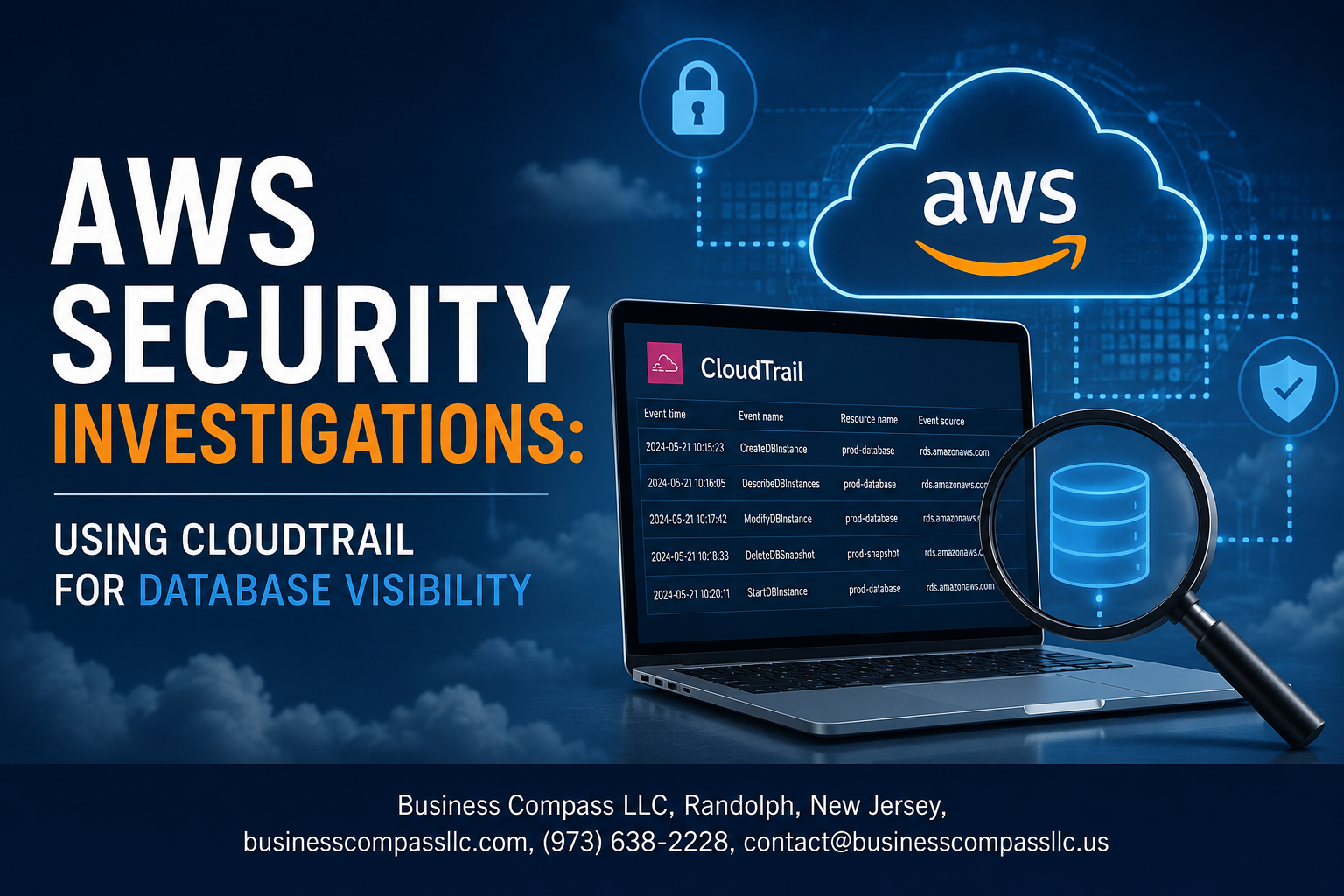
AWS Security Investigations: Using CloudTrail for Database Visibility
If you manage databases on AWS and something goes wrong — a data breach, unexpected access, or a compliance audit — your first question is usually the same: who did what, and when?
AWS CloudTrail security gives you the answers. It captures API activity across your AWS environment, including your RDS instances and other database services, so you have a clear record of every action taken. But knowing CloudTrail exists and actually using it to detect suspicious database activity on AWS are two very different things.
This guide is for cloud engineers, security analysts, and DevOps teams responsible for AWS database security who want to move from passive logging to active investigation.
Here’s what we’ll cover:
- How CloudTrail fits into AWS database visibility — what it actually captures and why that matters for database monitoring
- Setting up CloudTrail the right way — the configuration decisions that separate useful logs from gaps in your audit trail
- Reading CloudTrail logs to spot trouble — how to identify patterns that signal unauthorized or unusual database access before they become bigger problems
By the end, you’ll have a practical foundation for running cloud database security investigations and tightening your defenses based on what you find.
Understanding CloudTrail’s Role in AWS Database Security

How CloudTrail Captures Database Activity Across AWS Services
AWS CloudTrail works like a security camera that never blinks — it records every API call made within your AWS environment, including all interactions with your database services. When someone queries, modifies, or deletes data, CloudTrail logs that action with details like:
- Who made the request (IAM user, role, or service)
- When the action happened (timestamp with millisecond precision)
- Where it came from (source IP address)
- What was done (the specific API call and parameters)
Key Database Services Monitored by CloudTrail
AWS CloudTrail database monitoring covers a broad range of services, giving you solid AWS database visibility across your entire infrastructure:
- Amazon RDS — tracks instance creation, deletion, configuration changes, and snapshot activity
- Amazon DynamoDB — logs table modifications, policy changes, and stream configurations
- Amazon Redshift — captures cluster management events and security group changes
- Amazon Aurora — monitors cluster operations and parameter group adjustments
- Amazon ElastiCache — records cache cluster modifications and replication group changes
Why CloudTrail Logs Are Critical for Security Investigations
When something goes wrong, CloudTrail logs are your best friend for AWS security investigations. They give you a complete, tamper-evident trail that helps you pinpoint exactly what happened, who did it, and when — making cloud database security investigations faster and far more accurate than guessing.
Setting Up CloudTrail for Maximum Database Visibility
Enabling Data Events for RDS, DynamoDB, and Aurora
By default, CloudTrail only captures management events, which means database-level activity like queries, table scans, and data access goes completely unrecorded. To get real AWS database visibility, you need to turn on data events manually.
- Go to your CloudTrail console and open your existing trail
- Under Data events, select the resource types:
AWS::RDS::DBInstance,AWS::DynamoDB::Table, and Aurora clusters - Choose Read and Write event types to capture both SELECT-equivalent and modification activity
- For DynamoDB specifically, enabling data events lets you track
GetItem,PutItem,DeleteItem, andBatchWritecalls — the exact operations that show up during data exfiltration attempts
Configuring Multi-Region Trails to Eliminate Blind Spots
A single-region trail is one of the most common gaps in AWS RDS security monitoring setups. If an attacker spins up a rogue database instance in ap-southeast-1 while your trail only covers us-east-1, you’ll never see it.
- Enable multi-region trail by toggling the option inside your trail settings
- Make sure global service events are also enabled to capture IAM activity affecting your databases
- Consider using AWS Organizations to deploy a single trail across all accounts in your org — this removes account-level blind spots too
Storing and Protecting CloudTrail Logs for Long-Term Investigations
CloudTrail logs are only useful during a security investigation if they haven’t been tampered with or accidentally deleted. Protecting them needs to be part of the setup, not an afterthought.
- Send logs to a dedicated S3 bucket with a separate AWS account for log archiving — this prevents attackers with access to your primary account from wiping evidence
- Turn on S3 Object Lock with compliance mode to make logs immutable for a defined retention period (90 days minimum, 1 year for regulated environments)
- Enable log file validation in CloudTrail so you can verify no log files were modified or deleted after delivery
- Set a lifecycle policy to transition older logs to S3 Glacier for cost-effective long-term storage without losing access
Integrating CloudTrail with CloudWatch for Real-Time Alerts
Storing logs is great, but waiting to manually review them after an incident means you’re always reacting too late. Connecting CloudTrail to CloudWatch turns passive logging into active detection.
- In your trail settings, enable CloudWatch Logs integration and point it to a dedicated log group
- Create metric filters that flag specific patterns, such as:
- Unusual
DeleteDBInstanceorDeleteTablecalls AuthorizationFailureevents on database resources- High-frequency
GetItemcalls from a single IAM identity (a sign of enumeration)
- Unusual
- Set CloudWatch Alarms on those metric filters and route them to an SNS topic connected to your on-call channel
- For detecting suspicious database activity in AWS at scale, pair this with Amazon GuardDuty, which can automatically flag anomalous RDS login behavior and unusual DynamoDB access patterns without requiring manual filter tuning
Identifying Suspicious Database Activity in CloudTrail Logs

Recognizing Unauthorized Access Attempts and Privilege Escalation
When digging through CloudTrail logs for AWS RDS security monitoring, watch for repeated ConsoleLogin failures followed by a sudden success — that’s a classic brute-force pattern. Also flag any CreateDBInstanceReadReplica, ModifyDBInstance, or IAM policy changes that grant unexpected database permissions, especially outside business hours.
- Look for
ErrorCode: AccessDeniedspikes against database-related API calls - Watch for
AttachRolePolicyorPutUserPolicyevents tied to RDS or Aurora resources - Flag any cross-account role assumptions targeting database resources
Detecting Unusual Data Retrieval and Bulk Export Patterns
Detecting suspicious database activity in AWS gets easier when you know what “normal” looks like. Sudden spikes in DownloadDBLogFilePortion, RestoreDBInstanceFromS3, or CreateDBSnapshot calls — especially from unfamiliar IP addresses or rarely used IAM users — are strong red flags worth investigating immediately.
- High-frequency snapshot creation followed by cross-region copy events
- Unexpected
GetObjectcalls on S3 buckets storing database exports - Bulk query patterns reflected in RDS enhanced monitoring alongside CloudTrail API events
Spotting Configuration Changes That Expose Sensitive Data
CloudTrail logs analysis shines brightest when catching risky configuration drift. A single ModifyDBInstance event disabling encryption, or a AuthorizeDBSecurityGroupIngress call opening a database to 0.0.0.0/0, can signal a serious exposure risk — sometimes accidental, sometimes not.
DeleteDBSubnetGroupor VPC security group changes that widen database access- Disabling
EnableCloudwatchLogsExportsto reduce audit logging visibility - Public accessibility being switched on via
ModifyDBInstanceparameter changes
Conducting Effective Security Investigations with CloudTrail Data

Filtering and Querying Logs with Amazon Athena for Faster Insights
When you’re knee-deep in a security investigation, manually scrolling through raw CloudTrail logs is a nightmare. Amazon Athena cuts through the noise by letting you run SQL queries directly against your S3-stored logs.
- Create an Athena table that maps to your CloudTrail S3 bucket using the built-in CloudTrail partition projection
- Query specific event names like
CreateDBInstance,ModifyDBClusterParameterGroup, orDeleteDBSnapshotto zero in on RDS-related activity fast - Filter by
userIdentity.arnto track what a specific IAM role or user did across your entire AWS environment in seconds - Use time-bounded queries to narrow results to the suspicious window — this keeps query costs low and results focused
SELECT eventTime, userIdentity.arn, eventName, sourceIPAddress
FROM cloudtrail_logs
WHERE eventName LIKE '%DB%'
AND eventTime BETWEEN '2024-01-01' AND '2024-01-02'
ORDER BY eventTime;
Building an Investigation Timeline to Trace Attacker Actions
A solid investigation timeline is what separates a thorough AWS security investigation from a guesswork session. CloudTrail logs give you exact timestamps, source IPs, and API calls — the raw ingredients for reconstructing what happened.
- Start from the first known suspicious event and work forward chronologically
- Map each API call to the resource it touched — an attacker moving laterally will hit IAM, EC2, and RDS in a pattern that tells a story
- Look for
AssumeRoleevents just before database access — this often signals credential abuse or privilege escalation - Flag any
ModifyDBInstanceorRestoreDBInstanceFromSnapshotcalls that happened outside normal maintenance windows
A simple timeline table works great here:
| Timestamp | Event | Resource | Source IP | User |
|---|---|---|---|---|
| 2024-01-01 02:14 | AssumeRole | SecurityAuditRole | 198.51.100.4 | external-user |
| 2024-01-01 02:16 | DescribeDBInstances | All RDS | 198.51.100.4 | SecurityAuditRole |
| 2024-01-01 02:19 | CreateDBSnapshot | prod-database | 198.51.100.4 | SecurityAuditRole |
That sequence — role assumption, reconnaissance, then snapshot creation — is a textbook data exfiltration setup.
Correlating CloudTrail Events with VPC Flow Logs and GuardDuty Findings
CloudTrail tells you what API calls were made, but pairing it with VPC Flow Logs and GuardDuty tells you where the traffic went and whether AWS already flagged something as suspicious.
- Match the source IP from a CloudTrail
DescribeDBInstancescall against VPC Flow Logs to see if actual TCP connections hit your RDS port (3306 for MySQL, 5432 for PostgreSQL) - If VPC Flow Logs show a high-volume outbound connection from your database subnet shortly after a CloudTrail snapshot event, that’s a strong signal of exfiltration
- Check GuardDuty findings for alerts like
UnauthorizedAccess:IAMUser/TorIPCallerorRecon:IAMUser/UserPermissionsthat overlap with your CloudTrail timeline - Use AWS Security Hub to pull these three data sources into one place — it dramatically speeds up cloud database security investigation workflows
The combination looks like this:
- GuardDuty flags unusual API behavior
- CloudTrail shows the exact API calls made
- VPC Flow Logs confirm whether real network-level database access happened
Documenting Evidence to Support Incident Response and Compliance
Good documentation during an AWS security investigation isn’t just about keeping records — it’s what makes your incident response defensible and your compliance audits painless.
- Export relevant CloudTrail events as JSON and store them in a separate, write-protected S3 bucket with Object Lock enabled — this preserves chain of custody
- Record your Athena queries and their outputs so the investigation methodology is reproducible
- Tag each piece of evidence with the event time, the resource ARN, and the analyst who reviewed it
- For compliance frameworks like PCI-DSS or HIPAA, map each CloudTrail event to the specific control it supports — AWS audit logging for databases is often a direct evidence artifact for access control requirements
- Write a concise narrative that connects the timeline to the business impact: which data was at risk, what access occurred, and what the blast radius could have been
Keep the documentation structured so someone unfamiliar with the incident can pick it up and understand exactly what happened without needing to re-run the investigation from scratch.
Strengthening Database Security Based on Investigation Findings

Applying Least Privilege Policies to Reduce Attack Surfaces
After an AWS security investigation, tighten IAM permissions so users and services only access what they genuinely need. Review CloudTrail logs to spot over-permissioned roles, then strip unnecessary database privileges from every identity touching your AWS RDS instances.
Automating Threat Detection with AWS Security Hub
- Connect AWS Security Hub to your CloudTrail logs for real-time alerts on unusual database activity
- Set up automated findings that flag privilege escalations, unexpected API calls, or access from unfamiliar IP ranges
- Use Security Hub’s built-in standards to benchmark your cloud database security posture continuously
Establishing Continuous Monitoring to Prevent Future Breaches
- Schedule regular CloudTrail logs analysis reviews rather than waiting for incidents to trigger investigations
- Create CloudWatch alarms tied to specific AWS audit logging databases events like failed login attempts or bulk data exports
- Keep your CloudTrail database monitoring configuration updated as your infrastructure grows, ensuring no new resources slip through unmonitored

AWS CloudTrail is a powerful ally when it comes to keeping your database environment secure. From setting it up correctly to digging through logs for suspicious activity, the process gives you real visibility into what’s happening across your AWS databases. When something looks off, having that detailed trail of events makes investigations far less of a guessing game and helps you pinpoint exactly where things went wrong.
The best part? Every investigation teaches you something new about your environment. Use those findings to tighten up your security policies, close gaps you didn’t know existed, and build a stronger defense over time. If you haven’t already made CloudTrail a central part of your AWS security strategy, now is a great time to start — your databases will thank you.









