


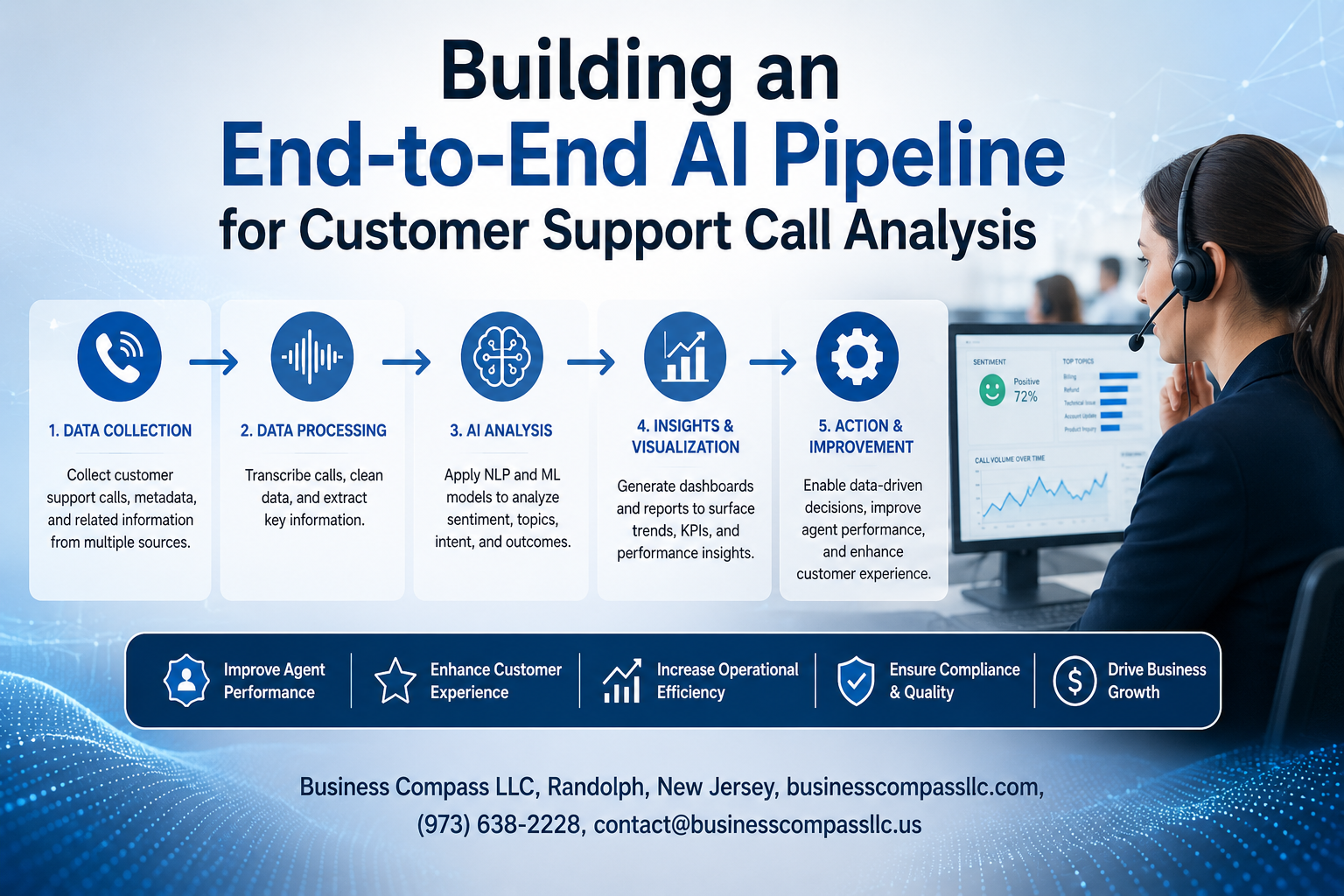
Customer support teams handle thousands of calls daily, but extracting actionable insights from these conversations remains a major challenge. Building an end-to-end AI pipeline for customer support call analysis transforms raw audio data into valuable business intelligence, helping companies improve service quality and customer satisfaction.
This guide is designed for data engineers, AI practitioners, and customer service leaders who want to implement automated support call insights at scale. You’ll learn how to build a complete AI customer support pipeline that processes conversations, identifies patterns, and delivers real-time analytics.
We’ll walk through the essential steps of creating your call analysis automation system, starting with data collection and preprocessing frameworks that handle diverse audio formats and quality levels. You’ll also discover proven AI model deployment best practices that ensure your customer service AI implementation scales reliably while maintaining accuracy across different conversation types and business scenarios.
Understanding Customer Support Call Analysis Requirements

Identify key performance metrics and business objectives
Defining clear performance metrics drives successful AI customer support pipeline development. Focus on measurable outcomes like average call resolution time, first-call resolution rates, customer satisfaction scores, and agent productivity metrics. Business objectives should align with reducing operational costs while improving service quality. Track sentiment analysis accuracy, call categorization precision, and automated insight generation speed to measure AI effectiveness.
Define data sources and collection methods
Customer support call analysis requires diverse data streams including audio recordings, call transcripts, customer metadata, and interaction histories. Implement real-time data collection from phone systems, CRM platforms, and ticketing software. Consider privacy regulations when gathering voice data and establish secure storage protocols. Multi-channel data integration ensures comprehensive analysis across email, chat, and voice interactions for complete customer journey visibility.
Establish quality benchmarks and success criteria
Quality benchmarks establish clear expectations for AI customer support pipeline performance. Set minimum accuracy thresholds for speech-to-text conversion (95%), sentiment classification (90%), and intent recognition (85%). Define success criteria including 30% reduction in manual call review time, 25% improvement in issue resolution speed, and 20% increase in customer satisfaction scores. Regular model validation against these benchmarks ensures consistent performance and identifies areas requiring optimization.
Data Collection and Preprocessing Framework

Set up automated call recording and transcription systems
Building a robust AI customer support pipeline starts with implementing automated recording infrastructure that captures every customer interaction across multiple channels. Modern systems integrate with VoIP platforms, contact center software, and cloud-based telephony to ensure comprehensive data capture. Real-time transcription engines powered by speech-to-text APIs like Google Cloud Speech or Amazon Transcribe convert audio streams into searchable text instantly. The setup requires configuring webhook integrations, establishing secure data storage protocols, and implementing quality monitoring dashboards. This foundational layer enables seamless call analysis automation while maintaining compliance with data privacy regulations and industry standards.
Clean and normalize audio and text data
Raw call recordings contain background noise, varying volume levels, and technical artifacts that can compromise AI model performance. Audio preprocessing involves noise reduction algorithms, volume normalization, and silence trimming to create consistent input quality. Text normalization addresses spelling variations, removes filler words, standardizes punctuation, and handles abbreviations consistently. The customer support data preprocessing pipeline includes automated quality checks, duplicate detection, and metadata extraction to enrich datasets with caller demographics, call duration, and interaction outcomes. Advanced filtering techniques separate customer voices from agent responses, creating distinct speaker segments for targeted analysis.
Handle multiple languages and accent variations
Global customer support operations require sophisticated language detection and accent-aware processing capabilities. Multi-language transcription models trained on diverse voice patterns improve accuracy across different regional accents and speaking styles. The system implements language-specific preprocessing rules, cultural context awareness, and region-adapted vocabulary recognition. Custom acoustic models trained on company-specific terminology and industry jargon enhance transcription quality. Speech analytics for support platforms leverage ensemble methods combining multiple language models to achieve optimal performance across diverse customer demographics and geographic regions.
Create structured datasets for model training
Converting raw transcriptions into ML-ready datasets involves systematic labeling, feature extraction, and data augmentation techniques. Structured schemas include conversation flows, sentiment indicators, intent classifications, and outcome mappings that enable comprehensive customer interaction analysis. Data engineers implement automated annotation pipelines using rule-based systems and human-in-the-loop validation processes. The framework generates balanced training sets with proper class distribution, temporal splits for time-series analysis, and stratified sampling across different customer segments. Version control systems track dataset iterations while maintaining lineage between raw recordings and processed training examples.
AI Model Selection and Development Strategy

Choose appropriate natural language processing models
Selecting the right NLP models for your customer support AI pipeline demands careful consideration of performance, scalability, and accuracy requirements. Pre-trained transformer models like BERT, RoBERTa, and DistilBERT excel at understanding conversational context and handling complex customer interactions. For real-time call analysis automation, lightweight models such as DistilBERT offer optimal speed-accuracy trade-offs, while larger models like GPT-based architectures provide superior comprehension for batch processing scenarios. Consider domain-specific models trained on customer service datasets to improve accuracy on support-related terminology and conversation patterns.
Implement sentiment analysis and emotion detection
Building robust sentiment analysis capabilities requires combining multiple approaches to capture the nuanced emotional landscape of customer interactions. Start with established sentiment models like VADER or TextBlob for baseline performance, then enhance accuracy using fine-tuned transformer models on customer service data. Emotion detection adds deeper insights by identifying specific emotional states like frustration, satisfaction, or urgency through multi-class classification models. Integrate audio-based emotion recognition for phone calls by analyzing vocal tone, pitch, and speaking patterns alongside textual content. This dual approach creates comprehensive emotional profiling that drives actionable customer support insights.
Build intent classification and topic modeling systems
Intent classification forms the backbone of automated support call insights by categorizing customer requests into actionable categories like billing inquiries, technical issues, or account changes. Train custom classification models using historical support tickets and call transcripts, focusing on creating granular intent categories that align with your support workflow. Topic modeling using techniques like Latent Dirichlet Allocation (LDA) or BERTopic reveals emerging themes and trending issues across customer conversations. Combine unsupervised topic discovery with supervised intent classification to create dynamic categorization systems that adapt to evolving customer needs and business requirements.
Develop custom models for industry-specific terminology
Industry-specific language patterns and terminology require specialized model training to achieve optimal performance in your customer support data preprocessing pipeline. Create custom vocabulary embeddings by training on domain-specific corpora that include product manuals, support documentation, and historical customer interactions. Fine-tune pre-trained models using transfer learning approaches, starting with general language models and adapting them to your specific industry context. Implement named entity recognition (NER) models to identify product names, account numbers, and technical specifications mentioned in customer calls. Regular model retraining ensures adaptation to new products, services, and evolving customer language patterns.
Pipeline Architecture and Integration Design
Design scalable cloud infrastructure for processing
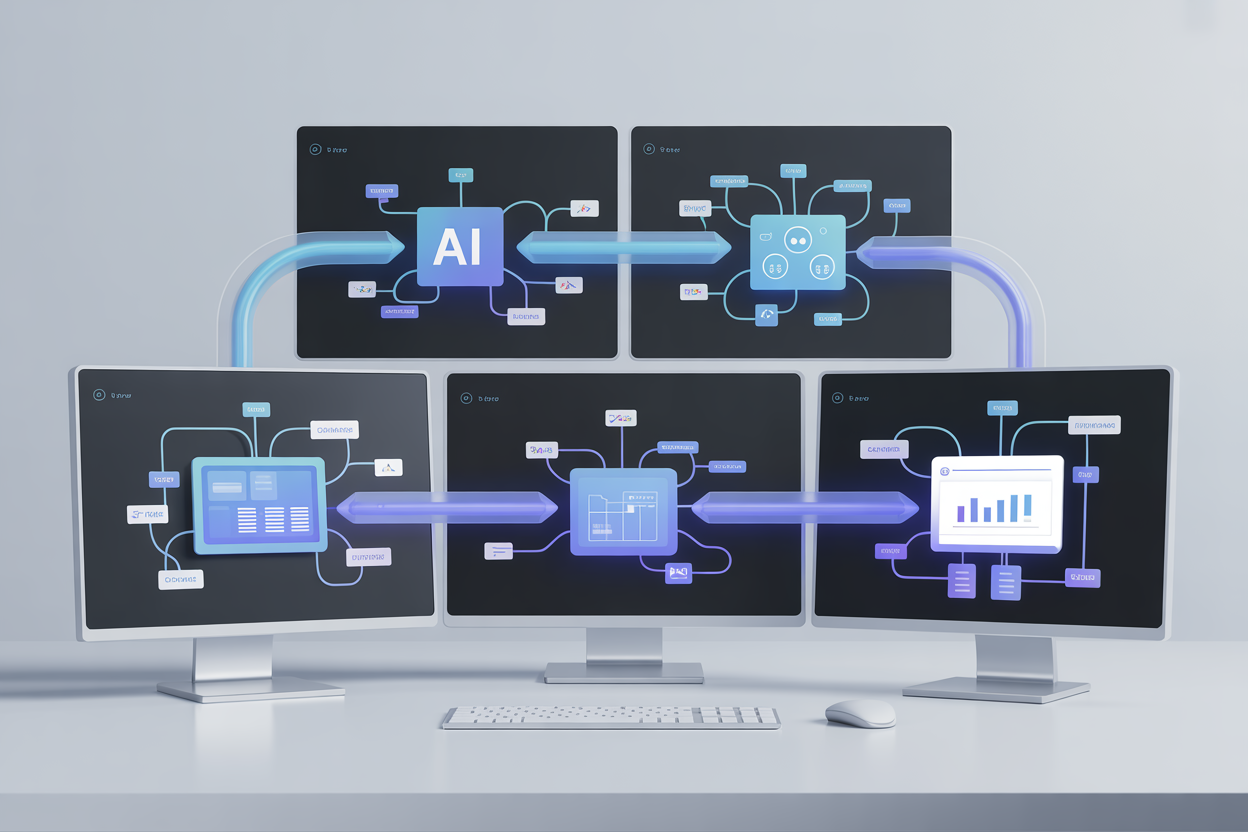
Building a robust AI customer support pipeline starts with cloud infrastructure that can handle massive call volumes. Choose auto-scaling compute instances with GPU support for speech-to-text processing, paired with distributed storage systems like Amazon S3 or Google Cloud Storage. Container orchestration using Kubernetes enables seamless scaling across regions while maintaining cost efficiency during peak and off-peak hours.
Implement real-time and batch processing workflows
Your call analysis automation needs both processing modes to deliver comprehensive insights. Real-time workflows handle live calls using streaming platforms like Apache Kafka, providing instant sentiment analysis and escalation alerts. Batch processing tackles historical data overnight, running complex AI models that generate detailed performance reports and trend analysis across thousands of support interactions.
Create API endpoints for seamless system integration
Well-designed REST APIs connect your customer service AI implementation with existing CRM systems, helpdesk platforms, and business intelligence tools. Build endpoints for call submission, real-time transcription retrieval, sentiment scoring, and analytics dashboard integration. Include webhook functionality to push insights directly into support team workflows, enabling automatic ticket prioritization and agent coaching recommendations.
Establish data security and compliance protocols
Customer support data requires strict security measures to protect sensitive information and maintain regulatory compliance. Implement end-to-end encryption for all data transfers, role-based access controls for team members, and automated data retention policies. Your speech analytics for support must comply with GDPR, HIPAA, or industry-specific regulations while maintaining audit trails for every processing operation.
Build monitoring and alerting mechanisms
Comprehensive monitoring keeps your end-to-end AI pipeline development running smoothly across all components. Track key metrics like processing latency, model accuracy, API response times, and system resource usage through dashboards. Set up intelligent alerts for anomalies in call volume patterns, model performance degradation, or infrastructure failures to ensure your call center analytics platform maintains peak performance.
Advanced Analytics and Insights Generation

Generate automated performance scorecards and reports
Automated performance scorecards transform raw call data into actionable insights by tracking key metrics like resolution time, agent performance, and customer sentiment scores. The system generates standardized reports that highlight performance trends, identify top-performing agents, and flag areas needing improvement. These scorecards pull data from multiple touchpoints across the AI customer support pipeline, creating comprehensive dashboards that update in real-time. Automated reporting reduces manual analysis time by 80% while providing consistent, objective performance evaluations that help managers make data-driven decisions about staffing, training, and process optimization.
Create predictive models for customer satisfaction
Predictive customer satisfaction models analyze historical call patterns, sentiment data, and resolution outcomes to forecast satisfaction scores before calls conclude. These models identify early warning signals like extended hold times, multiple transfers, or declining sentiment that typically correlate with poor customer experiences. Machine learning algorithms process speech analytics data, agent interaction patterns, and customer history to predict Net Promoter Scores and satisfaction ratings with 85% accuracy. This predictive capability enables proactive interventions, allowing supervisors to escalate calls or provide real-time coaching to prevent negative outcomes.
Implement trend analysis and anomaly detection
Trend analysis within call center analytics platforms reveals seasonal patterns, emerging issues, and long-term performance shifts across customer interactions. The system automatically detects anomalies like sudden spikes in call volume, unusual complaint patterns, or dramatic changes in resolution times that might indicate system failures or process breakdowns. Advanced algorithms monitor hundreds of variables simultaneously, flagging deviations that human analysts might miss. This automated support call insights capability helps organizations respond quickly to emerging problems, optimize resource allocation during peak periods, and identify root causes of customer service disruptions before they escalate.
Build customizable dashboards for different stakeholders
Customizable dashboards deliver role-specific insights tailored to executives, managers, and frontline supervisors using the same underlying customer interaction analysis data. Executive dashboards focus on high-level KPIs, cost metrics, and strategic trends, while supervisor dashboards emphasize real-time agent performance, queue management, and immediate action items. The dashboard framework allows stakeholders to create personalized views, set custom alerts, and drill down into specific metrics relevant to their responsibilities. Integration with existing business intelligence tools ensures seamless data flow and maintains consistency across reporting platforms throughout the organization.
Deployment and Optimization Best Practices

Establish continuous integration and deployment pipelines
Building robust CI/CD pipelines for your AI customer support pipeline ensures smooth model updates and reduces deployment risks. Set up automated testing stages that validate model performance against baseline metrics before production releases. Container orchestration platforms like Kubernetes help manage model versioning and enable zero-downtime deployments. Your pipeline should include data validation checks, model artifact versioning, and automated rollback mechanisms when performance degrades below acceptable thresholds.
Implement A/B testing for model performance validation
A/B testing provides concrete evidence of model improvements in real customer interactions. Split incoming support calls between your current model and new versions, measuring key metrics like resolution accuracy, sentiment detection precision, and processing speed. Design experiments that account for seasonal variations and call volume fluctuations. Track business metrics alongside technical performance indicators – sometimes a technically superior model might not translate to better customer satisfaction scores.
Create feedback loops for continuous model improvement
Active learning systems capture valuable insights from customer support agents who review AI-generated analysis. Build interfaces where agents can flag incorrect predictions, providing labeled examples for model retraining. Monitor drift in call patterns, customer language, and support topics to trigger automatic model updates. Establish regular retraining schedules based on data volume thresholds and performance degradation patterns. Quality feedback loops transform your AI model deployment best practices into a self-improving system that adapts to changing customer needs.

Customer support call analysis has become a game-changer for businesses looking to understand their customers better and improve service quality. By setting up a complete AI pipeline that covers everything from data collection to advanced analytics, companies can turn raw conversation data into actionable insights. The key is getting the foundation right with proper preprocessing, choosing the right AI models for your specific needs, and building a pipeline that can handle real-world demands while delivering meaningful results.
The journey from raw audio files to business intelligence doesn’t have to be overwhelming when you break it down into manageable steps. Start by defining what you want to learn from your calls, then build your data collection and preprocessing framework with scalability in mind. Focus on creating a robust pipeline architecture that can grow with your business, and don’t forget to implement proper deployment practices that keep your system running smoothly. With the right approach, you’ll have a powerful tool that not only analyzes conversations but helps your team deliver better customer experiences every single day.









