AWS Serverless Compute Explained: Fargate vs Managed Lambda Runtimes
If you’re building on AWS and trying to figure out whether to go with Fargate or managed Lambda runtimes, you’re not alone. This is one of the most common decisions developers and architects face when moving toward a serverless architecture on AWS — and the wrong choice can cost you time, money, and a lot of late-night debugging sessions.
This guide is written for developers, cloud architects, and technical decision-makers who already have some AWS experience and want a clear, honest breakdown of both options — not just the marketing pitch.
Here’s what we’ll walk through together:
- What AWS serverless compute actually means and how Fargate and managed Lambda runtimes each fit into that picture
- How the two compare on performance, scalability, and cold start behavior — because Lambda runtime performance and Fargate scalability behave very differently under real workloads
- The cost side of things, including a serverless cost comparison on AWS that shows how billing models differ and when each option starts to get expensive
By the end, you’ll have a solid foundation for choosing the serverless solution on AWS that actually fits your workload — not just the one that sounds best on paper.
Understanding AWS Serverless Compute

What Serverless Means for Modern Cloud Workloads
AWS serverless compute shifts the entire burden of infrastructure management away from your team. Instead of provisioning servers, patching operating systems, or worrying about capacity planning, you just deploy your code or containers and let AWS handle everything underneath. This model works beautifully for unpredictable workloads, event-driven applications, and teams that want to ship faster without babysitting servers.
Why AWS Leads the Serverless Market
AWS pioneered serverless with Lambda back in 2014 and never stopped pushing the space forward. Today, the ecosystem includes:
- AWS Lambda with managed runtimes for Node.js, Python, Java, Go, and more
- AWS Fargate for running containers without managing EC2 instances
- Deep integrations with API Gateway, EventBridge, S3, DynamoDB, and dozens of other services
- A massive global infrastructure spanning dozens of regions
No other cloud provider comes close to matching the maturity, tooling, and community that AWS has built around serverless architecture.
Key Benefits of Eliminating Server Management
Dropping server management from your workflow unlocks real, tangible wins:
- Faster deployments — your team focuses on code, not configuration
- Automatic scaling — traffic spikes get handled without manual intervention
- Reduced operational overhead — no patching, no capacity guessing, no late-night alerts about disk space
- Pay-per-use billing — you stop paying for idle compute, which directly cuts costs in most workloads
Getting to Know AWS Fargate
How Fargate Removes Container Infrastructure Overhead
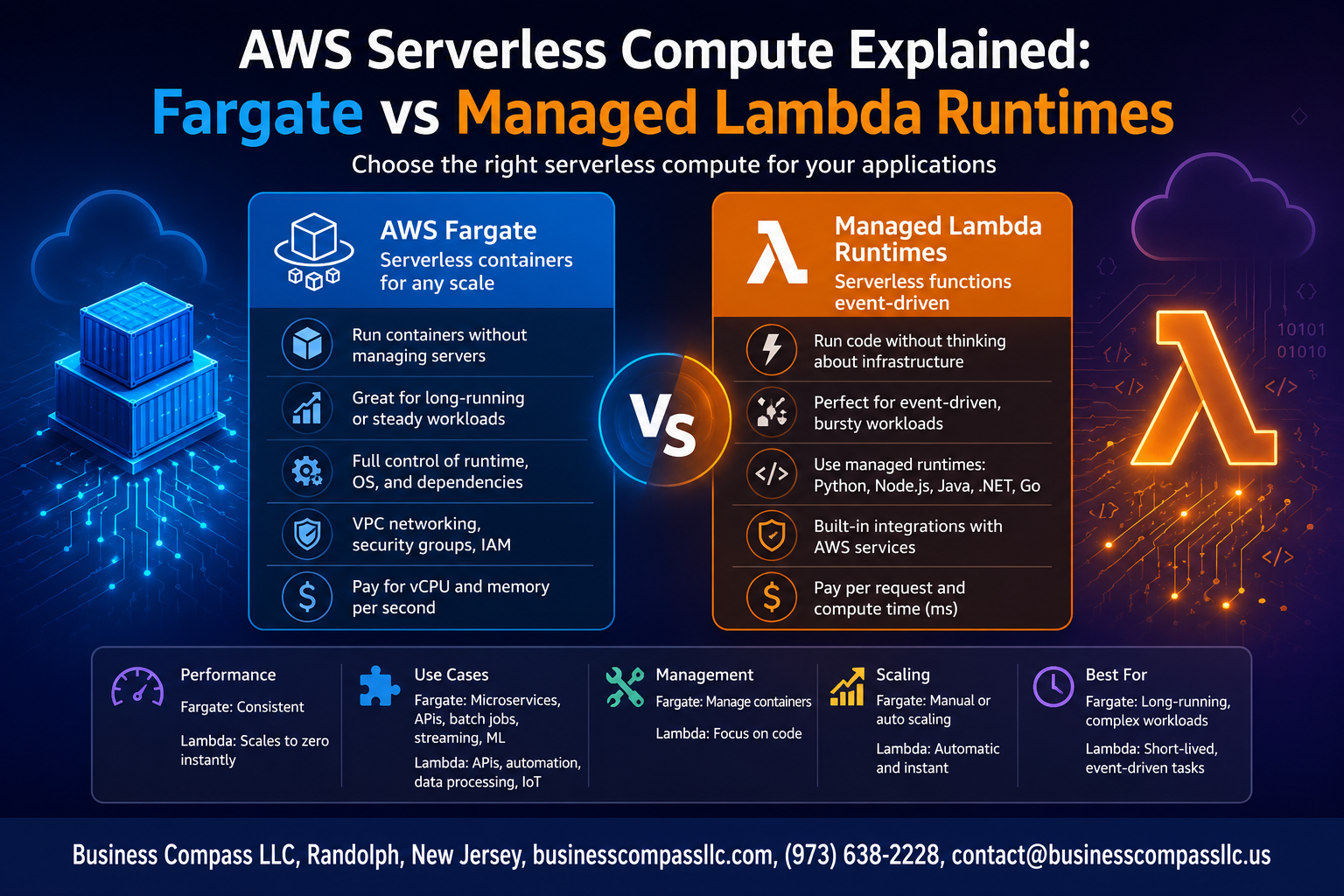
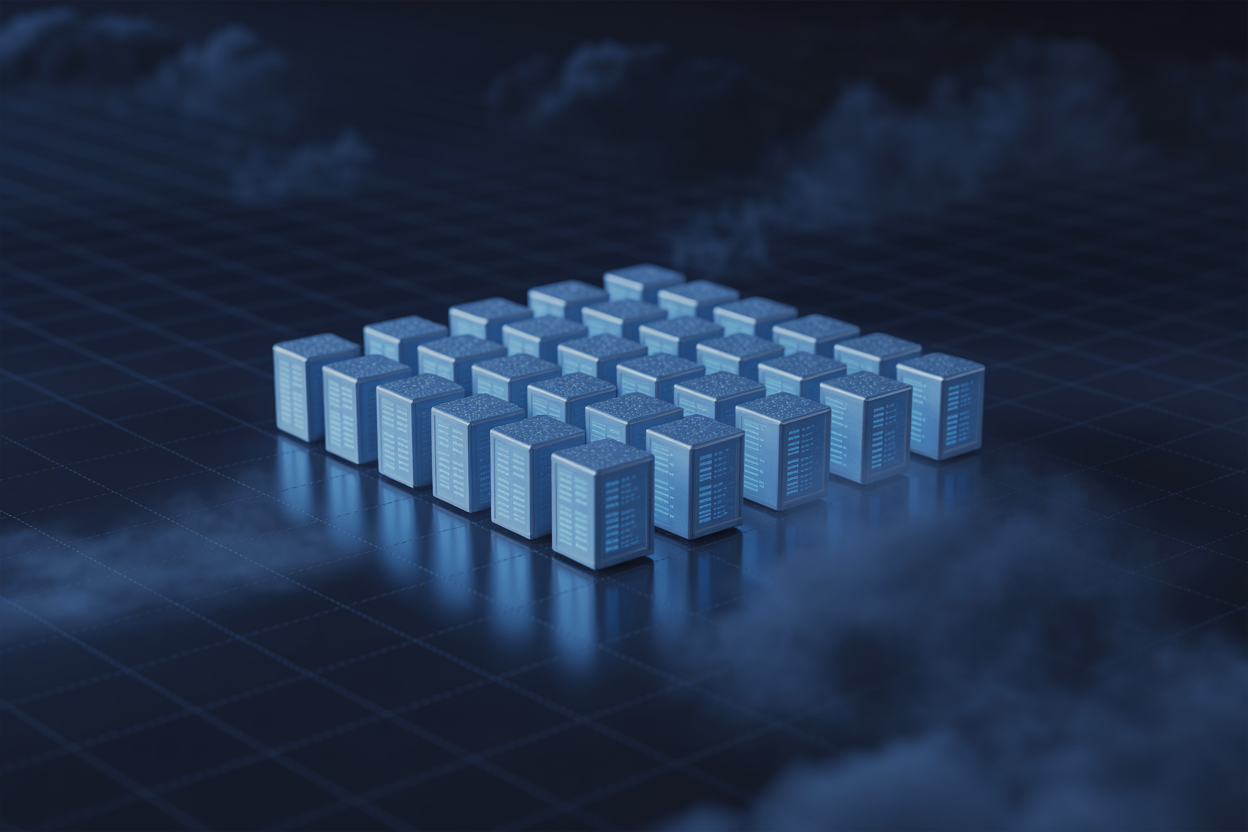
AWS Fargate is a serverless compute engine that lets you run containers without ever touching the underlying servers. No patching, no capacity planning, no cluster babysitting. You define the CPU and memory your container needs, and AWS handles everything else — provisioning, scaling, and keeping the infrastructure healthy behind the scenes.
- No EC2 instances to manage or right-size
- Automatic infrastructure patching and security updates
- Resources allocated per task, not per server
Supported Orchestration with ECS and EKS
Fargate works hand-in-hand with both Amazon ECS (Elastic Container Service) and Amazon EKS (Elastic Kubernetes Service), giving you flexibility in how you orchestrate workloads.
- ECS on Fargate: Great for teams who want simplicity without deep Kubernetes knowledge
- EKS on Fargate: Ideal for teams already running Kubernetes and wanting to drop the node management headache
Ideal Use Cases for Fargate Deployments
- Long-running microservices and APIs
- Batch data processing jobs
- Machine learning inference workloads
- Applications requiring persistent connections or custom runtimes
Fargate Pricing and Cost Optimization Tips
Fargate pricing is based on the vCPU and memory resources your tasks consume per second.
- Match task sizes tightly to actual workload needs
- Use Spot pricing for fault-tolerant batch jobs to cut costs significantly
- Schedule non-critical tasks during off-peak windows
Getting to Know Managed Lambda Runtimes

How Lambda Executes Code Without Provisioning Servers
AWS Lambda runs your code in response to events without you ever touching a server. You upload your function, set a trigger, and AWS handles everything else — spinning up execution environments, allocating memory, and tearing things down after your function finishes. Each function runs in its own isolated microVM powered by Firecracker, giving you fast cold starts and solid security boundaries without any infrastructure management on your end.
Supported Languages and Managed Runtime Environments
Managed Lambda runtimes cover a solid range of languages out of the box:
- Node.js (multiple versions)
- Python
- Java
- Go
- Ruby
- .NET / C#
- Custom runtimes via the Runtime API for anything else
AWS manages patching, security updates, and runtime maintenance automatically. If you need a language or version not natively supported, the custom runtime option lets you bring your own execution environment using a bootstrap file.
Event-Driven Architecture and Lambda Triggers
Lambda is built around events. Your function sits idle, costing you nothing, until something triggers it. Common triggers include:
- API Gateway — HTTP requests hit your function directly
- S3 — file uploads kick off processing pipelines
- DynamoDB Streams — react to database changes in real time
- SQS/SNS — process messages from queues or topics
- EventBridge — schedule or route events across your AWS environment
This event-driven model is what makes managed Lambda runtimes such a natural fit for serverless architecture on AWS — you only run code when there’s actual work to do.
Performance and Scalability Compared

Cold Start Behavior in Lambda vs Fargate
Cold starts are one of the biggest talking points when comparing Fargate vs Lambda. With managed Lambda runtimes, a cold start happens when AWS spins up a new execution environment — this can add anywhere from a few milliseconds to several seconds of latency, depending on your runtime, package size, and VPC configuration. Fargate containers, on the other hand, experience longer initial startup times since a full container needs to be provisioned, but once running, they stay warm and ready.
- Lambda cold starts typically range from 100ms to 1s+ for interpreted runtimes like Python or Node.js
- Java and .NET Lambda runtimes can hit 2–5 seconds on cold starts without Provisioned Concurrency
- Fargate task startup can take 20–90 seconds, making it less ideal for spiky, unpredictable traffic
Scaling Speed and Concurrency Limits
AWS serverless compute shines brightest when traffic spikes without warning. Lambda scales near-instantly, spinning up thousands of concurrent executions within seconds. Fargate scales too, but it follows a container provisioning model — new tasks take longer to launch compared to Lambda’s sub-second scale-out.
- Lambda default concurrency limit: 1,000 per region (can be increased)
- Fargate scales based on ECS/EKS cluster policies and task definition capacity
- Lambda wins for burst scaling in unpredictable, high-frequency workloads
Long-Running Tasks and Execution Time Constraints
Lambda has a hard 15-minute execution limit — that’s the ceiling, no exceptions. For anything longer, like video processing, batch jobs, or data migrations, Fargate is the clear winner. Fargate tasks can run for hours or even days without interruption, making it the go-to for long-running workloads in a serverless architecture on AWS.
- Lambda: best for short, event-driven functions under 15 minutes
- Fargate: built for sustained, long-running containerized workloads
- Mixing both in the same architecture is a common and smart pattern
Handling High-Traffic Workloads Efficiently
When traffic surges, Lambda’s ability to scale horizontally without any manual intervention is hard to beat. Each request gets its own isolated execution environment, which means Lambda runtime performance stays consistent even under heavy load. Fargate handles high traffic too, but you need to pre-configure auto-scaling rules and ensure enough capacity is available to avoid task provisioning delays.
- Lambda auto-scales with zero configuration out of the box
- Fargate requires ECS Service Auto Scaling or Fargate Spot for cost-effective high-traffic handling
- For predictable, sustained high traffic — Fargate with pre-warmed tasks performs more consistently
Cost Efficiency and Billing Models

Lambda Pay-Per-Invocation Pricing Breakdown
Lambda charges you based on three things:
- Number of requests – $0.20 per 1 million invocations (first 1M free monthly)
- Duration – Billed in 1ms increments based on how long your function runs
- Memory allocation – You pick anywhere from 128MB to 10GB, and that directly affects your cost
So if your function runs for 500ms using 512MB of memory, you only pay for exactly that. No idle time, no wasted spend. This makes managed Lambda runtimes a great fit for unpredictable or spiky workloads where traffic isn’t consistent throughout the day.
Fargate vCPU and Memory-Based Billing Explained
Fargate bills you based on the compute resources your containers actually use while running:
- vCPU pricing – ~$0.04048 per vCPU per hour
- Memory pricing – ~$0.004445 per GB per hour
- Minimum charge – 1-minute minimum, then billed per second after that
Unlike Lambda, Fargate keeps your container running as long as your task is active. That’s great for long-running processes, but it means you’re paying even during quiet moments between requests. For steady, high-throughput workloads, this model can actually work out cheaper than Lambda at scale.
Choosing the Most Cost-Effective Option for Your Budget
Here’s a quick breakdown to help you decide:
| Scenario | Better Choice |
|---|---|
| Sporadic, short-lived tasks | Lambda |
| Long-running background jobs | Fargate |
| Unpredictable traffic spikes | Lambda |
| Consistent, steady workloads | Fargate |
| Memory-heavy processing | Fargate |
For a genuine serverless cost comparison on AWS, the honest answer is: it depends on your traffic pattern. Lambda wins on cost for low or bursty traffic. Fargate gets more competitive when your containers are busy nearly all the time. Run the numbers using the AWS Pricing Calculator with your actual expected usage before committing to either path.
Security and Compliance Considerations

IAM Roles and Permission Management for Each Service
Both Fargate and Lambda lean heavily on IAM roles to control what your workloads can and cannot do. With Fargate, you assign a task execution role (for pulling images and writing logs) and a separate task role (for what your container actually does at runtime). Lambda keeps things simpler with a single execution role, but you still need to follow least-privilege principles carefully.
- Fargate task roles support fine-grained permissions per container
- Lambda supports resource-based policies, letting other AWS services invoke functions directly
- Both services integrate with AWS Organizations SCPs for account-level guardrails
Network Isolation and VPC Integration Options
Running workloads inside a VPC gives you tighter control over traffic flow, and both services support this well.
- Fargate runs natively inside your VPC, with full control over subnets, security groups, and routing
- Lambda can be configured to run inside a VPC, though cold starts may increase slightly due to ENI attachment
- Both support VPC endpoints to avoid routing traffic over the public internet
Meeting Compliance Requirements with Serverless Architectures
AWS serverless compute options like Fargate and managed Lambda runtimes both sit under the AWS shared responsibility model, which covers a huge chunk of compliance groundwork including physical security, hypervisor patching, and infrastructure auditing. Services like AWS Config, CloudTrail, and Security Hub plug into both seamlessly, making audit trails straightforward to maintain for standards like PCI-DSS, HIPAA, and SOC 2.
Container Image Scanning and Lambda Code Security
- Fargate images stored in Amazon ECR can be scanned automatically on push using ECR enhanced scanning powered by Amazon Inspector
- Scanning catches known CVEs in OS packages and application libraries before deployment
- Lambda functions benefit from code signing, which verifies that only trusted, unmodified packages get deployed
- AWS also runs managed runtime patching on Lambda, so you’re not responsible for OS-level vulnerabilities in AWS-managed runtimes
Choosing the Right Serverless Solution for Your Needs
When Fargate Outperforms Lambda for Your Workload
Fargate wins when your app needs long-running processes, consistent CPU/memory allocation, or containerized workloads that exceed Lambda’s 15-minute execution limit. If you’re running:
- Batch processing jobs that chew through large datasets
- Microservices with predictable, steady traffic patterns
- Legacy applications already packaged as Docker containers
- Workloads requiring more than 10GB memory
Fargate gives you full container control without managing EC2 instances underneath.
When Lambda Delivers Greater Speed and Simplicity
Lambda is your best pick for event-driven, short-burst workloads where cold starts are acceptable and you want zero infrastructure thinking. It shines for:
- API backends triggered by HTTP requests via API Gateway
- File processing like resizing images when uploaded to S3
- Scheduled tasks running under 15 minutes
- Rapid prototyping where deployment speed matters most
Managed Lambda runtimes handle patching, scaling, and execution environments automatically, cutting operational overhead dramatically.
Combining Both Services for a Hybrid Serverless Strategy
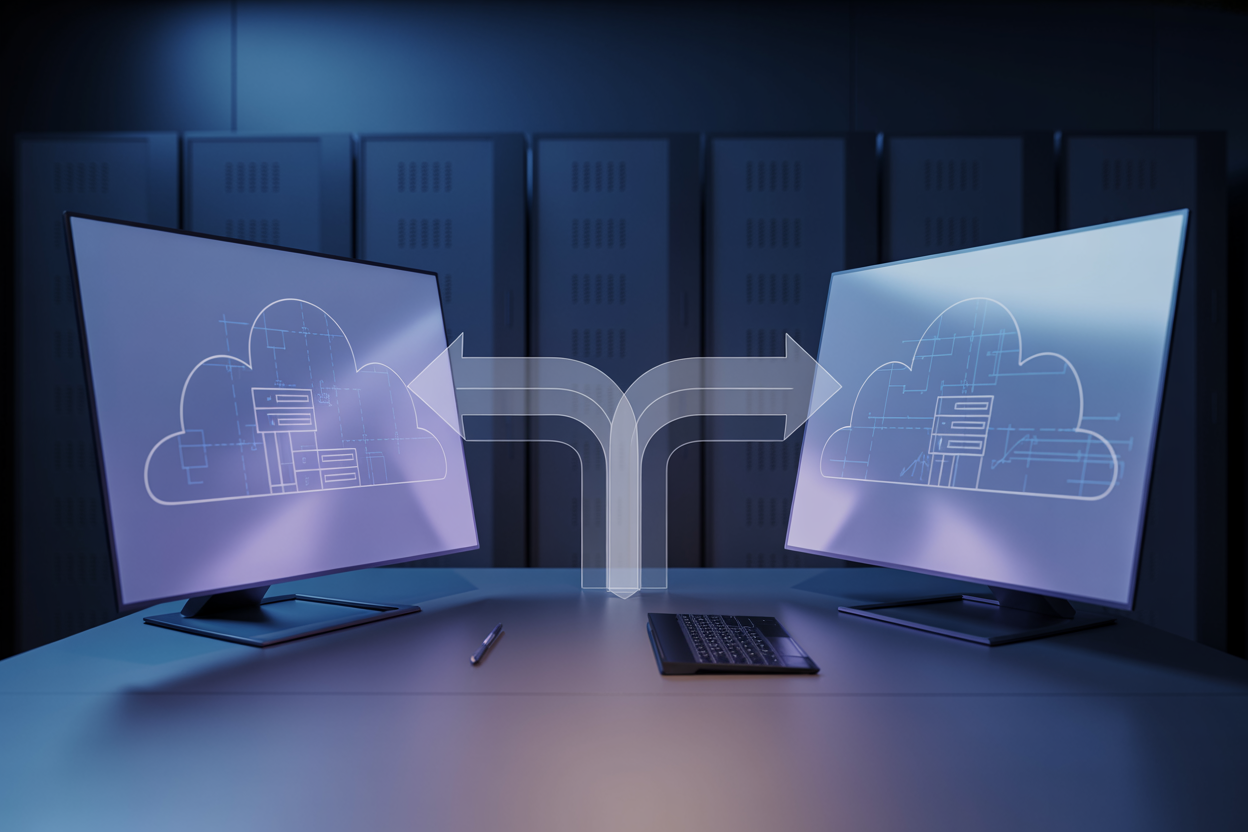
A hybrid serverless architecture on AWS often makes the most sense. Run your real-time API layer on Lambda for instant scale and low cost, while offloading heavy background processing to Fargate. This split lets each service do what it’s genuinely good at rather than forcing one tool to handle everything.
Migration Path from Traditional Servers to Serverless
Start small — pick one non-critical workload and move it to Lambda or Fargate first. Follow this rough path:
- Containerize existing apps using Docker for Fargate readiness
- Identify stateless functions that map naturally to Lambda
- Refactor gradually, replacing EC2-hosted services one at a time
- Monitor costs and performance using AWS Cost Explorer and CloudWatch
- Scale adoption once your team builds confidence with serverless patterns

Choosing between AWS Fargate and Managed Lambda Runtimes doesn’t have to feel overwhelming. Both are solid serverless options, but they shine in different situations. Fargate gives you more control over your containerized workloads and works great for long-running tasks, while Lambda is the go-to when you need fast, event-driven execution without worrying about infrastructure. Performance, cost, and security all play a role in which one makes more sense for your specific setup.
At the end of the day, the right choice comes down to what your application actually needs. Think about how your workload scales, how long your tasks run, and what your budget looks like. If you’re still on the fence, start small — test both options with a real use case and let the results guide your decision. The beauty of AWS serverless is that you’re not locked in forever, so don’t be afraid to experiment and find what works best for your team.