


Sharing Amazon Machine Images across AWS accounts can expose sensitive data if done incorrectly. This guide helps DevOps engineers, cloud architects, and AWS administrators implement secure AMI encryption and cross-account AMI sharing without compromising security.
You’ll learn the essential encryption components needed for AWS AMI security, including how AWS KMS works with encrypted AMI sharing. We’ll walk through the complete step-by-step process for encrypting AMIs before sharing them across accounts. Finally, we’ll cover AMI sharing best practices that keep your infrastructure secure while enabling smooth collaboration between teams and organizations.
By the end, you’ll have the knowledge to set up secure AWS image sharing that protects your data and meets compliance requirements.
Understanding AMI Sharing Fundamentals in AWS
What Amazon Machine Images Are and Why They Matter
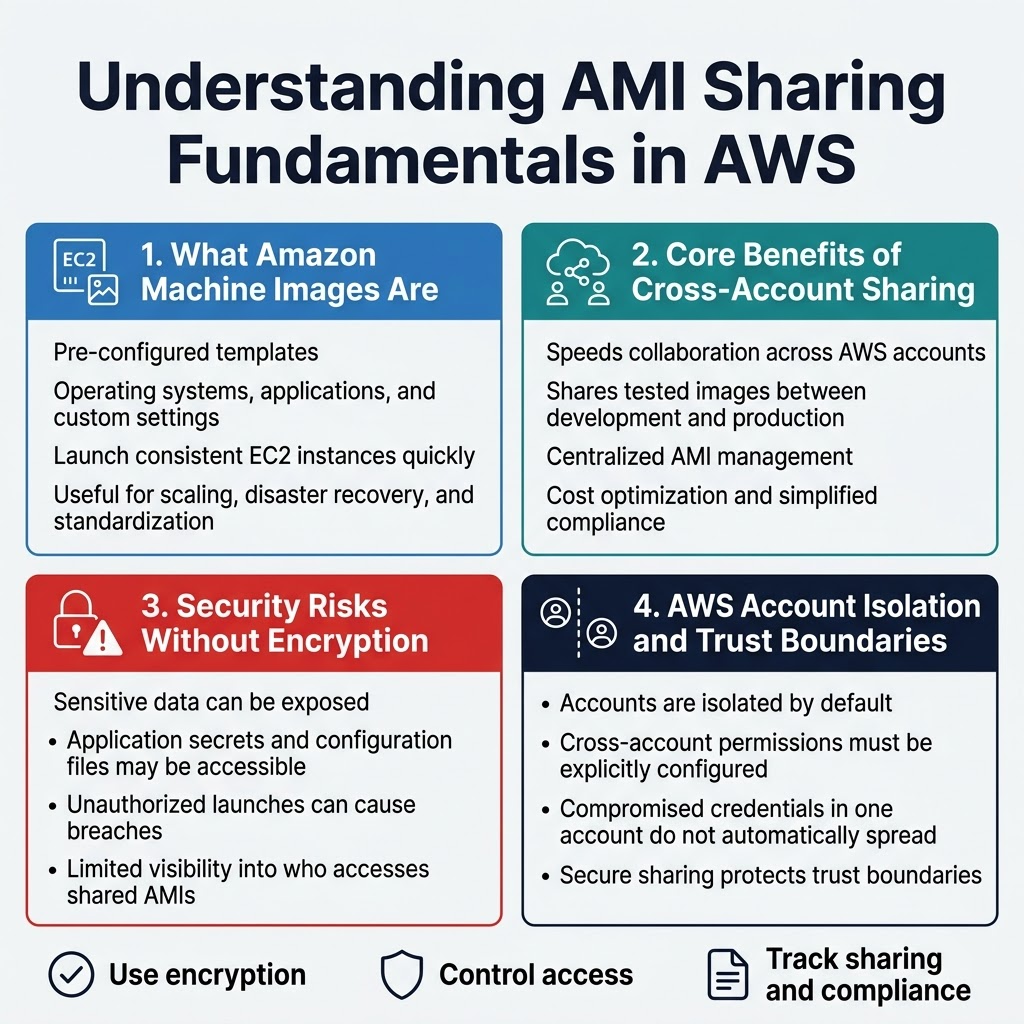
Amazon Machine Images serve as pre-configured templates containing operating systems, applications, and custom configurations needed to launch EC2 instances. These digital blueprints enable rapid deployment of consistent server environments across multiple AWS accounts and regions. AMIs capture entire system states, making them invaluable for scaling applications, disaster recovery, and maintaining standardized infrastructure configurations.
Core Benefits of Cross-Account AMI Sharing
Cross-account AMI sharing streamlines collaboration between different AWS environments while maintaining organizational boundaries. Development teams can share tested images with production accounts, reducing deployment time and ensuring consistency. This approach enables centralized AMI management, cost optimization through shared resources, and simplified compliance workflows across multiple business units or partner organizations.
Common Security Risks Without Proper Encryption
Unencrypted AMI sharing exposes sensitive data including application secrets, configuration files, and potentially proprietary software to unauthorized access. Shared AMIs without encryption can be launched by malicious actors who gain access to recipient accounts, creating data breaches and compliance violations. Default AWS AMI sharing lacks granular access controls, making it difficult to track who accesses shared images and when.
AWS Account Isolation and Trust Boundaries
AWS accounts create natural security boundaries where resources remain isolated unless explicitly shared through cross-account permissions. Trust relationships between accounts require careful configuration to maintain security while enabling necessary access. Account-level isolation ensures that compromised credentials in one account don’t automatically grant access to resources in other accounts, making secure AMI sharing critical for maintaining these protective boundaries.
Essential Encryption Components for Secure AMI Sharing
AWS KMS Key Management Service Overview
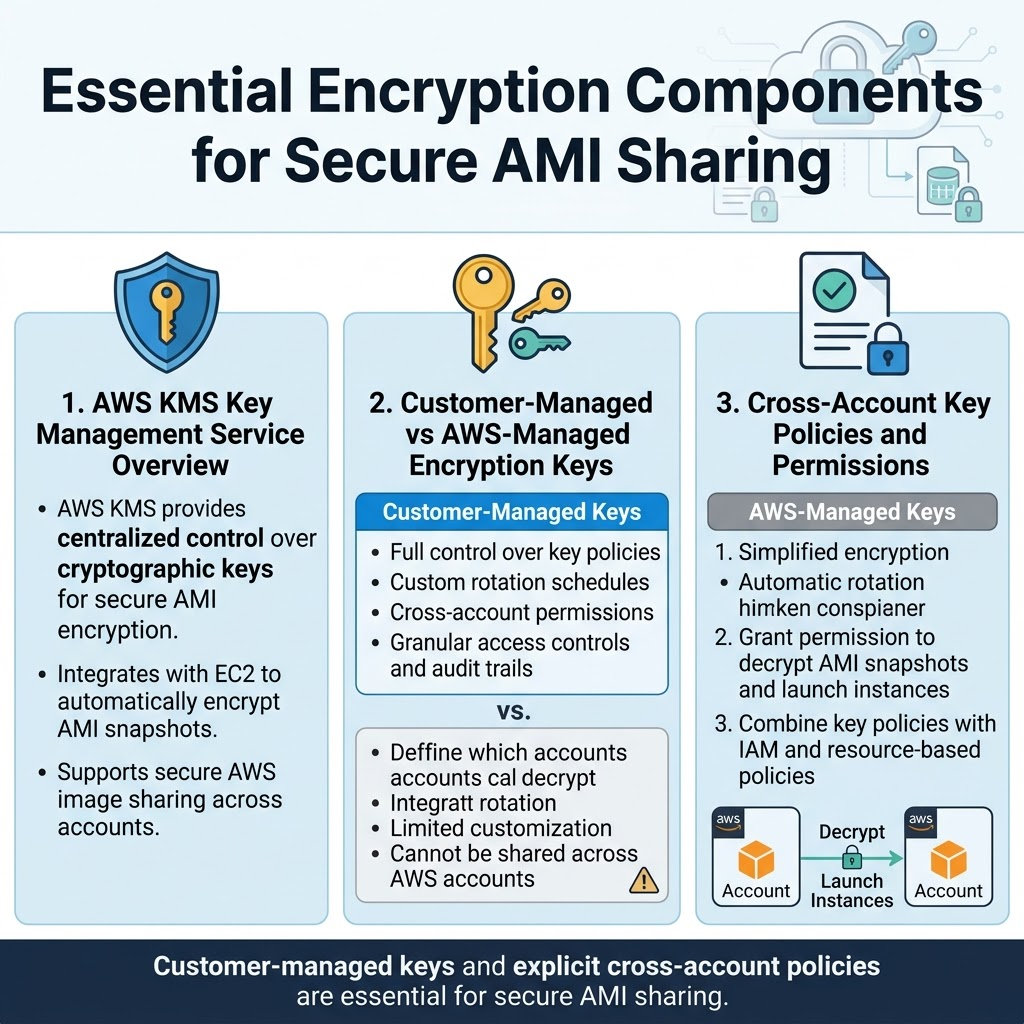
AWS Key Management Service (KMS) serves as the backbone for secure AMI encryption, providing centralized control over cryptographic keys used to protect your Amazon Machine Images. When implementing AWS AMI sharing across accounts, KMS ensures that encryption keys remain secure while enabling authorized access to encrypted AMIs. The service integrates seamlessly with EC2 to automatically encrypt AMI snapshots, making secure AWS image sharing straightforward and manageable.
Customer-Managed vs AWS-Managed Encryption Keys
Customer-managed keys offer complete control over key policies, rotation schedules, and cross-account permissions for encrypted AMI sharing AWS workflows. These keys allow you to define granular access controls and audit trails for enhanced AWS cross-account security. AWS-managed keys provide simplified encryption with automatic rotation but limit customization options for complex AMI sharing best practices. For cross-account AMI sharing scenarios, customer-managed keys prove essential since AWS-managed keys cannot be shared across different AWS accounts.
Cross-Account Key Policies and Permissions
Key policies define which accounts can access your customer-managed encryption keys for AWS KMS AMI encryption operations. Cross-account permissions require explicit policy statements granting the target account access to decrypt AMI snapshots and create instances from shared images. Proper policy configuration ensures that AWS AMI security remains intact while enabling authorized accounts to launch instances from your encrypted AMIs. Resource-based policies work alongside IAM permissions to create a comprehensive security framework for cross-account AMI sharing.
Step-by-Step Process for Encrypting AMIs Before Sharing
Creating Encrypted Snapshots from Existing AMIs
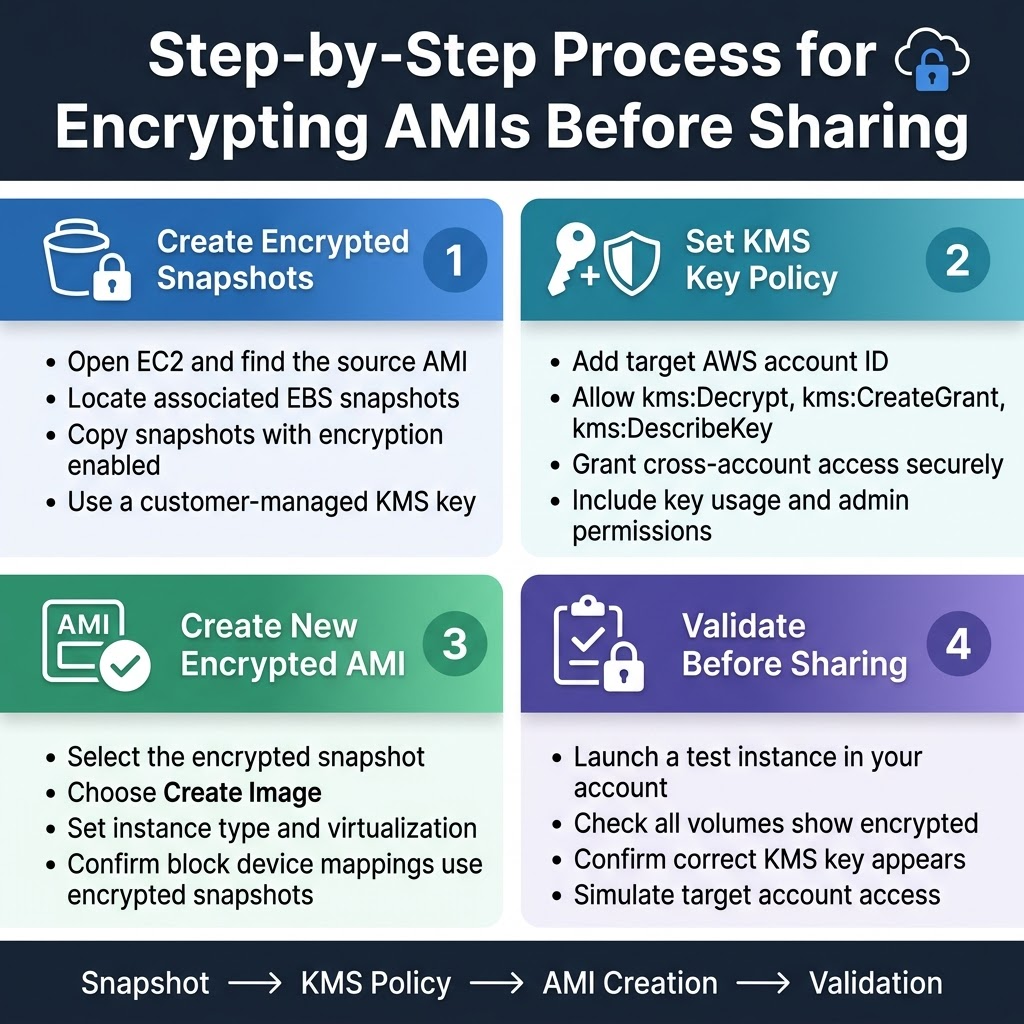
Creating encrypted snapshots from your existing AMIs forms the foundation of secure cross-account AMI sharing in AWS. Start by navigating to the EC2 console and selecting your source AMI, then identify its associated EBS snapshots. Copy each snapshot while enabling encryption during the copy process, ensuring you select the appropriate AWS KMS key for cross-account access.
The snapshot copying process preserves all original data while adding the encryption layer you need for secure AMI sharing. Choose a customer-managed KMS key rather than the default AWS-managed key, as this gives you granular control over cross-account permissions and ensures the target account can properly decrypt the shared resources.
Configuring KMS Key Policies for Cross-Account Access
Your KMS key policy determines which AWS accounts can access your encrypted AMI snapshots. Edit the key policy to include the target account’s AWS account ID in both the key usage and administrative permissions sections. Grant the kms:Decrypt, kms:CreateGrant, and kms:DescribeKey permissions to enable the receiving account to launch instances from your shared encrypted AMI.
Pay special attention to the resource constraints in your key policy to maintain security while enabling functionality. The receiving account needs permission to create grants on your KMS key, which allows EC2 to decrypt the AMI’s root volume and any additional encrypted volumes during instance launch.
Generating New AMIs from Encrypted Snapshots
Once your encrypted snapshots are ready, create a new AMI using these encrypted snapshots as the foundation. Navigate to the Snapshots section in the EC2 console, select your encrypted snapshot, and choose “Create Image” to build your new encrypted AMI. Configure the AMI settings to match your requirements, including instance type compatibility and virtualization type.
The resulting AMI inherits the encryption properties from your snapshots, creating a fully encrypted machine image ready for secure cross-account sharing. Verify that all block device mappings reference the encrypted snapshots and that the AMI description clearly indicates its encrypted status for easy identification.
Validating Encryption Settings and Permissions
Before sharing your encrypted AMI, run comprehensive validation checks to confirm encryption settings and cross-account permissions work correctly. Test the AMI by launching an instance in your own account first, then verify the KMS key policy allows the target account to perform necessary operations like describing the AMI and accessing associated snapshots.
Check the AMI’s block device mappings to ensure all volumes show as encrypted, and confirm the correct KMS key appears in the snapshot details. Use the AWS CLI or console to simulate cross-account access by switching to the target account’s perspective and verifying you can see and describe the shared AMI without launching it yet.
Implementing Cross-Account AMI Sharing with Encryption
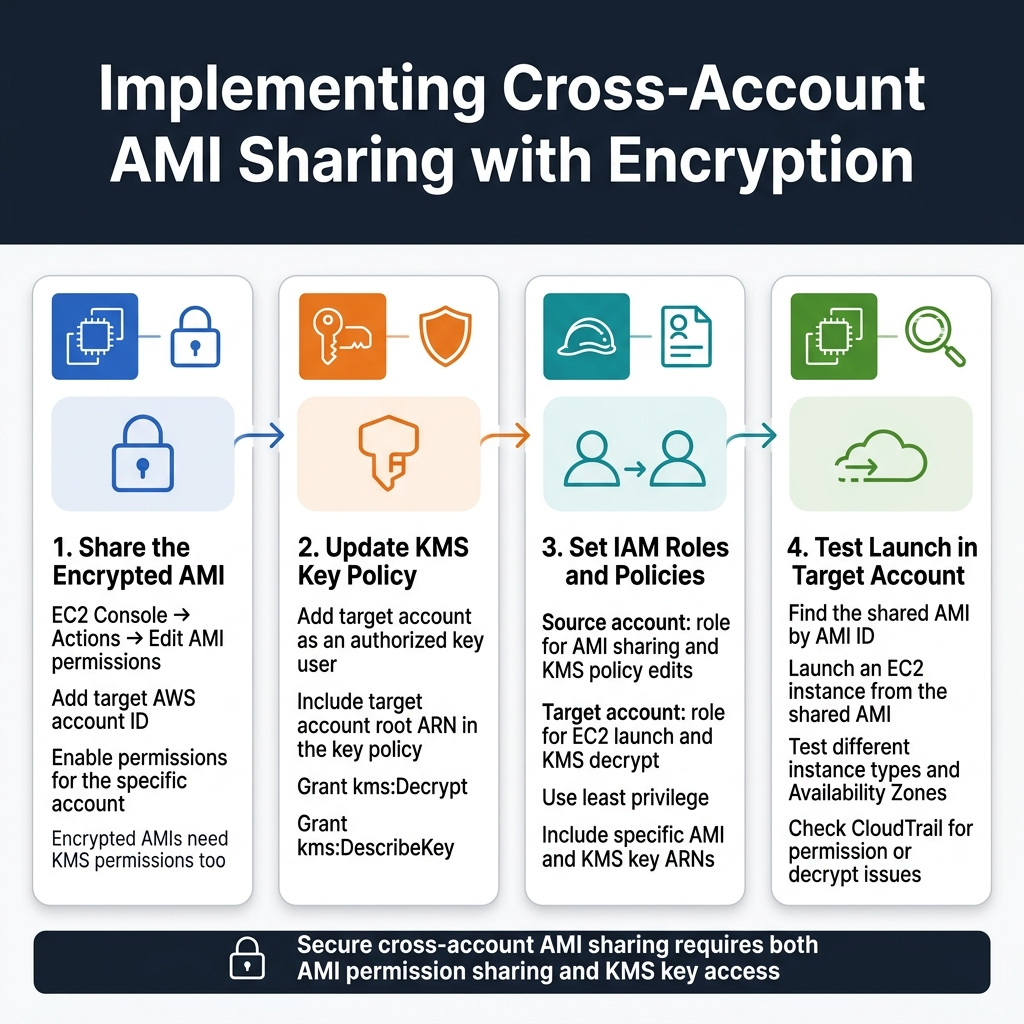
Granting Target Account Access to Encrypted AMIs
Start the AMI sharing process by navigating to the EC2 console and selecting your encrypted AMI. Click “Actions” then “Edit AMI permissions” to configure cross-account access. Add the target AWS account ID in the sharing permissions dialog, ensuring you select “Add permissions” for the specific account. Remember that sharing encrypted AMIs requires additional KMS key permissions beyond basic AMI sharing.
The target account won’t automatically gain access to your encrypted AMI without proper KMS key permissions. You’ll need to modify your KMS key policy to include the target account as a key user. This dual-layer permission system ensures secure AWS AMI sharing while maintaining encryption integrity across account boundaries.
Setting Up Proper IAM Roles and Policies
Create specific IAM roles in both source and target accounts to manage cross-account AMI sharing effectively. In the source account, establish a role with permissions to modify AMI sharing settings and KMS key policies. The target account needs an IAM role with EC2 instance launch permissions and KMS decrypt capabilities for the shared encrypted AMI.
Design your IAM policies using the principle of least privilege, granting only the minimum permissions required for secure AMI encryption operations. Include specific resource ARNs for the AMIs and KMS keys involved in the sharing process to prevent unauthorized access to other resources.
Sharing KMS Key Access Across AWS Accounts
Modify your KMS key policy to include the target AWS account as an authorized user for decrypt operations. Add the target account’s root ARN to the key policy’s principal section, allowing their users to decrypt the AMI during instance launches. This step is critical for successful encrypted AMI sharing AWS implementations.
Configure cross-account KMS access by editing the key policy JSON directly or using the AWS console’s policy editor. Grant “kms:Decrypt” and “kms:DescribeKey” permissions to the target account, ensuring they can access the encryption key without compromising your Amazon Machine Image encryption security model.
Testing AMI Launch Capabilities in Target Account
Verify your AWS cross-account security setup by attempting to launch an EC2 instance from the shared encrypted AMI in the target account. Navigate to the EC2 launch wizard and search for the shared AMI using its AMI ID. If permissions are configured correctly, the AMI will appear in the launch options and proceed through the instance creation process.
Perform comprehensive testing by launching instances in different availability zones and with various instance types to ensure consistent access. Monitor CloudTrail logs during the testing phase to identify any permission issues or failed KMS decrypt attempts that might indicate incomplete configuration of your AMI sharing best practices implementation.
Best Practices for Maintaining Secure AMI Sharing
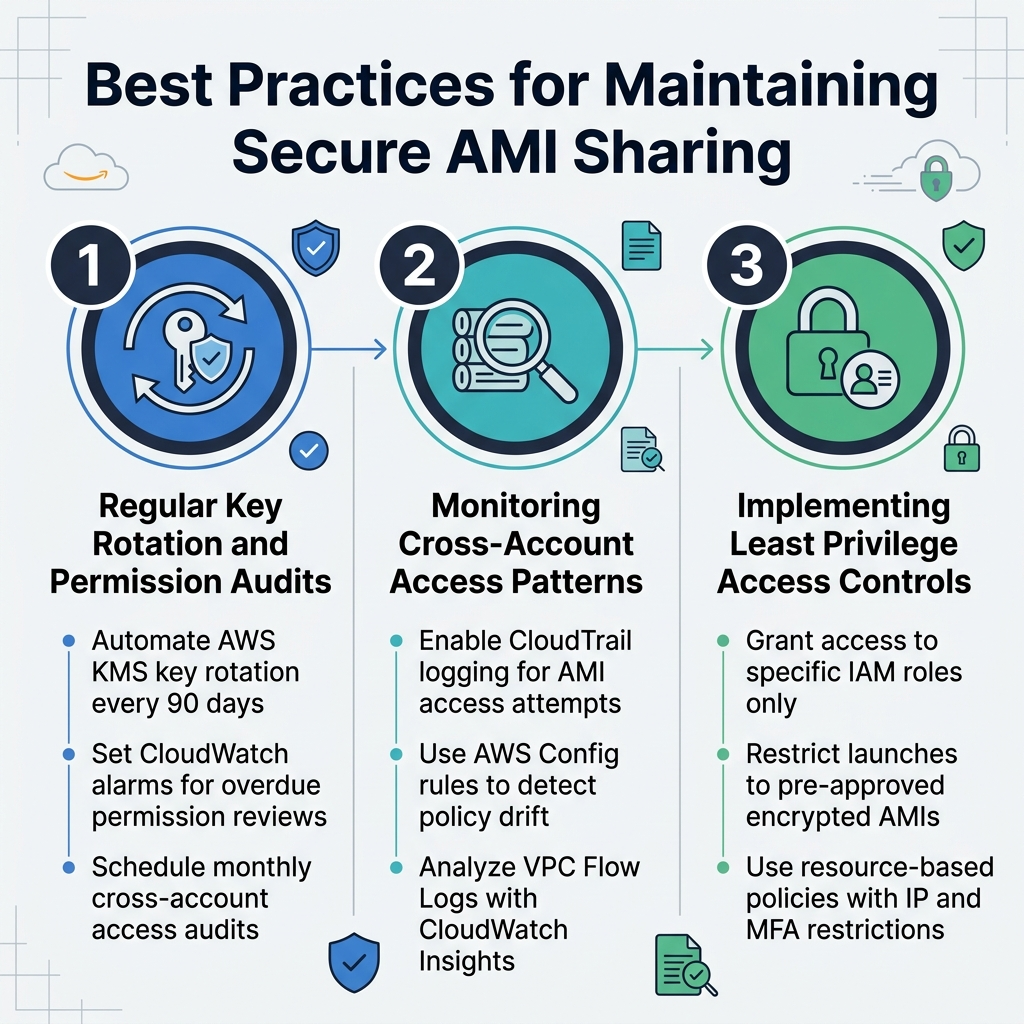
Regular Key Rotation and Permission Audits
Set up automated key rotation for your AWS KMS keys every 90 days to maintain strong encryption standards for AMI sharing. Create CloudWatch alarms that trigger when AMI sharing permissions haven’t been reviewed within specific timeframes. Schedule monthly audits of cross-account sharing permissions to identify unused access grants and remove them promptly.
Monitoring Cross-Account Access Patterns
Deploy CloudTrail logging to track all AMI access attempts and sharing activities across accounts. Configure AWS Config rules to alert when encrypted AMI sharing policies deviate from your security baselines. Use VPC Flow Logs combined with CloudWatch Insights to analyze unusual access patterns that might indicate security threats.
Implementing Least Privilege Access Controls
Grant AMI access only to specific IAM roles rather than entire AWS accounts whenever possible. Create custom IAM policies that restrict users to launching instances from pre-approved encrypted AMIs only. Implement resource-based policies on your shared AMIs that explicitly deny access from unauthorized IP ranges or require multi-factor authentication for sensitive image launches.
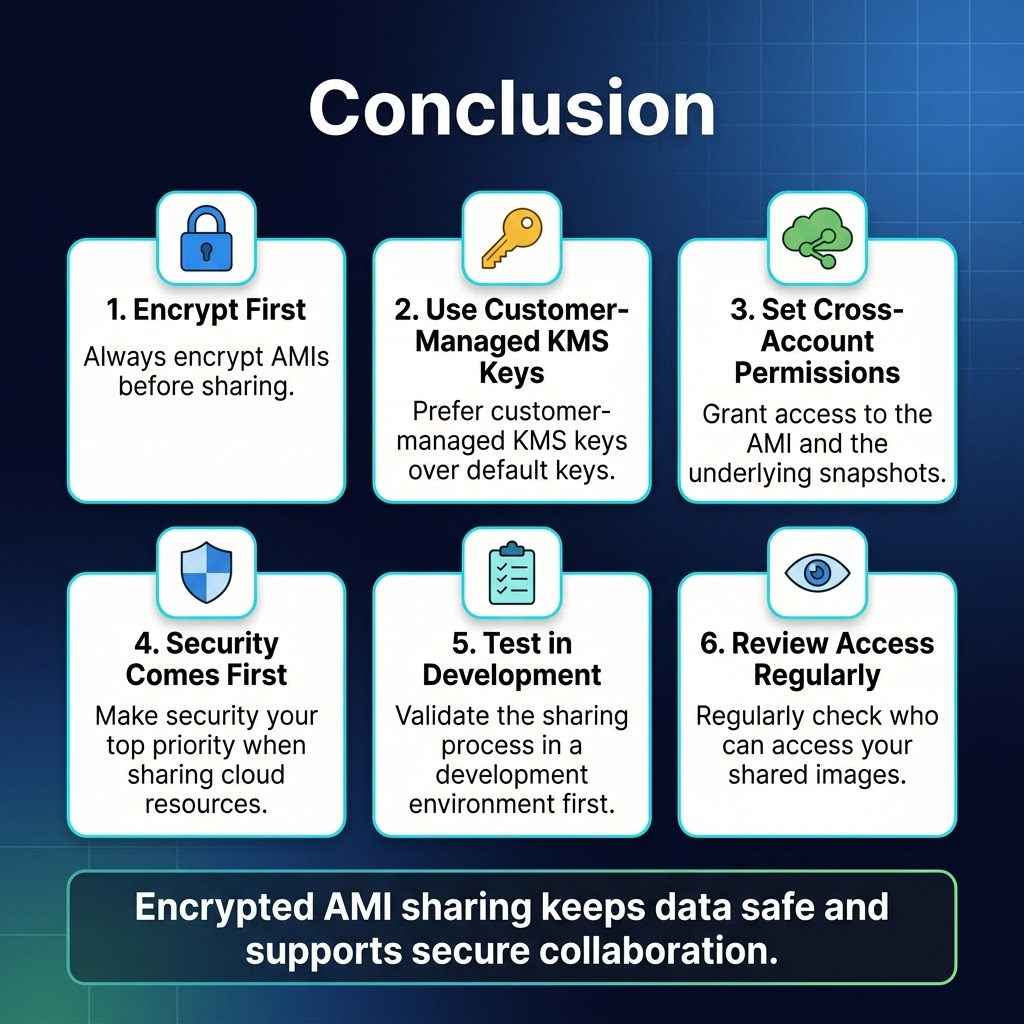
Sharing encrypted AMIs across AWS accounts doesn’t have to be complicated when you follow the right steps. The key is understanding how encryption keys work with AMI sharing, setting up proper cross-account permissions, and always encrypting your AMIs before making them available to other accounts. Remember to use customer-managed KMS keys instead of default ones, and make sure you grant the right permissions to both the AMI and the underlying snapshots.
Security should always be your top priority when sharing resources in the cloud. Start with encrypted AMIs, test your sharing process in a development environment first, and regularly review who has access to your shared images. By following these practices, you’ll keep your data safe while still getting the collaboration benefits that cross-account AMI sharing offers. Take the time to set this up correctly from the beginning, and you’ll save yourself headaches down the road.









