


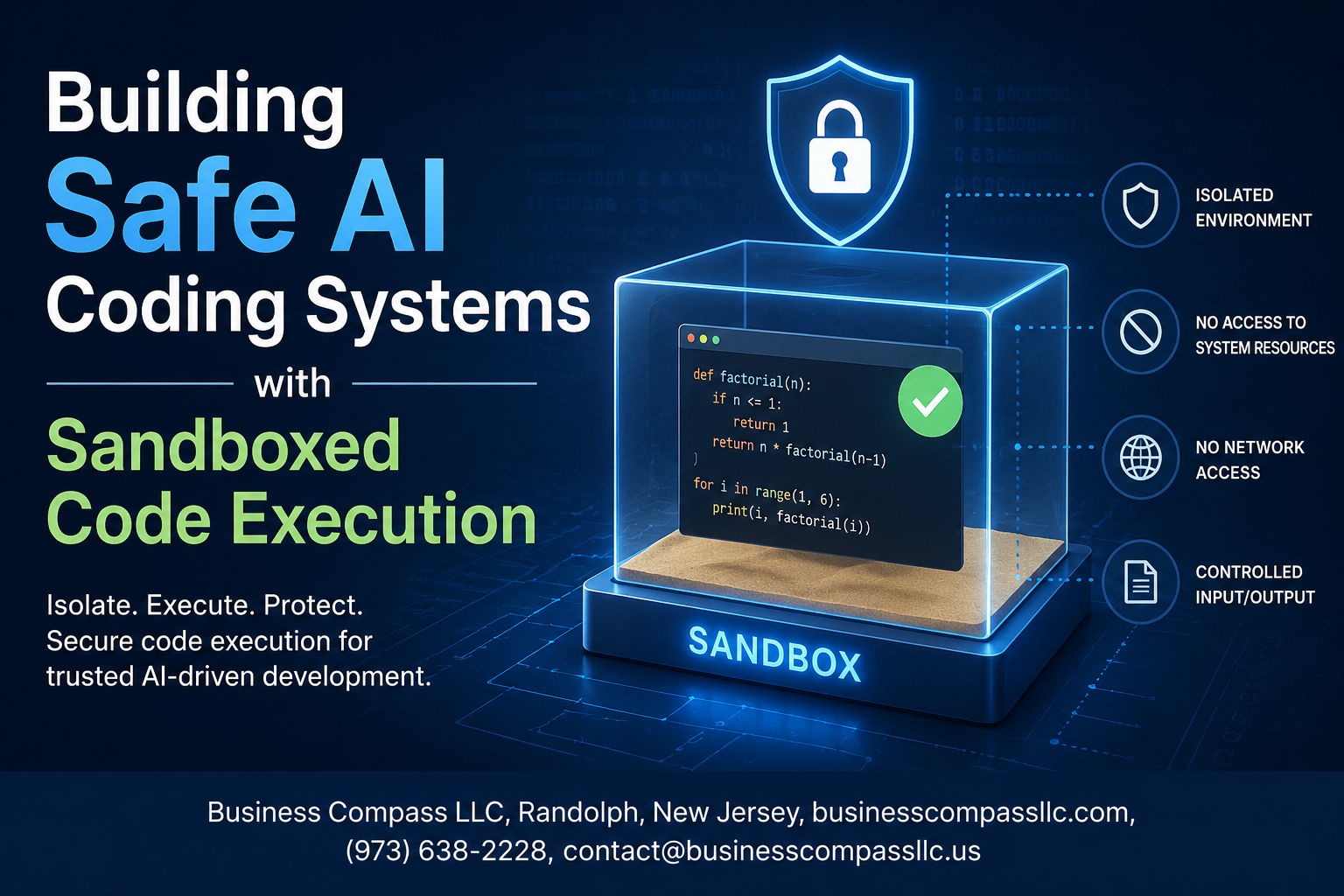
Stop Letting AI Code Run Unchecked — Here’s How to Build Safe AI Coding Systems
If you’re building AI tools that write or execute code, you already know the stakes are high. One misconfigured environment, one piece of runaway code, and you’re looking at data breaches, compromised infrastructure, or worse. Sandboxed code execution is the layer between your AI system and a very bad day.
This guide is for developers, DevOps engineers, and security-minded teams who are actively building or scaling AI coding systems and need real, practical answers — not theory.
Here’s what we’ll dig into:
- Why unrestricted AI code execution is a genuine threat — and the specific failure points most teams overlook
- How sandboxing technology for AI works at a foundational level — so you can make smart decisions about tools and architecture
- How to set up and enforce AI code execution security policies that actually hold up when your system scales
No fluff, no hand-waving. Just a straight walkthrough of what safe AI development looks like when you get the implementation right.
Understanding the Risks of Unrestricted AI Code Execution

How Unsafe Code Execution Exposes Systems to Critical Vulnerabilities
When AI coding tools run without proper boundaries, they become open doors to serious system damage. Unrestricted AI code execution can:
- Access sensitive files — AI-generated scripts can read, modify, or delete critical system files without any checks
- Spawn uncontrolled processes — Code can launch background processes that consume resources or create backdoors
- Make unauthorized network calls — Scripts can exfiltrate data or pull in malicious payloads from external sources
- Escalate privileges — A single poorly reviewed snippet can gain root-level access, compromising the entire host environment
Safe AI coding systems need hard boundaries from day one, not as an afterthought.
Real-World Consequences of AI-Generated Malicious Code
AI models don’t always generate code with harmful intent, but the output can still cause real damage when executed without guardrails. Some concrete scenarios include:
- A code assistant generating a script that accidentally wipes a production database
- An AI tool crafting a network request that leaks API keys to a third-party endpoint
- Auto-generated automation scripts that create infinite loops, crashing servers
- Code containing prompt-injection payloads that manipulate downstream AI agents
These aren’t hypothetical edge cases — teams shipping AI coding features without sandboxed code execution have run into exactly these problems.
Why Traditional Security Measures Fall Short for AI Coding Tools
Standard security tools were built for predictable, human-written code. AI-generated code is a different beast entirely:
- Signature-based detection fails — AI code doesn’t match known malware patterns, so antivirus tools miss it completely
- Static analysis has blind spots — Code that looks harmless in isolation can be dangerous when executed dynamically
- Human review doesn’t scale — When AI generates hundreds of code snippets per session, manual auditing becomes impossible
- Firewalls aren’t enough — Network-level protection can’t stop damage that happens locally within the execution environment
AI code execution security needs purpose-built sandboxing technology, not recycled tools designed for a different era of software development.
Core Principles of Sandboxed Code Execution for AI Systems

Isolating Processes to Prevent System-Wide Damage
Running AI-generated code in its own isolated process is the backbone of any safe AI coding system. Think of it like giving the code its own little bubble — if something goes wrong inside, it stays inside.
- Use containerization tools like Docker or gVisor to keep each execution environment completely separate from the host system
- Apply namespace isolation so AI-generated processes can’t see or interact with other running processes
- Set hard timeouts on every execution to automatically kill runaway processes before they cause trouble
Limiting Resource Access to Reduce Attack Surfaces
The less access AI-generated code has to system resources, the less damage it can do if something slips through. Keeping resource access tight is one of the simplest and most effective sandboxed code execution strategies you can apply.
- Cap CPU and memory usage with cgroups to prevent resource exhaustion attacks
- Block or heavily restrict network access by default — most code doesn’t need it
- Mount file systems as read-only wherever possible, and only expose directories the code absolutely needs
Enforcing Strict Permission Boundaries for AI-Generated Code
AI code execution security depends on making sure AI-generated code only does exactly what it’s supposed to do — nothing more.
- Drop all unnecessary Linux capabilities before execution starts
- Use seccomp profiles to whitelist only the system calls the code legitimately needs
- Run processes as non-root, low-privilege users every single time
Monitoring and Logging Execution Behavior in Real Time
Real-time monitoring turns your sandbox from a passive barrier into an active defense layer. Watching what AI-generated code actually does at runtime lets you catch suspicious behavior the moment it happens.
- Log every system call, file access, and network attempt during execution
- Set up automated alerts for anything that falls outside expected behavior patterns
- Feed execution logs into your security pipeline so anomalies get flagged and reviewed quickly
Choosing the Right Sandboxing Technology for Your AI System

Comparing Container-Based Solutions Like Docker and Kubernetes
Docker and Kubernetes are popular picks for sandboxed code execution in AI systems. Docker lets you spin up isolated containers fast, keeping AI-generated code away from your host environment. Kubernetes takes this further by orchestrating multiple containers at scale, making it easier to manage workloads without letting rogue code cause damage.
- Docker works well for lightweight, fast-spinning execution environments
- Kubernetes shines when you need to manage hundreds of sandboxed sessions simultaneously
- Both support resource limits like CPU and memory caps, which matter a lot for AI code execution security
Evaluating Virtual Machine Sandboxes for Maximum Isolation
If you need the strongest isolation possible, VMs are hard to beat. Each VM runs its own operating system, so even if AI-generated code breaks out of the application layer, it still hits a hard wall before touching your host machine.
- Firecracker microVMs offer near-container speed with VM-level isolation — a sweet spot for safe AI coding systems
- Traditional VMs like those from VMware or VirtualBox provide deep isolation but come with heavier startup times
- Best for high-risk code execution scenarios where security outweighs raw performance
Leveraging Language-Level Sandboxes for Lightweight Execution
Language-level sandboxes run code within a restricted runtime environment rather than spinning up a whole OS or container. They’re fast, low-overhead, and great for specific use cases.
- Python’s
RestrictedPythonstrips dangerous built-ins before execution - WebAssembly (Wasm) runtimes like Wasmtime sandbox code at the bytecode level, making them a rising star in code sandboxing techniques
- These work best when you control the language and don’t need full OS-level access
Selecting Cloud-Native Execution Environments for Scalable Safety
Cloud providers offer managed execution environments built with safety in mind. AWS Lambda, Google Cloud Run, and Azure Container Apps each spin up isolated environments on demand — no server management needed.
- Auto-scaling keeps performance smooth even during heavy AI workloads
- Built-in network policies and IAM roles strengthen AI sandbox implementation without extra setup
- Pay-per-execution pricing makes these cost-effective for variable workloads
Matching Sandboxing Tools to Your Specific Security Requirements
No single tool fits every situation. Picking the right sandbox comes down to your threat model, performance needs, and the type of code your AI system generates.
| Use Case | Recommended Approach |
|---|---|
| High-throughput AI coding assistants | Docker + Kubernetes |
| Maximum isolation requirements | Firecracker microVMs |
| Lightweight scripting environments | Language-level sandboxes |
| Serverless AI pipelines | Cloud-native execution environments |
Align your choice with your AI system security best practices — think about what happens if the sandbox fails, how fast you need execution, and how much operational complexity your team can handle.
Implementing Robust Security Policies Within Your Sandbox

Defining Allowlists and Blocklists for Safe Code Operations
Building safe AI coding systems starts with controlling exactly what code can and cannot do inside your sandbox. Think of allowlists as a guest list — only approved system calls, libraries, and file paths get through. Blocklists handle the obvious troublemakers: dangerous functions like os.system(), subprocess.Popen(), or any calls that touch sensitive directories.
- Allowlist approach: Explicitly permit only what the AI code execution environment needs — specific Python modules, read-only file paths, and pre-approved system calls
- Blocklist approach: Flag and reject known dangerous operations — shell execution, raw socket creation, and dynamic code loading via
eval()orexec() - Combine both strategies rather than relying on just one; gaps in a blocklist can be exploited, while a strict allowlist alone may break legitimate functionality
Enforcing Network Restrictions to Prevent Unauthorized Communication
Unrestricted network access inside a sandbox is a serious gap in your AI code execution security. A sandboxed process that can freely make outbound connections could exfiltrate data, download malicious payloads, or communicate with external command-and-control servers.
- Block all outbound and inbound network traffic by default using firewall rules or network namespaces
- If the AI system genuinely needs network access, whitelist specific endpoints and ports only
- Tools like
seccompon Linux let you block socket-related syscalls entirely at the kernel level, which is far more reliable than application-layer restrictions - Regularly audit network policies — access requirements change as your AI sandbox implementation evolves
Setting Memory and CPU Limits to Mitigate Denial-of-Service Risks
Without hard resource limits, a single runaway AI-generated script can eat up all available memory or pin a CPU core at 100%, taking down everything else running on the same host. This is a classic denial-of-service risk that’s easy to prevent with proper sandboxing techniques.
- CPU limits: Use cgroups or container runtime settings to cap CPU usage per sandbox instance — a typical AI code execution task rarely needs more than one or two cores
- Memory limits: Set hard memory caps using
ulimitor container memory constraints; if a process exceeds the limit, terminate it immediately rather than letting it swap - Execution timeouts: Kill any process that runs beyond a defined time window — this stops infinite loops cold
- Process limits: Restrict the number of child processes a sandboxed environment can spawn to prevent fork bombs
Testing and Validating the Safety of Your AI Coding System

Running Penetration Tests to Expose Hidden Vulnerabilities
Penetration testing your safe AI coding systems is non-negotiable. Hire ethical hackers or run internal red team exercises specifically targeting your sandboxed code execution layer. Focus on:
- Privilege escalation paths that AI-generated code might accidentally trigger
- File system access attempts beyond sandbox boundaries
- Network call exploits hidden inside seemingly harmless scripts
Simulating Adversarial Inputs to Stress-Test Sandbox Boundaries
Throw the worst possible inputs at your AI sandbox implementation — malformed code, deeply nested loops, recursive bombs, and injection strings disguised as legitimate requests. Track exactly where your AI code execution security controls hold firm and where they crack under pressure. Document every failure point immediately.
Automating Security Audits for Continuous Risk Assessment
Manual audits simply can’t keep up with how fast AI coding systems evolve. Set up automated pipelines that:
- Scan sandbox configurations nightly against updated AI system security best practices
- Flag any newly introduced dependencies with known CVEs
- Generate weekly compliance reports comparing current safe code execution environments against your defined security baseline
Tools like Snyk, Trivy, and custom OPA policies work well here for ongoing secure AI development without slowing your team down.
Scaling Safe AI Coding Systems Without Sacrificing Performance

Optimizing Sandbox Startup Times for Faster Code Execution
Cold-start latency is one of the biggest performance killers in safe AI coding systems. Pre-warming sandbox instances, using lightweight container runtimes like gVisor or Firecracker microVMs, and caching pre-initialized environments can slash startup times from seconds to milliseconds. Snapshot-based restoration lets you spin up a clean sandbox almost instantly by restoring from a known-good memory state rather than bootstrapping from scratch every time.
- Use microVM snapshots to restore sandbox state in under 50ms
- Pre-warm a pool of ready-to-use sandbox instances during low-traffic periods
- Cache frequently used language runtimes and dependencies inside the sandbox image
Balancing Security Overhead With System Responsiveness
Every security layer adds some cost — syscall filtering, network isolation, and filesystem restrictions all eat into execution time. The trick is knowing which controls give you the highest security return for the lowest performance hit. eBPF-based syscall monitoring, for example, runs in kernel space and adds almost no measurable overhead compared to user-space monitoring approaches.
- Profile your sandbox overhead regularly using realistic AI-generated code workloads
- Drop security controls that add high latency but address low-probability threats
- Use asynchronous logging instead of synchronous audit trails where compliance allows
Architecting Multi-Tenant Sandboxes for Enterprise-Scale Deployments
At enterprise scale, running one sandbox per user request gets expensive fast. A smarter approach pools sandbox capacity across tenants while enforcing strict namespace and resource isolation between them. Kubernetes with seccomp profiles, resource quotas, and network policies gives you a solid foundation, though you’ll want to layer on additional controls for truly sensitive AI code execution workloads.
- Isolate tenants using separate namespaces, cgroups, and network segments
- Set hard resource limits per tenant to prevent noisy-neighbor performance issues
- Audit cross-tenant access patterns continuously — shared infrastructure always carries subtle risks
Continuously Updating Security Policies to Address Emerging Threats
AI-generated code evolves fast, and so do the attack patterns it can introduce. Static security policies written once and forgotten will eventually leave gaps. Treat your AI coding security policies like living documents — review them after every major model update, after any security incident, and at regular scheduled intervals regardless.
- Subscribe to CVE feeds and sandbox-specific threat intelligence sources
- Automate policy linting so new rules get validated before hitting production
- Run red-team exercises specifically targeting your sandboxed code execution environment to find gaps before attackers do

Running AI-generated code without proper boundaries is a serious risk that no development team should take lightly. From understanding why unrestricted execution is dangerous to picking the right sandboxing technology, setting strong security policies, and running thorough safety tests, every step in building a safe AI coding system matters. Cutting corners at any stage can leave your system wide open to unpredictable and potentially damaging behavior. And the good news? With the right approach, you can scale these systems without slowing things down or trading safety for speed.
If you’re building or managing an AI coding system, start treating sandboxed execution as a non-negotiable part of your setup, not an afterthought. Lock down your environment, test it hard, and keep revisiting your security policies as your system grows. Safe AI isn’t just a technical goal — it’s a responsibility to your users, your team, and anyone who interacts with what you build.









