


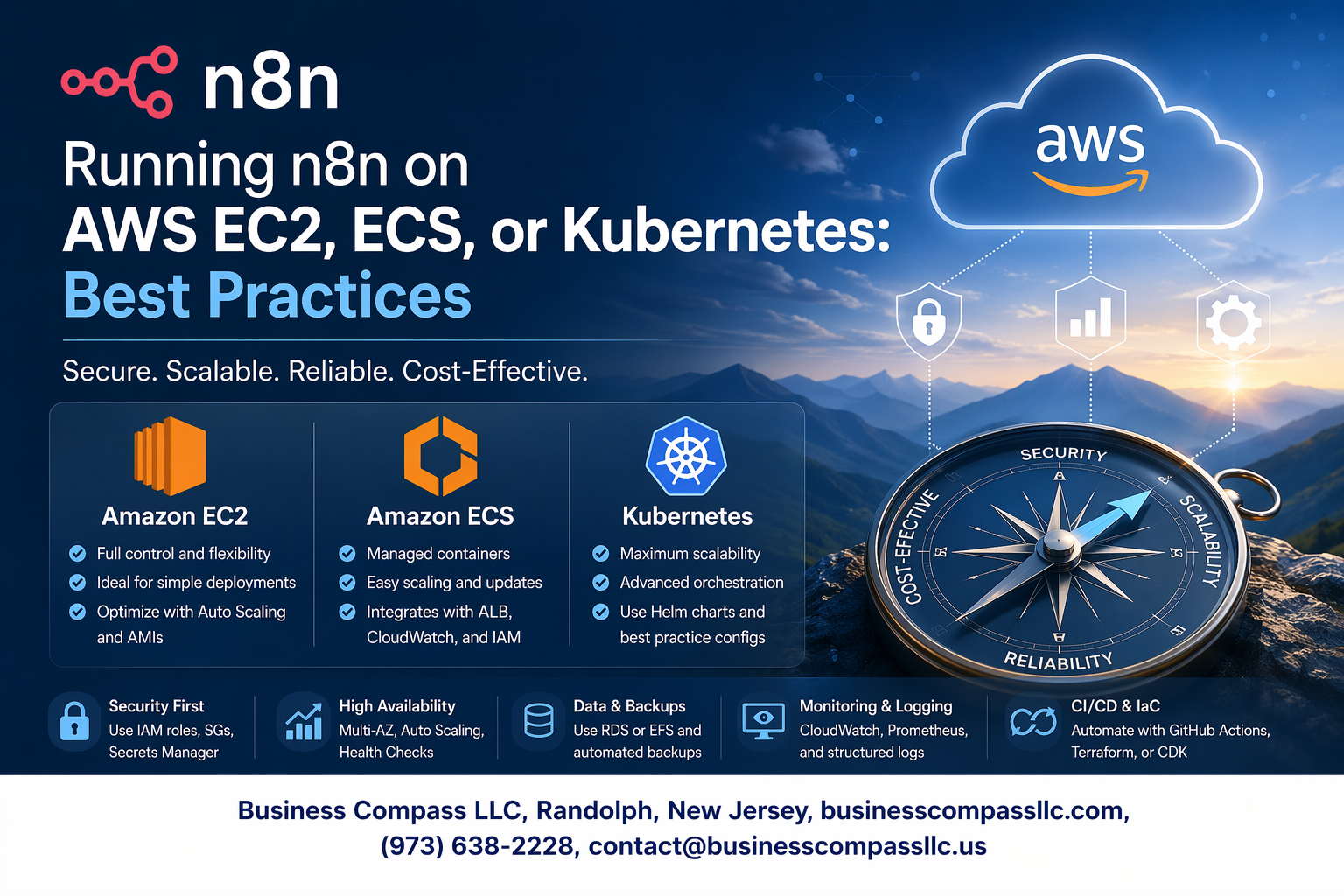
n8n deployment AWS can be tricky if you’re not sure which platform fits your workflow automation needs. This guide is for DevOps engineers, cloud architects, and automation specialists who want to run n8n reliably on AWS infrastructure.
You’ll discover how to choose between EC2, ECS, and Kubernetes based on your specific requirements. We’ll walk through n8n EC2 setup for straightforward deployments, explore n8n ECS container deployment for modern DevOps workflows, and cover n8n Kubernetes enterprise implementations for organizations needing serious scalability.
We’ll also dive into AWS n8n best practices for database optimization and security configuration. You’ll learn practical techniques for n8n monitoring logging and n8n performance tuning that keep your workflow automation running smoothly at scale.
Understanding n8n Deployment Requirements and Architecture

Resource allocation and performance considerations
When deploying n8n on AWS, start with minimum 2 vCPUs and 4GB RAM for basic workflow automation. For production environments handling complex workflows or high volumes, scale to 4+ vCPUs and 8GB RAM. Storage needs depend on workflow complexity and data retention – allocate at least 20GB for the application and additional space for logs and temporary files.
Database connectivity and data persistence needs
n8n requires persistent storage for workflow definitions, execution history, and user data. PostgreSQL offers the best performance for production deployments, while SQLite works for development. Configure connection pooling and implement regular backups. For AWS deployments, RDS provides managed database services with automated backups and scaling capabilities that integrate seamlessly with your n8n infrastructure.
Security requirements and access control
Implement SSL/TLS encryption for all communications and configure proper firewall rules restricting access to necessary ports only. Use AWS IAM roles and policies for service-level authentication rather than hardcoded credentials. Enable webhook authentication and consider implementing OAuth2 for user access. Network segmentation through VPCs and security groups adds additional protection layers for sensitive workflow data.
Scalability planning for workflow automation
Plan for horizontal scaling by designing stateless n8n instances behind load balancers. Use external databases and shared storage to enable multiple instances. For Kubernetes deployments, implement pod autoscaling based on CPU and memory metrics. Consider workflow distribution patterns and peak usage times when sizing infrastructure components to handle growing automation demands effectively.
Setting Up n8n on AWS EC2 for Maximum Performance
Choosing the right EC2 instance types and sizes
For optimal n8n deployment AWS performance, select compute-optimized instances like c5.large or c5.xlarge for CPU-intensive workflows. Memory-optimized r5.large instances work best for complex data transformations. General-purpose t3.medium suffices for basic automation needs. Consider your workflow complexity and concurrent execution requirements when sizing instances.
Configuring security groups and network access
Create dedicated security groups allowing HTTPS traffic on port 5678 for n8n web interface access. Restrict SSH access to specific IP ranges using port 22. Enable outbound HTTPS (443) and HTTP (80) for webhook integrations. Configure VPC endpoints for AWS service connections without internet routing. Implement least-privilege access principles for enhanced security.
Installing and optimizing n8n for single-instance deployment
Deploy n8n using Docker for consistent environments and easy updates. Configure persistent storage using EBS volumes for workflow data retention. Set environment variables for database connections and webhook URLs. Enable PM2 process management for automatic restarts and logging. Optimize Node.js memory limits based on your EC2 n8n setup instance specifications to prevent crashes during heavy workloads.
Deploying n8n on AWS ECS for Container-Based Efficiency

Creating optimized Docker images for n8n workloads
Building efficient Docker images for n8n ECS container deployment requires careful attention to image size and security. Start with a minimal base image like Alpine Linux and include only essential dependencies. Create a multi-stage build process to separate build-time dependencies from runtime requirements, reducing the final image size significantly.
Configure your Dockerfile to run n8n as a non-root user and implement proper health checks for ECS service management. Pin specific versions of dependencies to ensure consistent deployments across environments and avoid compatibility issues during scaling operations.
Configuring ECS task definitions and service parameters
ECS task definitions define your container specifications including CPU, memory allocation, and networking configuration for n8n deployment AWS environments. Allocate sufficient memory (minimum 1GB) and CPU units based on your workflow complexity and expected concurrent executions. Configure the task role with appropriate IAM permissions for accessing AWS services.
Set up service parameters including desired task count, deployment configuration, and placement strategies. Enable service discovery for seamless communication between n8n instances and configure proper restart policies to handle container failures gracefully.
Setting up load balancing and auto-scaling policies
Application Load Balancer (ALB) distributes incoming traffic across multiple n8n container instances, providing high availability for your workflow automation AWS deployment. Configure target groups with appropriate health check endpoints and set reasonable thresholds for healthy/unhealthy status determination. Enable sticky sessions if your workflows require session persistence.
Auto-scaling policies automatically adjust container count based on CPU utilization, memory usage, or custom CloudWatch metrics. Set conservative scaling thresholds to prevent unnecessary scaling events while ensuring responsive performance during traffic spikes.
Managing secrets and environment variables securely
AWS Systems Manager Parameter Store and AWS Secrets Manager provide secure storage for sensitive configuration data in your n8n ECS container deployment. Store database credentials, API keys, and encryption keys as SecureString parameters, then reference them in your task definitions using the valueFrom parameter instead of hardcoding sensitive values.
Environment variables for non-sensitive configuration can be defined directly in task definitions or stored in Parameter Store as standard strings. Implement proper IAM policies that grant minimal required permissions for accessing secrets, and regularly rotate credentials to maintain security posture.
Implementing n8n on Kubernetes for Enterprise Scalability

Designing Kubernetes manifests for production workloads
Production-ready n8n Kubernetes enterprise deployments require carefully crafted manifests that prioritize reliability and performance. Start with a Deployment resource that includes readiness and liveness probes to monitor n8n’s health status. Configure resource requests and limits based on your workflow complexity – typically 1-2 CPU cores and 2-4GB RAM for moderate workloads. Include anti-affinity rules to distribute pods across different nodes, preventing single points of failure. Set up proper environment variables for database connections, webhook URLs, and encryption keys using ConfigMaps and Secrets.
Use StatefulSets when running n8n with embedded SQLite databases, though external databases are recommended for production. Apply security contexts with non-root users and read-only file systems where possible. Tag your manifests with appropriate labels and annotations for better organization and monitoring integration.
Configuring persistent volumes for workflow data storage
Persistent storage configuration becomes critical for n8n Kubernetes enterprise implementations handling sensitive workflow data. Create PersistentVolumeClaims with appropriate storage classes – use SSD-backed volumes like AWS EBS gp3 for better I/O performance. Size your volumes based on expected workflow data growth, typically starting with 20-50GB for small to medium deployments.
Configure backup strategies using VolumeSnapshots or external backup tools to protect workflow definitions and execution history. Mount volumes at /home/node/.n8n for user data and consider separate volumes for logs and temporary files to improve performance and maintenance.
Setting up horizontal pod autoscaling and resource limits
Horizontal Pod Autoscaler (HPA) ensures your n8n deployment scales automatically based on CPU and memory utilization. Configure HPA with minimum 2 replicas and maximum 10-20 replicas depending on your infrastructure capacity. Set target CPU utilization around 70-80% to allow headroom for traffic spikes while maintaining responsiveness.
Implement custom metrics-based scaling using workflow queue length or execution time if available through monitoring tools. Configure resource limits carefully – too restrictive limits cause throttling, while excessive limits waste resources. Monitor scaling events and adjust thresholds based on actual usage patterns and workflow execution requirements.
Implementing service mesh and ingress controllers
Service mesh integration with tools like Istio provides advanced traffic management and security for n8n Kubernetes enterprise deployments. Configure mutual TLS between services to encrypt internal communications and implement circuit breakers to handle upstream service failures gracefully. Use traffic splitting for canary deployments when updating n8n versions.
Set up ingress controllers with SSL termination and rate limiting to protect your n8n endpoints. Configure path-based routing for webhooks and API endpoints, ensuring proper load balancing across multiple n8n pods. Implement authentication at the ingress level using OAuth2 proxy or similar tools for additional security layers.
Managing updates and rollbacks with deployment strategies
Blue-green deployment strategies work best for n8n Kubernetes enterprise environments where workflow interruption must be minimized. Maintain two identical environments and switch traffic after validating the new version. Configure deployment probes with sufficient startup time since n8n may take 30-60 seconds to initialize completely.
Use rolling updates with careful consideration of workflow state persistence. Set maxUnavailable to 0 and maxSurge to 1 to maintain availability during updates. Implement automated rollback triggers based on health check failures or error rate thresholds. Keep multiple deployment revisions available for quick rollbacks and test update procedures in staging environments first.
Database Configuration and Performance Optimization

Choosing between PostgreSQL, MySQL, and SQLite options
PostgreSQL stands as the top choice for production n8n deployments on AWS, offering superior performance with complex workflows and excellent support for JSON operations that n8n heavily relies on. MySQL serves as a solid alternative with proven scalability, while SQLite should only be used for development or small-scale testing environments due to concurrency limitations.
Implementing database connection pooling and caching
Connection pooling dramatically improves n8n database optimization by maintaining persistent database connections and reducing overhead. Configure PgBouncer for PostgreSQL deployments with connection limits matching your EC2 instance capabilities. Redis caching layers can store frequently accessed workflow data, reducing database load during peak automation periods and enhancing overall AWS n8n performance.
Setting up automated backups and disaster recovery
AWS RDS automated backups provide point-in-time recovery with configurable retention periods, essential for n8n workflow automation AWS deployment reliability. Implement cross-region backup replication and test restoration procedures regularly. For self-managed databases on EC2, use AWS Backup service or custom scripts with S3 storage to ensure workflow data protection and business continuity.
Security Hardening and Access Management Best Practices

Implementing authentication and authorization controls
Strong authentication forms the backbone of any secure n8n deployment on AWS. Multi-factor authentication (MFA) should be mandatory for all administrative accounts, while role-based access control (RBAC) ensures users only access workflows they need. AWS IAM integration provides centralized user management, allowing you to leverage existing corporate directories through SAML or OIDC protocols.
Granular permissions prevent unauthorized workflow modifications and protect sensitive automation logic. Create separate service accounts for different deployment environments, implementing least-privilege principles across your n8n security configuration. Regular access audits help identify dormant accounts and excessive permissions that could compromise your workflow automation AWS deployment.
Configuring SSL certificates and encrypted communications
TLS encryption protects data transmission between n8n components and external services. AWS Certificate Manager simplifies SSL certificate provisioning and automatic renewal for your n8n deployment AWS infrastructure. Configure end-to-end encryption for database connections, webhook endpoints, and API communications to prevent data interception.
Load balancers should terminate SSL connections while maintaining encrypted backend communications. Certificate pinning adds extra protection against man-in-the-middle attacks, particularly important when n8n processes sensitive business data or authentication tokens.
Setting up network isolation and firewall rules
Network segmentation isolates n8n components from unnecessary external access. Deploy n8n instances within private subnets, using NAT gateways for outbound internet connectivity. AWS Security Groups act as virtual firewalls, restricting traffic to essential ports and IP ranges based on business requirements.
VPC peering enables secure communication between different environments without internet exposure. Consider AWS PrivateLink for accessing AWS services privately, reducing attack surface while maintaining connectivity. Regular security group audits ensure rules remain current and don’t inadvertently expose sensitive services.
Managing API keys and webhook security
Centralized secret management through AWS Secrets Manager or Parameter Store prevents hardcoded credentials in workflows. Automatic key rotation policies reduce exposure windows, while encryption at rest protects stored credentials. Webhook endpoints require authentication tokens and IP allowlisting to prevent unauthorized execution.
API rate limiting protects against abuse and denial-of-service attacks targeting your automation endpoints. Monitor webhook activity for unusual patterns that might indicate compromise or misuse. Implement webhook signature verification to ensure requests originate from trusted sources and haven’t been tampered with during transmission.
Monitoring, Logging, and Performance Optimization

Setting up comprehensive monitoring with CloudWatch and Prometheus
CloudWatch provides native AWS integration for monitoring n8n deployment AWS infrastructure, tracking EC2 instance metrics, ECS container performance, and Kubernetes cluster health. Configure custom dashboards to monitor workflow execution times, memory usage, and CPU utilization across your n8n instances. Prometheus offers granular application-level metrics collection, enabling detailed workflow automation AWS deployment insights through custom exporters that track workflow success rates, execution queues, and database connection pools.
Implementing centralized logging for troubleshooting workflows
Centralized logging streamlines n8n monitoring logging by aggregating workflow execution logs, error traces, and system events into CloudWatch Logs or ELK stack. Configure structured JSON logging to capture workflow IDs, execution timestamps, and error details for efficient debugging. Set up log retention policies and automated alerting for critical failures to maintain optimal n8n performance tuning across your deployment environment.
Optimizing resource utilization and cost management
Monitor resource consumption patterns to right-size EC2 instances, ECS tasks, or Kubernetes pods based on actual workflow demands. Implement auto-scaling policies that respond to queue depth and CPU utilization metrics, preventing resource waste during low-activity periods. Use CloudWatch Cost Anomaly Detection and AWS Cost Explorer to track n8n infrastructure expenses, identifying optimization opportunities through reserved instances or spot pricing strategies.

Deploying n8n on AWS gives you three solid options, each with its own strengths. EC2 works great for straightforward setups where you need direct control over your server environment. ECS shines when you want containerized deployments without the complexity of managing the underlying infrastructure. Kubernetes is your go-to choice for large-scale enterprise environments that need serious scalability and advanced orchestration features.
The key to success lies in getting the basics right from day one. Set up your database properly, lock down your security settings, and build monitoring into your deployment strategy. Don’t wait until you’re running into performance issues to think about optimization. Start with a deployment approach that matches your current needs, but design it to grow with your automation requirements. Your future self will thank you for taking the time to implement proper logging and security measures right from the start.









