


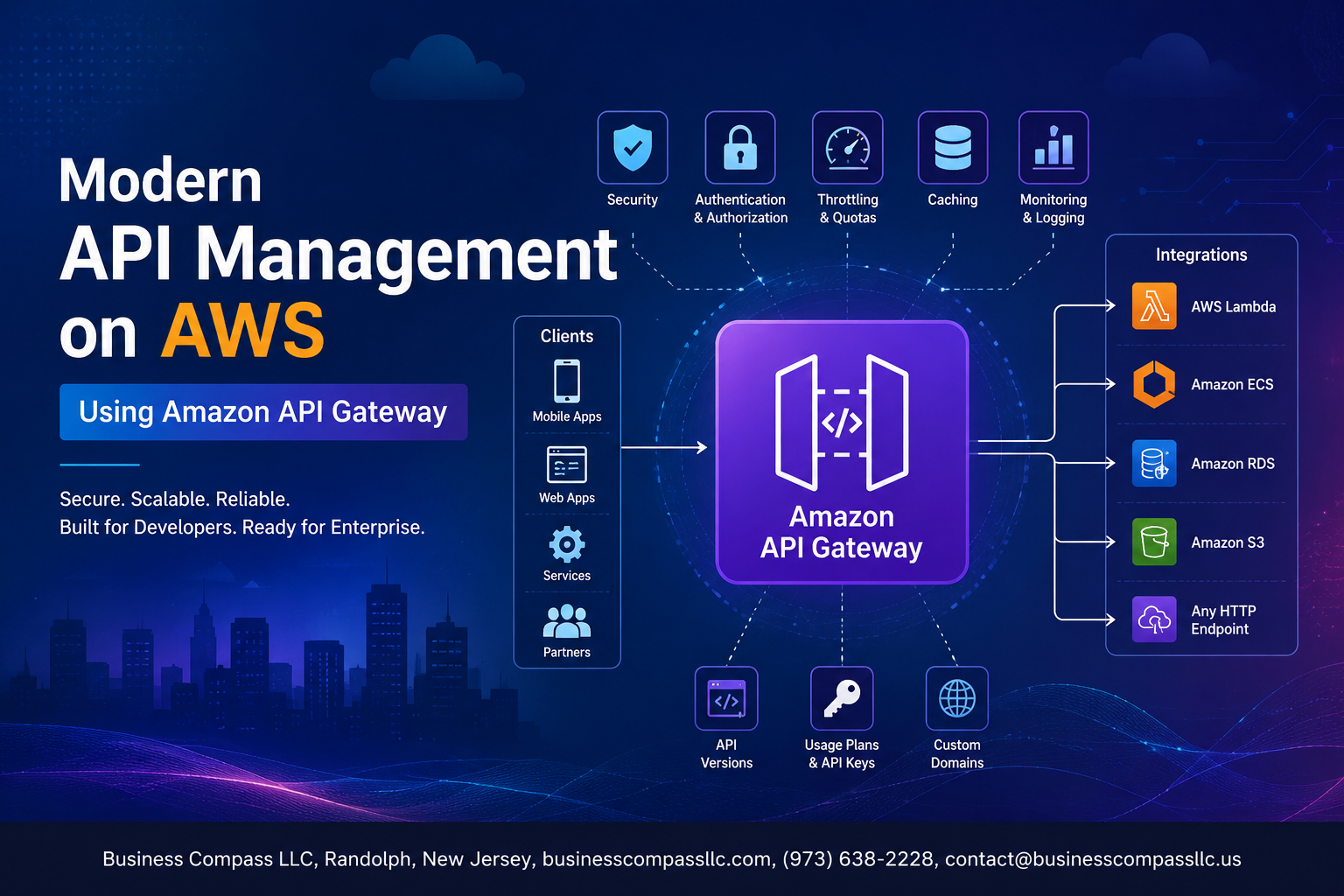
Modern API Management on AWS Using Amazon API Gateway
Managing APIs at scale gets messy fast — especially when you’re juggling security, performance, and cost all at once. Amazon API Gateway gives you a single place to build, deploy, and manage APIs on AWS without spinning up extra infrastructure or losing sleep over traffic spikes.
This guide is for developers, cloud architects, and DevOps engineers who want a practical, no-fluff walkthrough of AWS API management. Whether you’re building a REST API on AWS for the first time or tightening up an existing setup, you’ll find something useful here.
Here’s what we’ll cover:
- Setup and configuration — how to get Amazon API Gateway running in your AWS environment the right way from day one
- Security and performance — locking down your APIs with built-in protection and tuning them to handle real-world traffic without breaking a sweat
- Monitoring and cost control — using API Gateway logging and troubleshooting tools to catch problems early, plus smart ways to cut costs without sacrificing reliability
By the end, you’ll have a clear picture of how serverless API management on AWS actually works in practice — and a solid foundation to build on.
Understanding Amazon API Gateway and Its Role in Modern API Management

What Amazon API Gateway Is and Why It Matters
Amazon API Gateway is AWS’s fully managed service for building, deploying, and managing APIs at scale. It handles traffic management, authorization, and monitoring, so your team skips the heavy lifting of infrastructure setup.
Key Features That Set It Apart
- Built-in throttling, caching, and authentication
- Serverless API management with zero server maintenance
- Native AWS service integrations
Supported API Types
- REST API AWS – robust, feature-rich
- HTTP APIs – lightweight, faster, cheaper
- WebSocket APIs – real-time, two-way communication
Setting Up Amazon API Gateway for Your AWS Environment

A. Prerequisites and Initial Configuration Steps
- AWS account with IAM permissions
B. Creating and Deploying Your First API
- Define resources, methods, and deploy to a stage
C. Organizing APIs with Stages and Environments
- Use dev, staging, production stages
D. Connecting to Lambda and EC2
- Set integration type during method setup
Securing Your APIs with Built-In Protection Mechanisms

Implementing Authentication Using IAM, Cognito, and Lambda Authorizers
Securing your Amazon API Gateway starts with layering authentication. Use IAM roles for internal AWS services, Cognito user pools for end-user login flows, and Lambda authorizers for custom token validation. Pair these with API keys, usage plans, AWS WAF rules, TLS termination, custom domains, and proper CORS policies to lock everything down tight.
Optimizing API Performance and Scalability

Reducing Latency with Caching at the API Gateway Level
Enable response caching to cut backend calls significantly, improving API Gateway performance optimization.
Handling Traffic Spikes Through Throttling and Rate Limiting
- Set burst and rate limits to protect backend services
Leveraging Edge-Optimized Endpoints for Global Reach
Route requests through CloudFront’s global edge network, slashing latency for worldwide users automatically.
Monitoring, Logging, and Troubleshooting Your APIs

Gaining Visibility with Amazon CloudWatch Metrics and Logs
Track latency, error rates, and request counts directly through CloudWatch.
Tracing API Requests End-to-End Using AWS X-Ray
X-Ray maps every request across services, pinpointing bottlenecks fast.
Setting Up Alerts to Proactively Detect and Resolve Issues
- Configure CloudWatch alarms for 4xx/5xx spikes
- Get notified before users notice problems
Reducing Costs and Maximizing the Value of API Gateway

Understanding the API Gateway Pricing Model
Amazon API Gateway charges per API call, data transfer, and caching. REST APIs cost more than HTTP APIs, so pick wisely.
Choosing the Right API Type to Minimize Expenses
- HTTP APIs: cheapest, great for serverless
- REST APIs: feature-rich but pricier
- WebSocket APIs: charged per message
Applying Cost-Saving Strategies Without Sacrificing Performance
Enable caching to cut backend calls.

Amazon API Gateway takes the complexity out of managing APIs at scale, giving you a reliable way to build, secure, and monitor your integrations on AWS. From setting up your environment and locking down access with built-in security features to fine-tuning performance and keeping costs in check, it covers everything you need to run APIs that your applications and users can depend on.
If you’re ready to level up your API game, start small — pick one API, run it through API Gateway, and see the difference firsthand. Once you experience the ease of centralized monitoring, automatic scaling, and built-in protection, going back to managing it all manually will feel like a thing of the past. The tools are there; it’s just a matter of putting them to work.









