


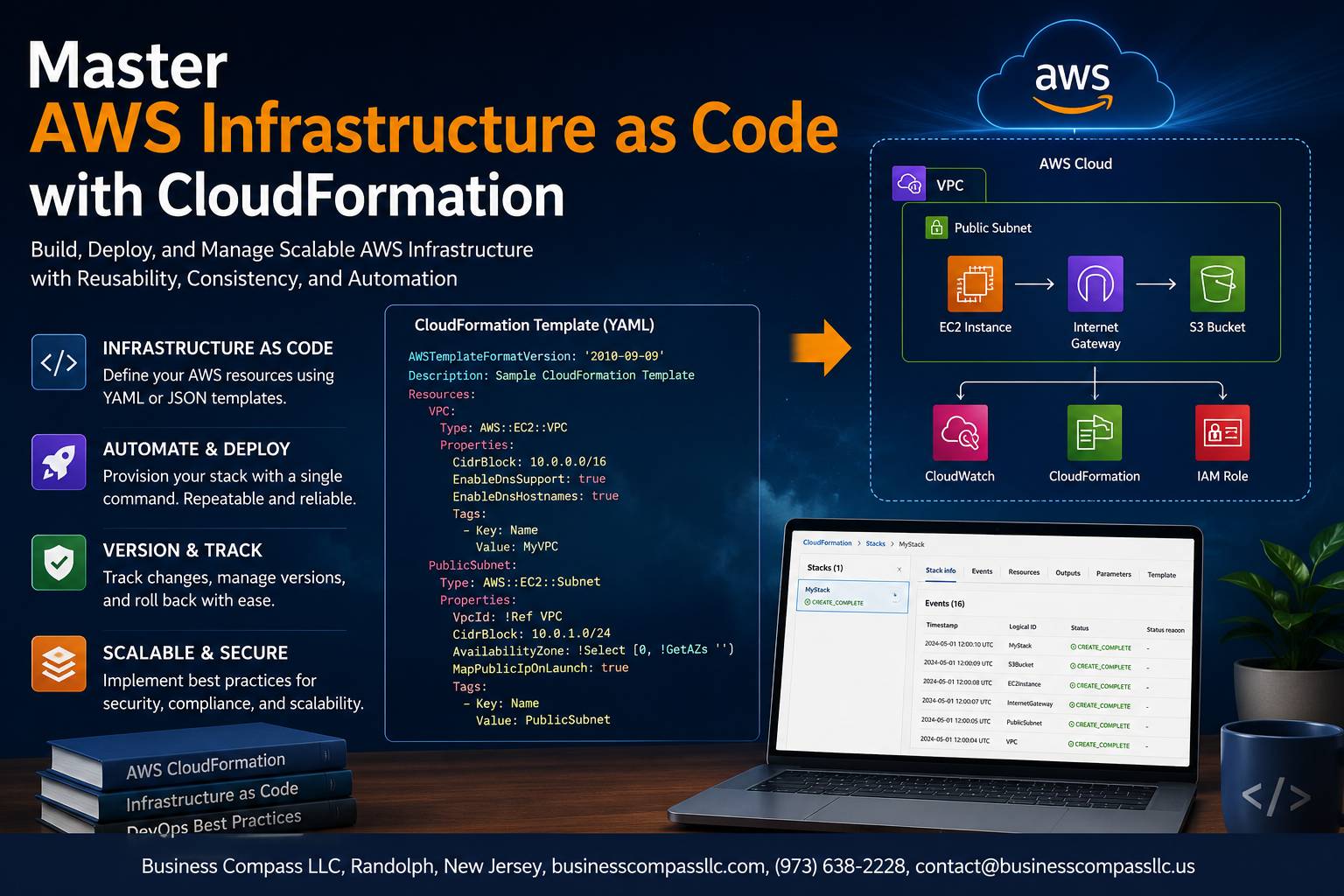
Master AWS Infrastructure as Code with CloudFormation
If you’ve been spinning up AWS resources by hand and thinking “there has to be a better way,” you’re right — and CloudFormation is it. This AWS CloudFormation tutorial is for developers, DevOps engineers, and cloud architects who want to stop clicking through consoles and start managing infrastructure the smart way with IaC automation on AWS.
Here’s what we’ll walk through together:
- Building CloudFormation templates from scratch and understanding how they actually work
- Managing AWS stacks without breaking things — including how to update, nest, and organize them cleanly
- Debugging and validating CloudFormation templates so you catch errors before they hit production
By the end, you’ll have the foundation to write scalable CloudFormation templates, apply CloudFormation best practices for security and reliability, and tap into advanced CloudFormation features that most teams never get around to using. Let’s get into it.
Understand the Power of AWS CloudFormation

What CloudFormation Does and Why It Matters
AWS CloudFormation lets you define your entire infrastructure as code, spinning up resources consistently every time.
Key Benefits of Automating Infrastructure Deployment
- Eliminates manual errors
- Speeds up deployments
- Enables version control
How CloudFormation Compares to Other IaC Tools
Unlike Terraform, CloudFormation is AWS-native, offering tighter service integration.
Get Started with CloudFormation Templates

Break Down the Core Components of a Template
CloudFormation templates include Resources, Parameters, Outputs, and Mappings.
Write Your First Template in JSON and YAML
YAML is cleaner and easier to read than JSON for most teams.
Use Parameters and Variables to Make Templates Flexible
- Pass dynamic values at deployment
- Avoid hardcoding environment-specific configs
Avoid Common Beginner Mistakes
Never skip stack drift detection.
Build and Manage Stacks Efficiently

Create and Deploy Your First Stack with Confidence
Run aws cloudformation create-stack with your template, and AWS handles provisioning automatically.
Update Stacks Without Causing Downtime
Use change sets to preview modifications before applying them, keeping your AWS stack management smooth.
Detect and Resolve Stack Drift
Run drift detection regularly to catch manual changes breaking your IaC automation AWS setup.
Leverage Advanced CloudFormation Features

Simplify Complexity Using Nested Stacks
Break large templates into reusable nested stacks for cleaner management.
Share Resources Across Stacks with Cross-Stack References
Export outputs and import them across stacks seamlessly.
Speed Up Deployments with StackSets
Deploy across multiple accounts and regions simultaneously.
Automate Repetitive Patterns Using Macros and Transforms
Use AWS SAM transforms to cut boilerplate code dramatically.
Protect Critical Resources with Deletion Policies
Retain or snapshot critical resources during stack deletion.
Follow Best Practices for Secure and Scalable Templates

Structure Templates for Long-Term Maintainability
- Break templates into nested stacks by function (networking, compute, storage).
Apply Least Privilege IAM Roles to Your Stacks
- Grant only permissions your stack actually needs—nothing extra.
Version Control Templates to Track Changes Reliably
- Store CloudFormation templates in Git; every change stays auditable and reversible.
Test, Validate, and Debug CloudFormation Templates

A. Catch Errors Early Using Built-In Validation Tools
Run aws cloudformation validate-template before deploying.
B. Use CloudFormation Linting to Enforce Standards
Use cfn-lint to catch misconfigurations fast.
C. Interpret Stack Events to Diagnose Failures Faster
Check Stack Events tab for root-cause errors.
D. Test Infrastructure Changes Safely in Staging Environments
Always deploy to staging first, protecting production.

AWS CloudFormation takes the chaos out of managing cloud infrastructure by giving you a reliable, repeatable way to define and deploy your resources. From writing your first template to building scalable, secure stacks, the journey gets smoother once you understand the core concepts and start applying best practices consistently.
The real magic happens when you combine solid template design with proper testing and validation habits. Debugging early, keeping your templates modular, and leaning into advanced features like nested stacks and change sets will save you serious headaches down the road. Start small, experiment often, and before long, managing AWS infrastructure as code will feel like second nature.









