


AWS Machine Learning Services: What They Are and How to Use Them
If you’re building AI applications and want to stop reinventing the wheel, AWS machine learning services are worth a serious look. This guide is for developers, data engineers, and product teams who want to ship smarter apps faster — without getting buried in infrastructure headaches.
Here’s what we’ll dig into:
- How Amazon SageMaker development works and why it cuts down the time from experiment to production
- What pre-built AI services AWS offers so you’re not training models from scratch when you don’t need to
- How to design scalable ML data pipelines that actually hold up when your workload grows
No fluff, no theory for theory’s sake — just a practical breakdown of what’s available, what it does, and when to reach for it.
Understanding the AWS Machine Learning Ecosystem

Key AWS AI and ML Services and What They Offer
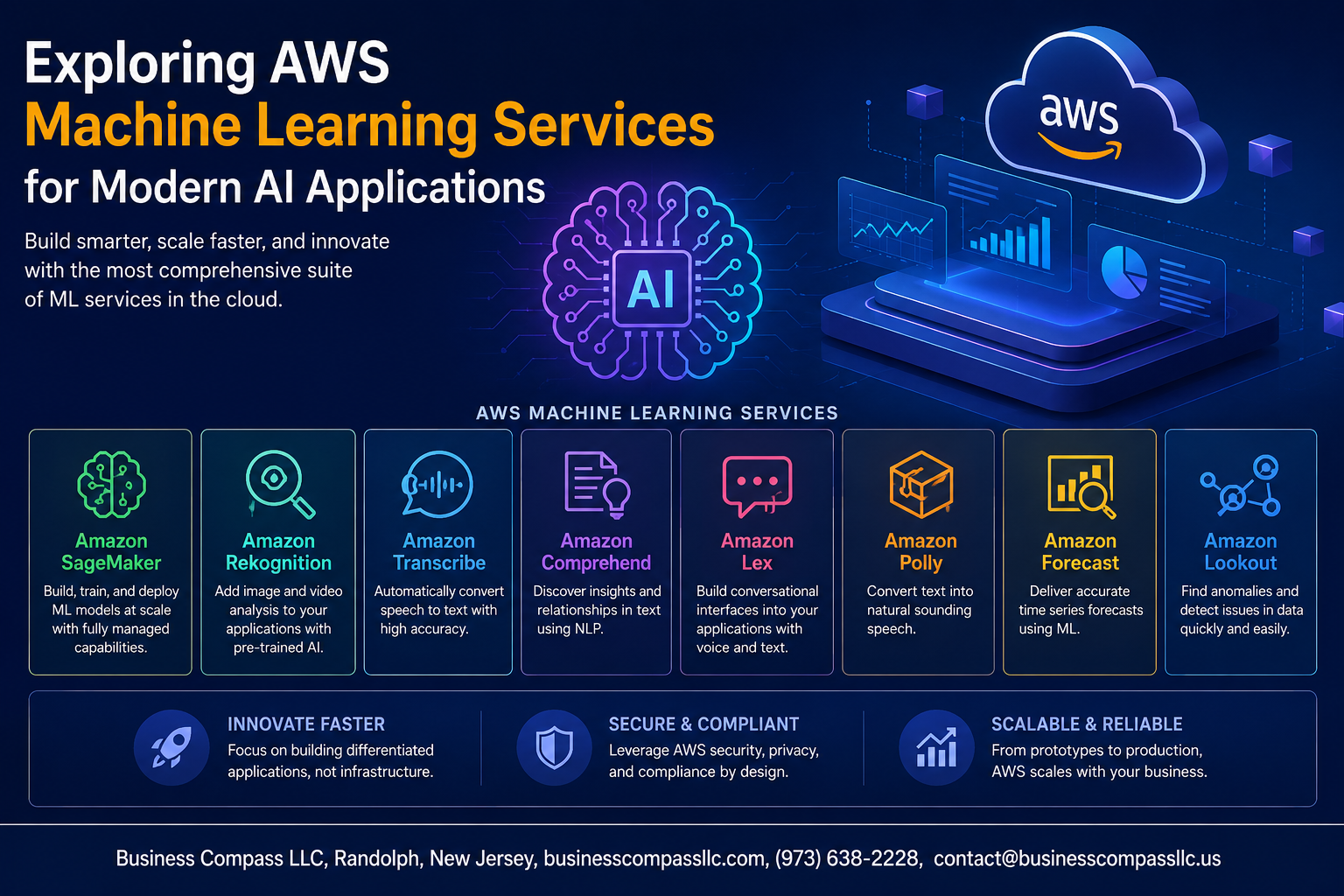
AWS machine learning services cover a wide range of needs, from building custom models to plugging in ready-made intelligence:
- Amazon SageMaker – A fully managed platform for building, training, and deploying ML models at scale
- Amazon Rekognition – Image and video analysis with facial recognition and object detection
- Amazon Comprehend – Natural language processing for sentiment analysis and entity extraction
- Amazon Forecast – Time-series forecasting powered by the same tech Amazon uses internally
- Amazon Polly & Transcribe – Text-to-speech and speech-to-text capabilities for voice-driven apps
- Amazon Bedrock – Access to foundation models from leading AI providers through a single API
How AWS ML Fits Into Modern AI Application Development
Building AWS AI applications today means wiring together multiple services rather than starting from scratch. A typical workflow might pull data through scalable ML data pipelines using AWS Glue, train a model in SageMaker, and serve predictions via a Lambda function — all within a single, connected ecosystem.
Comparing AWS ML Capabilities With Other Cloud Providers
| Feature | AWS | Google Cloud | Azure |
|---|---|---|---|
| Custom ML Platform | SageMaker | Vertex AI | Azure ML |
| Pre-built AI APIs | Broad & mature | Strong NLP focus | Strong cognitive services |
| Foundation Model Access | Bedrock | Vertex Model Garden | Azure OpenAI Service |
| Global Infrastructure | Largest network | Strong data analytics | Deep enterprise integration |
AWS leads in raw service breadth, making it a strong pick for teams wanting flexibility across pre-built AI services and custom model development.
Accelerating Development with Amazon SageMaker

Building and Training Models Faster with SageMaker Studio
Amazon SageMaker Studio gives you a single, unified interface where you can write code, visualize data, debug models, and track experiments — all without jumping between different tools. Think of it as your all-in-one workbench for Amazon SageMaker development. You get built-in Jupyter notebooks, collaborative workflows, and seamless access to compute resources, which means your team spends less time on setup and more time actually building.
- Drag-and-drop experiment tracking keeps your model versions organized
- Built-in data wrangler helps clean and prep datasets without writing extra scripts
- Shared project spaces let teams collaborate in real time
Automating Model Tuning with SageMaker Autopilot
Hyperparameter tuning used to eat up hours of manual trial and error. SageMaker Autopilot handles that automatically — it runs multiple training jobs, tests different algorithm combinations, and surfaces the best-performing model, complete with full transparency into how it got there.
- Automatically explores dozens of model configurations
- Generates explainability reports so you understand what’s driving predictions
- Works well even if your team doesn’t have deep ML expertise
Deploying Production-Ready Models with SageMaker Endpoints
Once your model is trained, getting it live is straightforward with SageMaker endpoints. You can deploy real-time inference endpoints that auto-scale based on traffic, or set up batch transform jobs for large offline workloads — both are solid options depending on how your AWS AI applications are structured.
- Real-time endpoints scale up and down automatically
- Multi-model endpoints let you serve several models from one container, cutting overhead
- Built-in A/B testing helps you roll out new model versions safely
Reducing Costs with SageMaker Savings Plans
Running ML workloads at scale gets expensive fast. SageMaker Savings Plans let you commit to a consistent usage level in exchange for significantly lower rates — up to 64% compared to on-demand pricing — making it a smart move when your team has predictable training or inference needs.
- Flexible plans cover SageMaker Studio notebooks, training jobs, and endpoints
- No need to lock into specific instance types, giving you room to adjust
- Works well alongside spot instances for training jobs to maximize savings
Leveraging Pre-Built AI Services for Rapid Integration

Enhancing Apps with Amazon Rekognition for Image and Video Analysis
Amazon Rekognition makes adding visual intelligence to your apps surprisingly straightforward. You can detect objects, faces, text, and even unsafe content in images and videos without training a single model yourself. These pre-built AI services on AWS handle the heavy lifting, so your team can focus on building features that matter.
- Detect and compare faces for identity verification workflows
- Identify celebrities, objects, and scenes automatically
- Analyze video streams in real time for activity detection
Adding Natural Language Understanding with Amazon Comprehend
Amazon Comprehend digs into your text data and pulls out meaningful insights — sentiment, key phrases, entities, and language detection — all through simple API calls.
- Run sentiment analysis on customer reviews or support tickets
- Extract named entities like people, places, and organizations
- Group documents by topic using built-in topic modeling
Enabling Conversational AI with Amazon Lex
Amazon Lex gives you the same deep learning technology behind Alexa, packaged into a service you can drop into your own apps.
- Build voice and text chatbots without ML expertise
- Integrate directly with AWS Lambda for custom business logic
- Deploy across web, mobile, and contact center platforms
Extracting Data Effortlessly with Amazon Textract
Amazon Textract goes way beyond basic OCR. It reads forms, tables, and handwritten content from scanned documents automatically.
- Pull structured data from invoices, tax forms, and medical records
- Eliminate manual data entry from document-heavy workflows
- Process thousands of documents at scale using async APIs
Generating Human-Like Speech with Amazon Polly
Amazon Polly turns text into natural-sounding speech across dozens of languages and voices, making your AWS AI applications more accessible and engaging.
- Choose from standard or neural TTS voices for richer audio
- Stream audio in real time or store it as MP3 files
- Support multiple languages and regional accents out of the box
Powering Scalable Data Pipelines for ML Workloads

Streamlining Data Preparation with AWS Glue
AWS Glue takes the heavy lifting out of data preparation by automating the extract, transform, and load (ETL) process. Instead of writing custom scripts from scratch, you get a serverless environment that:
- Automatically crawls your data sources and builds a unified catalog
- Generates ETL code in Python or Scala that you can tweak as needed
- Connects directly to Amazon S3, RDS, Redshift, and other data stores without manual configuration
For scalable ML data pipelines, this means your team spends less time wrestling with raw data and more time actually building models.
Processing Large-Scale Datasets Efficiently with Amazon EMR
When your datasets outgrow what a single machine can handle, Amazon EMR steps in as a managed big data platform running Apache Spark, Hadoop, and Hive across clusters of EC2 instances. You can:
- Spin up clusters on demand and shut them down when the job is done, keeping costs tight
- Run distributed data transformations that would take hours on a single server in just minutes
- Integrate directly with Amazon SageMaker development workflows for seamless model training at scale
EMR handles the infrastructure complexity so your data engineers can focus on the actual processing logic.
Centralizing Data Storage for ML with Amazon S3
Amazon S3 acts as the backbone of any serious AWS machine learning services architecture. It gives you a durable, highly available object store where raw data, processed datasets, model artifacts, and training outputs all live in one place. Key advantages include:
- Native integration with SageMaker, Glue, EMR, and virtually every other AWS AI application service
- Lifecycle policies that automatically move older data to cheaper storage tiers
- Fine-grained access controls that keep sensitive training data locked down without slowing your team down
Ensuring Security and Compliance in AWS ML Applications

Protecting Sensitive Data with AWS Identity and Access Management
When building AWS AI applications, keeping your data locked down is non-negotiable. AWS IAM lets you set granular permissions so only the right people and services can touch your ML resources:
- Least privilege access — assign roles that give just enough permissions, nothing extra
- Service control policies — enforce guardrails across your entire AWS organization
- Temporary credentials — use IAM roles instead of hardcoded keys for safer automation
- Resource-based policies — control access at the S3 bucket or SageMaker notebook level directly
Monitoring Model Behavior and Detecting Bias with SageMaker Clarify
Even a well-trained model can quietly develop blind spots over time. Amazon SageMaker Clarify tackles this by continuously analyzing predictions for statistical bias and explaining feature importance in plain terms. Running bias checks during training and post-deployment catches skewed outcomes before they impact real users — which is a game-changer for regulated industries like healthcare and finance. With built-in AWS machine learning services compliance tooling, teams can generate audit-ready reports that satisfy both internal stakeholders and external regulators without extra heavy lifting.
Optimizing Costs While Scaling AWS ML Solutions

Choosing the Right Instance Types to Reduce Compute Expenses
Picking the wrong instance type is basically throwing money away. AWS offers a wide range of instance families — from compute-optimized to GPU-powered — so matching your workload to the right one makes a real difference. For lighter inference tasks, ml.t3 instances work great, while heavy training jobs benefit from ml.p4d GPU instances.
- CPU instances — best for lightweight inference and data preprocessing
- GPU instances — ideal for deep learning model training
- Inferentia-based instances — purpose-built for cost-efficient inference at scale
Leveraging Spot Instances for Cost-Effective Model Training
Amazon SageMaker development gets significantly cheaper when you tap into spot instances, which can cut training costs by up to 90%. SageMaker Managed Spot Training handles interruptions automatically and resumes from checkpoints, so you’re not starting from scratch every time.
- Enable managed spot training directly in SageMaker training jobs
- Always configure checkpointing to save progress during interruptions
- Set a maximum wait time to control how long jobs wait for spot capacity
Tracking and Controlling Spending with AWS Cost Explorer
AWS Cost Explorer gives you a clear picture of where your ML spending is going. You can break down costs by service, tag, or time period, making it easy to spot unexpected spikes before they spiral out of control. Setting budget alerts keeps your team informed without constant manual monitoring.
- Use cost allocation tags to track expenses per project or team
- Set up AWS Budgets with alerts for threshold breaches
- Review the Cost Explorer recommendations for rightsizing opportunities
Scaling Infrastructure Dynamically with AWS Auto Scaling
AWS Auto Scaling makes sure your scalable ML data pipelines and AWS AI applications only consume resources when they actually need them. Instead of over-provisioning for peak load, Auto Scaling adjusts capacity in real time based on demand — keeping performance steady while controlling costs naturally.
- Configure target tracking policies to scale based on CPU or request metrics
- Use scheduled scaling for predictable traffic patterns
- Combine Auto Scaling with SageMaker multi-model endpoints to serve multiple models efficiently on shared infrastructure

AWS has built an impressive machine learning ecosystem that covers pretty much everything you need to bring AI applications to life. From SageMaker’s end-to-end development capabilities to ready-made AI services that plug right into your workflow, the platform takes a lot of the heavy lifting off your plate. Pair that with scalable data pipelines, solid security guardrails, and smart cost management tools, and you have a setup that can grow with your needs without breaking the bank.
If you’re ready to take your AI projects to the next level, start small, experiment with the services that make the most sense for your use case, and build from there. The beauty of AWS ML is that you don’t have to figure it all out at once — you can scale up as your confidence and requirements grow. Dive in, explore what’s available, and let the platform do what it does best.









