


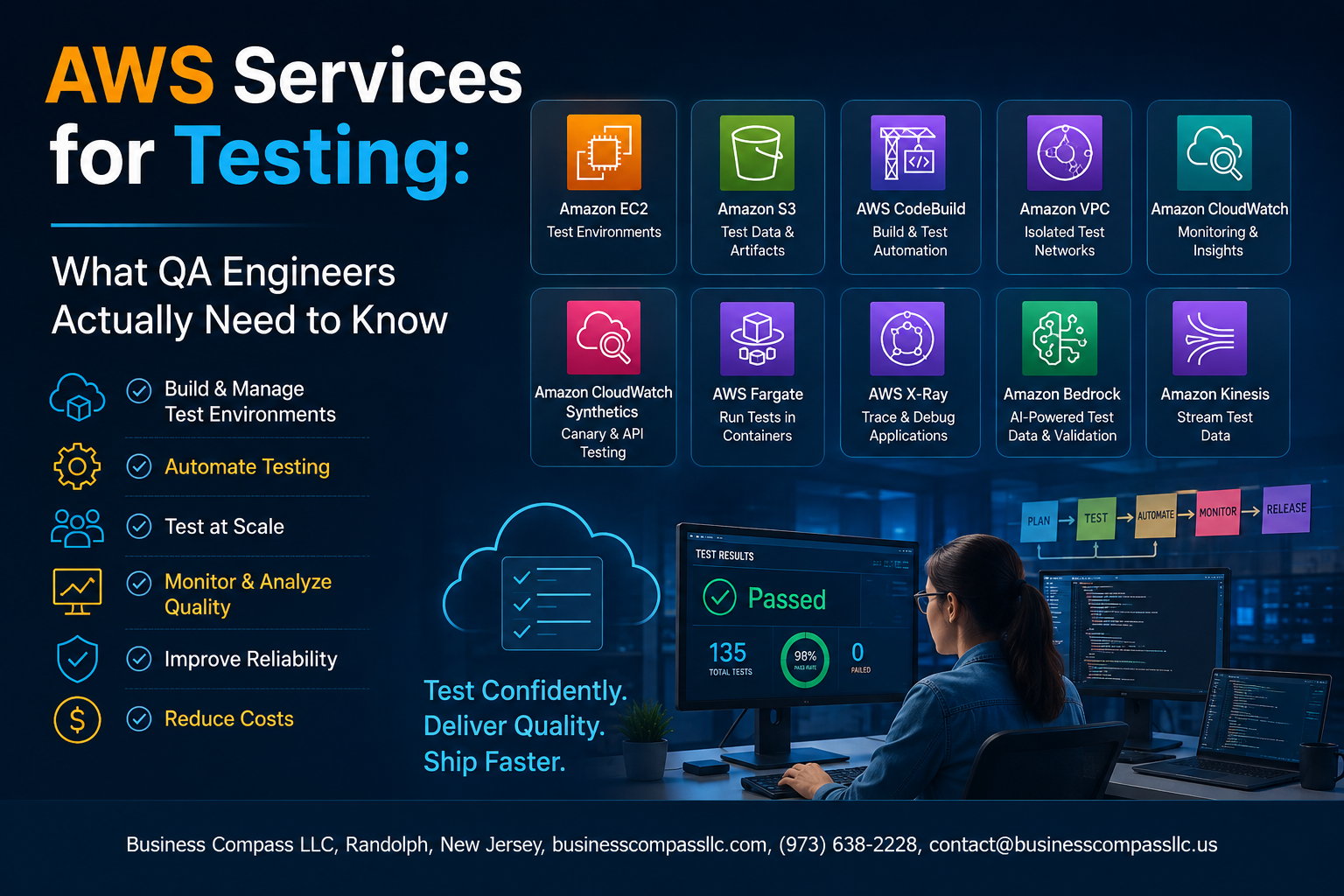
AWS Services for Testing: What QA Engineers Actually Need to Know
If you’re a QA engineer who keeps hearing “just spin it up in AWS” during sprint planning and nodding along while quietly Googling everything later — this is for you.
AWS has become the default infrastructure for most modern software teams, which means testing in isolation from it is no longer realistic. You don’t need to become a cloud architect, but you do need to know which AWS services actually matter for your day-to-day testing work and how to use them without burning through the team’s cloud budget.
In this guide, you’ll get a straight-to-the-point breakdown of the core AWS services QA engineers rely on most, how to run automated and load tests effectively on AWS infrastructure, and practical ways to keep costs under control without cutting corners on test coverage.
No fluff, no 10,000-foot overviews — just the stuff that helps you do your job better.
Why QA Engineers Need to Understand AWS

How Cloud-Based Testing Differs from Traditional Approaches
AWS flips traditional testing on its head — no hardware procurement, no fixed environments sitting idle overnight.
The Cost and Scalability Advantages of AWS for QA Teams
- Spin up 500 parallel test machines, pay only for runtime
Common Misconceptions QA Engineers Have About AWS
AWS isn’t just a developer tool — QA owns it too.
Core AWS Services Every QA Engineer Should Master

Amazon EC2, S3, Lambda & RDS — Your Core AWS Toolkit
- EC2 spins up scalable test environments on demand
- S3 stores test artifacts, logs, and datasets reliably
- Lambda triggers automated tests without managing servers
- RDS keeps test databases consistent, clean, and easy to reset between runs
Running Automated Tests Effectively on AWS

Using AWS CodeBuild, Device Farm, and CloudWatch Together
AWS makes automated testing genuinely straightforward. CodeBuild slots into your CI/CD pipeline, running tests on every commit. Device Farm handles real-device cross-browser and mobile testing. Parallel test execution slashes run times dramatically. CloudWatch captures logs instantly, while Systems Manager keeps your test configurations clean and consistent across environments.
Performance and Load Testing with AWS Tools

Simulating High Traffic Scenarios
AWS Distributed Load Testing spins up thousands of virtual users across multiple regions, hammering your app like real traffic does.
Key Metrics to Watch
- CPU, memory, and latency via CloudWatch
- Error rates and response times
Catching Bottlenecks Early
Spot slow database queries and overloaded services before users do.
Security Testing Capabilities QA Teams Can Use

Scanning for Vulnerabilities with Amazon Inspector
Run automated security assessments against your EC2 instances and container images.
Validating Access Controls Using AWS IAM Policies
Test least-privilege rules by simulating user permissions with IAM Policy Simulator.
Detecting Misconfigurations with AWS Security Hub
Aggregate findings across AWS accounts instantly.
Testing Encrypted Data Handling with AWS KMS
Verify encryption behaviors during integration tests.
Cutting AWS Costs Without Compromising Test Quality

Using Spot Instances to Cut Costs
AWS Spot Instances slash test environment costs by up to 90%. Pair them with:
- Auto Scaling groups for burst testing
- Spot Fleet for mixed instance types
Automatically Shutting Down Idle Environments
Schedule Lambda functions to kill unused environments nightly.
Right-Sizing Resources
Match EC2 instance types to actual test workloads using CloudWatch metrics.

AWS has become a core part of modern software delivery, and QA engineers who understand how to work within it are simply better equipped to do their jobs. From spinning up test environments with EC2 to running load tests with distributed tools, the services covered here give you real, practical ways to test smarter and faster. Security testing, cost management, and automated test execution all become much more manageable once you know which AWS tools to reach for and when.
The good news is you don’t need to master everything at once. Start with the services most relevant to your current projects, get comfortable with how they fit into your testing workflow, and build from there. The engineers who stand out aren’t necessarily the ones who know every AWS feature — they’re the ones who know how to use the right tools to ship quality software without breaking the budget or the timeline. Pick one area from this post and take a step toward putting it into practice this week.









