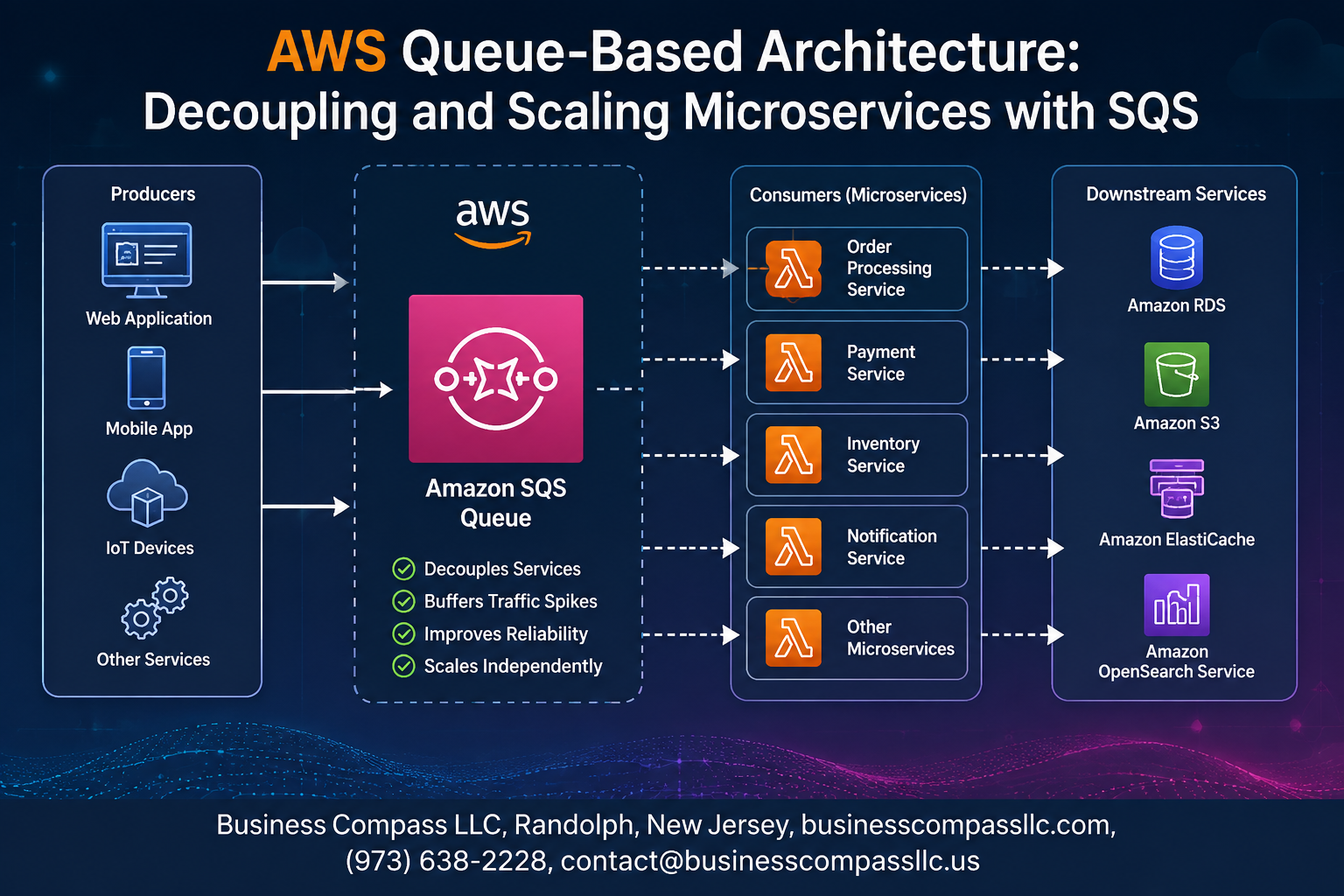
Stop Letting Your Microservices Talk Directly to Each Other
If one slow service can take down your entire application, you have a coupling problem — and it’s more common than you think.
This guide is for backend engineers, cloud architects, and DevOps teams who are building or scaling AWS microservices architecture and want a more resilient way to connect their services. If you’ve heard about Amazon SQS decoupling but aren’t sure how to put it into practice, you’re in the right place.
Here’s what we’ll walk through together:
- What queue-based architecture actually is and why it solves real problems that direct service-to-service calls create
- How to design and build a decoupled system with Amazon SQS, including the key decisions that trip most teams up early on
- How to keep costs manageable as your message volume grows, so SQS stays a smart choice at scale
By the end, you’ll have a clear picture of how scaling microservices with SQS works in practice — not just in theory.
Let’s get into it.
Understanding Queue-Based Architecture and Why It Matters
What Queue-Based Architecture Solves in Modern Systems
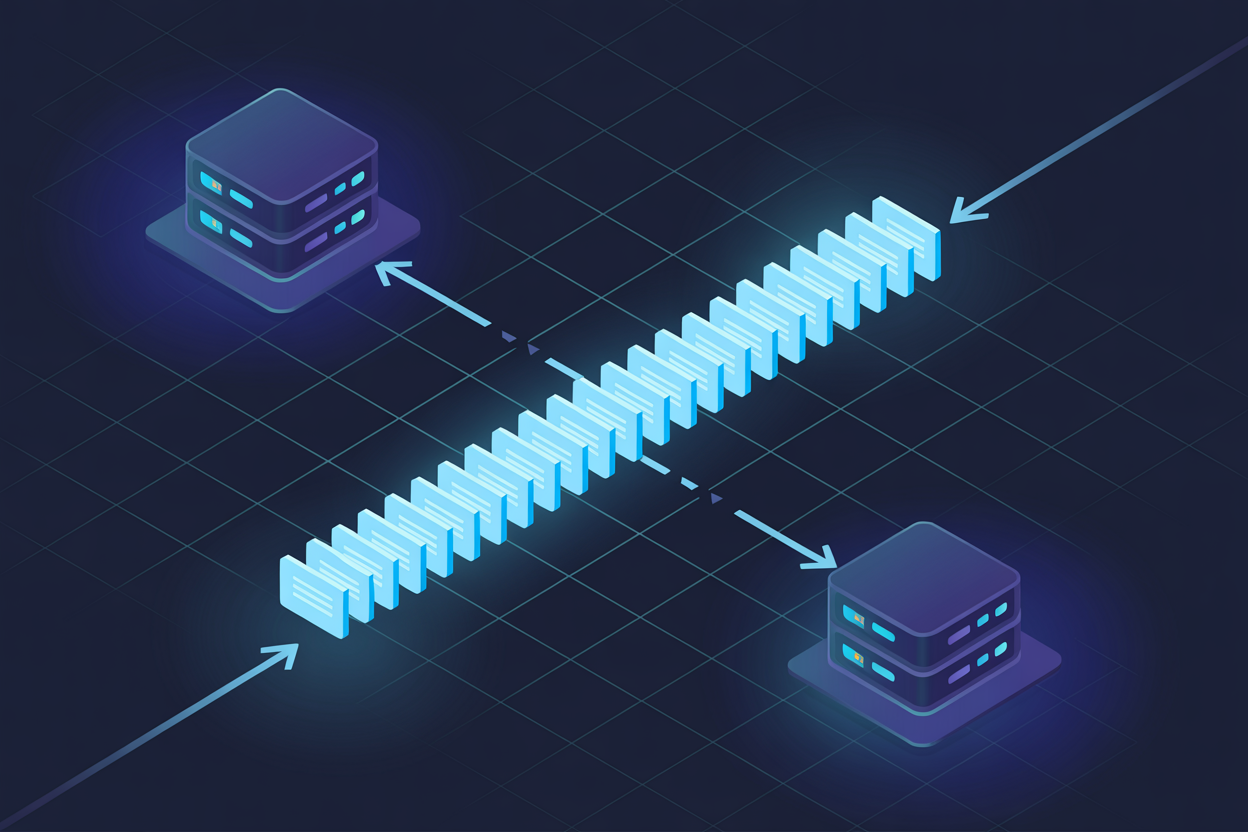
Queue-based architecture using AWS SQS microservices removes direct service dependencies, letting systems handle traffic spikes without crashing. When one service slows down, others keep running. Messages wait safely in the queue until processed, making distributed systems decoupling practical, reliable, and genuinely straightforward to manage at scale.
Getting Started with Amazon SQS

Key Features That Make SQS a Production-Ready Solution
- Fully managed, serverless, scales automatically
- At-least-once delivery with configurable retention
Standard Queues vs. FIFO Queues
- Standard: Maximum throughput, best-effort ordering
- FIFO: Guaranteed order, exactly-once processing — pick this for payments or inventory updates
Core Concepts Every Developer Must Know
- Visibility timeout, dead-letter queues, long polling
Designing a Decoupled Microservices Architecture with SQS

A. Mapping Service Dependencies to Identify Coupling Points
Start by sketching your service interactions — spot every direct API call hiding a tight dependency.
B. Replacing Direct Service Calls with Queue-Based Messaging
Drop SQS between services instead of synchronous calls.
C. Structuring Producers and Consumers
Keep producers unaware of consumers for clean AWS SQS microservices decoupling.
D. Dead-Letter Queues
Catch failures automatically.
E. Idempotency
Assign unique message IDs to safely retry without duplicate processing.
Scaling Microservices Effectively Using SQS

Using Queue Depth as a Signal for Auto Scaling
When your SQS queue depth spikes, that’s your cue to spin up more consumers. Track ApproximateNumberOfMessagesVisible to trigger scaling decisions automatically.
Configuring AWS Auto Scaling Groups with SQS Metrics
- Link CloudWatch alarms to ASG policies using queue depth thresholds
Optimizing Throughput with Long Polling and Batch Processing
- Batch up to 10 messages per API call, cutting costs dramatically
Securing and Monitoring Your SQS-Driven Architecture

Applying IAM Policies to Restrict Queue Access
Attach least-privilege IAM policies to limit who can send or receive messages.
Encrypting Messages at Rest and in Transit
Enable SSE with AWS KMS and enforce HTTPS endpoints.
Tracking Performance with CloudWatch Metrics and Alarms
Monitor ApproximateNumberOfMessagesVisible to catch backlogs early.
Auditing Message Flow with AWS CloudTrail
CloudTrail logs every SQS API call, giving you a clear activity trail.
Cost Optimization Strategies for SQS at Scale

A. Reducing API Calls with Message Batching
Batch up to 10 messages per API call using SendMessageBatch, slashing request costs by 90%.
B. Choosing the Right Queue Type to Minimize Costs
- Standard queues: cheaper, high-throughput workloads
- FIFO queues: use only when strict ordering is needed
C. Setting Retention Periods to Avoid Unnecessary Storage Fees
Default retention is 4 days; trim it down for short-lived SQS message queues to cut storage fees fast.

Queue-based architecture with Amazon SQS is one of those things that, once you start using it, you wonder how you ever managed without it. It takes the chaos out of microservices communication, lets each service work at its own pace, and gives your system the flexibility to scale without everything falling apart under pressure. From designing a properly decoupled setup to locking down security, keeping an eye on performance, and making sure you’re not throwing money away on unnecessary costs, SQS gives you the tools to build something solid.
If you’re ready to take your microservices setup to the next level, start small. Pick one tight coupling point in your current architecture, swap it out for an SQS queue, and watch how much smoother things run. Once you see the difference, you’ll naturally want to roll it out further. The key is to keep your queues well-monitored, your costs in check, and your design focused on letting services do their own thing independently. That’s the sweet spot where your architecture really starts to shine.