


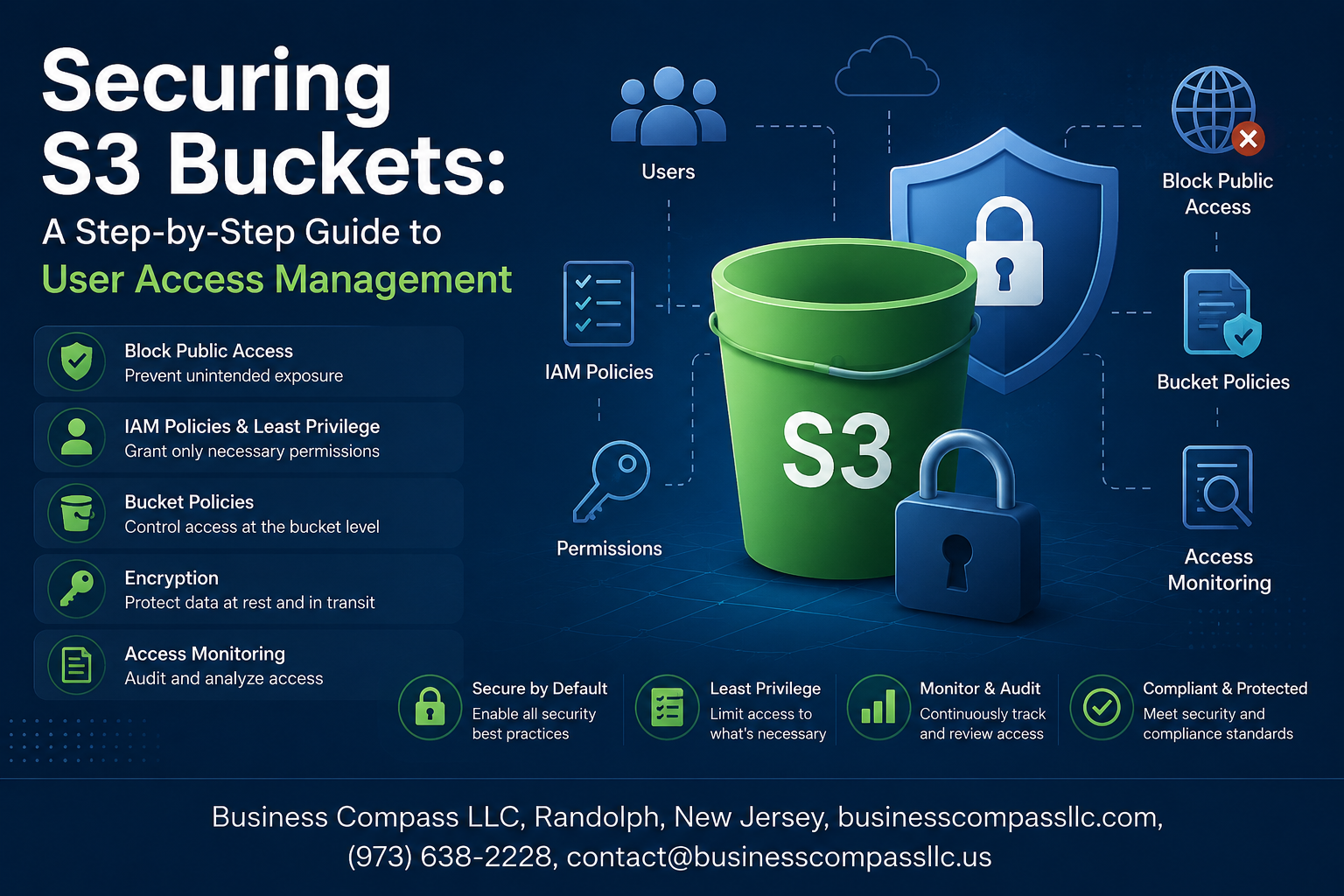
Stop Leaving Your S3 Bucket Wide Open
If you’ve ever spun up an S3 bucket and thought “I’ll sort out the permissions later,” this guide is for you. Cloud developers, DevOps engineers, and AWS admins who manage sensitive data in S3 buckets need a clear, repeatable process for locking things down — and that’s exactly what this covers.
You’ll walk away knowing how to set up IAM users, groups, and roles the right way, how to write S3 bucket policies that actually do what you want, and how to keep tabs on who’s accessing what through monitoring and auditing.
No fluff, just the steps that matter.
Understanding S3 Bucket Security Fundamentals

Why Poor S3 Configuration Puts Your Data at Risk
Misconfigured S3 buckets have exposed millions of records publicly. A single wrong permission setting can make sensitive data accessible to anyone online.
Key Security Concepts
- Bucket policies control resource-level access
- ACLs manage object permissions
- Encryption protects stored data
IAM Overview
IAM handles who accesses your AWS resources.
Setting Up IAM Users and Groups for S3 Access

Creating IAM Users with the Right Permissions
- Assign only S3 bucket-specific permissions per user role.
Organizing Users into Groups
- Group by function: developers, analysts, admins.
Group-Level Policies
- Apply one policy, cover many users instantly.
Strong Passwords and MFA
- Require MFA—no exceptions for S3 access.
Crafting Effective S3 Bucket Policies

Understanding the Structure of a Bucket Policy
S3 bucket policies are JSON documents controlling who accesses your bucket and how.
Key Elements:
- Effect: Allow or Deny
- Principal: Who gets access
- Action: What they can do
- Resource: Which S3 bucket or objects
Test policies using AWS Policy Simulator before deploying.
Leveraging IAM Roles for Secure and Scalable Access

When to Use Roles Instead of Users
Roles shine when granting temporary S3 bucket access to services or cross-account users.
Creating Roles That Grant Temporary Access Safely
- Set short session durations
- Use STS (Assume Role) for time-limited credentials
Attaching Roles to EC2 Instances and Lambda Functions
Attach roles directly—no hardcoded keys needed.
Applying the Principle of Least Privilege
Identifying and Removing Excessive Permissions
Audit your S3 bucket policies regularly and revoke permissions users no longer need.
Using AWS Access Analyzer to Spot Vulnerabilities
This tool flags overly broad access automatically, saving you hours of manual review.
Scoping Permissions Down to Specific Buckets and Actions
- Grant read-only or write access per bucket
- Avoid wildcards like
s3:*
Monitoring and Auditing S3 Access for Ongoing Security

Enabling S3 Server Access Logging
Enable logging on your S3 bucket to capture every request.
Using AWS CloudTrail
CloudTrail records API calls, helping spot unauthorized actions fast.
Setting Up Alerts
Use CloudWatch to flag suspicious patterns instantly.
Regular Permission Reviews
Audit IAM policies routinely to keep access tight and secure.

Keeping your S3 buckets secure doesn’t have to be overwhelming. By setting up IAM users and groups properly, writing solid bucket policies, and using roles where they make sense, you’re already ahead of most. Pair that with the principle of least privilege — giving people only the access they actually need — and you’ve built a strong foundation. Throw in regular monitoring and auditing, and you’ve got a security setup that holds up over time.
The real key is staying consistent. Security isn’t a one-time task you check off a list; it’s something you revisit as your team grows and your infrastructure changes. Start with the basics covered in this guide, review your access settings regularly, and tighten things up as you go. A little attention now can save you from a major headache down the road.









