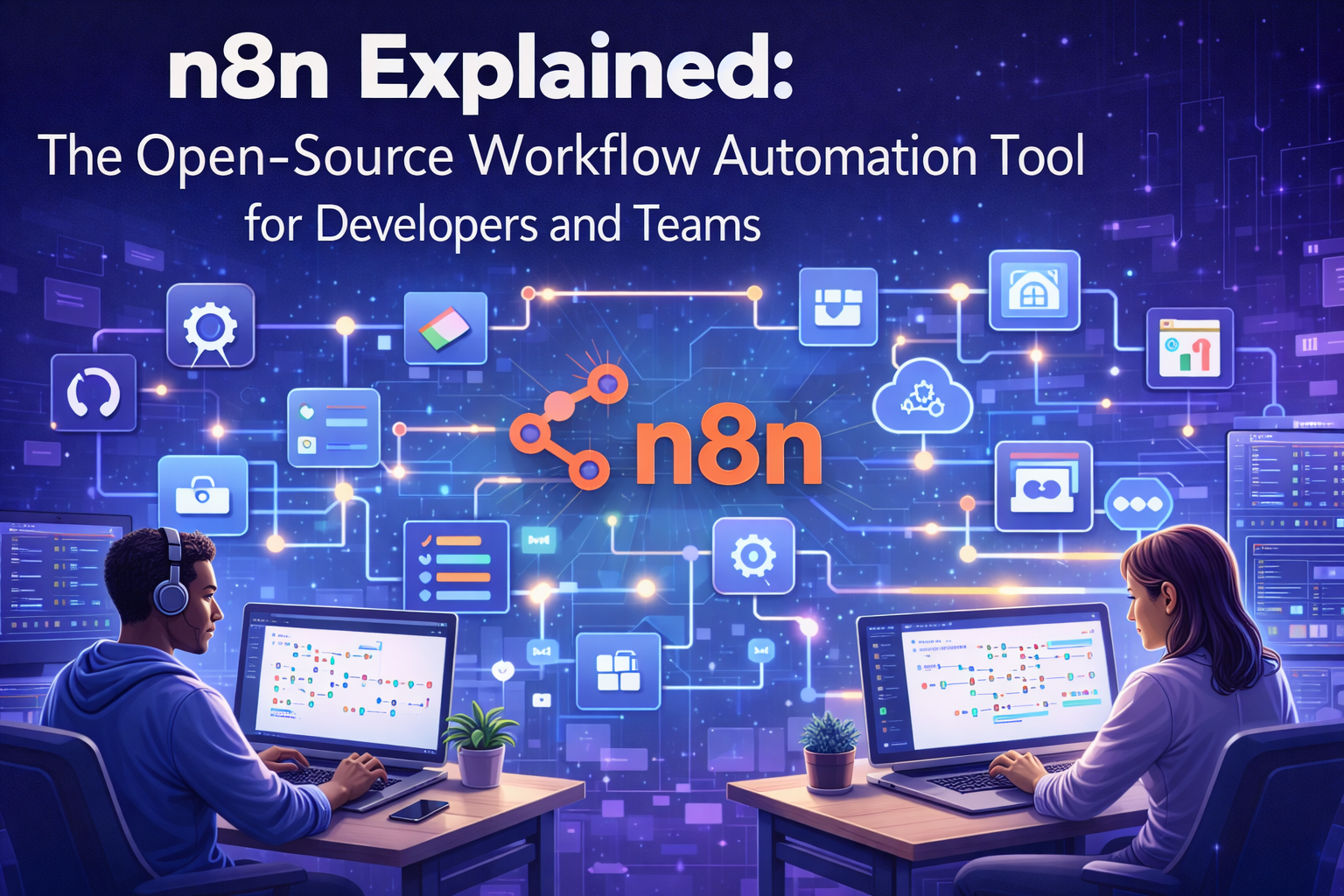
n8n workflow automation has become a game-changer for developers and teams looking to streamline repetitive tasks without breaking the bank. This open source automation tool lets you build complex workflows through a visual interface, connecting hundreds of apps and services with simple drag-and-drop functionality.
This n8n tutorial is designed for developers, technical teams, and business users who want to automate their processes efficiently. You’ll discover how n8n’s powerful features stack up against expensive alternatives and why it’s becoming the go-to choice for automated workflow solutions.
We’ll walk through n8n’s essential features that make workflow automation accessible to everyone, from its intuitive node-based editor to its extensive integration library. You’ll also learn practical implementation strategies and explore real-world use cases that show how teams are boosting productivity and collaboration with this versatile business process automation platform.
Understanding n8n and Its Core Value Proposition

What n8n is and how it differs from other automation tools
N8n stands as a revolutionary open source automation tool that lets you connect different applications and services without writing complex code. Think of it as a visual bridge builder – you create workflows by connecting nodes that represent different apps, APIs, and services through an intuitive drag-and-drop interface.
What sets n8n apart from tools like Zapier, Microsoft Power Automate, or Integromat is its open-source nature and self-hosted flexibility. While commercial platforms lock you into their ecosystem with monthly subscriptions and usage limits, n8n gives you complete control over your automation infrastructure. You can run it on your own servers, customize the source code, and scale without worrying about per-execution pricing.
The visual workflow editor makes automation accessible to developers who want to build complex integrations quickly, while still providing the power to write custom JavaScript code when needed. Unlike purely code-based solutions, n8n strikes the perfect balance between visual simplicity and technical depth.
| Feature | n8n | Commercial Tools |
|---|---|---|
| Cost Structure | Free + optional cloud hosting | Monthly subscriptions + usage fees |
| Data Control | Complete ownership | Third-party servers |
| Customization | Full source code access | Limited to available features |
| Scaling | Unlimited executions | Tiered pricing based on usage |
Key benefits for developers and technical teams
Developers love n8n because it accelerates workflow development without sacrificing control or functionality. The tool eliminates the tedious work of writing boilerplate API integration code, letting teams focus on business logic rather than connection mechanics.
The node-based architecture means you can prototype complex workflows in minutes instead of hours. Need to connect your CRM to Slack, process data through multiple transformations, and trigger actions based on specific conditions? N8n makes this visual and intuitive, even for workflows involving dozens of steps.
Technical teams benefit from n8n’s debugging capabilities and error handling. Each workflow execution provides detailed logs, making troubleshooting straightforward. You can test individual nodes, inspect data at each step, and iterate rapidly without deploying code changes.
The platform supports advanced features like:
- Custom JavaScript expressions for data manipulation
- Webhook triggers for real-time automation
- Scheduled executions with cron expressions
- Conditional branching and loops
- Database operations and file processing
- Integration with version control systems
Cost savings compared to commercial alternatives
The financial advantage of n8n becomes clear when you analyze enterprise automation needs. Commercial platforms typically charge based on execution volume, number of integrations, or team size – costs that escalate quickly as your automation strategy grows.
A mid-size company running 100,000 workflow executions monthly might pay $500-2000 for commercial automation tools. With n8n’s self-hosted approach, the same workload costs only server infrastructure – often under $100 monthly for robust cloud hosting.
Cost breakdown comparison:
- Commercial tools: $20-50 per user + $0.01-0.05 per execution
- N8n self-hosted: Server costs ($50-200/month) + optional support
- N8n cloud: Competitive pricing with execution-based tiers
Beyond direct costs, n8n eliminates vendor lock-in risks. You’re not held hostage by pricing changes or feature limitations. Your workflows remain portable, and you can migrate between hosting providers or deployment methods without rebuilding automation logic.
Community-driven development advantages
N8n’s open-source foundation creates a unique ecosystem where community contributions drive rapid innovation. The platform boasts over 350 integrations, many contributed by users who needed specific connectors for their workflows.
This community-driven approach means new integrations appear regularly based on real-world demand rather than vendor roadmap priorities. When a popular service launches an API, community developers often create n8n nodes within weeks.
The transparent development process lets you:
- Submit feature requests and bug reports directly to GitHub
- Contribute custom nodes for services you use
- Fork the project for specialized requirements
- Access documentation and tutorials created by experienced users
Active community forums provide peer support that often surpasses traditional vendor support channels. Developers share workflow templates, troubleshooting tips, and best practices that accelerate your automation projects.
Security-conscious organizations appreciate the ability to audit n8n’s source code and contribute security improvements. This transparency builds trust that’s impossible with closed-source alternatives.
Essential Features That Make n8n Powerful

Visual workflow builder with drag-and-drop functionality
The heart of n8n workflow automation lies in its intuitive visual interface that transforms complex automation logic into simple, connected diagrams. You can build sophisticated workflows by dragging nodes onto a canvas and connecting them with visual lines that represent data flow. This approach makes automation accessible to both technical developers and business users who might struggle with traditional coding approaches.
The canvas operates like a digital whiteboard where each node represents a specific action, trigger, or data transformation. You simply click, drag, and drop to add new components, then connect them by drawing lines between connection points. The visual representation helps you understand exactly how data moves through your automation, making debugging and optimization much more straightforward.
What sets this visual builder apart is its real-time execution view. You can see data flowing between nodes as your workflow runs, with successful connections highlighted in green and errors clearly marked in red. This immediate feedback loop accelerates development and reduces the typical trial-and-error cycle associated with automation setup.
Extensive library of pre-built integrations and nodes
n8n features delivers over 400+ pre-built nodes that connect with popular services like Google Sheets, Slack, Salesforce, GitHub, and countless others. This extensive library eliminates the need to write custom API integrations from scratch, dramatically reducing development time for common automation tasks.
Each node comes with pre-configured authentication methods and standardized input/output formats. You don’t need to research API documentation or handle OAuth flows manually – the nodes manage these technical details automatically. Popular integrations include:
| Category | Popular Nodes |
|---|---|
| Communication | Slack, Microsoft Teams, Discord, Telegram |
| Productivity | Google Workspace, Microsoft 365, Notion, Airtable |
| Development | GitHub, GitLab, Jira, Jenkins |
| Marketing | HubSpot, Mailchimp, Facebook, Twitter |
| E-commerce | Shopify, WooCommerce, Stripe, PayPal |
The community actively contributes new nodes, with regular updates adding support for emerging tools and services. If a specific integration doesn’t exist, you can request it through the community forums or build custom nodes using the provided development framework.
Custom code execution capabilities with JavaScript and Python
When pre-built nodes don’t cover your specific requirements, n8n’s Code node lets you write custom JavaScript or Python directly within your workflows. This flexibility bridges the gap between no-code simplicity and full programming power, making n8n suitable for complex business logic that goes beyond standard integrations.
The JavaScript Code node provides access to all incoming data from previous nodes, along with helper functions for common operations like date manipulation, string processing, and HTTP requests. You can transform data formats, perform calculations, or implement custom business rules without leaving the visual workflow environment.
Python support opens even more possibilities, especially for data analysis, machine learning tasks, or scientific computing. You can import popular Python libraries and process large datasets within your automation workflows. The code execution happens in isolated containers, ensuring security while maintaining performance.
Both code environments include debugging tools, syntax highlighting, and error reporting that integrate seamlessly with the visual workflow. You can test code snippets independently before incorporating them into larger automations.
Self-hosted deployment options for data security
Unlike many automation tools that require sending your data to third-party servers, n8n offers complete control through self-hosted deployment options. You can install n8n on your own infrastructure, ensuring sensitive business data never leaves your network perimeter.
The self-hosting approach addresses compliance requirements for industries with strict data governance policies. Healthcare organizations handling HIPAA data, financial institutions managing customer information, or companies operating under GDPR can maintain full data sovereignty while still benefiting from powerful automation capabilities.
Deployment options range from simple Docker containers for small teams to enterprise-grade Kubernetes clusters for large organizations. The open source automation tool supports various databases including PostgreSQL, MySQL, and SQLite, allowing integration with existing infrastructure.
Self-hosting also enables custom modifications to the platform itself. Development teams can extend functionality, customize the user interface, or integrate with proprietary internal systems. This level of control makes n8n implementation guide particularly valuable for organizations with unique technical requirements that commercial SaaS platforms cannot accommodate.
Getting Started with n8n Implementation

Installation methods and system requirements
n8n offers flexible deployment options to fit different technical preferences and infrastructure needs. The quickest way to get started is using npx, which requires Node.js 18.10 or newer installed on your system. Simply run npx n8n in your terminal, and the n8n workflow automation tool launches immediately in your browser at localhost:5678.
For production environments, Docker provides the most reliable setup. Pull the official n8n Docker image with docker run -it --rm --name n8n -p 5678:5678 n8nio/n8n to have your automation platform running within minutes. Docker Desktop users on Windows and macOS can leverage this approach without additional configuration.
Cloud deployment options include n8n’s hosted service, which eliminates server management entirely. Self-hosted users can deploy to platforms like DigitalOcean, AWS, or Google Cloud using provided Docker configurations. The minimum system requirements include 1GB RAM and 2GB storage space, though complex workflows benefit from additional resources.
Desktop users can install n8n globally using npm: npm install n8n -g, then start it with the n8n command. This n8n implementation guide approach works well for local development and testing scenarios.
| Installation Method | Best For | Requirements |
|---|---|---|
| npx | Quick testing | Node.js 18.10+ |
| Docker | Production | Docker installed |
| npm global | Development | Node.js + npm |
| Cloud hosted | Enterprise | Browser only |
Setting up your first automated workflow
Creating your first automated workflow demonstrates n8n’s intuitive visual interface. Start by clicking the “+” button to add your first node – the building blocks of any n8n workflow automation. The Trigger node determines when your workflow runs, with options ranging from manual execution to scheduled intervals or webhook triggers.
Choose a simple scenario like monitoring a specific email folder. Add an Email Trigger node and configure your email provider credentials through n8n’s secure connection manager. The visual workflow builder shows each step clearly, making complex automation accessible even for non-technical team members.
Connect your trigger to action nodes using the drag-and-drop interface. Add an HTTP Request node to send data to another service, or use a Slack node to post notifications to your team channel. Each connection represents data flowing through your automated workflow solutions.
Test workflows using the built-in execution viewer. Click the “Execute Workflow” button to see real-time data passing between nodes. The execution log displays exactly what happens at each step, making debugging straightforward. Successful test runs show green checkmarks, while errors highlight specific problem areas with detailed explanations.
Save your workflow with a descriptive name and activate it using the toggle switch. Active workflows run automatically based on their trigger conditions, handling repetitive tasks while you focus on higher-value activities.
Connecting popular applications and services
n8n’s extensive library includes over 400 pre-built integrations covering essential business applications. Popular connections include Google Workspace, Microsoft 365, Slack, Notion, Airtable, and countless APIs. Each integration node comes with authentication helpers and field mapping to streamline the connection process.
Authentication varies by service but typically involves OAuth flows or API key configuration. Google services require OAuth consent, while tools like Notion use integration tokens. n8n stores these credentials securely and handles token refresh automatically, ensuring your workflow automation for developers remains reliable.
Database connections support MySQL, PostgreSQL, MongoDB, and Redis. Connect directly to your data sources for real-time synchronization or batch processing workflows. The SQL node allows custom queries, while NoSQL nodes provide document-based operations.
E-commerce platforms like Shopify, WooCommerce, and Stripe integrate seamlessly for order processing, inventory updates, and customer communication workflows. Marketing tools including Mailchimp, HubSpot, and ActiveCampaign enable sophisticated lead nurturing sequences.
Custom integrations use the HTTP Request node for services without dedicated connectors. Build API calls with full header control, authentication options, and response parsing. The Function node allows custom JavaScript code for complex data transformations between services.
Development tools like GitHub, GitLab, and Jira support DevOps workflows. Automate issue creation, deployment notifications, and code review processes. Webhook triggers enable real-time responses to repository events, creating responsive development workflows that boost team productivity.
Advanced Workflow Automation Strategies

Creating complex multi-step workflows with conditional logic
Building sophisticated workflows with n8n workflow automation requires mastering conditional logic to create dynamic, responsive automation sequences. Start by using the IF node to create branching paths based on specific conditions – whether checking if an email contains certain keywords, verifying user roles, or validating data formats.
Combine multiple conditions using logical operators to create complex decision trees. For instance, route customer support tickets based on priority level AND department while checking if business hours are active. Use the Switch node when dealing with multiple conditions that require different actions for each scenario.
Nested workflows become powerful when you chain conditional nodes together. Create parent workflows that trigger child workflows based on specific criteria, allowing you to build modular, reusable automation components. This approach makes your automated workflow solutions more maintainable and scalable.
Loop nodes add another layer of sophistication, enabling workflows to process arrays of data with conditional logic applied to each item. This proves invaluable when handling bulk operations like processing customer orders or updating multiple database records based on varying conditions.
Handling data transformation and manipulation
Data manipulation sits at the heart of effective workflow automation for developers. n8n’s Function nodes provide JavaScript execution environments where you can transform, clean, and restructure data flowing through your workflows. Write custom scripts to parse JSON objects, convert date formats, or calculate complex business metrics.
The Set node offers a user-friendly interface for basic data transformations without coding. Map fields between different systems, rename variables, or create new data structures by combining existing values. This visual approach speeds up development while maintaining clarity for team collaboration.
Use the Code node when you need more advanced data processing capabilities. Transform CSV files into JSON objects, perform mathematical calculations on datasets, or integrate with external libraries for specialized data processing tasks. Remember to handle edge cases and validate data types to prevent workflow failures.
Regular expressions become your best friend when dealing with text manipulation. Extract phone numbers from contact forms, clean up imported data, or validate email formats before passing information to downstream systems. n8n’s expression editor supports regex operations directly within node configurations.
Error handling and workflow monitoring best practices
Robust error handling transforms fragile automation into reliable business process automation systems. Implement try-catch logic using n8n’s error handling mechanisms to gracefully manage failures without breaking entire workflows. Configure alternative paths when APIs are unavailable or data validation fails.
Set up comprehensive logging using HTTP Request nodes to send error notifications to monitoring services like Slack or Discord. Include relevant context such as workflow names, error messages, and timestamps to speed up troubleshooting. Create standardized error response formats across all your workflows for consistency.
Monitor workflow performance using n8n’s execution history and logs. Track success rates, execution times, and failure patterns to identify optimization opportunities. Set up automated alerts for critical workflow failures that require immediate attention.
Build redundancy into mission-critical workflows by creating backup execution paths. If your primary API endpoint fails, automatically switch to alternative services or queue tasks for later processing. This approach ensures business continuity even when individual components experience issues.
Implement data validation checkpoints throughout complex workflows. Verify data integrity before expensive operations and provide meaningful error messages when validation fails. This proactive approach prevents downstream errors and reduces debugging time.
Scaling workflows for enterprise-level operations
Enterprise scaling requires thoughtful architecture planning and resource optimization. Design workflows with horizontal scaling in mind by breaking large processes into smaller, independent components that can run in parallel. Use n8n’s queue system to manage high-volume operations without overwhelming system resources.
Implement workflow templates and standardized patterns across your organization. Create reusable sub-workflows for common operations like user authentication, data validation, or notification sending. This standardization reduces development time and ensures consistency across different teams and projects.
Database optimization becomes critical at enterprise scale. Use connection pooling, implement proper indexing strategies, and consider caching frequently accessed data. Design your workflows to minimize database queries and batch operations when possible.
Load balancing strategies help distribute workflow execution across multiple n8n instances. Configure your infrastructure to handle traffic spikes and implement failover mechanisms for high availability. Consider using container orchestration platforms like Kubernetes for automatic scaling based on demand.
Monitor resource consumption patterns to identify bottlenecks before they impact performance. Track memory usage, CPU utilization, and network bandwidth across your workflow ecosystem. Use these insights to optimize workflow design and infrastructure allocation for maximum efficiency.
Real-World Use Cases and Success Stories

Marketing Automation and Lead Nurturing Workflows
n8n workflow automation transforms how marketing teams capture, qualify, and nurture leads through sophisticated automation sequences. Teams can create complex lead scoring systems that automatically tag prospects based on website behavior, email engagement, and social media interactions. When someone downloads a whitepaper, n8n can trigger a multi-step workflow that sends personalized follow-up emails, updates CRM records, and notifies sales representatives about high-value prospects.
E-commerce businesses particularly benefit from abandoned cart recovery workflows. These automated sequences detect when customers leave items in their shopping carts and trigger personalized email campaigns with product recommendations and limited-time offers. The workflow can integrate with inventory management systems to check stock levels and adjust messaging accordingly, while simultaneously updating customer profiles with behavioral data for future campaigns.
Social media automation becomes seamless with n8n’s ability to connect platforms like Twitter, LinkedIn, and Facebook. Marketing teams can set up workflows that automatically cross-post content, respond to mentions, and track engagement metrics across multiple channels. The tool can even analyze sentiment in social media comments and route negative feedback to customer service teams while celebrating positive mentions internally.
Data Synchronization Between Business Applications
Modern businesses juggle multiple software platforms, and keeping data consistent across these systems traditionally requires manual effort or expensive enterprise solutions. n8n use cases shine brightest when connecting disparate business applications through automated data flows that eliminate manual data entry and reduce human error.
Customer data synchronization represents one of the most valuable applications. When a new customer signs up through your website, n8n can automatically create records in your CRM, add them to your email marketing platform, update billing systems, and notify relevant team members. This ensures everyone works with the same accurate, up-to-date information without duplicate data entry across multiple platforms.
Inventory management workflows demonstrate n8n’s power in e-commerce environments. The platform can sync product information between online stores, accounting software, and warehouse management systems. When stock levels drop below predetermined thresholds, automated workflows can generate purchase orders, update product availability across sales channels, and alert procurement teams. This real-time synchronization prevents overselling and maintains accurate inventory visibility.
Financial data flows become streamlined when n8n connects accounting software with banking platforms, payment processors, and expense management tools. Automated workflows can categorize transactions, generate invoices, reconcile payments, and create detailed financial reports. Teams save hours of manual bookkeeping while maintaining better accuracy and compliance standards.
Customer Support and Ticketing System Integration
Customer support teams leverage n8n workflow automation to create responsive, intelligent ticketing systems that improve resolution times and customer satisfaction. Smart ticket routing workflows analyze incoming support requests based on keywords, customer tier, and issue urgency, then automatically assign tickets to the most appropriate support agents with relevant expertise.
Escalation workflows ensure critical issues receive immediate attention. n8n can monitor ticket status and automatically escalate unresolved issues to supervisors or specialized teams after predetermined time periods. The system can simultaneously notify customers about status updates and provide estimated resolution times based on historical data and current queue volumes.
Knowledge base integration creates self-service opportunities that reduce ticket volume. When customers submit common questions, automated workflows can search internal documentation and send relevant articles or troubleshooting guides. If self-service options don’t resolve the issue, the workflow can seamlessly create tickets with context about attempted solutions, helping support agents provide more targeted assistance.
Multi-channel support becomes unified through n8n’s integration capabilities. Whether customers reach out via email, chat, social media, or phone, the platform can consolidate communications into single ticket threads. This comprehensive view enables support agents to provide consistent, informed responses regardless of the communication channel customers prefer.
Development and DevOps Pipeline Integration
Development teams use n8n to orchestrate complex DevOps workflows that automate code deployment, testing, and monitoring processes. Continuous integration and continuous deployment (CI/CD) pipelines become more sophisticated when n8n connects version control systems, testing frameworks, and deployment platforms. When developers push code to repositories, automated workflows can trigger test suites, deploy to staging environments, run security scans, and notify team members about build status.
Code review automation streamlines collaboration by automatically assigning pull requests to appropriate reviewers based on file changes, expertise areas, and current workload. n8n can analyze code changes and route frontend modifications to UI specialists while directing database changes to backend developers. The workflow can also check for required approvals and automatically merge approved changes that pass all quality gates.
Monitoring and alerting workflows keep development teams informed about application performance and system health. n8n can collect metrics from multiple monitoring tools, analyze trends, and send intelligent alerts when thresholds are exceeded. Instead of generic notifications, teams receive contextual information about affected systems, recent deployments, and suggested troubleshooting steps.
Infrastructure management becomes proactive through automated scaling and maintenance workflows. n8n can monitor server resources and automatically provision additional capacity during peak usage periods. The platform can also schedule routine maintenance tasks, update security patches, and perform database optimizations during low-traffic windows, ensuring systems remain stable and secure without manual intervention.
Maximizing Team Collaboration and Productivity

Sharing workflows across team members
Team collaboration becomes a breeze when everyone can access and contribute to n8n workflow automation projects. The platform offers several built-in features that make sharing workflows straightforward and secure. You can export workflows as JSON files and share them directly with teammates, or use n8n’s cloud-based sharing capabilities to give specific team members access to your automated workflow solutions.
Setting up proper permissions ensures that team members get the right level of access. Some colleagues might need full editing rights to modify complex automation sequences, while others only need viewing permissions to monitor processes. This granular control prevents accidental changes while keeping everyone in the loop about ongoing automation projects.
Creating a centralized workflow library helps teams avoid duplicating work. When someone builds a useful integration between popular tools like Slack, Gmail, or Airtable, other team members can quickly adapt it for their own needs. This approach accelerates productivity across the entire organization and builds a valuable repository of tested automation templates.
Documentation plays a crucial role in effective workflow sharing. Adding clear descriptions to each node, explaining the purpose of complex logic branches, and including contact information for the workflow creator helps team members understand and maintain shared automations. This practice becomes especially important as your team’s collection of automated processes grows.
Version control and workflow management strategies
Managing multiple versions of workflows requires a systematic approach that prevents chaos and ensures reliability. Git integration serves as the backbone of professional n8n implementation guide strategies, allowing teams to track changes, revert problematic updates, and maintain stable production environments alongside experimental development branches.
Establishing naming conventions for workflows creates order from potential confusion. Use descriptive names that include the purpose, department, and version number. For example, “Sales_Lead_Processing_v2.1” immediately tells team members what the workflow does and which version they’re examining. This clarity becomes invaluable when troubleshooting issues or planning updates.
Creating separate environments for development, testing, and production protects critical business processes while enabling innovation. Development environments let team members experiment with new integrations and logic without risking operational workflows. Testing environments provide a safe space to validate changes before they reach production systems where real business data flows through automated processes.
Regular backup schedules protect against data loss and enable quick recovery from system failures. Export critical workflows weekly and store them in multiple locations. This redundancy ensures that even if your primary n8n instance experiences problems, you can quickly restore essential automation processes that keep your business running smoothly.
Setting up monitoring and alerting systems
Proactive monitoring transforms reactive firefighting into strategic workflow management. n8n’s built-in monitoring capabilities provide real-time visibility into workflow performance, execution times, and error rates. Setting up comprehensive monitoring ensures that team collaboration automation continues running smoothly without constant manual oversight.
Error notifications should reach the right people at the right time. Configure alerts to notify workflow owners immediately when failures occur, but avoid overwhelming team members with excessive notifications. Smart alerting rules can escalate issues to managers only after initial attempts at resolution fail or when critical business processes stop functioning.
Performance metrics help optimize workflow efficiency over time. Track execution times, resource usage, and success rates to identify bottlenecks and improvement opportunities. Workflows that consistently take longer than expected might need optimization, while frequently failing automations require immediate attention to maintain reliable business process automation.
Dashboard creation centralizes monitoring information for leadership visibility. Build custom views that show key metrics across all team workflows, including uptime statistics, processing volumes, and recent errors. These dashboards enable data-driven decisions about automation investments and help identify which processes deliver the most value to your organization.
| Monitoring Aspect | Key Metrics | Alert Threshold |
|---|---|---|
| Execution Success | Success rate percentage | Below 95% |
| Performance | Average execution time | 50% increase from baseline |
| Resource Usage | CPU and memory consumption | Above 80% capacity |
| Error Frequency | Failed executions per hour | More than 3 failures |

n8n stands out as a game-changing automation tool that puts real power back into the hands of developers and teams who want to streamline their work without getting locked into expensive proprietary solutions. From its visual workflow builder to advanced automation strategies, n8n offers the flexibility to connect virtually any service while keeping your data and processes under your control. The platform’s open-source nature means you can customize it to fit your exact needs, whether you’re automating simple tasks or building complex multi-step workflows that span across different departments.
Ready to take your team’s productivity to the next level? Start with a simple workflow that addresses one of your most repetitive tasks, then gradually expand as you discover new automation opportunities. The investment you make in learning n8n today will pay dividends as your team grows and your processes become more complex. Don’t let manual tasks continue to drain your team’s time and energy when you have such a powerful tool at your fingertips.