


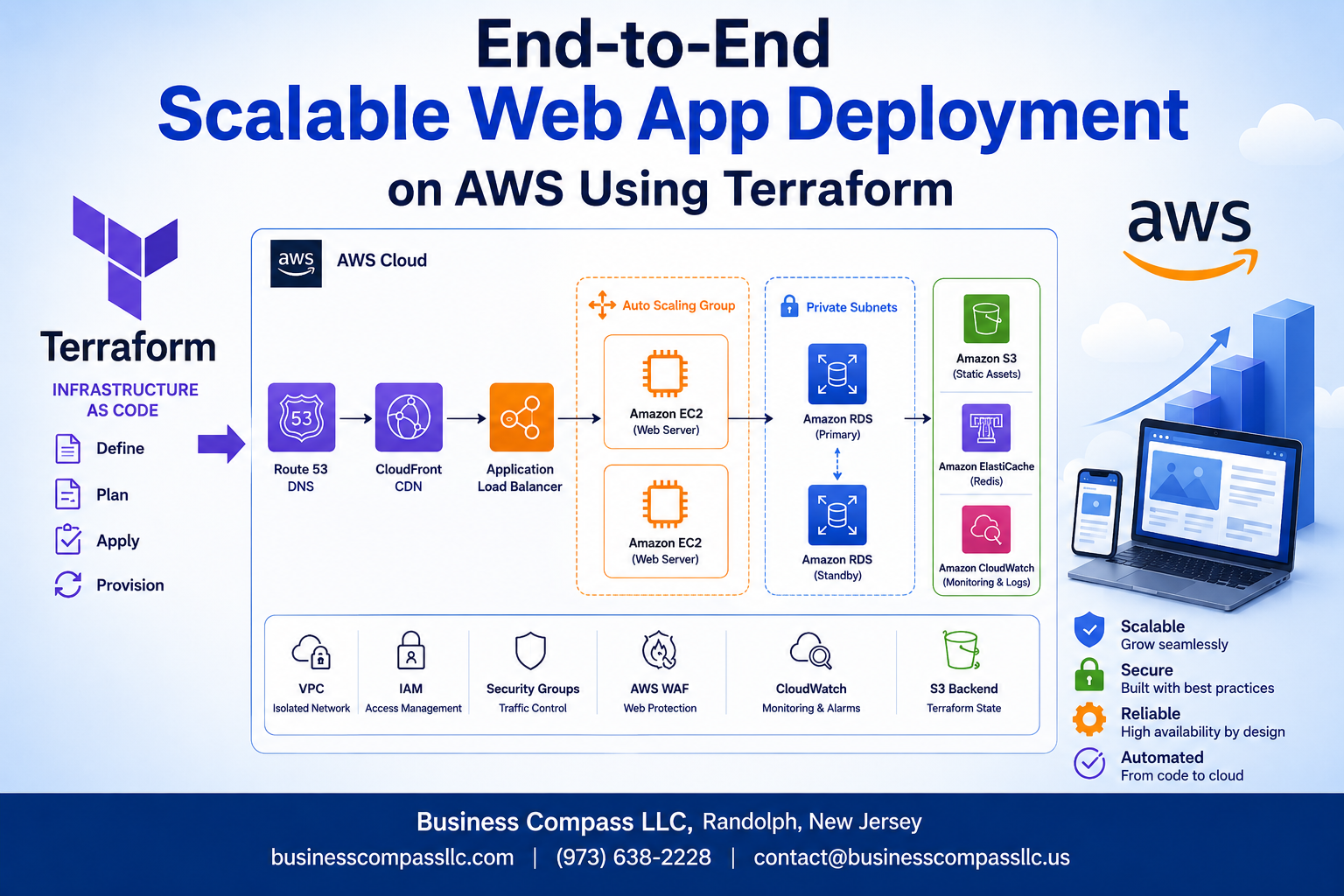
Deploying a scalable web application on AWS can feel overwhelming, but with Terraform and the right strategy, you can automate the entire process from start to finish. This comprehensive guide is designed for DevOps engineers, cloud architects, and developers who want to master AWS Terraform deployment while building production-ready infrastructure that scales.
You’ll learn how to create a complete scalable web application architecture using infrastructure as code principles that actually work in the real world. We’ll cover essential Terraform best practices that keep your code clean and maintainable, plus show you how to set up end-to-end deployment automation with a robust AWS CI/CD pipeline. You’ll also discover proven techniques for AWS cost optimization and infrastructure security hardening that protect your applications without breaking the bank.
By the end of this tutorial, you’ll have hands-on experience building enterprise-grade AWS infrastructure that automatically scales with your traffic and deploys new features safely every time.
Essential Prerequisites for AWS Terraform Deployment Success
AWS Account Setup and IAM Configuration Best Practices
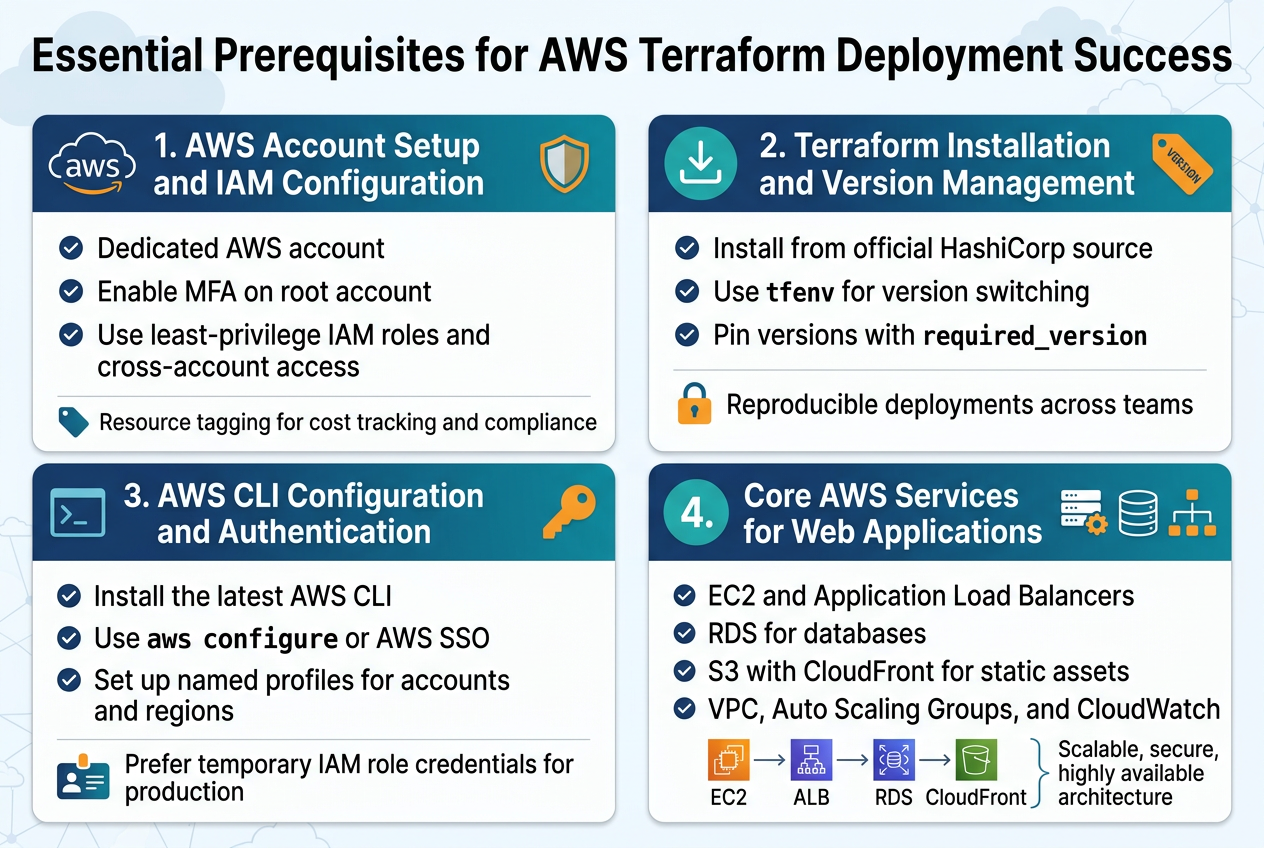
Setting up your AWS account correctly forms the foundation for successful AWS Terraform deployment. Create a dedicated AWS account for your infrastructure projects and enable multi-factor authentication on your root account immediately. Configure AWS Organizations if you’re managing multiple environments, allowing you to separate development, staging, and production workloads with proper billing isolation.
IAM configuration requires creating service accounts with minimal necessary permissions rather than using your root account. Create specific IAM roles for Terraform operations, following the principle of least privilege. Set up cross-account roles if you’re deploying across multiple AWS accounts, and implement proper resource tagging policies for cost tracking and compliance.
Terraform Installation and Version Management
Installing Terraform correctly prevents version conflicts that can break your infrastructure as code workflows. Download Terraform from HashiCorp’s official website or use package managers like Homebrew on macOS or Chocolatey on Windows. Version consistency across your team becomes critical when working with collaborative infrastructure projects.
Use tfenv or similar version managers to switch between Terraform versions seamlessly. Pin your Terraform version in your configuration files using required_version constraints. This approach ensures your infrastructure deployments remain reproducible across different environments and team members, preventing unexpected behavior from version mismatches.
AWS CLI Configuration and Authentication Methods
AWS CLI setup enables seamless integration between your local development environment and AWS services. Install the latest AWS CLI version and configure it using aws configure with your access keys, or preferably use AWS SSO for enhanced security. Set up named profiles for different AWS accounts or regions to avoid authentication confusion.
Choose appropriate authentication methods based on your deployment strategy. Use IAM roles with temporary credentials for production deployments, while access keys work fine for development environments. Configure AWS credential precedence properly, understanding how Terraform resolves credentials from environment variables, shared credential files, and IAM roles.
Understanding Core AWS Services for Web Applications
Scalable web application architecture relies on several core AWS services working together effectively. EC2 provides compute resources, while Application Load Balancers distribute traffic across multiple instances. RDS handles database requirements with built-in high availability, and S3 stores static assets with global content delivery through CloudFront.
VPC networking forms the security backbone, allowing you to control traffic flow between application tiers. Auto Scaling Groups automatically adjust capacity based on demand, while CloudWatch monitors performance metrics. Understanding how these services integrate helps you design robust infrastructure that scales automatically and maintains high availability during traffic spikes.
Designing Your Scalable Web Application Architecture
Multi-Tier Architecture Planning for Optimal Performance
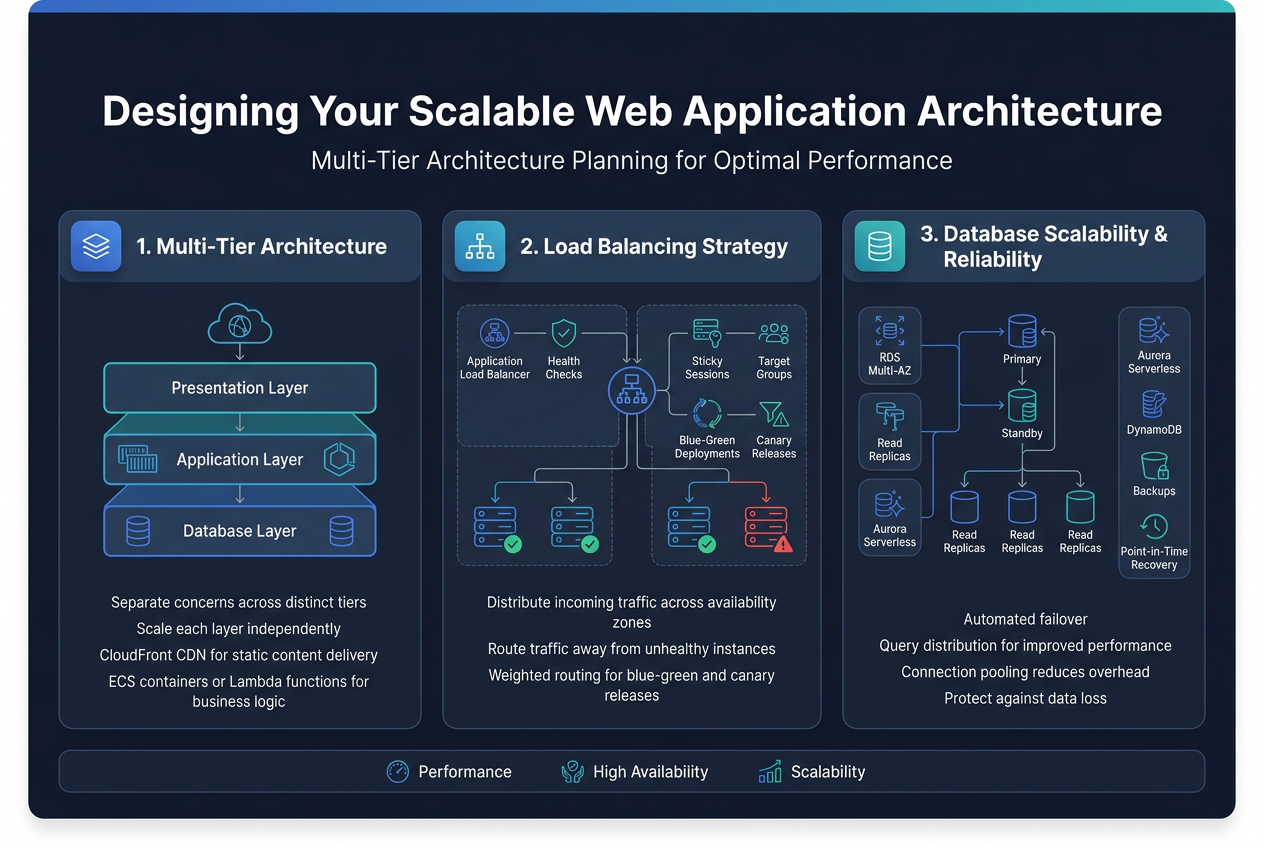
Effective scalable web application architecture relies on separating concerns across distinct tiers that can scale independently. The presentation layer handles user interfaces and static content delivery through CloudFront CDN, while the application layer processes business logic using containerized services on ECS or Lambda functions. This separation allows teams to optimize each layer’s performance characteristics and scaling patterns without affecting other components.
Load Balancing Strategy for High Availability
Application Load Balancers distribute incoming traffic across multiple availability zones, ensuring your web application remains accessible even during server failures. Configure health checks to automatically route traffic away from unhealthy instances while implementing sticky sessions for stateful applications. Target groups enable granular traffic distribution based on request patterns, supporting both blue-green deployments and canary releases through weighted routing policies.
Database Layer Design for Scalability and Reliability
Amazon RDS with Multi-AZ deployments provides automated failover capabilities while read replicas handle query distribution for improved performance. Consider Aurora Serverless for variable workloads or DynamoDB for NoSQL requirements with built-in auto-scaling. Database connection pooling through RDS Proxy reduces connection overhead, while automated backups and point-in-time recovery protect against data loss scenarios.
Building Infrastructure Foundation with Terraform
VPC and Network Security Configuration
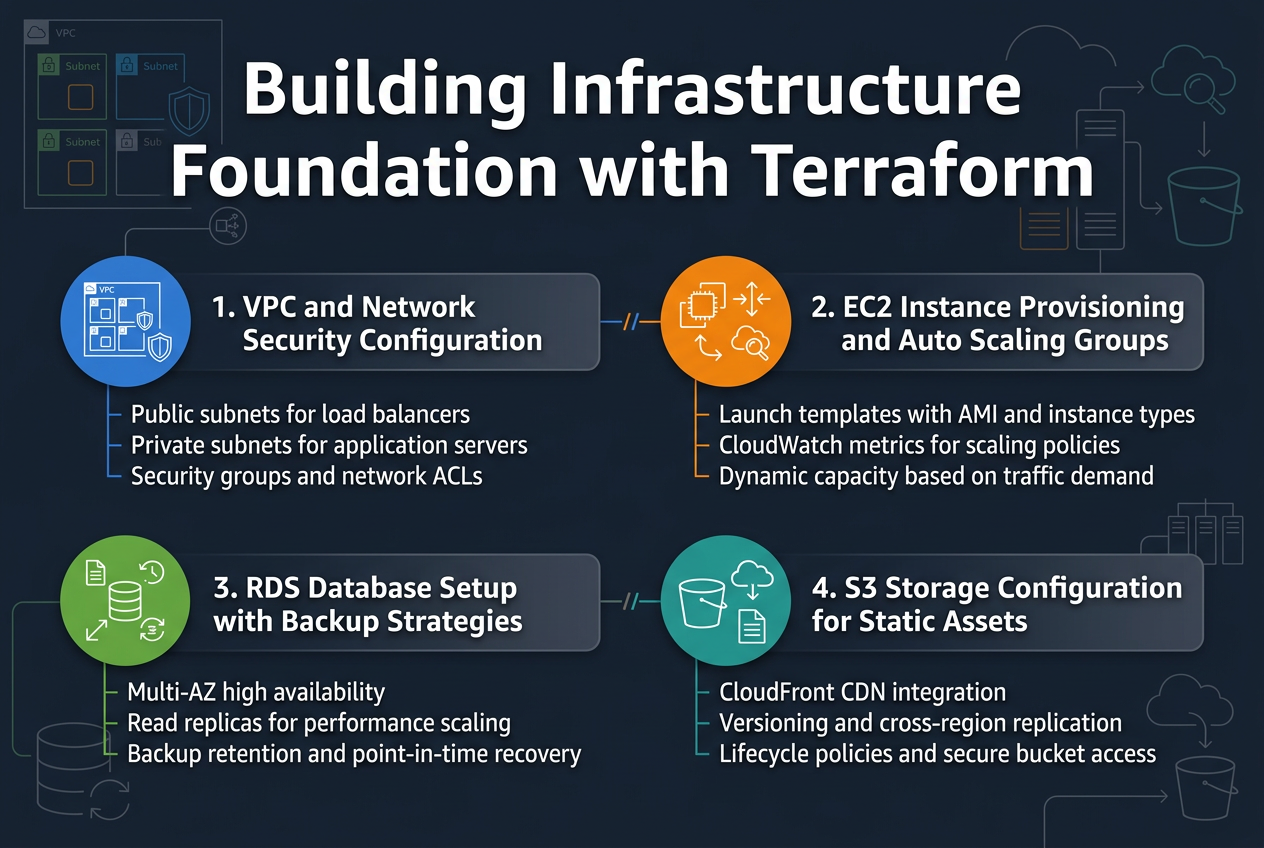
Creating a solid VPC foundation requires careful subnet planning and security group configuration. Your Terraform AWS deployment should define public subnets for load balancers and private subnets for application servers across multiple availability zones. Network ACLs and security groups work together to create defense-in-depth protection.
EC2 Instance Provisioning and Auto Scaling Groups
Auto Scaling Groups ensure your scalable web application architecture responds dynamically to traffic changes. Configure launch templates with AMI specifications, instance types, and security groups. Set up CloudWatch metrics to trigger scaling policies based on CPU utilization, memory usage, or custom application metrics for optimal performance.
RDS Database Setup with Backup Strategies
RDS instances provide managed database services with automated backups and maintenance. Configure Multi-AZ deployments for high availability and read replicas for performance scaling. Implement backup retention policies, point-in-time recovery, and cross-region snapshots to protect critical data while maintaining compliance requirements.
S3 Storage Configuration for Static Assets
S3 buckets serve static content efficiently with CloudFront CDN integration. Configure lifecycle policies to transition objects between storage classes automatically. Enable versioning and cross-region replication for data durability. Implement proper IAM policies and bucket policies to secure access while maintaining performance for your web application’s static assets.
Implementing Advanced AWS Services for Production Readiness
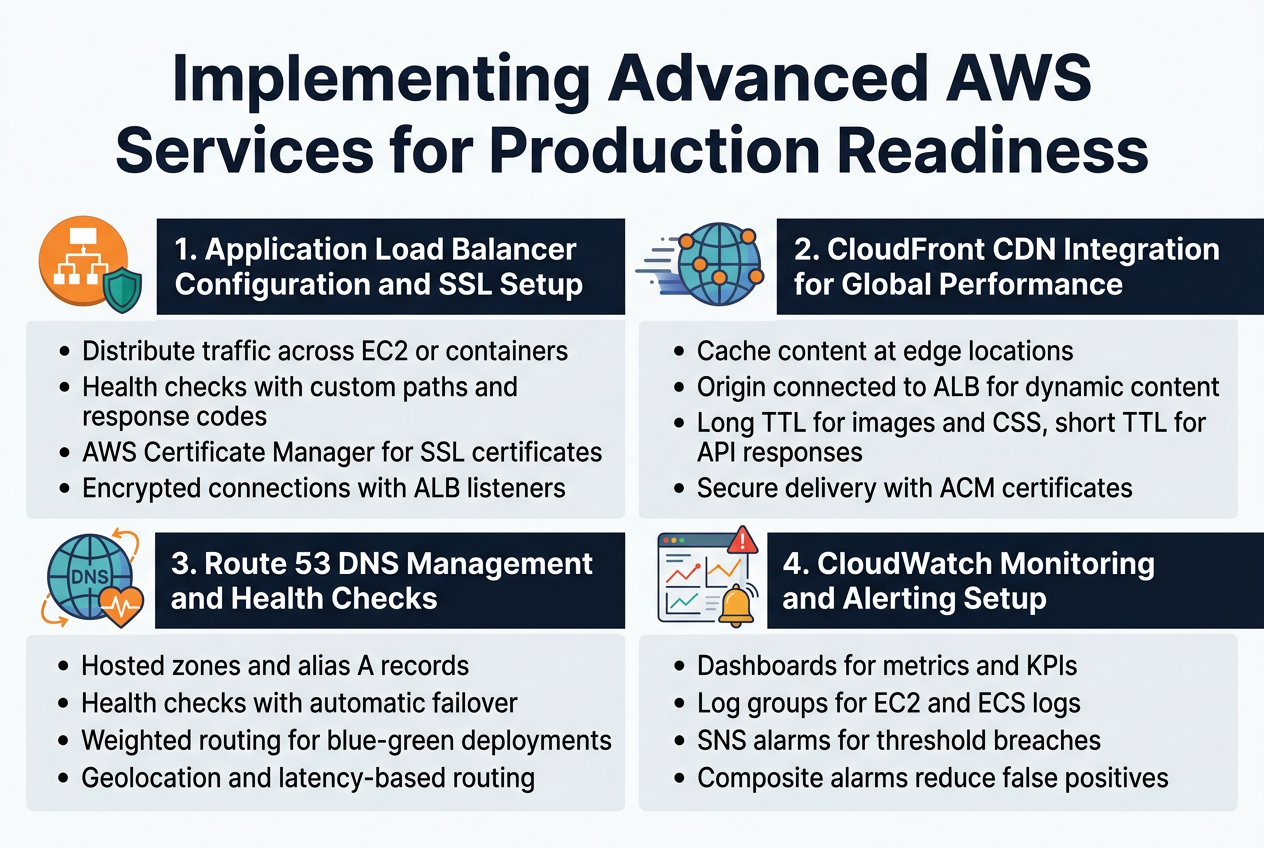
Application Load Balancer Configuration and SSL Setup
Setting up an Application Load Balancer (ALB) with Terraform transforms your web application into a highly available, fault-tolerant service. The ALB distributes incoming traffic across multiple EC2 instances or containers, automatically routing requests away from unhealthy targets. Configure target groups with appropriate health check parameters, including custom paths and response codes that match your application’s health endpoints.
SSL certificate management becomes seamless when you integrate AWS Certificate Manager with your ALB configuration. Request certificates directly through Terraform using the aws_acm_certificate resource, then attach them to your load balancer listeners. This approach eliminates manual certificate renewal headaches while ensuring encrypted connections between clients and your application.
CloudFront CDN Integration for Global Performance
CloudFront distribution setup through Terraform dramatically reduces latency for users worldwide by caching content at edge locations. Configure custom origin settings to point to your ALB, enabling dynamic content delivery alongside static assets. Set appropriate cache behaviors for different content types, with longer TTLs for images and CSS files, while keeping API responses fresh with shorter cache durations.
Terraform’s CloudFront resources allow you to define multiple origins, custom error pages, and geographic restrictions all in code. Integrate with your existing SSL certificates from ACM to secure content delivery, and configure origin request policies that preserve necessary headers while optimizing cache hit ratios across your global user base.
Route 53 DNS Management and Health Checks
Route 53 hosted zones created through Terraform provide robust DNS management with programmatic control over your domain records. Configure A records that alias to your CloudFront distributions or ALB endpoints, enabling seamless traffic routing without hardcoded IP addresses. Health checks monitor your application endpoints, automatically failing over to backup resources when primary systems become unavailable.
Weighted routing policies let you implement blue-green deployments or gradual traffic shifts between different application versions. Terraform’s Route 53 resources support complex routing scenarios including geolocation-based routing for compliance requirements and latency-based routing that automatically directs users to the closest healthy endpoint.
CloudWatch Monitoring and Alerting Setup
CloudWatch dashboards built with Terraform provide comprehensive visibility into your application performance and infrastructure health. Create custom metrics that track business-specific KPIs alongside standard AWS metrics like CPU utilization and request counts. Log groups automatically capture application logs from your EC2 instances or ECS containers, making troubleshooting faster and more effective.
Alarm configurations trigger notifications through SNS topics when critical thresholds are breached, enabling proactive incident response. Set up composite alarms that combine multiple metrics to reduce false positives, and configure different notification channels for various severity levels. This monitoring foundation supports both operational excellence and cost optimization by identifying underutilized resources.
Terraform Best Practices for Maintainable Infrastructure
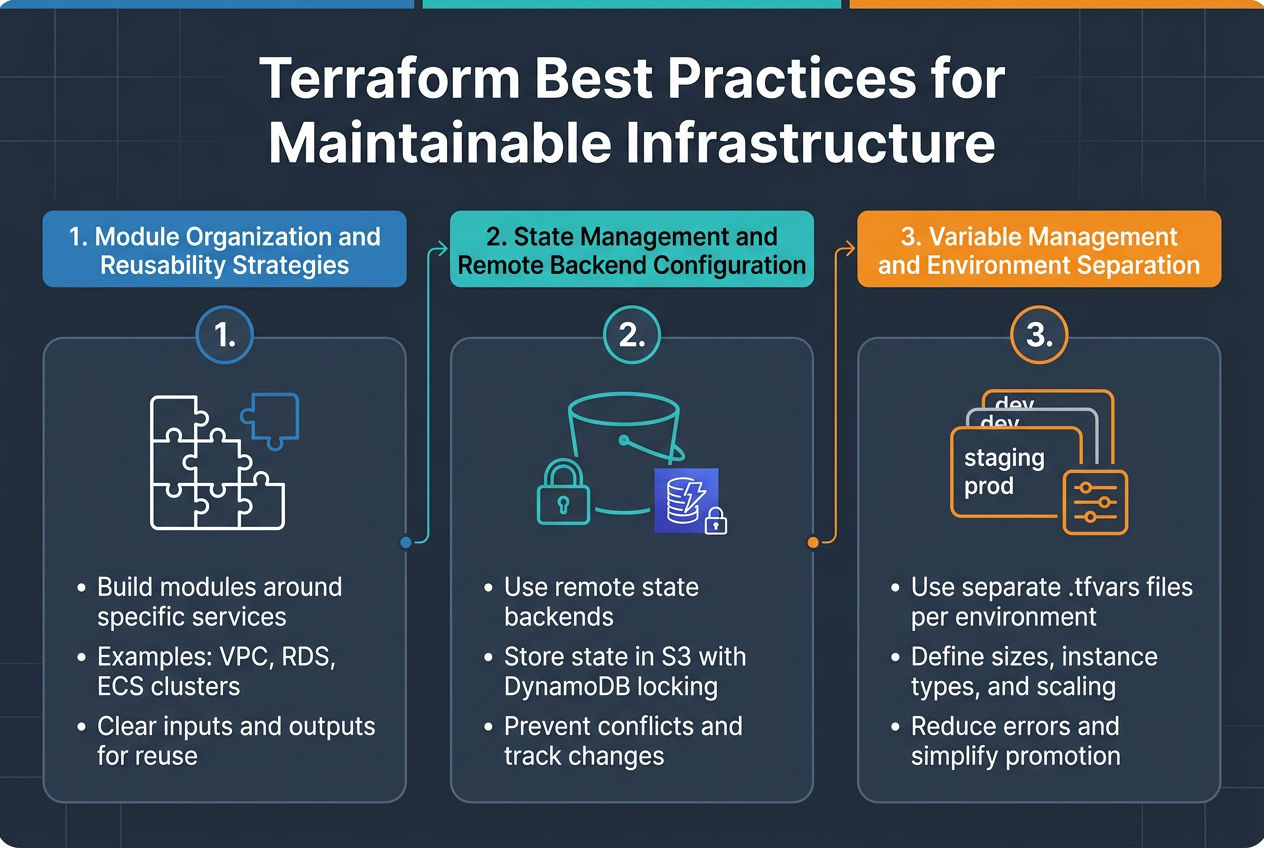
Module Organization and Reusability Strategies
Creating modular Terraform code transforms AWS infrastructure as code into manageable, reusable components. Structure your modules around specific services like VPC, RDS, or ECS clusters, allowing teams to share and iterate on proven patterns. Each module should have clear inputs and outputs, making them building blocks for different environments and projects.
State Management and Remote Backend Configuration
Remote state backends prevent conflicts and enable team collaboration on Terraform AWS deployments. Configure S3 with DynamoDB locking to store state files securely and track changes across multiple developers. This approach eliminates the risk of concurrent modifications and provides audit trails for infrastructure changes.
Variable Management and Environment Separation
Environment-specific variable files keep configurations organized while maintaining consistency across development, staging, and production deployments. Use separate .tfvars files for each environment, defining resource sizes, instance types, and scaling parameters appropriately. This strategy reduces deployment errors and makes environment promotion straightforward and predictable.
Deployment Automation and CI/CD Integration
GitHub Actions Integration with Terraform Workflows
Setting up GitHub Actions for Terraform AWS deployment creates a robust automation pipeline that triggers on code changes. Configure workflows with proper AWS credentials using secrets, implement state locking with S3 backends, and use terraform plan outputs for pull request reviews. This integration enables seamless infrastructure as code management while maintaining version control and collaboration standards.
Automated Testing and Validation Pipelines
Automated testing validates infrastructure changes before deployment through terraform validate, plan, and custom checks. Implement security scanning with tools like tfsec, run compliance checks against AWS best practices, and validate resource configurations. These pipelines catch errors early, ensuring your scalable web application architecture meets production requirements before reaching live environments.
Blue-Green Deployment Strategies
Blue-green deployments minimize downtime by maintaining parallel production environments. Use Application Load Balancer target groups to switch traffic between environments, automate database migrations, and implement health checks for validation. This strategy provides instant rollback capabilities and zero-downtime deployments for your end-to-end deployment automation workflow.
Rollback Procedures and Disaster Recovery
Establish clear rollback procedures using Terraform state management and AWS backup services. Create automated scripts that revert to previous infrastructure versions, implement cross-region backups for critical data, and document recovery time objectives. Your AWS CI/CD pipeline should include disaster recovery testing to ensure rapid restoration of services during incidents.
Security Hardening and Compliance Implementation
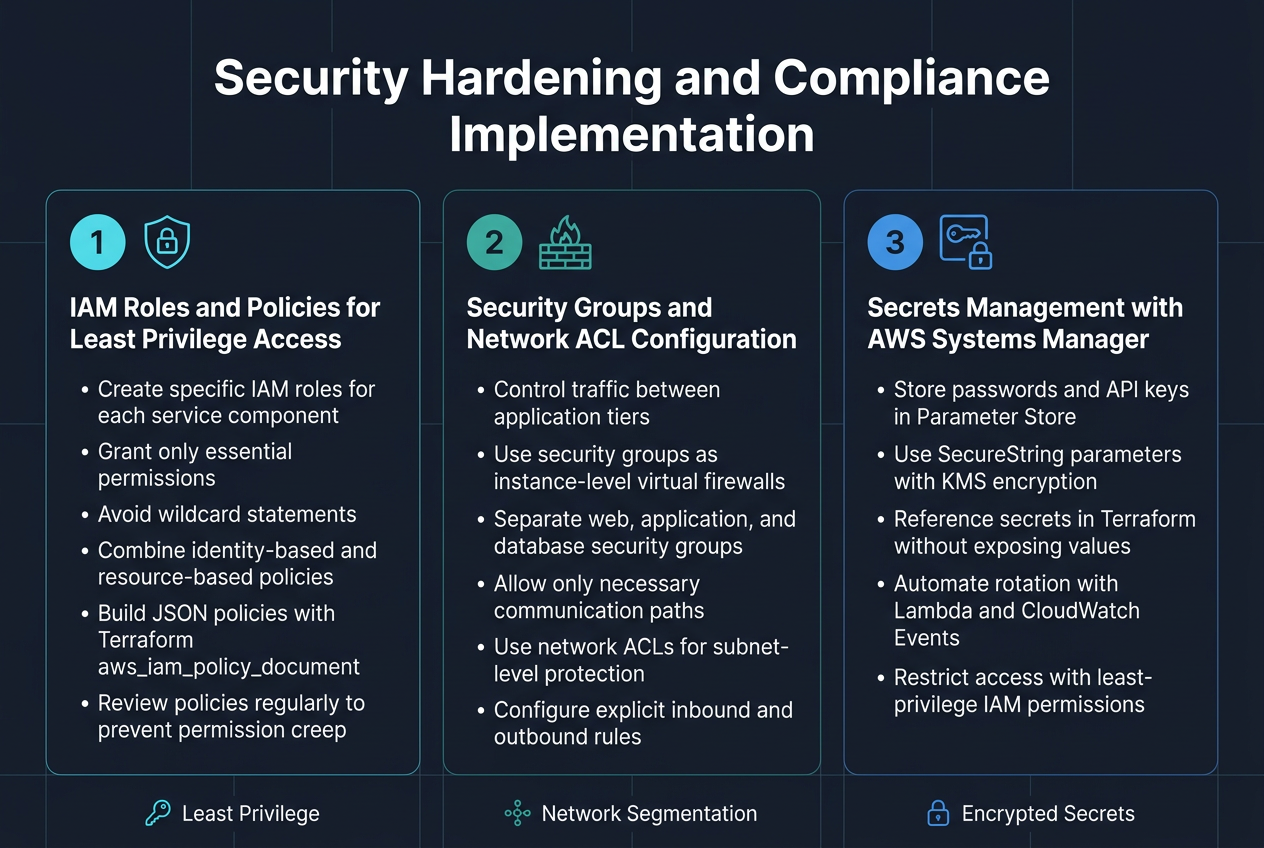
IAM Roles and Policies for Least Privilege Access
Proper IAM configuration forms the backbone of AWS infrastructure security hardening. Creating specific roles for each service component prevents unauthorized access across your scalable web application architecture. Define granular policies that grant only essential permissions, avoiding wildcard statements that expose resources unnecessarily.
Resource-based policies work alongside identity-based policies to create defense layers. Use Terraform’s aws_iam_policy_document data source to build JSON policies programmatically, making them easier to maintain and audit. Regular policy reviews catch permission creep before it becomes a security risk.
Security Groups and Network ACL Configuration
Network-level security controls traffic flow between application tiers in your AWS Terraform deployment. Security groups act as virtual firewalls, controlling inbound and outbound traffic at the instance level. Configure separate groups for web servers, application servers, and databases, allowing communication only between necessary components.
Network ACLs provide subnet-level protection as an additional security layer. Unlike security groups, they’re stateless and require explicit rules for both directions. Combine both mechanisms to create comprehensive network segmentation that supports your scalable web application while blocking malicious traffic.
Secrets Management with AWS Systems Manager
AWS Systems Manager Parameter Store centralizes sensitive configuration data like database passwords and API keys. Use SecureString parameters with KMS encryption to protect secrets at rest and in transit. Your Terraform configuration can reference these parameters without exposing sensitive values in state files.
Implement automatic secret rotation using Lambda functions triggered by CloudWatch Events. This approach reduces manual overhead while maintaining security standards. Configure proper IAM permissions so only authorized services can retrieve specific secrets, supporting the principle of least privilege access across your infrastructure.
Cost Optimization and Performance Monitoring
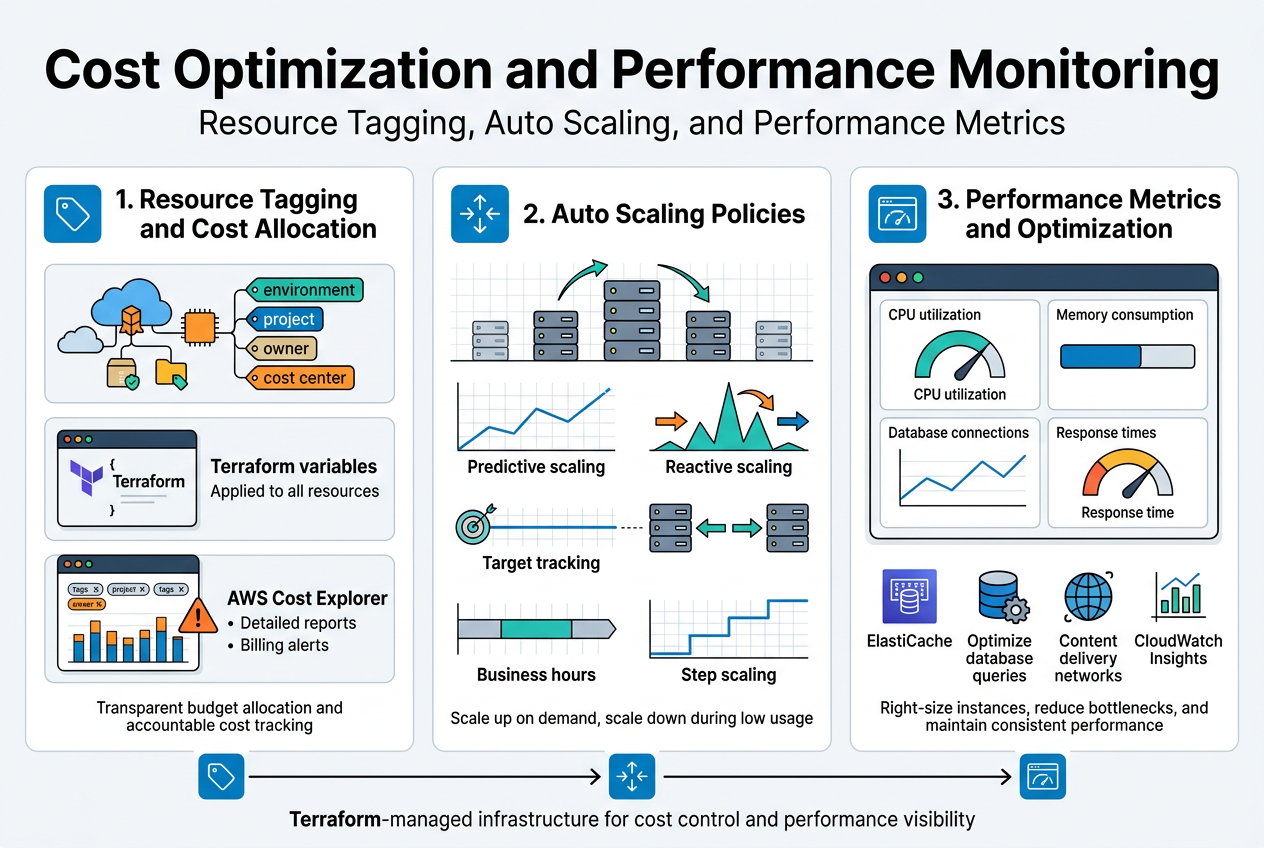
Resource Tagging and Cost Allocation Strategies
Proper resource tagging transforms chaotic AWS bills into actionable insights. Implementing a consistent tagging strategy with Terraform ensures every resource carries essential metadata like environment, project, owner, and cost center. This systematic approach enables granular cost tracking across departments and projects, making budget allocation transparent and accountable.
Cost allocation tags work best when defined as variables in your Terraform configuration, automatically applied to all resources. AWS Cost Explorer leverages these tags to generate detailed reports, helping identify spending patterns and optimization opportunities. Set up billing alerts based on tag combinations to catch budget overruns before they become expensive surprises.
Auto Scaling Policies for Cost-Effective Operations
Auto Scaling policies balance performance demands with AWS cost optimization by dynamically adjusting resources based on actual usage patterns. Configure predictive scaling for known traffic patterns and reactive scaling for unexpected spikes. Target tracking policies maintain optimal performance while minimizing idle resources, directly reducing infrastructure costs.
Terraform enables sophisticated scaling configurations through policy attachments and CloudWatch metrics integration. Schedule-based scaling handles predictable workloads during business hours, while step scaling provides granular control over resource allocation. Combine multiple scaling policies to create resilient, cost-effective infrastructure that scales down during low-demand periods.
Performance Metrics and Optimization Techniques
CloudWatch metrics reveal bottlenecks before they impact user experience, enabling proactive performance optimization across your scalable web application architecture. Monitor key indicators like CPU utilization, memory consumption, database connections, and response times through custom dashboards. Application-level metrics complement infrastructure monitoring, providing complete visibility into system behavior.
Performance optimization starts with right-sizing instances based on actual usage data rather than assumptions. Implement caching strategies using ElastiCache, optimize database queries, and leverage content delivery networks for static assets. Regular performance reviews using CloudWatch Insights help identify trends and optimize resource allocation, ensuring your Terraform-managed infrastructure delivers consistent performance while controlling costs.
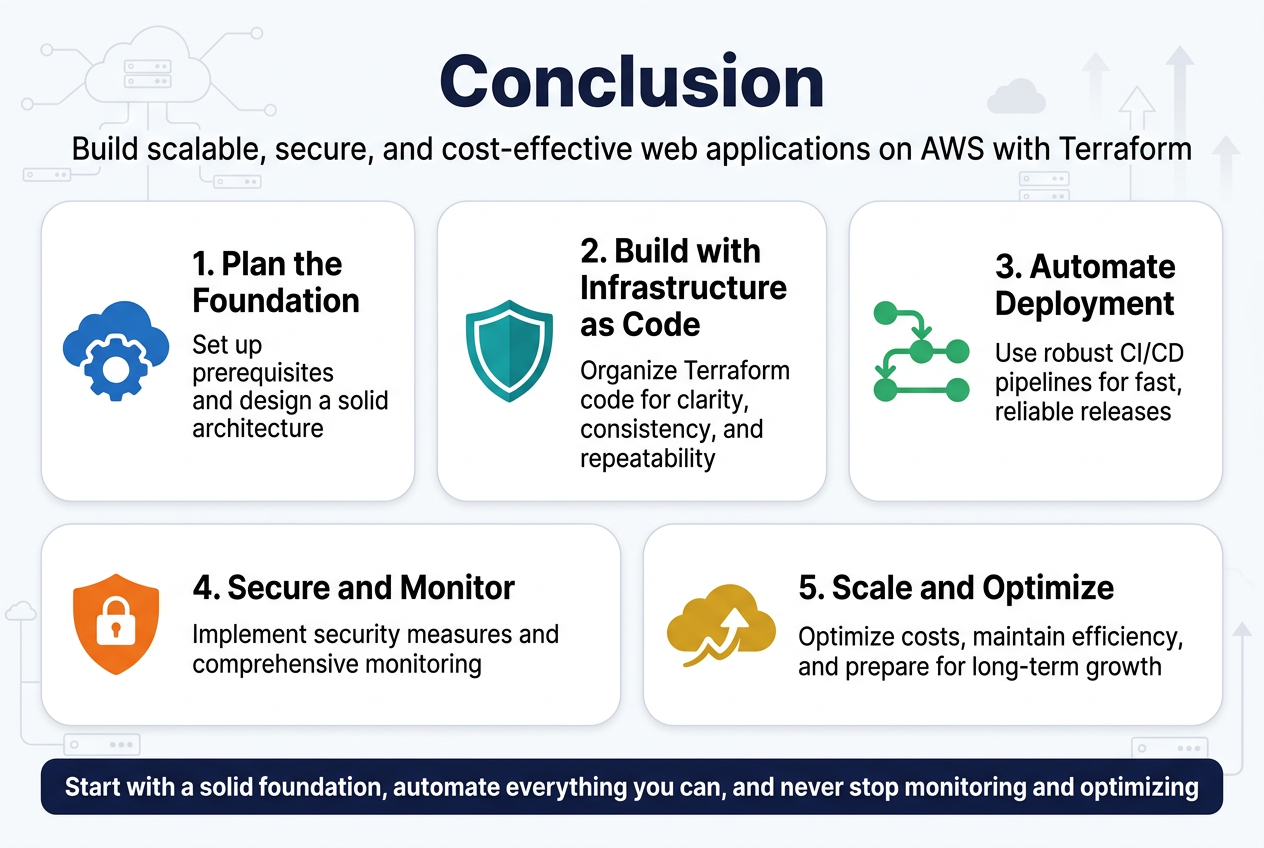
Building a scalable web application on AWS with Terraform requires careful planning and attention to detail across multiple layers. From setting up the right prerequisites and designing a solid architecture to implementing security measures and optimizing costs, each step plays a crucial role in creating a production-ready system. The combination of Infrastructure as Code principles, automated deployment pipelines, and proper monitoring creates a foundation that can grow with your business needs.
The real power of this approach lies in its ability to scale efficiently while maintaining security and cost-effectiveness. By following best practices for Terraform code organization, integrating robust CI/CD pipelines, and implementing comprehensive monitoring, you’re setting yourself up for long-term success. Start with a solid foundation, automate everything you can, and never stop monitoring and optimizing. Your future self will thank you when your application can handle whatever traffic and challenges come its way.









