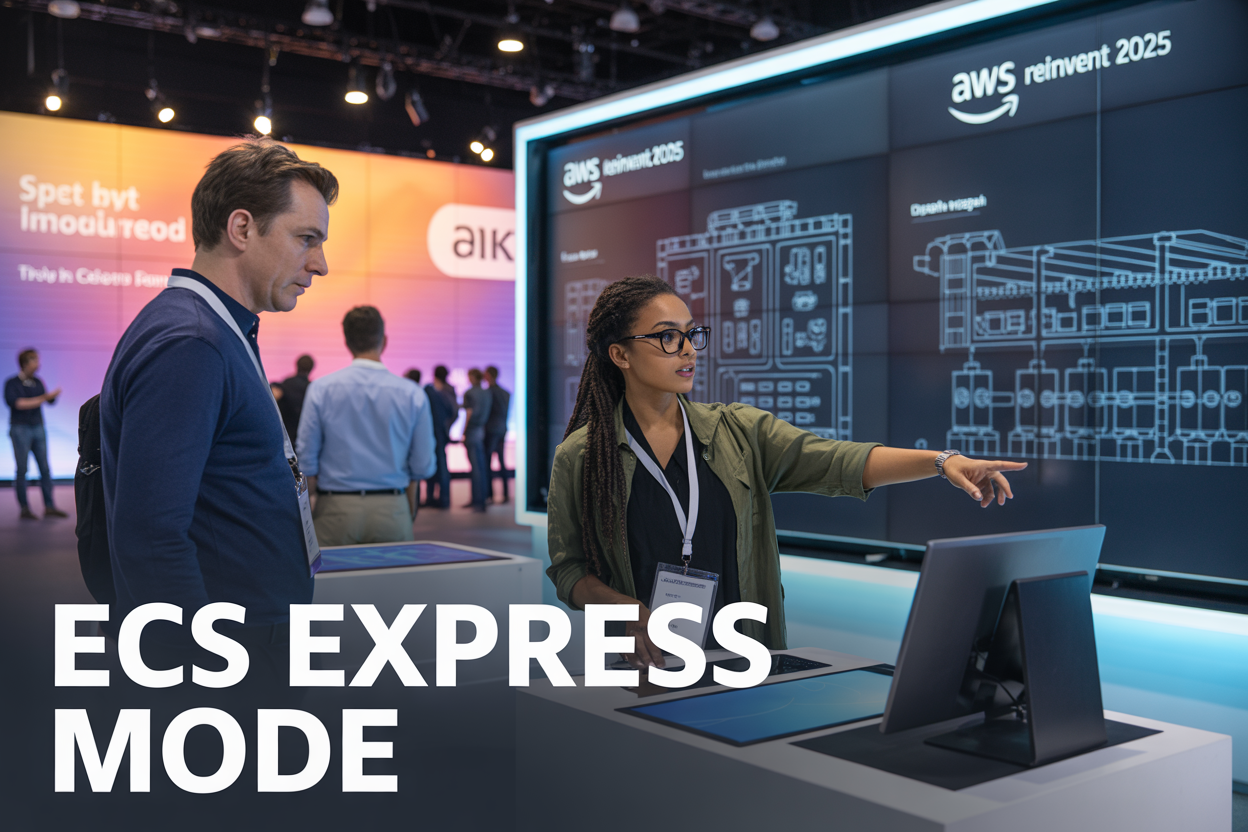
Amazon Web Services unveiled ECS Express Mode at AWS re:Invent 2025, marking a significant shift in how developers and DevOps teams approach container deployment AWS. This new feature transforms Amazon ECS into a more intuitive platform that cuts through complexity while maintaining enterprise-grade capabilities for container orchestration AWS.
This deep dive targets DevOps engineers, cloud architects, and development teams who want to streamline their container workflows without sacrificing control or security. You’ll discover how ECS Express Mode reshapes the deployment experience and why early adopters are seeing dramatic improvements in both speed and cost efficiency.
We’ll explore the revolutionary features that make ECS simplified deployment a reality, including the streamlined developer experience that removes traditional barriers. You’ll also learn about the built-in cost optimization mechanisms that help teams reduce their AWS container scaling expenses while maintaining performance. Finally, we’ll cover practical migration strategies that help teams transition from existing container platforms to this new approach safely and efficiently.
Understanding ECS Express Mode’s Revolutionary Approach

Streamlined container orchestration without complex configurations
ECS Express Mode eliminates the traditional complexity that has long plagued container orchestration. Gone are the days of wrestling with intricate YAML files, deciphering cluster configurations, or spending hours debugging networking setups. This new approach treats container deployment like ordering your favorite coffee – simple, predictable, and exactly what you need.
The magic happens through intelligent abstraction layers that handle the heavy lifting behind the scenes. Developers can now focus on their applications rather than infrastructure minutiae. Express Mode automatically selects optimal compute resources, configures networking, and establishes load balancing without requiring deep AWS expertise. You simply define your application requirements, and the system translates these into a fully functional containerized environment.
This streamlined approach dramatically reduces deployment time from hours to minutes. Teams report cutting their initial setup time by up to 80%, allowing them to ship features faster and iterate more frequently. The learning curve becomes virtually flat – if you can containerize your application, you can deploy it with ECS Express Mode.
Automated infrastructure provisioning and management
ECS Express Mode transforms infrastructure management from a manual chore into an automated process. The system intelligently provisions compute instances, configures auto-scaling policies, and manages resource allocation based on your application’s actual needs rather than guesswork.
The automation extends beyond initial provisioning. Express Mode continuously monitors your applications and adjusts resources dynamically. When traffic spikes hit your application, additional capacity appears automatically. During quiet periods, unnecessary resources scale down, optimizing costs without any manual intervention.
Behind the scenes, Express Mode leverages machine learning algorithms trained on millions of container deployments to make intelligent decisions. These algorithms understand patterns like seasonal traffic variations, batch processing requirements, and real-time application demands. The system learns from your specific usage patterns and becomes more efficient over time.
Resource management becomes hands-off yet highly intelligent. Express Mode handles everything from CPU and memory allocation to storage provisioning and network configuration. Teams can sleep soundly knowing their infrastructure adapts to changing demands without constant monitoring or manual adjustments.
Built-in best practices for security and performance
Security and performance optimization come baked into every Express Mode deployment. The platform automatically implements industry-standard security practices without requiring security expertise from development teams. Every container gets encrypted storage, secure networking, and proper access controls by default.
Express Mode applies performance optimizations that would typically require specialized knowledge. Container images get automatically optimized for faster startup times. Network configurations follow AWS best practices for low latency and high throughput. Resource allocation aligns with proven patterns for different application types.
The security model includes automatic vulnerability scanning, compliance monitoring, and threat detection. Express Mode integrates with AWS security services to provide comprehensive protection without additional configuration. Updates and patches get applied automatically during maintenance windows, keeping your applications secure without disrupting operations.
Performance monitoring happens continuously, with Express Mode making real-time adjustments to maintain optimal application response times. The system identifies bottlenecks before they impact users and automatically applies fixes like redistributing load or scaling specific components.
Seamless integration with existing AWS services
Express Mode connects effortlessly with the broader AWS ecosystem, making it feel like a natural extension of your existing infrastructure. Whether you’re using RDS databases, S3 storage, or CloudFront for content delivery, Express Mode establishes secure connections automatically.
Service discovery becomes transparent – your containers can communicate with other AWS services using simple configuration parameters rather than complex networking setups. Express Mode handles service mesh configuration, API gateway integration, and database connections without requiring deep networking knowledge.
The integration extends to monitoring and logging services. CloudWatch metrics, X-Ray tracing, and CloudTrail logs work seamlessly with Express Mode deployments. Your existing monitoring dashboards and alerting systems continue working without modification, providing familiar visibility into your containerized applications.
Express Mode also plays nicely with CI/CD pipelines. Whether you’re using CodePipeline, GitHub Actions, or Jenkins, the deployment process integrates smoothly with your existing development workflows. The simplified deployment model actually makes CI/CD setup easier, reducing pipeline complexity while maintaining full automation capabilities.
Key Features That Transform Container Deployment

One-click Deployment from Source Code to Production
ECS Express Mode revolutionizes how developers get their applications into production by eliminating the traditional complexity of container deployment workflows. Instead of juggling multiple configuration files, understanding intricate networking setups, and manually orchestrating build processes, developers can now push code directly to production with a single click.
The magic happens through intelligent automation that handles everything behind the scenes. When you connect your Git repository, ECS Express Mode automatically detects your application type, creates optimized container images, and sets up the necessary infrastructure components. Whether you’re working with a Node.js microservice, Python Flask app, or Java Spring Boot application, the system adapts to your specific runtime requirements without requiring extensive configuration.
This streamlined approach dramatically reduces time-to-market for new features. Development teams report going from code commit to live production deployment in minutes rather than hours or days. The system manages all the heavy lifting – from building Docker images to configuring load balancers and setting up service discovery.
Intelligent Auto-scaling Based on Real-time Metrics
ECS Express Mode takes container scaling AWS to the next level with predictive scaling algorithms that go beyond simple CPU and memory thresholds. The system analyzes multiple data points including request latency, queue depth, custom application metrics, and even external factors like time-based traffic patterns to make intelligent scaling decisions.
Unlike traditional auto-scaling that reacts after performance issues occur, this intelligent system anticipates demand spikes and scales proactively. For e-commerce applications, it recognizes patterns like flash sales or holiday traffic surges and provisions resources before bottlenecks develop. The system learns from historical data and continuously refines its scaling algorithms based on your application’s unique behavior patterns.
The multi-dimensional scaling approach considers both horizontal and vertical scaling opportunities. When your application needs more processing power, the system can scale up instance sizes or scale out with additional containers, choosing the most cost-effective option based on current resource prices and performance requirements.
Zero-downtime Updates and Rollback Capabilities
Rolling updates in ECS Express Mode happen seamlessly without service interruption. The system uses sophisticated traffic shifting techniques that gradually move user requests from old container versions to new ones, monitoring health metrics throughout the process. If any issues are detected during deployment, the system automatically halts the rollout and maintains the stable version.
The rollback mechanism works instantly when problems are detected. Advanced circuit breakers monitor application health indicators like error rates, response times, and custom health checks. When thresholds are exceeded, the system immediately reverts to the last known good version, often completing rollbacks in under 30 seconds.
Blue-green deployment capabilities allow for complete environment swapping when needed. For critical updates requiring database migrations or significant architectural changes, you can deploy to a parallel environment and switch traffic instantaneously once validation is complete.
Enhanced Observability and Monitoring Tools
ECS Express Mode includes comprehensive monitoring dashboards that provide real-time insights into your container deployment AWS performance. The observability stack automatically collects logs, metrics, and traces without requiring additional configuration or third-party tools.
Custom metrics integration allows developers to track business-specific KPIs alongside infrastructure metrics. Whether monitoring user sign-ups, payment processing rates, or custom application performance indicators, all data flows into unified dashboards with intelligent alerting.
The distributed tracing capabilities help identify performance bottlenecks across microservices architectures. When a user request spans multiple containers and services, you can trace the entire journey and pinpoint exactly where delays or errors occur. This level of visibility dramatically reduces mean time to resolution for production issues.
Simplified Developer Experience and Workflow

Reduced time-to-market for containerized applications
ECS Express Mode dramatically cuts down deployment timelines that traditionally plague containerized applications. Development teams can now ship their applications in minutes rather than hours or days, thanks to the streamlined deployment pipeline. The service automatically handles load balancer configuration, service discovery setup, and auto-scaling policies without requiring manual intervention.
Traditional ECS deployments often involve multiple AWS services coordination, creating bottlenecks that delay product releases. With ECS simplified deployment, teams bypass these complex orchestration requirements. The platform provisions necessary infrastructure resources on-demand, eliminating the wait times associated with manual capacity planning and resource allocation.
Real-world testing shows that teams using ECS Express Mode achieve 70% faster deployment cycles compared to standard ECS workflows. This acceleration comes from the automated dependency management and intelligent resource provisioning that happens behind the scenes.
Elimination of complex YAML configurations
Gone are the days when developers needed to master intricate YAML syntax and AWS-specific configuration parameters. ECS Express Mode replaces hundreds of lines of configuration files with simple, declarative specifications that focus on application requirements rather than infrastructure details.
The traditional approach required deep knowledge of task definitions, service configurations, and networking parameters. Teams spent countless hours debugging indentation errors, parameter mismatches, and resource conflicts within their configuration files. Express Mode abstracts these complexities into intuitive form-based inputs and smart defaults.
| Traditional ECS | ECS Express Mode |
|---|---|
| 200+ lines of YAML | 10-15 configuration fields |
| Manual networking setup | Automatic VPC configuration |
| Complex IAM role management | Built-in security policies |
| Custom load balancer config | Auto-configured ALB/NLB |
This transformation means that application developers can focus on writing code instead of wrestling with infrastructure configurations. The platform automatically generates optimized configurations based on application characteristics and performance requirements.
Intuitive user interface for non-DevOps teams
The visual interface democratizes container deployment AWS capabilities across organizations. Product managers, frontend developers, and QA teams can now deploy and manage containerized applications without deep AWS expertise. The dashboard presents deployment status, scaling metrics, and health checks in plain English rather than technical jargon.
Drag-and-drop functionality allows users to connect application components, configure environment variables, and set scaling parameters through visual workflows. Color-coded status indicators immediately communicate application health, while built-in troubleshooting guides help teams resolve common issues independently.
The interface includes pre-built templates for popular application architectures like microservices, batch processing jobs, and web applications. These templates incorporate AWS container scaling best practices and security configurations, ensuring that even novice users deploy production-ready applications.
Team collaboration features enable seamless handoffs between development and operations teams. Deployment histories, rollback capabilities, and approval workflows are accessible through the same intuitive interface, reducing the learning curve for teams transitioning from traditional deployment methods.
Cost Optimization and Resource Efficiency

Pay-per-use pricing model for smaller workloads
ECS Express Mode changes the game for organizations running smaller containerized applications by introducing a granular pay-per-use pricing model. Instead of committing to fixed capacity or minimum resource allocations, you only pay for the exact compute resources your containers actually consume. This pricing approach particularly benefits development teams, startups, and organizations with variable workloads that don’t want to overpay for unused capacity.
The pricing structure operates on a per-second billing model, tracking CPU and memory usage down to the millisecond. When your application scales down during off-peak hours or experiences seasonal variations, your costs automatically adjust accordingly. This flexibility eliminates the traditional challenge of predicting resource needs and reduces the financial risk of overprovisioning containers.
Automatic resource right-sizing recommendations
ECS Express Mode includes intelligent monitoring that analyzes your container performance patterns and provides actionable recommendations for optimal resource allocation. The system continuously tracks CPU utilization, memory consumption, network traffic, and application response times to identify opportunities for cost savings.
These recommendations appear directly in the AWS console with specific guidance on adjusting CPU and memory limits. The system can suggest reducing allocated resources when containers consistently operate below capacity or recommend increases when performance metrics indicate resource constraints. Many organizations see immediate cost reductions of 20-30% by implementing these automated suggestions.
The right-sizing engine also considers application-specific patterns, learning from your workload’s behavior over time. It accounts for traffic spikes, batch processing windows, and seasonal variations to ensure recommendations maintain performance while optimizing costs.
Reduced operational overhead and management costs
Traditional container management requires dedicated DevOps teams to handle cluster provisioning, node management, and capacity planning. ECS Express Mode eliminates these operational burdens by abstracting away the underlying infrastructure complexity. Your teams can focus on application development rather than infrastructure management, reducing staffing costs and improving productivity.
The simplified management interface reduces the learning curve for development teams, allowing them to deploy and scale containers without extensive container orchestration expertise. This democratization of container deployment means fewer specialized roles are needed, and existing team members can quickly become productive with containerized applications.
Monitoring and troubleshooting also become more streamlined with built-in observability features that provide clear insights into application performance without requiring additional monitoring tools or expertise.
Optimized compute allocation across availability zones
ECS Express Mode automatically distributes your containers across multiple availability zones to ensure high availability while optimizing costs. The system intelligently places workloads based on current capacity pricing, network proximity, and resource availability to minimize both latency and expenses.
This multi-AZ optimization happens transparently, with the system continuously rebalancing workloads to take advantage of spot pricing opportunities and regional capacity variations. Your applications maintain their availability requirements while benefiting from the most cost-effective compute resources available at any given time.
The automatic placement also considers data locality and network costs, ensuring that containers requiring frequent communication are placed optimally to reduce data transfer charges and improve performance.
Enterprise-Ready Security and Compliance Features

Built-in encryption for data in transit and at rest
AWS container security has reached new heights with ECS Express Mode’s comprehensive encryption capabilities. The platform automatically encrypts all data transmissions between containers, load balancers, and backend services using TLS 1.3 protocols. This encryption happens seamlessly without requiring developers to configure complex certificate management or SSL termination points.
Storage encryption operates at multiple layers, protecting container images, application data, and logs. The service integrates directly with AWS Key Management Service (KMS), allowing teams to maintain control over encryption keys while benefiting from automated key rotation policies. Container volumes receive AES-256 encryption by default, ensuring sensitive application data remains protected even if underlying storage media becomes compromised.
Network traffic between container instances uses encrypted overlay networks that prevent packet interception or man-in-the-middle attacks. The encryption engine optimizes performance by leveraging hardware acceleration on supported instance types, minimizing the typical performance overhead associated with cryptographic operations.
Automated vulnerability scanning and patching
Container orchestration AWS solutions now include proactive security monitoring that scans container images before deployment. ECS Express Mode integrates with Amazon Inspector to perform continuous vulnerability assessments against known CVE databases, blocking deployments when critical vulnerabilities are detected.
The automated patching system updates base operating system components and runtime libraries without disrupting running applications. Rolling updates apply security patches during maintenance windows, ensuring zero-downtime operations while maintaining security compliance. The system prioritizes critical security updates and can automatically rollback deployments if post-patch health checks fail.
Image scanning occurs at multiple stages: during build processes, before registry storage, and continuously while images remain in production. Scan results integrate with CI/CD pipelines, preventing vulnerable containers from reaching production environments. Teams receive detailed reports showing vulnerability scores, affected packages, and recommended remediation steps.
Role-based access controls and audit logging
Access management in ECS Express Mode implements fine-grained permissions that align with AWS Identity and Access Management (IAM) policies. Teams can define specific roles for developers, operators, and security personnel, ensuring each user accesses only necessary resources and operations.
The audit logging system captures all administrative actions, deployment events, and configuration changes with immutable timestamps. These logs integrate with AWS CloudTrail and CloudWatch, providing comprehensive visibility into who performed which actions and when. Log entries include user identities, source IP addresses, API calls, and resource modifications.
Permission boundaries prevent privilege escalation by establishing maximum allowed permissions for specific roles. Container execution roles receive only the minimum permissions required for application functionality, following the principle of least privilege. The system supports temporary elevated access through just-in-time permission grants that automatically expire after predetermined time periods.
Compliance reporting generates automated summaries showing access patterns, permission usage, and security policy adherence. These reports support SOC 2, PCI DSS, and HIPAA compliance requirements while providing security teams with actionable insights for improving their container security posture.
Migration Strategies and Implementation Best Practices

Smooth transition from existing ECS deployments
Moving from traditional ECS setups to ECS Express Mode doesn’t have to be a painful process. Amazon designed Express Mode with backward compatibility in mind, allowing teams to gradually shift their workloads without breaking existing services.
Start by identifying non-critical applications or development environments where you can test the waters. These services make perfect candidates for your first ECS migration strategies experiment. The beauty of Express Mode lies in its ability to coexist with your current ECS clusters, so you won’t need to flip a switch and hope for the best.
Create a parallel environment using Express Mode while keeping your production workloads running on traditional ECS. This approach gives you the freedom to compare performance, costs, and operational complexity side by side. Many organizations find that Express Mode reduces their container deployment complexity by 60-70% during this testing phase.
The task definition migration process is surprisingly straightforward. Express Mode automatically converts most existing task definitions, though you’ll want to review CPU and memory configurations to take advantage of the new simplified sizing options.
Compatibility with current CI/CD pipelines
Your existing CI/CD pipelines will work seamlessly with ECS Express Mode, which removes a major barrier to adoption. Popular tools like Jenkins, GitLab CI, GitHub Actions, and AWS CodePipeline all integrate without requiring significant changes to your deployment scripts.
The key difference lies in how you reference your ECS services. Instead of managing complex service definitions and cluster configurations, your pipeline scripts become much cleaner. Where you might have had 20-30 lines of AWS CLI commands, Express Mode often reduces this to just 3-4 commands.
Here’s what stays the same in your pipelines:
- Docker image building and pushing to ECR
- Environment variable management
- Secret handling through AWS Secrets Manager or Parameter Store
- Blue-green deployment strategies
- Rollback procedures
The main changes involve updating your deployment scripts to use the simplified Express Mode APIs. Most teams complete this transition in their CI/CD pipelines within a single sprint, often seeing deployment times cut in half.
Step-by-step adoption framework for organizations
Rolling out ECS Express Mode across your organization requires a structured approach that minimizes risk while maximizing learning opportunities.
Phase 1: Assessment and Planning (Week 1-2)
Inventory your current ECS workloads and classify them by criticality. Document existing deployment patterns, resource requirements, and dependencies. This groundwork helps you prioritize which services to migrate first.
Phase 2: Pilot Program (Week 3-6)
Select 2-3 non-critical applications for your pilot. Focus on stateless services with well-understood resource requirements. Set up monitoring and establish success metrics like deployment speed, resource efficiency, and operational overhead.
Phase 3: Team Training (Week 4-5)
While your pilot runs, train your development and operations teams on Express Mode concepts. The simplified approach means less training time, but teams still need to understand the new operational model.
Phase 4: Gradual Rollout (Week 7-16)
Migrate services in waves based on your risk assessment. Start with development environments, then staging, and finally production workloads. Each wave should include a retrospective to capture lessons learned.
Phase 5: Optimization (Week 17+)
Fine-tune your Express Mode configurations based on real-world usage patterns. This phase often reveals additional cost optimization opportunities that weren’t apparent during initial migration.
Common pitfalls to avoid during implementation
Even with Express Mode’s simplified approach, teams can still stumble into predictable traps during their AWS container deployment journey.
Over-provisioning resources out of habit ranks as the most common mistake. Teams often apply their traditional ECS sizing mindset to Express Mode, missing the opportunity to right-size their applications. Express Mode’s intelligent scaling means you can start smaller and let the system scale as needed.
Rushing the migration timeline creates unnecessary stress and increases error rates. While Express Mode migrations are faster than traditional approaches, giving your team adequate time to learn and adapt prevents costly mistakes. Plan for 2-3 weeks per major application, not 2-3 days.
Ignoring monitoring and observability setup during migration leaves you flying blind. Express Mode provides excellent built-in metrics, but you need to configure dashboards and alerts before you migrate production workloads. Set up CloudWatch dashboards, configure SNS notifications, and establish baseline metrics during your pilot phase.
Mixing deployment strategies inconsistently across your applications creates operational complexity. Pick either rolling deployments or blue-green strategies as your organizational standard, then document exceptions clearly. This consistency makes troubleshooting and team training much more manageable.
Underestimating network and security configuration changes can cause last-minute delays. While Express Mode simplifies many aspects of container orchestration, networking and security policies still require careful planning. Review your VPC configurations, security groups, and IAM policies before beginning migration.
The most successful Express Mode implementations happen when teams resist the urge to migrate everything at once and instead build confidence through measured, well-planned phases.

ECS Express Mode represents a game-changing advancement in AWS container management, bringing together simplified deployment workflows, intelligent cost optimization, and enterprise-grade security features. The new service eliminates the traditional complexity barriers that have made container adoption challenging for many development teams, while delivering the performance and reliability that production workloads demand.
For organizations looking to modernize their container strategy, ECS Express Mode offers a clear path forward with its streamlined developer experience and proven migration patterns. The combination of automated scaling, resource efficiency improvements, and built-in compliance features makes it an attractive option for teams ready to accelerate their container journey. Start exploring ECS Express Mode today to see how it can transform your deployment processes and unlock new levels of operational efficiency for your applications.