


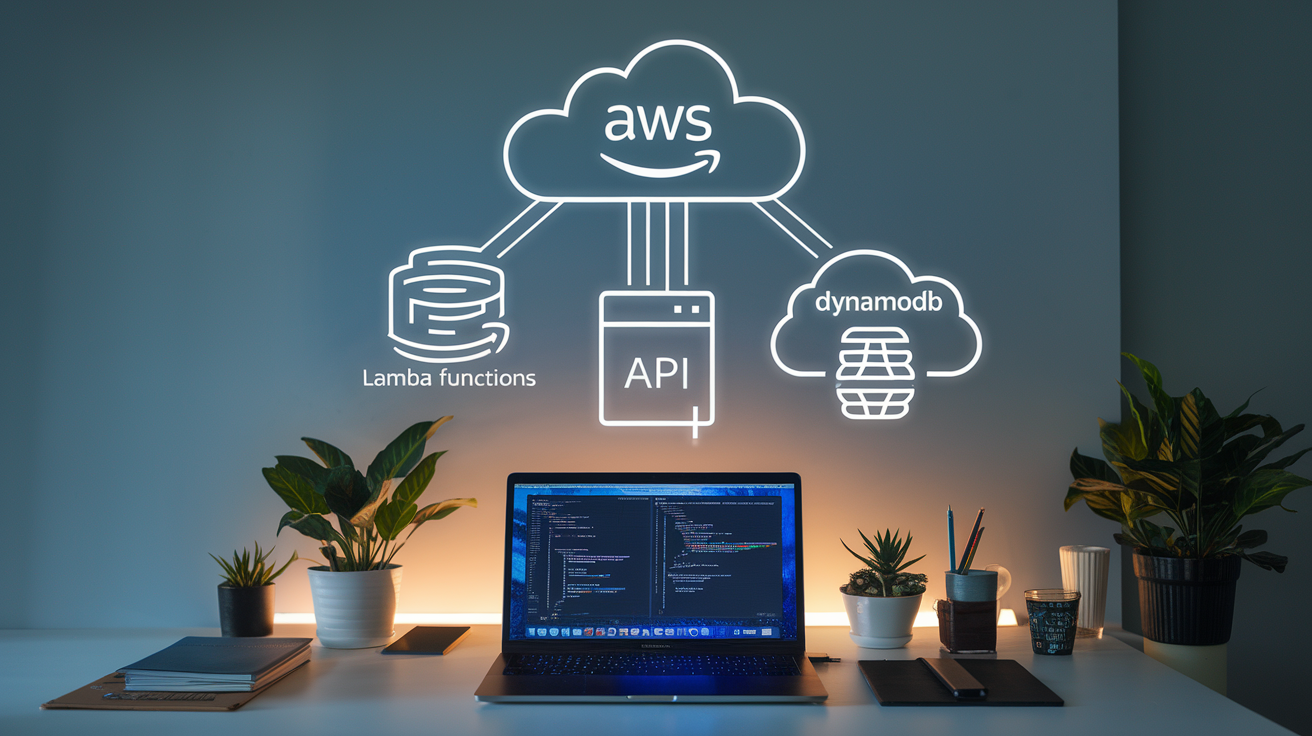
Building a modern game that can handle thousands of players worldwide requires smart infrastructure choices. This guide walks you through deploying a full-stack game development AWS solution using serverless technologies, containers, and edge services to create a scalable, high-performance gaming experience.
Who this is for: Game developers, DevOps engineers, and technical architects who want to build production-ready games on AWS without managing servers or worrying about traffic spikes during launch day.
We’ll cover how to design a robust AWS game deployment architecture that combines the best of serverless and containerized approaches. You’ll learn to set up an AWS serverless backend that automatically scales with your player base, while containerizing your game client application using Amazon ECS Fargate gaming services for reliable deployment. We’ll also show you how to implement CloudFront game delivery for lightning-fast content distribution and integrate WebSocket real-time gaming features that keep players connected seamlessly.
By the end, you’ll have a modern game infrastructure that scales automatically, delivers content globally, and provides real-time multiplayer capabilities without the operational overhead of traditional server management.
Planning Your Full-Stack Game Architecture on AWS
Identifying core game components and their scalability requirements
Modern game applications consist of several interconnected components that must handle varying loads gracefully. The game client represents your front-end interface where players interact directly with your game world. This component needs to support thousands of concurrent users while maintaining smooth performance across different devices and browsers.
Your authentication system manages player accounts, login sessions, and security tokens. During peak hours or viral moments, login requests can spike dramatically, requiring elastic scaling capabilities. The game logic layer processes player actions, validates moves, and maintains game state consistency. This backend component often experiences unpredictable traffic patterns based on player behavior and game events.
Data persistence layers store player profiles, game progress, leaderboards, and transaction history. These systems need to handle both frequent small reads and occasional large data operations efficiently. Real-time communication systems enable multiplayer interactions, chat features, and live updates. These WebSocket connections create persistent connections that require careful resource management.
Content delivery systems distribute game assets, updates, and static resources to players worldwide. Large asset files and frequent updates can create significant bandwidth demands that require global distribution strategies.
Each component scales differently – authentication might need burst capacity, game logic requires consistent performance, data storage needs reliable throughput, and content delivery demands global presence. Understanding these patterns helps you choose appropriate AWS game deployment strategies for each layer.
Mapping game features to appropriate AWS services
Different game features align naturally with specific AWS services based on their operational characteristics. Player authentication and user management work perfectly with Amazon Cognito, which handles user pools, social logins, and security tokens without managing servers. This serverless game architecture approach eliminates the overhead of maintaining authentication infrastructure.
Game logic and API endpoints fit well with AWS Lambda functions triggered through API Gateway. Lambda’s event-driven model matches the request-response nature of game actions perfectly. For more complex game logic requiring persistent connections or longer processing times, Amazon ECS with Fargate provides containerized environments that scale automatically.
Player data storage splits between different database types based on access patterns. Amazon DynamoDB excels at storing player profiles, game statistics, and real-time leaderboards due to its single-digit millisecond latency. Amazon RDS handles complex relational data like tournament brackets, guild relationships, and detailed analytics queries.
Real-time multiplayer features leverage Amazon API Gateway WebSocket APIs for maintaining persistent connections between players and game servers. This enables instant communication for live gameplay, chat systems, and collaborative features.
Static game assets like images, sounds, and game files distribute through Amazon S3 buckets paired with CloudFront for global delivery. This combination provides reliable storage with edge caching that reduces load times worldwide.
Game analytics and monitoring utilize Amazon CloudWatch for system metrics, AWS X-Ray for distributed tracing, and Amazon Kinesis for real-time data streaming. These services create comprehensive visibility into your full-stack game development AWS infrastructure performance.
Designing for global player distribution and low latency
Global gaming audiences demand consistent performance regardless of geographic location. Players in Tokyo expect the same responsive experience as those in New York, which requires strategic infrastructure placement and content optimization.
Amazon CloudFront edge locations provide the foundation for global content delivery. By caching static assets and API responses at over 400 edge locations worldwide, CloudFront dramatically reduces the distance data travels to reach players. Game assets, profile images, and frequently accessed API responses benefit significantly from edge caching.
Regional deployment strategies place your core game infrastructure in multiple AWS regions to serve different geographic markets. You might deploy primary game servers in us-east-1 for North American players, eu-west-1 for European audiences, and ap-southeast-1 for Asian markets. This modern game infrastructure approach minimizes cross-region latency for critical game operations.
Database replication across regions ensures data consistency while maintaining local read performance. Amazon DynamoDB Global Tables automatically replicate player data across regions, enabling seamless gameplay regardless of player location. This setup also provides disaster recovery capabilities if any single region experiences issues.
Load balancing strategies distribute player connections intelligently across available resources. Application Load Balancers can route traffic based on geographic location, ensuring players connect to the nearest healthy game servers. This routing optimization reduces latency and improves overall player experience.
Scalable game deployment AWS patterns accommodate varying regional player densities. You might allocate more resources to regions with higher player concentrations during their peak gaming hours, then scale down during off-peak periods. This dynamic allocation optimizes costs while maintaining performance standards globally.
Network optimization techniques like HTTP/2, connection pooling, and compression reduce the amount of data transmitted between clients and servers. These optimizations become more impactful as the physical distance between players and servers increases.
Setting Up Serverless Backend Infrastructure
Creating AWS Lambda functions for game logic and player management
AWS Lambda serves as the backbone of your serverless game architecture, handling everything from player authentication to complex game mechanics without managing servers. Start by creating separate Lambda functions for distinct game operations – player registration, login validation, match-making, score processing, and leaderboard updates.
For player management, build functions that handle user profiles, authentication tokens, and session management. Your authentication Lambda should integrate with Amazon Cognito for secure user identity management, while player profile functions manage character data, progression, and preferences. Game logic functions process moves, calculate scores, validate game rules, and manage turn-based or real-time interactions.
Structure your functions using the single responsibility principle. Create one Lambda for handling player moves in a puzzle game, another for validating achievements, and a separate function for processing in-game purchases. This approach makes debugging easier and allows independent scaling based on usage patterns.
Configure your Lambda functions with appropriate memory allocation and timeout settings. Game logic functions typically need 512MB to 1GB of memory and 10-30 second timeouts, depending on complexity. Player management functions usually require less memory but should have quick response times for better user experience.
Implementing DynamoDB for real-time player data and game state storage
DynamoDB provides the perfect NoSQL solution for storing game data with single-digit millisecond latency. Design your table structure around your game’s access patterns rather than traditional relational database approaches. Create a primary table for player data using player ID as the partition key, storing profile information, current game state, and player statistics.
For active games, use a composite key structure with game ID as the partition key and player ID as the sort key. This design enables efficient queries for retrieving all players in a specific game or accessing individual player states quickly. Store game state as JSON documents containing position data, inventory items, current level, and temporary session variables.
Implement Global Secondary Indexes (GSI) for common query patterns. Create a GSI with player level as the partition key for leaderboard functionality, or use timestamp-based keys for retrieving recent player activity. DynamoDB Streams can trigger Lambda functions when game data changes, enabling real-time notifications and automated game mechanics.
Set up proper capacity planning using on-demand billing for unpredictable traffic patterns or provisioned capacity for steady player bases. Enable point-in-time recovery and consider cross-region replication for global games requiring low latency across different geographical regions.
Configuring API Gateway for secure client-server communication
API Gateway acts as the secure entry point for all client requests to your AWS serverless backend. Create REST API endpoints that map to your Lambda functions, organizing routes logically – /players for user management, /games for game operations, and /leaderboards for scoring systems.
Implement proper authentication using API keys, JWT tokens, or AWS IAM roles depending on your security requirements. For public games, use API keys with rate limiting to prevent abuse. For authenticated players, integrate with Amazon Cognito User Pools to validate JWT tokens automatically. Set up custom authorizers for complex authentication logic that goes beyond standard token validation.
Configure request validation at the API Gateway level to catch malformed requests before they reach your Lambda functions. Define request schemas for POST and PUT operations, ensuring clients send properly formatted game data. Enable CORS (Cross-Origin Resource Sharing) settings if your game client runs in web browsers, specifying allowed origins, headers, and HTTP methods.
Set up throttling limits to protect your backend from traffic spikes and potential DDoS attacks. Configure per-client rate limits and burst capacity based on your expected player behavior. Monitor API usage through CloudWatch metrics and set up alarms for unusual traffic patterns or error rates.
Establishing IAM roles and permissions for service integration
IAM roles provide the security foundation for your serverless game architecture, ensuring each AWS service has only the minimum permissions needed to function. Create separate execution roles for different Lambda functions based on their specific requirements. Your player management functions need DynamoDB read/write permissions and Cognito access, while game logic functions might only need DynamoDB access.
Design role policies using the principle of least privilege. A Lambda function handling player scores should only access the specific DynamoDB table containing score data, not player profile tables or game state information. Use resource-based policies to restrict access to specific table names, key patterns, or even individual items when possible.
For API Gateway integration, create roles that allow the service to invoke your Lambda functions while logging execution details to CloudWatch. Set up cross-service permissions carefully – your DynamoDB streams need permission to trigger Lambda functions, and your Lambda functions need permission to write logs and metrics.
Implement resource-based policies for DynamoDB tables, restricting access patterns to match your application’s needs. Use condition keys to enforce additional security constraints like IP address restrictions, time-based access controls, or MFA requirements for sensitive operations like player data deletion or administrative functions.
Regular audit your IAM policies using AWS Access Analyzer to identify unused permissions and potential security gaps. Set up CloudTrail logging to monitor API calls and detect unusual access patterns that might indicate security issues or misconfigurations in your serverless game infrastructure.
Containerizing Your Game Client Application
Building Docker containers for consistent deployment environments
Creating Docker containers for your game client application ensures your game runs identically across development, staging, and production environments. Start with a lightweight base image like node:alpine for web-based games or nginx:alpine for static builds to minimize container size and attack surface.
Your Dockerfile should include multi-stage builds to separate build dependencies from runtime requirements. Copy your game assets and configuration files into the container systematically:
FROM node:16-alpine AS builder
WORKDIR /app
COPY package*.json ./
RUN npm ci --only=production

FROM nginx:alpine
COPY --from=builder /app/dist /usr/share/nginx/html
COPY nginx.conf /etc/nginx/nginx.conf
Configure environment-specific variables through Docker environment variables rather than hardcoding values. This approach supports different AWS environments without rebuilding images. Include necessary certificates, API endpoints, and feature flags as configurable parameters.
Version your container images using semantic versioning or git commit hashes. This practice enables quick rollbacks and helps track which version runs in each environment. Tag images descriptively: game-client:v1.2.3-prod or game-client:abc123f-staging.
Optimizing container images for faster startup times
Reducing container image size directly impacts startup performance, especially important for containerized game application deployments on Amazon ECS Fargate. Layer your Dockerfile commands strategically, placing frequently changing files like source code after stable dependencies.
Remove unnecessary packages and files from your final image. Use .dockerignore files to exclude development tools, documentation, and temporary files from the build context:
node_modules
.git
*.md
.env.local
coverage/
Implement image layer caching by organizing commands from least to most frequently changing. Install system packages first, then application dependencies, and finally copy your game code. This structure allows Docker to reuse cached layers when only game logic changes.
Consider using distroless images for production deployments. These minimal images contain only your application and runtime dependencies, reducing size by up to 90% compared to full operating system images. For Node.js games, gcr.io/distroless/nodejs provides excellent security and performance benefits.
Pre-warm frequently accessed assets by including them in the container image rather than fetching them at runtime. Game textures, sounds, and configuration files should be bundled to reduce initial load times.
Implementing health checks and monitoring within containers
Health checks keep your AWS game deployment robust by allowing orchestration systems to detect and replace unhealthy containers automatically. Define health check endpoints in your game client that return HTTP 200 responses when the application loads successfully.
Create comprehensive health checks that verify critical game systems:
HEALTHCHECK --interval=30s --timeout=10s --start-period=60s \
  CMD curl -f http://localhost:8080/health || exit 1
Your health endpoint should validate game asset loading, API connectivity, and WebSocket readiness. Return structured responses including system status, memory usage, and active connections. This information helps AWS ECS and Fargate make informed scaling decisions.
Integrate logging frameworks that output structured JSON logs to stdout. Container orchestration platforms automatically collect these logs for analysis. Include correlation IDs, user sessions, and game events in your log entries to trace issues across distributed systems.
Set up custom metrics using CloudWatch Container Insights to monitor resource usage patterns. Track memory consumption, CPU utilization, and network traffic specific to your game workload. These metrics inform auto-scaling policies and capacity planning decisions.
Configure graceful shutdown handlers that save player progress and close connections cleanly when containers receive termination signals. This approach prevents data loss during rolling deployments or scaling events.
Deploying Containers with Amazon ECS and Fargate
Configuring ECS clusters for automatic scaling and load balancing
Amazon ECS clusters serve as the foundation for your containerized game application infrastructure. When setting up your cluster, you’ll want to enable service auto scaling to handle varying player loads throughout the day. Configure target tracking scaling policies based on CPU utilization, memory usage, or custom CloudWatch metrics like active player connections.
Start by creating an ECS cluster with capacity providers that automatically manage your infrastructure. Set up Application Load Balancers (ALB) to distribute incoming traffic across your game service tasks. The ALB health checks ensure only healthy containers receive player requests, while sticky sessions can maintain player connections to specific game instances when needed.
For optimal performance, configure your scaling policies with appropriate cooldown periods to prevent rapid scale-in/scale-out events that could disrupt gameplay. Set minimum and maximum task counts based on your expected player base – typically keeping 2-3 tasks running during off-peak hours and scaling up to handle peak gaming sessions.
Setting up Fargate for serverless container management
Fargate transforms your containerized game application deployment by eliminating server management overhead. Unlike EC2-based ECS, Fargate automatically provisions and scales compute resources based on your container specifications.
Define task definitions with appropriate CPU and memory allocations for your game containers. Most multiplayer games perform well with 0.5-1 vCPU and 1-2 GB memory per task, but adjust based on your game’s complexity and player capacity per instance. Configure networking in awsvpc mode to give each task its own elastic network interface.
Set up service definitions that specify desired task counts and placement strategies. Fargate handles all the underlying infrastructure, automatically distributing tasks across availability zones for high availability. Your game services restart automatically if containers fail, and new tasks launch within seconds to replace unhealthy instances.
Use Fargate Spot for development and testing environments to reduce costs by up to 70%. Production environments benefit from Fargate’s predictable pricing and automatic patching, ensuring your game infrastructure stays secure without manual intervention.
Implementing blue-green deployment strategies for zero-downtime updates
Blue-green deployments prevent player disconnections during game updates by maintaining two identical environments. Configure your ECS service with deployment configuration settings that control how new task revisions replace existing ones.
Create a CodeDeploy application with ECS compute platform to orchestrate the deployment process. Set up two target groups in your Application Load Balancer – one for the current version (blue) and another for the new version (green). During deployment, traffic gradually shifts from blue to green based on your specified intervals.
Configure health checks with appropriate grace periods since game containers might take longer to initialize compared to typical web applications. Set up CloudWatch alarms to monitor key metrics during deployment, automatically rolling back if error rates exceed acceptable thresholds.
Use deployment hooks to run validation tests against the green environment before shifting traffic. This includes checking game server connectivity, database connections, and API responsiveness. The entire process typically completes within 10-15 minutes while maintaining zero downtime for active players.
Managing container networking and service discovery
ECS service discovery simplifies communication between your game components using AWS Cloud Map. Register your game services with descriptive names, allowing other services to discover them through DNS queries rather than hardcoded IP addresses.
Configure security groups that allow necessary traffic between your game containers, backend services, and external dependencies. Game servers typically need ingress on custom ports for player connections, while backend services communicate internally on standard HTTP/HTTPS ports.
Set up VPC endpoints for AWS services your game uses, like DynamoDB or S3, to keep traffic within your private network. This improves performance and reduces data transfer costs while enhancing security.
Use task role-based permissions instead of embedding AWS credentials in containers. Each task assumes an IAM role with minimal required permissions for accessing AWS resources. Configure service mesh using AWS App Mesh if your AWS game deployment includes multiple microservices that need advanced traffic management and observability features.
Leveraging CloudFront for Global Content Delivery
Configuring Edge Locations for Reduced Latency Worldwide
Amazon CloudFront operates through a global network of edge locations that bring your game content closer to players around the world. When configuring your CloudFront distribution for modern game infrastructure, you’re essentially creating multiple cached copies of your static assets at strategic geographic points. This dramatically reduces the time it takes for game assets to load, creating a smoother experience for players whether they’re in Tokyo, London, or São Paulo.
Setting up edge locations starts with creating a CloudFront distribution and defining your origin server. For AWS game deployment scenarios, your origin might be an S3 bucket containing game assets or an Application Load Balancer fronting your Amazon ECS Fargate gaming containers. The beauty of CloudFront lies in its automatic optimization – once configured, it intelligently routes player requests to the nearest edge location based on geographic proximity and network conditions.
Price classes give you control over which edge locations to use. The “All Edge Locations” option provides maximum global coverage but comes at a higher cost. The “100 Edge Locations” option covers most major regions while reducing costs, making it ideal for games targeting specific markets. You can monitor edge location performance through CloudWatch metrics, tracking cache hit ratios and origin request patterns.
Optimizing Static Asset Caching and Compression Strategies
Game assets like textures, models, audio files, and configuration data benefit enormously from intelligent caching strategies. CloudFront game delivery works best when you configure appropriate TTL (Time To Live) values for different asset types. Large, rarely-changing assets like game music or high-resolution textures can have longer cache periods (weeks or months), while frequently updated configuration files need shorter TTLs (minutes or hours).
Compression plays a crucial role in reducing download times. CloudFront automatically compresses text-based files like JSON configuration data, CSS, and JavaScript using gzip or Brotli compression when browsers support it. For game-specific assets, consider pre-compressing large files at the origin and serving them with appropriate Content-Encoding headers.
Cache behaviors allow granular control over how different file types are handled:
- Game Assets: Set long TTLs for textures, models, and audio files
- Configuration Files: Use shorter TTLs with versioning strategies
- API Responses: Implement careful caching for dynamic game data
- User Generated Content: Balance freshness with performance needs
Custom cache keys help optimize cache hit ratios by including or excluding specific headers, query parameters, and cookies from the caching decision.
Implementing Custom Origin Behaviors for Dynamic Content
Modern full-stack game development AWS architectures often require mixing static and dynamic content delivery. While static assets cache beautifully, dynamic content like player profiles, leaderboards, and real-time game state updates need different handling strategies.
Origin behaviors define how CloudFront handles requests to different path patterns. You might configure one behavior for /api/* paths that forwards all headers and query parameters to your serverless backend, while another behavior for /assets/* aggressively caches static content. This approach lets you leverage CloudFront’s global network even for dynamic content while maintaining the real-time responsiveness games require.
For API endpoints behind your CloudFront distribution, configure appropriate caching based on the nature of each endpoint:
- Player Statistics: Cache for short periods with proper invalidation
- Game Configuration: Longer caching with version-based invalidation
- Real-time Data: Pass-through with minimal caching
- Authentication Endpoints: No caching with secure header forwarding
Lambda@Edge functions can execute at edge locations to customize request and response processing. This enables advanced scenarios like A/B testing game features, personalizing content delivery, or implementing custom authentication logic without round trips to your origin servers.
Setting Up Geographic Restrictions and Security Headers
Security considerations become paramount when deploying scalable game deployment AWS solutions globally. CloudFront provides several mechanisms to protect your game infrastructure and comply with regional regulations.
Geographic restrictions (geo-blocking) help you control which countries can access your game content. This might be necessary due to licensing agreements, regulatory compliance, or beta testing in specific regions. You can configure allowlists for countries where your game is officially available or blocklists for regions where you want to prevent access.
Security headers enhance protection against common web vulnerabilities:
- Content Security Policy (CSP): Prevents code injection attacks
- Strict Transport Security (HSTS): Enforces HTTPS connections
- X-Content-Type-Options: Prevents MIME type confusion
- X-Frame-Options: Protects against clickjacking
- Referrer Policy: Controls referrer information sharing
Custom security headers can be added using Lambda@Edge functions or CloudFront Functions for simpler transformations. These headers protect both your game client and any web-based administrative interfaces you might expose.
Web Application Firewall (WAF) integration adds another security layer. You can create rules that block suspicious traffic patterns, rate limit requests from individual IP addresses, or filter requests based on geographic location. For gaming applications, WAF rules might focus on preventing DDoS attacks against your API endpoints or blocking automated farming attempts.
SSL/TLS certificates through AWS Certificate Manager provide encrypted communication between players and your CloudFront distribution at no additional cost, ensuring secure data transmission for player authentication and sensitive game data.
Integrating Real-Time Features with WebSockets
Implementing AWS API Gateway WebSocket APIs for live gameplay
WebSocket connections through AWS API Gateway unlock the magic of real-time multiplayer gaming by maintaining persistent connections between players and your serverless backend. Unlike traditional REST APIs that handle single request-response cycles, WebSocket APIs keep communication channels open, enabling instant message delivery crucial for responsive gameplay.
Setting up your WebSocket API starts with creating three essential Lambda functions: $connect, $disconnect, and $default. The connection handler manages player authentication and stores connection IDs in DynamoDB for future reference. Your disconnect handler performs cleanup operations, removing inactive players from game sessions. The default route handler processes all incoming game messages, from player movements to chat communications.
API Gateway automatically scales your WebSocket connections, handling thousands of concurrent players without manual intervention. The service integrates seamlessly with Lambda functions, allowing you to process game events serverlessly while maintaining low latency. Connection management becomes straightforward as API Gateway provides built-in connection tracking and automatic cleanup for dropped connections.
Security remains paramount in your WebSocket implementation. Use custom authorizers to validate player tokens during connection establishment, ensuring only authenticated users join your game sessions. Rate limiting prevents message flooding attacks, while AWS WAF protects against malicious traffic patterns.
Managing connection state and player session handling
Player session management requires robust state tracking across your distributed serverless architecture. DynamoDB serves as your primary connection store, maintaining real-time mappings between connection IDs, player identities, and active game sessions. Design your table with connection ID as the primary key and include player metadata like username, current room, and connection timestamp.
Connection state synchronization becomes critical when players disconnect unexpectedly. Implement heartbeat mechanisms using periodic ping messages to detect stale connections. Lambda functions can monitor connection health by sending regular ping frames and marking connections as inactive after missed responses. This prevents ghost players from occupying game slots indefinitely.
Session persistence across connection drops enhances player experience significantly. Store game state separately from connection data, allowing players to reconnect and resume gameplay seamlessly. Use DynamoDB’s TTL feature to automatically expire abandoned sessions after predetermined timeouts, maintaining clean state management without manual intervention.
Player authentication integration with Amazon Cognito provides secure session handling. Validate JWT tokens during WebSocket connection establishment and associate authenticated user profiles with connection records. This approach enables personalized gaming experiences while maintaining security standards across your multiplayer infrastructure.
Optimizing message routing for multiplayer interactions
Efficient message routing directly impacts gameplay responsiveness and server performance. Implement game room isolation by routing messages only to relevant players, reducing unnecessary network traffic and Lambda invocations. Create room-based connection groups in DynamoDB, enabling targeted message delivery to specific player sets rather than broadcasting to all connected clients.
Message prioritization ensures critical game events receive immediate processing while less important updates can be batched or delayed. Implement message queuing using Amazon SQS for non-critical communications like chat messages, while sending gameplay-critical updates directly through WebSocket connections. This hybrid approach optimizes both performance and cost efficiency.
Geographic message routing through CloudFront edge locations reduces latency for globally distributed players. Configure multiple API Gateway endpoints across different AWS regions and route players to their nearest endpoint. Cross-region replication keeps game state synchronized while providing optimal response times based on player location.
Batch processing optimization reduces Lambda cold starts and improves overall system efficiency. Group related messages together when possible, processing multiple player actions in single Lambda invocations. Implement message buffering for high-frequency updates like position synchronization, sending aggregated updates at regular intervals rather than individual messages for each movement.
Connection pooling strategies help manage resource consumption during peak usage. Monitor concurrent connection limits and implement graceful degradation when approaching capacity thresholds. Queue incoming connections during high-traffic periods and provide meaningful feedback to players about their position in connection queues.
Monitoring Performance and Scaling Automatically
Setting up CloudWatch metrics and alarms for proactive monitoring
CloudWatch serves as your command center for monitoring your AWS game deployment. Start by creating custom metrics for key game performance indicators like player connection counts, match completion rates, and API response times. Your serverless functions automatically push basic metrics, but you’ll want to add application-specific metrics using the CloudWatch SDK.
Set up alarms for critical thresholds – when your API Gateway latency exceeds 2 seconds, database connection errors spike above 5%, or concurrent players drop below expected levels. Create composite alarms that combine multiple metrics for smarter alerting. For example, trigger alerts only when both CPU usage is high AND response times are degraded, reducing false positives.
Configure CloudWatch Insights to query your logs for patterns like failed login attempts or game crashes. Create dashboards that display real-time player metrics, infrastructure health, and cost trends in one view. Your development team needs instant visibility into what’s happening across your full-stack game infrastructure.
Implementing auto-scaling policies based on player demand
Auto-scaling keeps your game responsive during traffic spikes while controlling costs during quiet periods. Configure your ECS Fargate services with target tracking scaling policies based on CPU utilization (typically 70%) and custom metrics like active WebSocket connections.
Lambda functions scale automatically, but you can control concurrency limits to prevent downstream services from being overwhelmed. Set reserved concurrency for critical functions like player authentication and burst concurrency for less critical operations.
Your database layer needs careful scaling consideration. DynamoDB auto-scaling adjusts read/write capacity based on consumption, while RDS can scale compute resources vertically. Create scaling policies that respond quickly to player surges – games often see rapid traffic changes during events or viral moments.
Test your scaling policies with load testing tools that simulate realistic player behavior patterns, including login storms, concurrent gameplay sessions, and gradual traffic increases.
Tracking cost optimization opportunities across all services
Cost optimization for scalable game deployment AWS requires continuous monitoring across your entire infrastructure. Use AWS Cost Explorer to identify spending trends by service, with particular attention to data transfer costs from CloudFront, Lambda invocation charges, and container runtime costs from ECS Fargate.
Set up billing alerts for different spending thresholds and create cost allocation tags to track expenses by game feature or environment. Your serverless backend components should use appropriate timeout settings – don’t let functions run longer than necessary.
Monitor your CloudFront cache hit ratios to ensure you’re not paying for unnecessary origin requests. Optimize your container images to reduce storage and transfer costs. Review your DynamoDB usage patterns to identify tables that could benefit from on-demand billing instead of provisioned capacity.
Create weekly cost reviews comparing player engagement metrics against infrastructure spend. This helps identify when scaling policies are working efficiently versus when you’re over-provisioning resources. Use AWS Trusted Advisor recommendations to spot unused resources or opportunities to switch to more cost-effective instance types.
Building a full-stack game on AWS gives you access to powerful tools that can handle everything from backend logic to global distribution. You’ve seen how serverless functions, containers, and edge services work together to create a robust gaming experience. The combination of ECS for your game client, Lambda for backend processing, and CloudFront for fast content delivery creates a solid foundation that can grow with your player base.
The real magic happens when you tie it all together with real-time features and smart monitoring. Your game can automatically scale up during peak hours and scale down when things are quiet, saving you money while keeping players happy. Start small with a basic setup, test thoroughly, and gradually add more features as your game gains traction. AWS gives you the building blocks – now it’s time to create something amazing.









