


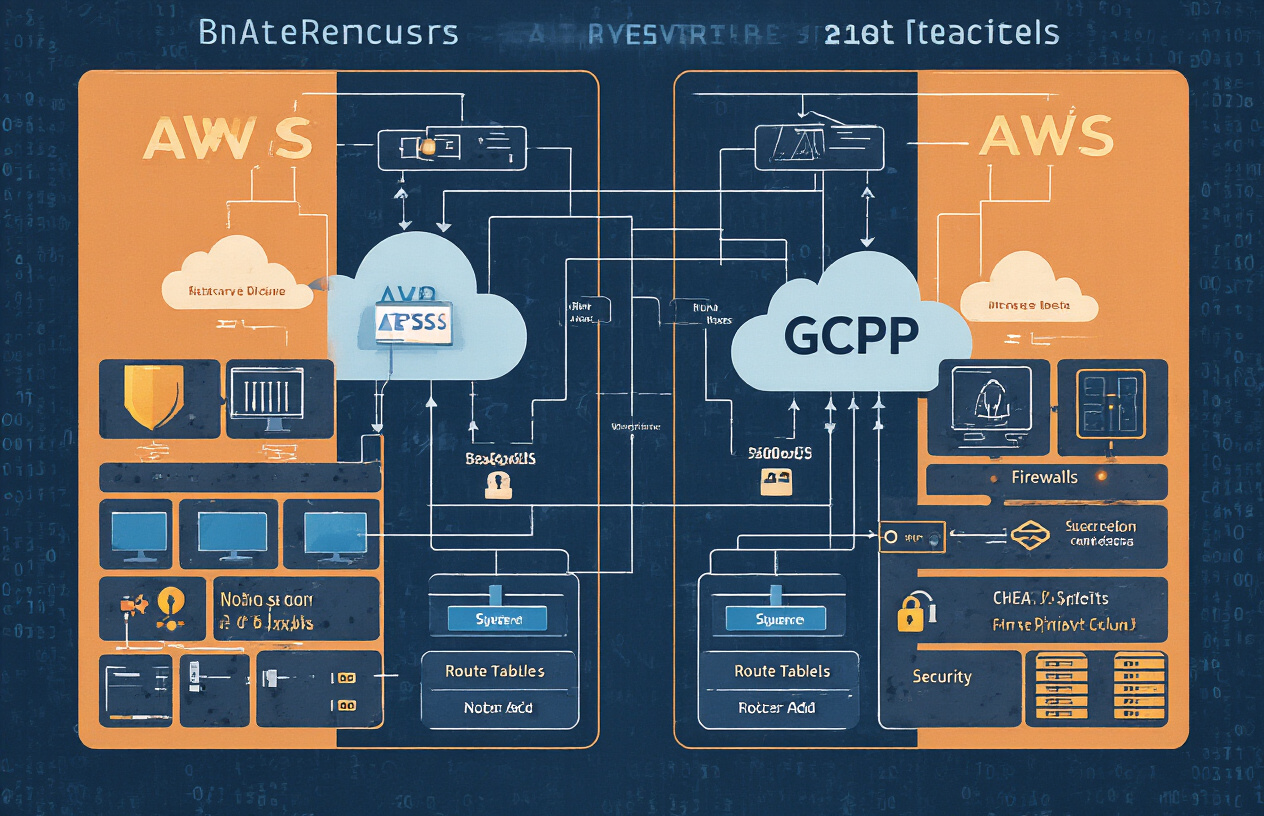
Managing multiple AWS environments across different regions or accounts can quickly turn into a networking nightmare without the right approach. This AWS networking project guide walks IT professionals, cloud architects, and DevOps engineers through building robust connections between distributed networks using VPC peering and elastic IP configuration.
You’ll discover how to design a scalable multi-VPC architecture that keeps your applications communicating smoothly across boundaries. We’ll dive deep into VPC peering setup strategies that maximize performance while maintaining security, and show you how to implement reliable external connectivity using Elastic IPs.
By the end, you’ll have hands-on experience with AWS network connectivity patterns, proven VPC security best practices for distributed environments, and practical AWS network monitoring techniques to keep everything running smoothly.
Understanding AWS VPC Architecture for Distributed Networks
Core VPC Components and Their Strategic Advantages
Amazon VPC forms the backbone of any distributed network architecture, providing isolated cloud environments that mirror traditional data centers. The fundamental components work together to create secure, scalable network infrastructures that can span multiple regions and availability zones.
Virtual Private Clouds serve as the primary containers for your network resources, offering complete control over IP address ranges, DNS settings, and network gateways. Each VPC operates independently, creating natural security boundaries between different environments or applications. When designing multi-VPC architecture, you can segment workloads by environment (development, staging, production), business unit, or compliance requirements.
Internet Gateways and NAT Gateways handle external connectivity differently but serve complementary roles. Internet Gateways provide direct bidirectional internet access for public subnets, while NAT Gateways enable outbound-only internet access for private resources. This dual approach supports both public-facing applications and backend services that need external API access without exposing internal infrastructure.
VPC Endpoints reduce data transfer costs and improve security by keeping traffic within the AWS network when accessing services like S3 or DynamoDB. Interface endpoints use private IP addresses and security groups, while gateway endpoints route traffic through your route tables. Both types eliminate the need for internet gateways when accessing AWS services from private subnets.
Subnet Design Patterns for Multi-Region Deployments
Strategic subnet design becomes critical when building distributed networks across multiple AWS regions. The key lies in creating consistent, scalable patterns that support both current needs and future growth while maintaining clear separation between different tiers of your application stack.
Three-tier architecture remains the gold standard for subnet organization. Public subnets host load balancers, NAT gateways, and bastion hosts that require direct internet access. Private subnets contain application servers, container orchestration platforms, and compute resources that need outbound internet connectivity but shouldn’t accept inbound traffic from the internet. Database subnets create the most isolated tier, accessible only from application subnets through carefully controlled security groups.
CIDR block allocation requires careful planning to avoid conflicts during VPC peering setup. Start with larger address spaces than immediately needed – using /16 networks for production VPCs and /20 or /24 for smaller environments provides room for expansion. Reserve specific ranges for each region and environment type, such as 10.0.0.0/16 for US-East production, 10.1.0.0/16 for US-West production, and 10.10.0.0/16 for development environments.
Cross-region subnet mapping should follow consistent patterns. Deploy identical subnet structures across regions to simplify disaster recovery and multi-region deployments. Use the same availability zone suffixes (a, b, c) and subnet purposes (public, private, database) in each region, making it easier to replicate configurations and automate deployments.
Security Group Configuration for Cross-Network Communication
Security groups act as virtual firewalls controlling traffic at the instance level, and their configuration becomes more complex when dealing with distributed networks connected through VPC peering. Unlike traditional firewalls, security groups are stateful and only define allowed traffic – anything not explicitly permitted gets blocked.
Reference-based rules provide the most flexible and maintainable approach for cross-network communication. Instead of hardcoding IP addresses, reference other security groups by ID. This approach automatically adjusts when instances launch or terminate, and it works seamlessly across peered VPCs. For example, create a “web-tier” security group that allows inbound HTTP/HTTPS traffic, then reference this group ID in your application-tier security group rules.
Layered security group design mirrors your subnet architecture. Create separate security groups for each tier and environment, with names that clearly indicate their purpose: prod-web-tier-sg, dev-app-tier-sg, shared-database-sg. This granular approach makes it easier to audit permissions and implement least-privilege access principles.
Cross-VPC security group rules work differently than same-VPC rules. You can reference security groups from peered VPCs, but the syntax requires the full security group ID rather than just the name. Document these cross-VPC dependencies carefully, as they can create invisible connections that complicate troubleshooting and security audits.
Route Table Optimization for Efficient Traffic Flow
Route tables determine how traffic moves through your network infrastructure, and proper optimization becomes essential for performance and cost control in distributed AWS networking projects. Each subnet associates with exactly one route table, but route tables can serve multiple subnets.
Default route strategies should prioritize local traffic while providing efficient paths to external destinations. Local routes (within the VPC CIDR) automatically take precedence and don’t appear in route tables. For internet-bound traffic from private subnets, point default routes (0.0.0.0/0) to NAT Gateway instances in the same availability zone to minimize cross-AZ data transfer charges.
VPC peering route configuration requires specific routes for each peered network’s CIDR blocks. Avoid using broad routes that might conflict with future network expansions. Instead, create specific routes for each peered VPC’s CIDR range, pointing to the appropriate peering connection. This approach provides better visibility into traffic patterns and makes it easier to troubleshoot connectivity issues.
Route table segregation by function improves both security and performance. Create separate route tables for public subnets (with internet gateway routes), private subnets (with NAT gateway routes), and database subnets (with minimal external routing). This separation prevents accidental exposure of sensitive resources and makes it easier to implement network-level access controls through route manipulation.
Planning Your VPC Peering Strategy for Maximum Performance
Identifying Optimal Peering Relationships Between VPCs
Mapping out your AWS VPC peering connections requires careful analysis of your application architecture and data flow patterns. Start by documenting which services need to communicate across different VPCs and the frequency of these interactions. High-traffic applications like databases connecting to multiple web tiers should get priority peering relationships to minimize latency.
Consider the hub-and-spoke model versus full mesh topology when designing your multi-VPC architecture. A hub-and-spoke approach works well when you have a central VPC containing shared services like databases or monitoring tools. Your spoke VPCs can peer with the central hub, reducing the total number of peering connections needed. Full mesh topology makes sense for environments where every VPC needs direct communication with others, though this approach scales exponentially with the number of VPCs.
Regional proximity plays a crucial role in peering decisions. VPCs in the same AWS region communicate faster and cheaper than cross-region connections. Group related workloads in the same region whenever possible, and establish cross-region peering only when business requirements demand geographic distribution.
Cost-Effective Approaches to Multi-VPC Connectivity
AWS charges for data transfer across VPC peering connections, making cost optimization essential for large distributed networks. Data transfer within the same Availability Zone is free, but cross-AZ and cross-region transfers incur charges. Design your VPC peering setup to minimize expensive data paths by keeping frequently communicating resources in the same AZ when possible.
Transit Gateway offers an alternative to traditional VPC peering that can reduce costs in complex network topologies. While Transit Gateway has its own pricing structure, it eliminates the need for multiple peering connections in hub-and-spoke architectures. Compare the costs of individual peering connections versus Transit Gateway based on your specific traffic patterns and number of VPCs.
Implement data transfer monitoring to identify unexpected traffic patterns that drive up costs. CloudWatch metrics help track data transfer volumes across peering connections, allowing you to optimize or rearchitect connections that generate excessive charges. Consider using VPC Flow Logs to understand exactly which applications generate the most cross-VPC traffic.
Bandwidth and Latency Considerations for Network Design
VPC peering connections don’t impose bandwidth limitations themselves, but your EC2 instance types and network performance settings directly impact throughput. Enhanced networking features like SR-IOV and Placement Groups can significantly improve performance for latency-sensitive applications running across peered VPCs.
Network latency increases with geographic distance, so cross-region peering connections will always have higher latency than same-region connections. Test your applications under realistic network conditions to ensure acceptable performance. Use tools like ping and traceroute to measure actual latency between instances in different VPCs.
Placement strategies within VPCs affect overall network performance. Instances in the same subnet communicate faster than those in different subnets within the same VPC. For applications requiring ultra-low latency, consider using cluster placement groups that physically locate instances close together in the AWS data center.
Monitor your network performance continuously using CloudWatch metrics and custom monitoring solutions. Set up alerts for unusual latency spikes or bandwidth utilization that might indicate network issues or the need for architectural adjustments. Regular performance testing helps identify bottlenecks before they impact user experience.
Implementing VPC Peering Connections Step-by-Step
Creating Peering Connections Between Same-Region VPCs
Setting up VPC peering within the same AWS region starts with navigating to the VPC console and selecting “Peering Connections” from the left sidebar. Click “Create Peering Connection” and provide a descriptive name that clearly identifies the connection purpose, such as “Production-to-Dev-Peering.”
Choose your requester VPC from the dropdown menu, then specify the accepter VPC. If both VPCs belong to your account, simply select the target VPC. For cross-account peering, you’ll need the account ID and VPC ID of the destination network. AWS automatically validates that the CIDR blocks don’t overlap – overlapping ranges will prevent successful peering.
After creating the connection, the status shows as “Pending Acceptance.” Navigate to the accepter VPC’s region and account to accept the request. The connection status changes to “Active” once accepted, but traffic won’t flow until you configure the route tables properly.
Key considerations for same-region AWS VPC peering include ensuring unique CIDR blocks across all peered VPCs and planning your network topology to avoid creating complex routing scenarios that become difficult to manage.
Establishing Cross-Region VPC Peering for Global Reach
Cross-region VPC peering extends your distributed networks AWS architecture across multiple geographical locations, enabling global connectivity with low latency. The process mirrors same-region peering but requires additional attention to region-specific settings and data transfer costs.
Start by selecting the requester VPC in your primary region, then specify the accepter VPC’s region during creation. You’ll need the exact VPC ID and region name for the target VPC. Cross-region connections take longer to establish due to the geographical distance and additional AWS infrastructure coordination required.
Data transfer charges apply to cross-region peering connections, so factor these costs into your multi-VPC architecture planning. AWS charges for data flowing between regions, unlike same-region peering which only incurs standard EC2 data transfer rates.
Security groups and NACLs work differently across regions. While security groups can reference other security groups within the same region, cross-region peering requires IP-based rules. Plan your security group architecture accordingly to maintain proper access controls across your global network infrastructure.
Configuring Route Tables to Enable Bidirectional Communication
Route table configuration makes or breaks your VPC peering setup. Without proper routing rules, your peered VPCs remain isolated despite an active peering connection. Each VPC requires specific routes pointing to the peer VPC’s CIDR block through the peering connection.
Access the Route Tables section in your VPC console and identify the route tables associated with subnets that need connectivity. Add a new route with the destination as the peer VPC’s CIDR block and the target as your peering connection ID (pcx-xxxxxxxxx).
For example, if VPC-A uses 10.0.0.0/16 and VPC-B uses 10.1.0.0/16, VPC-A’s route table needs a route directing 10.1.0.0/16 traffic to the peering connection. VPC-B requires the reverse route sending 10.0.0.0/16 traffic back through the same connection.
Consider subnet-level routing for granular control. Instead of routing entire VPC CIDR blocks, you can route specific subnet ranges to limit communication scope. This approach enhances security by preventing unnecessary access between subnets that don’t require connectivity.
Private and public subnet route tables often need different configurations. Public subnets might route all peer traffic through the peering connection, while private subnets may only route specific application traffic, maintaining tighter security controls.
Testing Connectivity and Resolving Common Connection Issues
Systematic testing validates your VPC peering setup and identifies configuration gaps before deploying production workloads. Start with basic ping tests between instances in different VPCs, ensuring ICMP traffic is allowed in security groups and NACLs.
Launch test instances in each peered VPC with security groups allowing the necessary protocols. SSH (port 22) and ICMP are good starting points for connectivity verification. Use the ping command from one instance to reach the private IP address of an instance in the peer VPC.
Common AWS networking project issues include security group misconfigurations, missing route table entries, and NACL blocking rules. Security groups are stateful, so outbound rules automatically allow return traffic, but NACLs are stateless and require both inbound and outbound rules for bidirectional communication.
DNS resolution problems frequently occur with VPC peering. Enable DNS resolution and DNS hostnames in both VPCs for proper name resolution across the peered connection. Without these settings, instances can communicate via IP addresses but not hostnames.
Network latency testing helps verify performance across peered connections. Use tools like iperf3 to measure bandwidth and latency between instances in different VPCs. Cross-region connections naturally exhibit higher latency due to geographical distance, so establish baseline performance metrics for monitoring purposes.
Packet capture tools like tcpdump can diagnose complex connectivity issues by showing exactly where traffic stops flowing. Combined with VPC Flow Logs, these tools provide comprehensive visibility into your network traffic patterns and help identify bottlenecks or security rule conflicts.
Leveraging Elastic IPs for Reliable External Connectivity
Strategic Allocation of Elastic IPs Across Your Infrastructure
Planning your elastic IP configuration across a distributed network requires careful consideration of which resources truly need static public addresses. Not every instance or service benefits from an Elastic IP – in fact, over-allocation drives up costs without adding value. Focus your Elastic IP assignments on critical infrastructure components like load balancers, NAT gateways, and bastion hosts that require consistent external connectivity.
When mapping out your AWS networking project, identify resources that external systems depend on for reliable connections. Database servers accessed by remote applications, web servers hosting production applications, and jump boxes used for administrative access represent prime candidates for Elastic IP assignments. Consider the traffic patterns and access requirements for each resource before making allocation decisions.
Geographic distribution plays a crucial role in your allocation strategy. Spread Elastic IPs across multiple Availability Zones to prevent single points of failure. This approach ensures that even if one zone experiences issues, your external connectivity remains intact through resources in other zones.
Associating Elastic IPs with Critical Network Resources
The process of associating Elastic IPs with your network resources goes beyond simple assignment – timing and methodology matter significantly. During initial deployment, associate Elastic IPs with your primary infrastructure components first, then move to secondary resources. This staged approach prevents connectivity disruptions and allows you to test each association before proceeding.
NAT gateways represent one of the most important use cases for Elastic IP associations in VPC architecture. These gateways enable private subnet resources to reach the internet while maintaining security boundaries. Each NAT gateway requires its own Elastic IP, and proper association ensures consistent outbound connectivity for your private resources.
Load balancers benefit tremendously from Elastic IP associations, particularly in multi-VPC architecture scenarios where consistent endpoint addresses simplify DNS management and client configurations. When your distributed networks span multiple regions, Elastic IPs on load balancers create predictable access patterns that external systems can rely on.
Application servers that receive direct external traffic also warrant Elastic IP associations. However, evaluate whether a load balancer might serve your needs better, as it provides additional fault tolerance and traffic distribution capabilities beyond what Elastic IPs alone can offer.
Managing IP Address Pools for High Availability
Effective IP address pool management prevents service disruptions and enables rapid recovery from failures. Maintain a reserve pool of unallocated Elastic IPs in each region where you operate. This pool serves as your insurance policy against unexpected failures or rapid scaling requirements.
Size your reserve pools based on your growth projections and failure recovery requirements. A general rule involves maintaining at least 20% additional capacity beyond your current allocation. For mission-critical applications, consider increasing this buffer to 30-40% to handle peak demand scenarios and multiple simultaneous failures.
Document your IP allocations meticulously. Create mapping tables that link each Elastic IP to its associated resource, purpose, and business criticality level. This documentation becomes invaluable during incident response and capacity planning activities. Include contact information for the teams responsible for each allocation to streamline troubleshooting efforts.
Implement automated monitoring for your IP pools to track utilization trends and predict when additional allocations might be needed. Set up alerts when your reserve pool drops below predetermined thresholds, giving you advance warning to request additional IP addresses from AWS.
Cost Optimization Techniques for Elastic IP Usage
Elastic IP costs accumulate quickly in large-scale deployments, making cost optimization a priority for sustainable operations. Unattached Elastic IPs incur hourly charges even when not in use, so regular auditing of your allocations can uncover significant savings opportunities. Schedule monthly reviews to identify and release unused IP addresses.
Consider whether certain resources actually require dedicated Elastic IPs or if they could share addresses through load balancers or other intermediary services. A single Application Load Balancer with an Elastic IP can serve multiple backend instances, reducing your overall IP requirements while providing better traffic management capabilities.
Implement tagging strategies for your Elastic IPs that include cost center information, project identifiers, and expiration dates where applicable. These tags enable accurate cost allocation and help identify temporary allocations that may have outlived their intended purpose. Use AWS Cost Explorer to analyze your Elastic IP spending patterns and identify optimization opportunities.
Evaluate regional pricing differences for Elastic IPs when designing your distributed networks. While the differences may be small, they can add up significantly in large deployments. Balance cost considerations against performance and compliance requirements when choosing regions for your infrastructure deployment.
Securing Your Distributed Network Infrastructure
Network Access Control Lists for Enhanced Protection
Network Access Control Lists (NACLs) serve as your first line of defense in AWS VPC peering environments, acting like stateless firewalls that control traffic at the subnet level. Unlike security groups, NACLs evaluate both inbound and outbound traffic separately, making them perfect for implementing defense-in-depth strategies across your distributed networks AWS infrastructure.
When configuring NACLs for VPC peering setups, start by creating custom rules that explicitly allow traffic between peered VPCs while blocking unwanted communication. Default NACLs allow all traffic, but custom NACLs deny everything by default, giving you granular control. Create separate NACLs for different subnet tiers – public subnets hosting web servers need different rules than private database subnets.
Key NACL rules for VPC peering include:
- Allow HTTP/HTTPS traffic (ports 80, 443) for web-facing subnets
- Permit specific application ports between peered VPCs
- Allow ephemeral ports (1024-65535) for return traffic
- Block unnecessary protocols and ports explicitly
Remember that NACLs are evaluated in numerical order, so place your most restrictive rules at lower numbers. Always test connectivity after implementing new NACL rules, as they can break existing connections if configured incorrectly. For multi-VPC architecture scenarios, document your NACL rules thoroughly to maintain consistency across environments.
VPC Flow Logs Implementation for Traffic Monitoring
VPC Flow Logs provide detailed network traffic information that becomes invaluable when managing complex VPC peering configurations. These logs capture metadata about IP traffic flowing through your network interfaces, helping you understand traffic patterns, troubleshoot connectivity issues, and detect security anomalies across your AWS networking project.
Enable VPC Flow Logs at multiple levels for comprehensive coverage:
- VPC level: Captures all traffic within the entire VPC
- Subnet level: Monitors specific subnet traffic patterns
- Network interface level: Provides granular per-instance visibility
Configure Flow Logs to capture both accepted and rejected traffic. While accepted traffic shows normal operations, rejected traffic reveals potential security threats or misconfigurations. Store logs in CloudWatch Logs for real-time analysis or S3 for long-term retention and cost optimization.
Practical Flow Log analysis techniques include:
- Identifying top talkers consuming bandwidth between peered VPCs
- Detecting unusual traffic patterns that might indicate security breaches
- Troubleshooting VPC peering connectivity issues
- Monitoring application performance across distributed networks
- Validating security group and NACL effectiveness
Use CloudWatch Insights to query Flow Logs efficiently. Create custom queries to identify traffic between specific VPCs, monitor port usage, or track source/destination patterns. Set up CloudWatch alarms to alert on suspicious activities like traffic spikes or connections from unexpected sources.
Cross-VPC Security Best Practices and Compliance
Securing VPC peering connections requires a layered approach that addresses both network-level and application-level security concerns. The shared responsibility model means you control security configurations while AWS manages the underlying infrastructure security.
Implement these VPC security best practices for robust protection:
Network Segmentation: Design your multi-VPC architecture with clear boundaries between environments. Keep production, staging, and development VPCs separate, using peering only when necessary. Create dedicated VPCs for shared services like monitoring or logging to minimize cross-environment access.
Least Privilege Access: Configure security groups and NACLs with minimal required permissions. Start with restrictive rules and gradually open access as needed. Regularly audit rules to remove obsolete permissions that accumulate over time.
Transit Gateway Alternative: For complex multi-VPC scenarios involving more than three VPCs, consider AWS Transit Gateway instead of multiple peering connections. This simplifies routing and security management while providing better scalability.
DNS Resolution Security: Enable DNS resolution and hostnames for peered VPCs carefully. Understand that enabling DNS resolution allows instances in one VPC to resolve private DNS names in the peered VPC, which might expose internal naming conventions.
Compliance Considerations: Document your VPC peering architecture for compliance audits. Maintain network diagrams showing data flows, implement proper change management for security rule modifications, and ensure logging meets regulatory requirements. Many compliance frameworks require network traffic monitoring and access controls that VPC Flow Logs and security groups can provide.
Regular security assessments should include reviewing peering connections for necessity, validating security group rules haven’t become overly permissive, and ensuring Flow Logs capture required compliance data.
Monitoring and Troubleshooting Network Performance
CloudWatch Metrics for VPC Peering Health Assessment
AWS network monitoring becomes critical when managing multi-VPC architecture across distributed workloads. CloudWatch provides essential metrics to track the health and performance of your VPC peering connections.
Start by enabling VPC Flow Logs on all your peered VPCs. This gives you detailed information about IP traffic flowing through your network interfaces. Configure Flow Logs to capture both accepted and rejected traffic to identify potential security issues or misconfigurations.
Key metrics to monitor include:
- Network packets in/out: Track data transfer volumes between peered VPCs
- Network bytes in/out: Monitor bandwidth utilization across peering connections
- NetworkLatency: Measure round-trip times between resources in different VPCs
- PacketDropCount: Identify potential congestion or routing issues
Set up custom CloudWatch dashboards displaying these metrics alongside your application performance indicators. Create alarms for unusual spikes in dropped packets or latency increases that could signal network problems before they impact users.
Use CloudWatch Insights to query your Flow Logs data and identify traffic patterns. This helps you understand which services communicate most frequently across your AWS VPC peering connections and optimize routing accordingly.
Diagnosing Common Connectivity Problems and Solutions
Network connectivity issues in distributed networks AWS environments often stem from routing table misconfigurations or security group restrictions. Start troubleshooting by verifying your route tables include proper entries for peered VPC CIDR blocks.
Common problems and their fixes include:
Route Table Issues:
- Missing routes to peered VPC subnets
- Conflicting route priorities
- Incorrect target specifications
Check that both VPCs in a peering relationship have reciprocal routes configured. A common mistake is adding routes in only one direction.
Security Group Restrictions:
- Blocked ports between peered resources
- Incorrect source/destination CIDR specifications
- Overly restrictive outbound rules
Test connectivity using VPC Reachability Analyzer, which simulates network paths and identifies where packets might be dropped. This AWS networking project tool saves hours of manual troubleshooting.
DNS Resolution Problems:
- Private hosted zones not associated with peered VPCs
- Incorrect DNS resolution settings across regions
Enable DNS resolution and DNS hostnames for VPC peering connections to allow resources in peered VPCs to resolve each other’s private DNS names.
Use tools like traceroute and telnet from EC2 instances to verify network paths and port accessibility. The AWS CLI command describe-vpc-peering-connections helps confirm peering connection status and configurations.
Performance Optimization Strategies for Distributed Workloads
Optimizing performance across your VPC peering setup requires strategic placement of resources and careful bandwidth management. Place frequently communicating services in the same Availability Zone when possible to reduce latency.
Network Architecture Optimization:
- Group related services within single VPCs to minimize cross-VPC traffic
- Use transit gateways for hub-and-spoke architectures with multiple VPCs
- Implement regional clustering for geographically distributed workloads
Bandwidth Management:
- Monitor data transfer costs across peering connections
- Implement caching layers to reduce repetitive data transfers
- Use CloudFront for static content delivery across regions
Connection Pooling and Load Balancing:
Configure connection pooling in your applications to reuse network connections efficiently. Deploy Application Load Balancers strategically across peered VPCs to distribute traffic and provide failover capabilities.
Elastic IP configuration plays a role in performance optimization for services requiring consistent external endpoints. Reserve Elastic IPs for critical services that external systems depend on, ensuring reliable connectivity even during instance failures or maintenance.
Consider implementing AWS PrivateLink for services that don’t require full VPC peering, as it can offer better performance and security for specific use cases. This reduces the complexity of your routing tables while maintaining secure connectivity.
Monitor your AWS network connectivity regularly using automated testing scripts that verify end-to-end connectivity and measure response times. Set up synthetic transactions that simulate user workflows across your distributed infrastructure to catch performance degradations early.
Building a robust distributed network on AWS doesn’t have to be overwhelming when you break it down into manageable pieces. By understanding VPC architecture, planning your peering strategy carefully, and implementing secure connections step by step, you can create a network that scales with your business needs. Elastic IPs give you the reliability you need for external connections, while proper security measures keep your infrastructure protected from threats.
The real key to success lies in consistent monitoring and being ready to troubleshoot when issues arise. Your network is only as strong as your ability to maintain and optimize it over time. Start with a solid foundation, test everything thoroughly, and don’t skip the monitoring setup – your future self will thank you when you can quickly identify and fix problems before they impact your users.









