AWS Network Security Controls: Your Complete Guide to Production-Ready Infrastructure
If you’re running production workloads on AWS, you need rock-solid network security that won’t let you down when it matters most. This guide breaks down AWS network security controls that actually work in real-world production environments.
Who This Guide Is For:
DevOps engineers, cloud architects, and security professionals who need to implement bulletproof AWS production security without the guesswork.
What You’ll Learn:
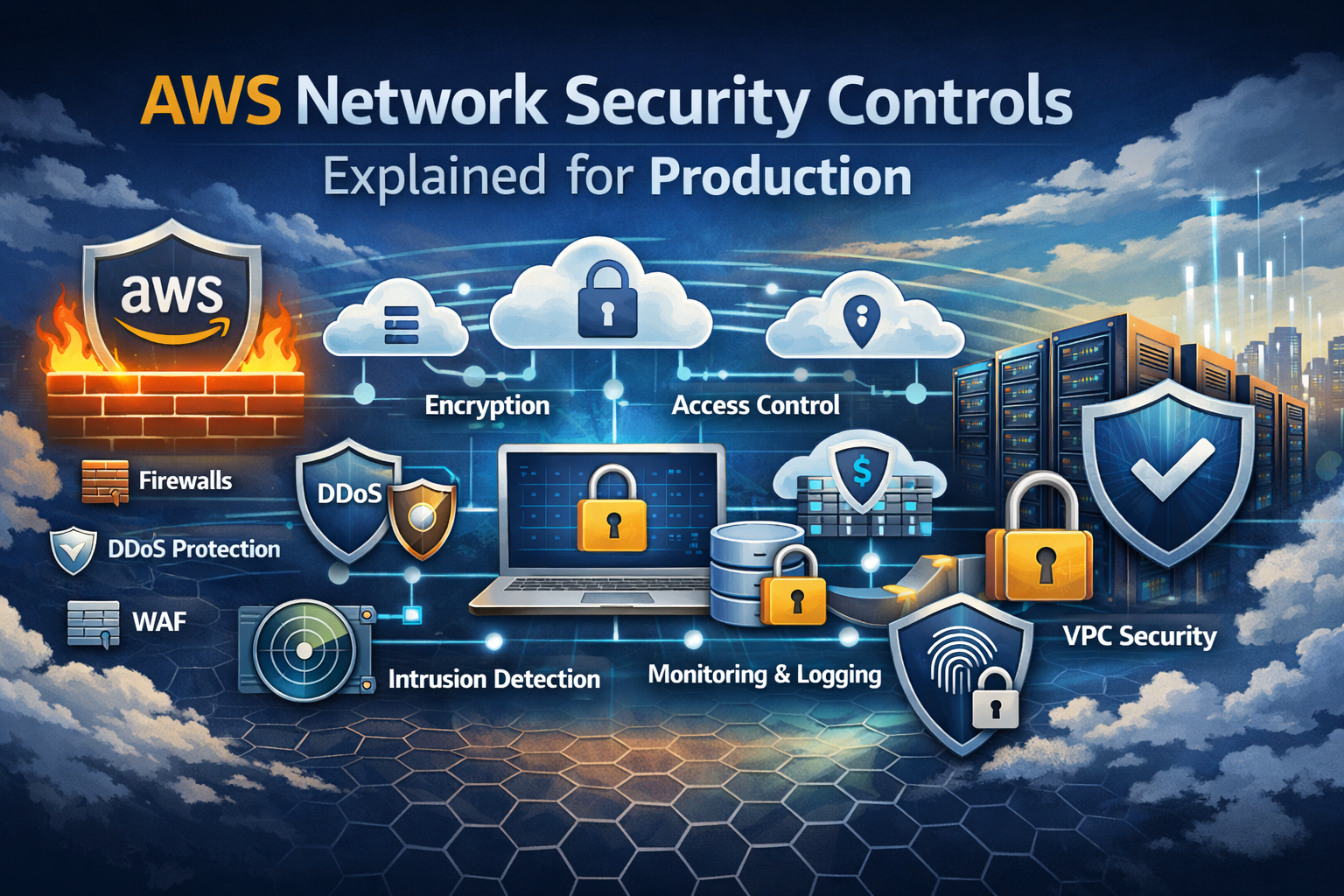
You’ll master VPC security controls that form your network’s foundation, including how to properly configure security groups and network access control lists NACL for layered protection. We’ll walk through AWS WAF web application firewall setup to shield your applications from common attacks.
You’ll also discover how VPC flow logs monitoring gives you the visibility you need to spot threats early, plus Transit Gateway security best practices for connecting multiple networks safely.
By the end, you’ll have a clear roadmap for implementing cloud network security best practices and AWS firewall rules management that keeps your production systems secure and compliant.
Essential VPC Components for Production Security
Subnet Architecture and Isolation Strategies
Building a secure VPC requires strategic subnet design across multiple Availability Zones. Public subnets host internet-facing resources like load balancers, while private subnets contain application servers and databases. Database subnets should remain completely isolated from internet access. This three-tier architecture creates defense layers – web, application, and data tiers each with specific security controls. Multi-AZ deployment ensures high availability while maintaining security boundaries. Each subnet should serve a single purpose with minimal cross-subnet communication to reduce attack surface.
Route Table Configuration Best Practices
Route tables control traffic flow between subnets and external networks, making them critical for AWS network security. Private subnet route tables should only contain routes to NAT gateways for outbound internet access, never direct internet gateway routes. Database subnets need the most restrictive routing – typically only local VPC routes and specific application subnet access. Create separate route tables for each subnet type rather than sharing them. This granular approach prevents accidental exposure and makes security auditing easier. Always review route propagation settings when using Transit Gateways to avoid unintended connectivity.
Internet Gateway and NAT Gateway Security Controls
Internet Gateways provide bidirectional internet access but should only attach to public subnets with proper security groups configuration. NAT Gateways enable secure outbound internet access for private resources without exposing them to inbound connections. Deploy NAT Gateways in public subnets across multiple Availability Zones for redundancy. Monitor NAT Gateway traffic through VPC flow logs monitoring to detect unusual outbound patterns. Consider using NAT Instances instead of NAT Gateways when you need more granular control over outbound traffic filtering. Regularly audit which subnets have internet gateway routes to prevent security misconfigurations.
Network Access Control Lists Implementation
Stateless Filtering Rules for Enhanced Protection
Network access control lists NACL operate as stateless firewalls at the subnet level, examining each packet independently without maintaining connection state. Unlike security groups, NACLs evaluate both inbound and outbound traffic separately, requiring explicit rules for return traffic. This stateless nature provides granular control but demands careful rule crafting to prevent blocking legitimate responses. Configure numbered rules with specific protocols, ports, and CIDR blocks to create precise filtering. Remember that NACLs process rules in numerical order, making rule prioritization critical for effective AWS network security implementation.
Layer-by-Layer Defense Strategy Design
Implement NACLs as your first line of defense before traffic reaches security groups, creating multiple security checkpoints. Design subnet-level controls that complement instance-level security groups rather than duplicating them. Place public subnets behind restrictive NACLs allowing only necessary web traffic, while private subnets use more permissive rules for internal communication. This layered approach ensures compromised instances face additional barriers when attempting lateral movement. Structure your VPC security controls with NACLs handling broad traffic filtering and security groups managing specific application requirements.
Common NACL Misconfigurations to Avoid
Blocking ephemeral ports ranks as the most frequent NACL mistake, disrupting return traffic from outbound connections. AWS assigns random high-numbered ports (1024-65535) for client connections, requiring outbound rules to accommodate this range. Another common error involves forgetting that NACLs deny all traffic by default, unlike security groups which allow outbound traffic. Overlapping rules with conflicting priorities can create unexpected behavior since AWS processes rules sequentially. Always test NACL changes in non-production environments and maintain documentation of rule purposes to prevent accidental service disruptions during AWS firewall rules management.
Performance Impact Considerations
NACLs introduce minimal latency since AWS processes them at the hypervisor level before traffic reaches instances. However, extensive rule lists can impact performance, especially with complex regex patterns or numerous CIDR blocks. Keep rule counts reasonable and position frequently matched rules at lower numbers for faster processing. Monitor VPC flow logs monitoring data to identify traffic patterns and optimize rule efficiency. Consider that NACLs apply to all instances in a subnet, making them powerful tools for cloud network security best practices when managing large-scale deployments without per-instance overhead.
Security Groups Configuration and Management
Stateful Firewall Rules for Application Security
AWS security groups act as virtual firewalls that automatically track connection states, allowing return traffic without explicit outbound rules. Unlike traditional firewalls, these stateful controls remember established connections, creating seamless bidirectional communication while blocking unauthorized access attempts. This intelligent tracking eliminates complex rule configurations and reduces security gaps in production environments.
Least Privilege Access Principles
Security groups enforce zero-trust networking by denying all traffic by default, requiring explicit allow rules for each connection. Production applications should receive only the minimum required access, with specific source IP ranges, security groups, or CIDR blocks defined for each rule. Regular audits help identify overprivileged access patterns and unused rules that create unnecessary attack vectors.
Port and Protocol Restrictions
Production security groups must specify exact ports and protocols rather than broad ranges or wildcard permissions. Common patterns include restricting HTTPS to port 443, SSH to port 22 from bastion hosts only, and database connections to specific application security groups. Custom application ports should be documented and justified, with unused services completely blocked to minimize the attack surface.
Dynamic Rule Updates for Scaling Applications
Auto Scaling groups and containerized workloads require security groups that adapt to changing infrastructure without manual intervention. AWS security groups configuration supports dynamic referencing through security group IDs, allowing scaled instances to communicate regardless of their IP addresses. CloudFormation templates and Infrastructure as Code tools enable version-controlled security group management that scales with application deployments.
AWS WAF Integration for Web Application Protection
SQL Injection and XSS Attack Prevention
AWS WAF web application firewall provides managed rule groups that automatically detect and block SQL injection attacks by analyzing request patterns for malicious database queries. Cross-site scripting protection examines user inputs and blocks attempts to inject malicious scripts into web applications. The service updates rule definitions continuously to address emerging attack vectors, while allowing legitimate traffic to pass through seamlessly. Custom SQL injection rules can target specific application vulnerabilities, and XSS protection extends beyond basic pattern matching to include context-aware filtering that prevents script execution across different input fields and parameters.
Rate Limiting and DDoS Mitigation
Rate-based rules in AWS WAF automatically throttle requests exceeding defined thresholds from individual IP addresses, protecting against both application-layer attacks and resource exhaustion. The service integrates with AWS Shield Advanced for comprehensive DDoS protection, combining network-level filtering with application-aware rate limiting. Geographic blocking capabilities restrict access from specific countries or regions known for malicious activity. Web ACLs can implement progressive rate limiting that increases restrictions as attack patterns intensify, while maintaining service availability for legitimate users through intelligent traffic analysis and adaptive thresholds.
Custom Rule Creation for Specific Threats
AWS WAF rule builder enables creation of highly specific security controls tailored to unique application architectures and threat landscapes. IP reputation lists, string matching conditions, and regex patterns combine to create multi-layered protection against sophisticated attacks targeting specific application endpoints. Rule priority ordering ensures critical security policies execute first, while logging capabilities provide detailed insights into blocked requests and attack patterns. Custom rules can target specific HTTP headers, URI paths, and request body content, allowing security teams to address application-specific vulnerabilities that generic rule sets might miss.
VPC Flow Logs for Network Monitoring
Traffic Analysis and Anomaly Detection
VPC flow logs monitoring captures detailed network traffic patterns across your AWS infrastructure, enabling real-time detection of suspicious activities like unusual data transfers, unauthorized access attempts, and potential DDoS attacks. Advanced analytics tools can process these logs to establish baseline traffic patterns and automatically flag deviations that indicate security threats or performance issues.
Compliance Reporting and Audit Trails
Flow logs create comprehensive audit trails that document all network communications within your VPC, supporting compliance requirements for standards like SOC 2, HIPAA, and PCI DSS. These detailed records provide forensic evidence during security incidents, track data flows between services, and demonstrate adherence to network security policies required by regulatory frameworks.
Integration with CloudWatch and Third-Party Tools
AWS CloudWatch seamlessly ingests VPC flow logs for custom metric creation, automated alerting, and dashboard visualization of network traffic patterns. Popular third-party security information and event management (SIEM) tools like Splunk, Elasticsearch, and Datadog can also consume these logs for advanced correlation analysis, threat hunting, and centralized security monitoring across hybrid cloud environments.
Cost Optimization Strategies
Optimize flow logs costs by implementing selective logging based on specific subnets, network interfaces, or VPCs rather than enabling organization-wide capture. Configure custom log formats to capture only essential fields, reducing storage costs while maintaining security visibility. Archive older logs to cheaper storage tiers like S3 Glacier and implement automated lifecycle policies to balance retention requirements with budget constraints.
Transit Gateway Security Controls
Cross-VPC Communication Management
Transit Gateway acts as a central hub for managing secure connections between multiple VPCs across your AWS infrastructure. You can control which VPCs communicate with each other through route tables and security policies. This centralized approach eliminates the need for complex VPC peering arrangements while maintaining strict network isolation. Configure attachment-specific route tables to ensure only authorized VPCs can exchange traffic, creating secure communication channels for production workloads.
Route Propagation and Filtering
Route propagation in Transit Gateway security controls determines how network traffic flows between connected resources. You can selectively propagate routes from specific attachments to control network reachability. Static routes provide granular control over traffic paths, while dynamic route filtering prevents unwanted network exposure. Configure route filters to block suspicious or unauthorized destination networks, ensuring production traffic follows predetermined secure pathways through your cloud network security infrastructure.
Network Segmentation at Scale
Transit Gateway enables enterprise-level network segmentation across hundreds of VPCs and on-premises connections. Create separate route tables for different business units, environments, or security zones to maintain proper isolation. This approach scales beyond traditional VPC limitations while preserving AWS network security boundaries. Use dedicated route tables for development, staging, and production environments to prevent cross-contamination of sensitive workloads and maintain compliance with security frameworks at scale.
AWS network security isn’t just about checking boxes—it’s about building layers of protection that actually work together. VPC components like NACLs and security groups give you that defense-in-depth approach, while AWS WAF handles the web-facing threats that traditional network controls might miss. When you add VPC Flow Logs for visibility and Transit Gateway controls for multi-VPC environments, you’re creating a security framework that scales with your production needs.
Don’t try to implement everything at once. Start with your core VPC security groups and NACLs, get those right, then layer on WAF protection for your web applications. Once you have good visibility through Flow Logs, you can fine-tune your rules and spot potential issues before they become real problems. Your production environment deserves security controls that are both robust and manageable—these AWS tools give you exactly that when configured thoughtfully.