Building web applications that stay online 24/7 isn’t just a nice-to-have anymore—it’s essential for business success. This guide walks you through architecting highly available web applications on AWS using Terraform, giving you the tools to create systems that keep running even when things go wrong.
This comprehensive resource is designed for DevOps engineers, cloud architects, and development teams who need to build fault tolerant web architecture that can handle real-world challenges. Whether you’re managing a startup’s first production deployment or scaling enterprise applications, you’ll learn practical strategies that work.
We’ll dive deep into Terraform infrastructure as code best practices that make your deployments repeatable and reliable. You’ll discover how to implement database high availability strategies that protect your data and keep your applications responsive. We’ll also cover AWS load balancer configuration techniques that distribute traffic intelligently across multiple regions, ensuring your users always have a fast, reliable experience.
By the end of this guide, you’ll have the knowledge to build resilient cloud infrastructure design that automatically recovers from failures and scales with your business needs.
Understanding High Availability Architecture Fundamentals

Define High Availability and Its Business Impact
High availability means keeping your web application running even when things go wrong. Think servers crashing, network hiccups, or entire data centers going dark. When your app stays online 99.9% of the time instead of 95%, you’re talking about the difference between happy customers and lost revenue. E-commerce sites can lose thousands per minute during outages, while SaaS platforms risk customer churn and damaged reputation.
AWS high availability architecture helps businesses avoid these costly disruptions by spreading resources across multiple locations and building smart backup systems. Companies using proper high availability strategies report significant improvements in customer satisfaction and revenue protection, making the upfront investment in redundant infrastructure worthwhile for mission-critical applications.
Explore AWS Regions and Availability Zones for Redundancy
AWS regions are separate geographic areas containing multiple availability zones – think of them as isolated data centers within the same city. Each availability zone runs on independent power grids, cooling systems, and network connections. This setup means if one zone experiences problems, your application can keep running from another zone without users noticing any downtime.
Smart architects spread their applications across multiple availability zones within a region, and sometimes across multiple regions for extra protection. This geographic distribution creates natural redundancy – when you deploy your web application this way, you’re building a safety net that catches failures before they impact your users.
Identify Single Points of Failure in Web Applications
Single points of failure are the weak links that can bring down your entire application. Common culprits include having just one database server, a single load balancer, or all your web servers running in the same availability zone. Even something as simple as using only one domain name server can become a critical vulnerability that takes your site offline.
Web applications also face less obvious single points of failure like shared storage systems, single internet service provider connections, or dependencies on third-party APIs without backup options. Identifying these weak spots requires mapping out your entire application flow and asking “what happens if this component fails?” for each piece of your infrastructure.
Calculate Availability Metrics and SLA Requirements
Availability metrics tell you how reliable your system really is. The standard measurement is uptime percentage – 99.9% availability means your application can be down for about 8.76 hours per year, while 99.99% allows only 52.6 minutes of downtime annually. These numbers directly impact your service level agreements and customer expectations.
Calculating these metrics involves tracking both planned and unplanned outages. You multiply individual component availability rates to find your overall system availability – if your web server has 99.9% uptime and your database has 99.8%, your combined availability drops to about 99.7%. This math shows why eliminating single points of failure becomes so important for meeting strict SLA requirements.
Essential AWS Services for High Availability Web Applications

Load balancing with Application Load Balancer and Network Load Balancer
Application Load Balancers operate at Layer 7, making intelligent routing decisions based on HTTP headers, paths, and hostnames. They excel at distributing traffic across multiple targets while performing health checks to automatically remove unhealthy instances from rotation. Network Load Balancers handle extreme performance requirements at Layer 4, processing millions of requests per second with ultra-low latency for TCP and UDP traffic.
Both load balancer types integrate seamlessly with Auto Scaling Groups and support cross-zone load balancing for even traffic distribution. ALBs offer advanced features like SSL termination, WebSocket support, and content-based routing, while NLBs provide static IP addresses and preserve source IP information for applications requiring direct client connections.
Auto scaling groups for dynamic capacity management
Auto Scaling Groups automatically adjust EC2 instance capacity based on demand patterns, ensuring your application maintains performance during traffic spikes while optimizing costs during low-usage periods. They work with launch templates to define instance configurations and scaling policies that respond to CloudWatch metrics like CPU utilization, request count, or custom application metrics.
Target tracking policies simplify scaling by maintaining specific metric targets, while step scaling provides more granular control over scaling actions. Auto Scaling Groups distribute instances across multiple Availability Zones, replacing failed instances automatically and integrating with load balancers to ensure new instances receive traffic only after passing health checks.
Multi-AZ database deployments with RDS and Aurora
Amazon RDS Multi-AZ deployments maintain synchronous standby replicas in separate Availability Zones, providing automatic failover capabilities with minimal downtime during maintenance or outages. The primary database synchronously replicates data to standby instances, ensuring zero data loss during failover events that typically complete within 60-120 seconds.
Aurora clusters take database high availability further with shared storage architecture spanning multiple AZs and supporting up to 15 read replicas. Aurora’s self-healing storage automatically repairs corrupted blocks and provides continuous backups to Amazon S3, while Global Database enables cross-region replication with lag times under one second for disaster recovery scenarios.
Content delivery with CloudFront CDN
CloudFront accelerates content delivery by caching static and dynamic content at edge locations worldwide, reducing latency and improving user experience regardless of geographic location. It integrates with AWS services like S3, ALB, and API Gateway as origin servers, automatically routing requests to the nearest edge location with cached content.
Origin failover capabilities enhance availability by configuring secondary origins that CloudFront switches to when primary origins become unavailable. CloudFront supports real-time metrics and logs through CloudWatch, enabling monitoring of cache hit ratios, error rates, and performance metrics while providing DDoS protection through AWS Shield integration.
Terraform Infrastructure as Code Best Practices

Structure Terraform modules for reusable components
Creating modular Terraform infrastructure as code significantly improves maintainability and scalability for highly available web applications AWS deployments. Well-structured modules encapsulate specific AWS resources like VPCs, load balancers, and auto-scaling groups into reusable components. Each module should have clear input variables, outputs, and documentation that makes them easy to consume across different environments. This approach enables teams to build consistent infrastructure patterns while reducing code duplication and configuration drift.
Implement state management with remote backends
Remote state backends are critical for team collaboration and maintaining infrastructure consistency across AWS environments. Store Terraform state files in Amazon S3 with DynamoDB state locking to prevent concurrent modifications that could corrupt your infrastructure. Configure state file encryption and versioning to protect sensitive data and enable rollback capabilities. This setup ensures that multiple team members can safely work on the same Terraform AWS multi-region deployment without conflicts or data loss.
Version control strategies for infrastructure code
Proper version control workflows protect your infrastructure code and enable safe deployments to production systems. Use Git branching strategies with pull request reviews for all infrastructure changes, treating your Terraform code with the same rigor as application code. Tag releases and maintain separate branches for different environments to control deployment timing. Implement automated testing and validation pipelines that run terraform plan and security scans before merging changes, ensuring your fault tolerant web architecture remains stable and secure.
Building Resilient Network Architecture

Design VPC with multiple availability zones
Creating a robust AWS high availability architecture starts with a well-planned Virtual Private Cloud spanning multiple availability zones. This design protects your application from single-point-of-failure scenarios by distributing resources across geographically separated data centers. When one zone experiences issues, your application continues running seamlessly from other zones.
Your VPC should include at least three availability zones for optimal resilient cloud infrastructure design. This configuration provides redundancy while maintaining cost efficiency, ensuring your web application remains accessible even during AWS infrastructure maintenance or unexpected outages.
Configure public and private subnets for security layers
Smart subnet design creates essential security boundaries within your VPC. Public subnets host internet-facing resources like load balancers and NAT gateways, while private subnets protect sensitive components such as application servers and databases. This layered approach significantly reduces your attack surface.
Each availability zone requires both subnet types to maintain consistency and enable seamless failover. Place your web servers in private subnets behind Application Load Balancers positioned in public subnets. This architecture ensures direct internet access is limited to necessary components only.
Implement NAT gateways for outbound internet access
NAT gateways provide secure outbound internet connectivity for resources in private subnets without exposing them to inbound traffic. Deploy one NAT gateway per availability zone to eliminate single points of failure and reduce cross-zone data transfer costs.
Configure your private subnet route tables to direct internet-bound traffic through the NAT gateway in the same availability zone. This setup maintains high availability while optimizing network performance and reducing latency for your application’s external API calls and software updates.
Set up route tables for optimal traffic flow
Route table configuration directly impacts your application’s performance and availability. Create separate route tables for public and private subnets, ensuring traffic flows efficiently between components. Public subnet routes direct traffic to the Internet Gateway, while private subnet routes use NAT gateways for outbound connections.
Implement granular routing rules that account for inter-subnet communication patterns. This approach minimizes unnecessary network hops and reduces latency between application tiers, creating a more responsive user experience while maintaining the security benefits of your multi-layer architecture design.
Implementing Database High Availability Strategies

Configure RDS Multi-AZ deployments for automatic failover
Multi-AZ RDS deployments create a standby database replica in a separate availability zone, providing automatic failover capabilities when primary database issues arise. Your Terraform configuration should specify multi_az = true in the RDS instance resource, enabling AWS to handle database failover seamlessly without application code changes.
Set up read replicas for improved performance
Read replicas distribute database read traffic across multiple instances, reducing load on your primary database while improving application performance. Configure read replicas in different availability zones using Terraform’s aws_db_instance resource with the replicate_source_db parameter pointing to your primary RDS instance.
Implement automated backup and point-in-time recovery
Automated backups protect your database with configurable retention periods and point-in-time recovery capabilities. Set the backup_retention_period parameter in your RDS Terraform resource to enable daily snapshots, while backup_window defines when backups occur to minimize performance impact during peak usage.
Monitor database health with CloudWatch metrics
CloudWatch provides essential database metrics including CPU utilization, connection counts, and read/write latency for proactive monitoring. Create CloudWatch alarms through Terraform using the aws_cloudwatch_metric_alarm resource to trigger notifications when database performance thresholds are exceeded, enabling quick response to potential issues.
Advanced Traffic Management and Load Distribution
Configure health checks for automatic instance replacement
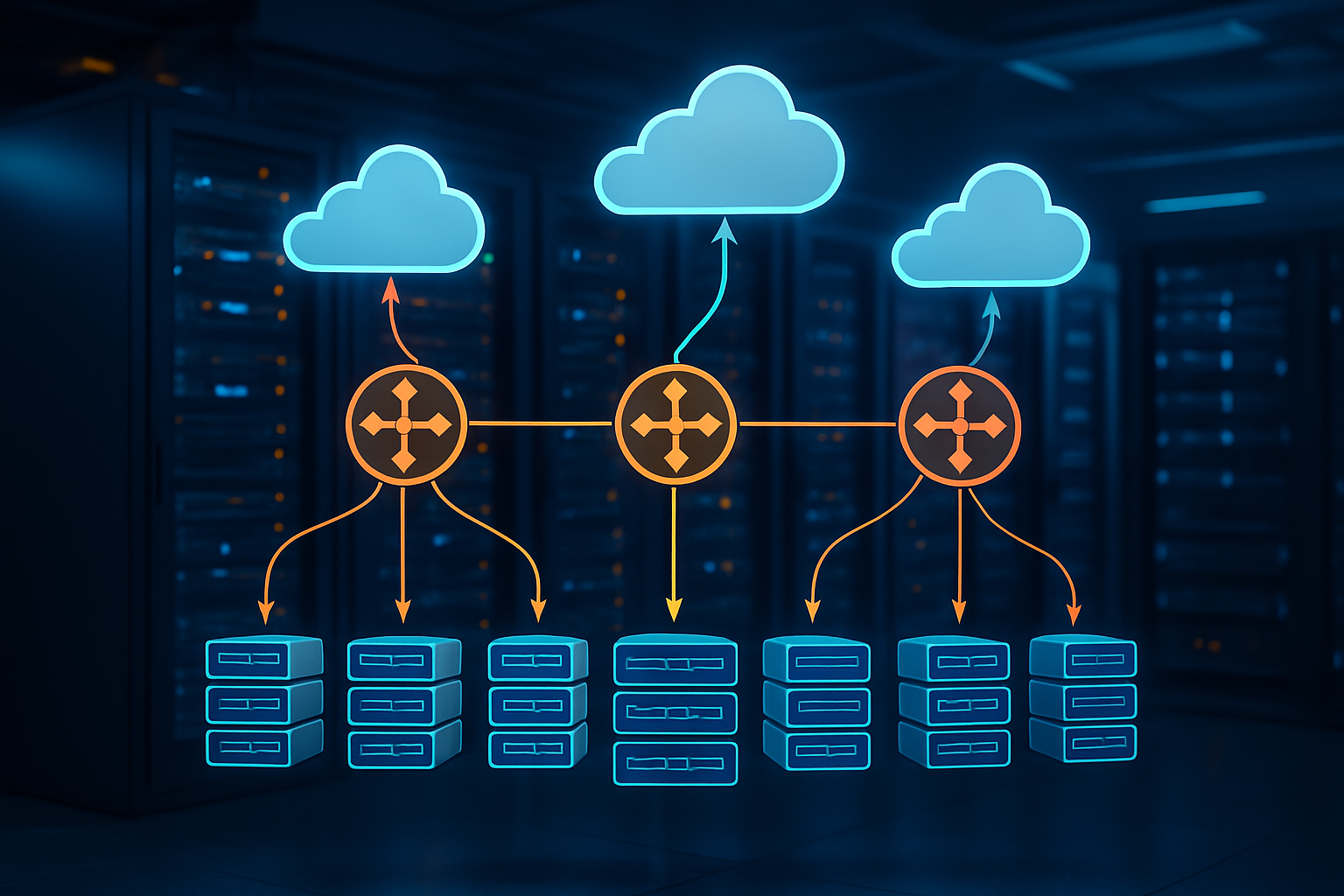
Setting up robust health checks ensures your AWS load balancer configuration automatically detects unhealthy instances and routes traffic away from them. Configure HTTP/HTTPS health checks with specific endpoints that validate both application functionality and database connectivity. Use custom health check intervals between 5-30 seconds, with failure thresholds of 2-3 consecutive failures to balance responsiveness with stability.
Implement cross-zone load balancing for even distribution
Cross-zone load balancing distributes incoming requests evenly across all availability zones, preventing hotspots and maximizing resource utilization in your fault tolerant web architecture. Enable this feature in your Application Load Balancer through Terraform to ensure traffic spreads uniformly, even when instance counts vary between zones. This approach significantly improves application performance and reduces the risk of overwhelming specific availability zones during traffic spikes or instance failures.
Set up sticky sessions for stateful applications
Sticky sessions bind user requests to specific backend instances, essential for applications maintaining server-side state like shopping carts or user sessions. Configure session affinity using application-controlled cookies or load balancer-generated cookies with appropriate duration settings. Balance stickiness requirements with high availability by implementing session replication or external session storage solutions like Redis or DynamoDB to prevent data loss during instance failures.
Monitoring and Alerting for Proactive Issue Resolution

Deploy CloudWatch dashboards for real-time visibility
Real-time monitoring through CloudWatch dashboards provides instant visibility into your AWS high availability architecture performance. Create custom dashboards that track key metrics like CPU usage, memory consumption, request latency, and error rates across your web application stack. Configure widgets to display EC2 instance health, RDS database performance, and load balancer statistics in a unified view.
Set up threshold-based alarms that trigger when metrics exceed predefined limits, ensuring your fault tolerant web architecture maintains optimal performance. Use CloudWatch Insights to analyze trends and identify potential bottlenecks before they impact user experience, making your monitoring strategy proactive rather than reactive.
Configure SNS notifications for critical events
Amazon SNS enables instant notification delivery when critical events occur in your highly available web applications AWS infrastructure. Configure topic subscriptions to send alerts via email, SMS, or HTTP endpoints when system anomalies are detected. Integrate SNS with CloudWatch alarms to automatically notify operations teams about database failovers, instance failures, or capacity issues.
Create notification hierarchies that escalate alerts based on severity levels, ensuring the right teams receive appropriate information. Use message filtering to reduce noise and focus on actionable alerts that require immediate attention for maintaining system reliability.
Implement log aggregation with CloudWatch Logs
Centralized log management through CloudWatch Logs streamlines troubleshooting across your distributed web application components. Configure log groups for each service layer, including application servers, databases, and load balancers, enabling comprehensive event tracking. Use log streams to organize data by instance or time periods for efficient analysis.
Implement custom metrics extraction from application logs to monitor business-specific events and user interactions. Set up log retention policies that balance storage costs with compliance requirements while maintaining adequate historical data for pattern analysis and incident investigation.
Set up automated response with Lambda functions
AWS Lambda functions enable automated incident response that reduces mean time to recovery in your resilient cloud infrastructure design. Create serverless functions that automatically restart failed services, scale resources based on demand patterns, or initiate failover procedures when health checks fail. Trigger Lambda functions through CloudWatch Events or SNS notifications for immediate response to system alerts.
Build self-healing capabilities by programming Lambda to perform common remediation tasks like clearing cache, restarting services, or updating security group rules. This automation reduces manual intervention requirements and ensures consistent response procedures across your AWS monitoring and alerting infrastructure.
Security Hardening for High Availability Systems

Implement security groups and NACLs for network protection
Security groups act as virtual firewalls controlling traffic at the instance level, while Network Access Control Lists (NACLs) provide subnet-level filtering for your AWS high availability architecture. Configure security groups with specific port rules allowing only necessary protocols—HTTP (80), HTTPS (443), and SSH (22) from bastion hosts. Create restrictive inbound rules and leverage security group references for internal communication between application tiers.
NACLs add an extra layer of defense through stateless filtering at the subnet boundary. Design custom NACLs with explicit allow rules for required traffic flows and implicit deny-all policies. This dual-layer approach strengthens your fault tolerant web architecture against network-based attacks while maintaining legitimate application connectivity.
Configure AWS WAF for application-layer security
AWS Web Application Firewall protects your highly available web applications from common exploits like SQL injection, cross-site scripting, and DDoS attacks. Deploy WAF rules on your Application Load Balancer to filter malicious requests before they reach your backend infrastructure. Create custom rule sets targeting your specific application vulnerabilities, including rate limiting for API endpoints and geographic blocking for suspicious regions.
Integrate WAF with CloudWatch for real-time monitoring and automated responses to attack patterns. This proactive security measure ensures your resilient cloud infrastructure design maintains performance during security incidents while blocking threats at the edge.
Set up IAM roles with least privilege access
IAM roles enforce strict access controls across your high availability infrastructure without embedding credentials in code. Design role-based policies granting minimum permissions needed for each service function—EC2 instances accessing S3 buckets, Lambda functions writing to CloudWatch, or RDS instances connecting to Parameter Store. Use managed policies for standard operations and create custom policies for specific application requirements.
Implement cross-account roles for multi-region deployments and service-linked roles for AWS services. This approach eliminates credential management overhead while providing granular access control that scales with your infrastructure growth and maintains security boundaries between application components.

Building highly available web applications on AWS requires a solid understanding of core architecture principles and the right combination of AWS services. Through proper implementation of load balancers, auto-scaling groups, multi-AZ deployments, and robust database strategies, you can create systems that stay online even when individual components fail. Terraform makes this process repeatable and manageable by letting you define your entire infrastructure as code, ensuring consistency across environments and making disaster recovery much simpler.
The real magic happens when you combine smart network design with proactive monitoring and security hardening. Setting up proper alerts and dashboards helps you catch issues before they impact users, while implementing security best practices protects your high-availability investment from threats that could bring everything down. Start small with a basic multi-AZ setup, then gradually add more sophisticated features like advanced load balancing and database clustering as your application grows. Your users will thank you when your application stays running smoothly, even during peak traffic or unexpected outages.